

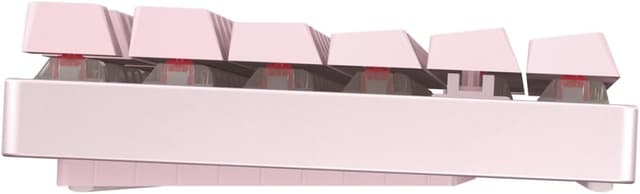
Cherry MX 8.2 TKL Wireless Mechanical Gaming Keyboard (Pink, MX2A Brown Switch)
Product description
If your desk setup includes real gaming sessions, the Cherry MX 8.2 TKL Wireless is built around speed and flexibility. The pitch here is clear: ultra-low latency under 1 ms and CHERRY Advanced Wireless Technology with three connection modes. In practical terms, that means you’re not forced into one “one-size-fits-all” way of connecting—so you can match the keyboard to your setup instead of the other way around.
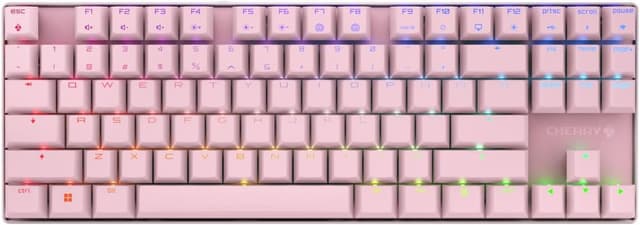
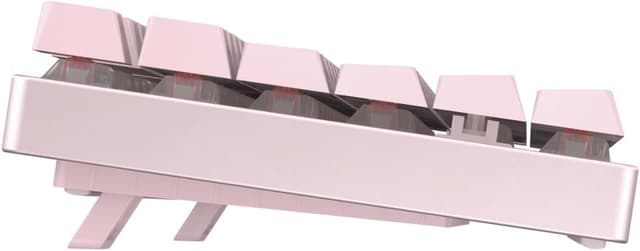
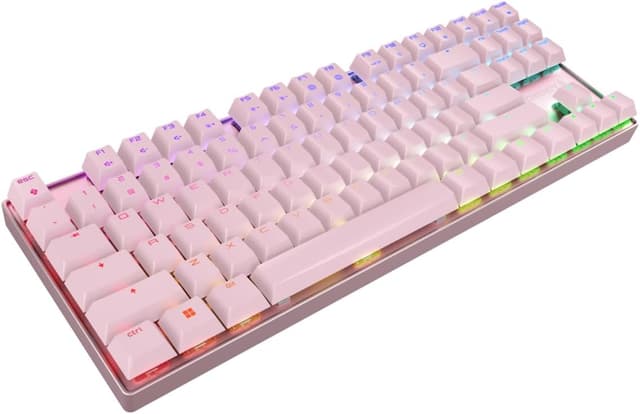
At the same time, this isn’t just a numbers keyboard. It uses an elegant aluminum design, includes ergonomic structure, and adds vibrant RGB lighting customizable in over 16 million colors. That’s the kind of combination that can make a gaming board feel a little more “desktop-ready,” not just functional. Of course, it’s not perfect for everyone—wireless gaming features and a TKL layout can be a dealbreaker if you need a full numpad or you prefer a simpler, cheaper approach.
Key takeaways
The Cherry MX 8.2 TKL Wireless focuses on three things: fast wireless performance, CHERRY MX2A mechanical switches, and a layout that stays compact without going tiny. You also get everyday extras that matter during matches—anti-ghosting, full n-key rollover, and WIN key lock. Plus, the intelligent charging technology is designed to help keep gameplay going even while the keyboard charges.
Worth noting: the main comfort comes from the switch choice. The MX2A Brown switches are described as smoother actuation with enhanced acoustics, and the goal is “silent, responsive, and precise typing” for high-stakes sessions. That’s a decent profile if you want a more refined feel than the loudest switch styles, but it may not be the best match if you specifically chase a very tactile “bump” experience or a fully silent setup.
What stands out in everyday use
TKL (tenkeyless) is one of those layouts that either clicks immediately or annoys you. If you don’t use a numpad often, you get a more compact board that frees up mouse space and can feel faster to navigate across your desk. In actual gameplay terms, that can translate to less hand travel and a tighter “centered” setup.
The wireless angle is where this model earns its keep. With an under-1 ms latency claim and three connection modes, the MX 8.2 is positioned for players who don’t want to feel a delay. You’re also not stuck waiting for a single method—your connectivity can adapt to your computer setup.
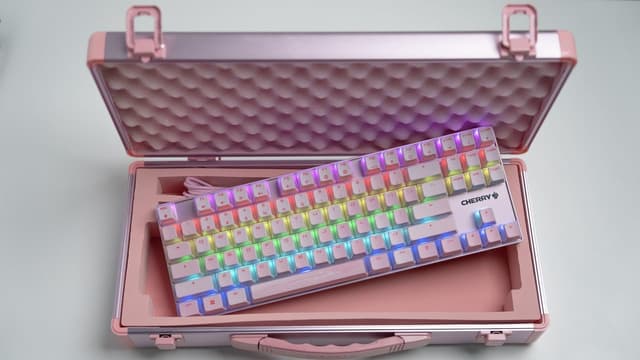
RGB is another part of the experience. Customizable lighting in over 16 million colors helps you build a vibe that matches the rest of your rig. It’s not going to make you better at aim, but it does make the board feel like part of your setup rather than an afterthought.

And then there’s the durability story: each key is rated for over 100 million presses. That’s the kind of spec you appreciate later, especially if you’re going to use the keyboard every day and not treat it like a weekend toy.
Tech specs
- Type: Wireless mechanical gaming keyboard
- Layout: TKL (tenkeyless)
- Switch type: CHERRY MX2A (Brown)
- Polling/latency claim: ultra-low latency under 1 ms
- RGB lighting: customizable in over 16 million colors
- Key durability rating: over 100 million presses per key
- Anti-ghosting: included
- Key rollover: full n-key rollover
- WIN key lock: included
Pros
- Wireless gaming focus with an ultra-low latency claim under 1 ms, plus three connection modes
- CHERRY MX2A switches are designed for smoother actuation, responsive feel, and improved acoustics
- TKL layout helps keep your desk and mouse area less cramped
- Useful match-day features like anti-ghosting, full n-key rollover, and WIN key lock
- Charging is meant to be workable during use thanks to intelligent charging technology
- Premium touches: aluminum design, ergonomic structure, and RGB customization
Limitations to consider before buying
This is “performance-first,” not “maximum simplicity.” If you mainly want a basic office keyboard or you don’t care about low-latency wireless, you may be paying for features you won’t use.
Also, consider the layout. Being TKL means there’s no full numpad—so if you rely on number-pad shortcuts for productivity or spreadsheets, you might find yourself compensating.
Finally, the switch description emphasizes smoother actuation and quieter aiming for silent, responsive precision, but “silent” can still feel different from person to person. If you’re very sensitive to sound or you’re chasing a specific switch feel (more tactile, less tactile, heavier, lighter), you should make sure this MX2A Brown profile matches what you want.
Who it’s for (and who should skip it)
It makes sense if you want a wireless mechanical gaming keyboard with low-latency positioning, a compact TKL layout, and CHERRY MX2A switches rated for long-term use. It also fits well if you care about RGB and want a board that looks like it belongs on a modern gaming desk.
You may want to skip it if you need a full-size keyboard with a numpad, if you don’t play games where low-latency wireless matters, or if you prefer to spend less on a more straightforward wired option.
Is it worth it?
Buy the Cherry MX 8.2 TKL Wireless if you’re shopping for a TKL mechanical gaming keyboard that emphasizes ultra-low-latency wireless connectivity, uses CHERRY MX2A Brown switches, and includes the practical extras that show up during matches (anti-ghosting, full n-key rollover, and WIN key lock). The durable key rating and the idea of uninterrupted play while charging are also strong reasons to consider it if your sessions run long.
Don’t buy it if you absolutely need a numpad or if you’re not going to use the wireless gaming features. For purely casual typing or office use, the feature depth may feel like overkill.
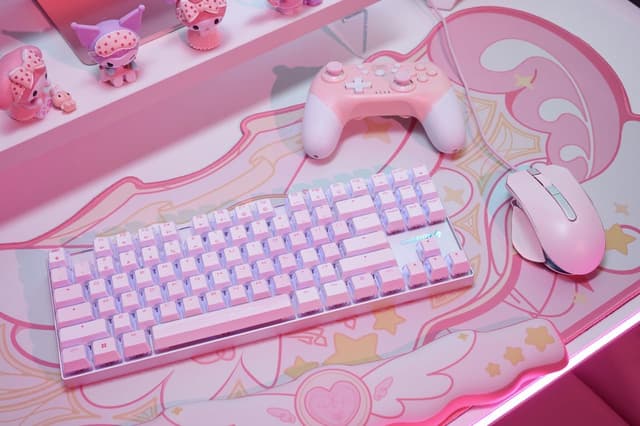
Quick real-world example: if you’re setting up a streamer-style desk with a smaller keyboard to keep your mouse movement wide, this TKL layout and wireless design can help you keep your hand positions consistent while you game—especially when you want reliable inputs without accidental WIN key hits.
Mini FAQ
Does this keyboard support gaming while charging?
The product description states it uses intelligent charging technology designed to allow uninterrupted gameplay even while charging. That’s the key takeaway.
What does TKL mean here?
TKL means tenkeyless, so it’s a compact layout without a full numpad. If you rely on number-pad input, that’s something to check before you commit.
What switches does it use?
It uses CHERRY MX2A Brown switches.
How customizable is the RGB lighting?
The RGB lighting is customizable in over 16 million colors, based on the information provided.
Is there any mention of rollover and anti-ghosting?
Yes—there’s anti-ghosting and full n-key rollover called out in the description.