

Blackview Laptop Screen Extender (SCM8) — 15.6" FHD Portable Dual Monitor, Ultra-Light 1.7 lbs
Product description
If you’re the kind of person who works on the go, a single laptop screen can feel like you’re constantly switching focus. The Blackview Laptop Screen Extender is designed for that “need more workspace” moment—by turning your setup into a true portable dual-monitor experience without turning it into a heavy load.
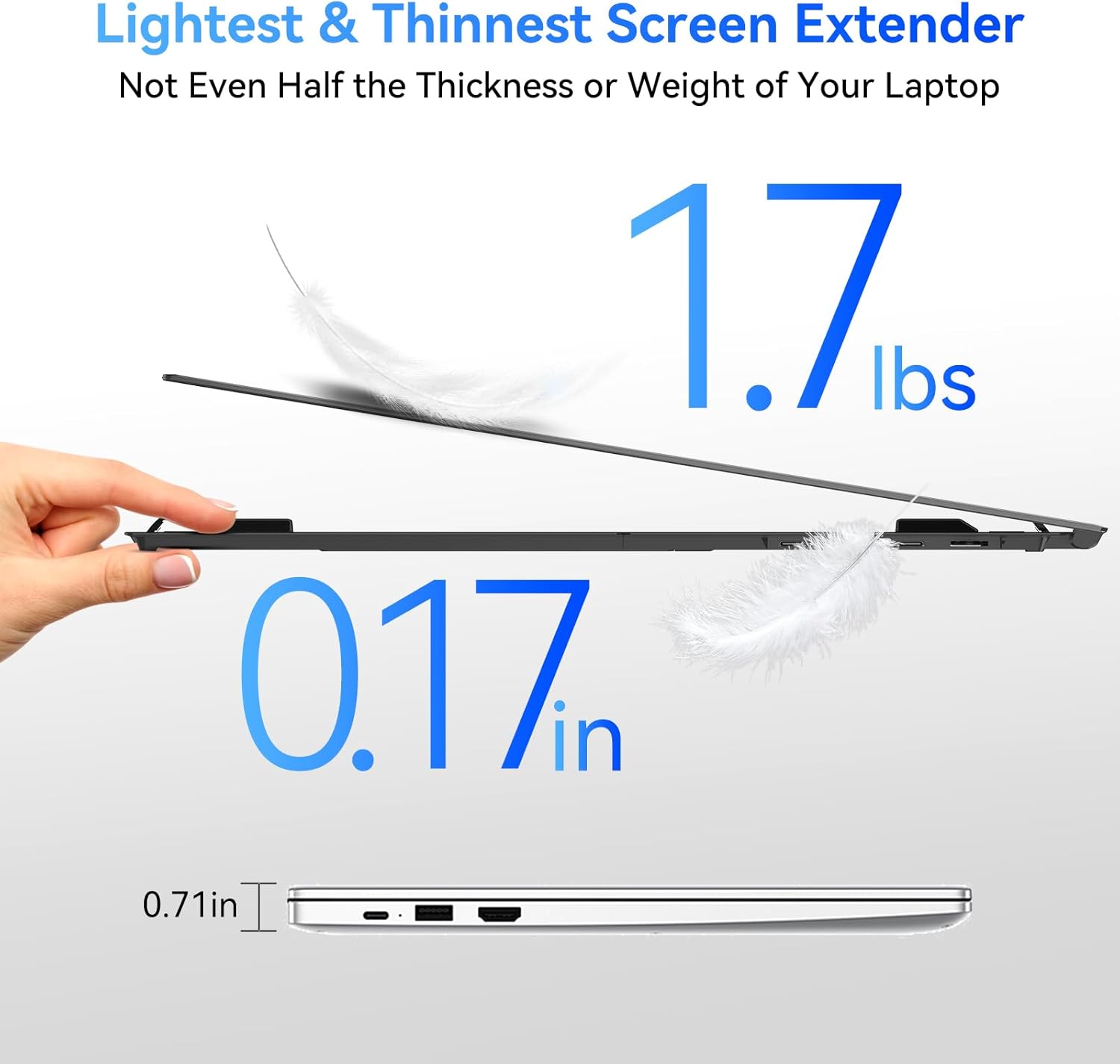
On paper, it stands out for being light (1.7 lbs) and thin (0.17 in), plus it includes a carry case and the cables you need. Still, it’s worth keeping expectations realistic: it’s an extender, not a replacement for a high-end desktop display, so the best results come when you value portability and practical desk comfort over absolute image wow-factor.
The essentials
This portable monitor extender gives you an extra 15.6-inch screen for laptop work, streaming, or gaming sessions where you want more room. It supports several display modes (Mirror, Extension, Landscape & Portrait) and includes a 180° rotation feature, which is handy when you want to change orientation for documents, spreadsheets, or long reads.
Blackview also positions this as a mobile office solution—something you can toss in a bag and set up quickly. The idea is simple: expand your workspace when you need it, without waiting on driver installs or dealing with complicated setup.
What matters most for everyday use
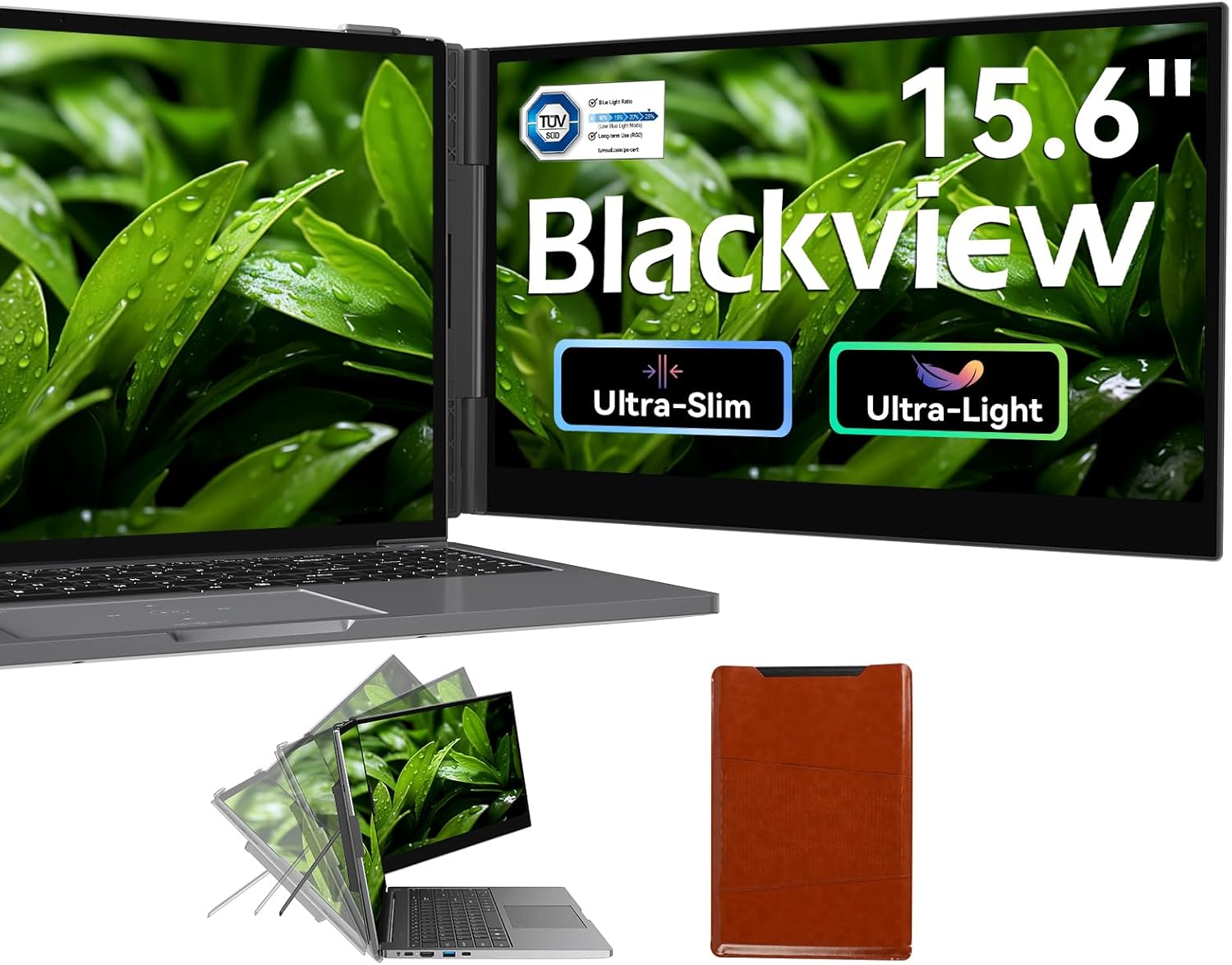
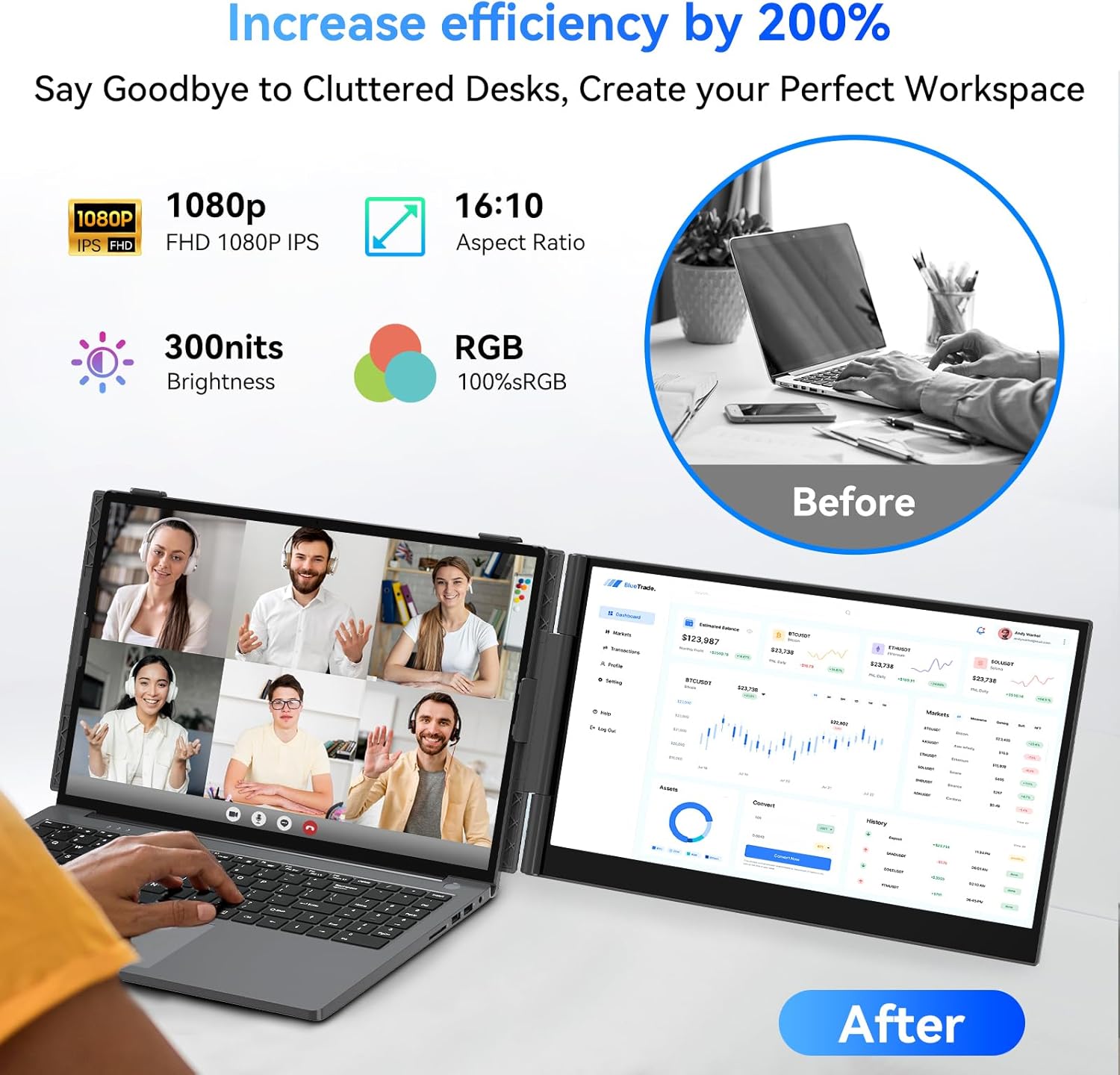
The specs that affect day-to-day comfort are more than marketing fluff here. The screen is 1080P-class with FHD 1080P (the description lists 1920x1200 resolution and 60Hz refresh rate), 300 nits brightness, and 100% sRGB color gamut. For most laptop extension scenarios—email, docs, web research, basic design previews—this is the sort of “usable and consistent” panel setup people look for.
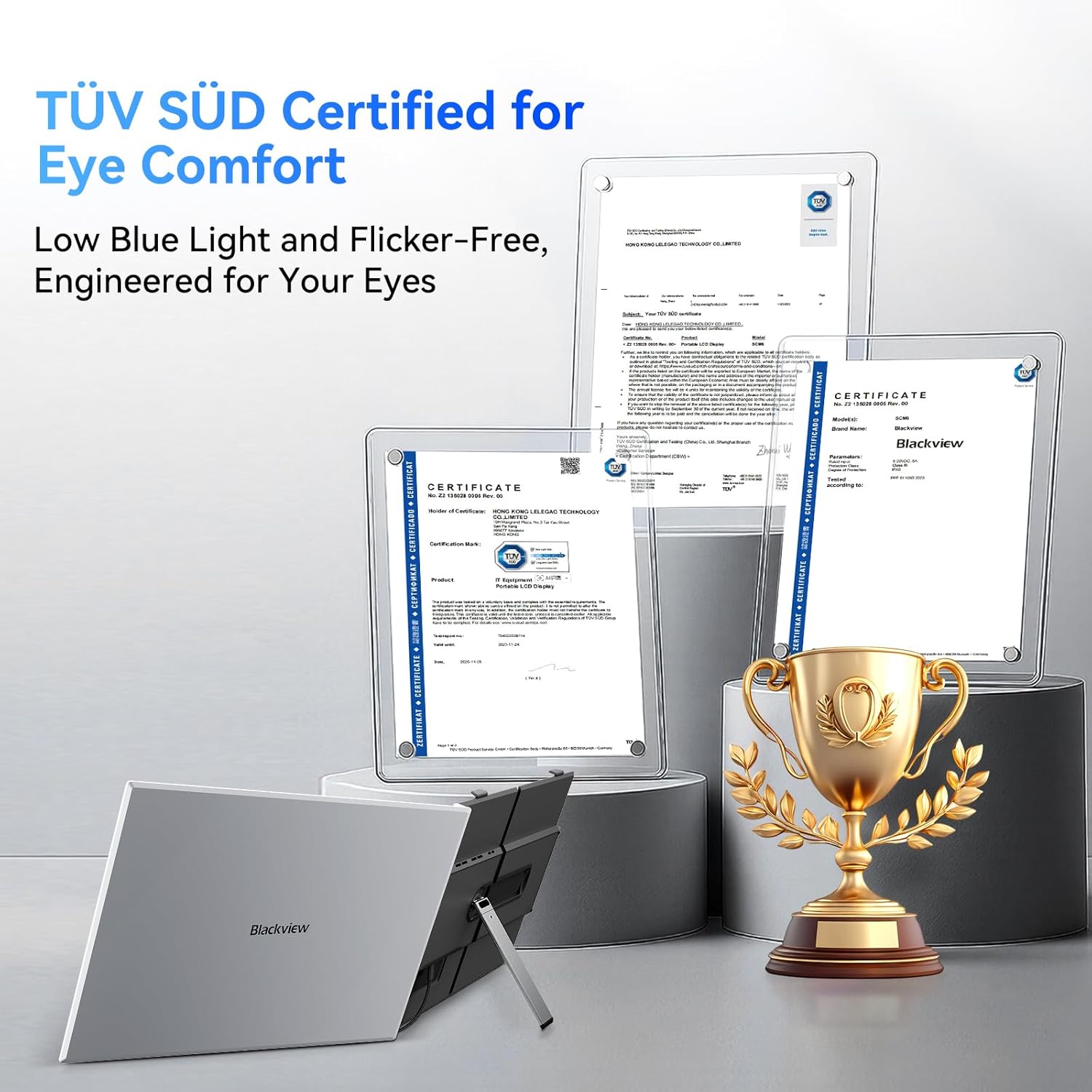
There’s also a TÜV SÜD certification tied to a hardware-level blue light filtering approach. The claim is that it reduces short-wave blue light exposure to help minimize dryness, discomfort, and visual fatigue over longer sessions. That won’t magically fix screen strain for everyone, but it’s a meaningful extra if you regularly work for hours.
Key features that make it feel portable (not just “external”)
Where this extender becomes practical is how it connects and physically stabilizes on the go. The description includes two connection approaches: - USB-C Type-C connection (direct Type-C cable) - HDMI for display plus USB-C to USB-A for power (so you get a more flexible setup)
It’s also designed to be plug-and-play, with “no additional driver downloads required” stated for multiple ecosystems. Add in reinforced springs, non-slip pads, and a rear stand meant to hold laptops in the 14 to 17 inch range, and you get the impression this is meant to sit securely on a desk while you work.
One limitation to keep in mind: the setup depends on your laptop/device having the connection options this extender supports. If your devices are older or only offer limited video output, you may find yourself relying on the HDMI + power pathway rather than the simpler direct Type-C method.
Tech specs
- Name: Blackview Laptop Screen Extender (SCM8)
- Type: Portable external laptop monitor extender / dual monitor solution
- Size: 15.6"
- Resolution: 1920x1200
- Refresh rate: 60Hz
- Brightness: 300 nits
- Color gamut: 100% sRGB
- Display type: IPS
- Aspect ratio: 16:10
- Thickness: 0.17"
- Weight: 1.7 lbs
- Modes: Mirror / Extension / Landscape & Portrait
- Rotation: 180°
Compatibility and requirements
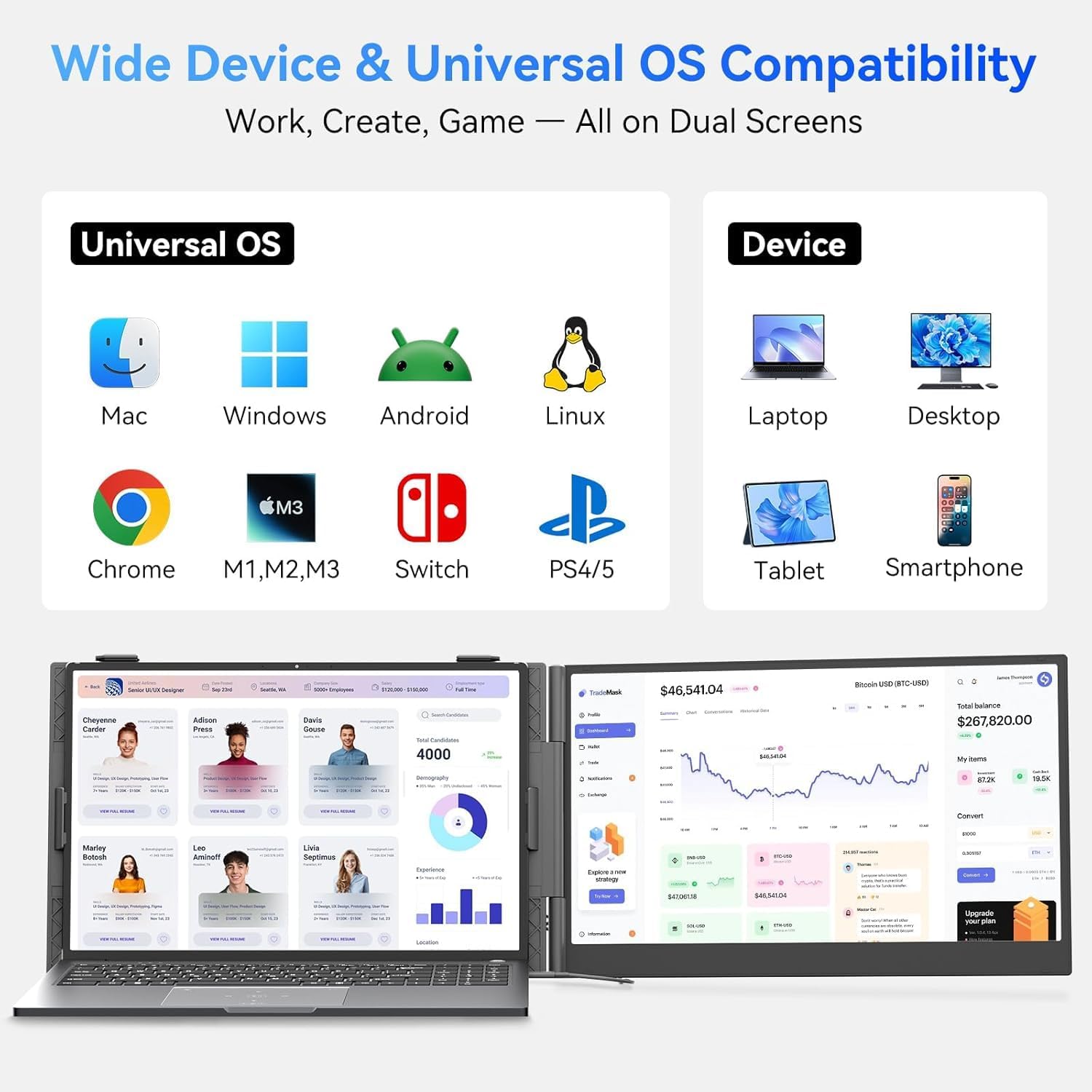
The extender is described as working across Windows, Mac, ChromeOS, Android, Linux, and also for devices like laptops, smartphones, and Switch. It’s specifically said to connect to devices equipped with a full-function USB-C port.
In real purchasing terms, compatibility usually comes down to two things: whether your device can output video over USB-C, or whether you’re comfortable using HDMI for display and USB-C to USB-A for power. If you travel with different devices, having both options can be a relief.
What’s included and how setup feels
The bundle is built for quick deployment. Blackview includes the cables listed in the description: 1 Type-C cable, 1 USB-C to USB-A cable, and 1 HDMI cable. There’s also an included protective case so everything fits together for travel.
A practical use example: say you’re working from a cafe and your laptop feels too cramped for spreadsheets. You set the extender on your desk, connect via USB-C, and put the screen into Extension mode. Suddenly you can keep your spreadsheet visible on the extender while using your laptop screen for chat, notes, or reference tabs.
When it makes sense
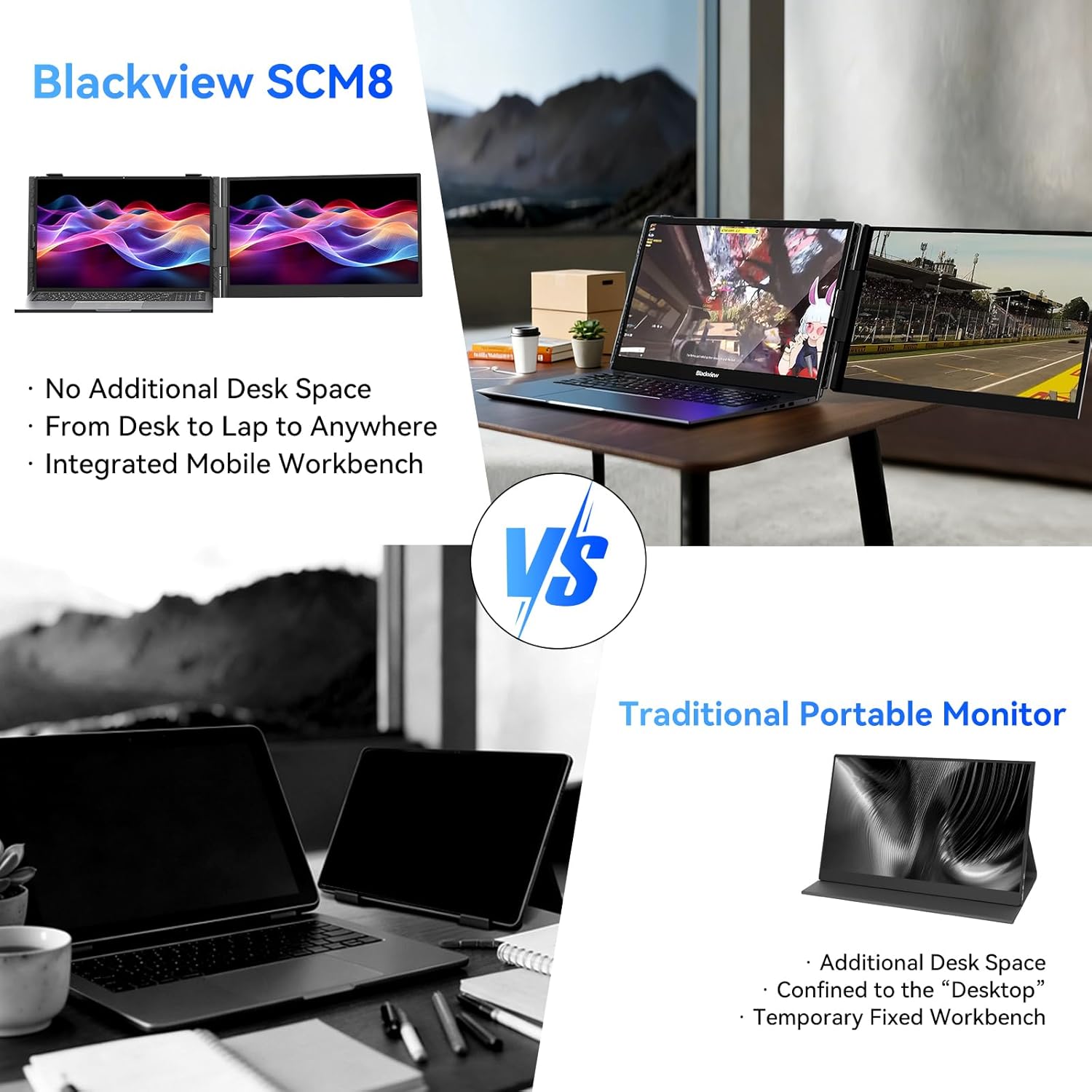
It’s a strong pick if you want a lightweight portable second screen for work and you care about reducing setup friction. The included carry case, the stated plug-and-play approach across major systems, and the ability to switch between mirror and extension modes make it feel designed for real travel.
You may want to skip it if you expect a premium, color-critical monitor experience for long professional design workflows. It’s more in the “portable productivity” lane than the “studio-grade desktop replacement” lane, and the description doesn’t position it as a reference-calibrated display.
Pros
- Ultra-light and slim for a portable dual-monitor setup (1.7 lbs, 0.17 in)
- IPS 15.6" FHD 1080P-class display with 300 nits and 100% sRGB (on paper)
- TÜV SÜD certified low blue light approach for longer sessions
- Multiple connection options (Type-C or HDMI + power pathway)
- Supports Mirror/Extension and portrait/landscape with 180° rotation
- Included cables and protective case reduce “missing part” hassle
Cons / worth noting
- You’ll want to verify your device’s USB-C video support or plan to use HDMI + power if it’s not available
- It’s an extender, so it won’t replace the value of a dedicated high-end desktop monitor if that’s what you’re chasing
Is it worth it?
Buy it if you need a travel-friendly second screen for laptop work—especially if you like the idea of a lightweight 15.6" extender with plug-and-play setup and built-in blue light filtering certification. It makes sense for mobile office routines, commuting days, and situations where your laptop screen alone is always one window short.
Don’t buy it if your priority is a top-tier monitor for color-critical creative work or you don’t have a reliable way to connect video (either USB-C full-function video output or HDMI support). In that case, you may end up fighting compatibility instead of enjoying the extra workspace.
Mini FAQ
FAQ
Does it require driver downloads?
The description states it’s plug-and-play with no additional driver downloads required, depending on your device.
Can it show both mirror and extended desktop modes?
Yes. The extender supports Mirror and Extension modes, plus Landscape and Portrait orientation.
How do you connect it—USB-C or HDMI?
It supports a direct Type-C method, and an HDMI method for display combined with USB-C to USB-A for power.
What laptop sizes is it meant for?
It’s described as holding laptops ranging from 14 to 17 inches using the rear stand design.
Is the blue light filtering certified?
Yes, the description mentions official TÜV SÜD certification for low blue light filtering at the hardware level.