


Anyking 14” FHD Laptop Screen Extender: Portable Dual Monitor for 13–17.3” Laptops
Product description
What it is and what it solves
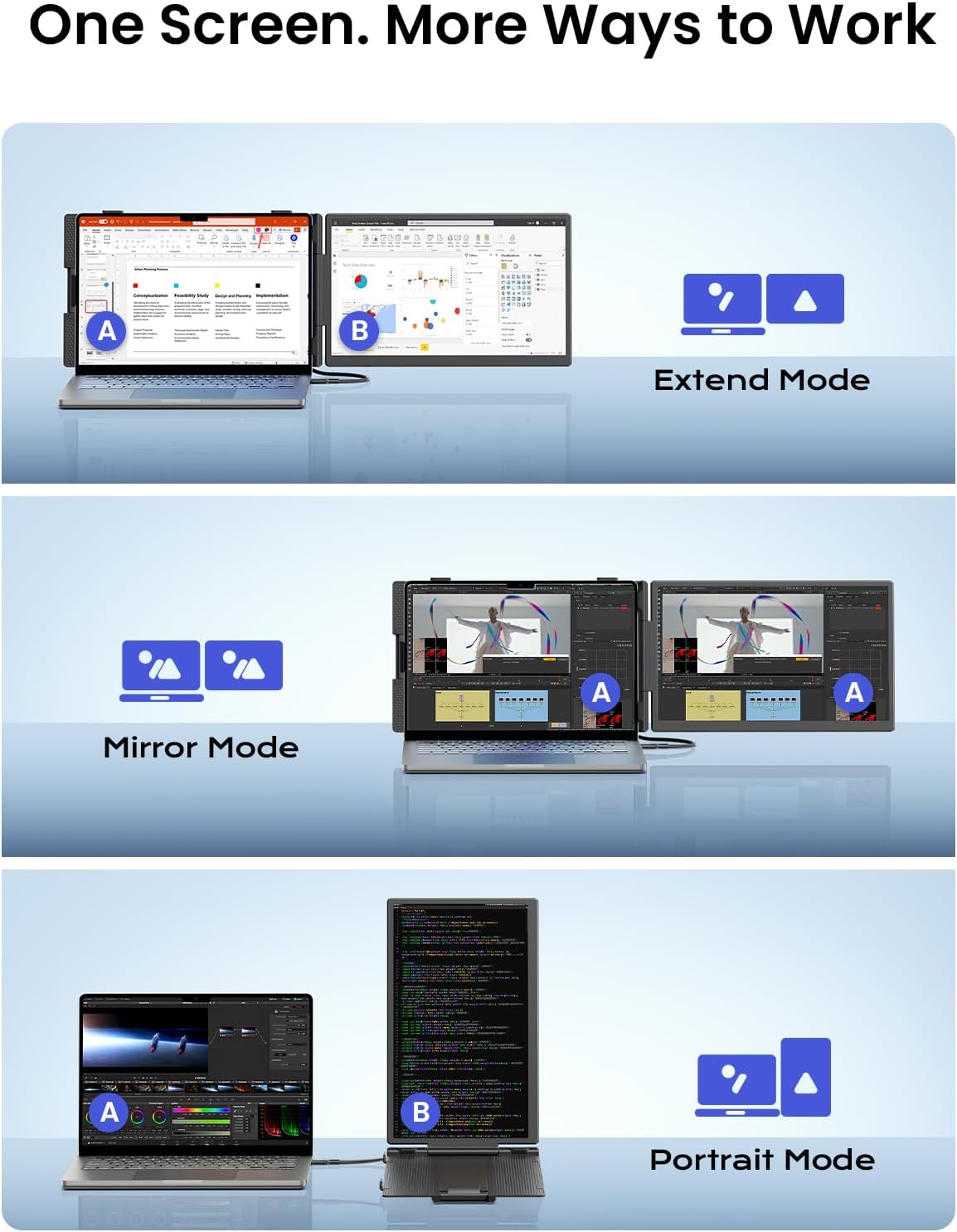
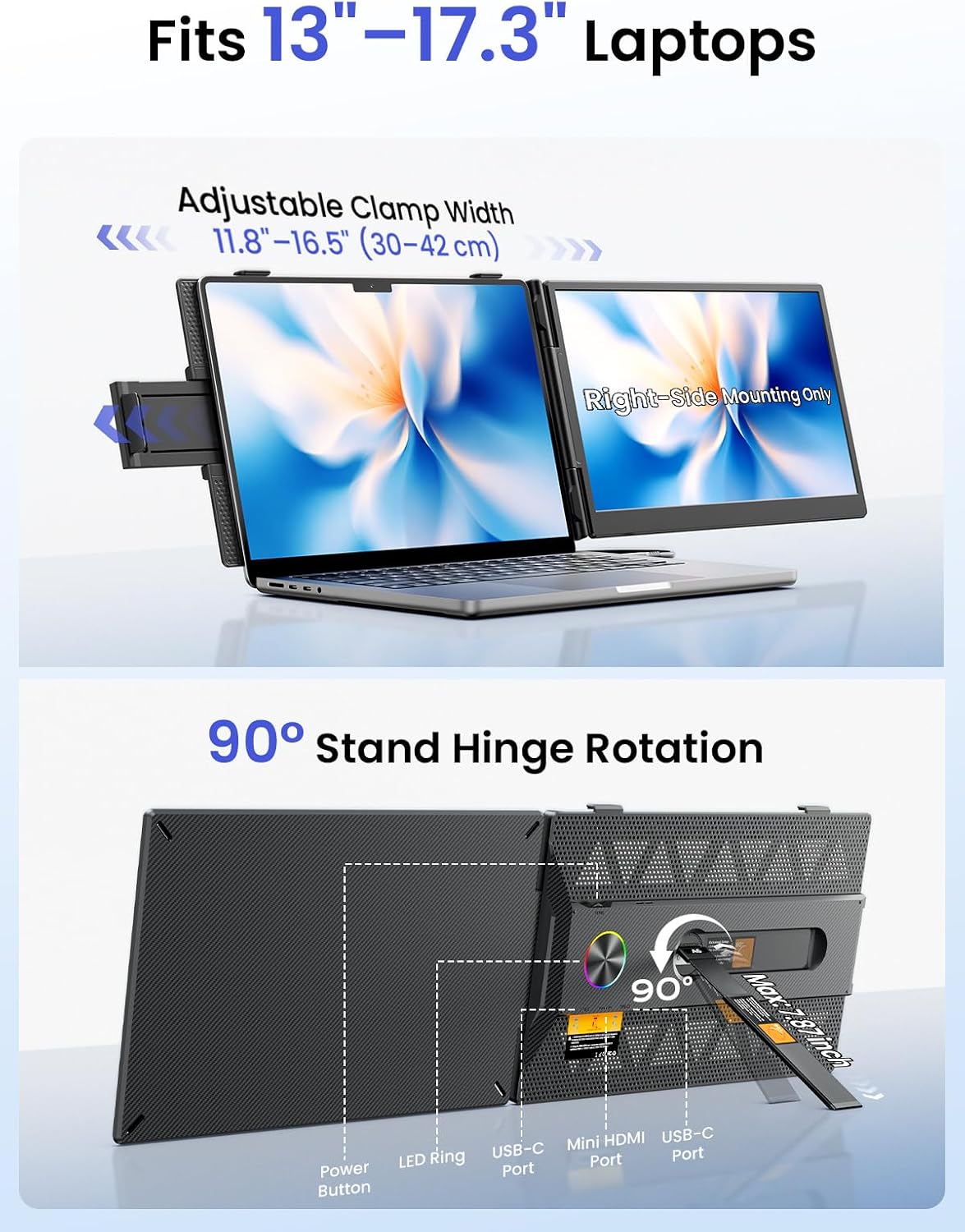
The Anyking Laptop Screen Extender is a 14-inch FHD 1080p portable monitor designed to function as a secondary screen for laptops. It aims to boost productivity by expanding screen real estate, enabling tasks like code comparison, AI dashboard monitoring, and real-time data analysis without demanding a full desktop setup. It emphasizes a plug-and-play experience via USB-C, supports a wide laptop range (13–17.3 inches), and is positioned for business travel and home offices where extra display area can reduce back-and-forth window switching.
How it performs on paper
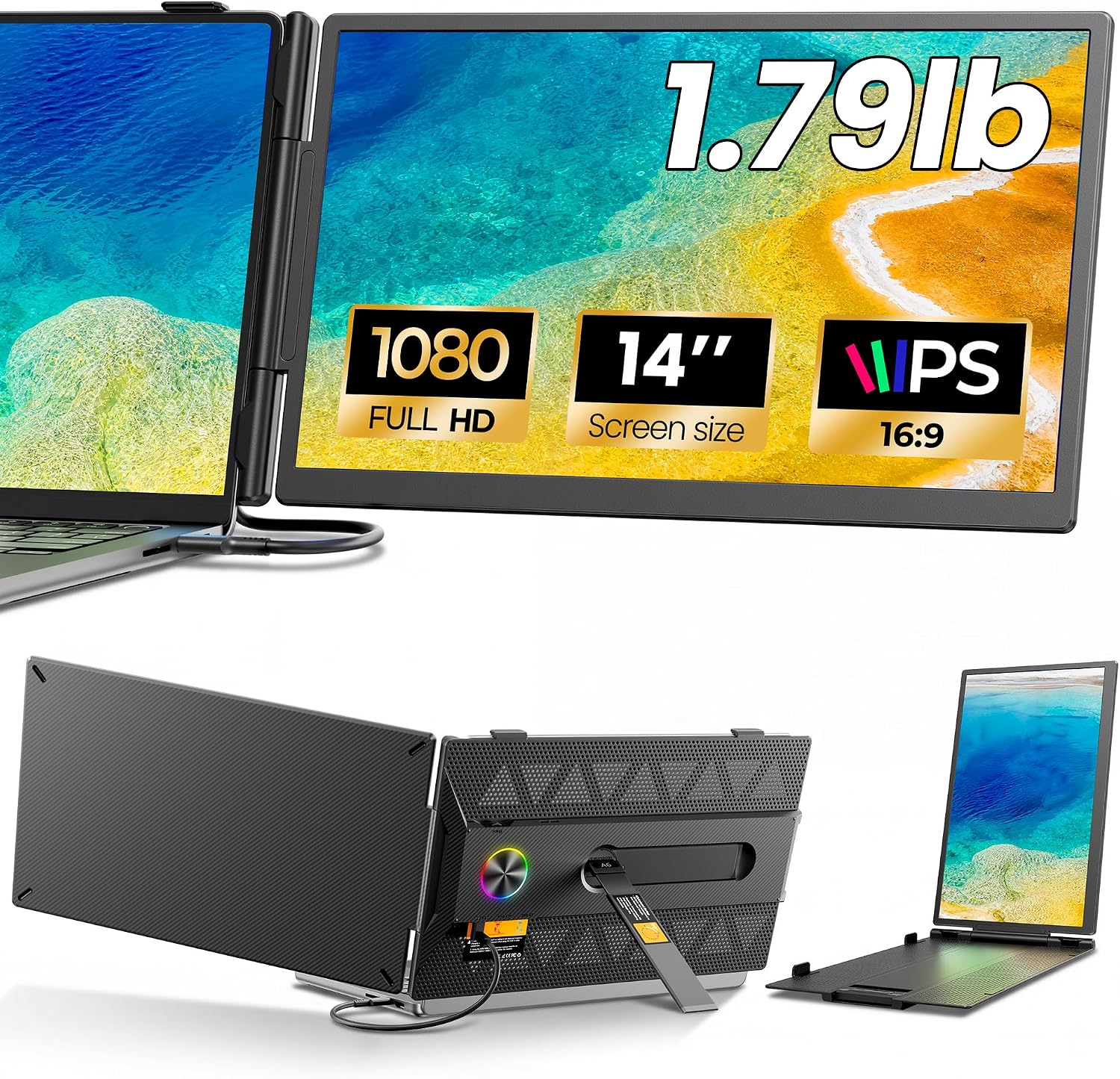
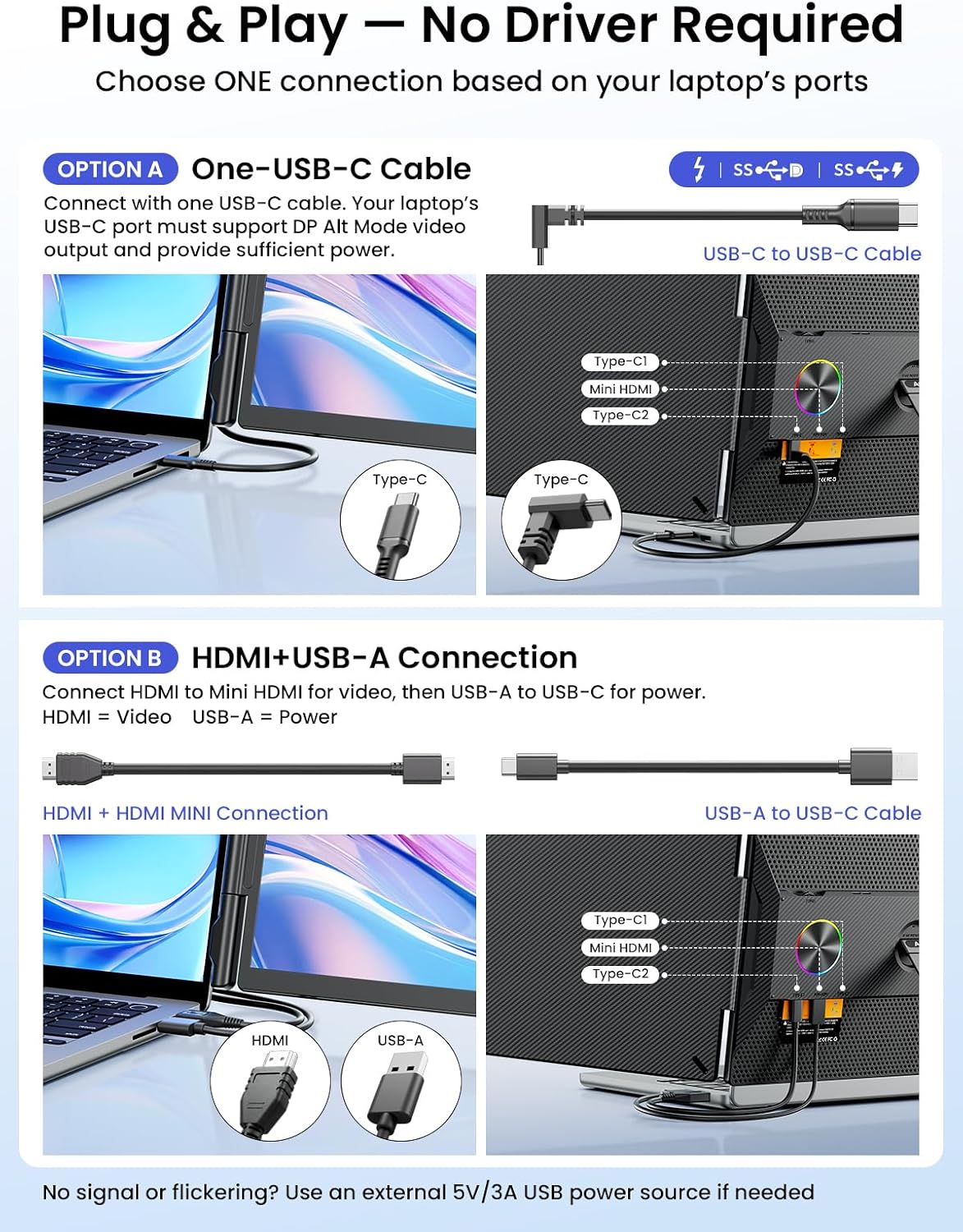
On the data sheet, you get a 14-inch IPS panel with 100% sRGB color accuracy, 300 nits brightness, a 60 Hz refresh rate, and a 1000:1 contrast ratio. Those specs translate to crisp text, decent color reproduction, and usable brightness in typical indoor environments. The design includes a carbon-fiber-inspired finish and an LED ambient ring light as a status indicator. A rear hollowed structure is said to support airflow for cooler operation during longer sessions. It’s described as “plug & play” with one cable for power and video and claims compatibility with macOS and Windows without driver installs.
What stands out day to day
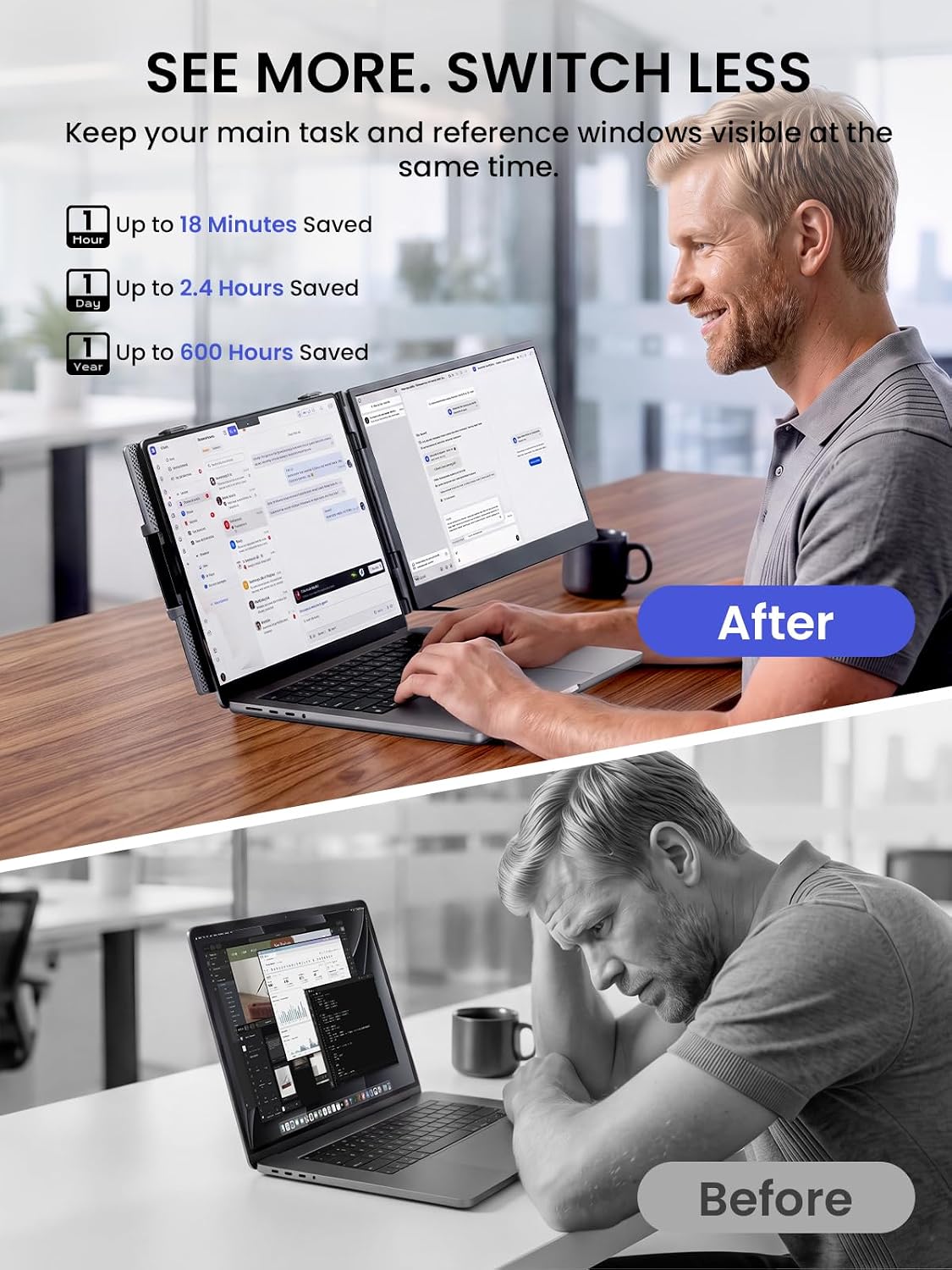
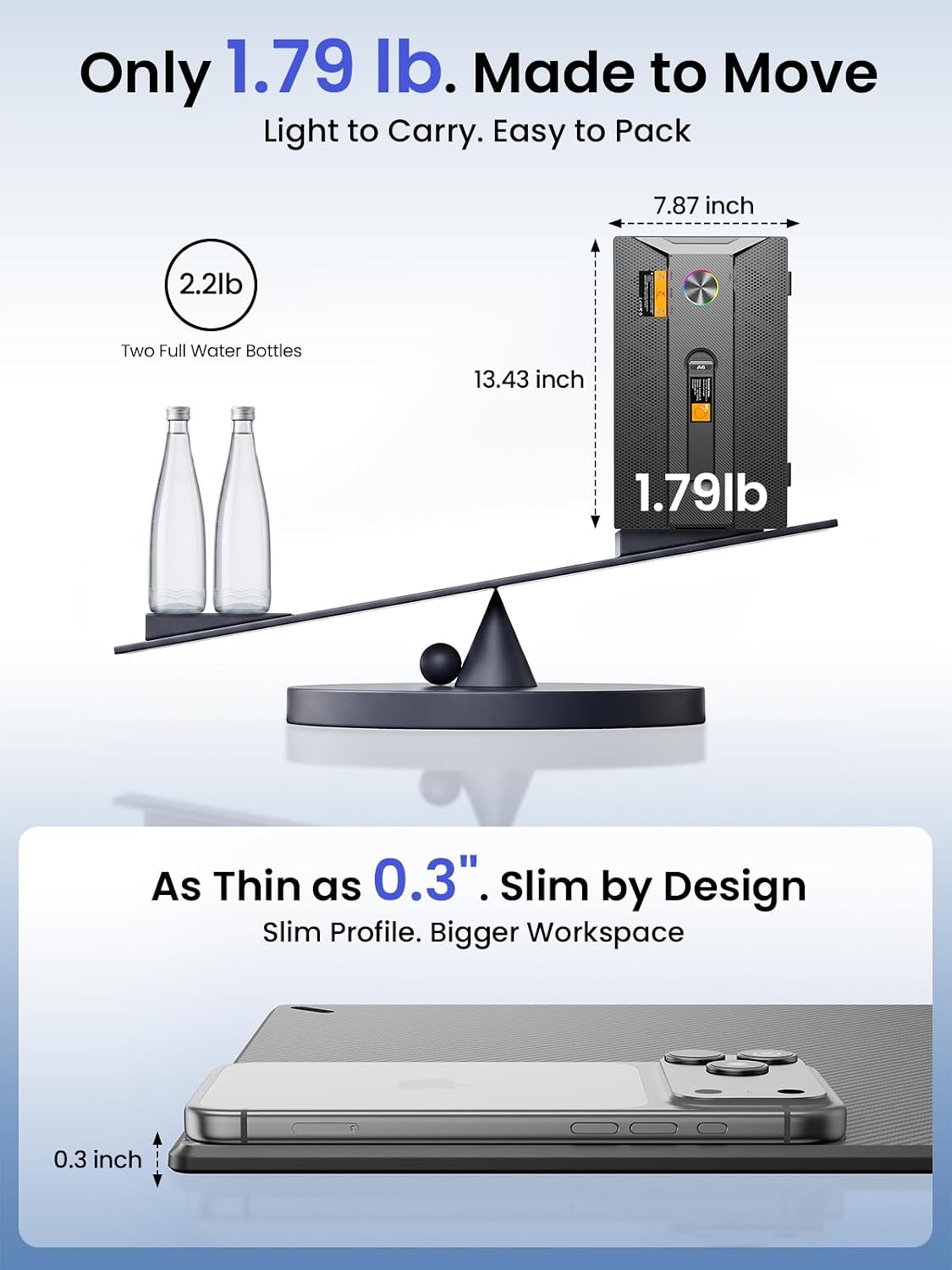
You’ll notice more screen real estate for tasks that benefit from side-by-side comparison—coding, dashboards, and data-heavy workflows. The lightweight form (about 1.9 lb) and travel-friendly footprint make it practical for moving between work and travel setups. The single-cable approach can simplify desk setups, especially in temporary office spaces or hotel workstations. The device also markets an AI-friendly angle by positioning the main screen for deep work while the extender hosts auxiliary AI agents in a relatively uncluttered workspace.
Potential limitations and caveats
While the specs look solid on paper, real-world performance depends on the host laptop and OS integration. The 60 Hz refresh rate and 14” size may feel limiting for fast-moving video or gaming tasks. Color accuracy and brightness are adequate for office tasks but may not satisfy color-critical work for professionals who rely on precise color grading. The claim of a seamless macOS/Windows experience assumes no special drivers are needed, but user environments vary and some setups could require additional configuration.
Who it’s for
This extender is a good fit for software developers, data analysts, stock traders, engineers, and remote workers who want a second screen without investing in a full monitor. It suits those who travel often, work from shared spaces, or want a compact home-office augmentation. If your typical use case involves multi-window coding, dashboard monitoring, or quick reference charts while keeping your primary screen dedicated to deep work, this device can help build a more efficient workflow.
Who might want to skip it
If you routinely need high-refresh-rate displays for video editing, gaming, or color-critical tasks, this 60 Hz panel may feel limiting. Those seeking larger, brighter, or color-accurate monitors might prefer a dedicated desktop setup with higher-end specs. Also, if your laptop lacks a robust USB-C output or your system requires driver-based configuration, the plug-and-play promise could fall short in some scenarios.
When it makes sense to buy
Consider this extender when you want immediate extra screen space for productive workflows, especially during travel or in a compact home office. If you value a simple, driver-free setup and a device that’s easy to deploy across different laptops, this model aligns well with those priorities. It’s particularly advantageous if your work revolves around comparing data, tracking multiple AI dashboards, or maintaining a clean main screen while secondary tasks run on the extender.
What to check before buying
- Confirm your laptop supports USB-C video output and that a single-cable power/video setup is feasible in your use case.
- Consider whether 14” and 1080p are sufficient for your typical windows and text clarity needs.
- Assess ambient lighting in your workspace, 300 nits is decent indoors but may struggle in bright rooms.
- Check if your workflow benefits from the ambient ring light and the carbon-fiber aesthetic, which may influence desk appearance and perceived professionalism.
Use-case oriented comparison
If you’re weighing between a portable second screen and using multiple external monitors, this extender offers a trade-off: lower cost and higher portability with limits on size and refresh rate vs. a full-size monitor. For on-the-go professionals who value quick deployment and a clean travel setup, the Anyking model serves as a practical middle ground.
Final decision
Is it worth it?
Worth considering if you want quick, portable expansion of your laptop workspace without driver fuss and you don’t require high-refresh-rate or color-critical performance. It’s a sensible option for boosting productivity on the road or in a small home office, provided your tasks align with extended-screen workflows rather than fast-paced media edits.
Quick FAQ
- Do you need drivers for this monitor? No, it claims plug-and-play compatibility with major OSes.
- Will it noticeably improve coding efficiency? For many users, extra screen real estate reduces window switching and can speed up reference lookups and side-by-side comparisons.
- Is 60 Hz enough for everyday use? Yes for office tasks, browsing, and coding, but not ideal for fast-action video or gaming.