

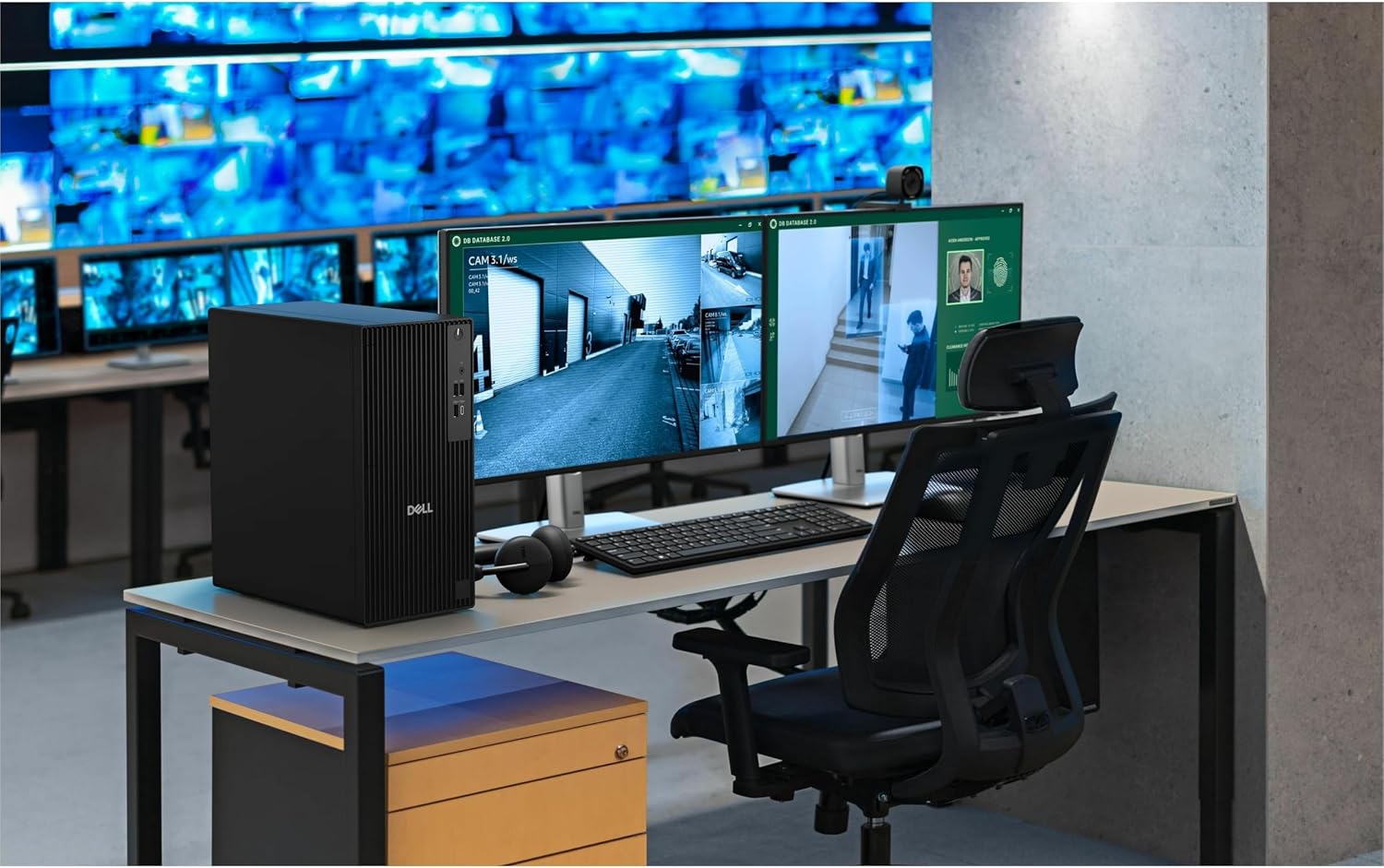
Dell Desktop Computer QCT1250
Product description
When a workday means keeping development tools, spreadsheets, calls, and other applications open at once, a basic desktop can start to feel restrictive. This Dell tower pairs an Intel Core i7-14700 with 16GB of DDR5 memory and a 1TB PCIe SSD, giving business users a substantial starting point for multitasking and everyday project work.
It also supports two 4K displays, which can make it easier to keep reference material beside the task at hand. One practical setup: leave a spreadsheet on one screen while a presentation or video call stays visible on the other.
How to use it
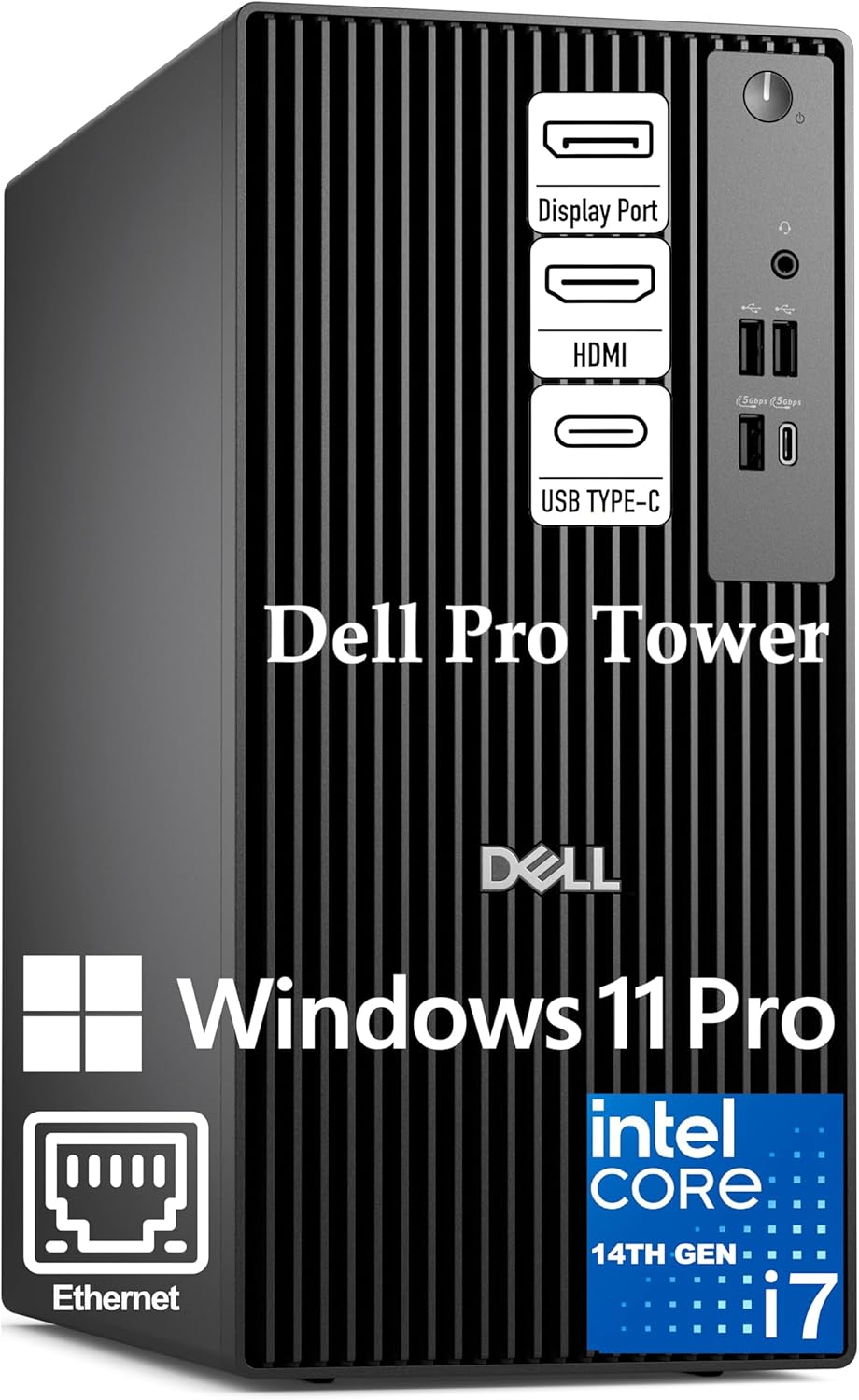
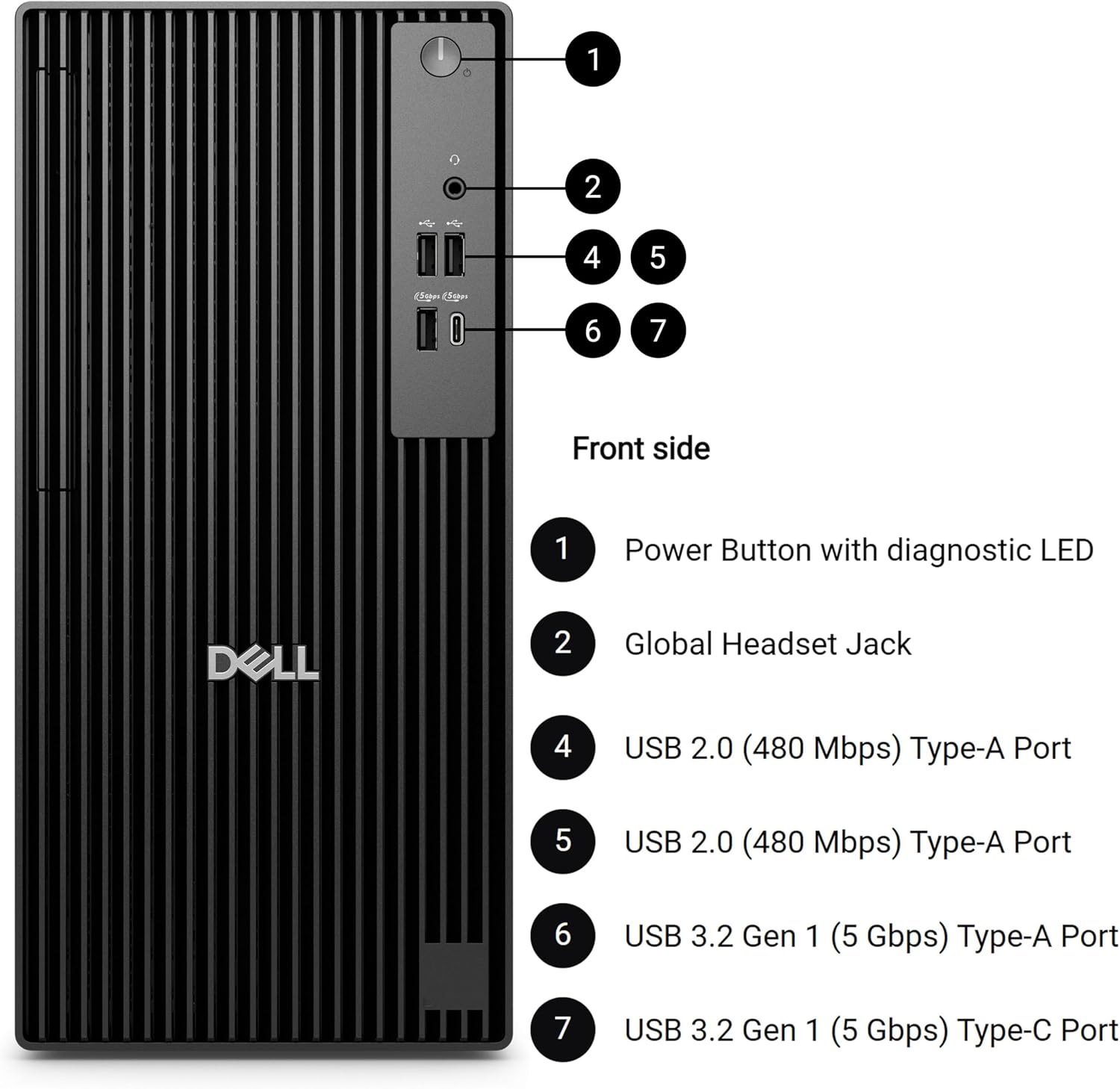
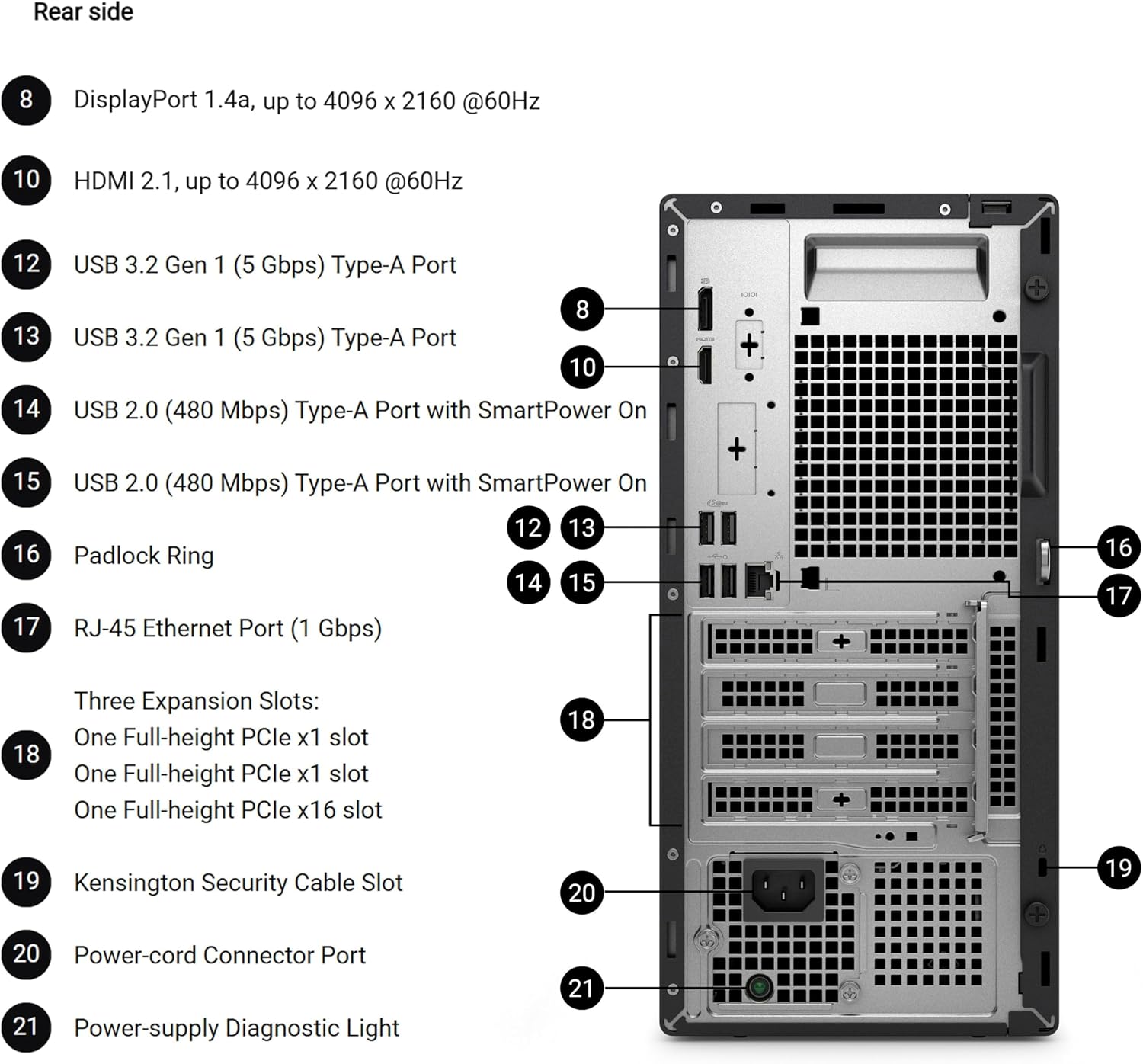
Think of this as a desk-based Windows workstation rather than a ready-to-go wireless setup. Windows 11 Pro includes features such as BitLocker encryption and Remote Desktop, while USB-C and the stated port selection offer ways to connect peripherals. The listing says built-in Wi-Fi is not included, so factor in how you’ll provide network access before choosing it. Don’t assume the tower can connect wirelessly out of the box.
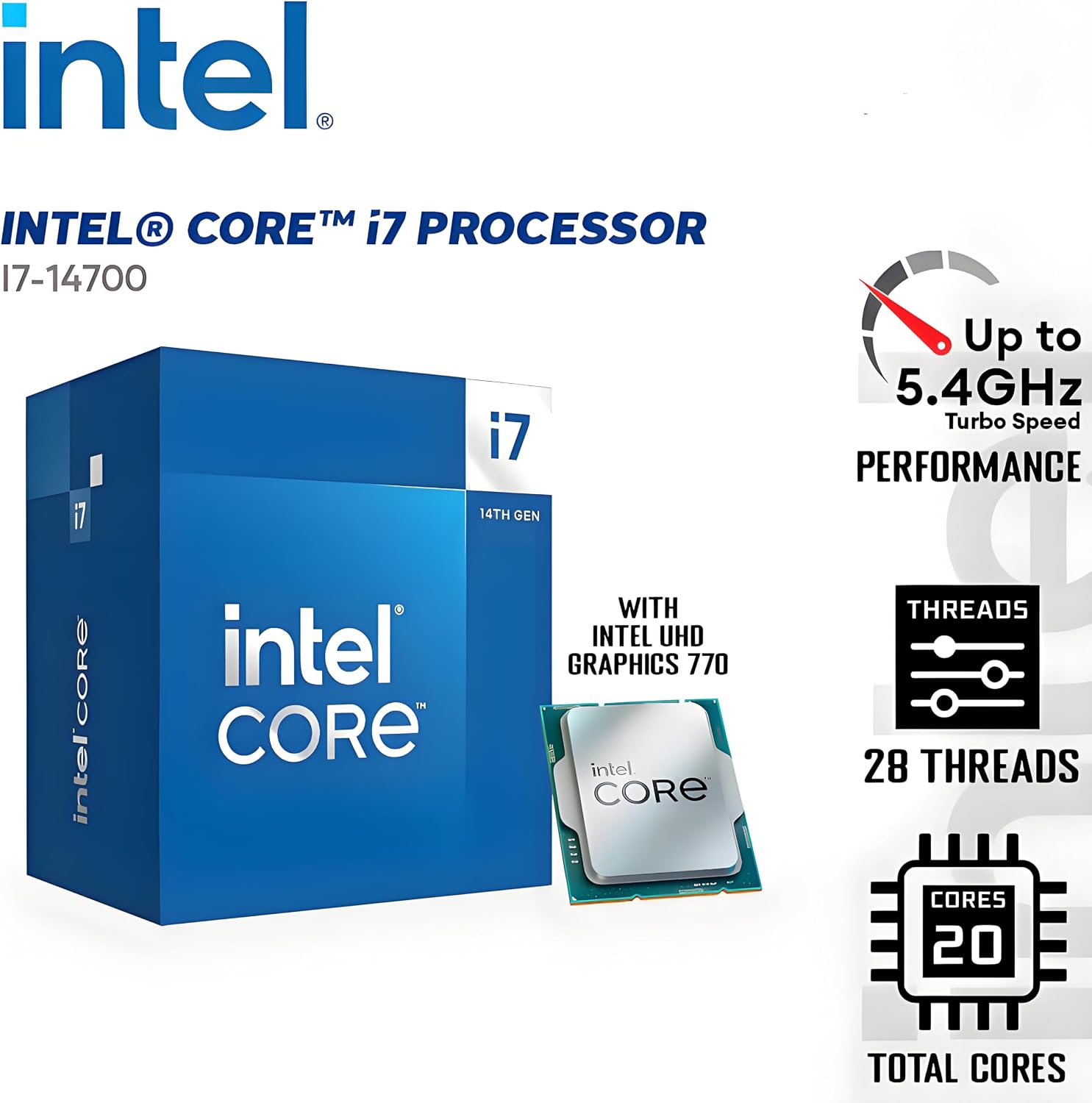
The processor’s 20 cores and 28 threads are aimed at keeping multiple workloads moving, including development tools, data analysis, and business applications. For someone switching between documents, a call, and a large project, the intended benefit is fewer compromises than with a basic desktop. Without having tried it, the clearest question is whether its memory and connectivity match your actual setup.
Pros
- The Intel Core i7-14700, with a 33MB cache and hybrid core design, is specified for demanding multitasking and workloads such as compiling code or running virtual machines.
- 16GB DDR5 RAM and a 1TB PCIe SSD provide a clear baseline for memory and storage, with the SSD intended to speed up application launches and file access.
- Dual 4K display support suits a workflow that benefits from viewing several applications at once.
- Windows 11 Pro includes business-oriented security and remote-access features.
The main limitation is easy to miss in a long product name: there’s no built-in Wi-Fi. Also, 16GB of RAM may be a constraint if you routinely keep several memory-heavy tools or virtual machines running together. Buyers focused on lighter office work may prefer a simpler configuration, this tower’s more compelling case is for workloads that can use its processor and multiple-display support.
Spec sheet
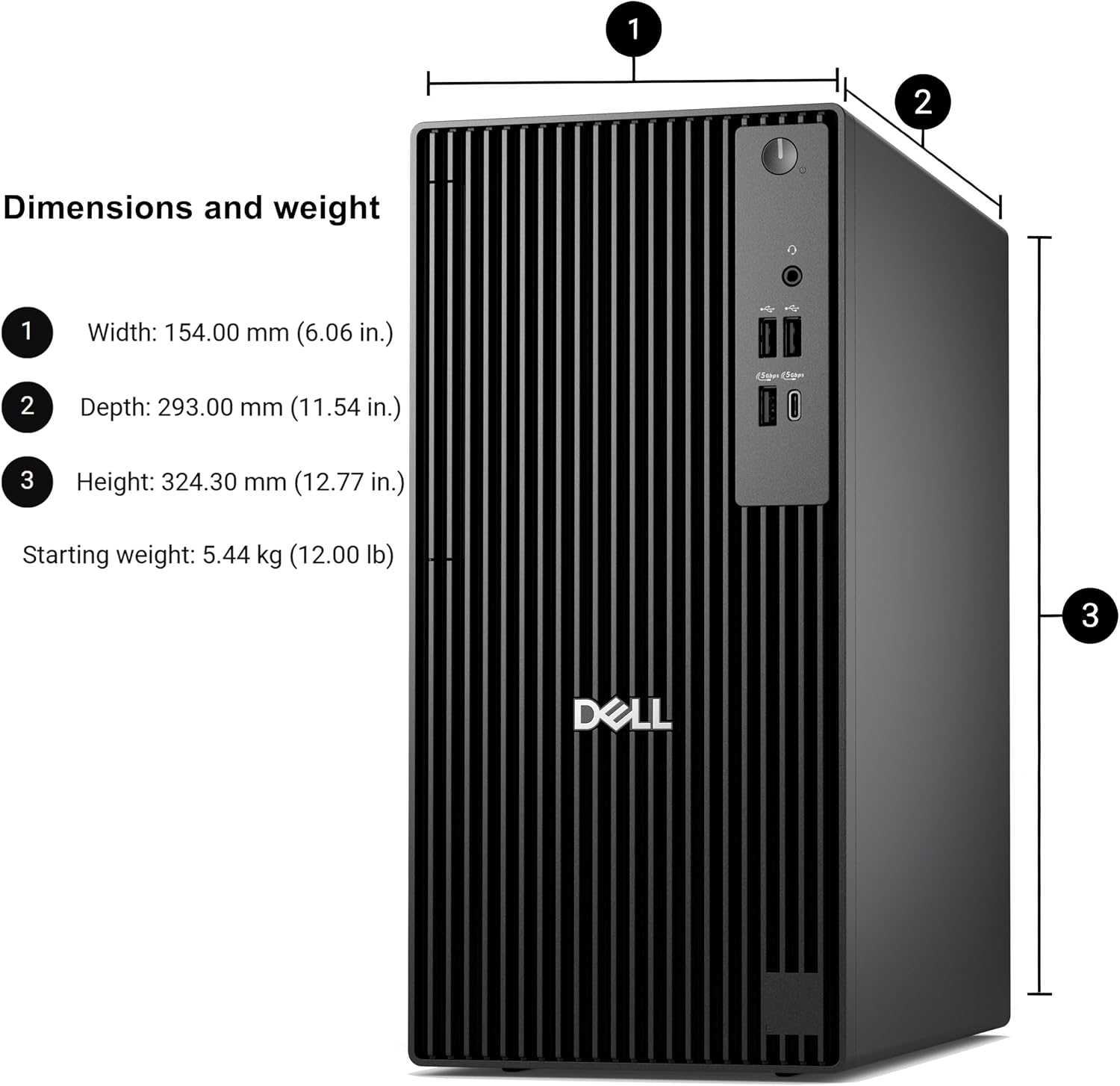
- Name: Dell QCT1250
- Type: Desktop computer
- Processor: Intel Core i7-14700, 20 cores, 28 threads
- Memory: 16GB DDR5 RAM
- Capacity: 1TB PCIe SSD
- Display: Dual 4K support
- Operating system: Windows 11 Pro
- Connectivity note: No built-in Wi-Fi
Should you buy it?
It’s a great fit if you want a business-focused Windows tower for multitasking, development work, data analysis, or a two-display desk setup, and you already have a plan for network access. The processor and SSD make a stronger case than a bare-bones desktop when workloads involve several active applications. Better avoided if wireless connectivity must be built in, or if your usual work is light enough that you wouldn’t benefit from the processor’s extra multitasking headroom. If your projects regularly push memory hard, weigh the 16GB configuration carefully before deciding.