

Xyvolve Portable Monitor 15.6 inch FHD (1080P) IPS with Anti-Glare, USB-C & Mini HDMI
Product description
The essentials
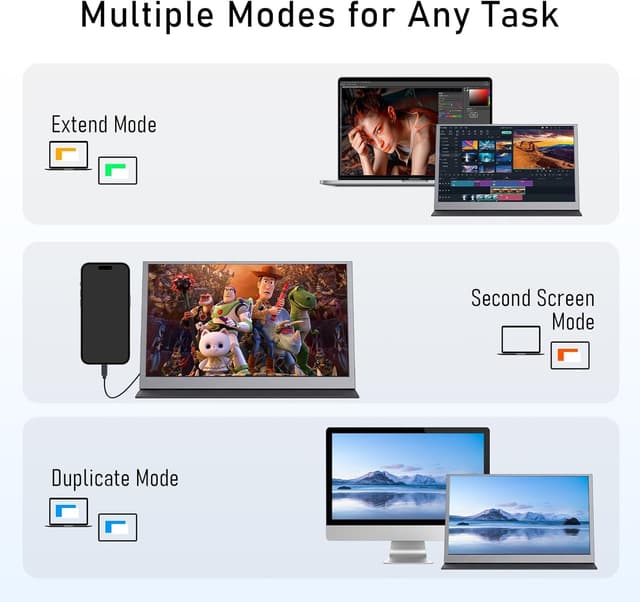
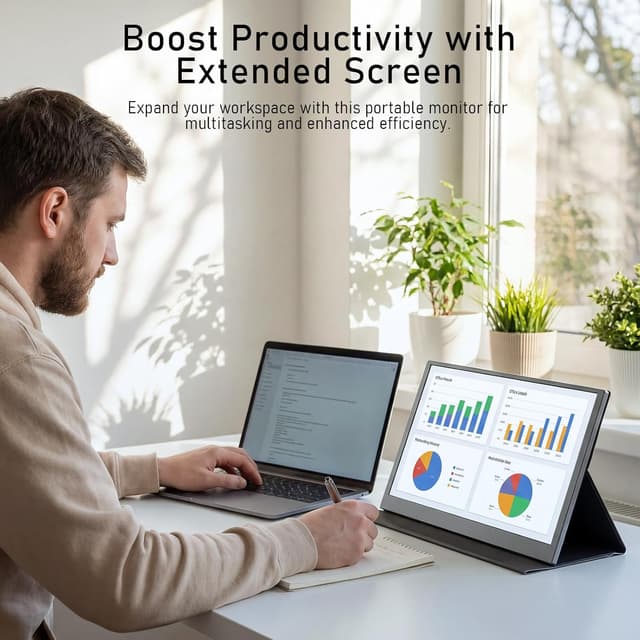
A portable second screen is one of those upgrades you only miss once you’ve had it. The Xyvolve 15.6-inch monitor is built for that exact situation: working on spreadsheets, checking documents, or using content on the go, without having to rely on a single laptop panel.
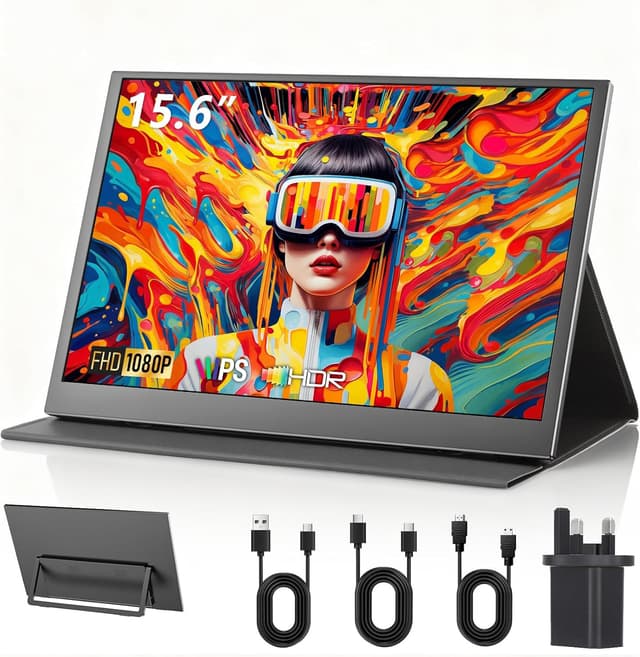
On paper, it focuses on three things that matter day-to-day—an IPS FHD display with an anti-glare finish, genuinely portable dimensions, and simple connectivity via USB-C and Mini HDMI. The integrated dual speakers help too, so you’re not hunting for extra audio bits during meetings or when you’re working in cafés and shared spaces.
It’s not aimed at people who want the most demanding colour grading or the smoothest high-refresh gaming experience. For general productivity, study, and “I need another screen right now”, it makes a lot of sense.
What matters most (and what you’ll notice)
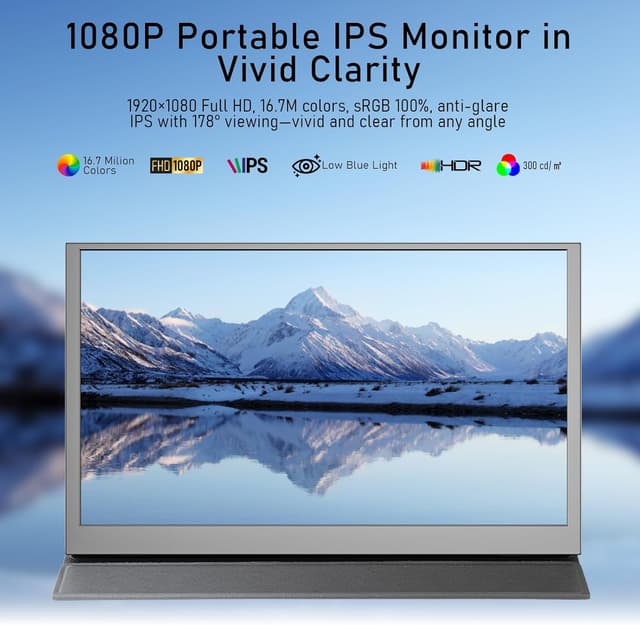
The display is a 15.6-inch IPS panel with a 1920x1080 Full HD resolution and a stated 350 cd/m² brightness. The anti-glare, matte finish is there to reduce reflections and keep viewing more comfortable when light conditions aren’t perfect—think bright offices, near windows, or trying to work in a coffee shop.
If you spend long stretches reading and editing, the matte anti-glare approach is the kind of detail that you feel rather than admire. The entry mentions consistent colours across wide 178° viewing angles, which is useful if you’re sharing your screen or moving between chairs/desks.
One small limitation to keep in mind: with a 60Hz display, it’s more “work and media” than “competitive fast gaming”. It may still be usable for consoles, but it’s not the kind of spec you buy for silky motion or esports-level responsiveness.
Portability that actually fits a bag
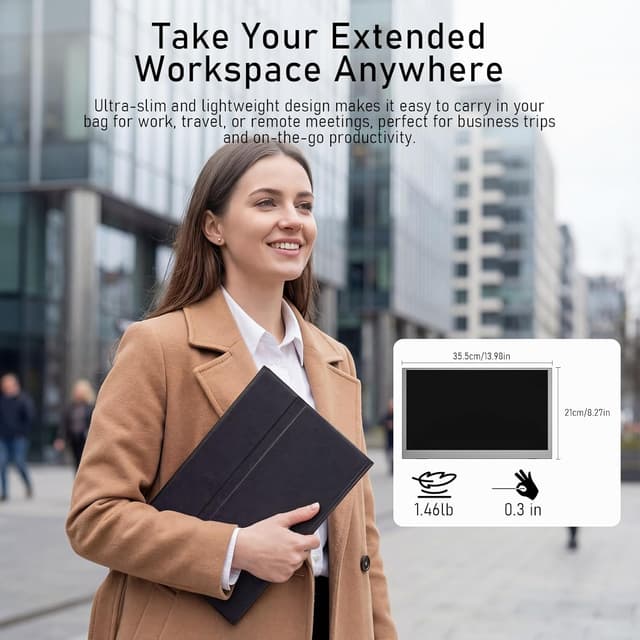
This is where the Xyvolve leans into practicality. It’s described as ultra-slim and lightweight—about 660g (roughly 1kg with the protective cover) and around 1cm thick. If you’re carrying a laptop, this is the sort of extra screen you can treat as part of your daily setup rather than a special carry.
The magnetic smart cover is included, and it’s positioned as both scratch protection in transit and a stand once you’re set up. For real-world use, that means you can arrive somewhere, open the cover, prop the screen, and start working without improvising a stand from whatever you find in the drawer.
Connectivity: plug-and-play for real-life devices
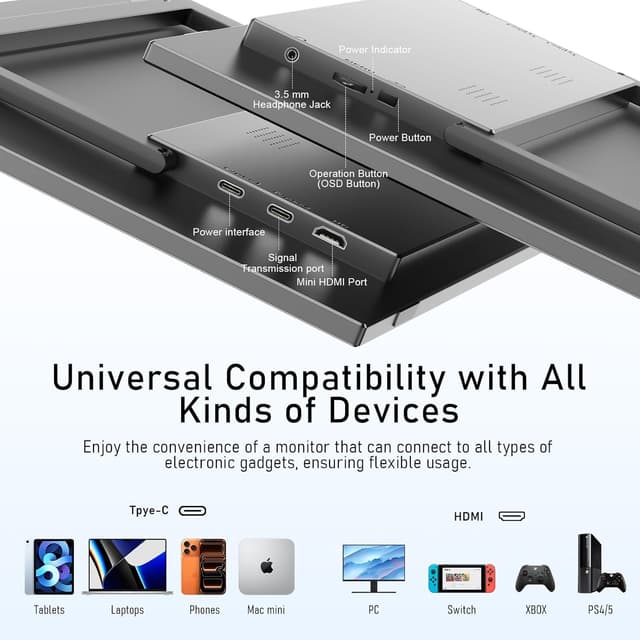
The monitor is designed around “single-cable” simplicity through USB-C (with the claim of plug-and-play and no drivers or software required). It’s described as using two full-featured USB-C ports that support video transmission and power delivery through a single cable when connected to compatible laptops, MacBooks, or smartphones.
For devices that don’t fit the USB-C route, there’s also a Mini HDMI input. That’s intended for gaming consoles and older equipment such as PS5, Xbox Series X/S, Nintendo Switch, and more.
A useful practical angle here is that the box is said to include the cables you’d expect to need: USB-C to USB-C, USB-A to USB-C, and Mini HDMI to HDMI. So you’re not forced to work out cable compatibility before you can use it.
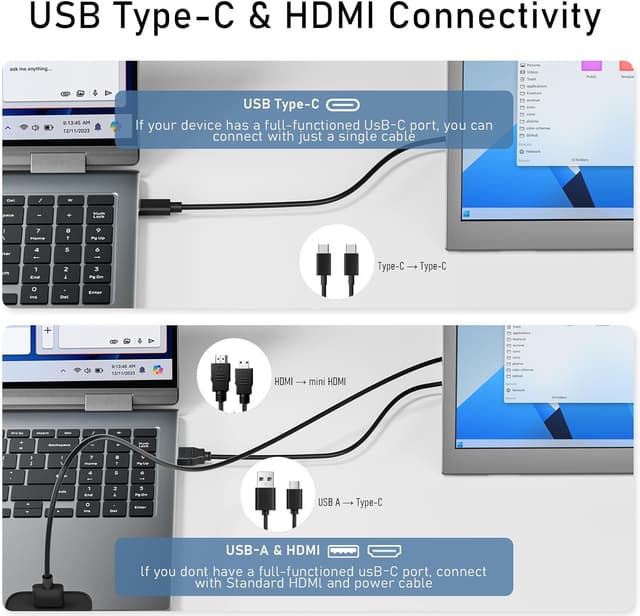
Still, the “power delivery through USB-C” part depends on the device being compatible. If your device doesn’t provide power over USB-C, you may need to rely on whatever setup the device supports—worth checking before you assume one cable does everything.
Audio built in: convenient, not fussy
There are integrated dual 5W speakers. In practice, that’s handy for calls, quick presentations, or watching something while you work. It reduces clutter because you don’t need separate speakers for everyday use.
If you’re looking for studio-style sound or deep bass, you’d typically go external. But for portability and straightforward audio, built-in speakers are exactly the sort of convenience you tend to appreciate once you’ve used it.
Who it suits (and who should be cautious)
It’s a good match if you: - Want a second screen for travel, study, or desk setups where space is limited. - Often work with documents, spreadsheets, and general productivity content. - Prefer an anti-glare matte screen for comfort under varied lighting. - Need flexible connection options via USB-C and Mini HDMI.
It might not be the best choice if you’re: - Chasing high-end display performance beyond FHD at 60Hz (especially for motion-sensitive gaming). - Planning to rely on USB-C power delivery without checking device compatibility.
Tech specs
- Name: Xyvolve Monitor Portable 15.6 Inch FHD 1080P IPS Anti-Glare USB-C HDMI
- Type: Portable monitor
- Display: 15.6-inch IPS anti-glare panel
- Resolution: 1920x1080 (Full HD)
- Brightness: 350 cd/m²
- Viewing angle: 178°
- Refresh rate: 60Hz
- Connectivity: USB-C and Mini HDMI
- Speakers: integrated dual 5W speakers
- Weight: 660g (approximately 1kg with protective cover)
- Thickness: about 1cm
- Colour gamut: sRGB 100%
Is it worth it?
A solid pick if you want a portable second screen that’s ready to use for work, study, and everyday media, with an anti-glare IPS display and practical USB-C plus Mini HDMI connectivity. It’s especially sensible if you often set up away from your main desk and you’d rather not juggle extra accessories, thanks to the included cables and built-in speakers.
You may want to skip it if you’re buying for fast gaming performance or if you strongly need USB-C power delivery without confirming your device’s compatibility. In that case, a different approach—either a screen with a clearer power plan for your specific device, or more specialised display requirements—could be a better match.
Mini FAQ
What is the main use case for this portable monitor?
It’s designed for a mobile second-screen setup: reviewing documents, working with spreadsheets, and watching content while you’re away from a traditional desk.
Does the monitor include cables?
Yes. It’s stated that the package includes USB-C to USB-C, USB-A to USB-C, and Mini HDMI to HDMI.
Is the screen anti-glare?
Yes. The IPS panel is described as matte anti-glare, aiming to reduce reflections and improve comfort in brighter environments.
Can I connect a console?
The monitor includes a Mini HDMI port, intended for consoles such as PS5 and Xbox Series X/S (and Nintendo Switch is mentioned).
How many speakers does it have?
It has integrated dual 5W speakers, intended for everyday audio such as calls, presentations, and watching films.