

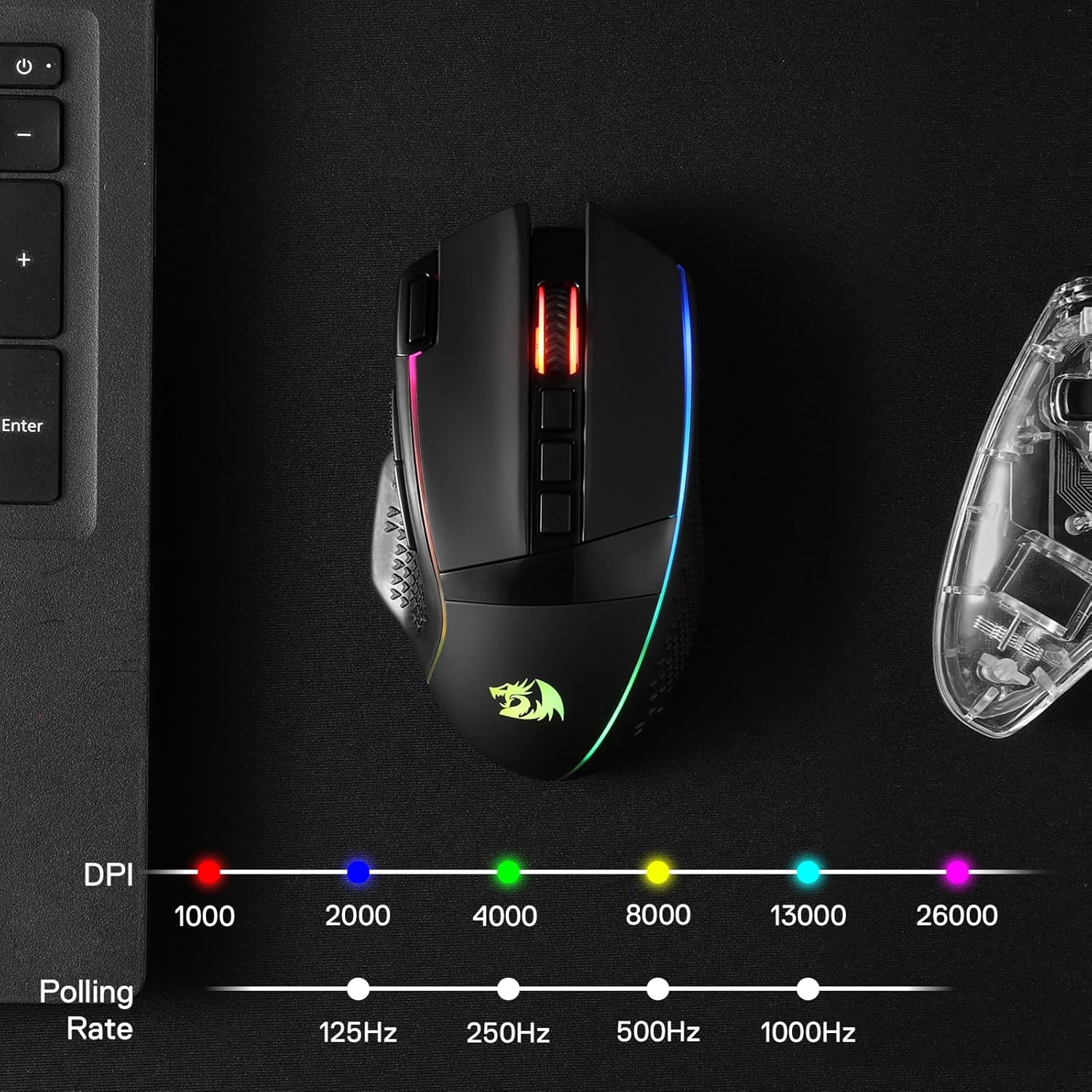
Redragon M991 Wireless Gaming Mouse (2.4GHz) with 19000 DPI, RGB backlight and custom macros
Reviews
Price
Product description
The essentials
The Redragon M991 is a wireless gaming mouse built around the idea that you shouldn’t feel “limited” by the cable. On paper, it’s aimed at people who want a responsive sensor, switchable DPI, and programmable controls, without moving into the most expensive end of the market.
Where it gets interesting is the mix of features: it’s wireless via a 2.4GHz receiver, it offers multiple DPI steps up to 19000, and it includes 9 programmable buttons plus macro customisation. Add an RGB backlight with several lighting behaviours controlled by a Redragon software/controller approach, and you’ve got a mouse that’s trying to cover both gaming and everyday PC/laptop use.
That said, it’s not perfect for everyone. If your main priority is the absolute lightest mouse you can buy, or you want the simplest setup with zero tweaking, you may find this is more “feature-forward” than “no-fuss”.
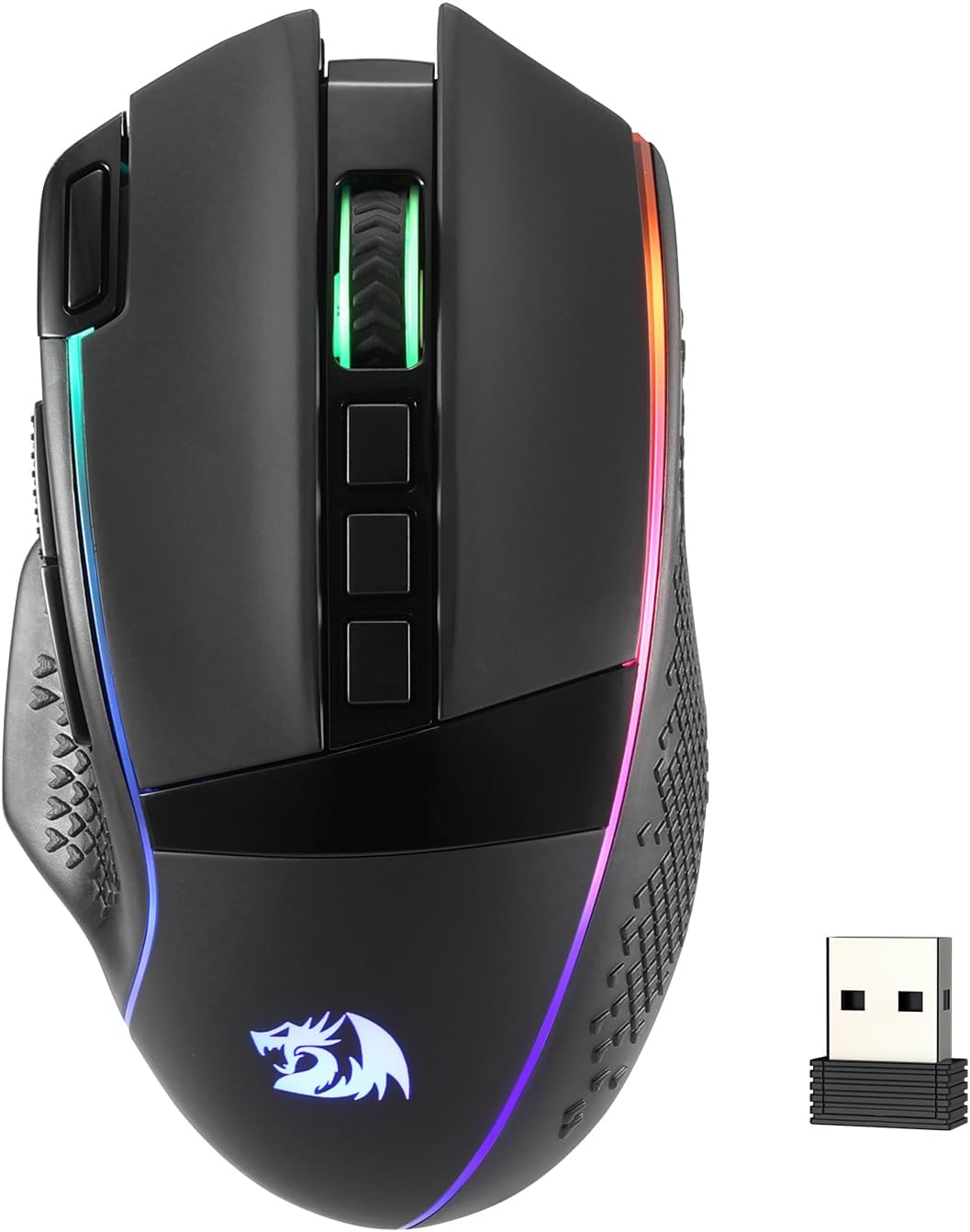
Key features that matter in real use
The headline spec is the adjustable DPI range (up to 19000), with 5 built-in DPI levels listed as 1000/2000/4000/8000/19000. This is handy because you can switch sensitivity quickly during play rather than committing to a single setting. For example, you might run a higher DPI for flicky aiming in one game mode, then drop down to a lower DPI for calmer, precision-heavy moments.
On the control side, there are 9 programmable buttons and macro support. The practical value here is that you can map repeated actions or shortcuts—think skills, consumables, push-to-talk style bindings, or frequently used workflows outside games. One thing to note: the description mentions “1 rapid fire” and “2 side macro buttons”, which suggests the side buttons are meant to be more action-oriented, while the overall 9-button layout is there to keep options open.
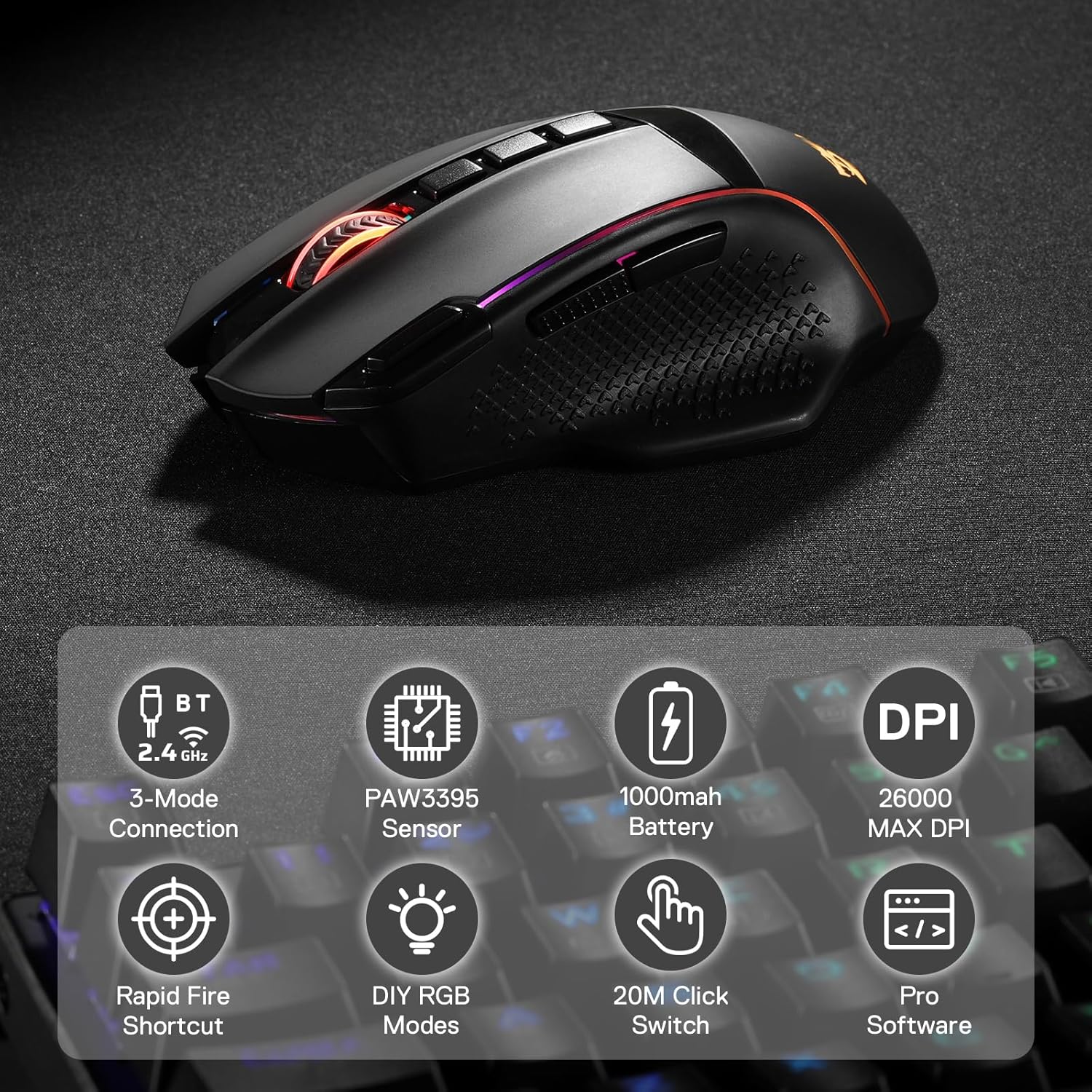
For responsiveness and wireless performance, it uses a Pixart optical sensor (PAW3370) and is described with a 1000 Hz polling rate in a dual mode setup. For most players, polling rate only becomes “feelable” when your whole setup is tuned for it, but having a 1000 Hz option is broadly what people look for in this category.
What you’ll notice day to day
Wireless gaming mice live or die on consistency and battery life, and the M991 is rated as running up to 45 hours in “eco mode” on a rechargeable battery. That’s the kind of figure that can realistically reduce the frequency of charging—especially if you’re not blasting RGB all day at maximum effect.
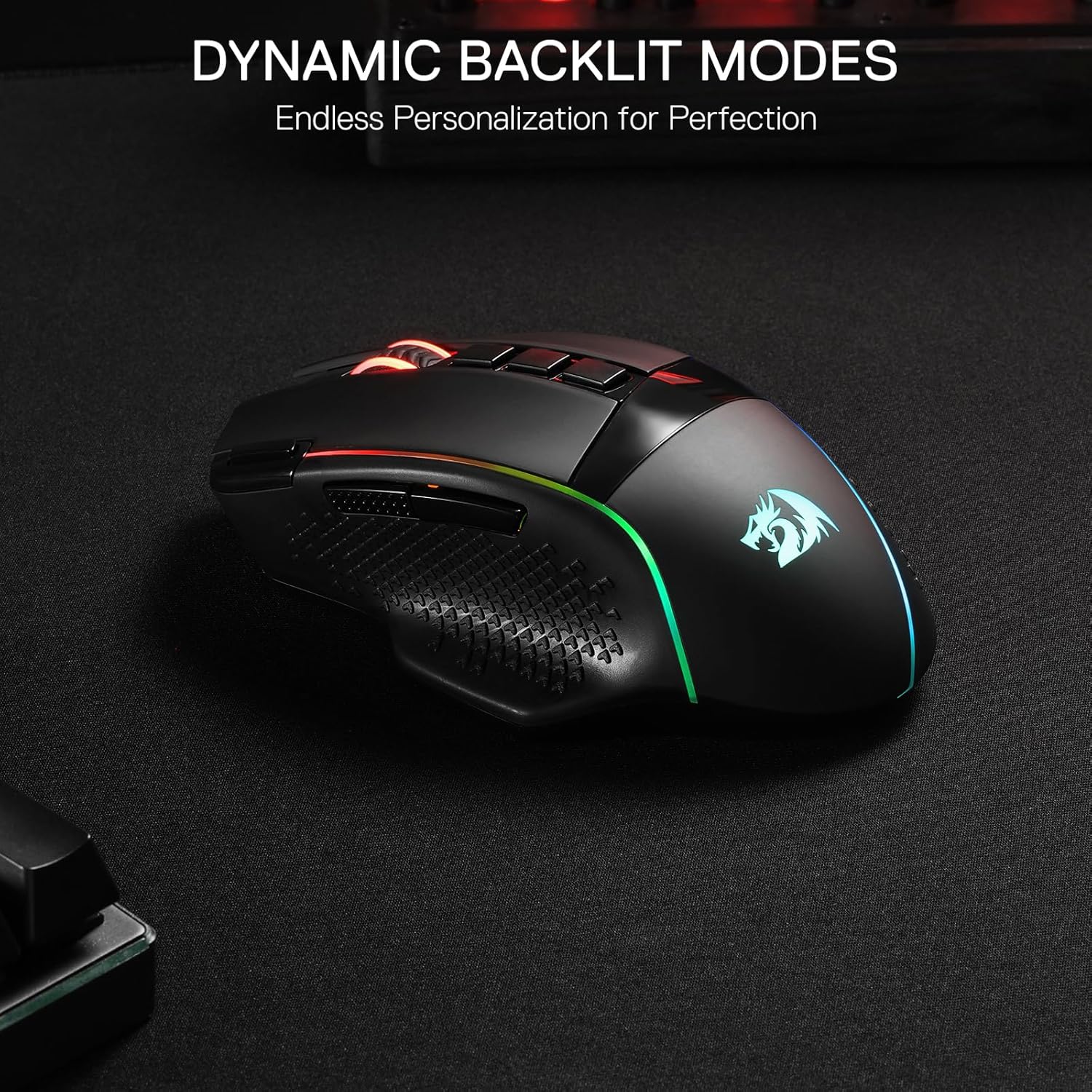
The RGB side is also more than decoration. The description points to multiple lighting behaviours such as dynamic effects, breathing, and wave-style patterns. If you like a more “tournament room” vibe when you sit down to play, you’ll probably enjoy having those options. If you don’t, you might want to manage lighting settings so it doesn’t become a battery drain habit.
A small limitation to keep in mind: because the mouse uses programmable macros and DPI steps, it can be worth spending a little time setting it up properly. Out of the box, it may feel fine, but the best experience depends on whether you actually configure the buttons and sensitivity to match your habits.

Key specifications (at a glance)
- Name: Redragon M991 Wireless Gaming Mouse
- Type: Wireless gaming mouse (2.4GHz receiver)
- Max DPI: 19000
- Built-in DPI levels: 5 (1000/2000/4000/8000/19000)
- Sensor: Pixart PAW3370 (optical)
- Polling rate: 1000 Hz (dual mode mentioned)
- Programmable buttons: 9
- Battery life: up to 45 hours (eco mode mentioned)
- Lighting: RGB backlight with multiple modes (controller/software described)
Who it’s for (and who should skip it)
It makes sense if you want a wireless gaming mouse that gives you knobs to turn—DPI stepping, 9 programmable buttons, and macro customisation—while still keeping the setup focused enough for everyday use.

It may not suit you if you’re after a super-minimal, plug-and-play experience, or if you specifically need ultra-lightweight performance. There’s also the general caveat with wireless peripherals: your experience depends on how you place your receiver and how stable your wireless environment is, even if the mouse itself is built for gaming.
If you prioritise battery convenience, the “eco mode up to 45 hours” figure is reassuring on paper. If you’re the kind of player who runs intense RGB effects constantly, you’ll want to take that into account when judging whether you’ll truly hit the long runtime.
Final verdict
Is it worth it?

The Redragon M991 is worth considering if you like your gaming mouse to do more than just point-and-click—DPI steps up to 19000, a Pixart sensor, 9 programmable buttons, and macro support are the sort of features that can make a difference once you set them up for your games (and routine desktop tasks). The wireless angle is supported by the 2.4GHz receiver and the described 1000 Hz dual-mode polling, and the up-to-45-hours eco-mode battery claim helps it feel practical rather than gimmicky.
You may want to skip it if you don’t want to spend time configuring DPI and macros, or if your priorities are purely weight and simplicity over extra controls and lighting. Also, if RGB is a “set and forget” annoyance for you, remember that lighting effects can be a battery consideration, even if the eco runtime looks strong.
Mini FAQ
How many DPI settings does the M991 offer?
It’s described as having 5 built-in DPI levels: 1000/2000/4000/8000/19000.
Does it support macros and programmable buttons?
Yes. The mouse includes 9 programmable buttons with macro customisation, with dedicated rapid-fire and two side macro buttons mentioned in the description.
Is the mouse genuinely wireless for gaming?
It uses a 2.4GHz receiver for wireless use, so you can use it without cable play.
How long does the battery last?
The description states up to 45 hours in eco mode on a rechargeable battery.
What’s the point of the RGB backlight?
According to the description, it has multiple adjustable lighting modes (dynamic effects, breathing, waves) controlled via Redragon software/controller behaviour, mainly for visual atmosphere.