

NiPoGi H2 Mini PC: 14th Gen Intel Core i5-14450HX in a compact, upgradeable kit
Reviews
Price
Product description
What it is and what it solves
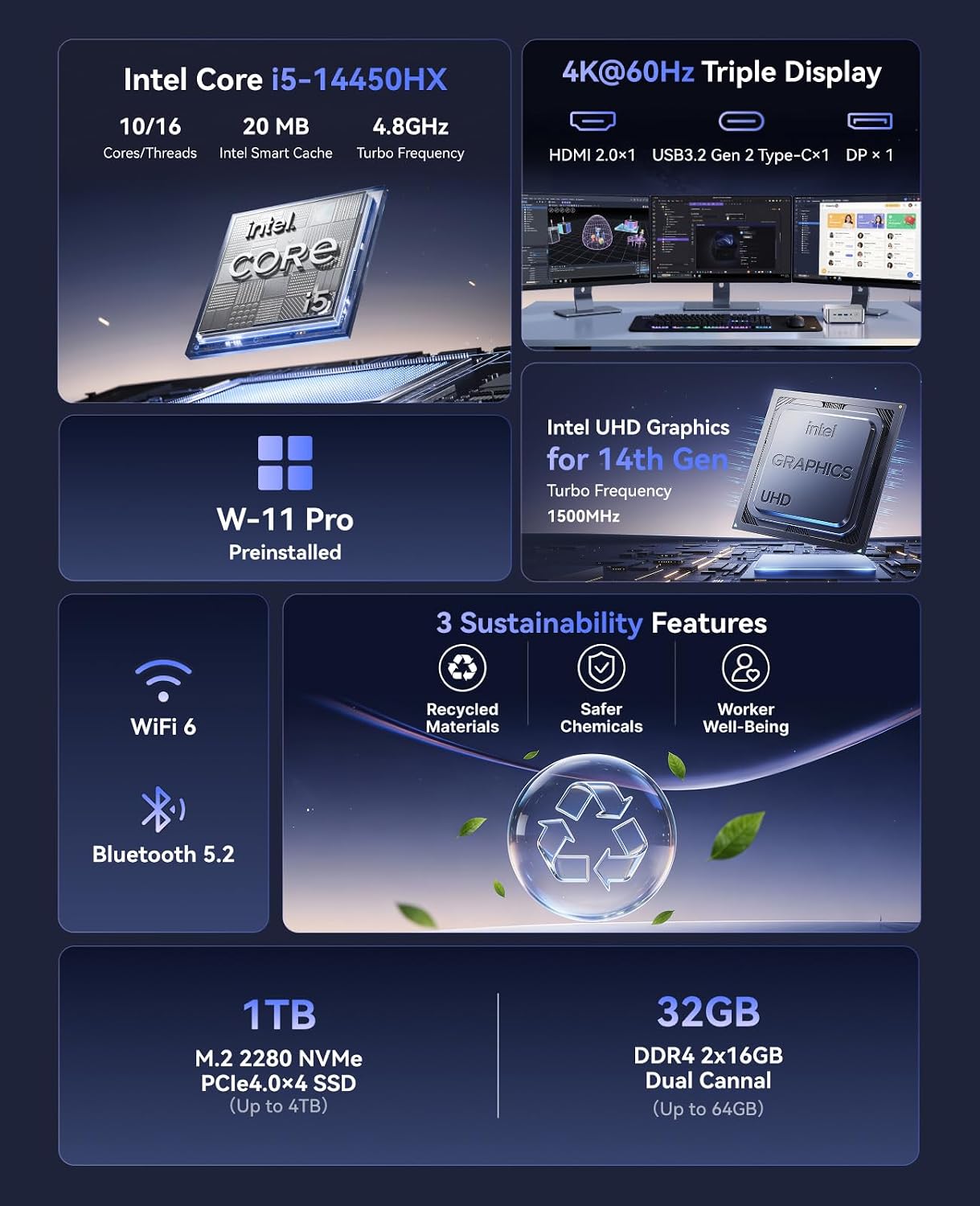
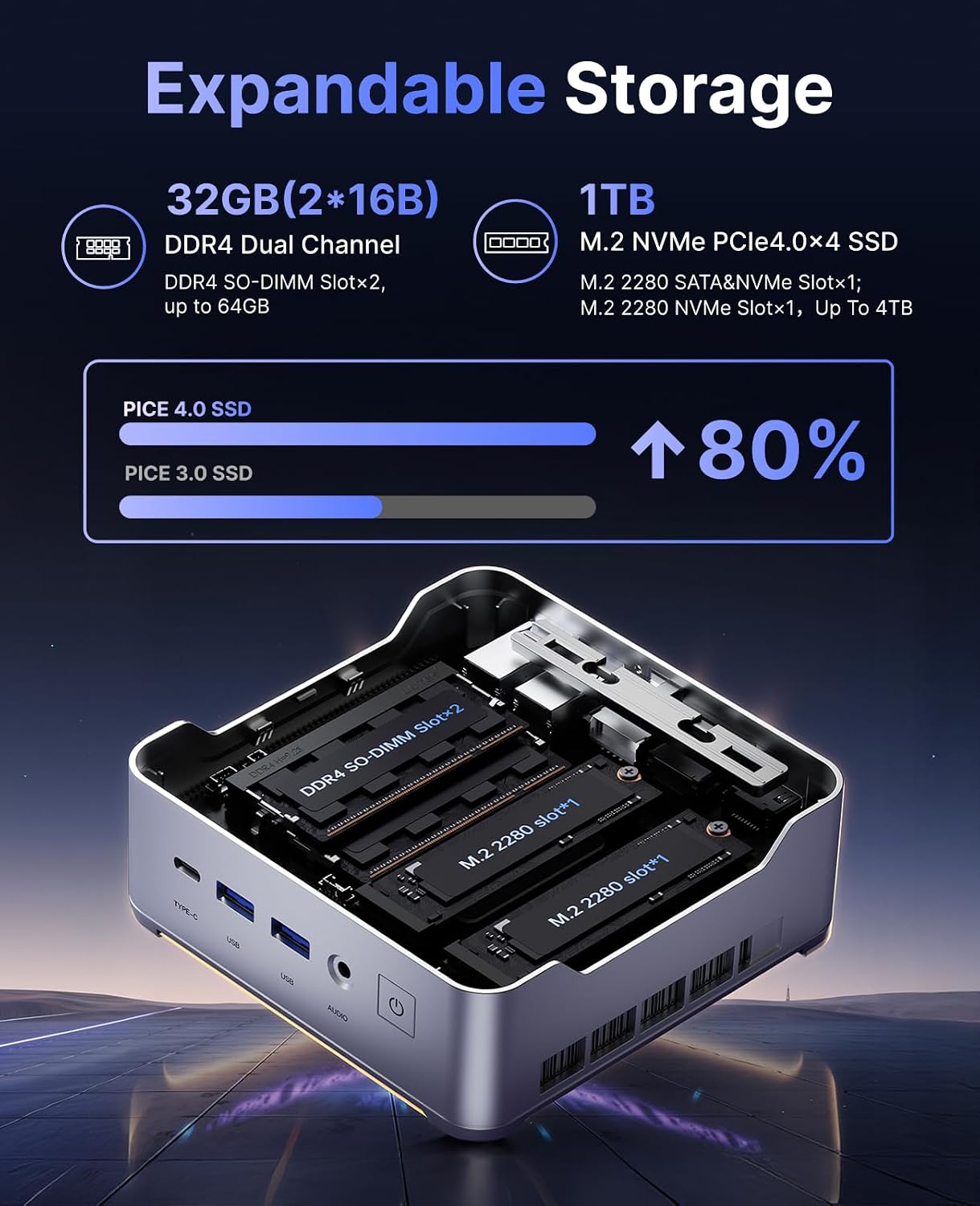
The NiPoGi H2 is a compact mini PC built around the 14th Gen Intel Core i5-14450HX processor, aimed at users who need solid multitasking power in a small footprint. With 32GB of DDR4 RAM (expandable) and a 1TB NVMe SSD (with two M.2 slots that can take up to 2TB each), it’s designed to handle demanding workloads—think content creation, software development, or multi‑screen productivity—without occupying a full-size desktop.
What stands out in use
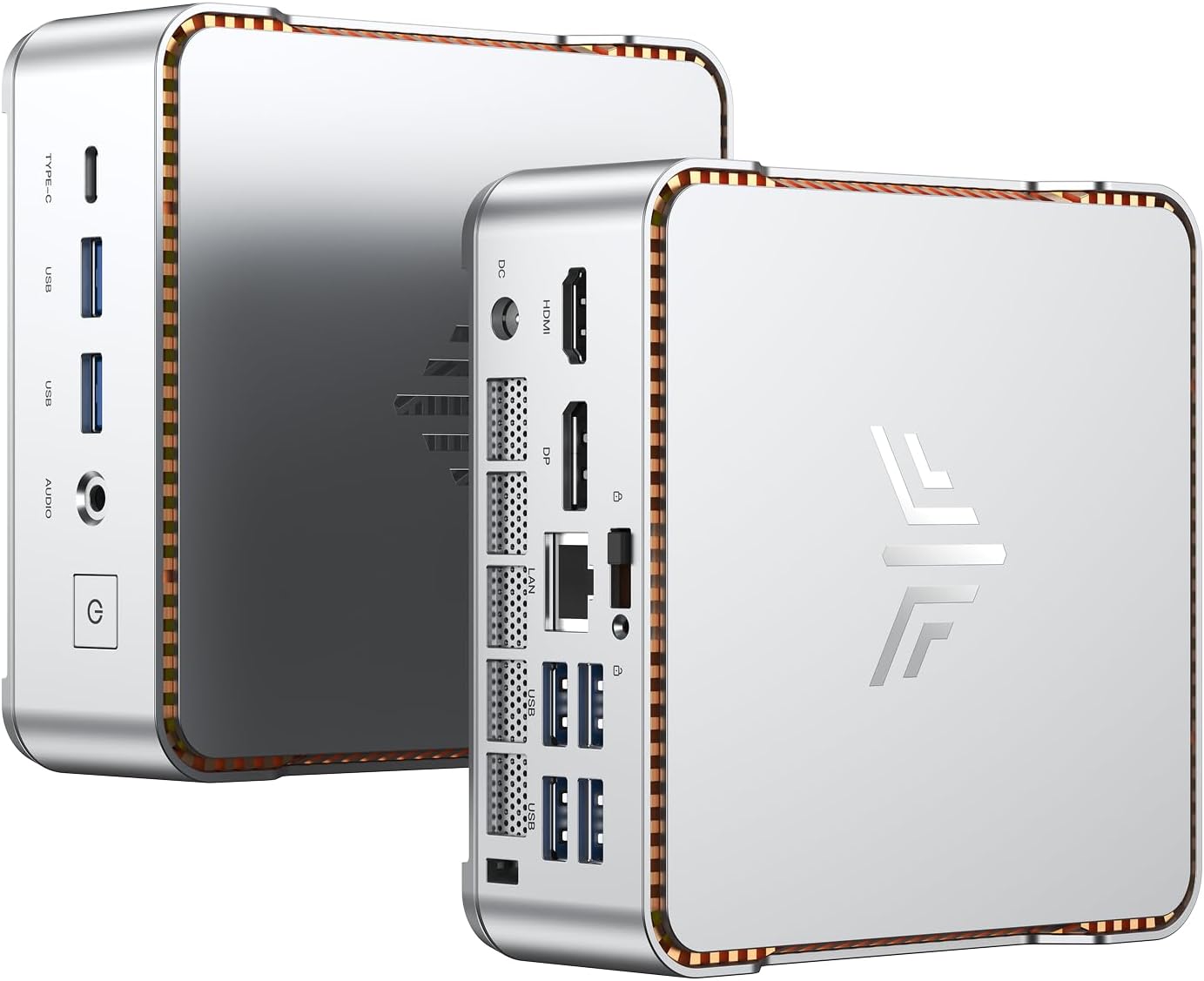
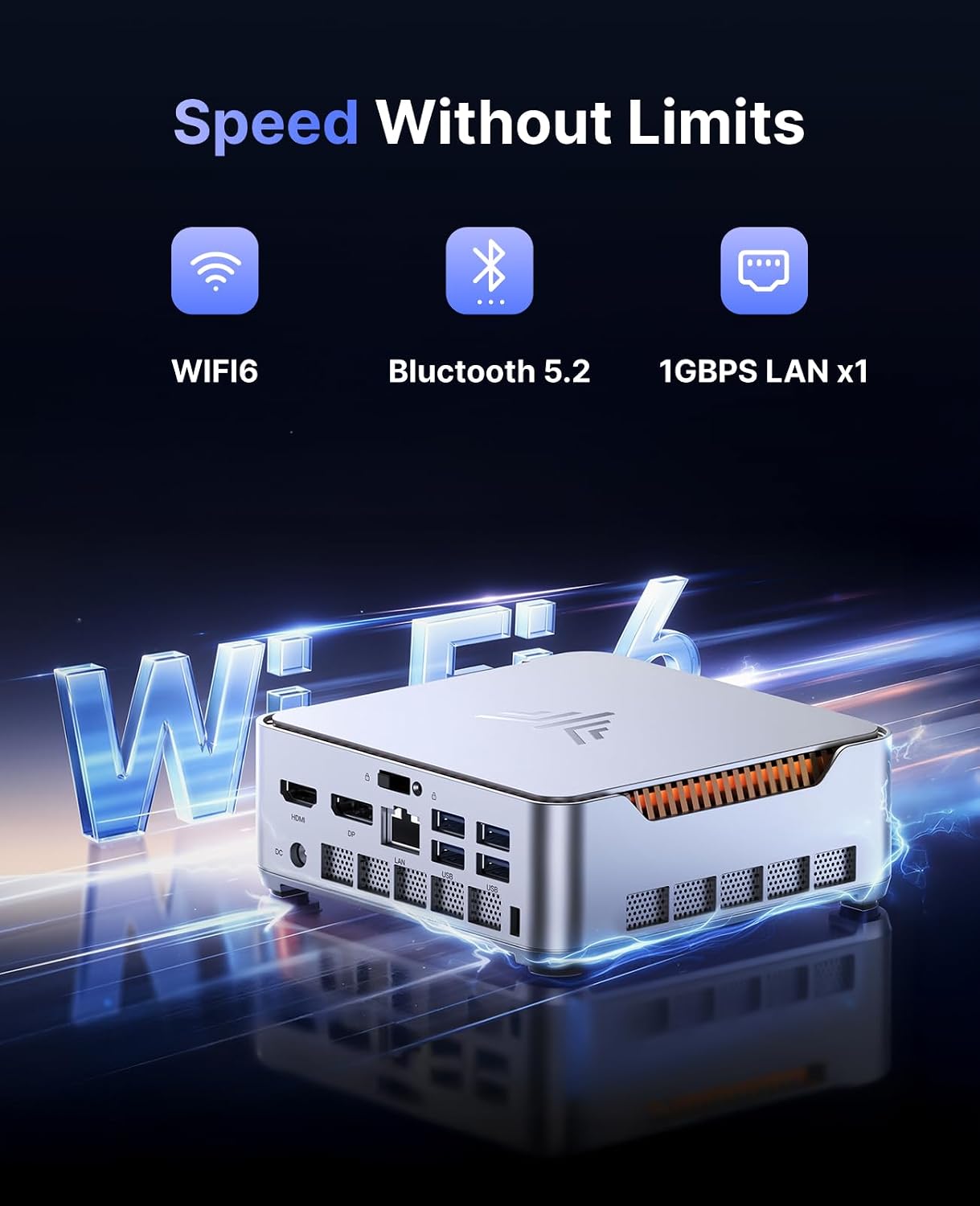
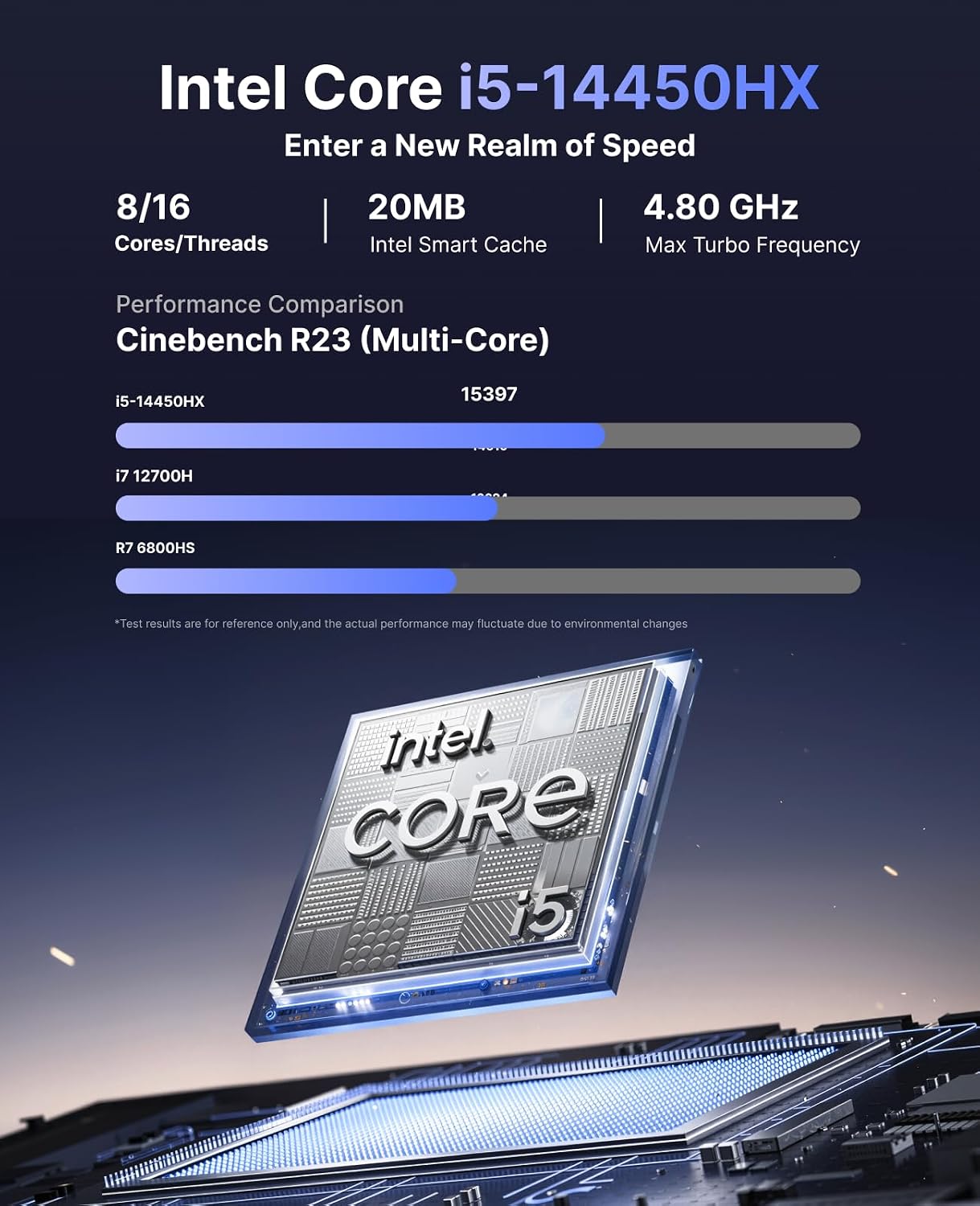
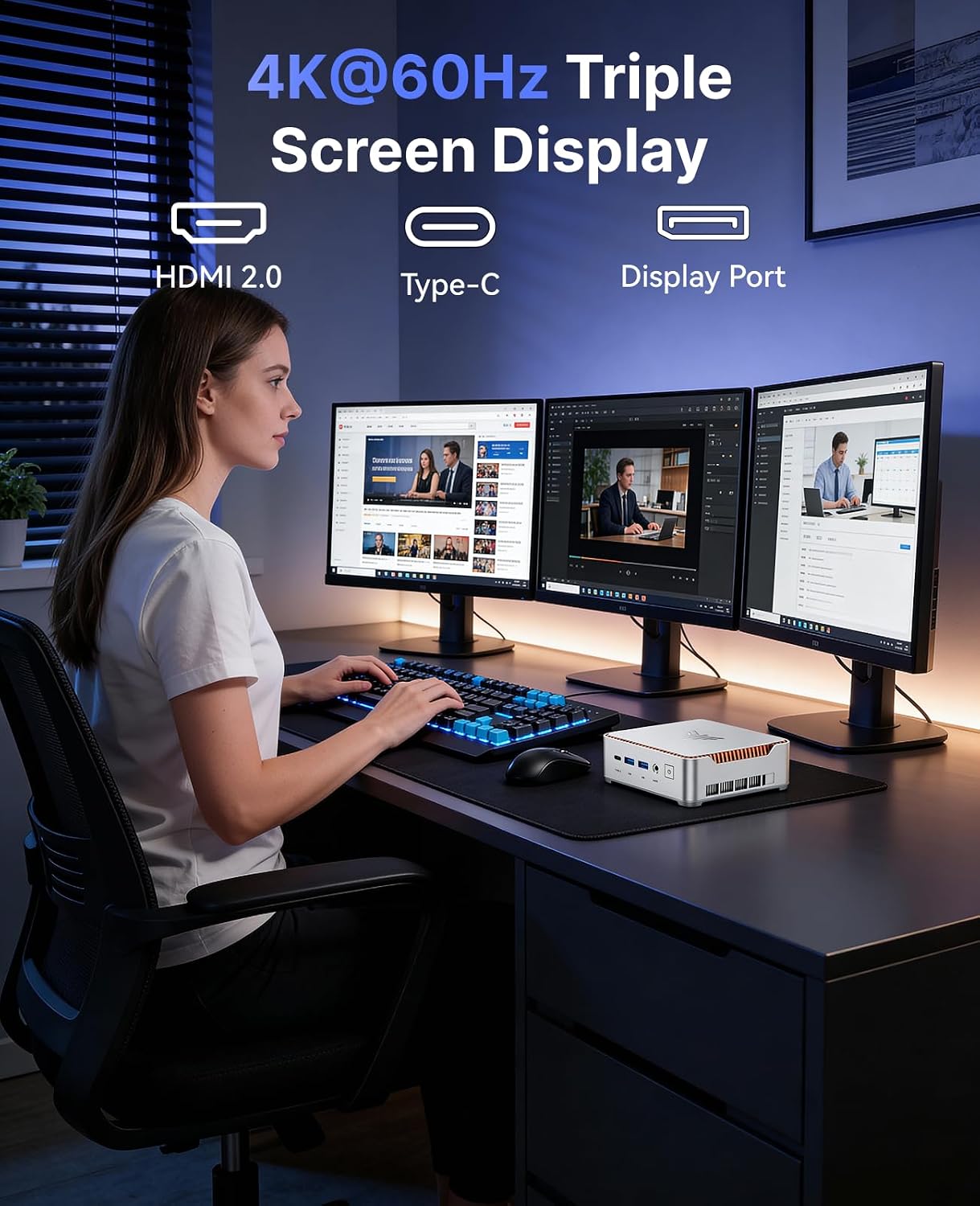
On paper, the processor offers 8 cores and 16 threads with a boost up to 4.8GHz, which translates into quicker responsiveness when juggling several applications or light creative tasks. The system is equipped for a true 4K experience with triple display support via HDMI 2.0, DisplayPort 1.4, and USB‑C, making it convenient for multi‑monitor setups and professional workflows. Networking includes dual‑band WiFi 6 and Bluetooth 5.2, plus a gigabit Ethernet port for reliable, high‑speed connections.
The good and the not‑so‑perfect side
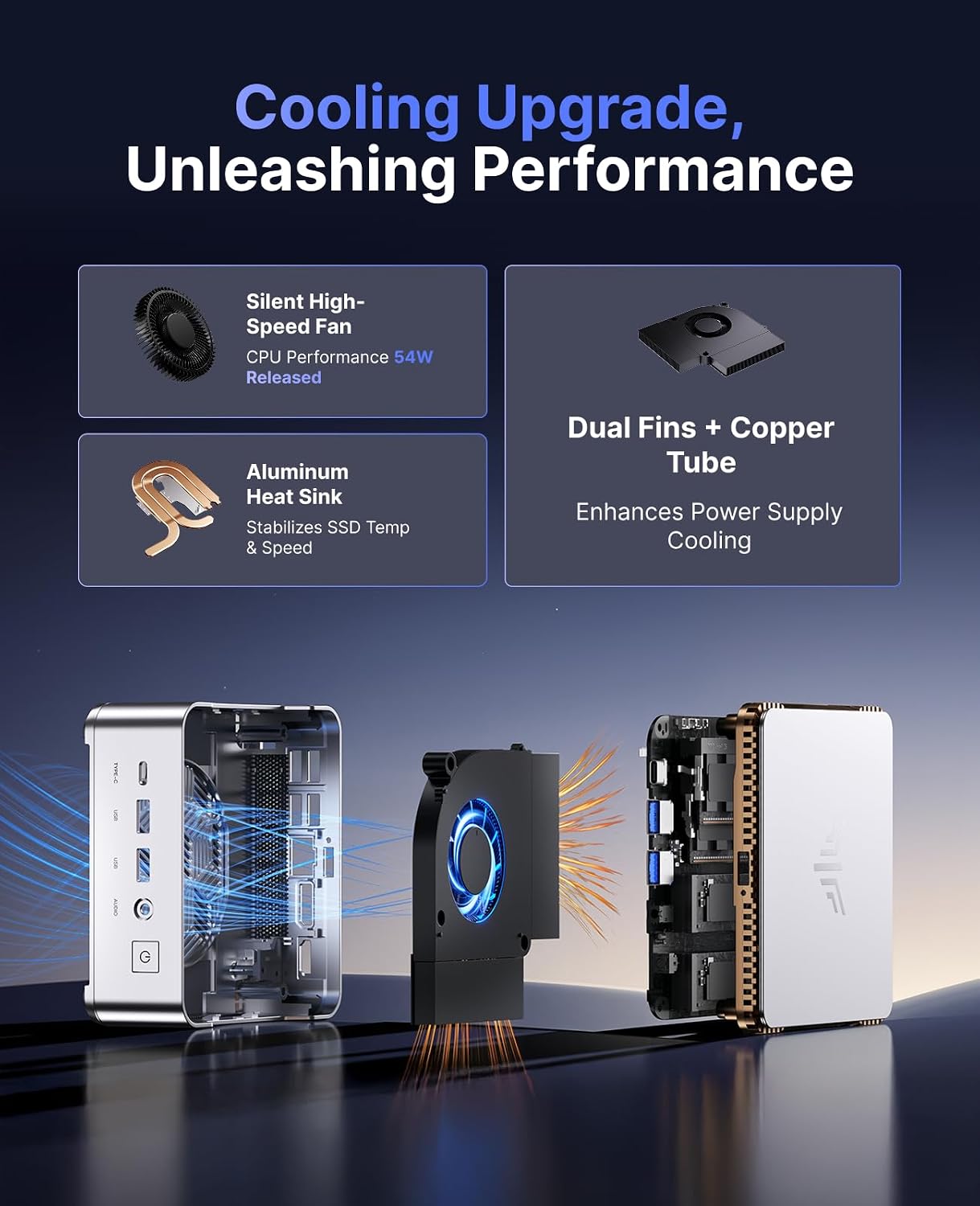
What’s compelling is the combination of upgradeability and performance headroom: 32GB RAM (expandable to 64GB) and dual M.2 slots mean you can add more storage and memory as needs grow, while keeping a compact form factor. The all‑copper cooling approach with dual heat pipes aims to keep temperatures steady during heavier workloads. On the flip side, the device relies on DDR4 rather than newer LPDDR options, and while it can deliver desktop‑level stability, it may not be the lightest or quietest option in a very quiet home office.
Who it’s for
This mini PC suits professionals or enthusiasts who want a small footprint without sacrificing power, especially if you value multiple displays, solid storage options, and robust connectivity. It’s a practical choice for freelance workstations, small studios, or compact offices where desk space matters.
Who it isn’t for
If you’re after the absolute smallest, whisper‑quiet device for very light tasks or want the utmost efficiency of LPDDR memory, this model’s DDR4 RAM and cooling setup may feel overkill or less ideal. It’s also less compelling if you only need basic office software and rarely utilise triple displays.
When it makes sense to buy
Consider this system when you need real multitasking capability, fast storage, and a flexible multi‑display workspace in a compact case. If your workflow includes large files, parallel processing, or screen‑heavy collaboration, the H2’s specs align with those needs.
When you might want to skip it
Skip if you prioritise a near‑silent setup, require the lightest possible form factor, or want to avoid more hands‑on maintenance with expanding RAM and storage. If budget is a tight constraint and you can get by with fewer features, there may be simpler options.
Quick checks before you buy
- Confirm RAM upgrade path and supported capacity (32GB base, up to 64GB suggested by spec, ensure two‑slot configuration meets your needs).
- Verify the M.2 slots and supported SSD sizes (up to 2TB per slot) to match your long‑term storage plan.
- Ensure your monitor setup aligns with the three‑display output (HDMI 2.0 + DP 1.4 + USB‑C) and your cable kit supports 4K@60Hz across all displays.
- Check ventilation and workspace: the cooling system is designed for sustained performance, but placement matters for heat dissipation.
Practical usage snapshot
Imagine a small desk setup where you drive three 4K monitors for a video editor and a coding workstation, with large project files stored on the fast NVMe SSDs. Offloading tasks across multiple windows and virtual machines feels smoother than a basic office PC, thanks to the 32GB (expandable) memory and PCIe 4.0 storage.
How this compares to other approaches
If you need a balance of price, upgradeability and performance in a compact form, this mini PC sits between entry‑level desktops and more premium mini rigs. For heavier portable requirements, a model with lower power draw and even smaller footprint could be preferable, while for strict space saving with fewer displays you might opt for a more modest mini PC or a laptop dock solution.
Decision: Is it worth it?
Is it worth it? It makes sense if you prioritise multi‑display productivity, upgradeable storage and RAM, and a compact footprint for a small office or creative workstation. Not the best pick if you want near‑silent operation or the absolute simplest plug‑and‑play experience with minimal upgrades.
FAQ
- Can I upgrade RAM and storage easily? Yes, there are two M.2 slots and RAM upgradable to a higher capacity, but verify the exact RAM module compatibility and slot configuration.
- Will it run modern design software smoothly? The 14th Gen i5 and 32GB RAM offer solid multitasking headroom, but performance depends on the specific workload and GPU needs.
- How many displays can I connect at 4K? Three outputs are supported (HDMI 2.0, DP 1.4, USB‑C) for 4K at 60Hz across displays, subject to cable and monitor capabilities.