

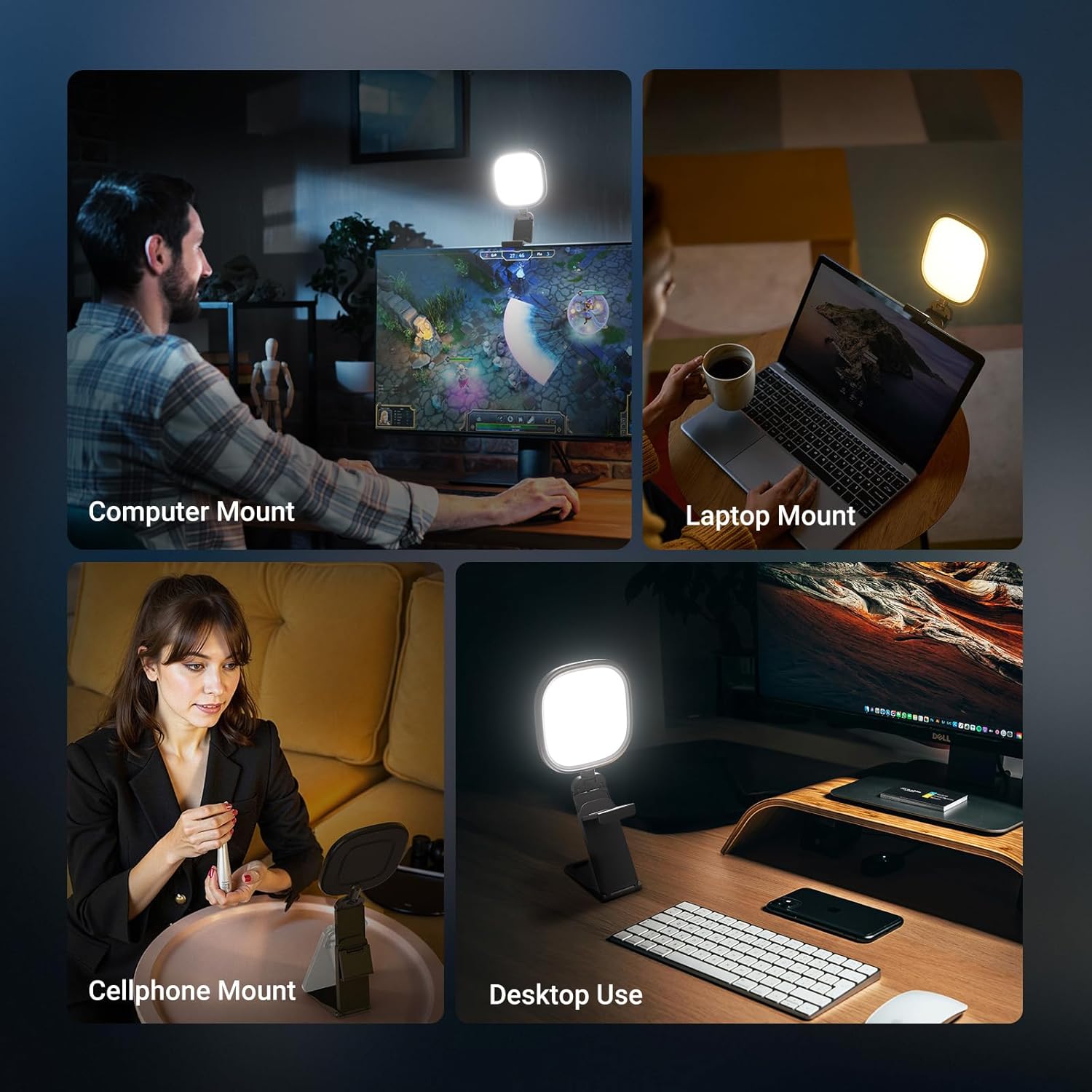
NEEWER BASICS NL10 5-inch Monitor Light Bar with Stand, 10W Bi-Color Edge-Lit USB LED panel
Product description
If your desk setup lives on video calls, recordings, and the occasional late-night “just one more take”, lighting stops being a nice-to-have and becomes the difference between looking crisp and looking washed out. The NEEWER BASICS NL10 is a compact monitor light bar designed to sit on your screen (or desk) and provide an even, soft fill for your webcam view.
It’s very much an entry-to-mid level piece of desk lighting: simple, flexible, and focused on practical outcomes rather than studio-level control. Whether it’s worth it depends on what you need—especially if you’re sensitive to glare or want more flattering skin tones for longer sessions.
What it is and what it’s for
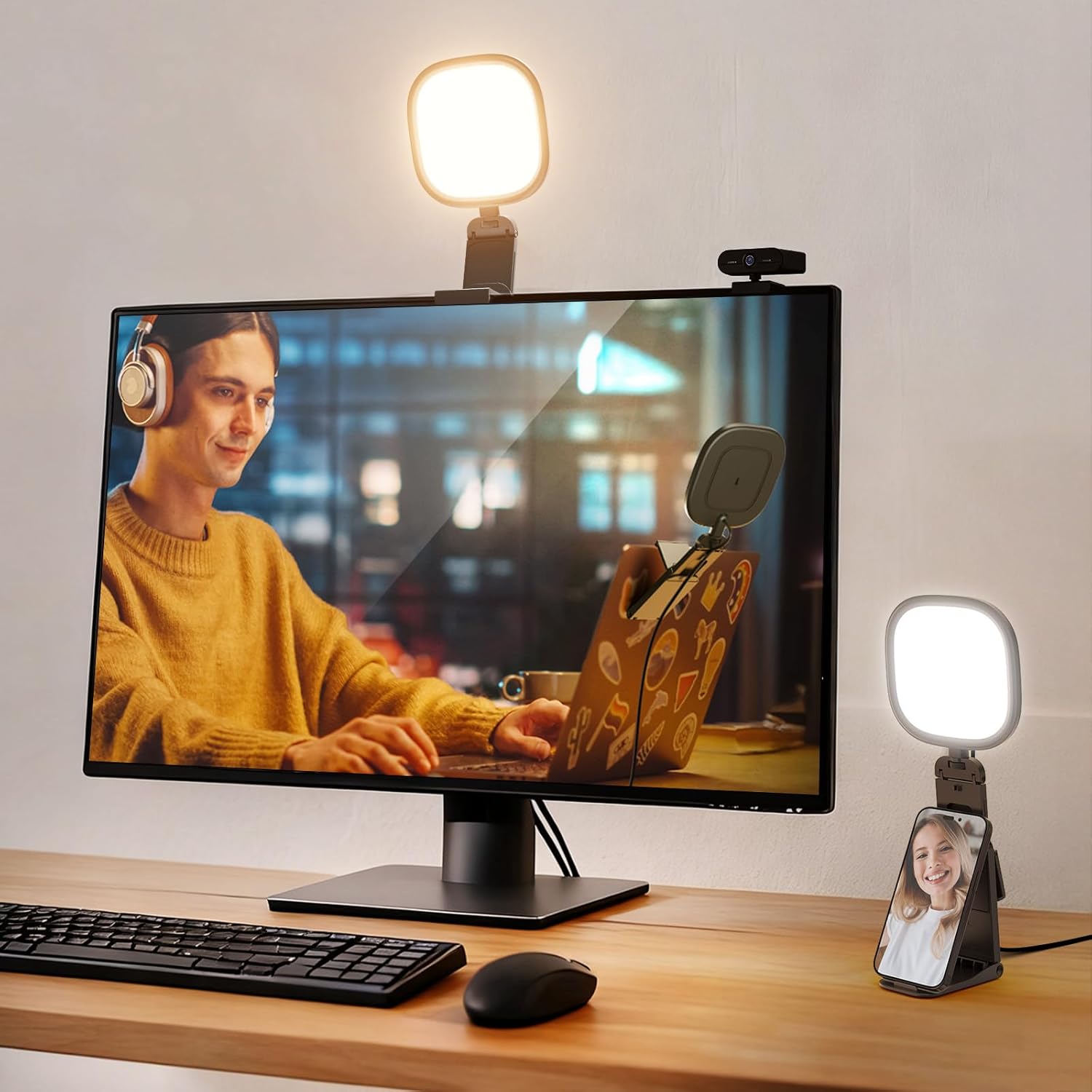
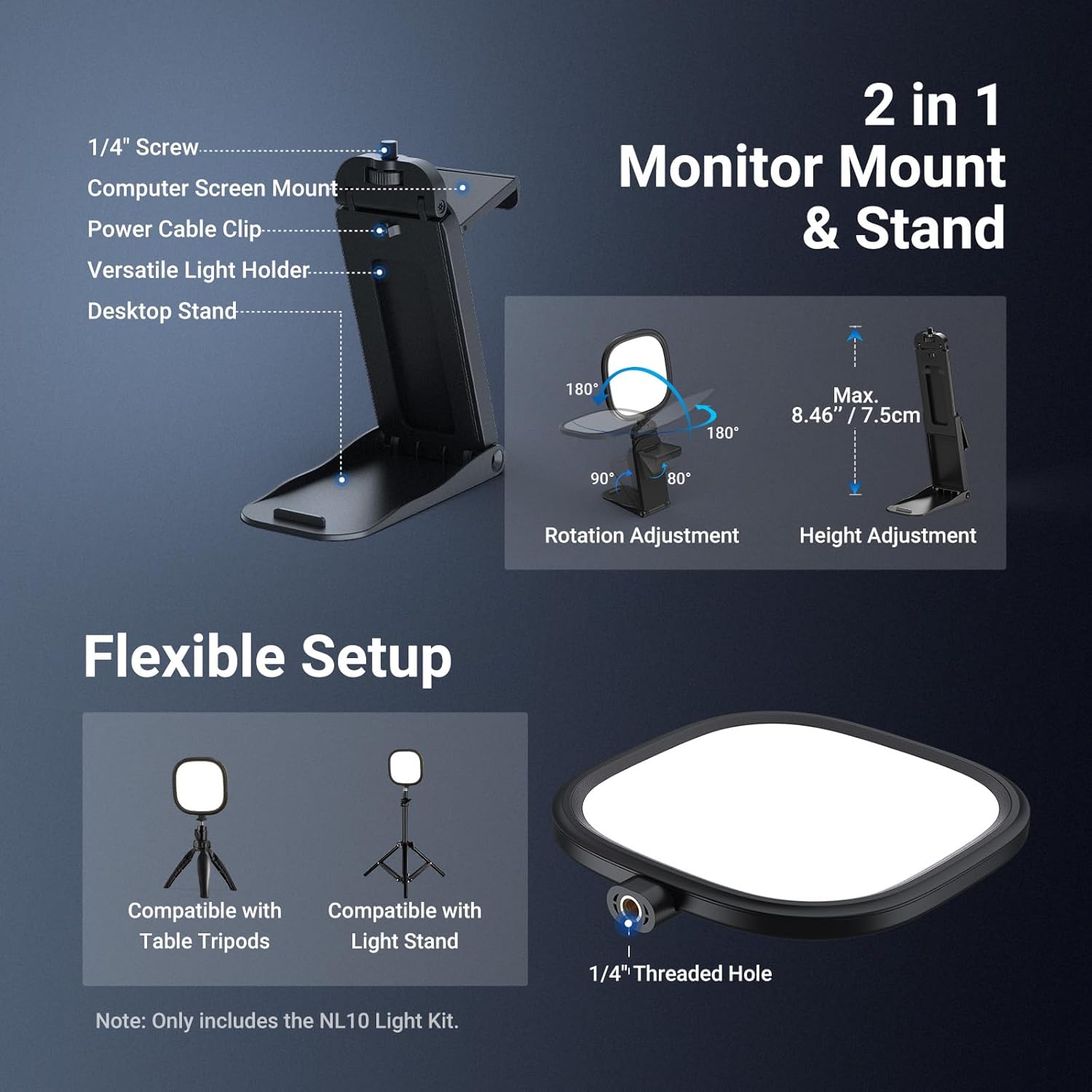
The NL10 is a 5-inch edge-lit LED light panel meant for “front-of-camera” lighting. In use, you mount the light bar directly onto a monitor/laptop screen or place it on your desk. There’s also a 1/4-inch threaded hole for attaching a webcam light setup, plus a stand that helps position it over a monitor.
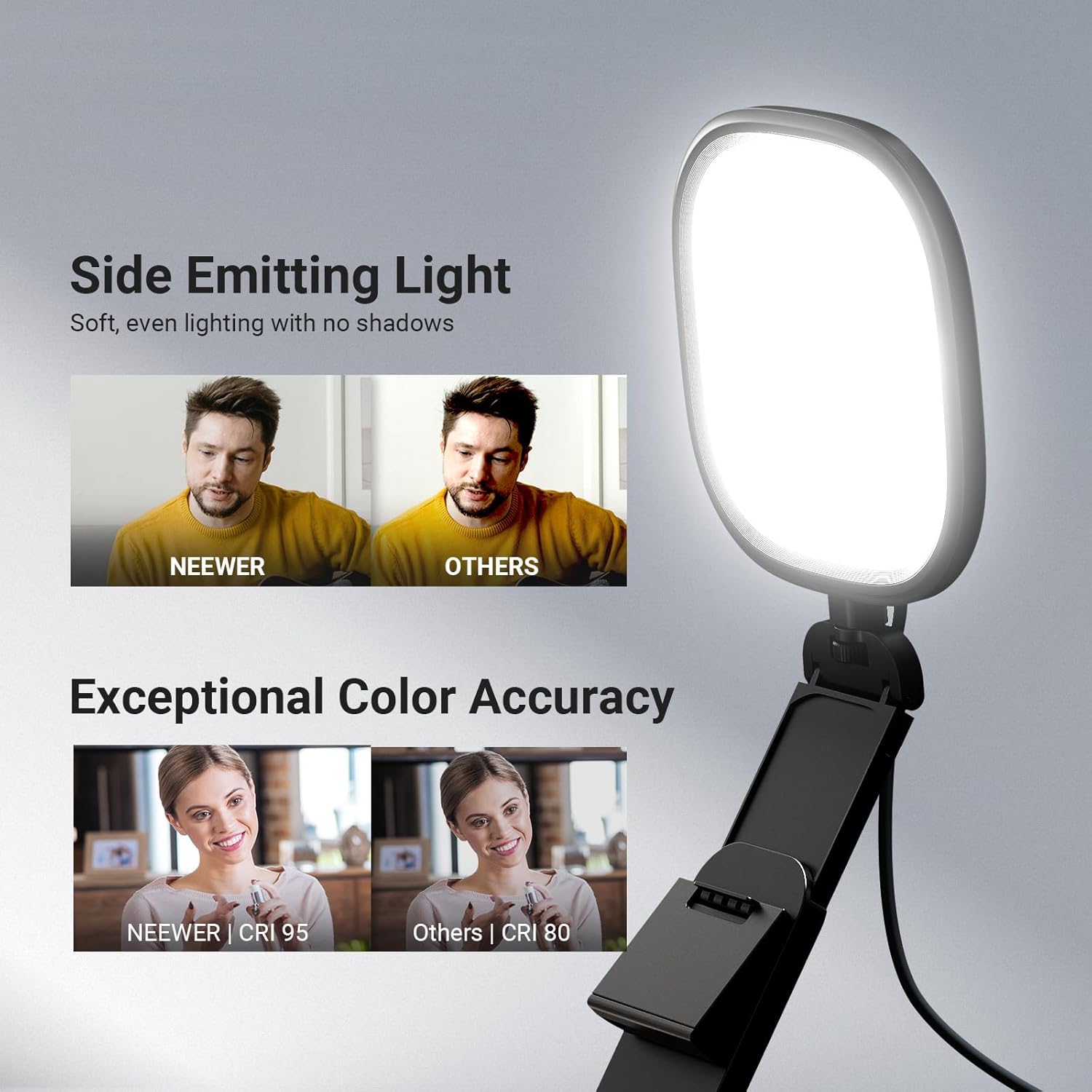
On paper, it’s aimed at improving webcam/video conferencing output: Zoom calls, streaming recordings, online teaching, and general desk content. The edge-lit design is there to keep the light diffused and even, so you don’t get harsh hot spots on your face or distracting reflections.
What really stands out in day-to-day use
The biggest practical advantage here is the soft, continuous look. The light is described as evenly diffused and gentle on the eyes, with the stated aim of minimising harsh glare and eliminating blue light. For anyone who regularly works in front of a screen for hours, that “less annoying” factor matters more than you might expect.
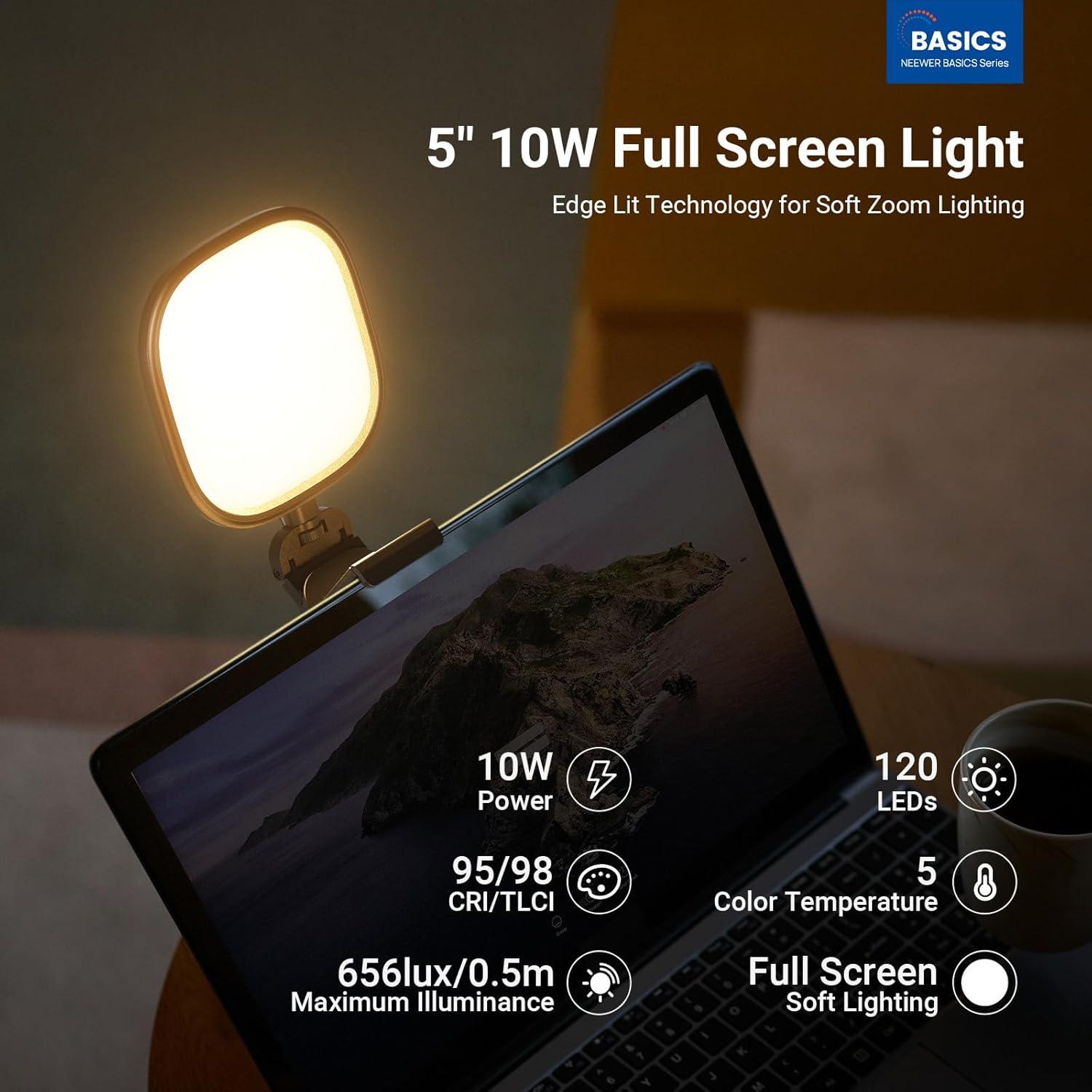
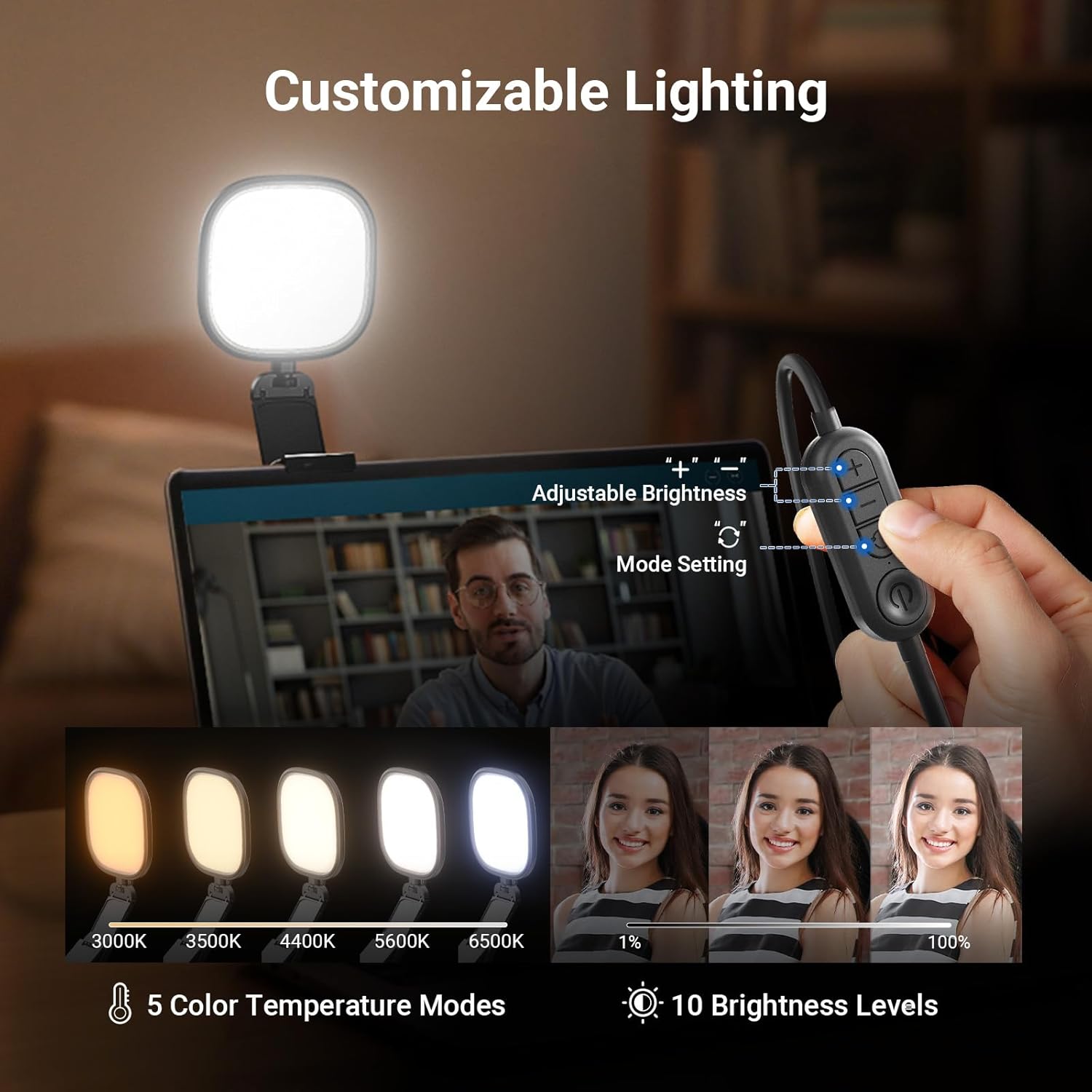
You also get bi-colour control via 120 bi-colour LEDs. That means you can shift the colour temperature rather than being stuck with one fixed tone, which is useful if your room lighting changes between daytime and evening.
Finally, the light isn’t just a panel—it’s built around positioning. The head tilts 180° front to back and rotates 360° horizontally, and you can mount it to a monitor, use the stand, or treat it as a small desk accessory.
Key adjustments: CCT, brightness, and memory
The NL10 offers 5 CCT modes and 10 brightness levels. The goal is to flatter different skin tones and suit a range of desk video lighting needs. It also includes a memory function that auto recalls your last used colour temperature and brightness settings.
That last bit is surprisingly handy if you switch between “call mode” and “recording mode” day to day. You don’t need to keep manually dialling settings back in.
One limitation to keep in mind: the unit is sized like a monitor/desk accent light, not a large room light. If you’re trying to light a wide scene or multiple people, it may feel too small—use it as a close, facial fill rather than a full production solution.
Where the stand and mounting options help
The included detachable stand uses a 1/4-inch screw attachment, and it’s designed to mount the light over a monitor. The stand has 4 adjustable height levels, which helps with matching your camera angle.
The description also frames it as something content creators can repurpose—for example, holding the light along with a smartphone on the mini desktop setup for phone camera photography/videography.
In a typical everyday scenario: imagine you’re on a Zoom call at your desk. You clip or place the light so it points toward your face, tilt it slightly to avoid bouncing glare back into the lens, then set a cooler or warmer CCT depending on your room. After that, memory keeps your preferred look consistent.
Tech specs in plain English
Here are the key numbers and features you’ll actually care about before buying:
- Type: Bi-colour edge-lit USB LED panel light bar
- Size: 5" x 5"
- Power: 10W
- LED count: 120 bi-colour LEDs
- Colour modes: 5 CCT modes
- Brightness control: 10 brightness levels
- Brightness figure stated: up to 656lux/0.5m
- Colour accuracy: CRI 95 (for true-to-life colour reproduction)
- Light behaviour: adjustable head with 180° tilt and 360° horizontal rotation
- Mounting: 1/4" threaded hole for webcam light mounting
Who it suits, and who should look elsewhere
It makes sense if you want a compact, desk-friendly lighting solution for webcam calls and recordings, especially if you care about reducing glare and keeping colour looking natural (thanks to CRI 95, as stated).
It’s also a good fit if you frequently repeat similar setups. The memory function reduces friction, and the tilt/rotation range helps you angle the light without moving your whole desk.
Not the best choice if you need broad, powerful lighting for larger spaces or you plan to light multiple faces in a wide shot. This is a small panel aimed at monitor/laptop lighting and close-range results.
Should you buy it?
It’s a good fit if you want soft, even front lighting for Zoom calls, streaming recordings, and desk content, and you like having bi-colour control plus multiple brightness levels to match your room.
It’s not for you if your priority is lighting a whole room or wide multi-person scenes, because the 5" x 5" form factor is more about close facial/desk fill than dramatic coverage.
As a practical buying decision: check that your intended mounting position (monitor edge/stand height) can place the light close enough to your face and camera angle. If you can do that, the NL10 should deliver the kind of comfortable, consistent look the design is aiming for.
Quick FAQ
How do I power the NEEWER NL10?
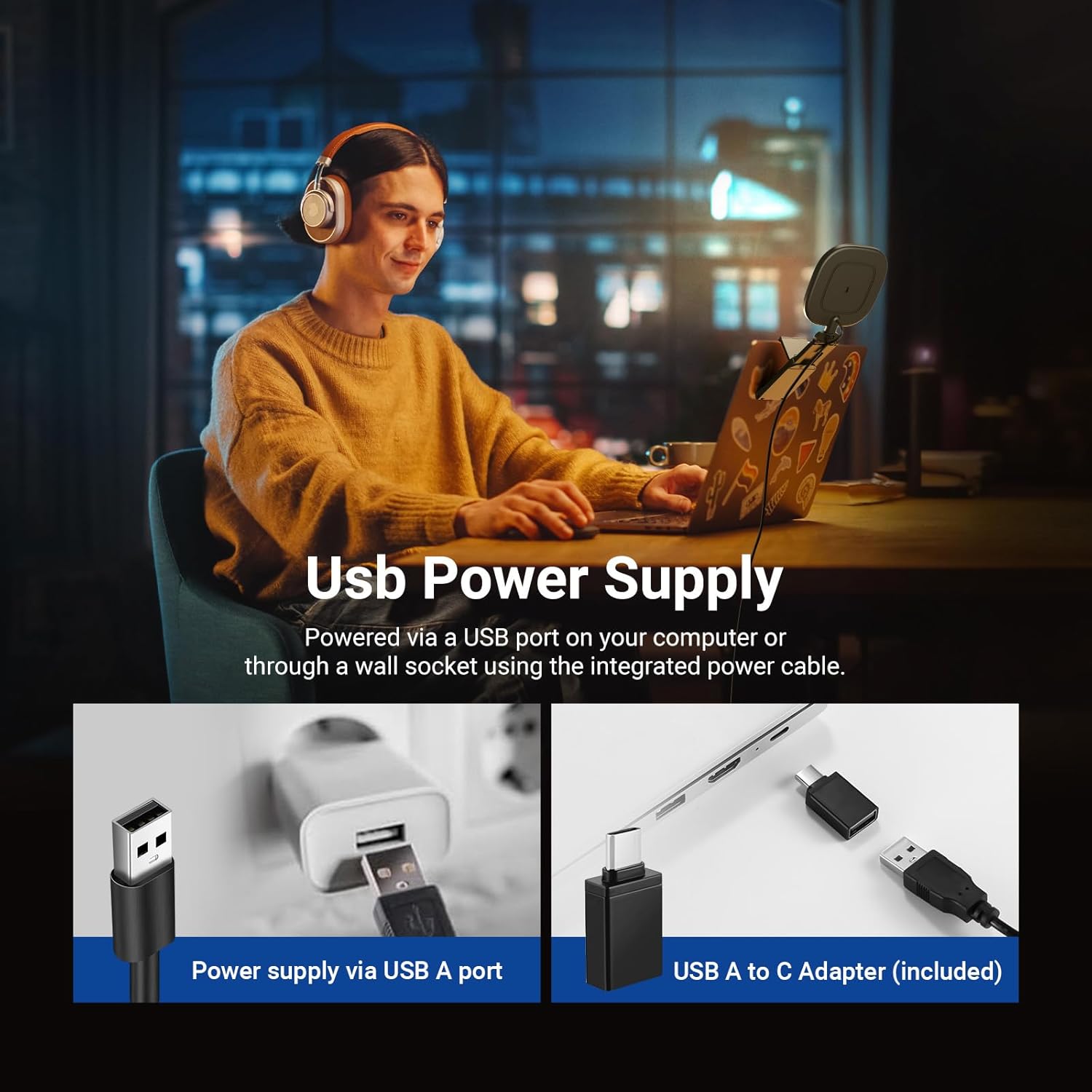
It’s described as a USB LED panel, and a USB A to USB C adapter is included.
Can I use it on my monitor and also on a desk?
Yes. You can mount the light bar directly on a monitor/laptop/computer screen or place it on the desktop as a desk setup accessory.
Does the light remember my last settings?
Yes, the memory function auto recalls your last used colour temperature and brightness settings.
What does CRI 95 mean for my camera look?
The listing states CRI 95 helps with true-to-life colour reproduction, which is mainly useful when you want skin tones and colours to look more natural on camera.
Does it work for webcam and streaming setups?
The description specifically calls out video conferencing (Zoom), desk streaming recordings, online teaching, and similar uses, and it includes a 1/4" threaded hole for webcam light attachment.