


KPKUE 15.6" Laptop Screen Extender with Just One Cable: Triple Screen, FHD IPS, Portable Aluminium Design
Product description
What it is
The KPKUE 15.6" Laptop Screen Extender is a portable, aluminium-bodied attachment that allows a laptop to drive three displays from a single USB-C (or USB-C with adapter) connection. It’s designed for 12–16 inch laptops and aims to boost productivity by extending your workspace without the clutter of multiple cables.
How it works and who it suits
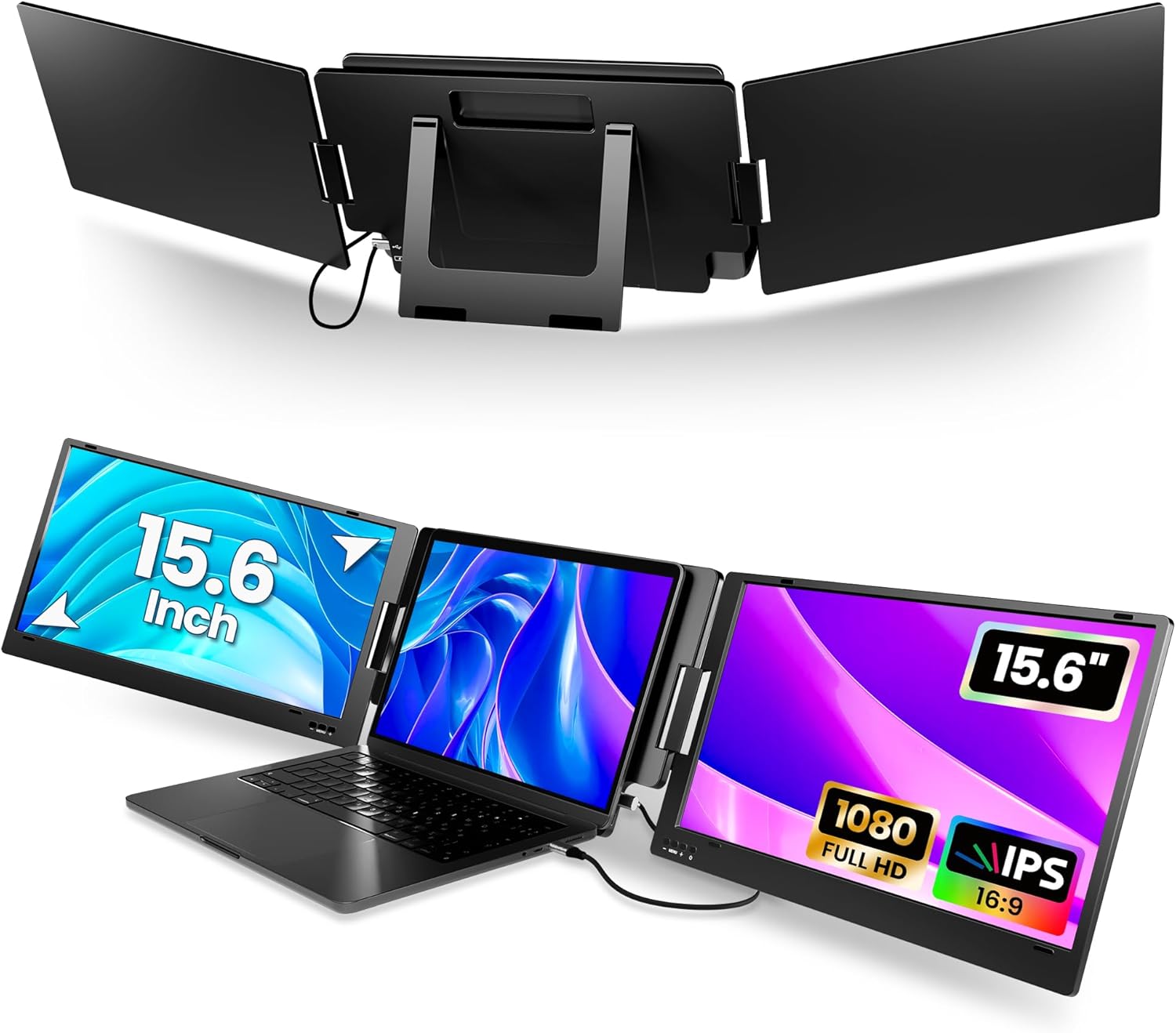
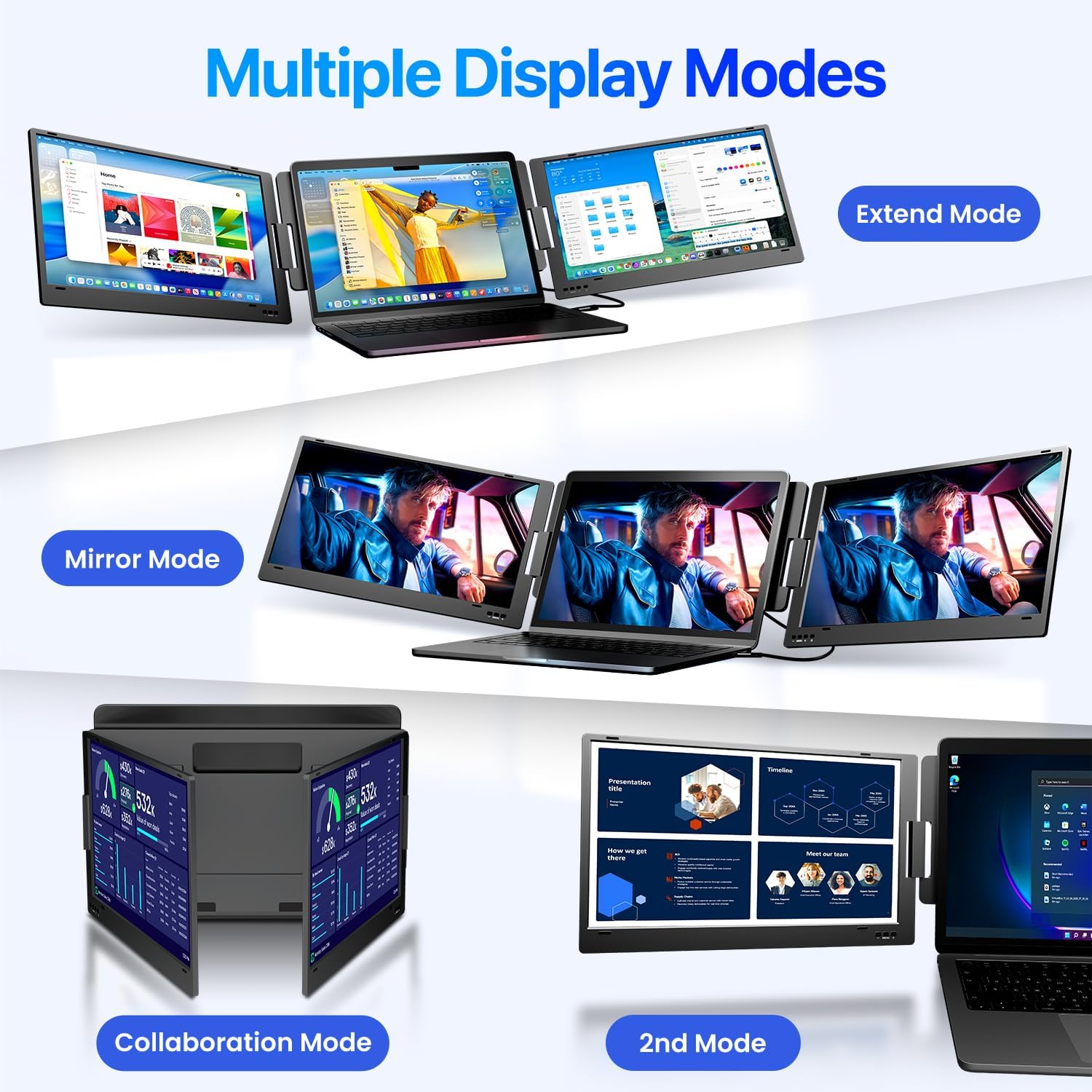
On paper, the extender adds two additional screens to your laptop, giving you a three-screen setup when used in extended, mirror or collaboration modes. It connects via a single cable, which helps keep your desk tidy and reduces cable management headaches. It’s compatible with macOS, Windows and ChromeOS, including modern Apple Silicon Macs (M1/M2/M3/M4 clips). This makes it potentially useful for professionals who code, trade, design, or manage data across multiple applications.
What stands out in use
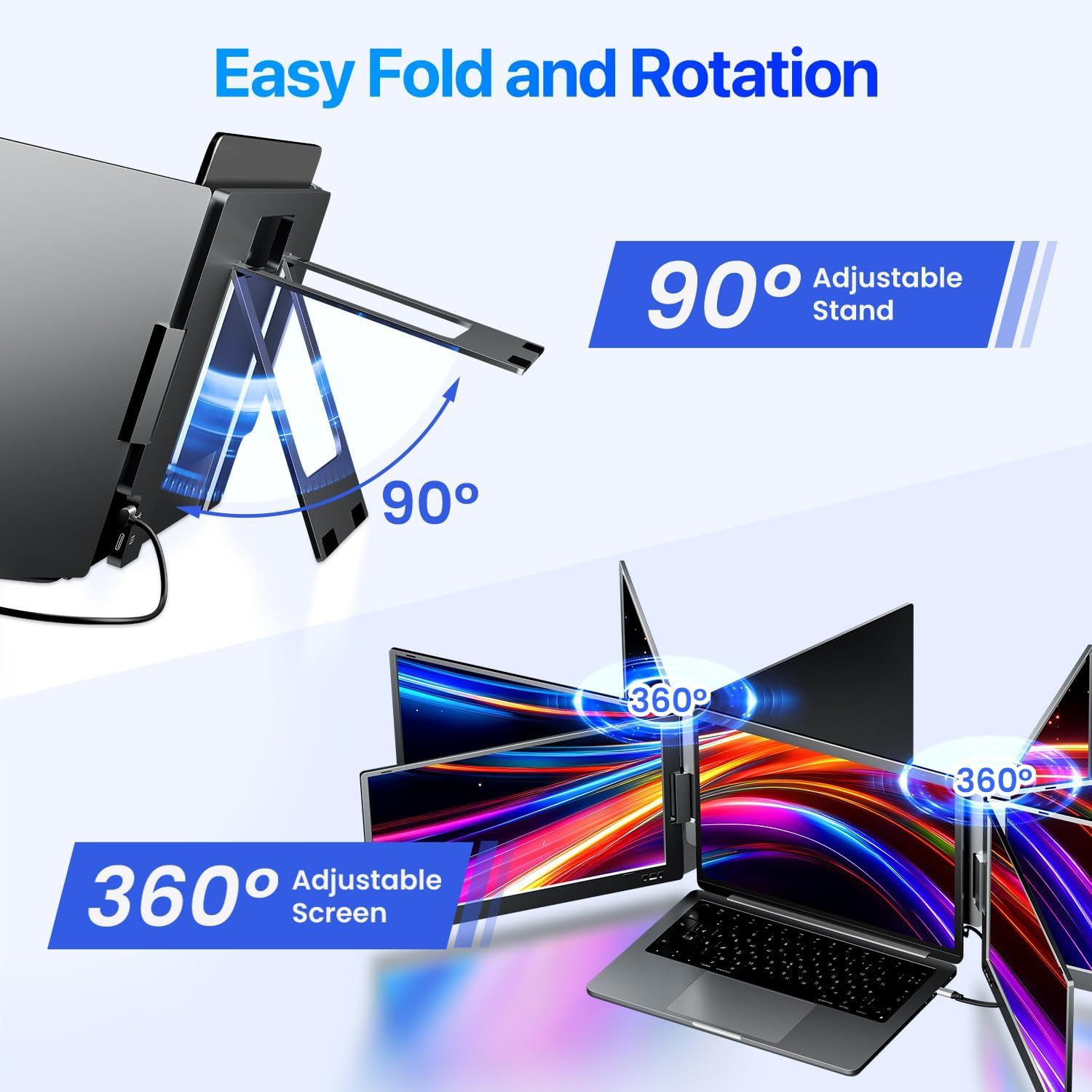
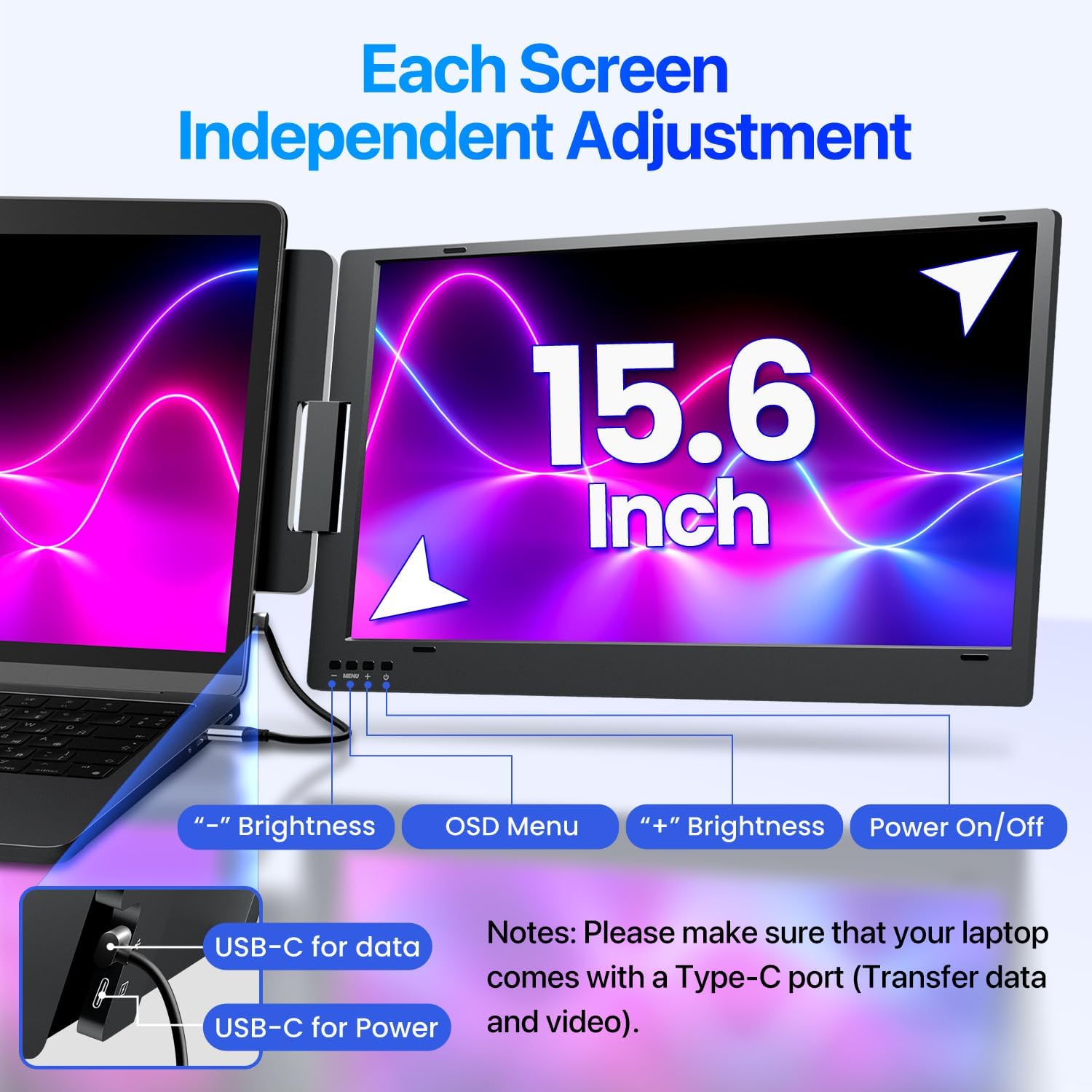
The device has a built‑in kickstand and an aluminium chassis, with 0–360° rotation per screen for flexible positioning and simple folding when not in use. A practical feature is that it can be positioned behind the laptop without extra accessories, and it ships with a carry bag for portability. The effort to minimise cables is appreciable, especially if you value a neat workspace.
Strengths and caveats
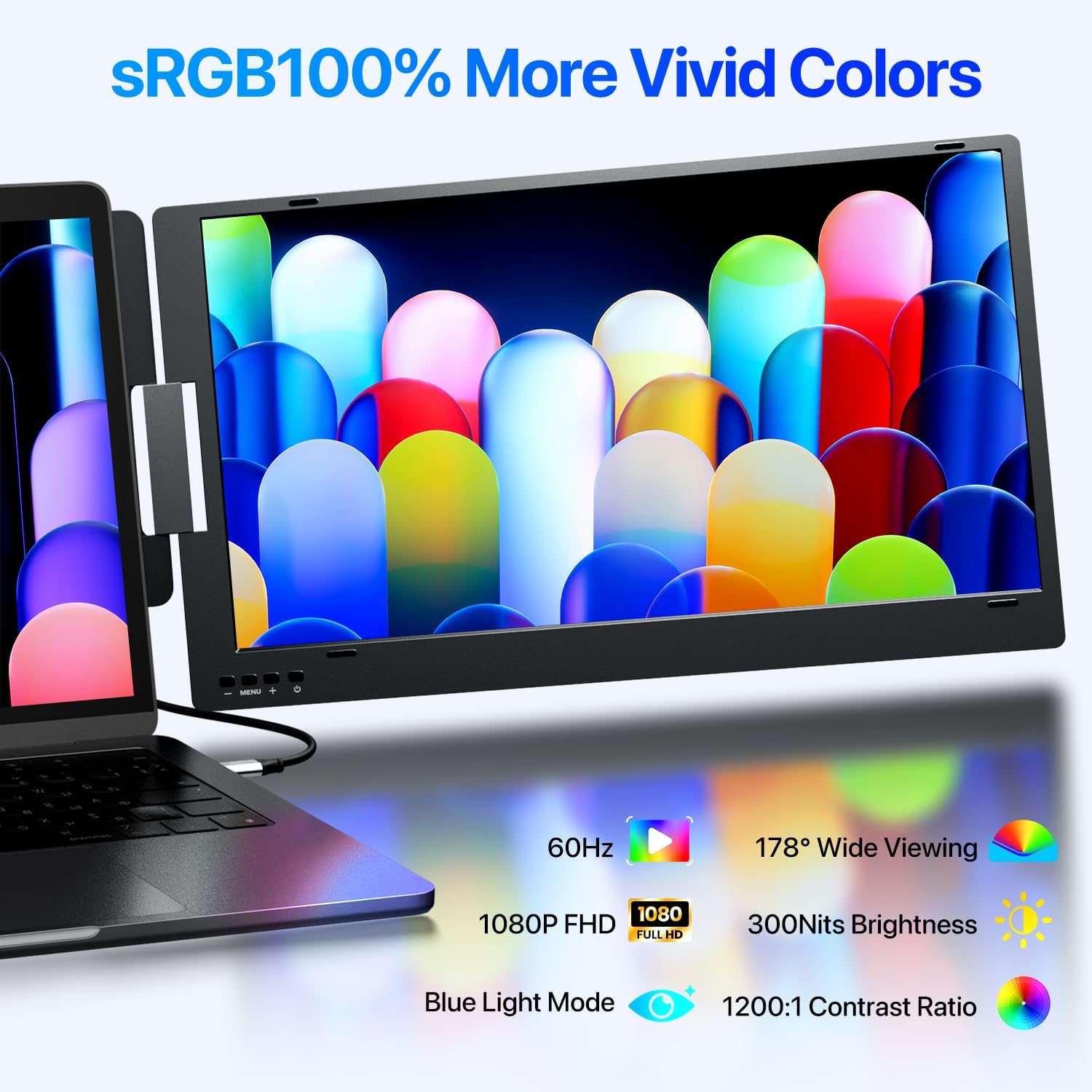
On the positive side, there’s a clear emphasis on simplicity: a single USB-C cable reduces clutter, and the wide 0–360° rotation helps with sharing content in meetings or collaborative sessions. The FHD panels offer 178° viewing angles and a 1920x1080 resolution with a 300 nit brightness, which should be suitable for everyday tasks and casual collaboration.
On the downside, the experience hinges on your laptop’s video output over USB-C. Some users may need an additional power cable when using USB-A connections, which adds a little extra setup. The 15.6 inch screen spec means it’s not a tiny travel companion but also not a large desktop replacement, it’s best thought of as a portable extension rather than a substitute for a full external monitor setup.
Practical use cases and who this is for
This extender could be a good fit for remote workers, stock traders, students handling multiple references, or developers juggling code and documentation. If you prioritise a tidy desk and want to keep a simple three-screen workflow, it can be a sensible option.
When it makes sense to buy, and when to rethink
It makes sense to consider if you already rely on a multi‑window workflow and want to avoid a tangle of cables. If your laptop supports video output over USB-C and you don’t mind a setup that depends on the right ports and occasional power considerations, this could pay off in real-world productivity gains—though real-world gains will vary by task and discipline.
If you frequently need maximum screen real estate for professional-grade design work or gaming, you might find the experience more limited compared with dedicated desktop solutions. Likewise, if you work primarily on a desktop or require ultra-high-refresh-rate panels, this is more of a supplementary solution than a primary display.
What to check before buying
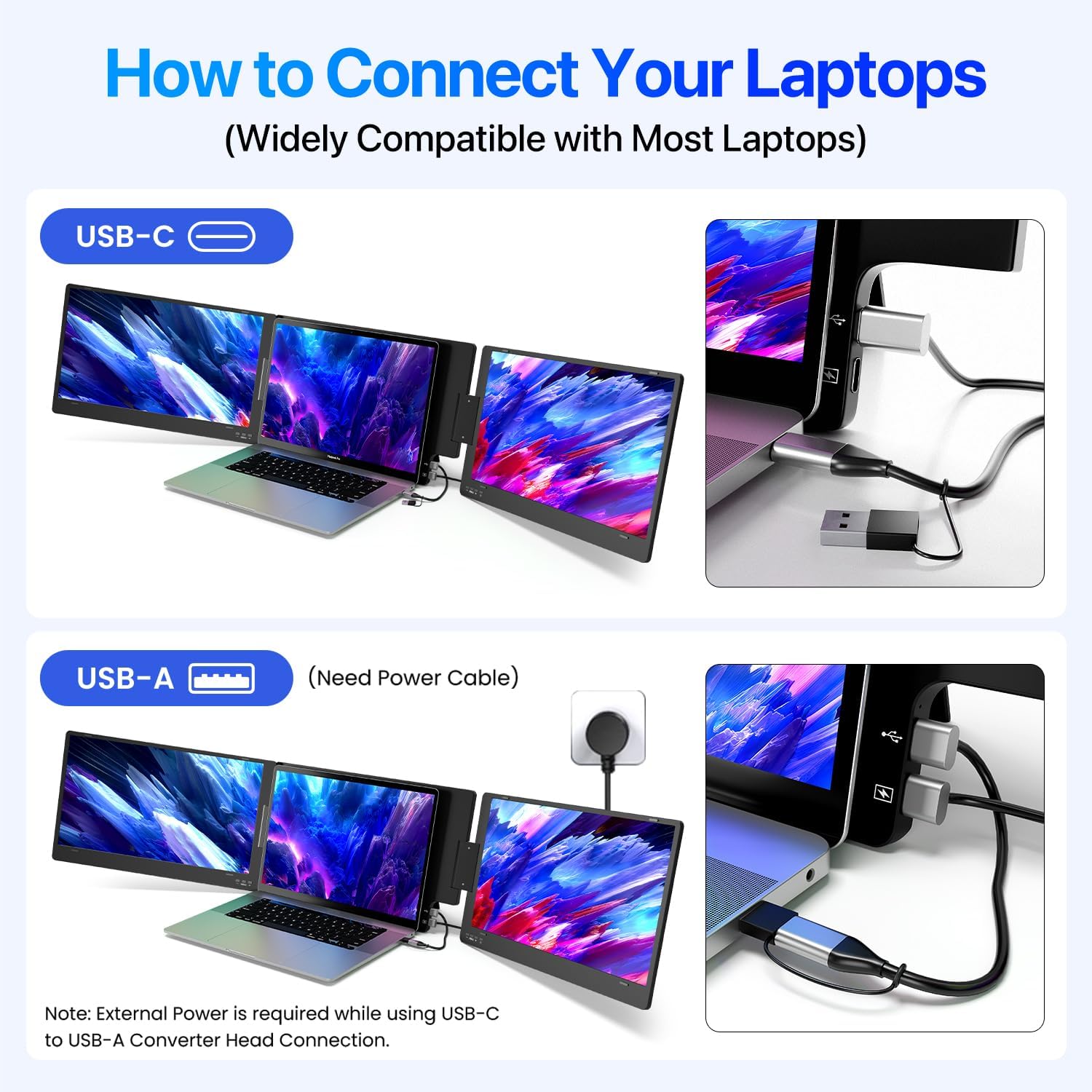
- Ensure your laptop’s USB-C or USB-A port supports video output (and note if you’ll need a separate power cable for USB-A use).
- Confirm your needs align with a 12–16 inch laptop base and a triple-view setup in either extended, mirror, or collaboration modes.
- Consider desk space and portability: the extender is designed to be carried in a bag, but it adds bulk behind the laptop when in use.
- Review whether the built-in kickstand and 0–90° angle adjustment cover your preferred viewing positions.
A realistic comparison of approaches
If you mostly work with a single screen but occasionally need more space, a traditional external monitor plus a single‑cocket approach might be more flexible in certain environments. For moving between locations, a compact triple-screen extender like this offers convenience and a lower clutter footprint than dragging a large external monitor along.
FAQ snapshot
- Does it work with my exact laptop model? It’s designed for 12–16 inch laptops and supports macOS, Windows and ChromeOS, confirm your device supports video output over USB-C or USB-A.
- Do I need extra power when using USB-C only? The USB-C connection is the primary method, if you use USB-A, an additional power cable may be required.
- Can I fold the screens for travel? Yes, each screen rotates 0–360° and the unit includes a carry bag for transport.
Is it worth it?
A solid pick if you prioritise workspace organisation and a compact, three-screen workflow for everyday professional tasks. It may not be the best option if you require top‑tier gaming performance or professional-grade colour accuracy across extreme workloads.