

MYSTILUCK Pink Stylus Pen for iPad Pro, Air, Mini (2018–2026): Palm Rejection and Fast Charge
Reviews
Price
Product description
What it is
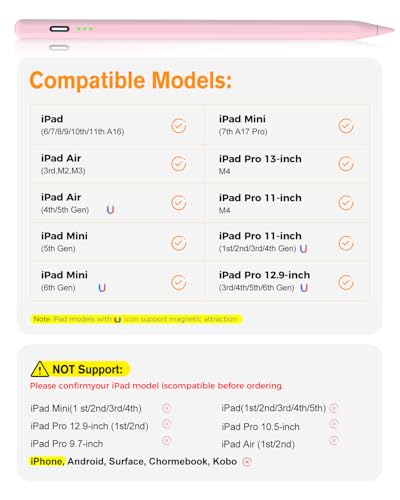
A dedicated stylus from MYSTILUCK designed for a wide range of iPad models from 2018 through 2026, including iPad 6–11th Gen, iPad mini 5–7, iPad Air 3–6, and iPad Pro 11/12.9 inch. It uses USB-C for fast charging and aims to deliver precise writing and drawing without needing gloves thanks to palm rejection.
Compatibility at a glance
On the paper, the pen covers most of the recent iPad lineups listed in the model range, but it is not compatible with iPads released before 2018, nor with iPhone, Android or Microsoft devices. If you’re unsure about your model, take a moment to verify before buying. For daily use, this means you can rely on the same stylus across several generations of iPad without swapping accessories.
Power and longevity
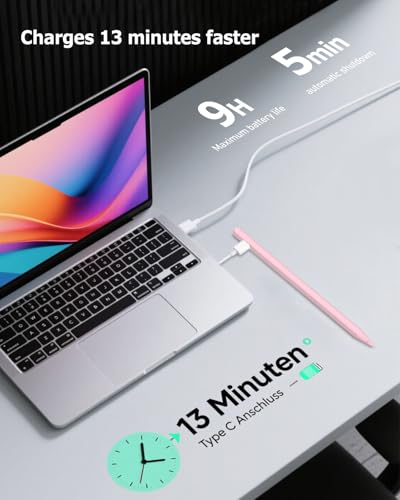
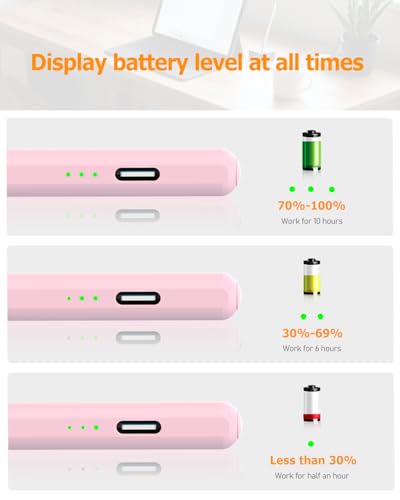
The pen charges via USB‑C and can reach a full charge in about 13 minutes, which is handy if you’re between tasks or travelling. In practice, you can expect around 9 hours of continuous use, which should cover typical sessions of writing, note‑taking or sketching. Important to note is the green LED indicator that flashes below 5%—a helpful nudge to recharge. The device also enters sleep mode after five minutes of inactivity to save energy, but you’ll probably keep it handy for quick scribbles rather than long marathons.
Precision and feel
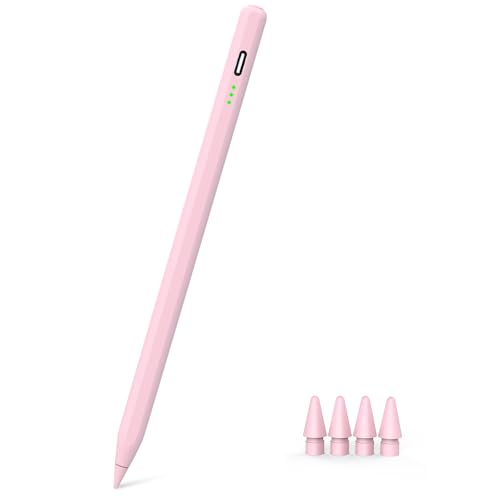
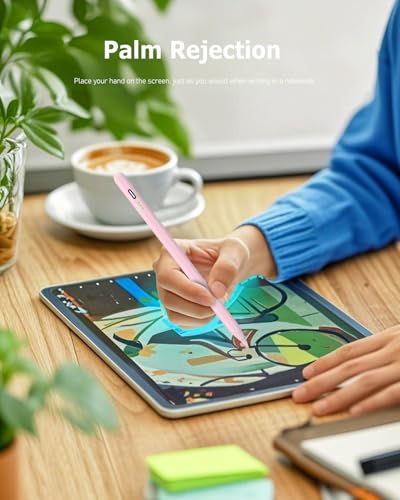
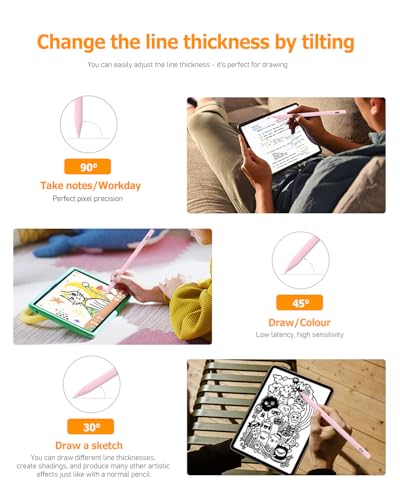
A tilt‑sensitive sensor lets you vary line width by changing tilt — useful for shading and expressive drawing. Palm rejection means you can rest your hand on the screen while writing, which reduces fatigue and makes note‑taking feel more natural. The precision is supported by a newer smart chip and a measurement claim of up to 0.1 mm pixel accuracy, with minimal latency on typical tasks. The tip is a POM composition, claimed to be smooth and durable, and the bundle includes four extra tips to extend the life of the pen.
Design and practicality
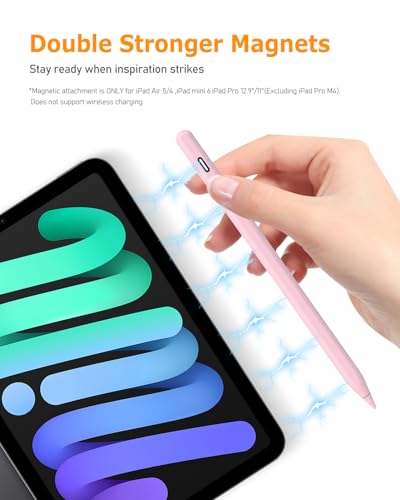
Two built‑in magnets help keep the stylus attached to the iPad when not in use, which is convenient for localised storage and quick access. The overall construction aims to balance a comfortable grip with reliable connectivity and responsiveness. If you tend to carry your iPad in a bag or sleeve, that magnetic feature can minimise misplacement during transit.
What stands out and where it might fall short
On the plus side, you gain palm rejection and tilt sensitivity in a single tool, with a quick recharge and a respectable 9‑hour runtime. The rapid top‑up charge is especially appealing for busy days when you’re short on downtime. On the downside, performance claims such as 0.1 mm accuracy and instant response depend on specific use cases and the iPad model in question, real‑world results can vary with screen protectors or case thickness. It isn’t a universal remedy for every drawing tablet scenario, and pre‑2018 iPad models won’t benefit from compatibility.
Who it’s for
If you own a compatible iPad and want a stylus that supports palm rejection, tilt drawing, and a short charging cycle, this option from MYSTILUCK could be a sensible everyday tool for notes, sketches, and light illustration. It may suit students, professionals doing quick annotations, or hobbyists who value a natural writing feel without gloves.
Who it isn’t perfect for
If you require the absolute peak precision for professional digital painting, or you own an older iPad not listed in the compatibility range, this stylus might not be the best fit. For those who frequently rely on palm‑supported writing for extended sessions, the claimed nine‑hour life might still require periodic recharging during long workdays.
When it makes sense to buy
Consider this stylus if you prioritise a fast charge, palm rejection, tilt‑sensitive drawing, and a magnetic attachment for quick storage. It’s particularly handy when you switch between note‑taking and sketching across multiple compatible iPad models.
Before you buy: quick checks
- Confirm your iPad model matches the supported range (2018–2026 series).
- Be aware that pre‑2018 iPads and non‑iPad devices aren’t compatible.
- Expect a short charging window and plan for occasional recharges during heavy use.
- If you rely on the most exact line control for professional artwork, test the sensitivity with your preferred apps and screen setup.
How it compares in practice
Compared with simpler styluses, this model emphasises palm rejection and tilt sensitivity, which makes it more suitable for drawing and handwritten notes rather than basic tapping. If you want a minimal‑friction pen for quick note‑taking on a range of iPads, a more basic capacitive stylus could be enough, if you want pressure or tilt‑dependent shading, this is a closer match to a dedicated drawing tool without stepping into graphic‑tablet territory.
FAQ (practical answers)
- Is it compatible with my iPad? Check the listed models from 2018 to 2026, it isn’t designed for devices outside that range.
- How long does the battery last? Up to around 9 hours of continuous use, with a 13‑minute full charge. A low‑battery LED helps you plan recharges.
- Does it require gloves? No, palm rejection is built in, so you can rest your hand on the screen while writing.
- Can I magnetically attach it to my iPad? Yes, two magnets help keep it attached when not in use.
Final decision: should you buy it?
It’s worth considering if you want a pencil‑like styling experience across multiple, recent iPad models with practical charging and palm‑rejection features. It’s a pragmatic option for everyday writing and light drawing rather than a premium, pro‑level drawing tool. If your priority is ultimate precision or you own an older non‑supported iPad, you may want to look elsewhere.