

GEEKOM A8 Max Mini PC (Windows 11 Pro) with AMD Ryzen 7 8745HS, 16GB DDR5, 1TB PCIe SSD
Product description
The essentials
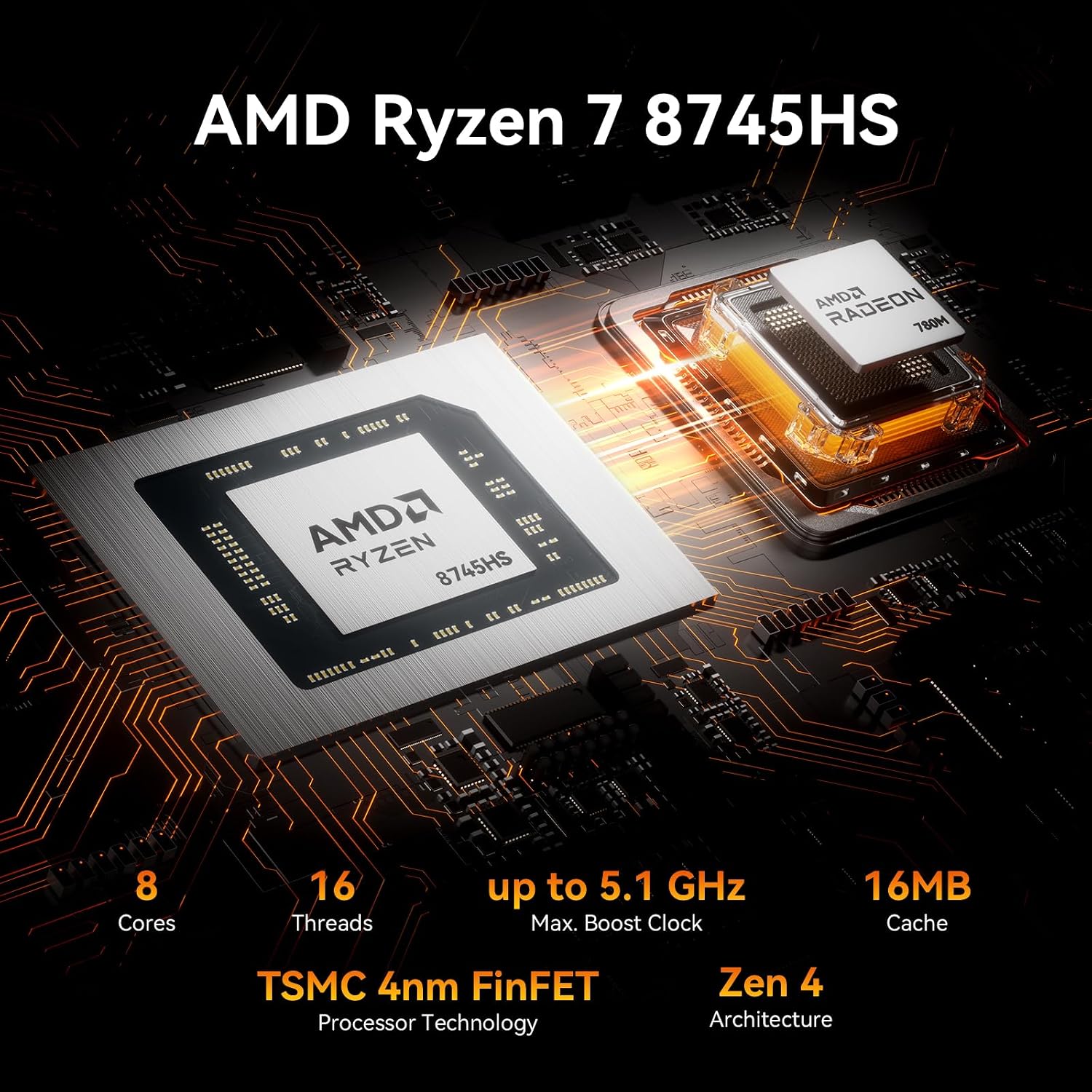
If you’re looking for a compact Windows 11 Pro mini PC that’s geared towards heavier work and modern display setups, the GEEKOM A8 Max is built around a “do a lot, in a small box” idea. On paper it combines an AMD Ryzen 7 8745HS processor, 16GB DDR5 RAM and a 1TB PCIe SSD with graphics from the AMD Radeon 780M. That blend is aimed at responsive day-to-day use, plus tasks like 4K editing, gaming and multitasking, rather than just basic office work.
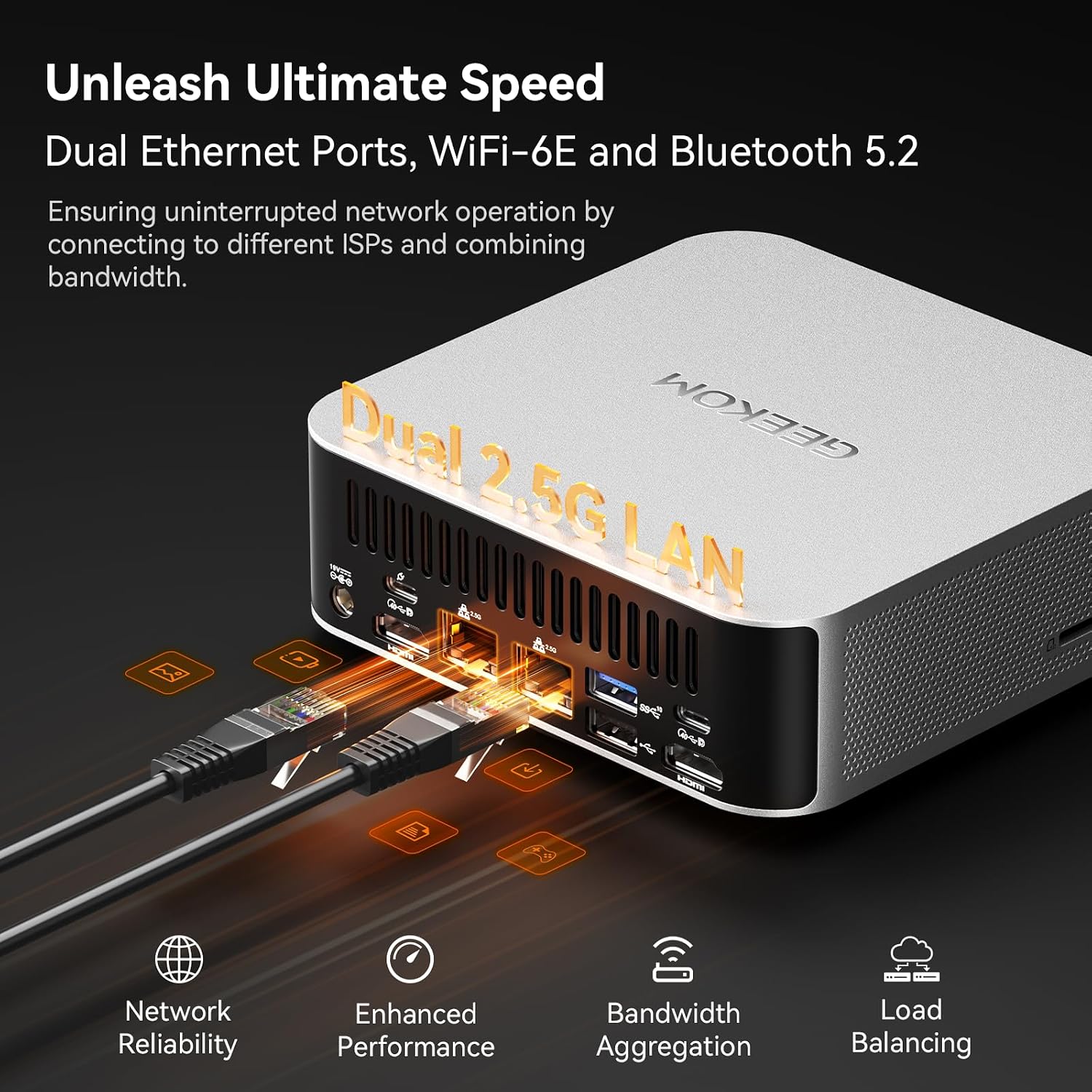
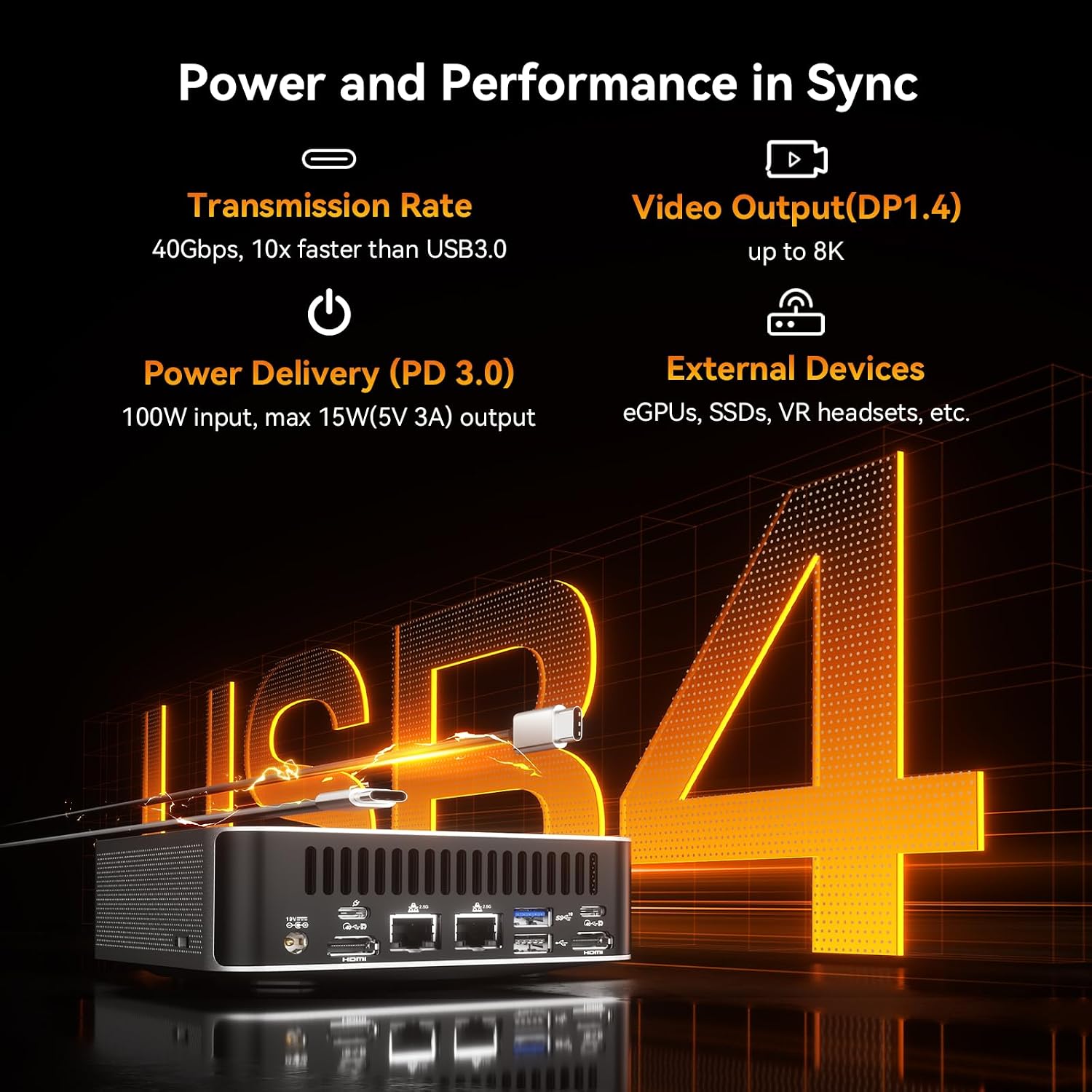
It’s also not pretending to be a simple plug-in PC. Connectivity is a big part of the pitch here: dual HDMI, a full-function USB4 port (40Gbps), dual 2.5Gbps LAN, and support for up to four simultaneous 4K displays (depending on how you wire things up). The idea is that you can expand your setup without needing a dedicated OCuLink-style port.
One small reality check, though: a spec sheet doesn’t guarantee your exact workloads feel “desktop-like” in every scenario. If your software is especially sensitive to memory or storage throughput, you’ll want to plan upgrades and the way you use external drives.
What it’s for (and what you’ll notice)
This mini PC makes the most sense when you want performance density: a machine that can sit on a desk, back of a monitor, or in a home office while still handling demanding creative or development tasks. The included Windows 11 Pro matters too if you’re working in a more “professional workflow” style rather than only personal use.
The Radeon 780M graphics and Ryzen 7 8745HS pairing is positioned for things like 4K editing and even AAA gaming, alongside day-to-day multitasking. In practical terms, you’re likely to notice smoother switching between apps, faster project load times compared with entry-level mini PCs, and fewer “waiting” moments when you’re working with bigger files.
It’s also quiet/thermally managed “on paper”, which is the sort of thing you only really appreciate once the PC is running near where you actually work.
Key features that affect buying decisions
The headline tech decisions here aren’t just about raw performance, they’re about removing bottlenecks in real use.
Memory and storage approach
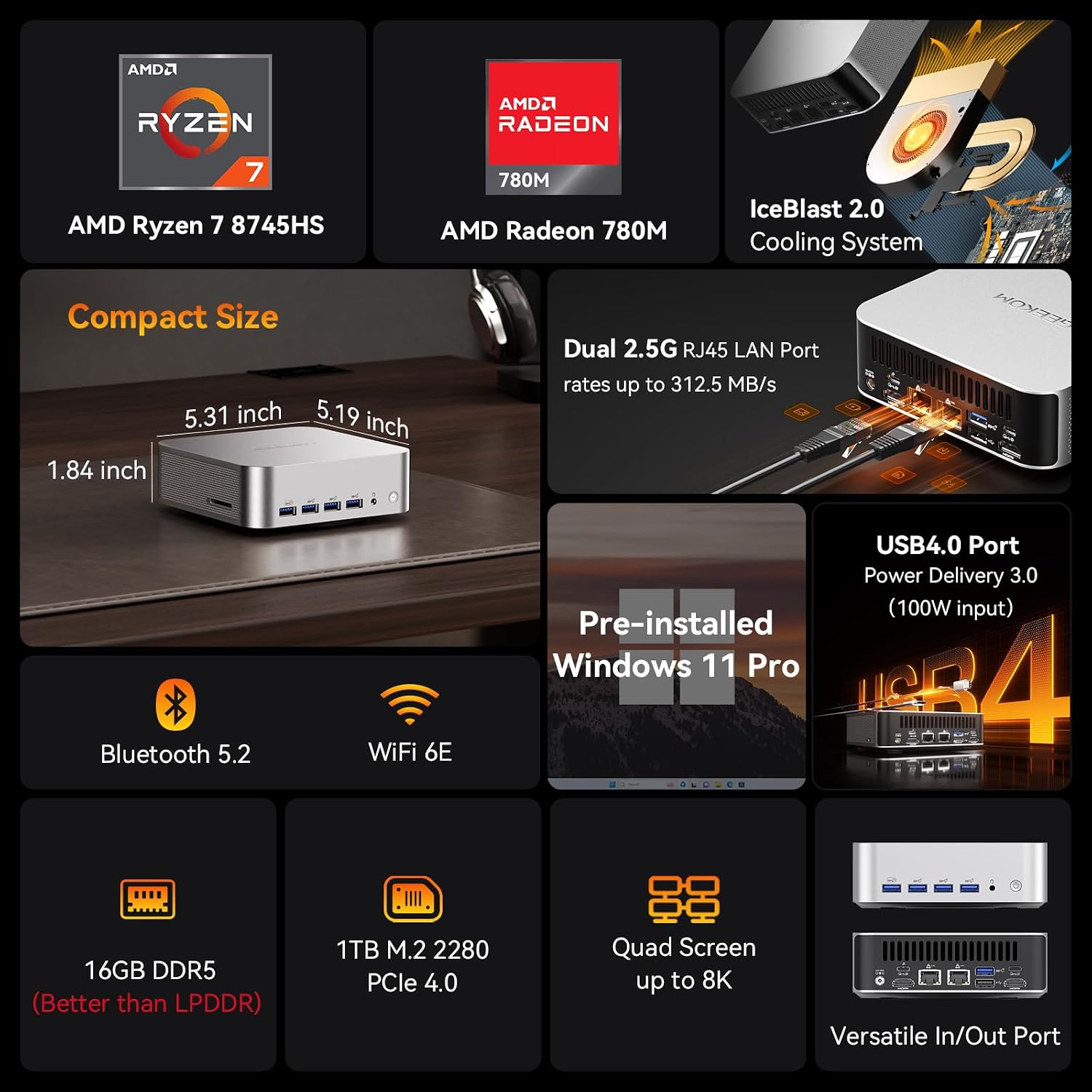
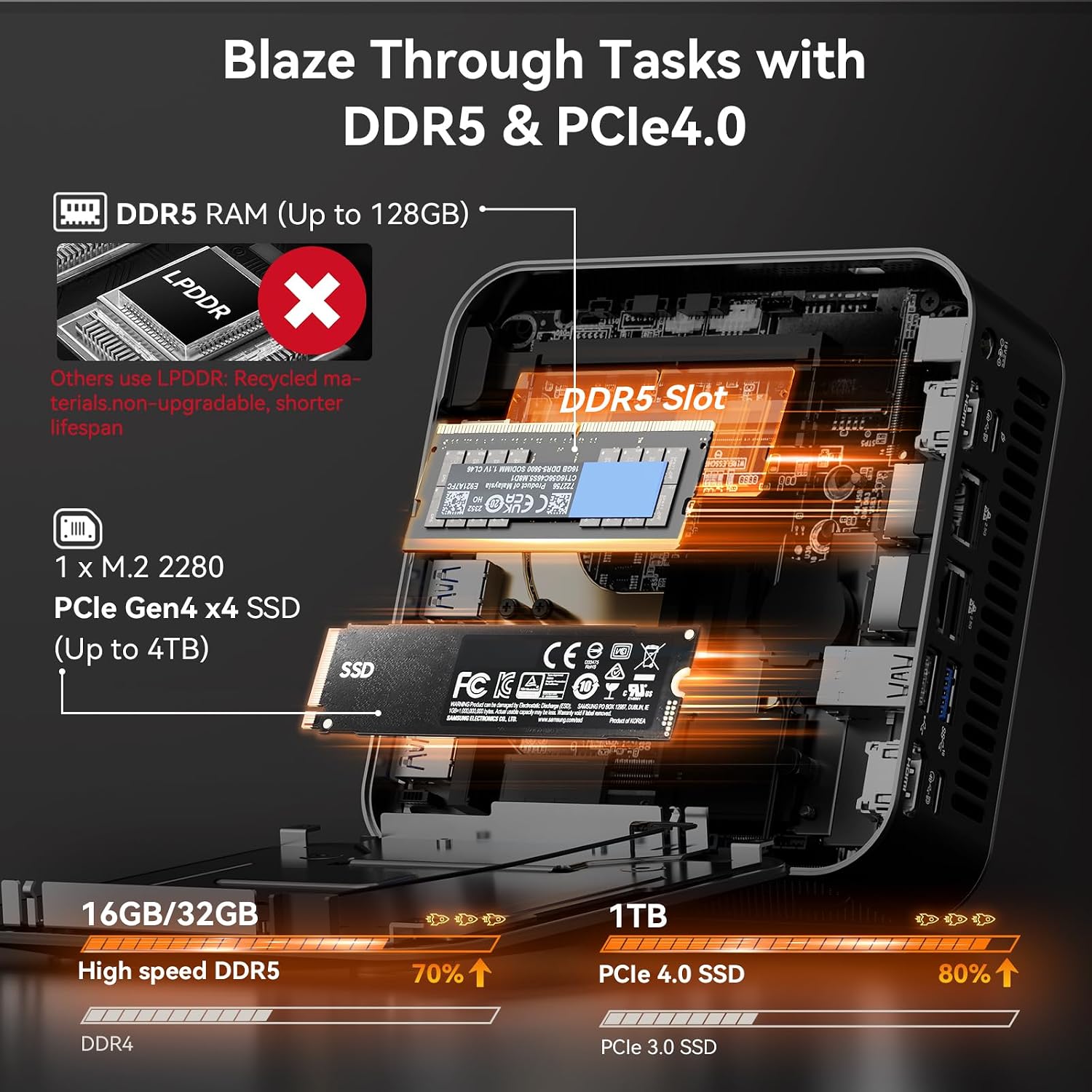
You get 16GB DDR5 RAM and a 1TB PCIe SSD. The entry-level point is reasonable for many workflows, and the upgrade path is there: RAM can be expanded up to 128GB and SSD up to 4TB. That’s useful if you foresee using virtual machines, heavier multitasking, or building up game and media libraries over time.
USB4 connectivity for expansion
USB4 is presented as an alternative to an OCuLink-style setup, with 40Gbps and support for power delivery and dual 4K display output alongside other connections. If you’re building a multi-display workstation or you rely on faster external storage, this is one of the most buying-relevant parts of the spec.
Networking for low-latency and transfers
Dual 2.5Gbps LAN plus Wi‑Fi 6E and Bluetooth 5.2 is a strong “connectivity-first” package. It’s aimed at scenarios where lag matters (gaming) and where you’re moving large files regularly (creative projects, backups, media libraries). There’s also mention of bandwidth aggregation, which suggests you can combine interfaces for higher throughput in some setups.
Key specifications
- Name: GEEKOM A8 Max Mini PC (Windows 11 Pro)
- Type: Mini PC
- Processor: AMD Ryzen 7 8745HS (up to 5.1GHz)
- Memory: 16GB DDR5 (up to 128GB supported)
- Storage: 1TB PCIe SSD (up to 4TB supported)
- Graphics: AMD Radeon 780M
- Display output: Dual HDMI, USB4 supports up to four simultaneous 4K displays (as stated)
- Networking: Dual 2.5Gbps LAN, Wi‑Fi 6E, Bluetooth 5.2
- Expansion/ports: USB4 (40Gbps), dual HDMI, USB-C, 8×USB (as stated)
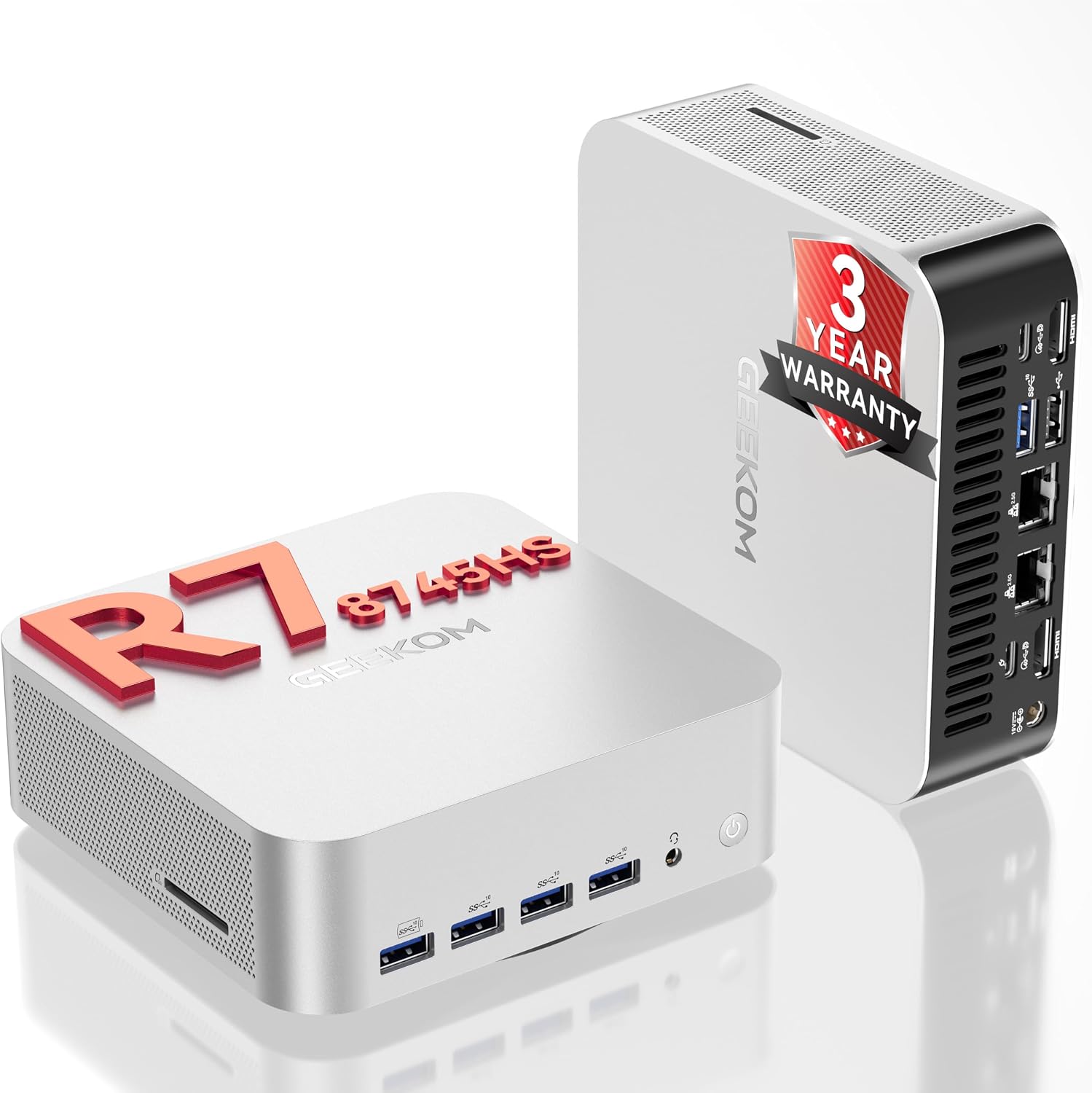
- Warranty: 3-year warranty (as stated)
Where it shines, and where it may fall short
This is a solid choice if you want a mini PC that can cover a wider range than a typical “office + streaming” machine—especially if you’re editing 4K video, multitasking heavily, or you prefer a compact setup with expansion options.
It’s less clear-cut if your main priority is simplicity and low spending, because this model’s spec suggests it’s tuned for people who actually want the extra horsepower and connectivity. Also, while the upgrade potential is listed, the practical experience of upgrading can vary depending on your comfort level and the way you run drives and peripherals.
Worth considering if you want future room: RAM/SSD expansion up to the stated limits can help you avoid replacing the whole PC as your projects grow.
Should you buy it?
It makes sense if you’re after a Windows 11 Pro mini PC built around an AMD Ryzen 7 8745HS, 16GB DDR5 and a 1TB PCIe SSD, and you’ll use the connectivity side—USB4 (40Gbps), dual HDMI, and the dual 2.5Gbps LAN plus Wi‑Fi 6E. In that kind of setup, it’s the kind of machine that can stay useful for longer rather than feeling instantly “underpowered”.
You may want to skip it if you only need basic browsing, emails and document work, because a more straightforward mini PC could do the job with less complexity. It might also not suit you if you’re looking for a clearly specified, one-size-fits-all multi-display arrangement without any tinkering—multi-display setups depend quite a lot on how you connect everything.
Mini FAQ
Does it come with Windows 11 Pro?

Yes—this mini PC is described as coming with Windows 11 Pro.
Is it suitable for gaming or video editing?
The specification positioning includes 4K editing and gaming, with the AMD Radeon 780M graphics and the Ryzen 7 8745HS CPU mentioned as key parts of that.
How much RAM and storage can it handle?
It’s supplied with 16GB DDR5 and 1TB PCIe SSD, with support for expansion up to 128GB RAM and up to 4TB SSD (as stated).
Can it support multiple 4K displays?
It’s stated to support up to four simultaneous 4K displays using the listed connections, including dual HDMI and USB4.
What warranty is included?
A 3-year warranty is stated.