

Elgato Key Light Neo with Monitor Mount – USB-powered LED for video calls, streaming and adjustable skin-tone lighting
Product description
If your video calls look a bit “flat”, this is one of those upgrades that quickly feels worth it. The Elgato Key Light Neo with Monitor Mount is designed to put a clean, flattering face light in front of you for meetings, YouTube, Zoom and similar setups—without needing a studio rig.
It’s not perfect if you’re after full, cinematic colour control like high-end lighting systems. But for everyday talking-to-camera work, it’s a practical way to make your image look more intentional, especially when you want consistent brightness and colour temperature.
Key features that matter for video calls
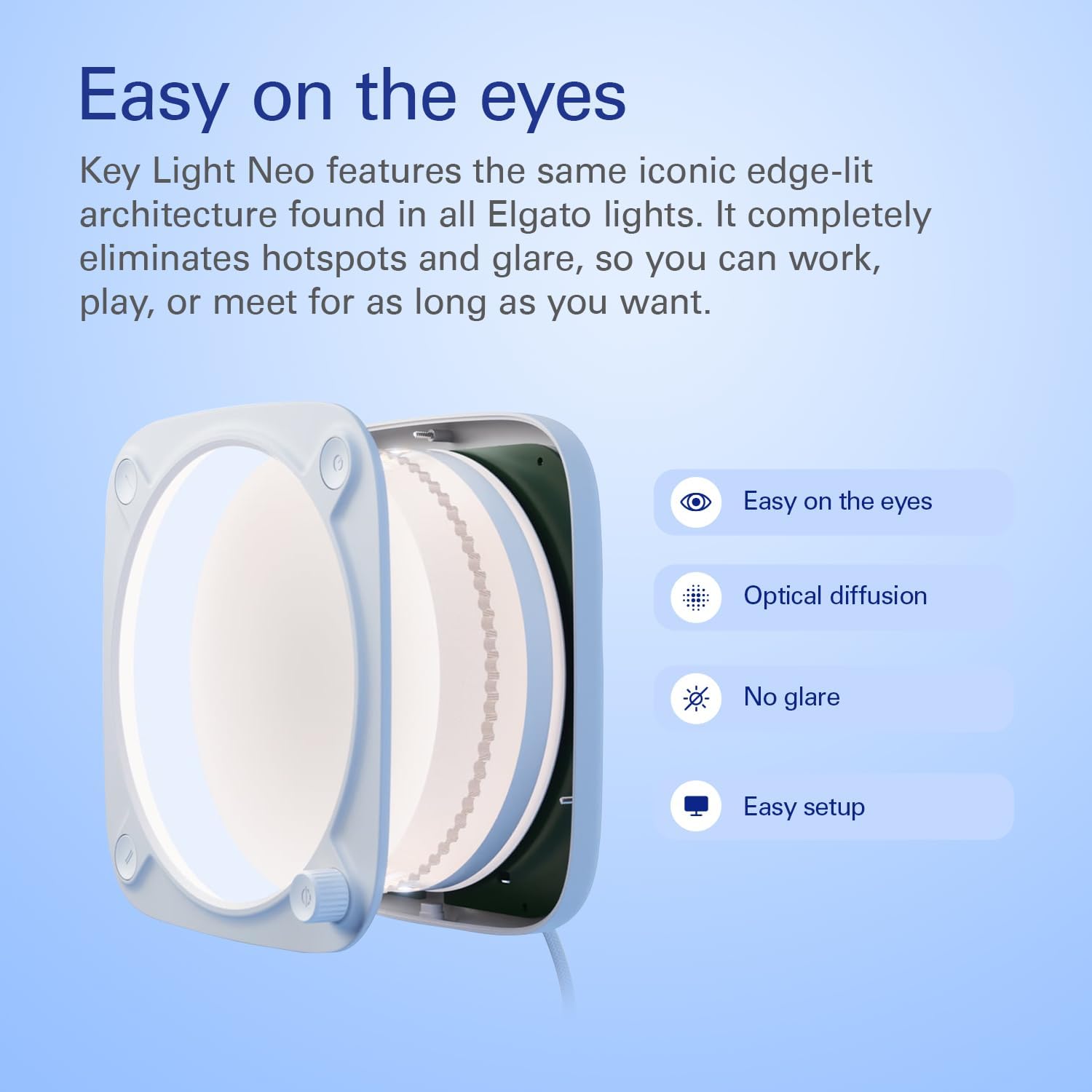
The main idea behind the Key Light Neo is simple: gentle, even illumination that helps you look more natural on screen. Its edge-lit technology is positioned to reduce glare and keep viewing comfortable, which can be a big deal if you spend long stretches on calls or need the light to behave well during detailed tasks.
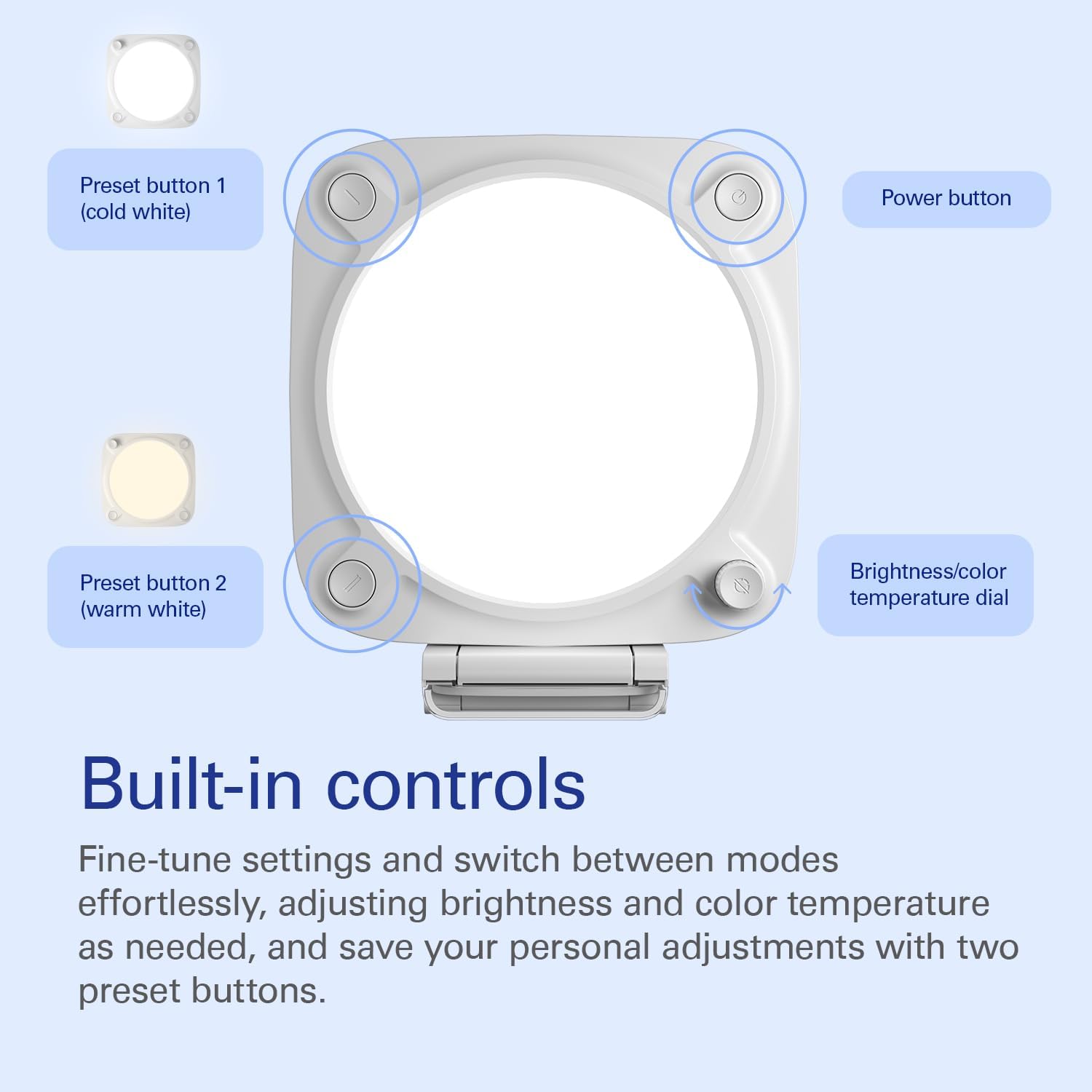
On top of that, you get adjustments for brightness and colour temperature aimed at suiting different skin tones. That’s the kind of detail that tends to make a noticeable difference on camera, because “one setting fits everyone” rarely holds up in real use.
Setup and control, without turning your desk into a project
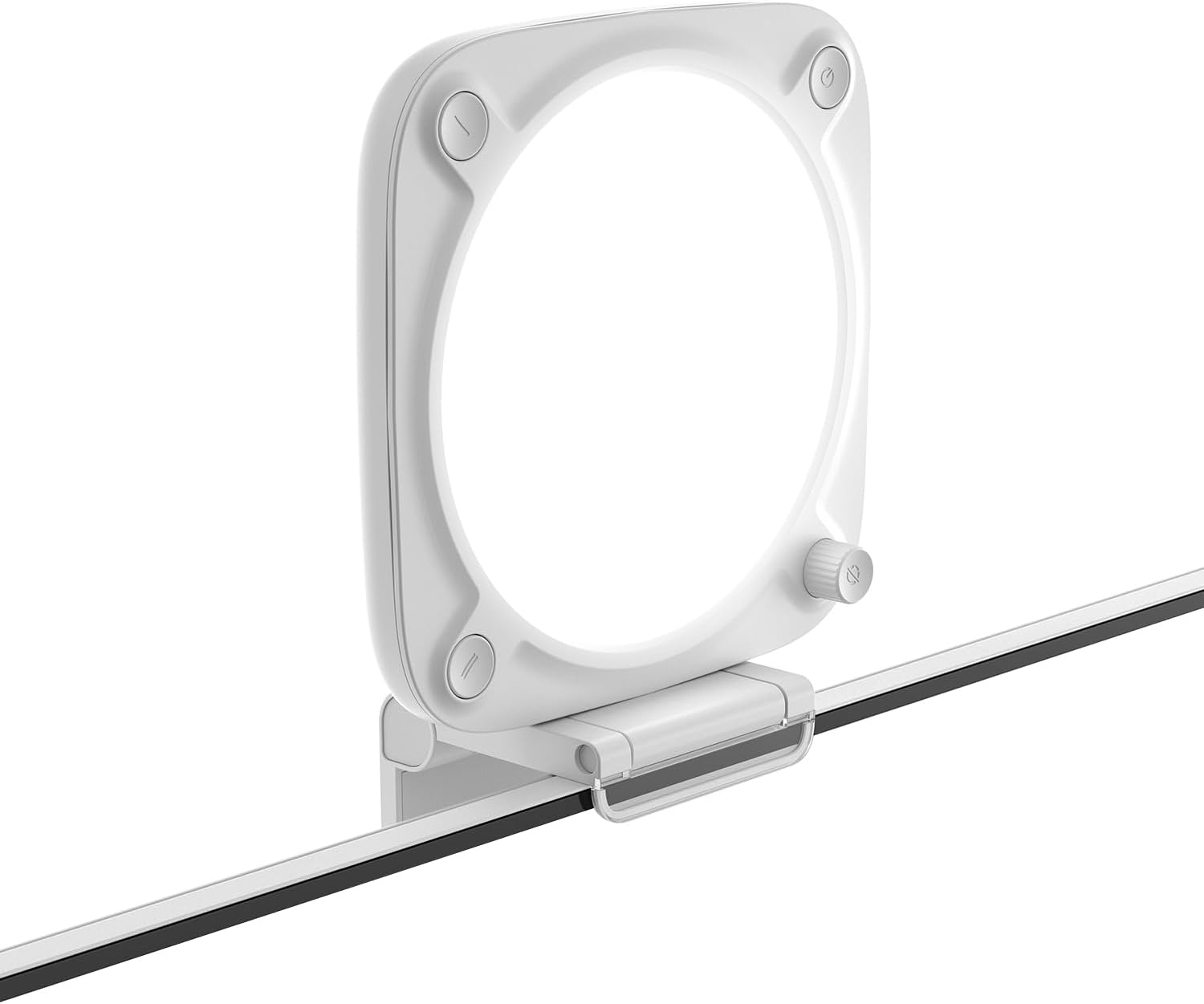
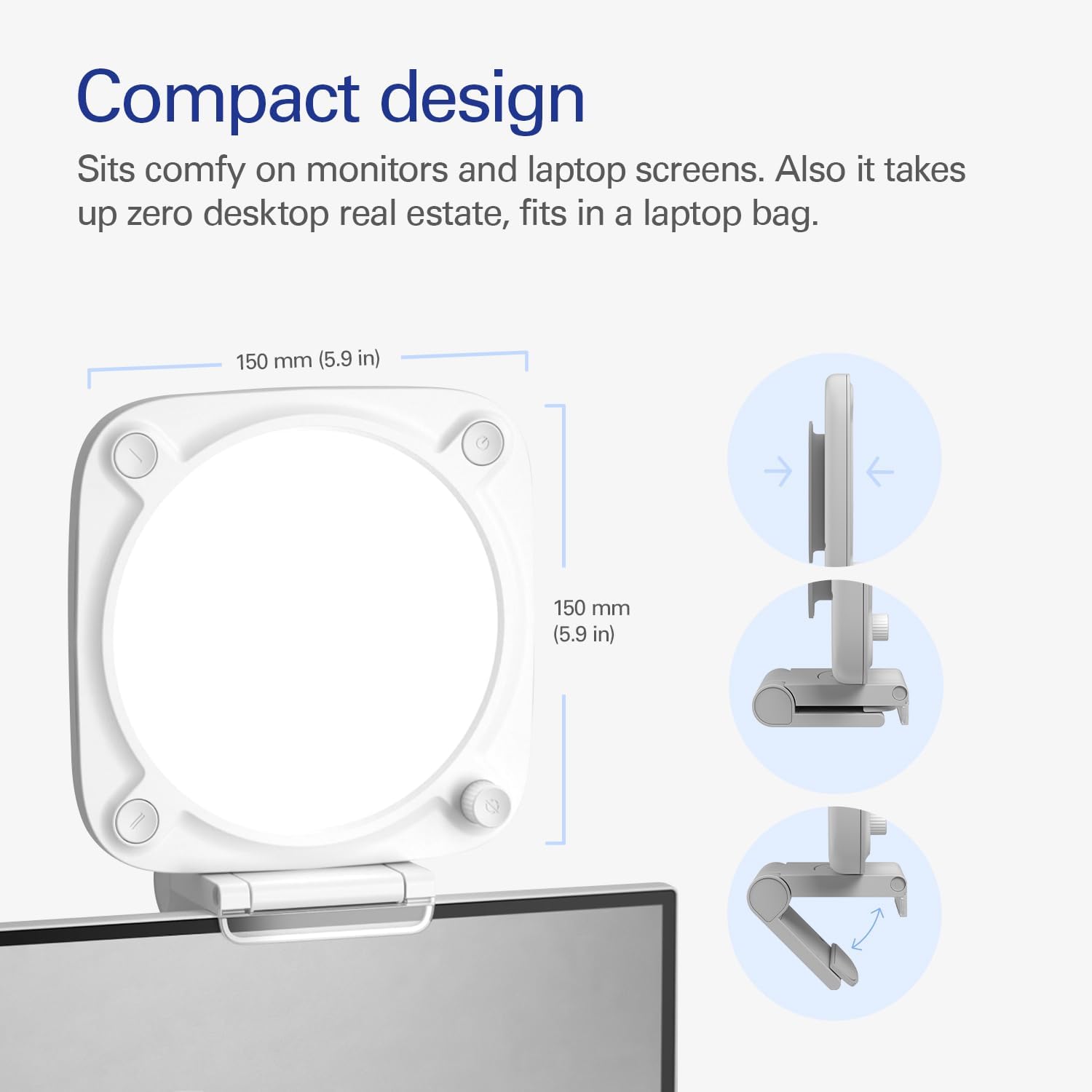
This version includes a monitor mount, so the light can sit snugly on screens and laptop displays for a clean, desk-friendly setup. The goal is to avoid clutter and keep positioning repeatable.
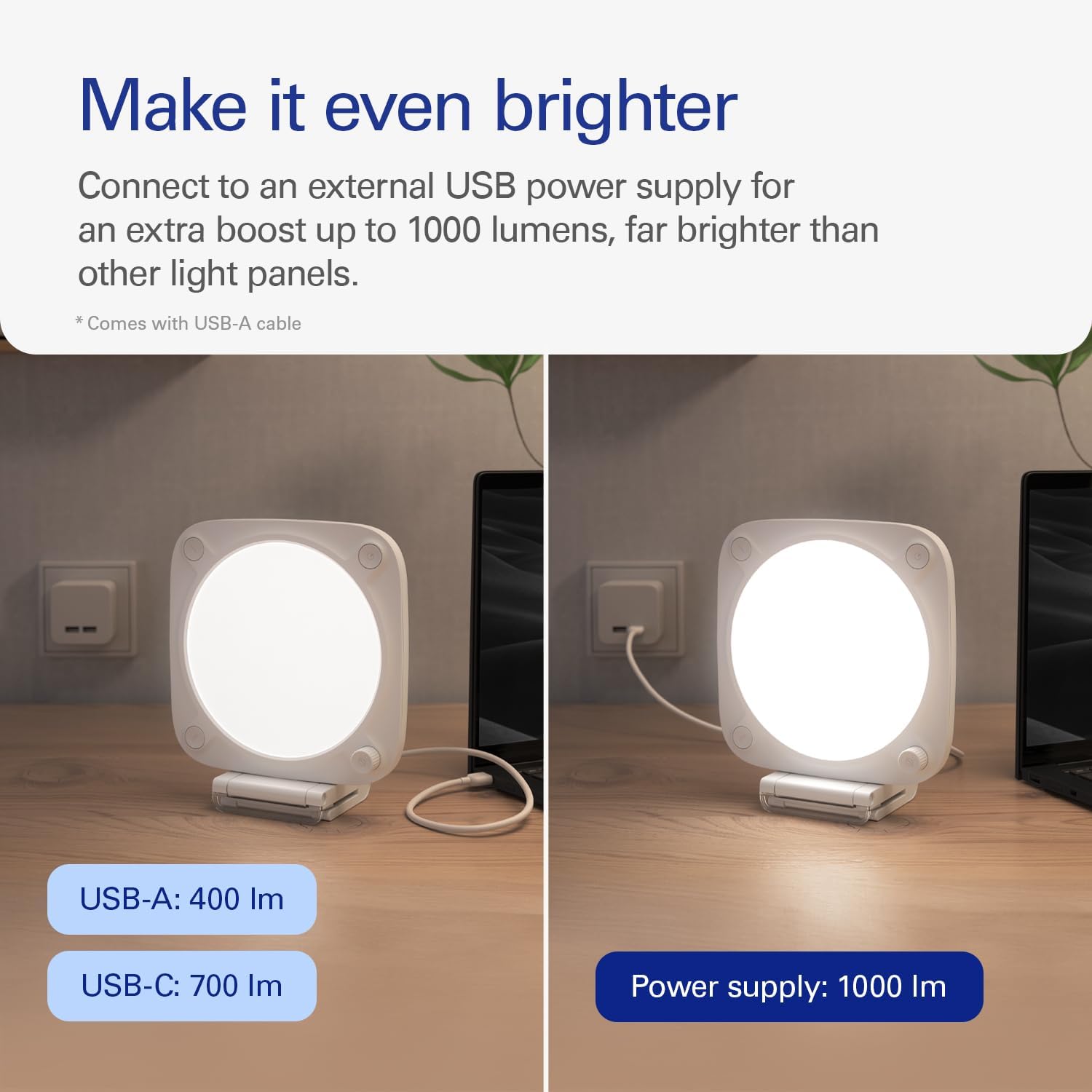
For power, it’s USB-powered and designed to connect to an external USB power supply for an extra boost up to 1000 lumens. That matters if you’ve previously used smaller or less capable panels and found they just didn’t punch through typical room lighting.
If you prioritise fast setup and want control that doesn’t require fiddling every time, this is one of the more straightforward approaches on the market.
Where it shines (and where it may fall short)
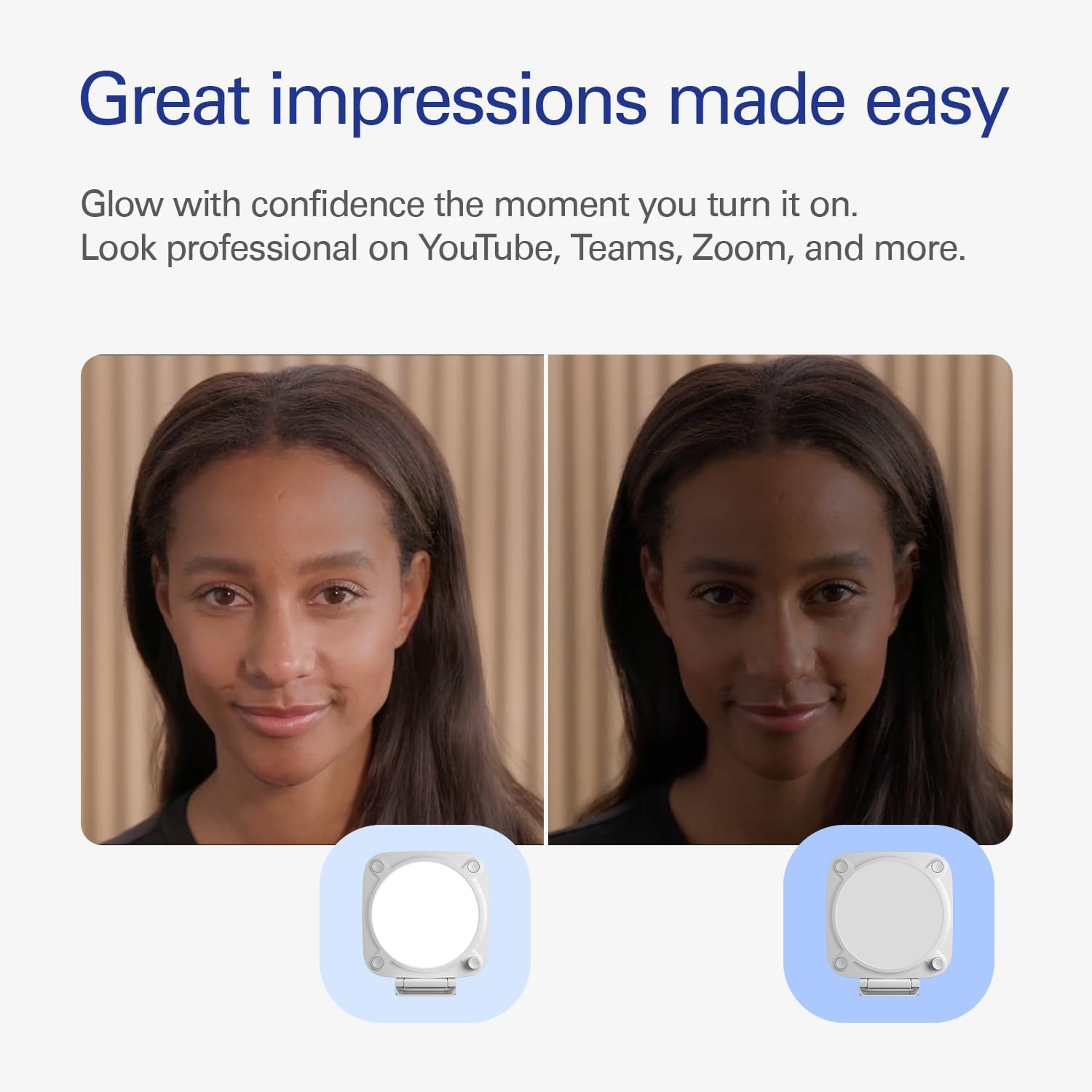
Where it shines is on-platform use: you’re showing up on YouTube, Teams, Zoom and more, and you want a professional appearance that stays consistent as your lighting conditions change.
Ten minutes of tweaking brightness and colour temperature can make your feed look steadier, whether you’re in a brighter room, a dim corner, or switching between daytime and evening.
Worth noting, though: the listing talks about brightness and colour temperature adjustments, but it doesn’t describe advanced effects or complex light shaping. If you’re trying to do dramatic, studio-style lighting scenes, you may feel limited compared with more specialised lighting setups.
Everyday use tips for getting a better on-camera look
A simple way to get good results is to mount the panel on your monitor (or laptop screen) and start with brightness only slightly above what feels comfortable in the room. Then adjust colour temperature until your skin doesn’t look overly warm or overly cool.
For example, if you’re in a workspace with a window behind you, aim to reduce harsh reflections and keep the light even on your face. The edge-lit design is intended to minimise glare, which should help when you’re wearing glasses or when screen reflections are a persistent annoyance.
If you switch roles between “live meeting face” and “detailed task” (like reviewing small text), brightness tweaks are usually quicker than moving lamps around.
Sustainability and packaging considerations
The Neo line is described as being crafted sustainably and packaged with zero plastic. If you care about the environmental footprint of your kit (or you simply prefer packaging that doesn’t feel wasteful), that’s a positive sign.
It’s not the main reason most people buy a key light, but it’s the kind of reassurance that helps when you’re choosing between similar desk lighting options.
What to check before you buy
Before committing, it’s worth thinking about how you’ll power it in your setup. The description specifies connection to an external USB power supply for the brighter output, so make sure your plan matches how you’ll run cables and where the power will come from.
Also consider physical placement. The whole point of this model is the monitor/laptop mount, so measure your screen width and the space you’re comfortable using for the light to sit without blocking your view.
Finally, if your priority is very precise colour accuracy for high-end creative work, the listing only references brightness and colour temperature adjustments. You may want to compare against lighting systems that offer deeper control.
Is it worth it?
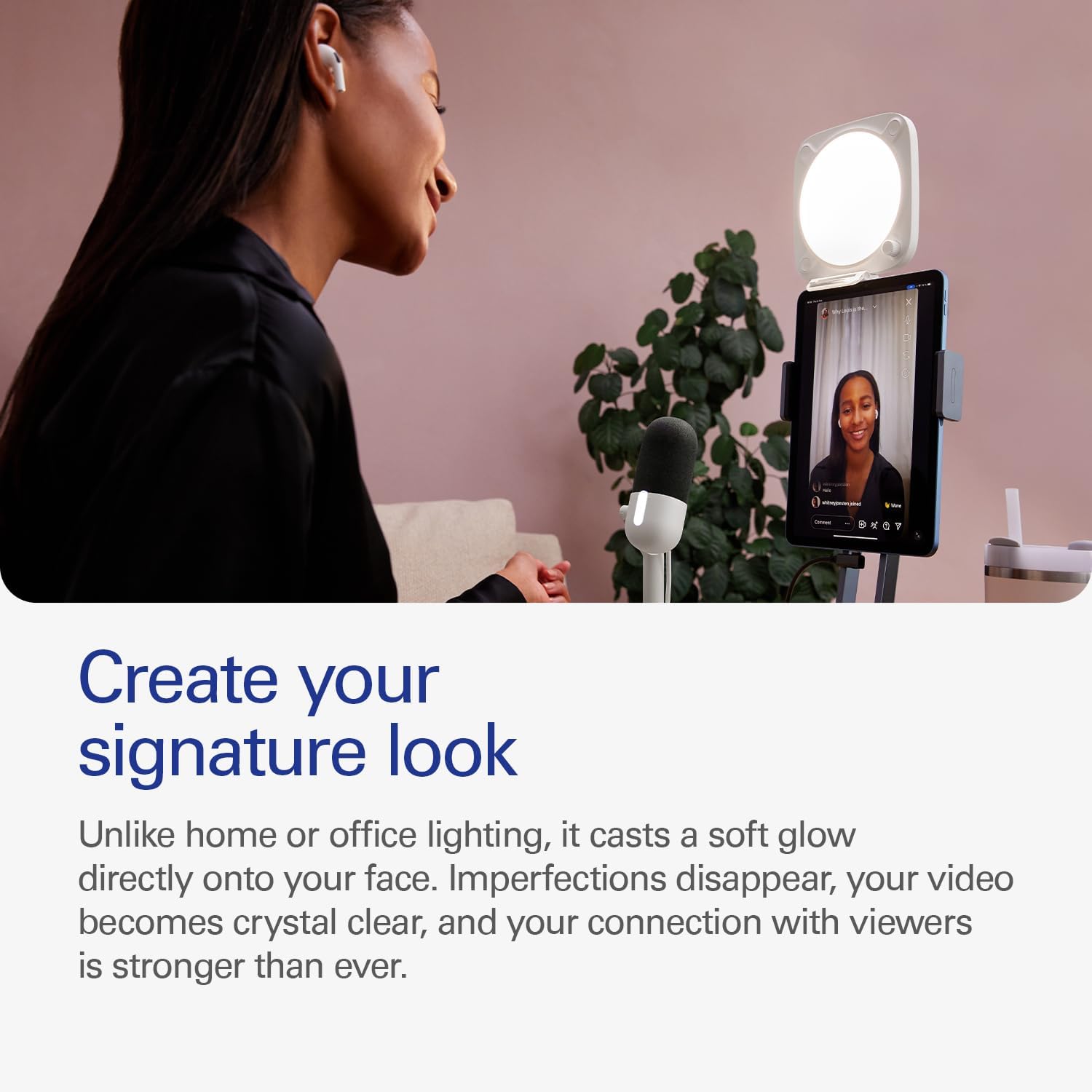
Buy it if you want a desk key light that improves how you look on YouTube, Teams, Zoom and other video calls, with practical brightness and colour temperature adjustments suited to different skin tones. It’s also a solid pick if you prefer a tidy setup with the included monitor mount and you’re running on laptop/PC/Mac-style workflows.
Skip it if you need advanced studio lighting features beyond brightness and colour temperature, or if you’re expecting a full creative lighting toolset rather than a straightforward key light for day-to-day on-camera use. And if you don’t have a clear plan for powering it via the external USB power supply mentioned for the brighter output, it may be more hassle than it’s worth.
Quick FAQ
Does it work with laptop and PC/Mac setups?
The listing says it works on a laptop, PC and Mac, and it’s USB-powered. If you’re primarily using it from your desk setup, that’s a good fit.
Will it suit different skin tones?
It’s described as offering adjustments for brightness and colour temperature “for all skin tones”, which is the key promise for more flattering, consistent results.
Is the light meant to reduce glare?
Yes—edge-lit technology is described as providing gentle illumination and minimising glare, which should help with comfort during long sessions.
Does it need an external USB power supply?
For the extra boost up to 1000 lumens, the description says it connects to an external USB power supply. If your power arrangement can’t support that, you may not see the brightest performance described.