

COVVY RJ45 Female to 8 Pin Screw Terminal Block Ethernet Extender Adapter (Cat5e/Cat6/Cat7) – In-line Coupler
Product description
What it is and why people buy it
This COVVY RJ45 Female to 8 Pin Screw Terminal Block adapter is an in-line coupler designed to bridge a standard RJ45 network connection and an 8-pin screw terminal wiring point. In plain terms: it’s for situations where you want to extend or re-route an Ethernet run, but you’d rather connect using screw terminals than rely only on pre-made patch leads.
On paper, it’s built around structured cabling practices (wired to the EIA/TIA 568B wiring standard for structured cabling). That matters if you’re trying to keep terminations consistent and avoid guesswork when you’re working on a network device, a DVR/CCTV setup, or any “temporary but we’ll probably improve it later” cabling job.
There’s also a practical feel to the design: it’s described as plug and play with a snap-in retaining clip, so it’s meant to be easy to take with you and swap in when needed. Not every network adapter needs to be glamorous, but convenience does help.
Key takeaways at a glance
The standout idea here is the combination of a fixed RJ45 interface with an 8-pin screw terminal. That gives you flexibility: you can plug into an RJ45 port, while still doing the other side as a screw-terminated connection.

It’s positioned for common Ethernet cable categories (Cat5, Cat5e, Cat6 and Cat7 are explicitly mentioned). It’s also described as having a compact design to help prevent physical damage and reduce the risk of intermittent network signalling caused by loose connections.
One small thing to keep in mind: the wording suggests you should use it to protect the network port of the device, but like any coupler/extender, it still depends on how well the surrounding cabling and terminations are done.
What you’ll notice in use
If you’ve ever had to “make the last metre work” with a CCTV DVR or a network device, this type of adapter targets exactly that problem. You can plug the RJ45 side into the device/network equipment, then handle the other end using the screw terminal block.
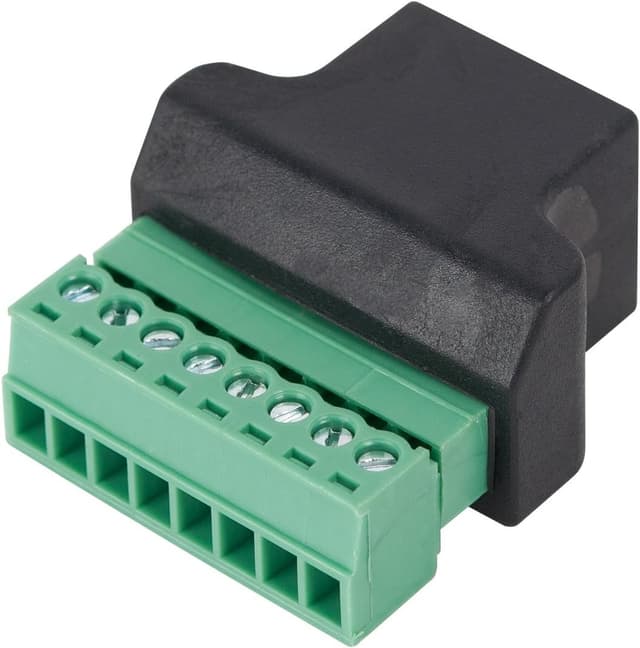
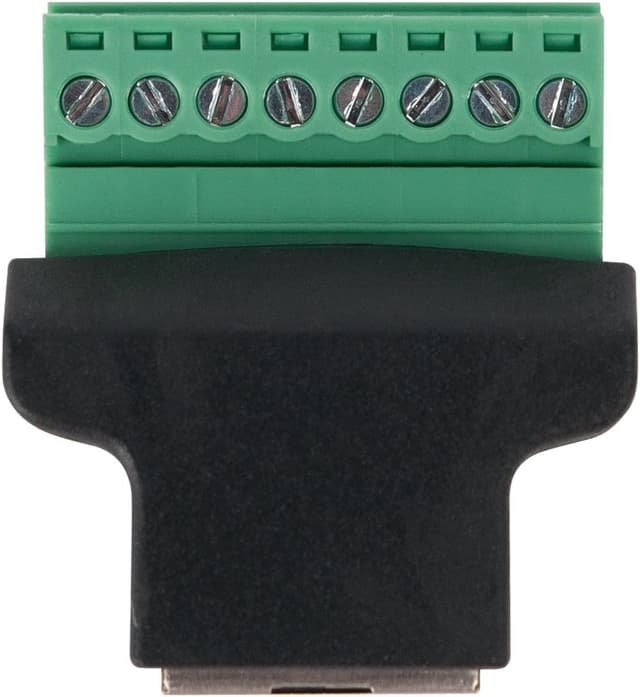
A typical micro-scenario looks like this: you’ve got an Ethernet drop that doesn’t quite meet your device location, and you don’t want to redo everything. You fit the coupler in-line, then terminate the required 8 cores on the screw side. Once tightened and seated, you’re aiming for a stable connection rather than a flaky one.
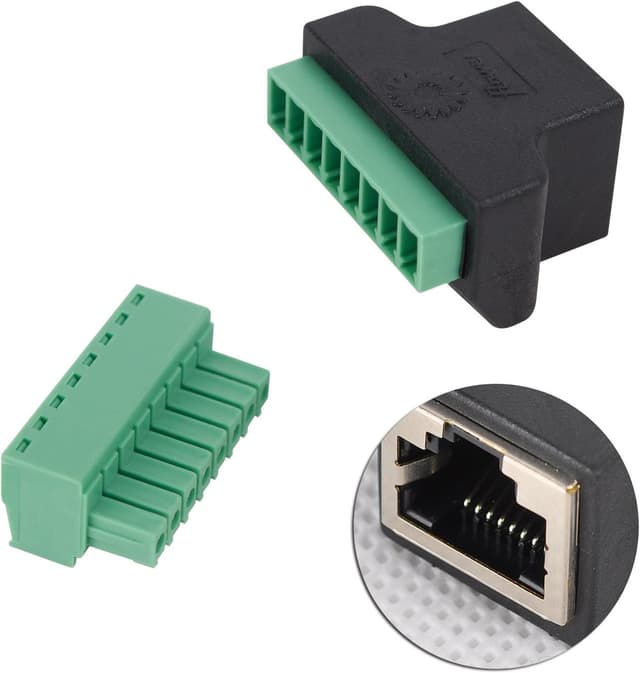
The description also calls out a metal shield on the modular plug. In the real world, that’s mainly about shielding and sturdiness rather than magic signal boosts, but it does align with the “safe and secure” theme.
Strengths and where it makes sense
- Screw terminal side gives control: If you prefer terminating with screws (or you’re adapting existing cable), this can be easier than hunting for perfectly matching pre-made connectors.
- Structured cabling approach: It’s wired according to EIA/TIA 568B (as stated), which is helpful when you want your terminations to follow a recognised standard.
- In-line coupler design: The “extend/adapter” concept is clear—you’re not just swapping ports, you’re creating a connection path.
- Secure physical fit is a priority: The retaining clip and “fixed RJ45 interface” emphasis suggests it’s intended to stay put.
It’s particularly worth considering if your job involves patching, extending runs, or protecting a device’s network port where you’d rather not keep re-plugging the device’s socket directly.
Things to watch (limitations to be aware of)
This isn’t a miracle fix for cabling issues. If the screw terminals are tightened poorly, the cores aren’t matched correctly, or the wiring scheme doesn’t align with your existing cable setup, you can still end up with connection problems.
Also, since it’s described as plug-and-play with an easy snap-in clip, it’s tempting to treat it like a “no thought required” solution. In practice, screw terminals always reward careful preparation: stripping length, core order, and tightening matter.
Finally, the listing mentions categories (Cat5/Cat5e/Cat6/Cat7), but it doesn’t provide any specific performance figures or distances. If you’re planning a longer run or a high-demand setup, you may want to double-check that your overall network design is appropriate.
Tech summary (from the listing)
Tech specs
- Type: RJ45 Female to 8 Pin Screw Terminal Block Ethernet coupler / extender adapter (in-line)
- Wiring standard: EIA/TIA 568B (structured cabling)
- Ethernet compatibility mentioned: Cat7, Cat6, Cat5, Cat5e
- Connector style: 8P8C Ethernet coupler jack
- Connection emphasis: secure, corrosion-free connection, compact design to reduce damage and signal issues
- Other construction detail: modular plug with metal shield
Who it’s for (and who should skip it)
It tends to suit you if you want a simple way to extend or re-route an Ethernet connection while doing one side with screw terminals. If you’re building or fixing a CCTV/DVR or network device setup, and you’d rather have a dedicated coupler that helps protect the device’s RJ45 port, this is the type of adapter you’d likely keep in your toolkit.
You may want to skip it if you already have the right pre-terminated lead and you just need a straight extension with no fiddly terminations. If you dislike screw terminal work, or you’re not confident following a wiring standard (because your existing cabling doesn’t match), then a different approach may save you time.
Mini FAQ
Frequently asked questions
Is this a patch cable or an in-line coupler? It’s described as an in-line coupler/adapter that bridges an RJ45 female interface to an 8-pin screw terminal block.
Does it work with Cat5e/Cat6/Cat7? The listing states compatibility with Cat5e, Cat6 and Cat7 (and also Cat5).
Is the wiring based on a standard? Yes—according to the description, it’s wired in accordance with the EIA/TIA 568B structured cabling standard.
Is it really plug and play? It’s described as plug and play on the RJ45 side, and the coupler has an easy snap-in retaining clip. However, screw terminal connections still require correct termination.
Is it worth it?
If you want an easy way to create an in-line Ethernet connection and you’re comfortable (or you need) to use screw terminals on one side, this COVVY RJ45 Female to 8 Pin Screw Term Block adapter looks like a practical, toolkit-friendly solution. It leans into secure fit, a fixed RJ45 interface and the idea of protecting the device’s network port.
However, it may not be the best match if your cabling plan doesn’t suit a 568B-style termination approach or if you’d rather avoid screw terminal work entirely. In those cases, you could end up spending more time fixing terminations than the adapter saves.