

Wavlink AX1800 USB WiFi Adapter for Desktop PC (WiFi 6, Dual Band 5GHz + 2.4GHz, USB 3.0)
Reviews
Price
Product description
The essentials
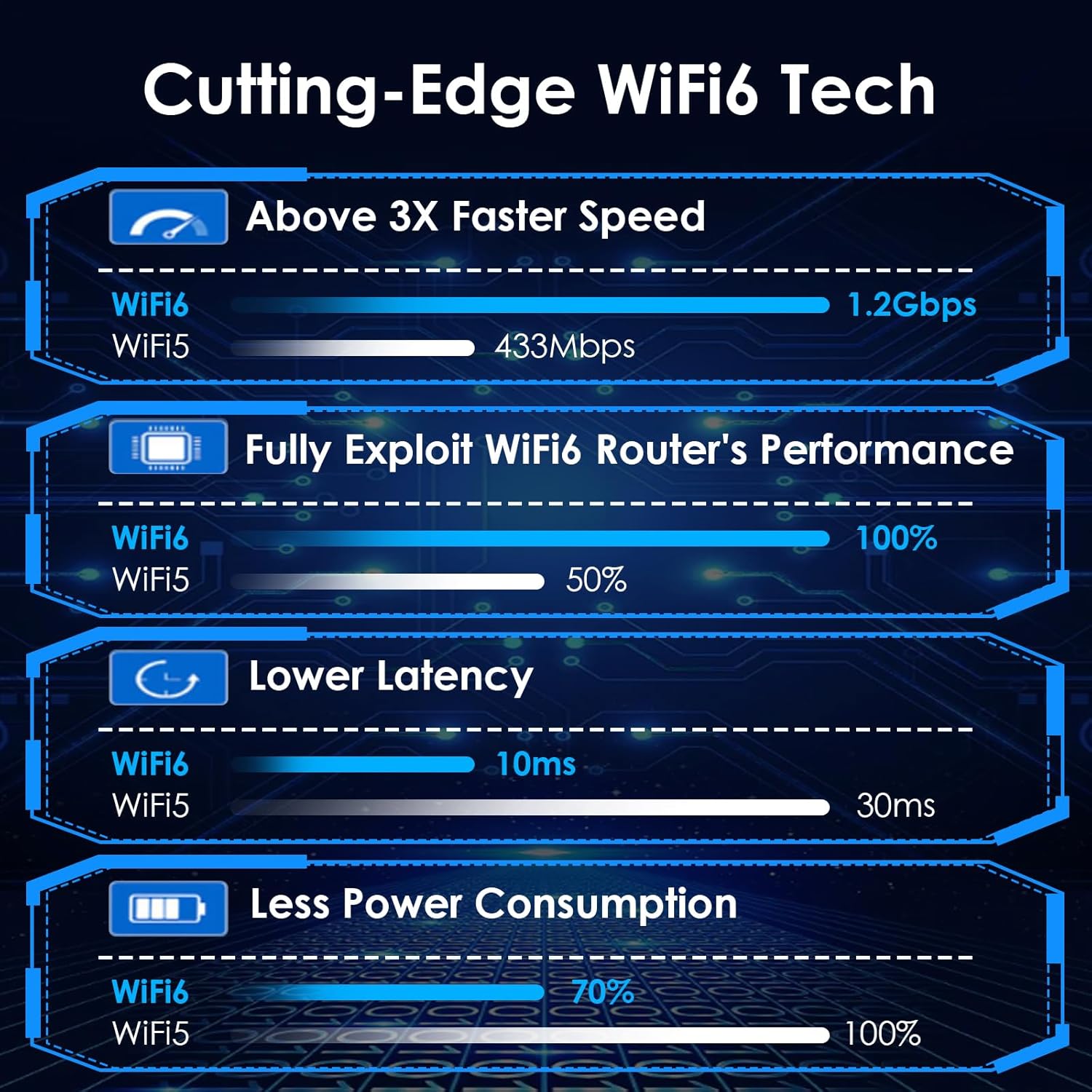
If you’ve got a desktop PC that’s stuck on Ethernet (or you just don’t want to run a cable), a USB WiFi adapter like the Wavlink AX1800 is the straightforward route. On paper it’s built for WiFi 6-style performance, with dual-band support and features such as MU-MIMO, Beamforming and OFDMA aimed at keeping things fast and responsive when your network is busy.
The practical question is less about whether it sounds impressive, and more about whether it matches your setup. This one is explicitly for Windows 11/10 (32/64bit) and uses a built-in driver, so it’s the kind of adapter that should work quickly after you plug it in—assuming your PC environment lines up.
Key features that affect day-to-day use
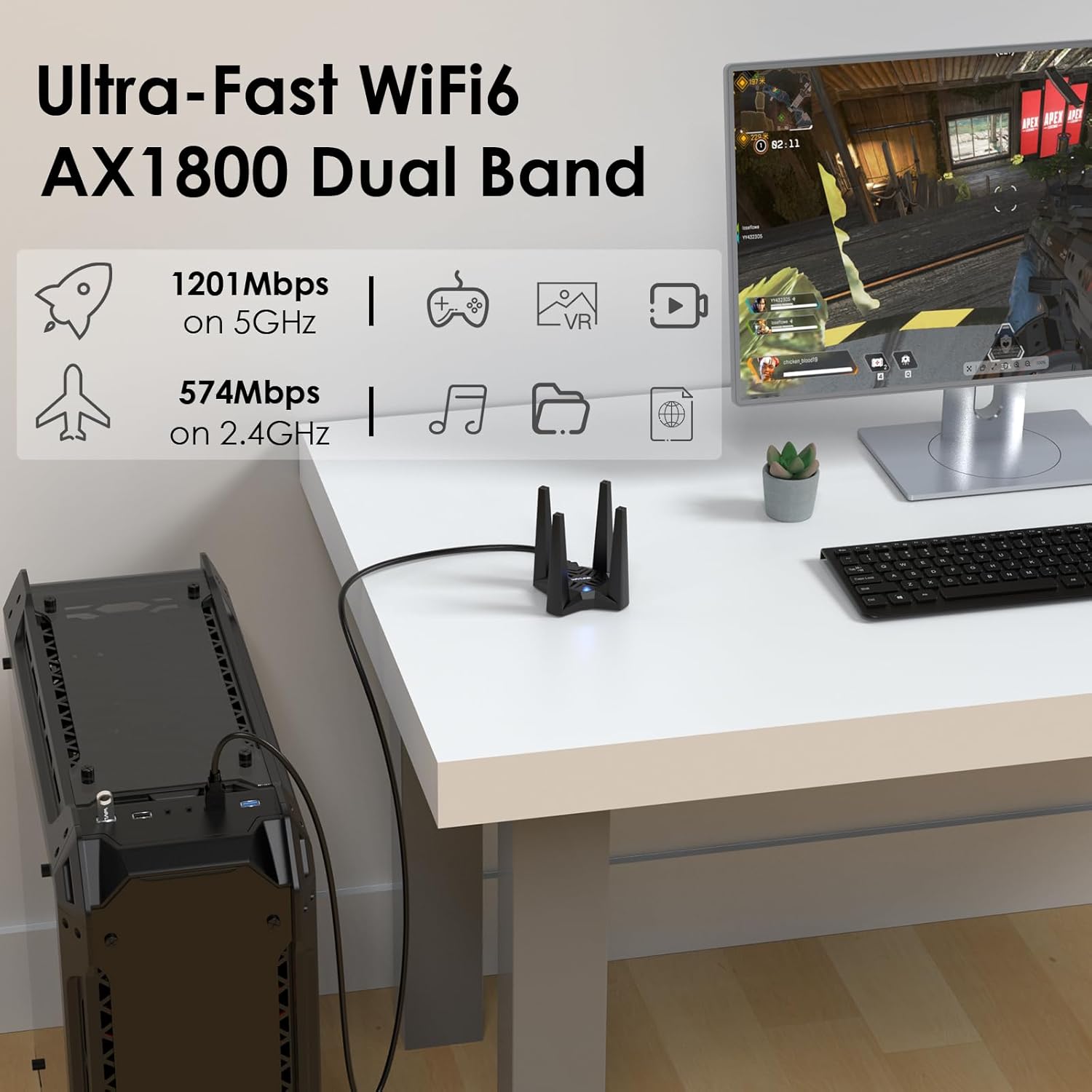
What you get here is a dual-band WiFi 6 adapter with stated maximum rates of 1201Mbps on 5GHz and 574Mbps on 2.4GHz. Those figures aren’t the experience you’ll always see in the real world (distance, walls and interference still play a big role), but they do give you an idea of the intended performance tier.
A couple of the headline technologies are there for busy homes and multi-device use: - MU-MIMO and OFDMA are designed to help the adapter handle multiple users sending/receiving data at the same time. - Beamforming focuses the signal towards connected devices, which can help maintain a steadier connection compared with simpler adapters.
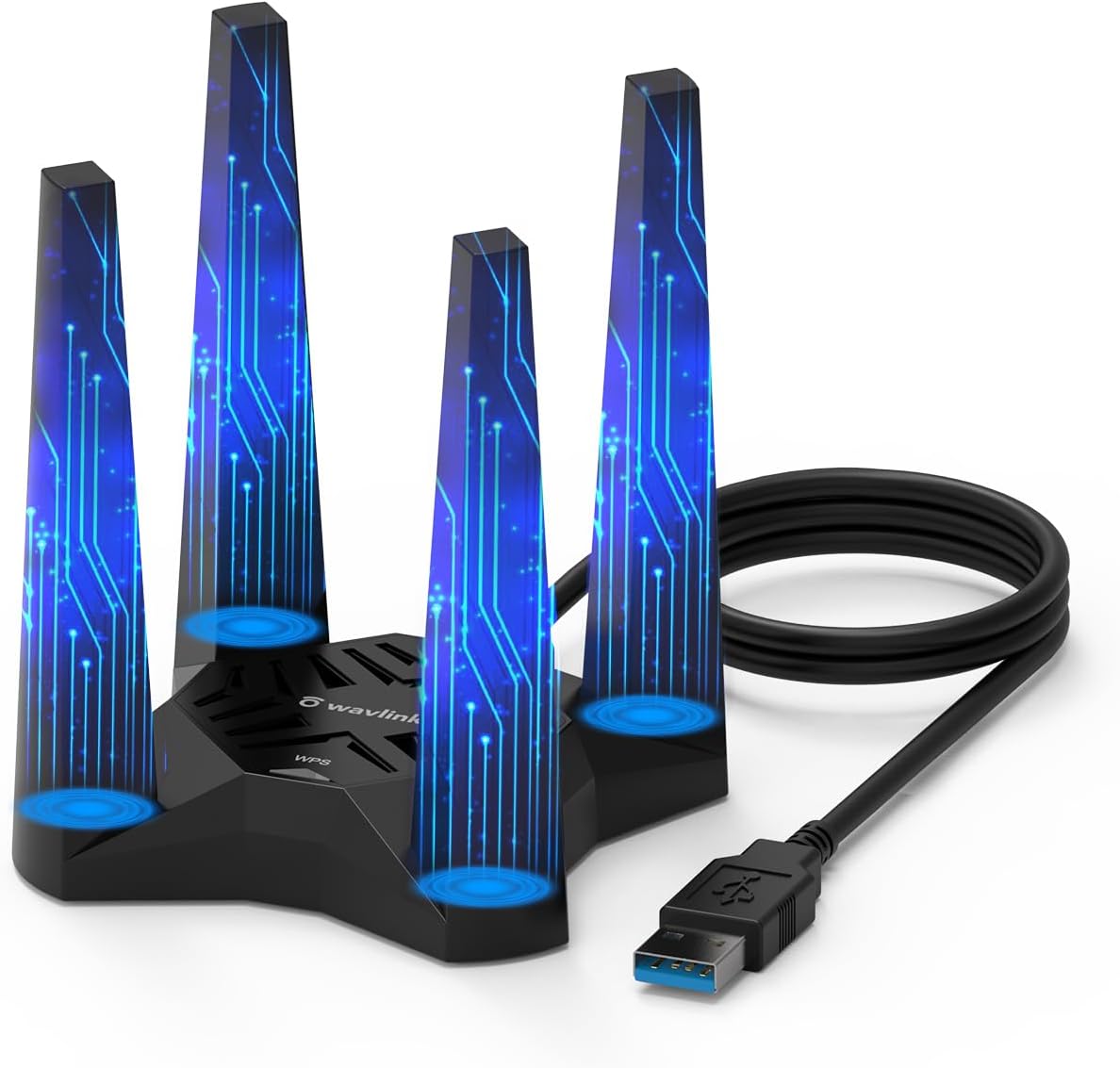
There’s also a strong practical angle: 4 external antennas are included to help with reception. More antennas typically won’t magically fix a weak signal, but it does suggest the adapter is meant to be more than a basic “just get online” dongle.
Two modes, one adapter
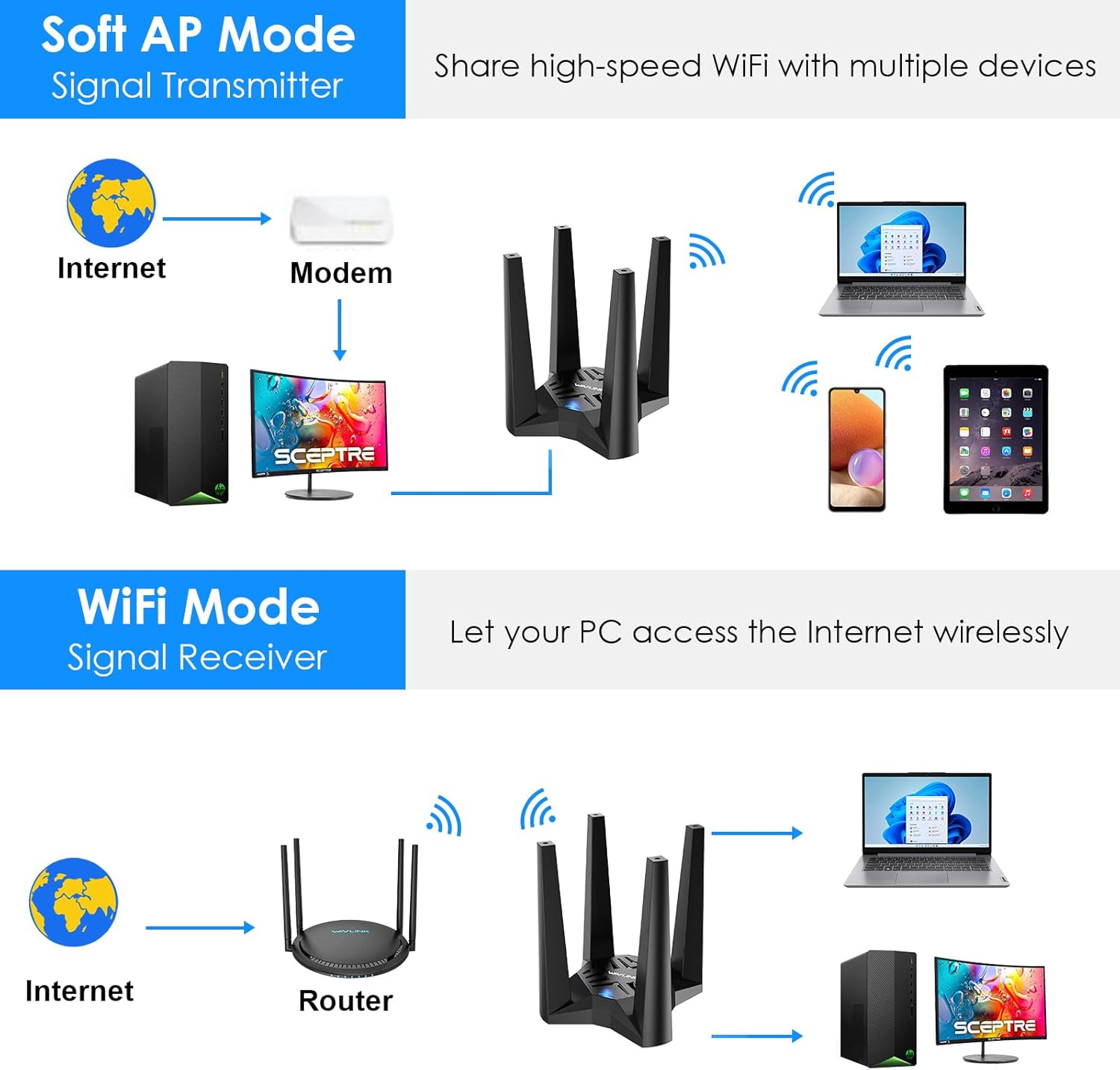
This WAVLINK dongle isn’t limited to being a client device. It supports:
- WiFi Mode: your PC connects directly to your existing WiFi network, creating an AX1800 network path for your desktop.
- Soft AP Mode: the adapter can turn a wired network connection into a WiFi hotspot, letting other devices connect through your PC.
That second mode is the part people often overlook when they only think about “USB WiFi for a desktop”. It can be handy if you want to share a wired connection from your PC to a laptop, tablet or other device, without needing extra router hardware.
There’s a nuance worth noting: Soft AP Mode only makes sense if you actually have a wired source to share in the first place.
Compatibility and setup: where it can be smooth (or not)
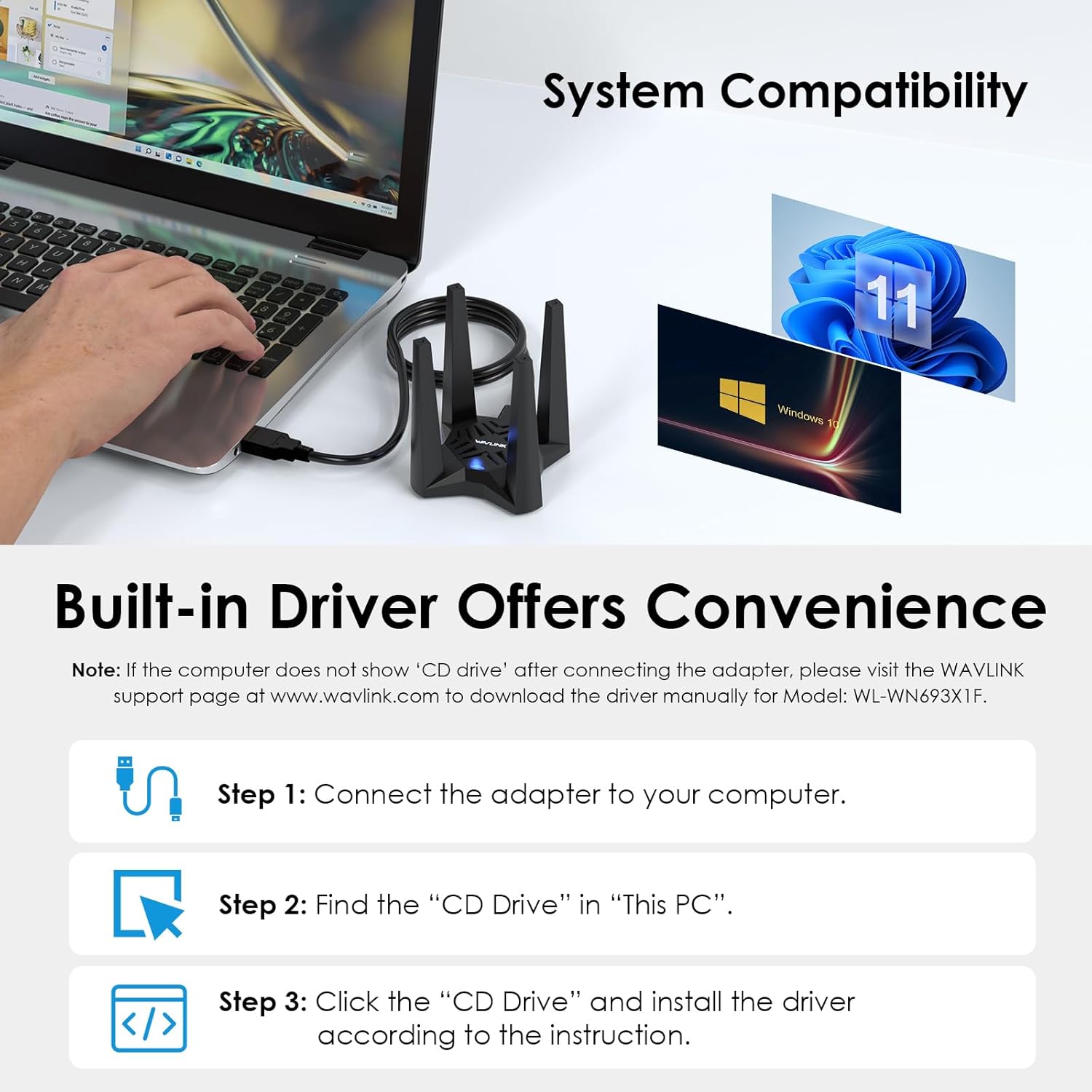
The compatibility note is very clear: this WiFi USB dongle is only compatible with Windows 11/10 (32/64bit) and is not suitable for PCs with other operating systems.
On the installation side, the adapter includes a built-in driver. The product guidance also mentions that if your computer already has this driver installed, you may not see a “CD Drive” prompt after connecting the adapter. In other words, you’re meant to get a straightforward plug-in experience rather than hunt for installation media.
If your PC is on a different operating system, or if your network card drivers aren’t managed in the way Windows expects, you may end up frustrated—so it’s worth checking before buying.
Coverage and placement tips (using the included cable and base)
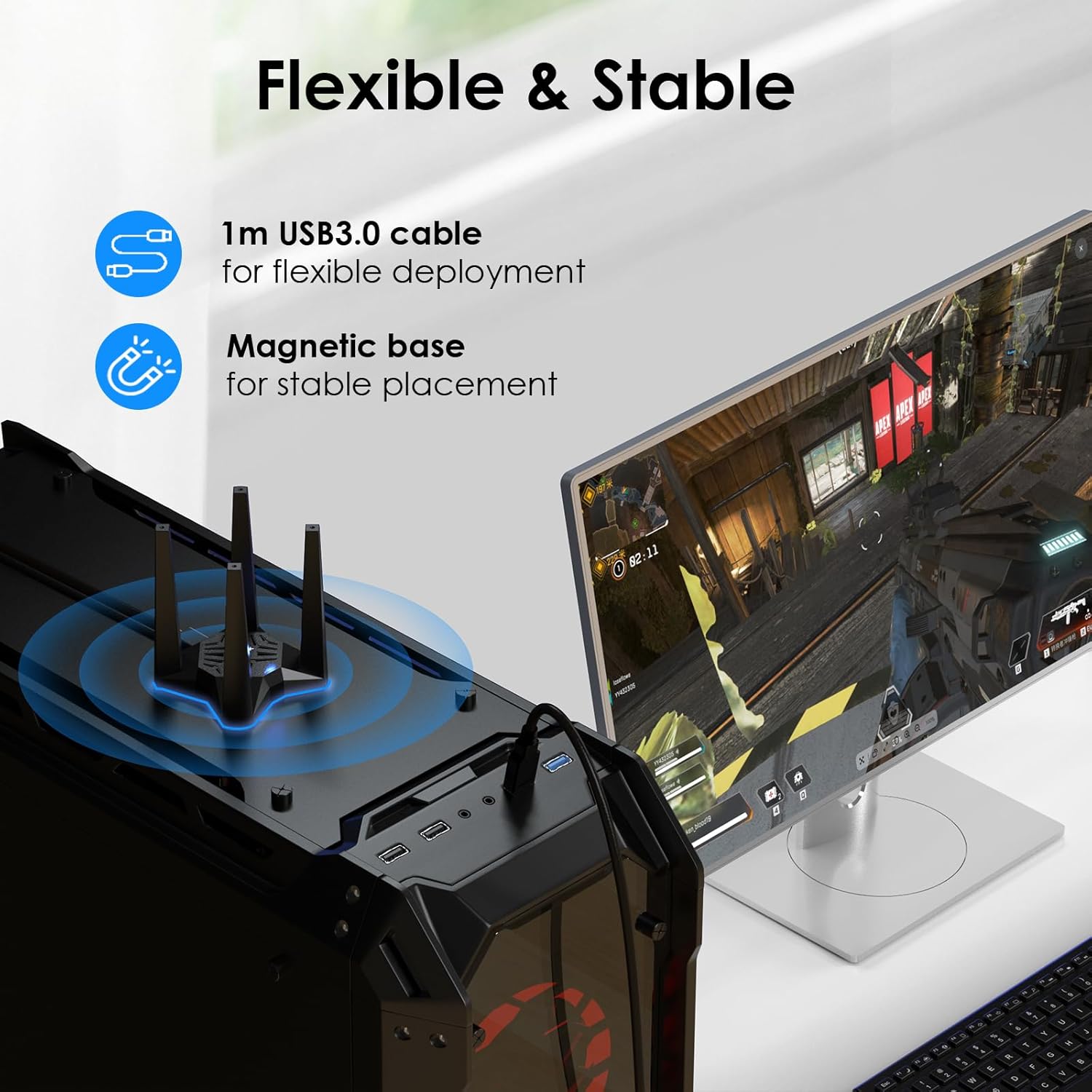
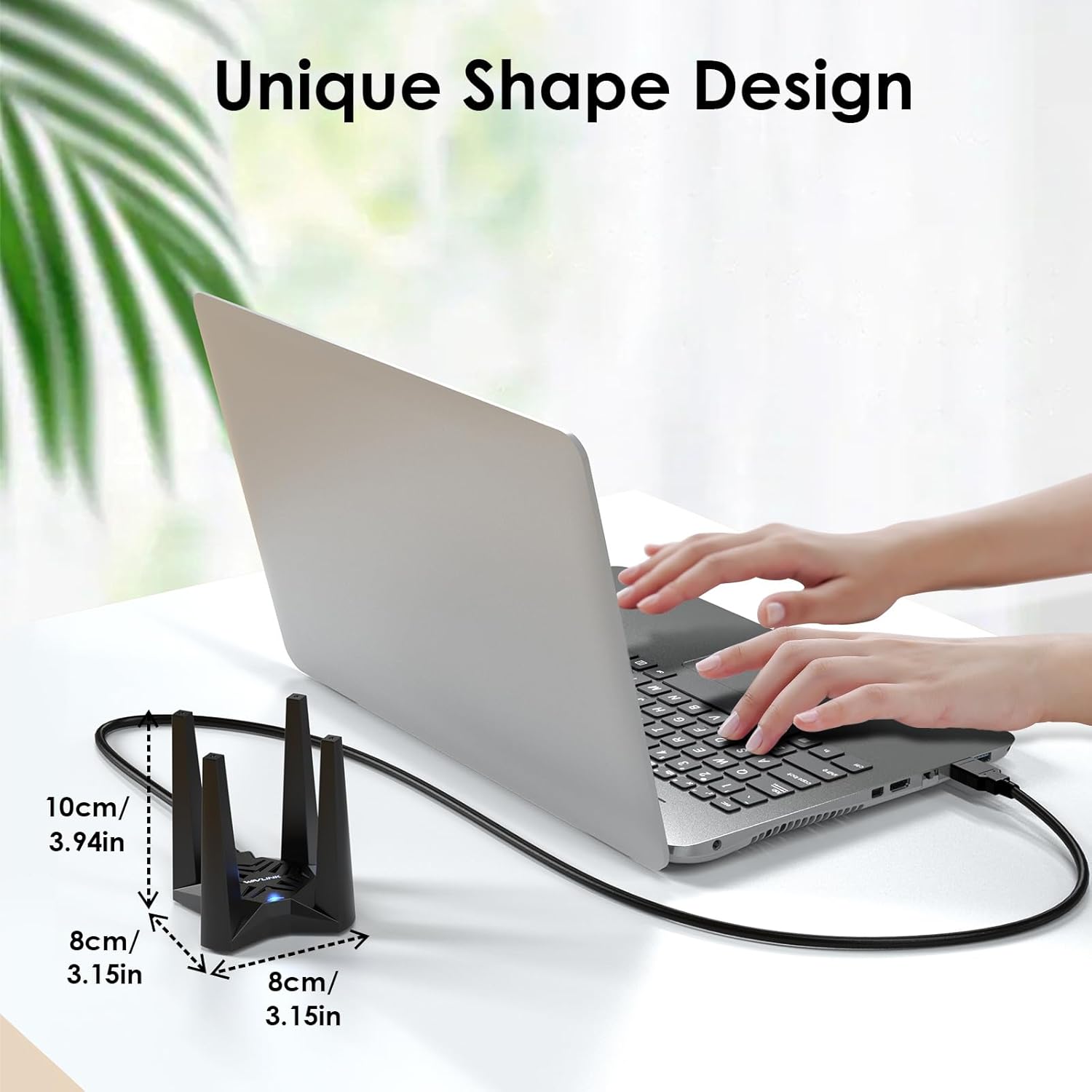
A small but useful inclusion here is the 1m USB 3.0 extension cable. That matters because where you plug a USB dongle into the back of a desktop can be the difference between “usable” and “why is it dropping?”.
The adapter also comes with a non-slip magnetic base for placing it on metal surfaces while keeping it stable and compact. That’s a practical design choice if you want to position the dongle with a bit more control than “rear USB port only”.
Pros and limitations to weigh up
What’s likely to suit you
It makes sense if you want a WiFi adapter for a desktop PC and you prioritise a modern WiFi 6 feature set—especially MU-MIMO/OFDMA and Beamforming—alongside dual-band support for 5GHz and 2.4GHz.
It also suits people who might use the Soft AP Mode occasionally, such as sharing a wired connection from the PC to other devices.
Where it may not be the best match
It’s not the right pick if you need compatibility beyond Windows 11/10. Also, while the antennas and signal features sound promising, real-world speed and stability still depend heavily on your router placement and local interference.
In other words, it’s not a guaranteed “same speeds everywhere” solution—more like a solid attempt to deliver better responsiveness and throughput than older WiFi adapters, provided your environment cooperates.
Who it’s for (and who should skip)
It’s a good fit if: You’ve got a Windows 11/10 desktop PC, want dual-band WiFi with WiFi 6 features, and you want the convenience of a USB adapter rather than running Ethernet.
You’ll like it more if you’re the kind of user who cares about multi-device performance at home (gaming, streaming, browsing when others are online too), and you’re prepared to place the adapter sensibly.
You may want to skip it if: Your PC runs a different operating system, or your priorities are purely about minimum hassle with zero consideration for placement—because a dongle will always be more sensitive to positioning than a properly installed internal solution.
Buying verdict
Should you buy it?
Is it worth it?
With the AX1800 dual-band WiFi 6 approach, MU-MIMO, OFDMA and Beamforming, this Wavlink USB WiFi Adapter looks built for everyday performance on a Windows 11/10 desktop. The inclusion of the built-in driver support and the 1m USB 3.0 extension cable are the kinds of details that can make setup and placement easier than with many basic adapters.
That said, there’s a clear limitation: it only works with Windows 11/10 (32/64bit). If that’s your system, it’s a reasonable purchase to consider—especially if you want a stronger signal setup via the external antennas and you’ll actually place the adapter using the cable and magnetic base. If your operating system isn’t supported, there’s not much point looking further.
Quick FAQ
How fast is the Wavlink AX1800 supposed to be?
The product states up to 1201Mbps on 5GHz and 574Mbps on 2.4GHz. Your actual speeds will depend on your WiFi signal strength and interference.
Does it need a driver CD?
The adapter includes a built-in driver. The note says that if your computer already has the driver installed, you may not see a “CD Drive” after connecting.
Can it create a WiFi hotspot?
Yes, it supports Soft AP Mode, which can turn a wired connection into a WiFi hotspot for devices like mobiles and laptops.
Is it compatible with macOS or Linux?
No. It’s specified as compatible only with Windows 11/10 (32/64bit).
What’s included in the setup for better placement?
Alongside the adapter, you get a 1m USB 3.0 extension cable and a magnetic base designed to help you position it more conveniently.