

COMFAST WiFi 6 USB Dongle for PC (WiFi 6 + Bluetooth 5.3, dual band, WPA3)
Product description
What it is and why people buy it
COMFAST’s WiFi 6 USB dongle is a small stick you plug into a Windows desktop or laptop to add wireless connectivity. On paper, it’s aimed at two common gaps: you want better WiFi without running cables everywhere, and you also want Bluetooth capability if your PC doesn’t have it.
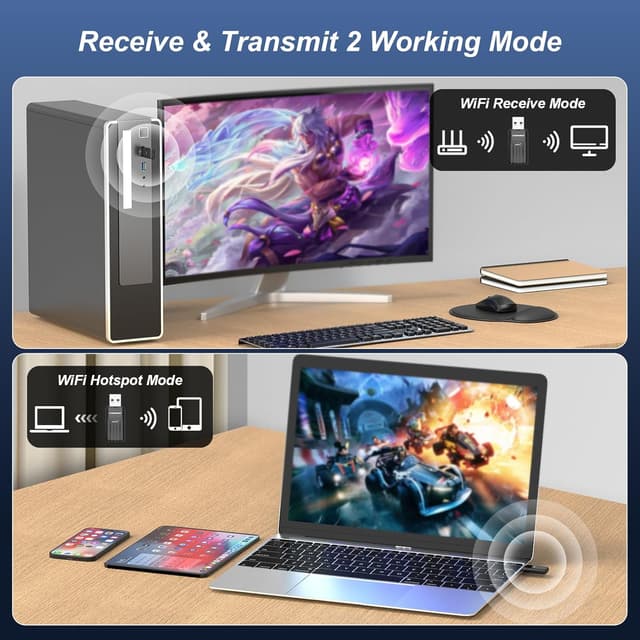
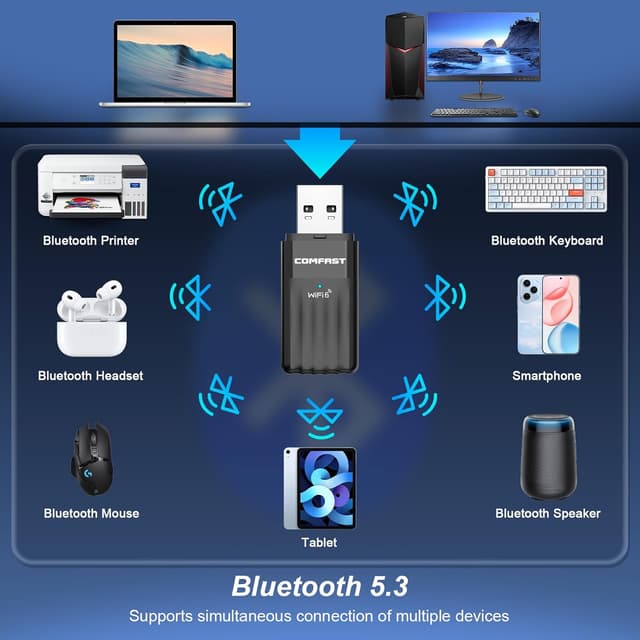
It’s also described as a dual-purpose adapter: it combines WiFi functionality with Bluetooth 5.3, so you can connect things like a headset or mouse without upgrading the whole PC. If you’re turning a wired connection into a wireless one, the bundle of features includes an “AP mode” concept (soft AP) alongside WPA3 support, which is the right direction for home or small-office use.
That said, it won’t suit everyone. The base info is explicit that it’s not compatible with Mac, Linux, or TVs, so if you’re on those platforms, you’ll need another approach.
Key takeaways at a glance
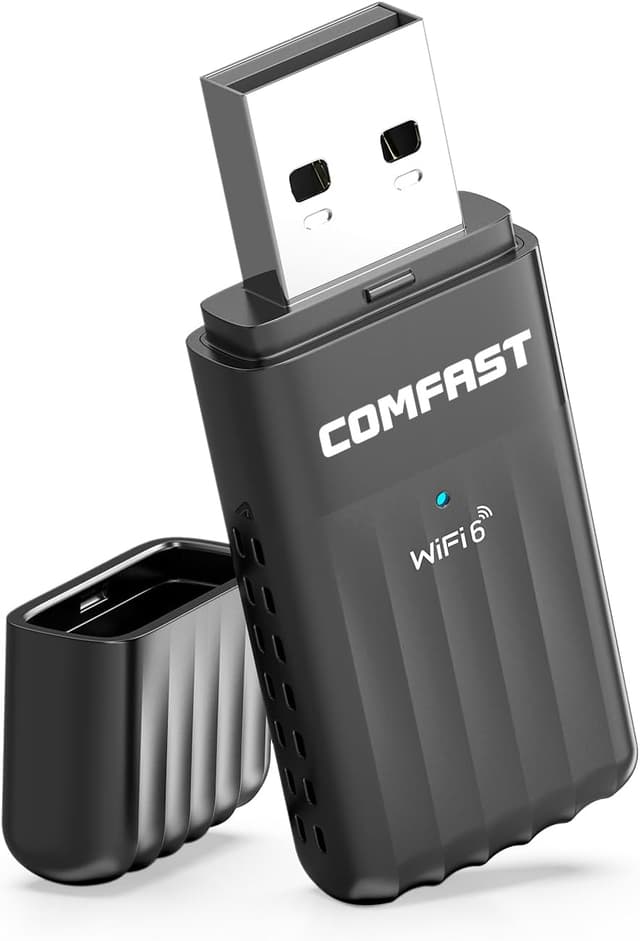
You’re effectively looking at a compact WiFi 6 adapter that’s also there for Bluetooth 5.3. In practical buying terms, that means fewer USB ports used (because it covers both roles), plus a straightforward Windows set-up.
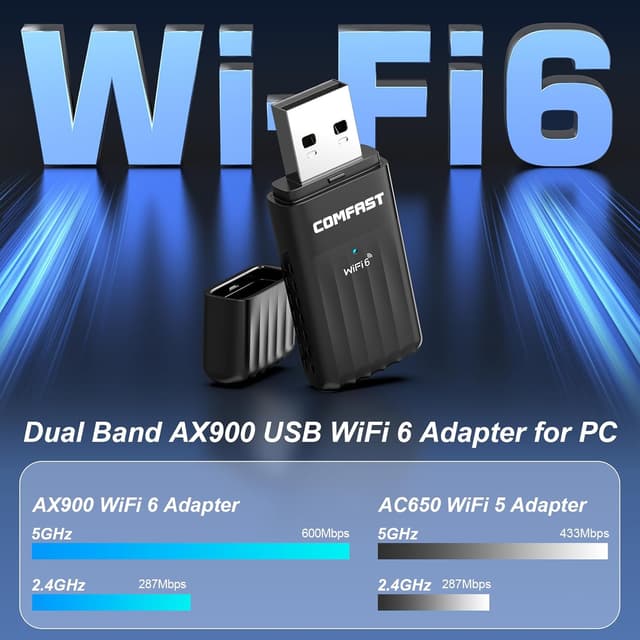
Performance figures are mentioned: up to 600 Mbps on 5 GHz and up to 287 Mbps on 2.4 GHz, which is where the WiFi 6 positioning comes from. Whether you’ll see anything close to that depends heavily on your home layout, signal strength, and the capabilities of your router and connected devices—but those numbers help explain what COMFAST is aiming for.
Where it shines in everyday use
If you regularly get stuck with weak WiFi at your desk, or you’ve got a desktop PC with no WiFi card, this kind of dongle is often the quickest fix. A typical micro-scenario: you plug it into a spare USB port, connect your PC to your home network, and then pair a Bluetooth headset for calls or audio. For someone working from home or studying, that “WiFi + Bluetooth in one” workflow can feel genuinely convenient.
It’s also positioned for turning a wired internet connection into a WiFi point. In other words, if you have a desktop that’s connected to Ethernet but you want it to act as a WiFi source for another device, this dongle is described as supporting a soft AP mode.
Security and modes: what to look for
The included WPA3 support is one of the more reassuring elements here. In modern WiFi setups, security matters more than people think, especially if you’re using an AP-style function.
There’s also mention of MU-MIMO and dual-band WiFi (5G/2.4G). MU-MIMO is often talked about as a way to handle multiple data streams more efficiently. It’s not a guarantee of faster real-world speeds in every home, but it’s a good sign that this is not an ultra-basic WiFi adapter.
Compatibility and requirements (important limitations)
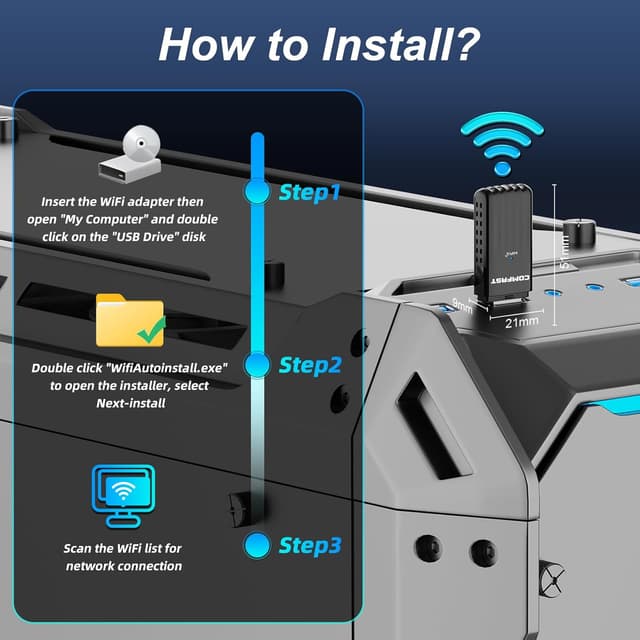
The dongle is described as working with Windows 11/10 and using a “near Plug and Play” set-up in those OS versions. It also notes that, if required, drivers can be downloaded from the website.
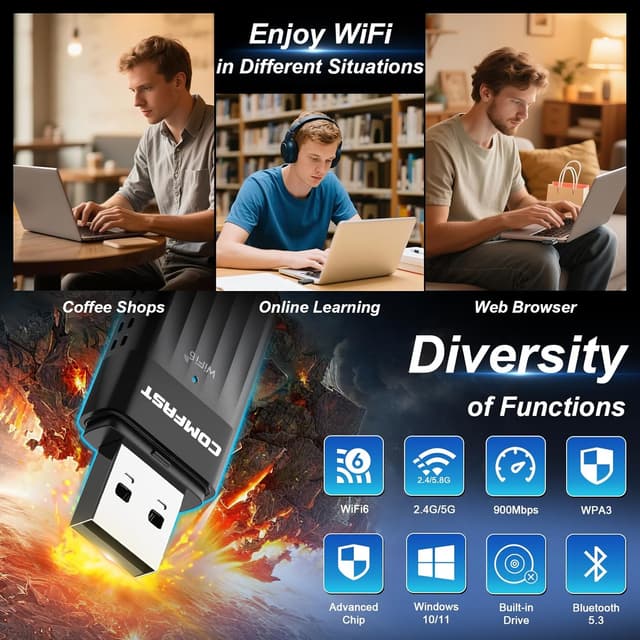
However, compatibility limits are clear: it’s not compatible with Mac, Linux, or TV use. That’s a big deal if you’re building a home network around a TV, smart display, or non-Windows machine.
Also, Bluetooth pairing support is described broadly for devices such as printers, phones, keyboards, mice, and headsets. Still, the exact behaviour can vary by device and your Windows Bluetooth stack, so it’s sensible to expect a bit of setup time during the first pairing.
Who it suits (and who should look elsewhere)
It’s a solid match if you want a simple way to add WiFi and Bluetooth to a Windows desktop or laptop, particularly where you’d rather not open the PC or fit internal hardware. If you’re in the “small upgrades that make a daily difference” camp—adding wireless to a home office setup—this dongle fits that mindset.
It might not be the best choice if you’re chasing maximum stability for high-bandwidth tasks over long distances, or if your environment is full of thick walls and far-from-router positioning (USB dongles can be more sensitive to where you place them). And if you don’t use Windows 11/10, the compatibility note alone is enough to steer you away.
Is it worth it?
Worth buying if you need a compact WiFi 6 adapter with Bluetooth 5.3 support for a Windows 11/10 PC, and you like the idea of a single USB dongle covering both WiFi and Bluetooth. The presence of WPA3 and the stated dual-band WiFi numbers make it feel more current than basic WiFi adapters.
Better avoided if you’re on Mac, Linux, or want this for TV use. Also, if your main goal is purely faster WiFi at the very far edge of your network and you don’t have much control over signal quality, a USB dongle can feel a bit limited compared with solutions designed with placement and throughput in mind.
Before you buy, it’s worth checking that your Windows version is Windows 11 or Windows 10, that you can spare a USB port, and that your router supports the bands you plan to use (5 GHz versus 2.4 GHz), because that’s where real-world speeds tend to come from.

Quick FAQ
Will it work with Windows 11 and Windows 10?
Yes—it's described as supporting Windows 11/10, with a near Plug and Play experience.
Does it add Bluetooth as well as WiFi?
Yes. The product description explicitly combines WiFi functionality with Bluetooth 5.3.
Can it turn a wired connection into WiFi?
The description mentions a soft AP mode, so it’s aimed at creating a WiFi access point from a wired connection.
Is it compatible with Mac or Linux?
No. The base information says it’s not compatible with Mac, Linux, or TV use.
What security does it support?
WPA3 is mentioned, which is a key point if you care about modern WiFi security rather than older standards.