

AULA F108 Pro Wireless Gaming Keyboard (Full Size) with TFT Display, Knob, RGB & Hot-Swappable Switches
Product description
Overview that helps you decide
The AULA F108 Pro Wireless Gaming Keyboard is a full-size mechanical keyboard built around convenience features you can actually use day-to-day: a smart TFT colour display and a multi-function knob, plus wireless options (BT5.0 and 2.4G) alongside USB-C wired mode. It’s aimed at people who want more control than a basic gaming board—displaying things like time/date, battery status and connection mode, and using the knob as a quick way to steer settings.
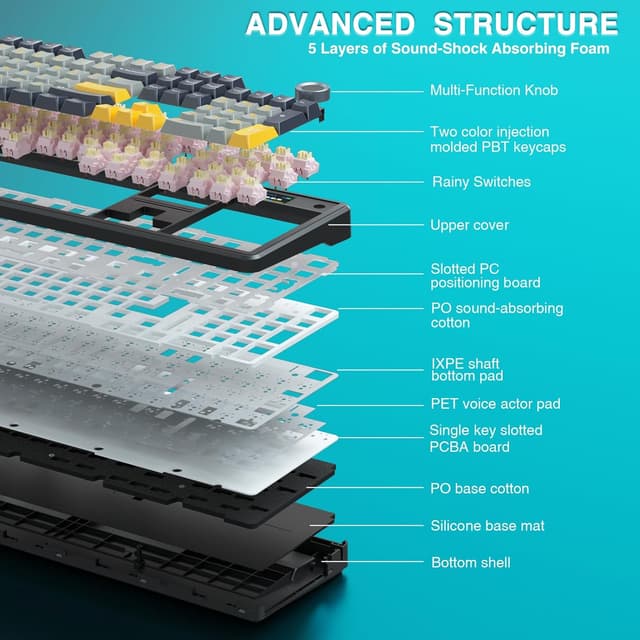
On paper it also leans into sound and feel. The brand highlights a five-layer filling silencer structure and pre-lubed, hot-swappable switches, so the typing experience is meant to be smoother and less “hollow” sounding than you’d expect from many more basic builds. That said, if you mainly just want a reliable mechanical keyboard for office typing and don’t care about display/knob controls or RGB customisation, you may find simpler boards do the job with less fuss.
Key takeaways
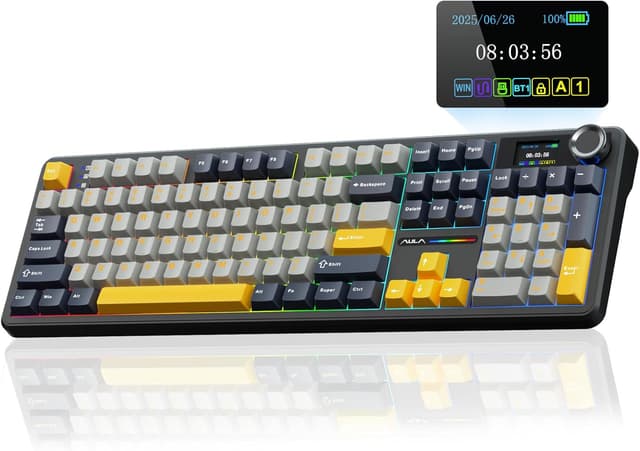
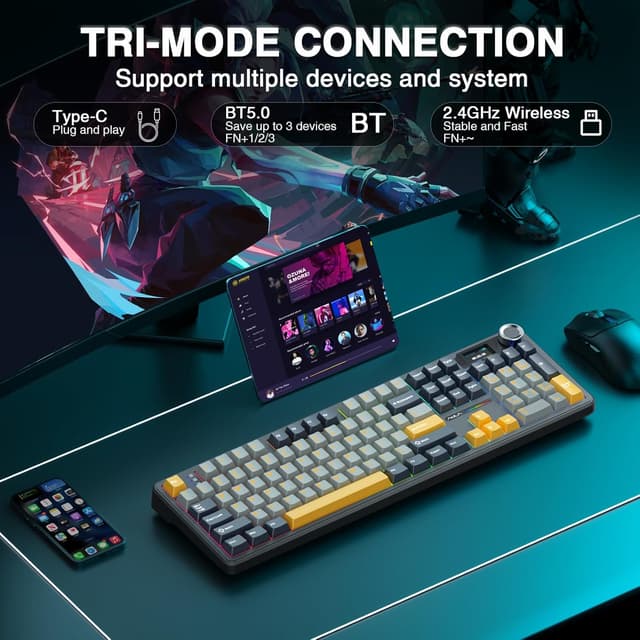
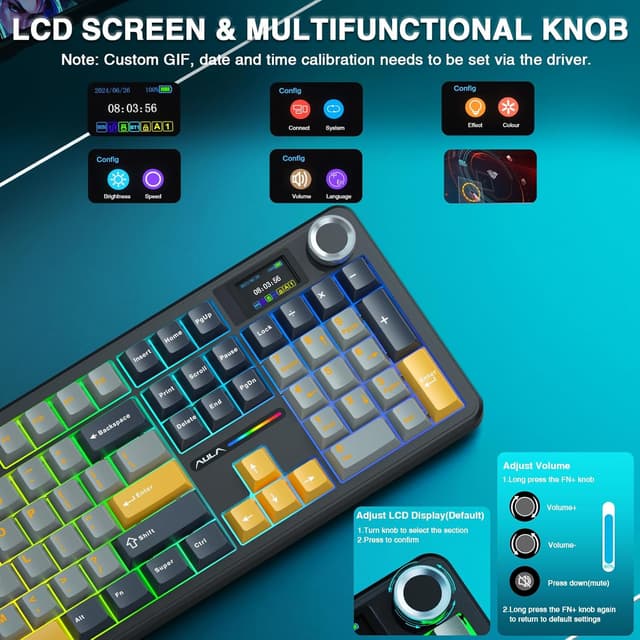
A standout here is the TFT display plus knob workflow. Instead of diving into software every time you want to check status, switch modes or adjust certain settings, the keyboard is designed to make those updates feel more immediate. The board supports three connection modes (2.4G, BT5.0 and USB-C), and the multi-function BT mode is positioned for quick switching between devices—useful if you move between a laptop/tablet and a desktop.
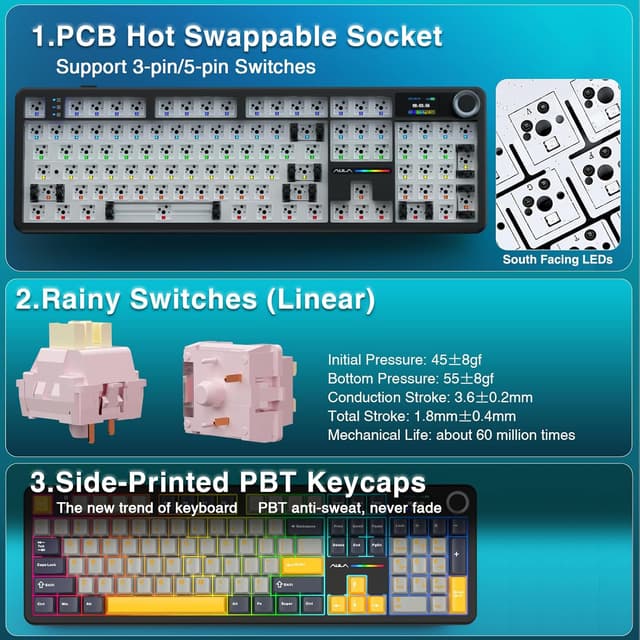
The hot-swappable angle is another practical plus: you can use mainstream 3/5-pin mechanical switches, and the switches included are described as pre-lubricated for a smoother key feel and pleasant sound. It’s also advertised as compatible with a wide range of hot-swappable switches (either 3-pin or 5-pin), so you’re not locked into one switch character forever.
Where it shines in everyday use
If you like seeing information at a glance, the built-in TFT colour display is one of the more “real” differentiators. It’s designed to act as an interactive interface for real-time updating and customisation, including GIF image switching, plus things like volume, battery status, date and time, backlighting and connection modes. In practice, that could mean checking battery and mode without leaving your game or your desk workflow.
The knob and shortcuts are also positioned for multitasking. A typical scenario: you’re gaming on your PC via 2.4G, then you want to jump to a tablet in BT mode for a quick browsing session. The keyboard is built around those quick switches, so you’re not always hunting through device settings.
Things to bear in mind before buying
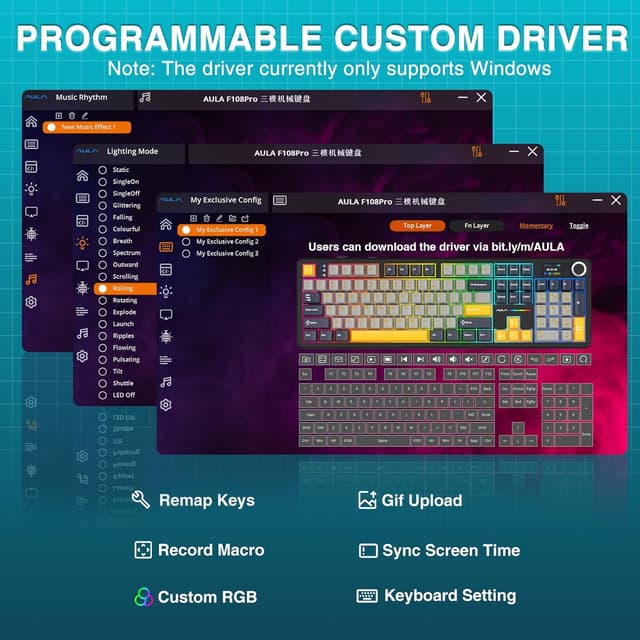
A couple of limitations are worth noting. First, the driver software is stated to only support Windows systems, and the keyboard notes that you should use wired mode for the first time of connection. If you’re set on connecting immediately via wireless on a non-Windows setup, this could be a mild headache.
Second, the product description focuses heavily on RGB and customisation. If you’d rather keep things simple and quiet—less tinkering, fewer visual distractions—this keyboard may feel more feature-rich than you actually need. Also, while the brand claims a softer, more elastic feel and reduced cavity noise via a five-layer filling silencer structure, the final sound experience will still depend on the switches you choose and how you type.
Technical details that matter for choice
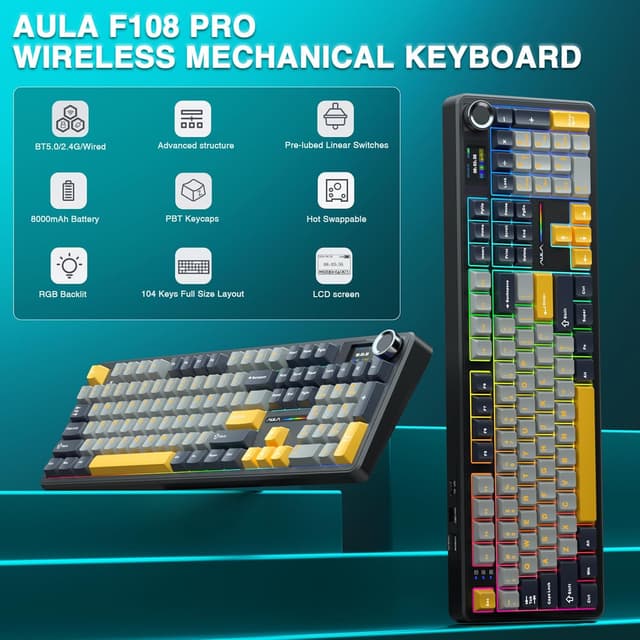
This is advertised as a 100% full-size keyboard with 104 keys. It supports multi-device connectivity through BT5.0, 2.4GHz wireless and USB-C wired mode. The description also mentions a polling rate of 1,000Hz for the 2.4G and USB cable modes, which is aimed at keeping response stable for competitive play.
On the customisation side, it supports RGB with multiple dynamic effects, monochrome and multi-colour modes, and up to 16.8 million RGB colours (as stated). All keys are described as supporting macro customisation, and programmable software is referenced for remapping keys and assigning macros.
There’s also mention of a south-facing lighting layout for an even, soft effect, and two-colour injection-moulded PBT keycaps designed to be long-lasting and resistant to oil (exact longevity isn’t quantified, but the material choice is a sensible baseline).
Pros
- Built-in TFT colour display for status/info and customisation (not just decorative)
- Multi-function knob plus shortcuts designed for faster everyday adjustments
- Three connectivity options: 2.4G, BT5.0 and USB-C wired
- Hot-swappable design intended to support 3/5-pin mechanical switches
- Five-layer filling silencer structure aimed at reducing cavity-style noise
Buying verdict
It makes sense if you want a full-size mechanical keyboard that mixes gaming control with desk-friendly extras: a smart display, a knob for quick changes, and the option to switch between multiple devices. It’s also a strong fit if you’re the type who likes tinkering—hot-swappable switches and software-based remapping/macros give you room to tailor the feel.
You may want to skip it if you’re not interested in the display/knob workflow, you mainly want a straightforward keyboard without RGB and software setup, or you don’t plan to use Windows for initial driver/programming setup (since the driver is stated as Windows-only and first connection is recommended via wired mode).
Mini FAQ
Does the AULA F108 Pro work with both 3-pin and 5-pin mechanical switches?
It’s advertised as hot-swappable for mainstream 3/5-pin mechanical switches, and it notes support for both 3-pin and 5-pin types.
What can the TFT display show?
The description states it can be used for real-time updating and customisation, including GIF images, volume, date and time, battery status, backlighting and connection modes.
Can I use it without wireless straight away?
Yes. The note suggests using wired mode for the first time of connection, which is relevant if you’re setting it up before using Bluetooth or 2.4G.
Is the programming software available on non-Windows devices?
The description specifically says the driver only supports Windows systems.
Is it aimed more at gaming or office use?
It’s positioned as a full-size keyboard for both gaming and office use, but the display, macros, RGB and multitasking controls are clearly the highlights that suit gaming-minded users too.