

MOOJAY 2.4G Wireless Keyboard and Mouse Combo (Ultra Slim) with Mouse Mat, Quiet Scissor Keys — Gray Black
Product description
What this is and why people buy it
This MOOJAY wireless keyboard and mouse combo is aimed at the “simple set-up” crowd. You get a full-size keyboard layout that keeps a numeric keypad, plus a wireless mouse, and the mouse mat comes included. It’s the sort of kit you’d pick when you want less desk clutter (no extra cables) and a comfortable, quieter typing feel for everyday work.
On paper, the key story is the combination: 2.4G wireless connection using a shared nano receiver, quiet scissor-switch keys on the keyboard, and a mouse with multiple DPI levels. It also comes with batteries and a keyboard cover, which matters because you don’t want to start hunting for AA/AAA replacements the moment the parcel arrives.
The essentials: wireless set-up, desk comfort, everyday control
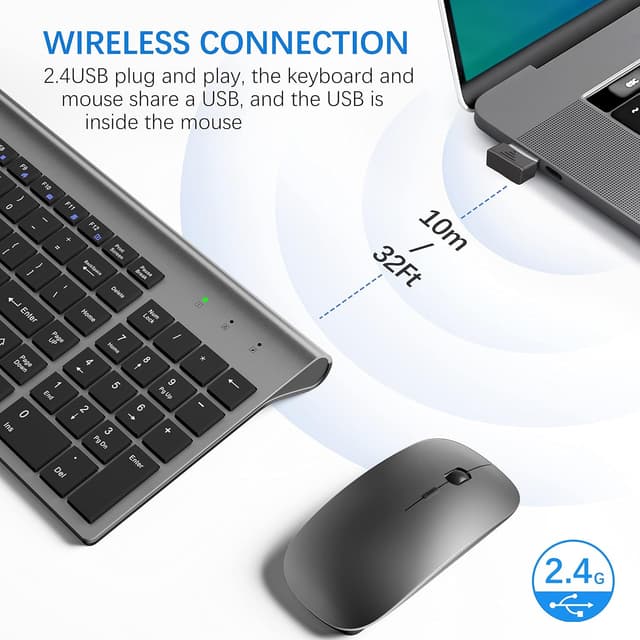
The wireless keyboard and mouse use the same nano receiver (stored at the bottom of the mouse). The promise here is plug-and-play without installing extra software, and the range is stated as up to 10 m. For typical home office or a desk at work, that kind of distance is usually enough as long as the receiver stays within line-of-sight or close to the area you’re sitting.

Keyboard feel and what “quiet” means in practice
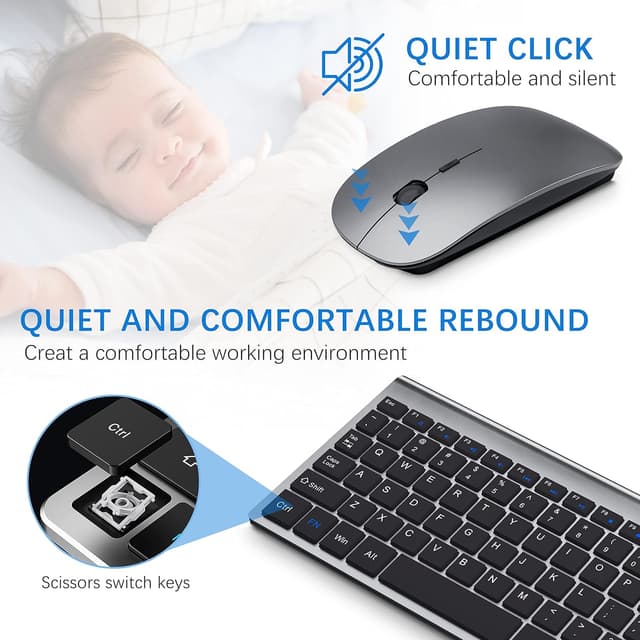
The keyboard uses scissor switch keys, described as providing less noise with a light, responsive, tactile keystroke. That’s a sensible combination if you type for long stretches and don’t want every keystroke to sound sharp. It’s not a silent keyboard in the sense of “you can’t hear anything”, but it’s pitched to be more office-friendly.
There are also 11 multimedia keys aimed at quick access to things like music, internet/e-mail and volume. One limitation to keep in mind: the hot-keys are noted as not fully compatible with the Mac system. If you’re strictly in a Windows environment, that’s less of a concern.
Mouse performance and tuning
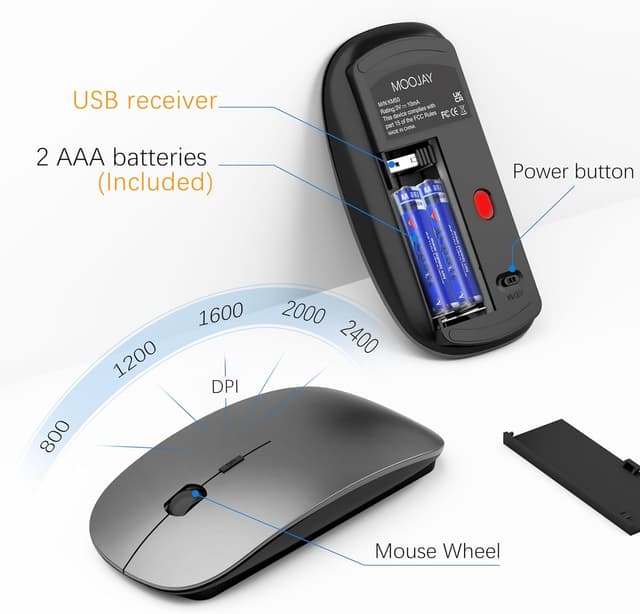
The mouse is specified with 5 DPI levels (800, 1200, 1600, 2000, 2400) and described as silent. In real terms, DPI levels mainly affect pointer speed, higher DPI tends to feel more responsive for moving the cursor quickly, while lower DPI can feel steadier for precision. It’s a nice inclusion for someone who doesn’t want only one fixed sensitivity.
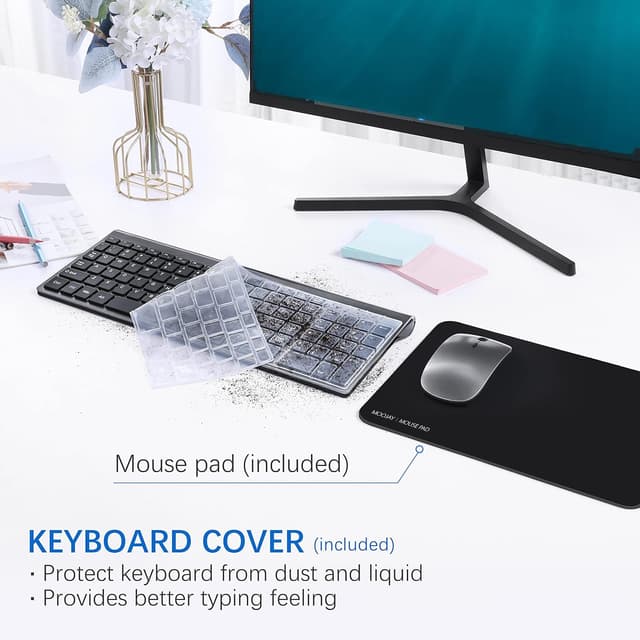
An attached mouse mat is also included, which helps reduce that slightly “sticky desk surface” feel some people get with a bare tabletop.
Compatibility and the important caveats
Compatibility is described for Windows 2000/ XP/ ME/ Vista/ 7/ 8/ 10/ 11. The kit is also described as working with devices that have a USB slot, including Macbook, desktops, Chrome-book, PC, laptop and smart TV.
However, there’s a caveat worth noting: multimedia hot-keys are stated as not fully compatible with Mac system. So if you’re buying for a Mac specifically and you care about the keyboard shortcut keys doing everything, you may find it a bit hit-and-miss.
Also, the kit’s target audience is fairly clear: it’s a “practical wireless office” combo rather than a gaming-focused peripheral set.
Portability and what the “ultra thin” design actually does
The keyboard is described as super-thin and ultra-slim (0.2 in body thickness), with a compact footprint and an easy-to-carry design. That makes it more appealing for people who use a laptop at different locations, like taking it to library study sessions or bringing it to a business trip.
The included cover is another small but useful detail. It’s intended to provide comfortable typing feel and help protect the keyboard from dust and liquid. Still, you’ll want to treat it as a safeguard, not as a guarantee against spills.
Batteries, warranty, and the one thing to plan for
Batteries are included: 2 AA and 2 AAA. Battery life is stated as 3 to 5 months, varying by usage conditions. This isn’t necessarily a deal-breaker, but it’s something to factor in if you expect heavy daily use.
A 2-year warranty is mentioned, with a replacement offered if there’s a quality problem within that period.
Who it suits (and who should think twice)
It’s a good fit if you want a compact wireless keyboard and mouse combo for a Windows PC/laptop setup, and you value quieter scissor-switch typing plus a mouse with adjustable DPI. It also makes sense if you’d prefer a shared nano receiver and a straightforward plug-and-play approach.
It might not suit you if you need full multimedia hot-key functionality on Mac, or if you’re the kind of user who expects high-end precision and response tuned for demanding gaming or professional-grade workflows. In that case, you may find it sits more in the “solid everyday office” bracket than a premium one.
A quick, realistic usage example
If you’re working from home and your laptop sits at a slightly different angle to the desk, you can plug in the nano receiver, set the keyboard down comfortably (thin enough not to dominate the laptop base), and use the mouse DPI settings to match how you like moving the cursor. With scissor-switch keys, long emails and document edits should feel less harsh than clicky alternatives.
Quick FAQ
What operating systems is it compatible with?
It’s specified for Windows 2000/XP/ME/Vista/7/8/10/11, and it’s described as working with devices that have a USB slot.
Does it need software installation?

No extra software is stated, it uses a shared nano receiver for plug and play.
How far does the wireless connection reach?
The stated range is up to 10 m.
Are the keyboard hot-keys compatible with Mac?
The description says hot-keys are not fully compatible with the Mac system.
Is the keyboard truly silent?
It’s described as providing less noise with scissor switch keys, but it isn’t presented as completely silent.
When it makes sense
Buy this MOOJAY wireless keyboard and mouse combo when you want a straightforward 2.4G desk set-up for Windows, appreciate quieter scissor-switch typing, and like the idea of a mouse with several DPI options. The included batteries and keyboard cover add to the practicality, and the ultra-slim design is handy if you move between home, office, or study spaces.
Skip it (or at least read the fine print) if your priority is full multimedia hot-key behaviour on Mac, or if you’re expecting a more specialised performance level than a typical office-oriented wireless kit can offer.