

AULA F108 Mechanical Keyboard (Wireless-Silent) – 2.4GHz/BT5.0 + USB-C, 100% Full Size, RGB, Hot-swappable
Product description
What this keyboard is for
The AULA F108 is a 100% full-size mechanical keyboard built around a quieter “wireless-silent” idea, while still targeting gaming responsiveness. If you want something that can sit on your desk for everyday typing and also handle fast command inputs, this one aims to cover both with a few practical touches: gasket-style structure with extra sound-damping layers, south-facing RGB for a softer look, and hot-swappable switches so you can experiment without committing to soldering.
On paper, it’s also designed for multi-device setups. You can connect over Bluetooth 5.0, 2.4GHz wireless, or wired USB-C, with a Bluetooth switching mode intended to move between up to five devices. That kind of flexibility matters if you bounce between a PC, Mac, laptop, or tablet.
Key points
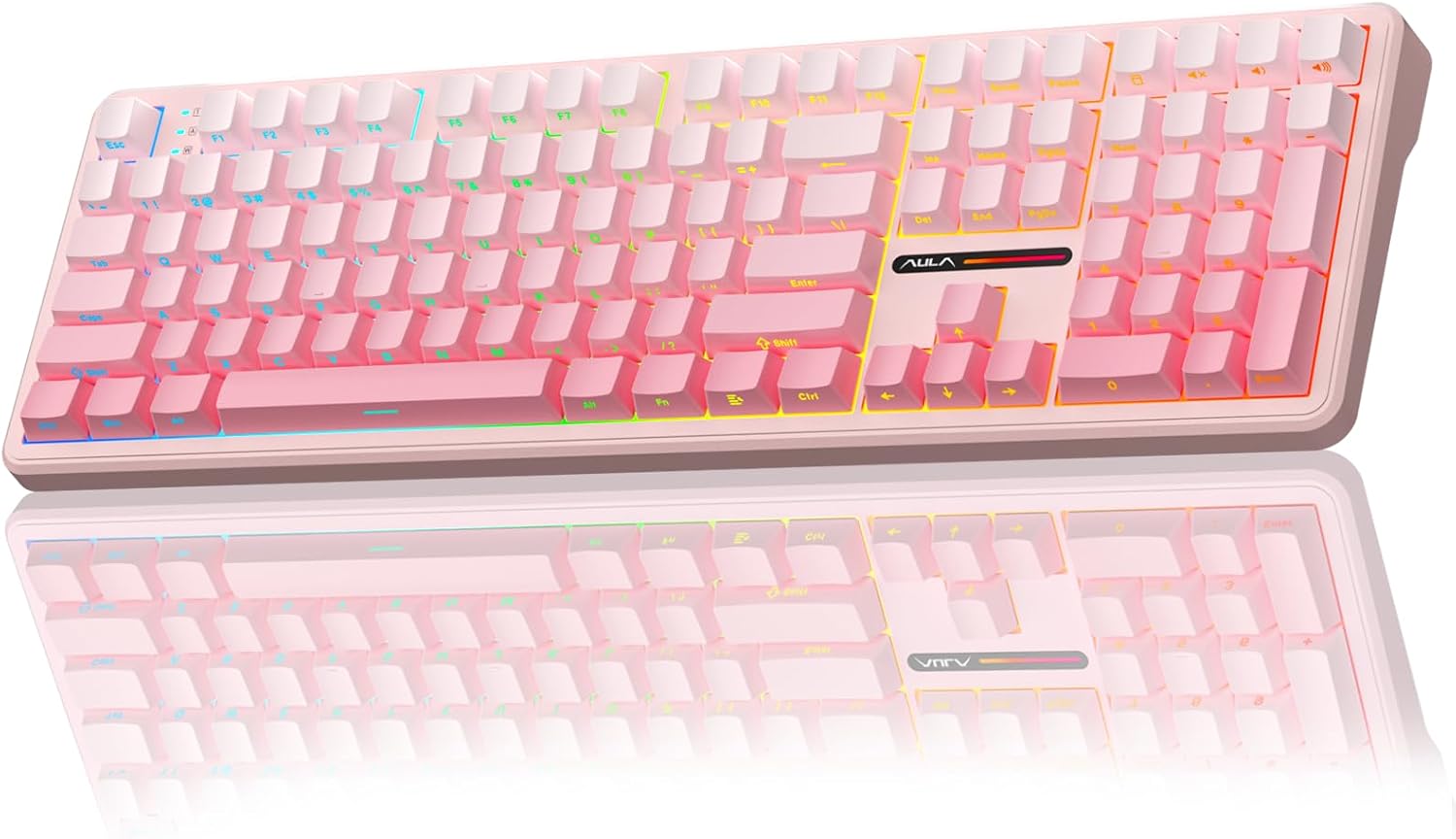
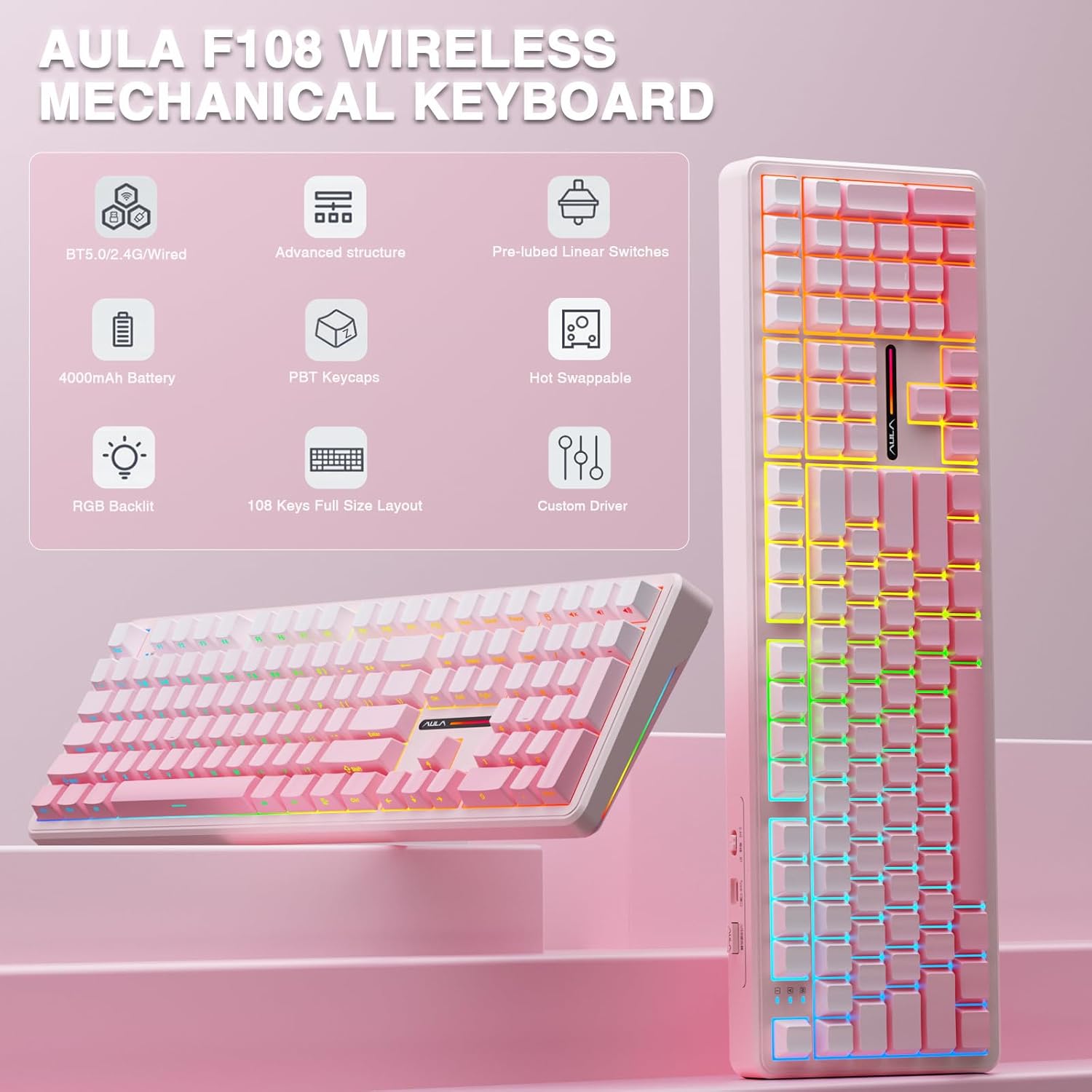
What you’ll notice first is the “full size” layout: 108 keys with an ergonomic keycap height and a two-stage kickstand. The included PBT-style two-colour injection-moulded keycaps are described as oil- and deterioration-resistant, which is a solid durability angle for daily use.
For performance, the selling pitch leans on hot-swap support, pre-lubricated switches for a smoother feel, and a wireless setup that includes a 2.4GHz mode with a stated 1,000Hz polling rate for competitive responsiveness. Add RGB effects and software-based customisation (including macros), and the F108 starts to look like a versatile desk keyboard rather than a single-purpose gaming accessory.
What to know about wireless, switching and software
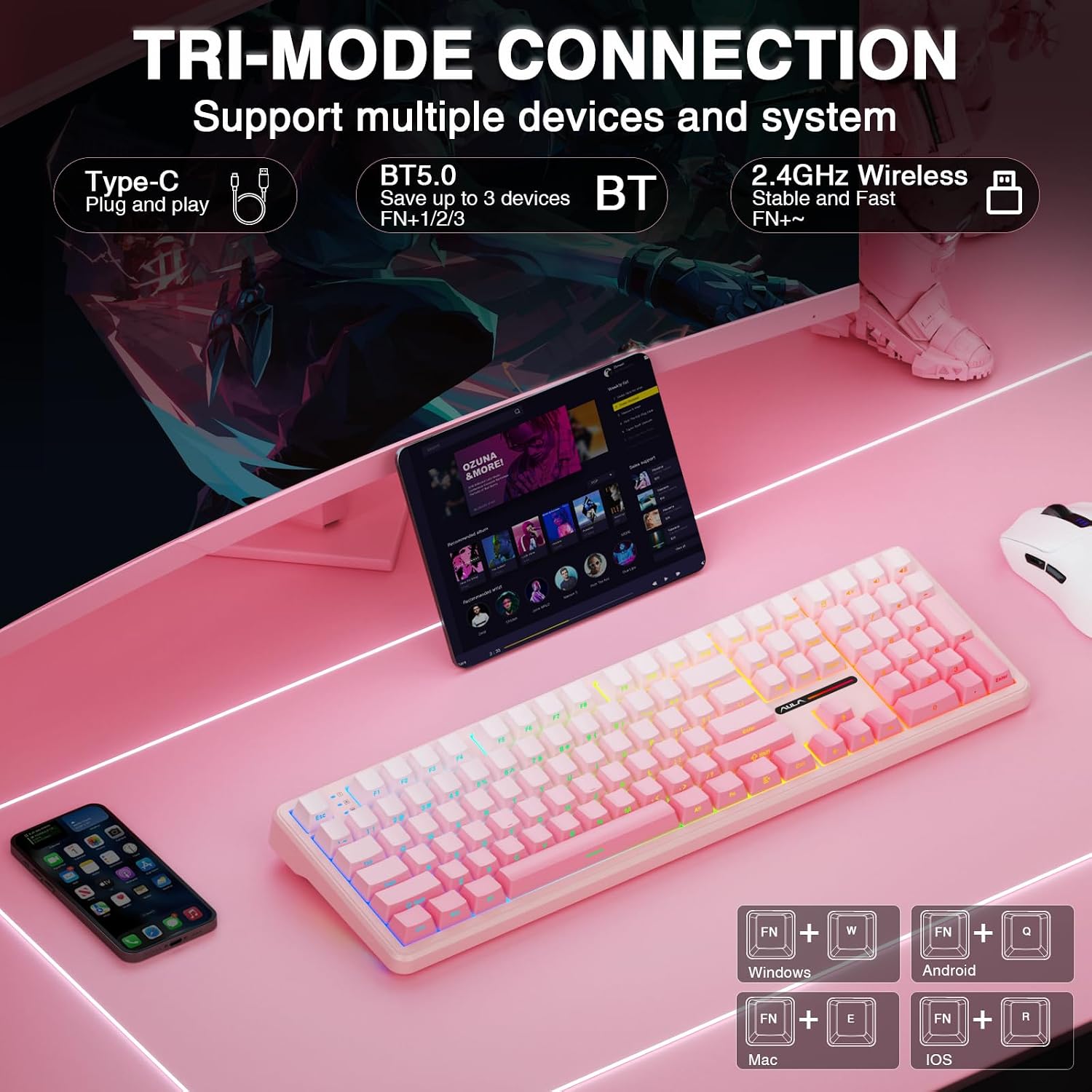
Connection is the headline feature here: the keyboard supports Bluetooth 5.0, 2.4GHz wireless, and Type-C USB wired mode. The Bluetooth multi-function mode is meant for quick switching between devices using shortcut keys or a multifunction control.
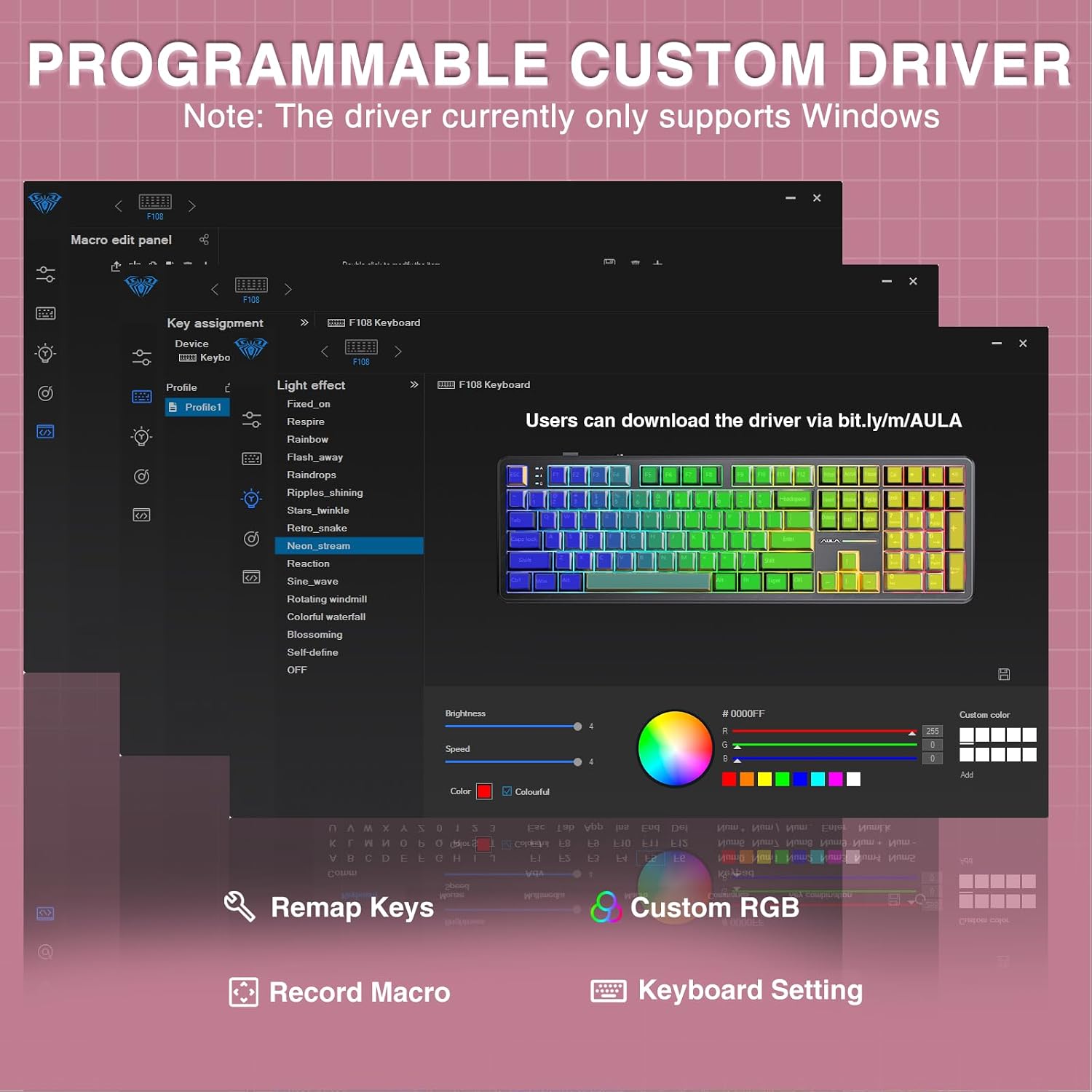
There’s one limitation worth taking seriously: the driver/software is noted as Windows-only. The guidance says to use wired mode for the first time of connection. So if you’re mainly on Mac/Linux, you may find configuration is less straightforward than with a fully cross-platform tool.
Also, the “up to five devices” claim is about the wireless switching concept, but your actual experience will depend on how many devices you regularly juggle and how often you want to switch.
Where the sound difference comes from (and where it might not)
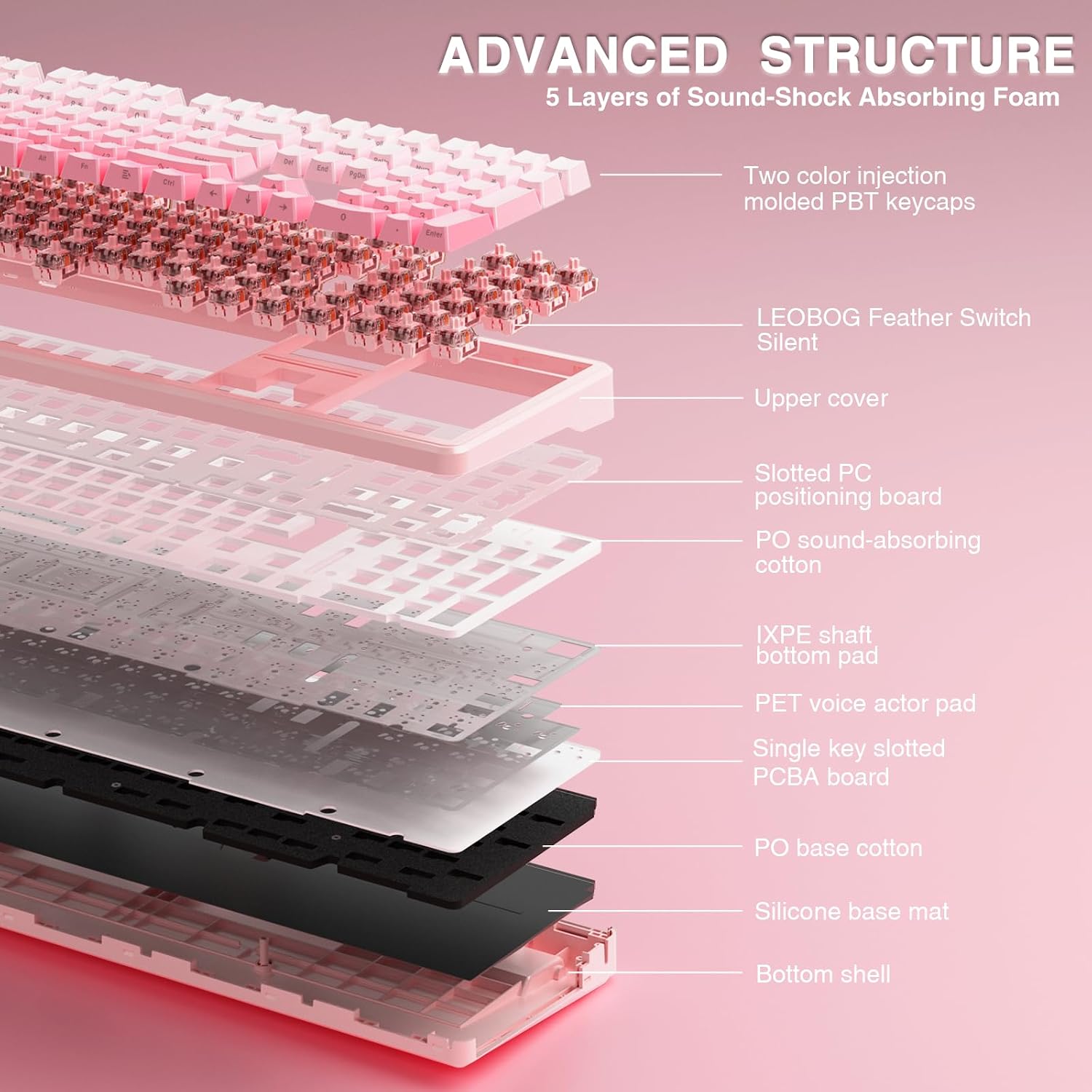
The F108 focuses on reducing the “cavity noise” and the sound of the switch shaft hitting the positioning plate. It uses an extended integrated silicone pad and a five-layer filling/silencer approach between components (PCB, positioning plate and the shaft) to make typing feel softer and more elastic.
In real terms, this kind of design usually helps take the edge off clacky sound—especially compared with simpler, more hollow structures. That said, it’s not magic: if you pick an especially loud switch later, or if you type very hard, you can still hear plenty. This is best thought of as a calmer mechanical experience, not a silent one.
Hot-swappable switches and RGB/macros in practice
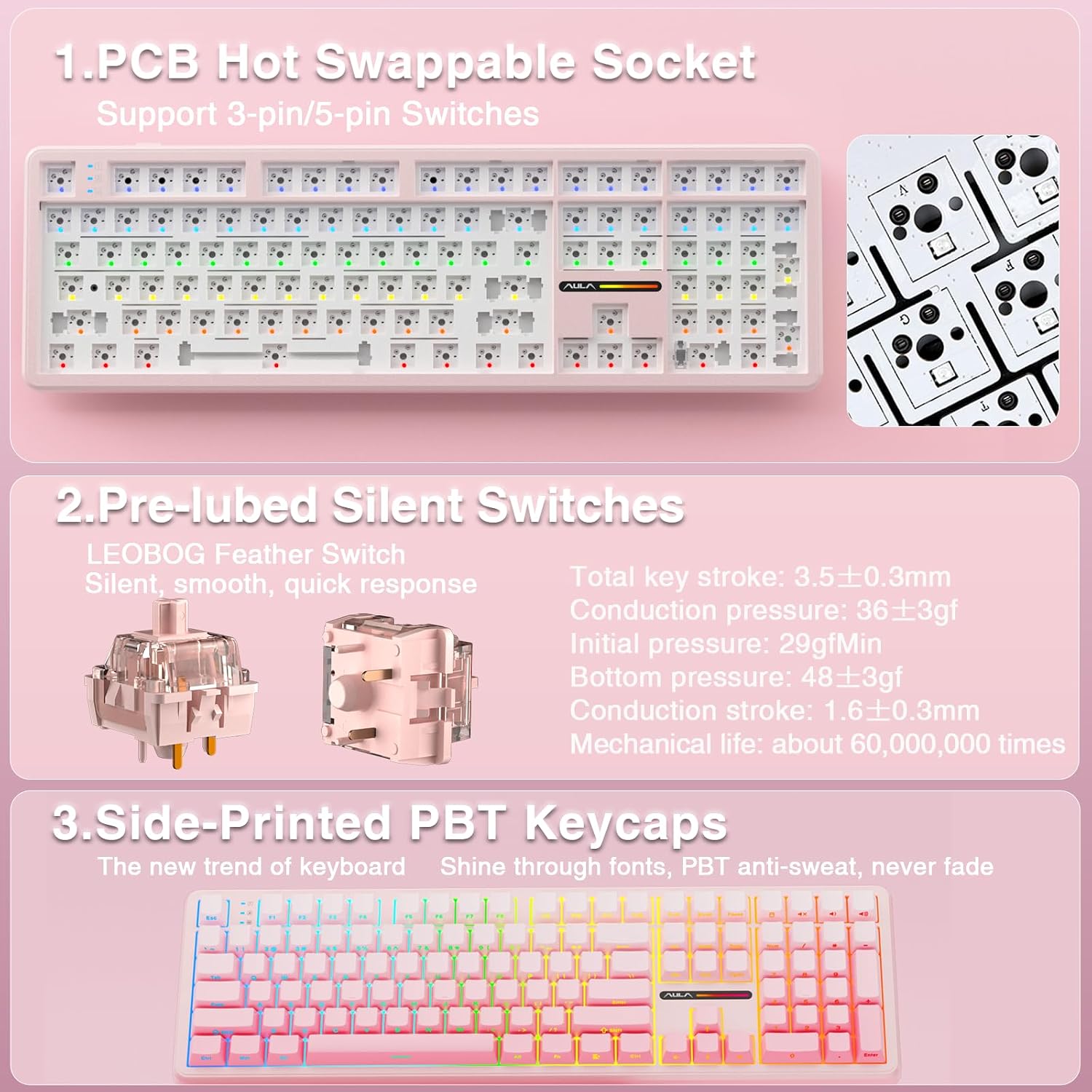
Hot-swappability is a big deal for people who like tinkering. The keyboard includes pre-lubricated switches (for smoother keying and a pleasant sound) and is described as compatible with main 3/5-pin mechanical switch formats via hot-swap—“plug and play”. The idea is that you can test different keystrokes without soldering.
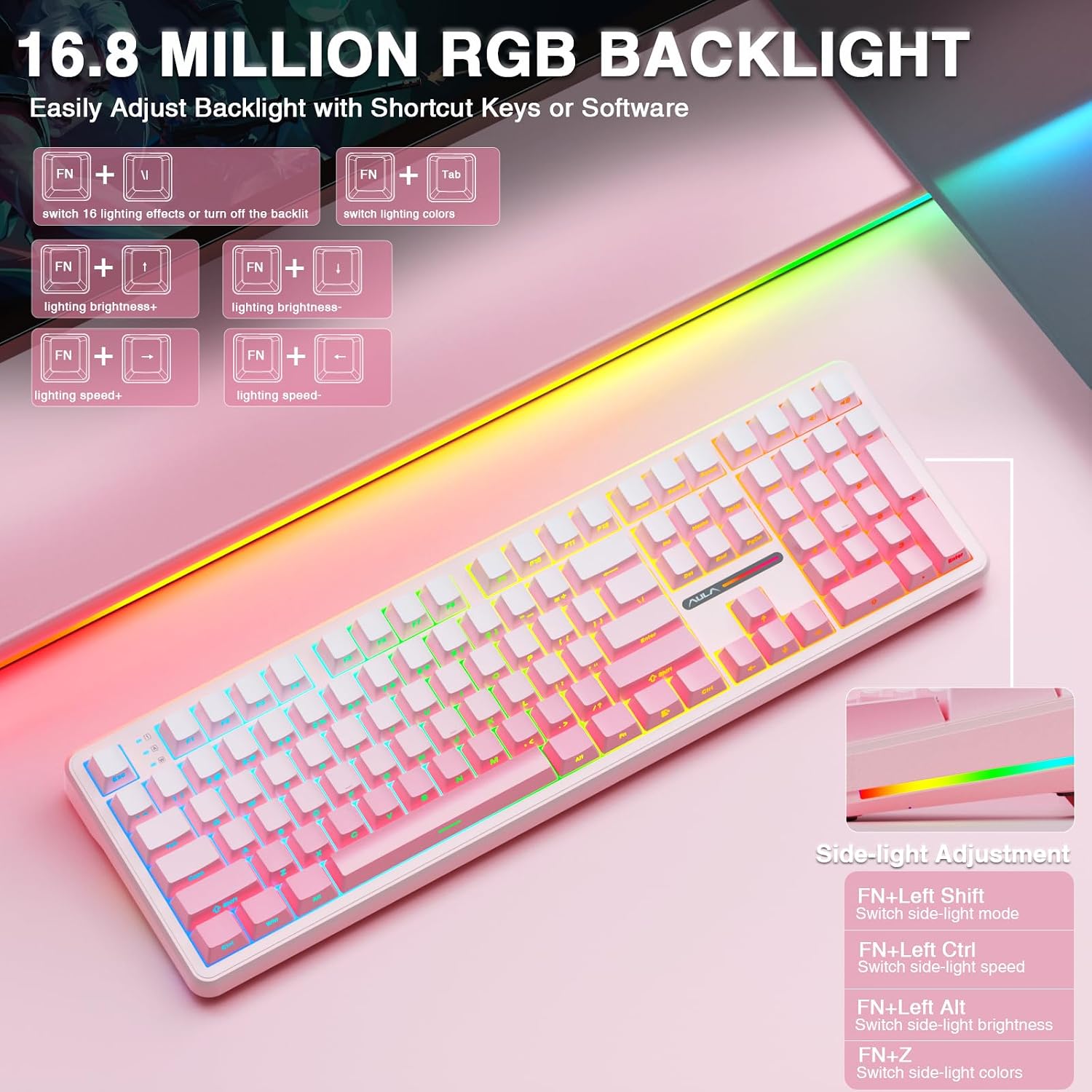
RGB is supported with multiple dynamic effects, monochrome and multi-colour modes, and over 16.8 million colours. Lighting is described as south-facing, and the software can customise RGB modes and colours. The keyboard also supports macro customisation through the software, letting you record and edit macros.
If you’re the type who uses macros for repetitive tasks (or just wants a consistent set of shortcuts in gaming), that’s where the software approach pays off. If you’d rather keep things simple and avoid computer configuration, you might find the RGB and macro angle less compelling.
Tech specs
- Name: AULA F108 Mechanical Keyboard
- Type: Wireless mechanical keyboard (with hot-swappable switches)
- Format: 100% full size (108-key layout)
- Connections: Bluetooth 5.0, 2.4GHz wireless, USB-C wired
- Device switching: intended for up to five devices
- Polling rate: 1,000Hz (2.4GHz mode)
- Structure: gasket structure with extended integrated silicone pad and five layers of filling/silencer
- Lighting: RGB with south-facing lighting
- Switching: hot-swappable, supports mainstream 3/5-pin mechanical switches (plug and play)
- Keycaps: two-colour injection-moulded PBT keycaps (oil and deterioration resistant, as described)
- Note on software: driver only supports Windows, use wired mode for the first time of connection
Buying verdict
This is worth considering if you want a full-size mechanical keyboard that can switch between multiple devices, supports both wireless and wired use, and leans into a quieter typing feel through its gasket-style, multi-layer dampening structure. The hot-swap approach also makes it easier to move between switch feels over time.
It may not be the best choice if you’re mainly planning to configure on non-Windows systems, because the driver is described as Windows-only. It’s also a “value-plus” keyboard rather than a guarantee of ultra-premium silence—its design aims to reduce noise, but it can’t fully remove it.
If you like the idea of using the 2.4GHz mode for responsive gameplay and Bluetooth for day-to-day device switching, the AULA F108’s blend of features makes practical sense. Just make sure you’re comfortable using the Windows software workflow for macros/RGB customisation.
Mini FAQ
Does the keyboard connect wirelessly and via cable?
Yes. It supports Bluetooth 5.0, 2.4GHz wireless, and USB-C wired mode.
Can I remap keys or set macros?
The keyboard supports programmable macros and RGB customisation through its software, but the driver is noted as Windows-only.
Are the switches hot-swappable?
They are. The keyboard is described as hot-swappable with mainstream 3/5-pin mechanical switch formats.
Is the keyboard really “silent”?
It’s designed to reduce cavity noise using an extended silicone pad and five layers of filling/silencer. It should feel softer and quieter than simpler designs, but “silent” may be an overstatement in practice.
Will the RGB work right away?
RGB effects are supported, and colours/modes can be customised through the software. The guidance also mentions using wired mode for the first time of connection.