

TP-Link Powerline Wi‑Fi 6 Extender TL‑WPA7817 KIT (AV1000 Powerline + AX1500 Dual‑Band Wi‑Fi, EasyMesh, Gigabit Port)
Reviews
Price
Product description
What it is and why it exists
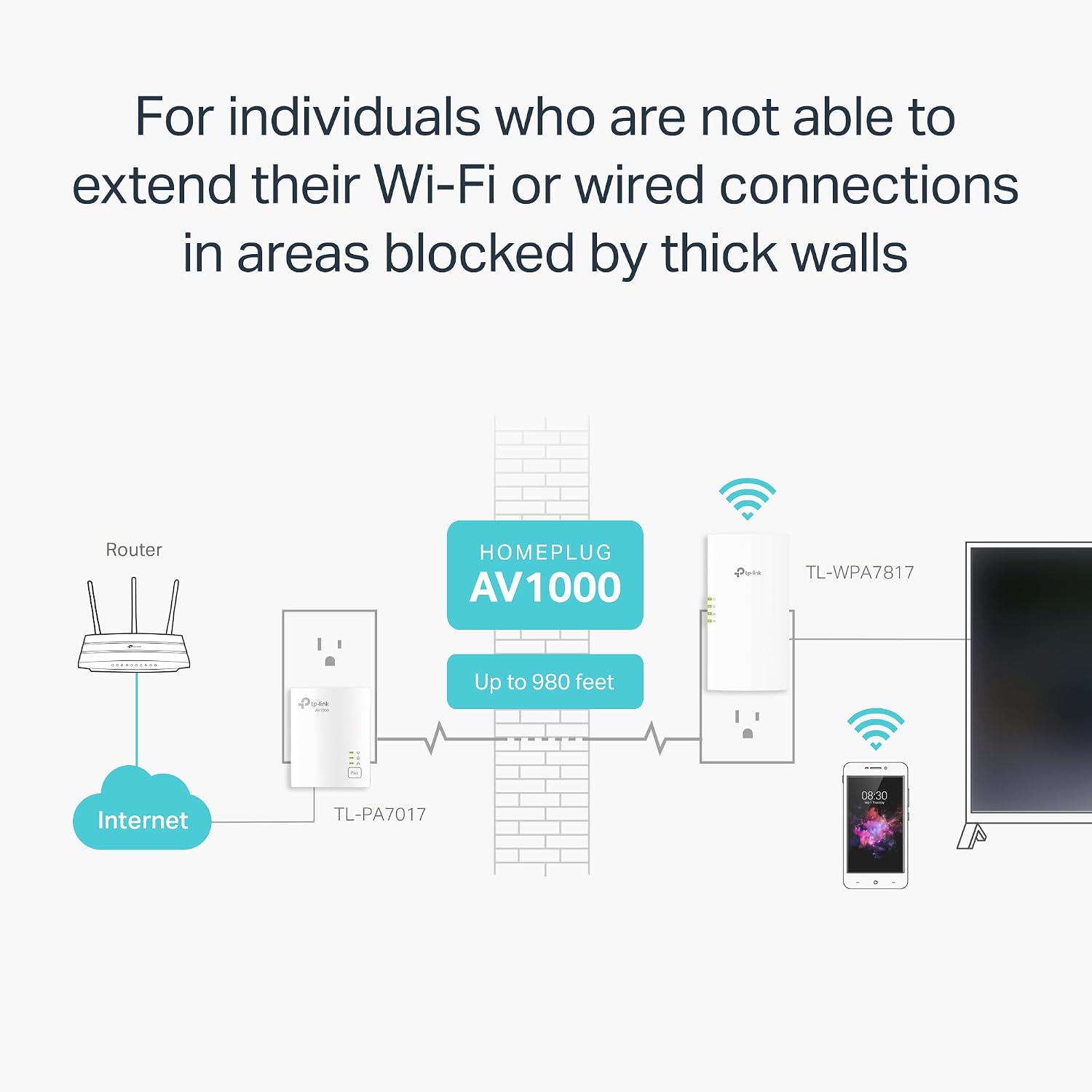
If your Wi‑Fi struggles because walls are doing too good a job, a standard range extender can feel like a disappointment. The TP‑Link Powerline Wi‑Fi 6 Extender TL‑WPA7817 KIT takes a different route: it uses your home’s electrical wiring to carry the connection, then adds dual‑band Wi‑Fi and a gigabit Ethernet port where you need it.
On paper, this is meant for households where both Wi‑Fi reach and wired options matter—especially if some rooms are “blocked off” enough that wireless repeaters don’t really fix the problem. It also aims to make gaming, streaming, and large downloads feel more consistent by pairing powerline connectivity with Wi‑Fi 6 dual‑band performance.
There’s a catch, though. Powerline is not magic. Real-world results depend on your wiring quality and your setup—so it can be a great fit for some homes and underwhelming in others.
Key takeaways (the decision factors)
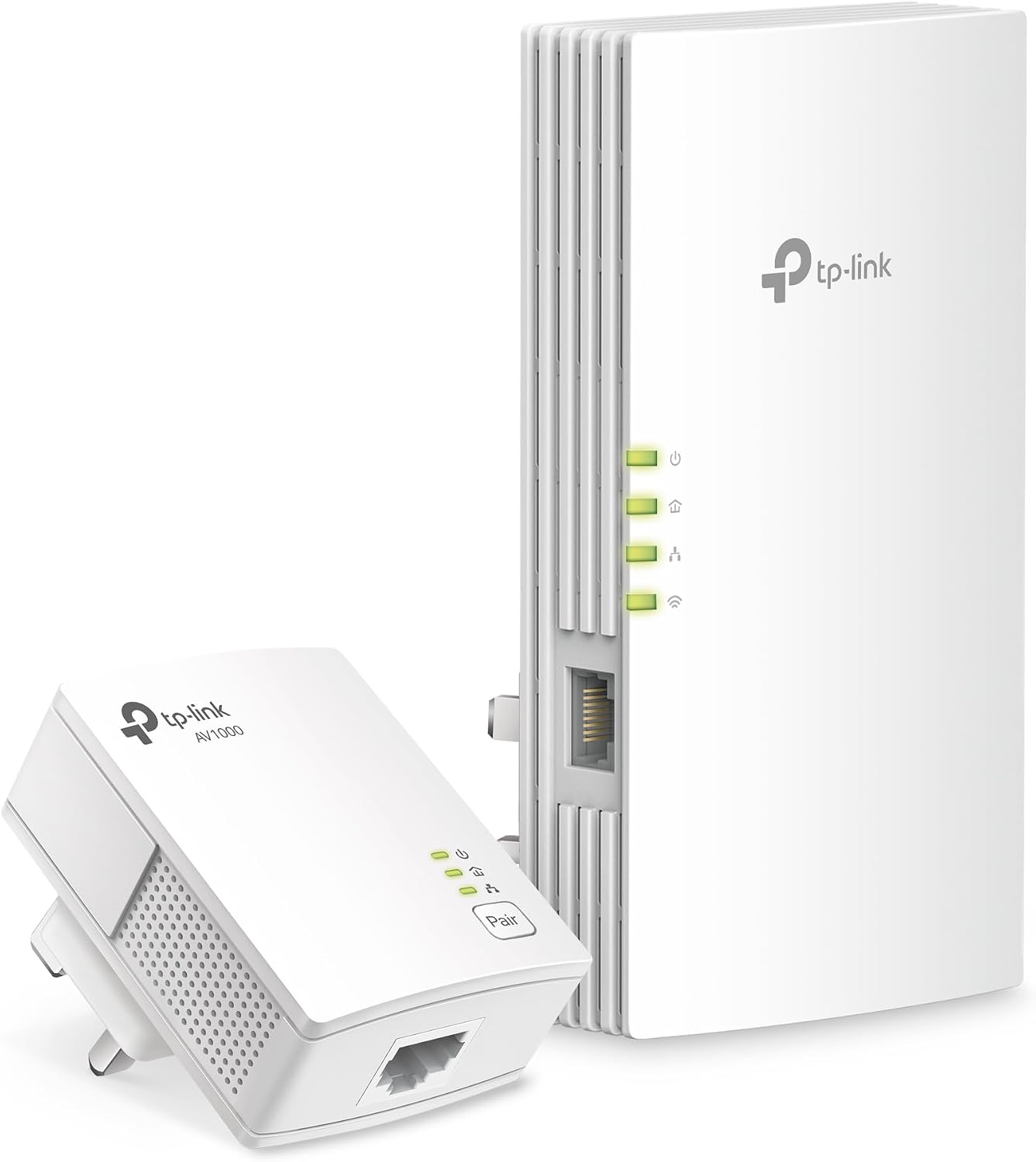
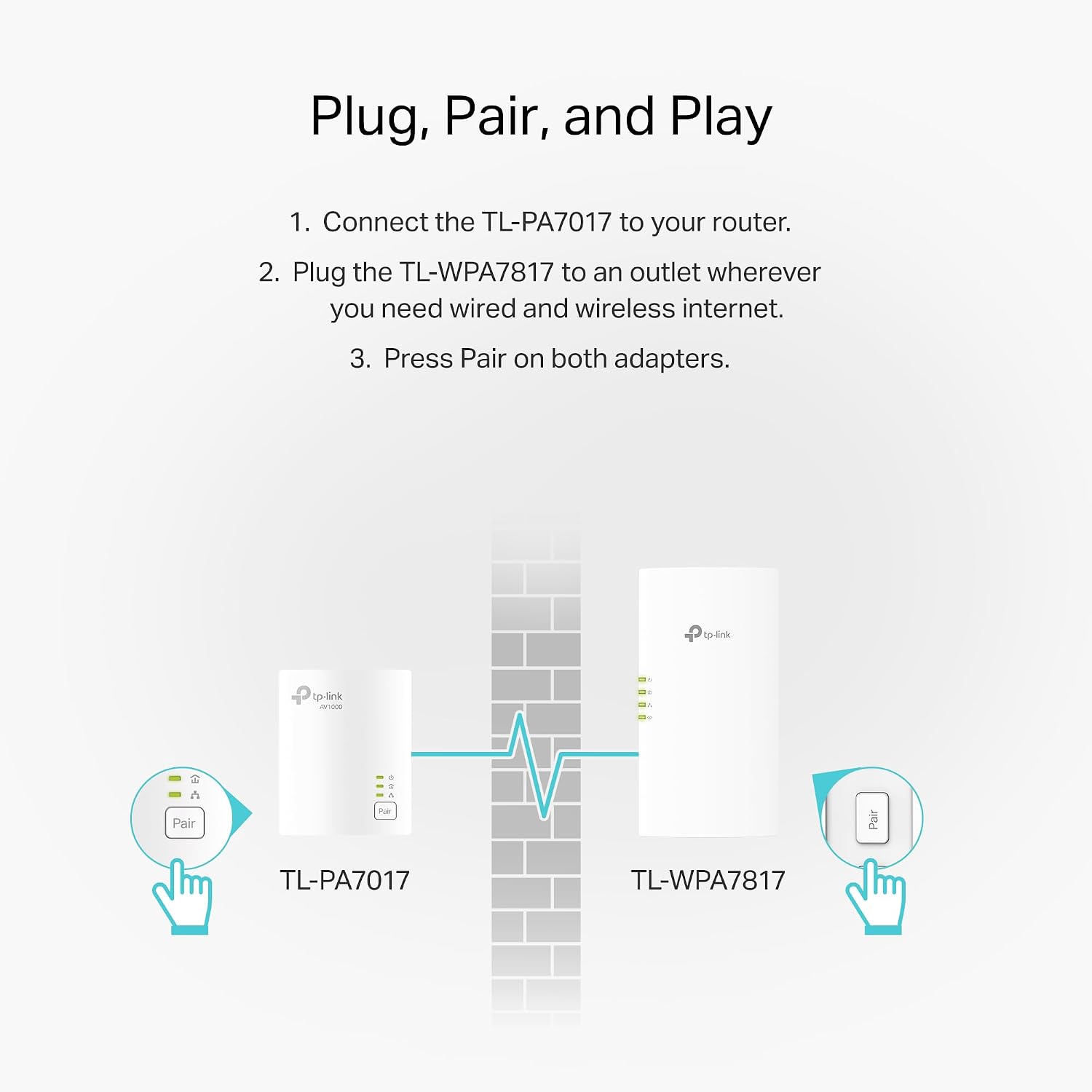
The TL‑WPA7817 KIT includes two adapters and is designed to be used as a pair (or more), since powerline networking needs that “two or more devices” setup. You also generally need both adapters on the same electrical circuit to get connected.
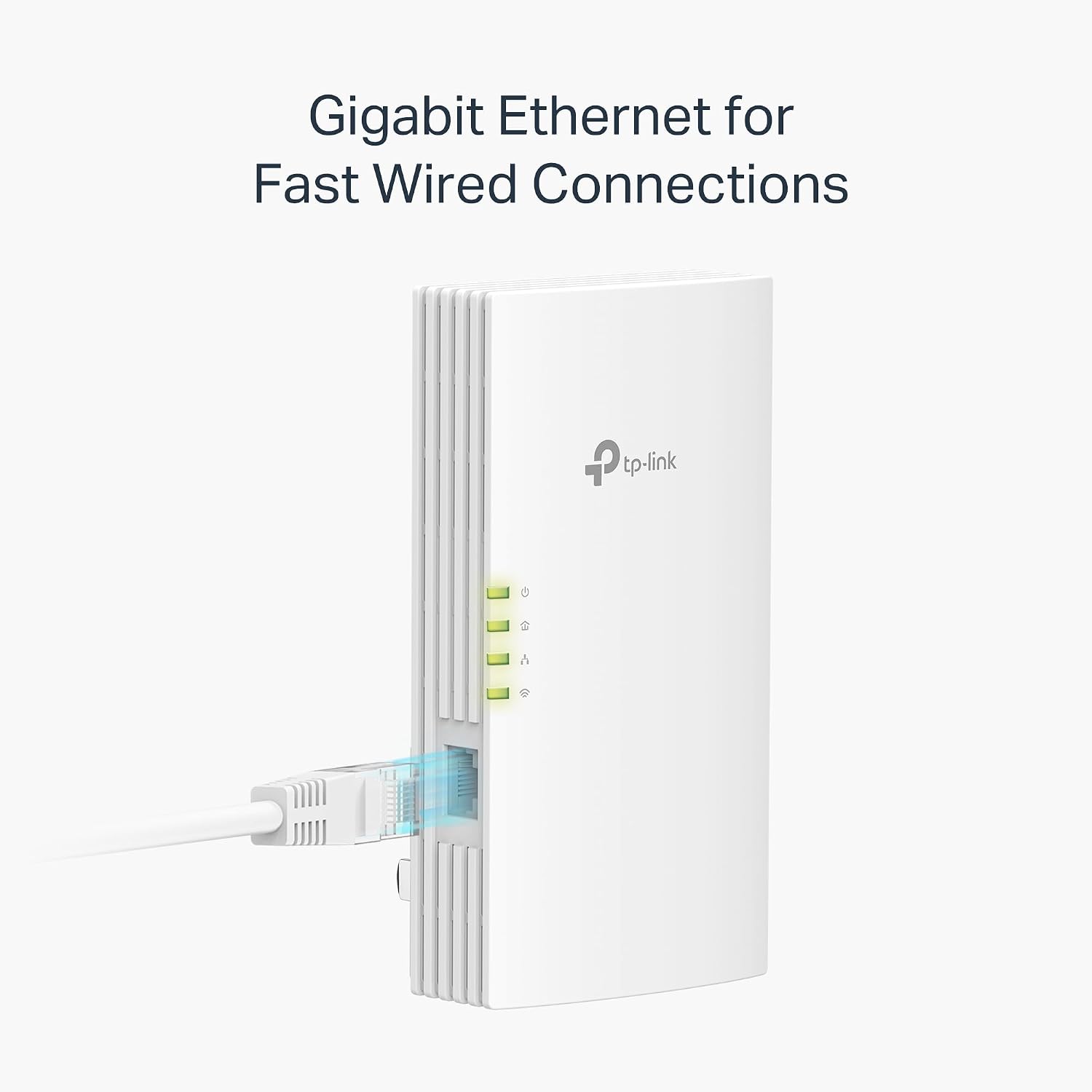
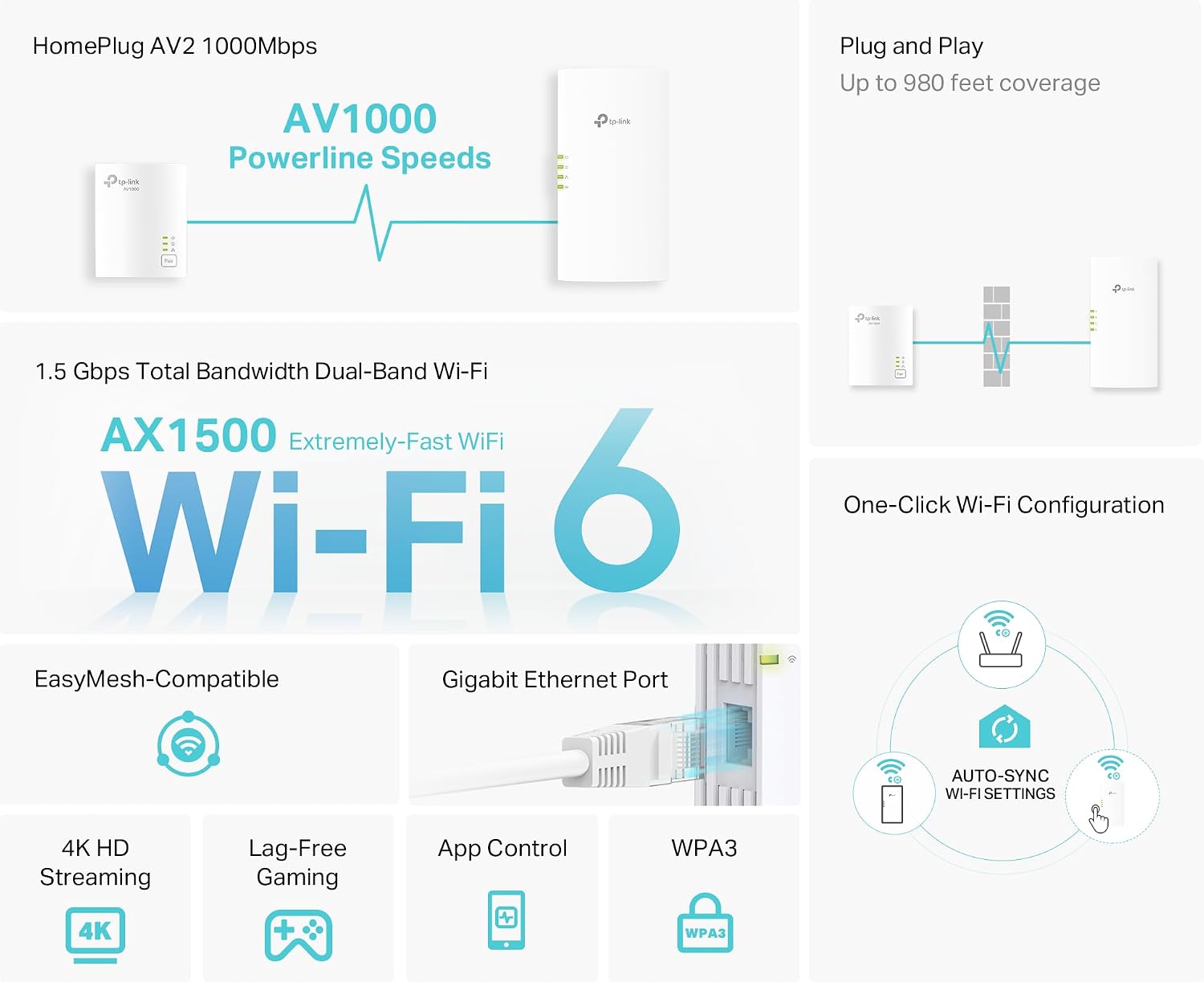
For the Wi‑Fi part, you get dual-band coverage: 5 GHz (up to 1201 Mbps) and 2.4 GHz (up to 300 Mbps). For wired needs, the included gigabit Ethernet port is meant for bandwidth-heavy devices like game consoles and smart TVs.
If you’re building a whole-home mesh, it also supports EasyMesh. That matters if you already have a compatible router/range extender and you want the extender to blend into one consistent network rather than running around with multiple Wi‑Fi names.
One more practical note: the adapters need a direct wall outlet. They’re not meant for use with surge protectors, and compatibility can be limited by the electrical gear you plug them into.
Quick overview of what you get
This is a kit, not a single extender. It’s built around two TP‑Link powerline adapters, where one side can connect your network to the electrical wiring, and the other side provides both wireless and wired connections.
You also get Ethernet cables in the box, plus support resources (TP‑Link mentions “Free Expert Support”). For expanding wired connections beyond a single Ethernet port, the kit can be paired with an Ethernet switch sold separately.
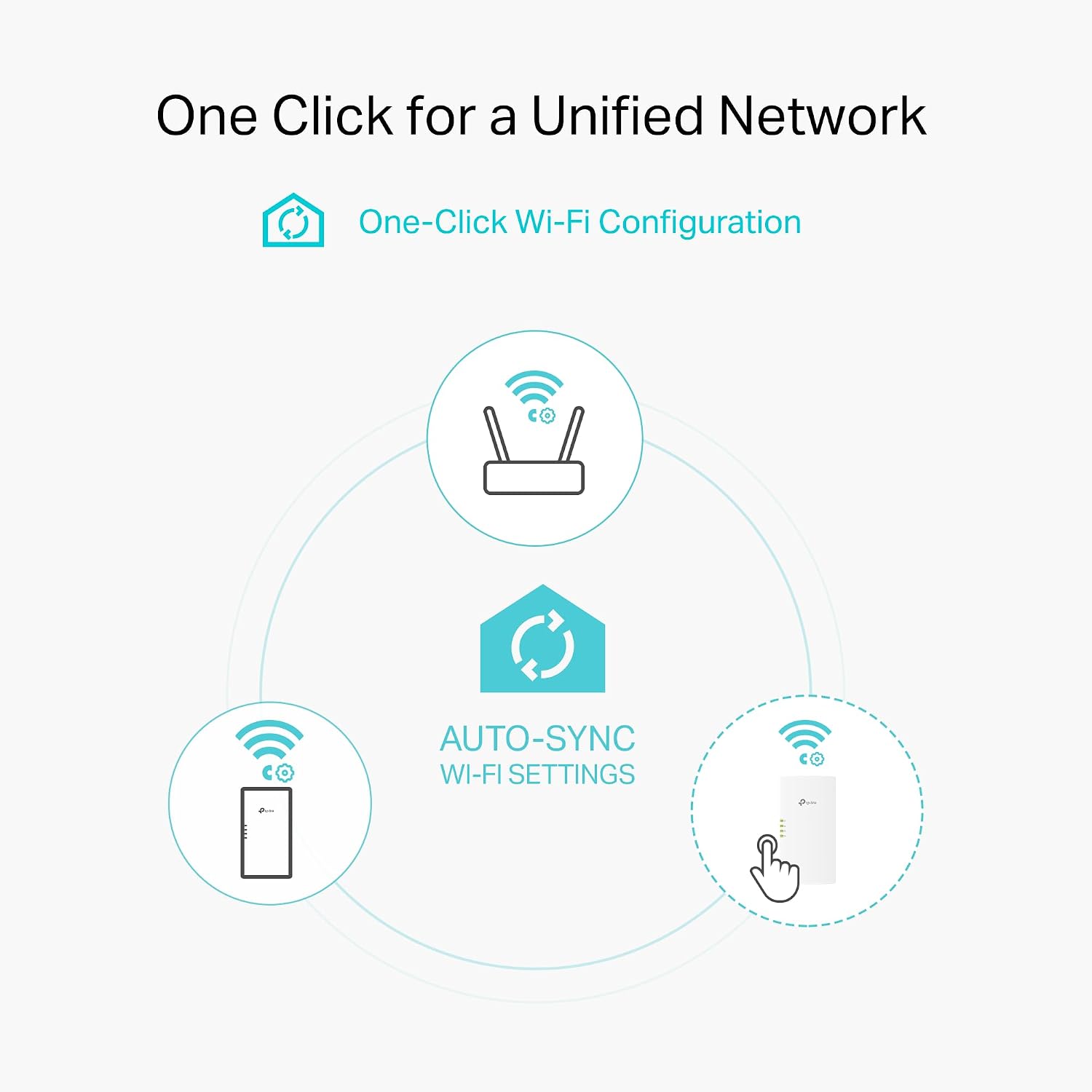
A nice quality-of-life detail is the Wi‑Fi cloning button: it can instantly clone your router’s SSID and password. And configuration settings made on one adapter synchronize automatically across the powerline network.
What stands out in everyday use
For a lot of people, the real win isn’t just “more bars.” It’s getting stable connections in places where Wi‑Fi repeaters often get choppy—like upstairs rooms, home offices tucked behind thick walls, or media rooms far from the router.
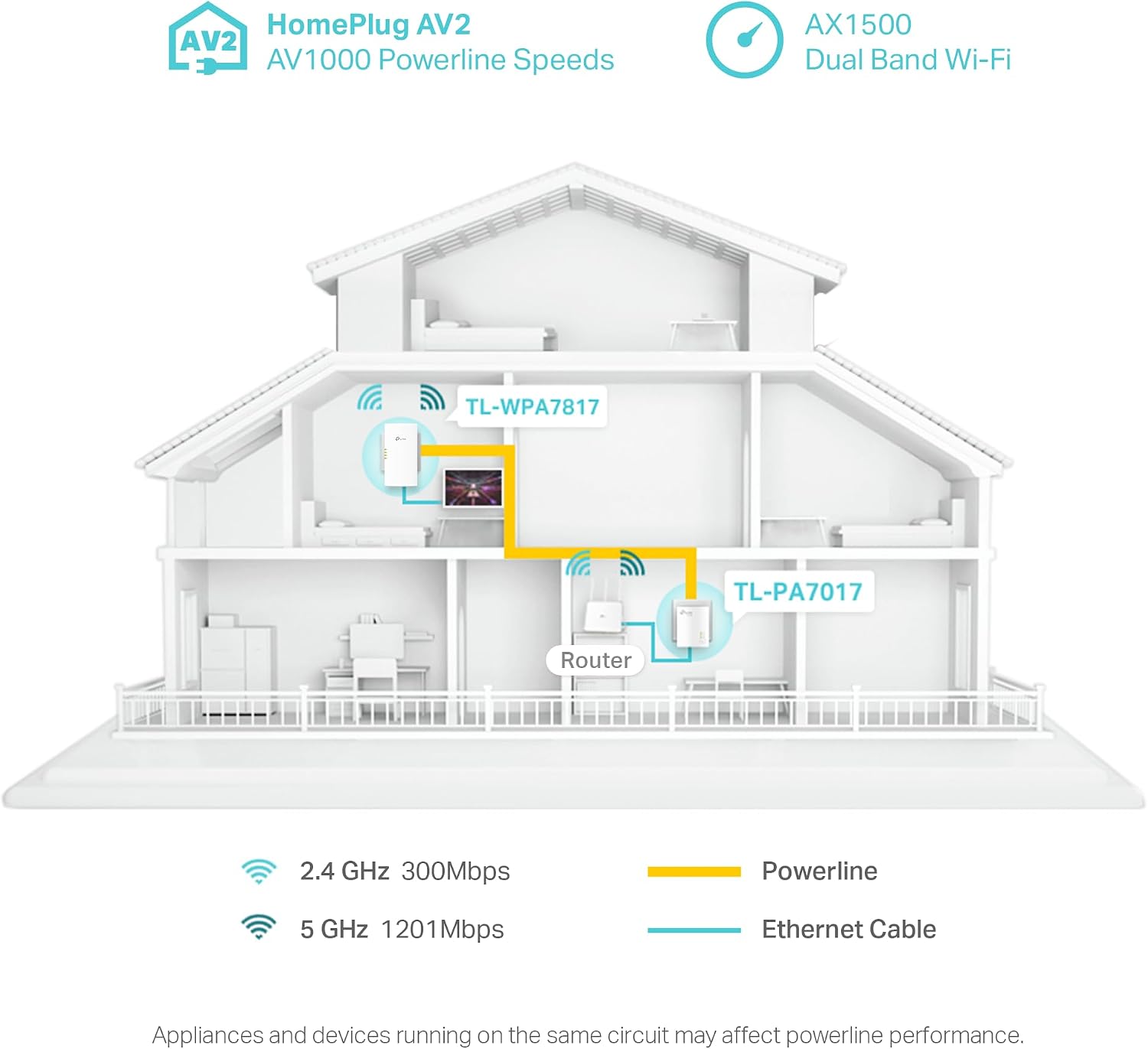
A concrete example: imagine you move your game console from the living room to a bedroom with weak Wi‑Fi. With this setup, you can use the included gigabit Ethernet port to keep the console wired, while the same extender also broadcasts dual-band Wi‑Fi for a phone or streaming device in that room.
Another everyday benefit is mesh behavior. If you pair it with an EasyMesh-compatible router/range extender, you’re aiming for smoother roaming around the home instead of constantly reconnecting or switching networks.
Limitations to keep in mind
Powerline works with the wiring you already have, so it can’t overcome a poor electrical layout. Even if your home is “typical,” speeds can be lower due to factors like cable quality, distance between adapters, electrical conditions, and network interference.
Also, it “should” not be used with surge protectors, and it requires direct outlet access. If your plan is to plug it into a power strip or protected outlet, you may have to rethink that.
Finally, this kit cannot beat the overall limits of your Internet plan. So if your ISP connection is slow, powerline can improve local stability, but it won’t magically increase what your plan allows.
When it makes sense (and when it might not)
It’s a strong consideration if you want to extend connectivity through walls where wireless-only solutions have trouble, and you also want reliable wired options for high-usage devices.
It may not be the best match if your home wiring isn’t great for powerline networking, or if you can’t meet the setup requirements (same circuit, direct outlet). And if your goal is purely to boost Wi‑Fi in one area with minimal setup fuss, you might be happier with a Wi‑Fi solution that doesn’t depend on electrical wiring.
Worth considering if you already have an EasyMesh-compatible router/range extender and you want your Wi‑Fi experience to stay unified across rooms.
Is it worth it?
Buy the TP‑Link TL‑WPA7817 KIT if you need both wireless and wired connectivity in rooms where walls block Wi‑Fi range, and you can place the included adapters on the same electrical circuit with direct outlet access. The AV1000 powerline concept paired with dual-band Wi‑Fi 6, EasyMesh support, and Wi‑Fi cloning is a practical combination for homes that want fewer connection headaches.
Skip it if you’re likely to rely on surge protectors, can’t put both adapters on the same circuit, or you already know your electrical setup tends to deliver inconsistent powerline performance. In those cases, you may end up paying for a solution that doesn’t deliver the speeds you hoped for.
If you’re deciding between approaches, think of this as “use the electrical wiring you have, then add Wi‑Fi and Ethernet where it lands.” It’s a solid bet when that strategy fits your house.
FAQ
FAQs
Does the kit work as a single unit?
No. Powerline networking needs a multi-adapter setup, the TL‑WPA7817 is designed for use in games of two or more adapters.
Does it replace my router?
No. The kit is meant to extend connectivity from a router or compatible range extender, including EasyMesh scenarios.
Can I use it with surge protectors?
Not as intended. The product notes that it does not work with surge protectors, and it requires direct outlet access.
Will it make my Internet faster than my plan?
It can’t exceed the limit of your Internet plan. You may still see improved performance locally (stability/throughput where coverage was weak), but it won’t override ISP speed limits.
How does EasyMesh help?
With EasyMesh support, the kit can connect to a compatible router/range extender to help create a more seamless mesh experience across the home.