

Download app on Google Play


Imagen de TP-Link BE6300 Wi‑Fi 7 Range Extender 6.3 Gbps 📶 en OfertitasTOP
New offer
Thumbnail principal de TP-Link BE6300 Wi‑Fi 7 Range Extender 6.3 Gbps 📶
Thumbnail 1 de TP-Link BE6300 Wi‑Fi 7 Range Extender 6.3 Gbps 📶
Thumbnail 2 de TP-Link BE6300 Wi‑Fi 7 Range Extender 6.3 Gbps 📶
Thumbnail 3 de TP-Link BE6300 Wi‑Fi 7 Range Extender 6.3 Gbps 📶
Thumbnail 4 de TP-Link BE6300 Wi‑Fi 7 Range Extender 6.3 Gbps 📶
Thumbnail 5 de TP-Link BE6300 Wi‑Fi 7 Range Extender 6.3 Gbps 📶
Thumbnail 6 de TP-Link BE6300 Wi‑Fi 7 Range Extender 6.3 Gbps 📶

TP-Link BE6300 Wi‑Fi 7 Range Extender 6.3 Gbps 📶

amazon US
Brand: TP-Link
P/N: RE403BE
Reviews
4,3
+1.533

Reviews

4,3
+1.533 reviews

Price

$149.99$119.98-20%
View in store
amazon US
Price evolution · Historical minimum: $119.99

Product description

This dual-band Wi‑Fi 7 range extender brings stronger home coverage and faster links to compatible networks, expanding reach for streaming, gaming, and many connected devices. It enhances a router’s 2.4 GHz and 5 GHz performance with multi-link operation and advanced wireless features, making it useful when you need better signal in rooms up to about 2,800 square feet.

Key Points
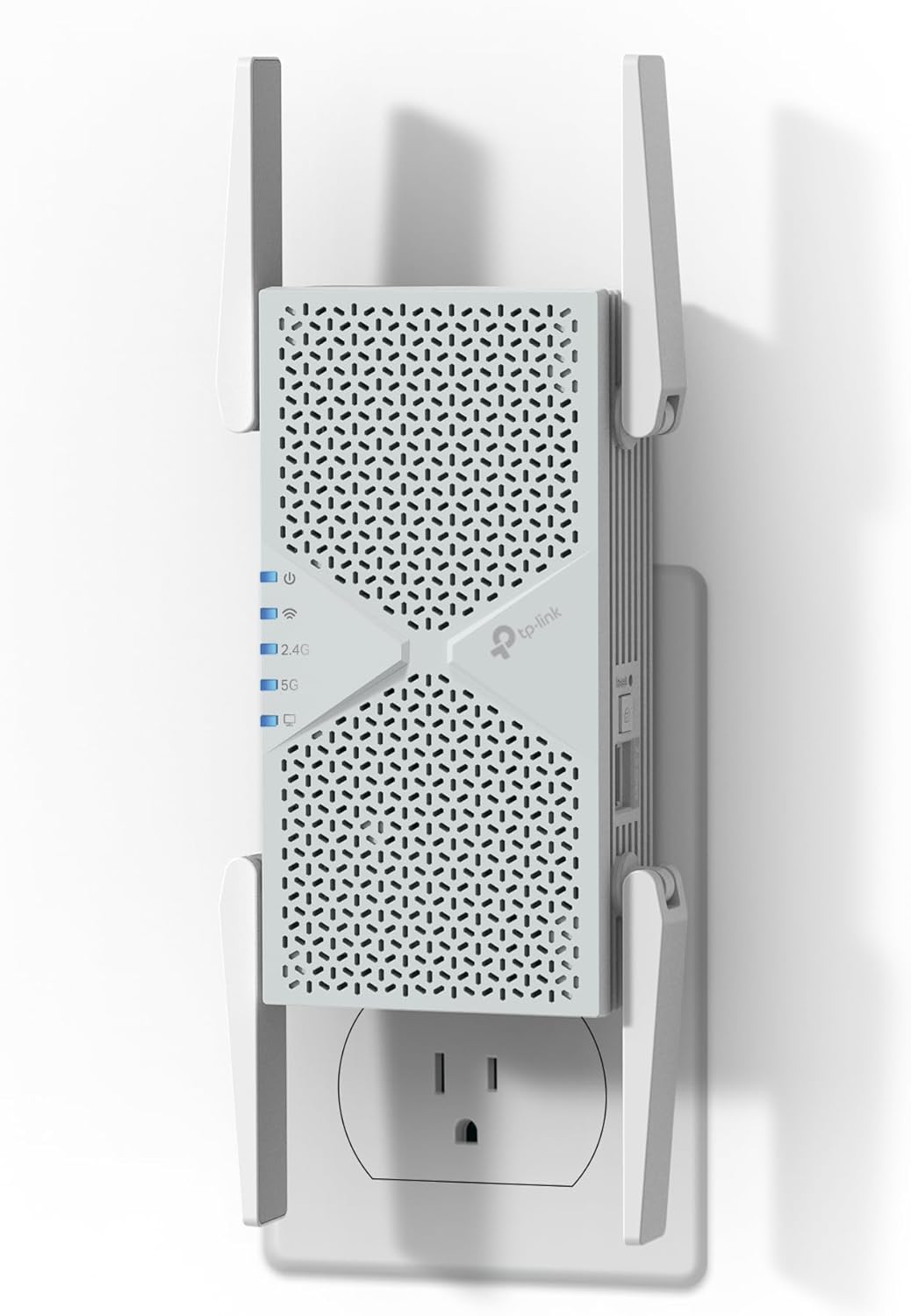
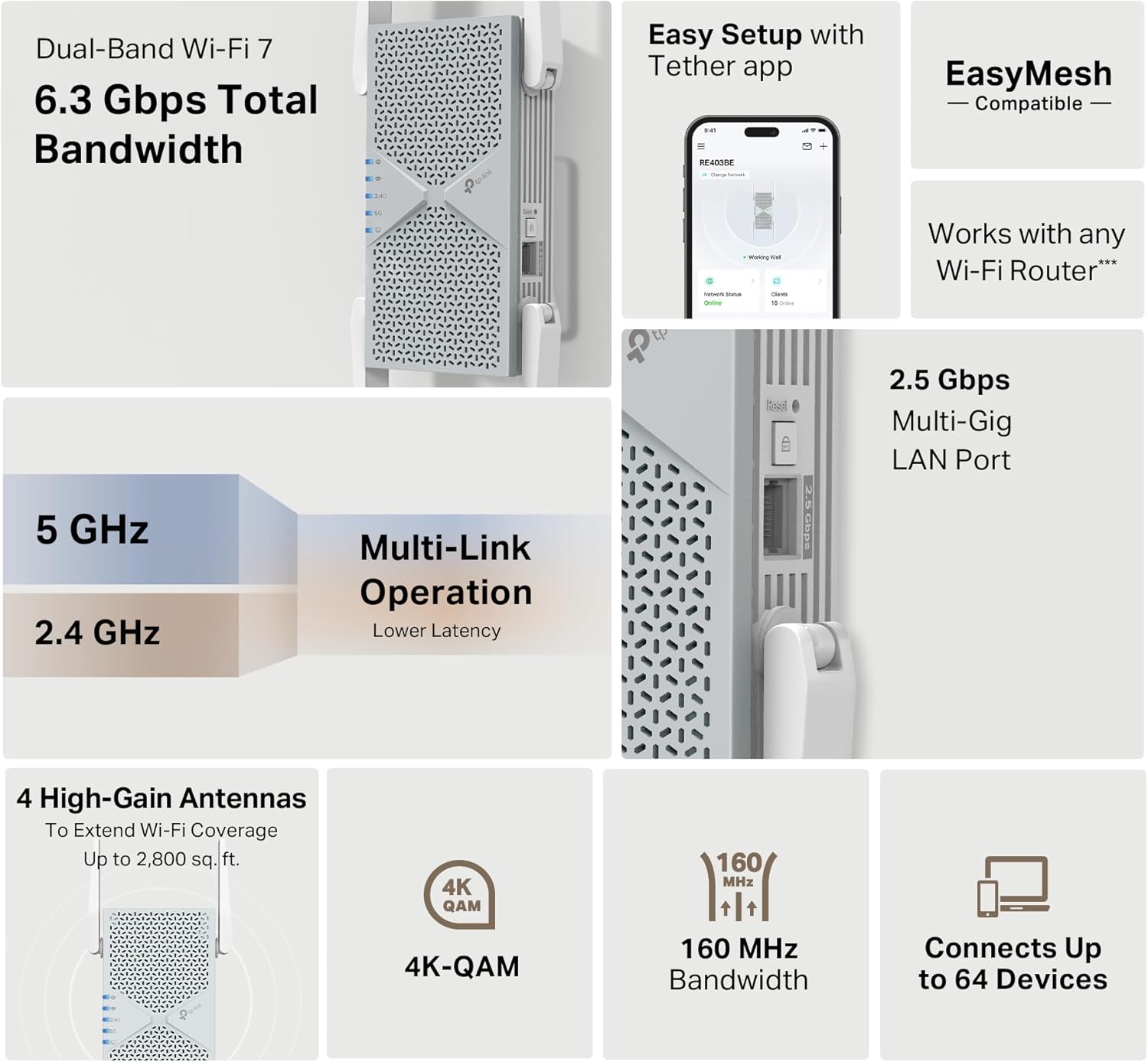
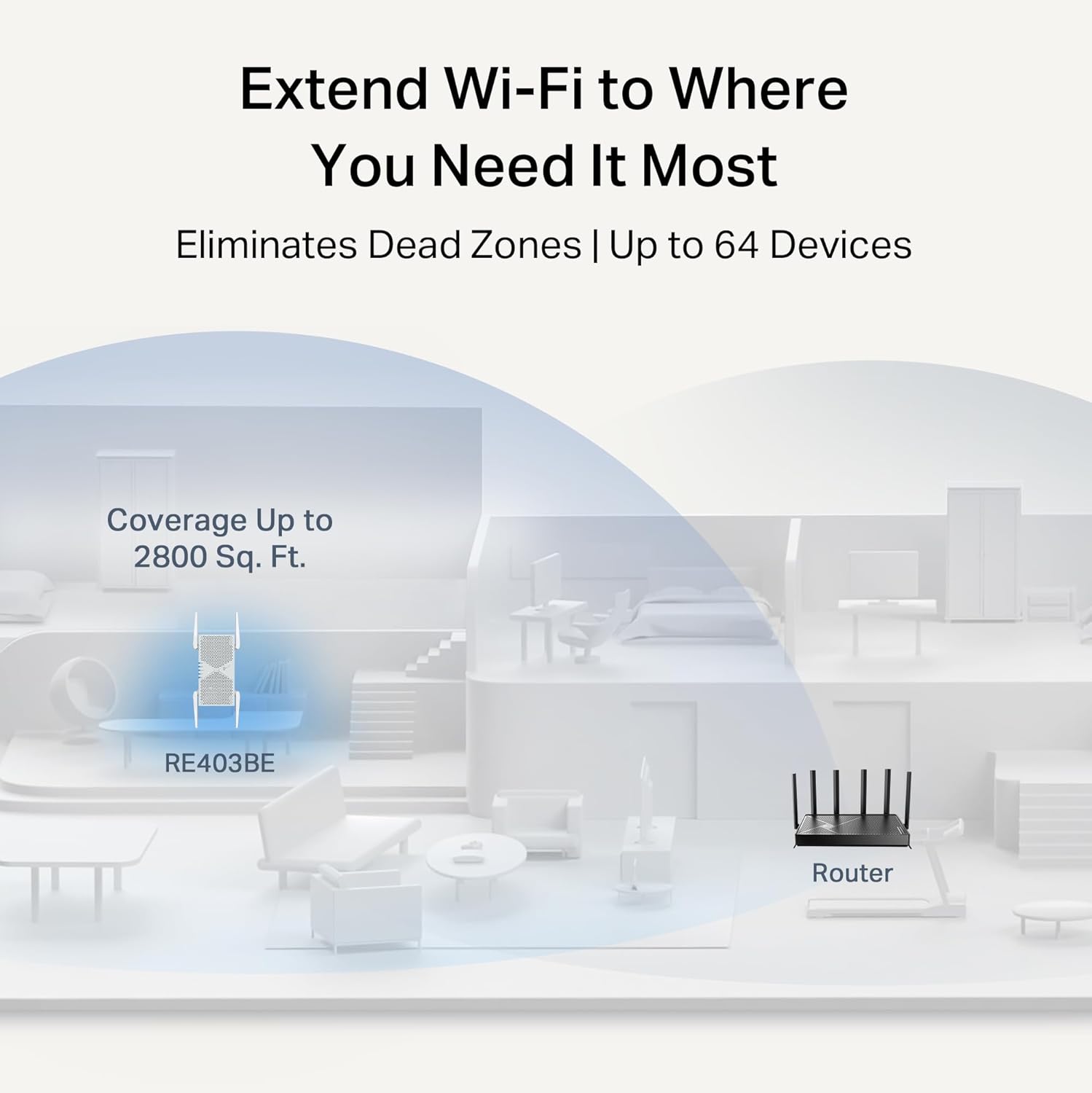
The extender supports multi-link operation (MLO), Multi-RU, 160 MHz channels and 4K‑QAM according to the manufacturer, which helps reduce latency and improve throughput when paired with a Wi‑Fi 7 router. Four strategically placed antennas and beamforming aim to increase signal strength and reliability across the home, reducing dead zones for up to 64 devices. An integrated 2.5 Gbps LAN port allows for high-bandwidth wired connections for a smart TV, game console, or access point, and the unit can work within EasyMesh setups for simpler whole-home expansion. Note that this model does not include a 6 GHz band and operates on the 2.4 GHz and 5 GHz bands only.
Technical Specifications

  • Name: TP‑Link BE6300 RE403BE
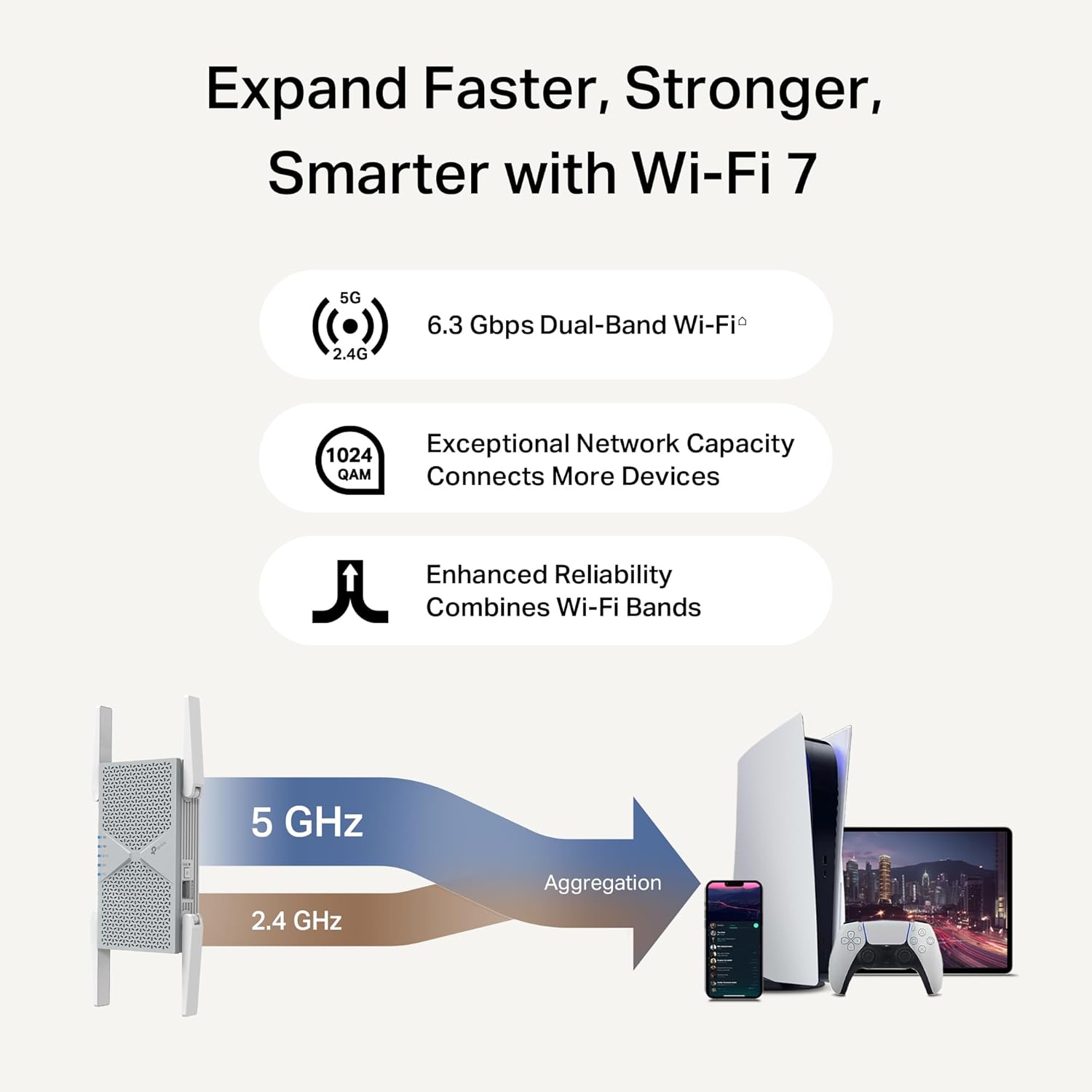
  • Dual-band combined rate: 6.3 Gbps (up to 5764 Mbps on 5 GHz, up to 574 Mbps on 2.4 GHz)
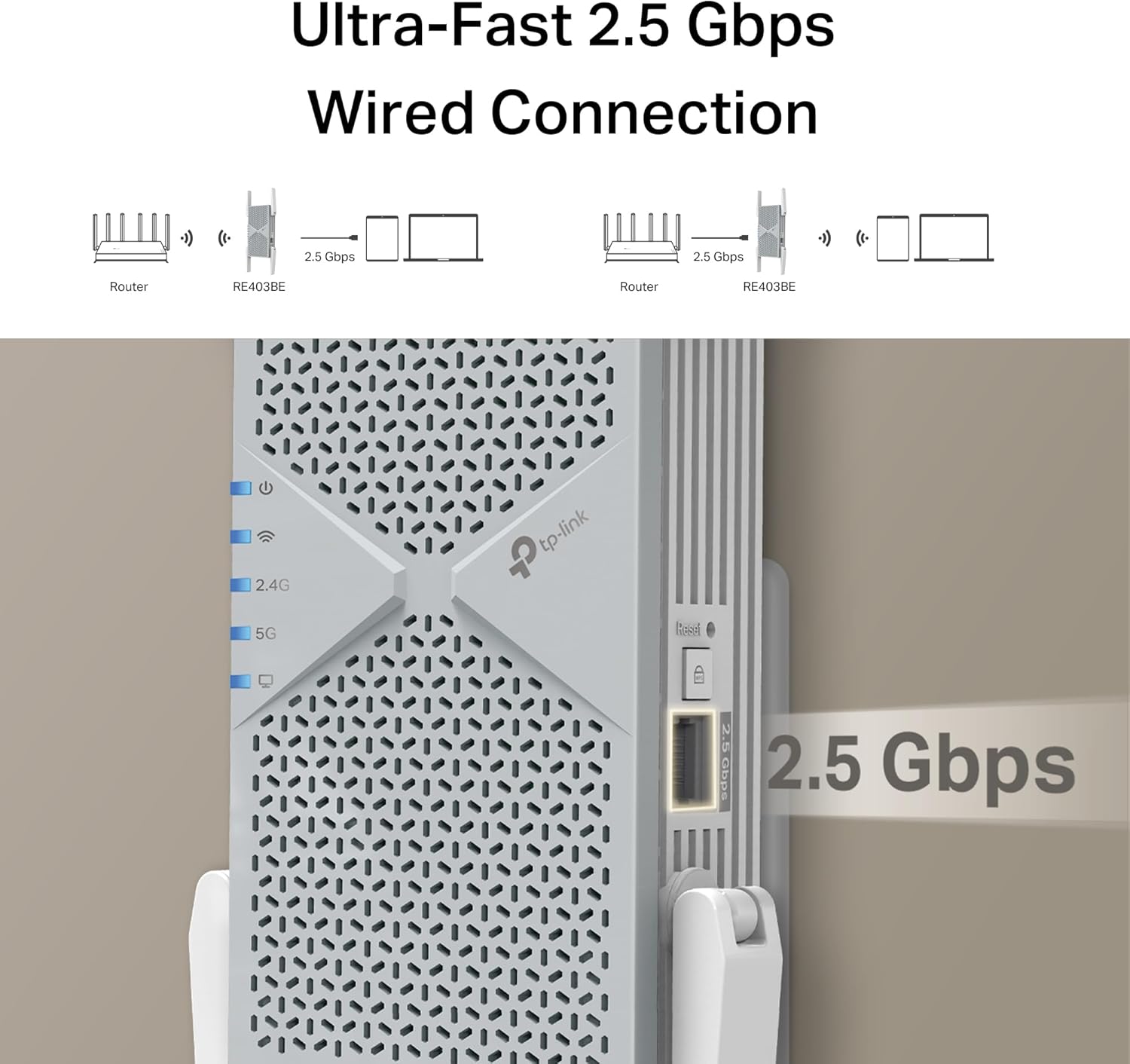
  • Wired port: - 2.5 Gbps LAN
  • Device capacity: - Up to 64 devices
  • Coverage estimate: - Up to 2,800 sq. ft

Benefits
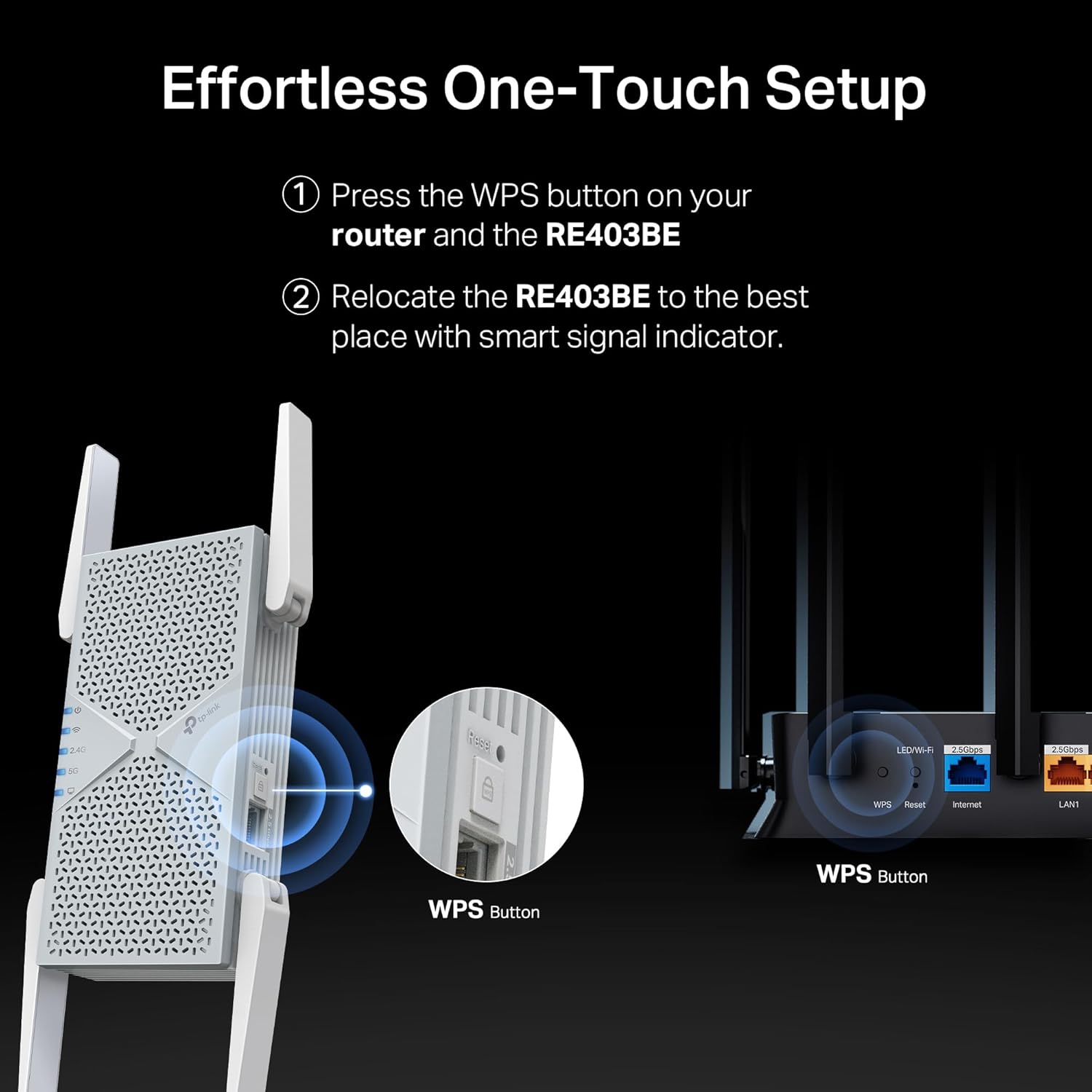
Improved streaming performance is a key advantage, with support for high-resolution 4K and 8K video workflows and lower latency experiences for AR and VR applications on compatible hardware. The 2.5 Gbps port supports faster wired transfers and can pair with gig+ modems to better utilize high-speed internet plans. Setup and management through the TP‑Link Tether app are intended to simplify configuration, security and placement, and a smart signal indicator helps find an optimal spot for the extender. Security design follows the vendor’s stated commitments and includes manufacturer-specified protections aligned with current guidance from U.S. infrastructure security authorities.

How to Use It

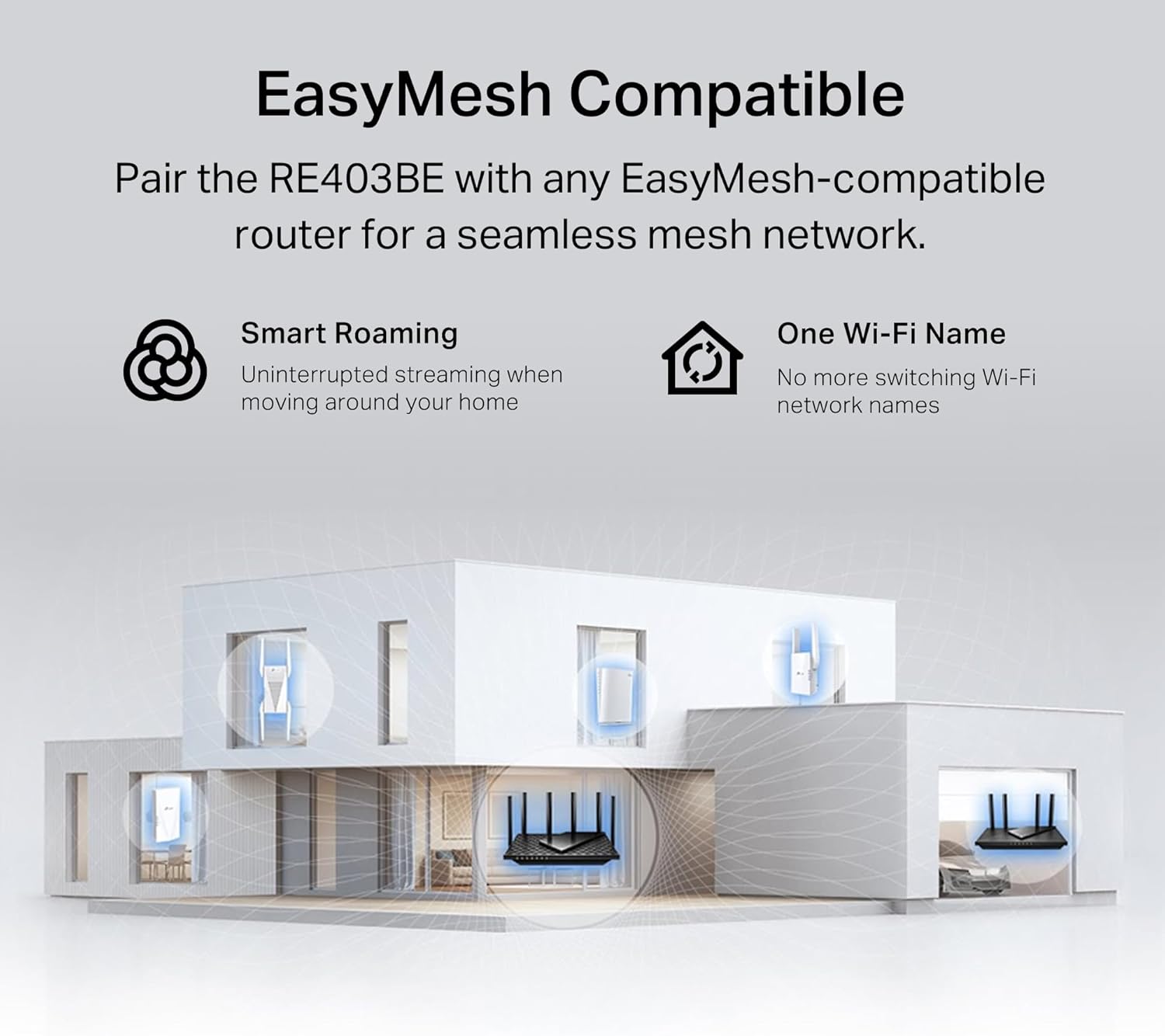
Place the unit where the existing router’s signal is still strong enough to be repeated effectively, then connect it to your Wi‑Fi 7 router or other compatible access point and follow the Tether app steps to join the network. For multi-room coverage, add the extender into an EasyMesh network to centralize management and avoid separate SSID confusion. Consider using the 2.5 Gbps LAN port for bandwidth-hungry devices to reduce wireless contention. Keep in mind that range extenders amplify coverage rather than directly increasing a router’s native wireless speed, and real-world throughput will depend on router pairing, device capability and home layout.

View in store

Price evolution

Historical minimum: $119.99

Description:

This dual-band Wi‑Fi 7 range extender brings stronger home coverage and faster links to compatible networks, expanding reach for streaming, gaming, and many connected devices. It enhances a router’s 2.4 GHz and 5 GHz performance with multi-link operation and advanced wireless features, making it useful when you need better signal in rooms up to about 2,800 square feet.

Key Points

The extender supports multi-link operation (MLO), Multi-RU, 160 MHz channels and 4K‑QAM according to the manufacturer, which helps reduce latency and improve throughput when paired with a Wi‑Fi 7 router. Four strategically placed antennas and beamforming aim to increase signal strength and reliability across the home, reducing dead zones for up to 64 devices. An integrated 2.5 Gbps LAN port allows for high-bandwidth wired connections for a smart TV, game console, or access point, and the unit can work within EasyMesh setups for simpler whole-home expansion. Note that this model does not include a 6 GHz band and operates on the 2.4 GHz and 5 GHz bands only.

Technical Specifications

  • Name: TP‑Link BE6300 RE403BE
  • Dual-band combined rate: 6.3 Gbps (up to 5764 Mbps on 5 GHz, up to 574 Mbps on 2.4 GHz)
  • Wired port: - 2.5 Gbps LAN
  • Device capacity: - Up to 64 devices
  • Coverage estimate: - Up to 2,800 sq. ft

Benefits
Improved streaming performance is a key advantage, with support for high-resolution 4K and 8K video workflows and lower latency experiences for AR and VR applications on compatible hardware. The 2.5 Gbps port supports faster wired transfers and can pair with gig+ modems to better utilize high-speed internet plans. Setup and management through the TP‑Link Tether app are intended to simplify configuration, security and placement, and a smart signal indicator helps find an optimal spot for the extender. Security design follows the vendor’s stated commitments and includes manufacturer-specified protections aligned with current guidance from U.S. infrastructure security authorities.

How to Use It

Place the unit where the existing router’s signal is still strong enough to be repeated effectively, then connect it to your Wi‑Fi 7 router or other compatible access point and follow the Tether app steps to join the network. For multi-room coverage, add the extender into an EasyMesh network to centralize management and avoid separate SSID confusion. Consider using the 2.5 Gbps LAN port for bandwidth-hungry devices to reduce wireless contention. Keep in mind that range extenders amplify coverage rather than directly increasing a router’s native wireless speed, and real-world throughput will depend on router pairing, device capability and home layout.