

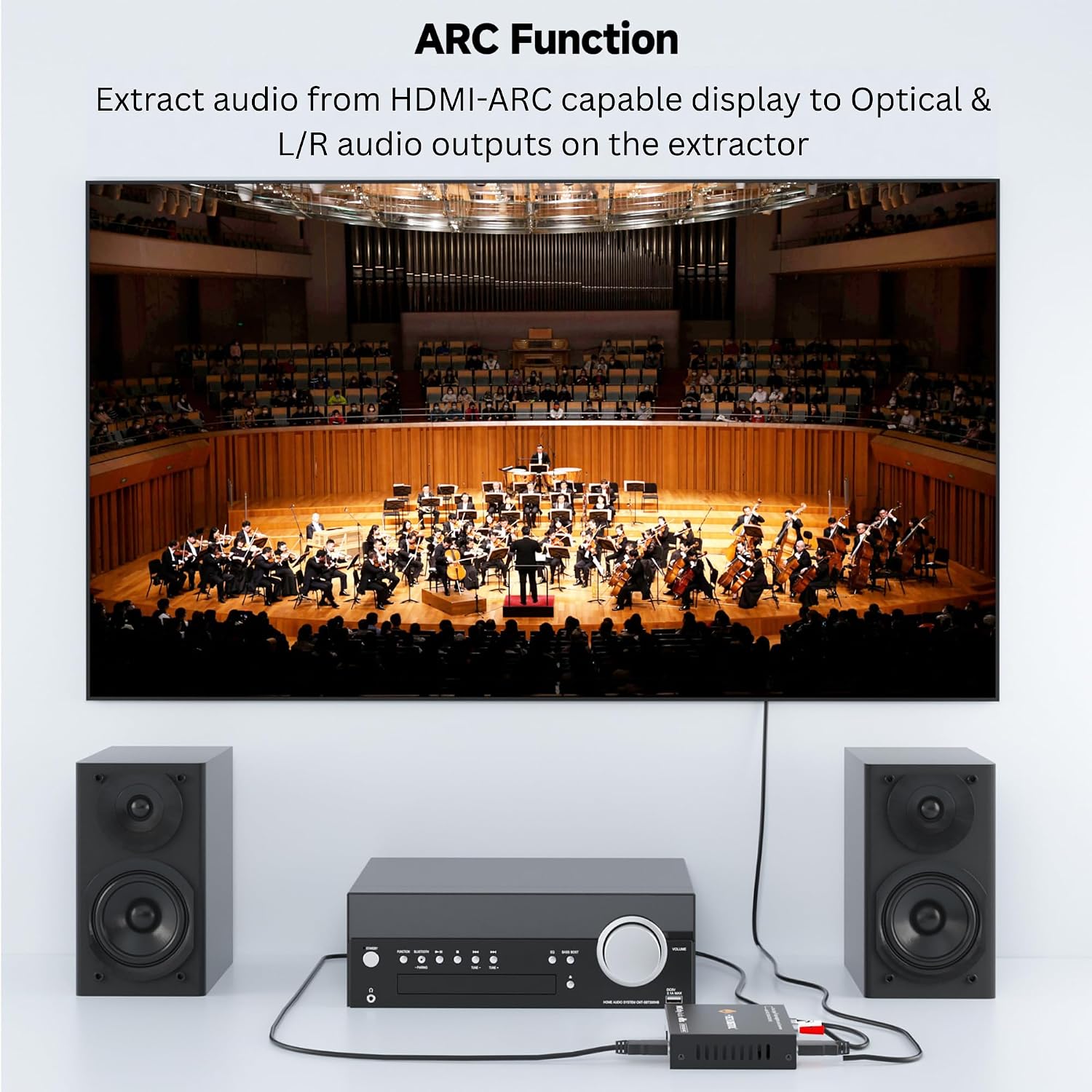
J-Tech Digital HDMI Audio Extractor 4K 60Hz with ARC: HDMI to Optical & RCA Converter (JTECH-EXD-ARC)
Product description
What it is
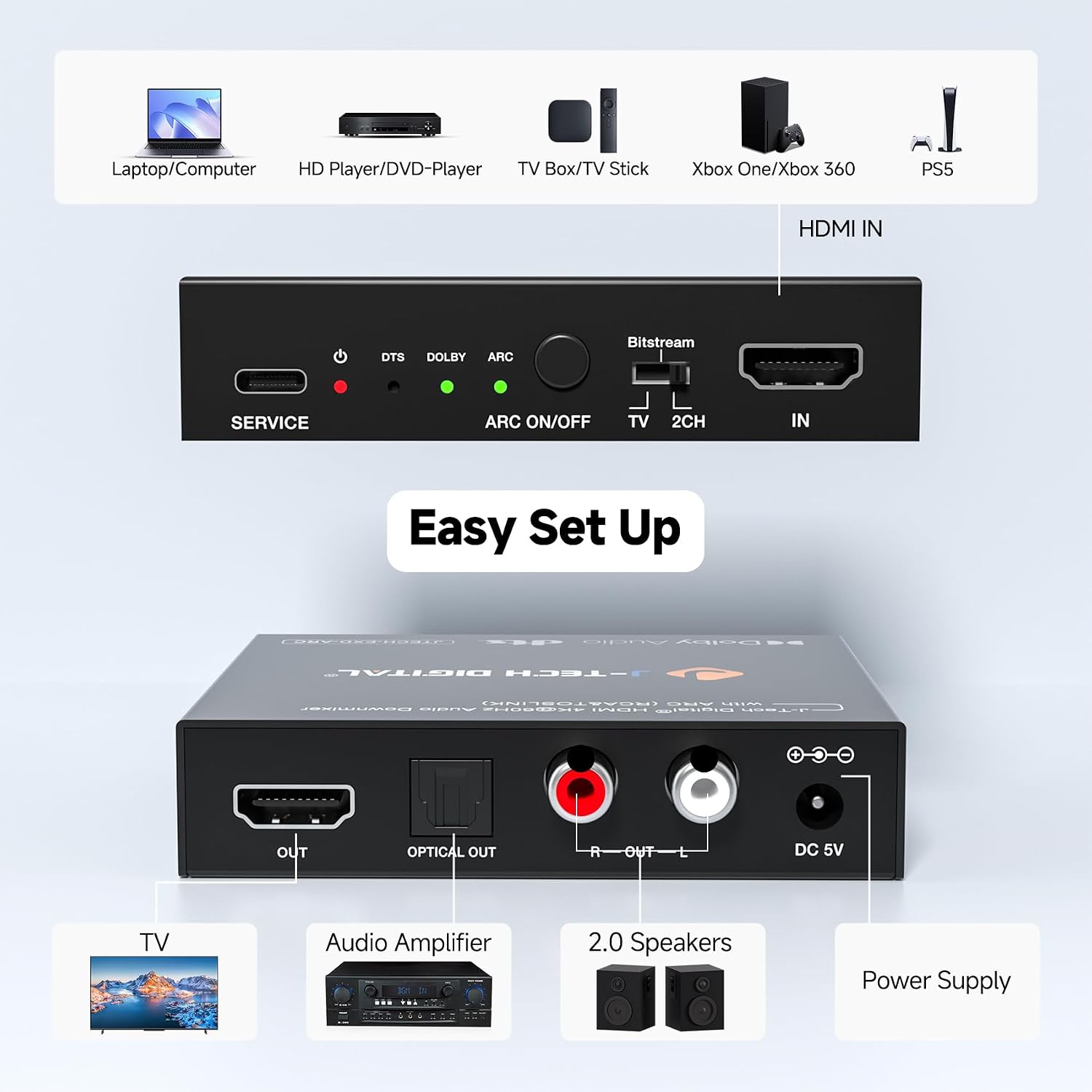
The J-Tech Digital HDMI Audio Extractor 4K 60Hz with ARC is a compact box that sits between your source and display, pulling audio from an HDMI signal and delivering it to external speakers via optical (SPDIF) or RCA stereo outputs. It’s designed for setups where your TV or AV receiver needs to be fed with audio separately from the video signal, or when your audio system doesn’t support HDMI inputs.
How it helps your setup
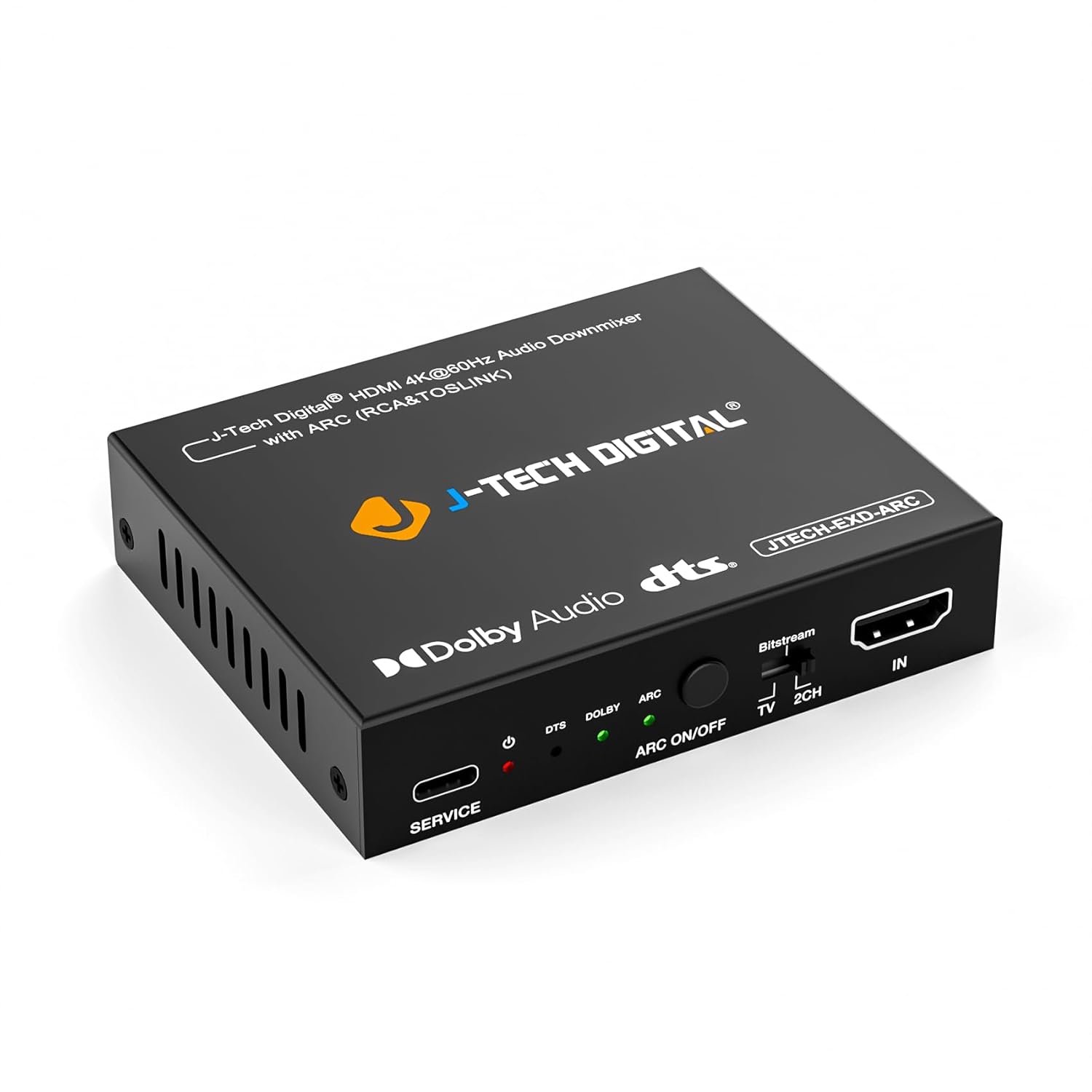
If you’ve got a gaming console, Blu-ray player, or streaming device, but your sound system can’t accept HDMI audio, this extractor becomes the bridge. It supports 4K at 60Hz with HDR, and it’s compatible with HDCP 2.2/1.x devices, which means fewer handshake issues with modern TVs and sources. The HDMI ARC feature lets you pull audio from your TV’s HDMI ARC channel and route it to your speakers—handy if your TV is the hub of your living room. Note: it supports ARC but not eARC, which can matter if your display relies on the newer standard.
What stands out and what to watch
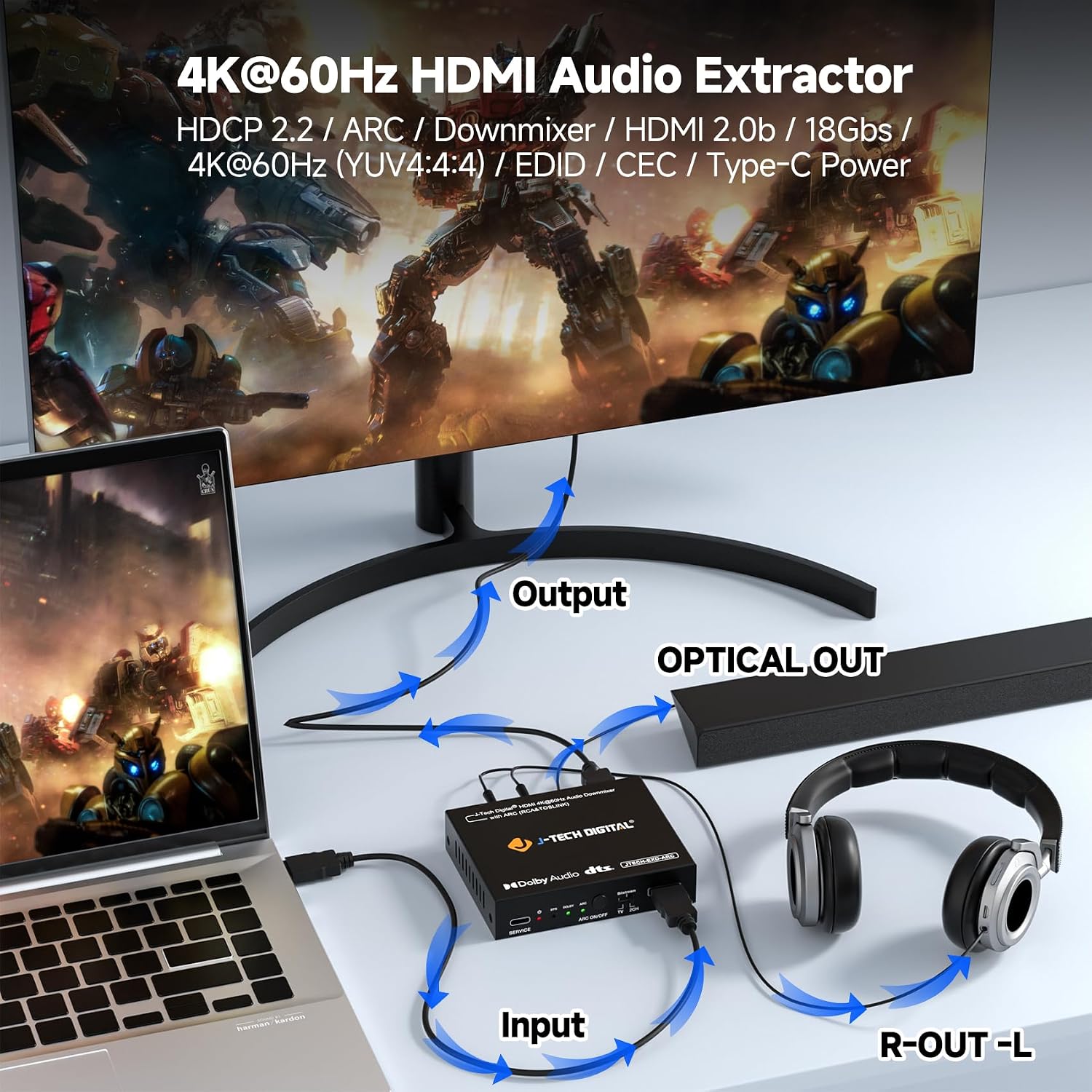
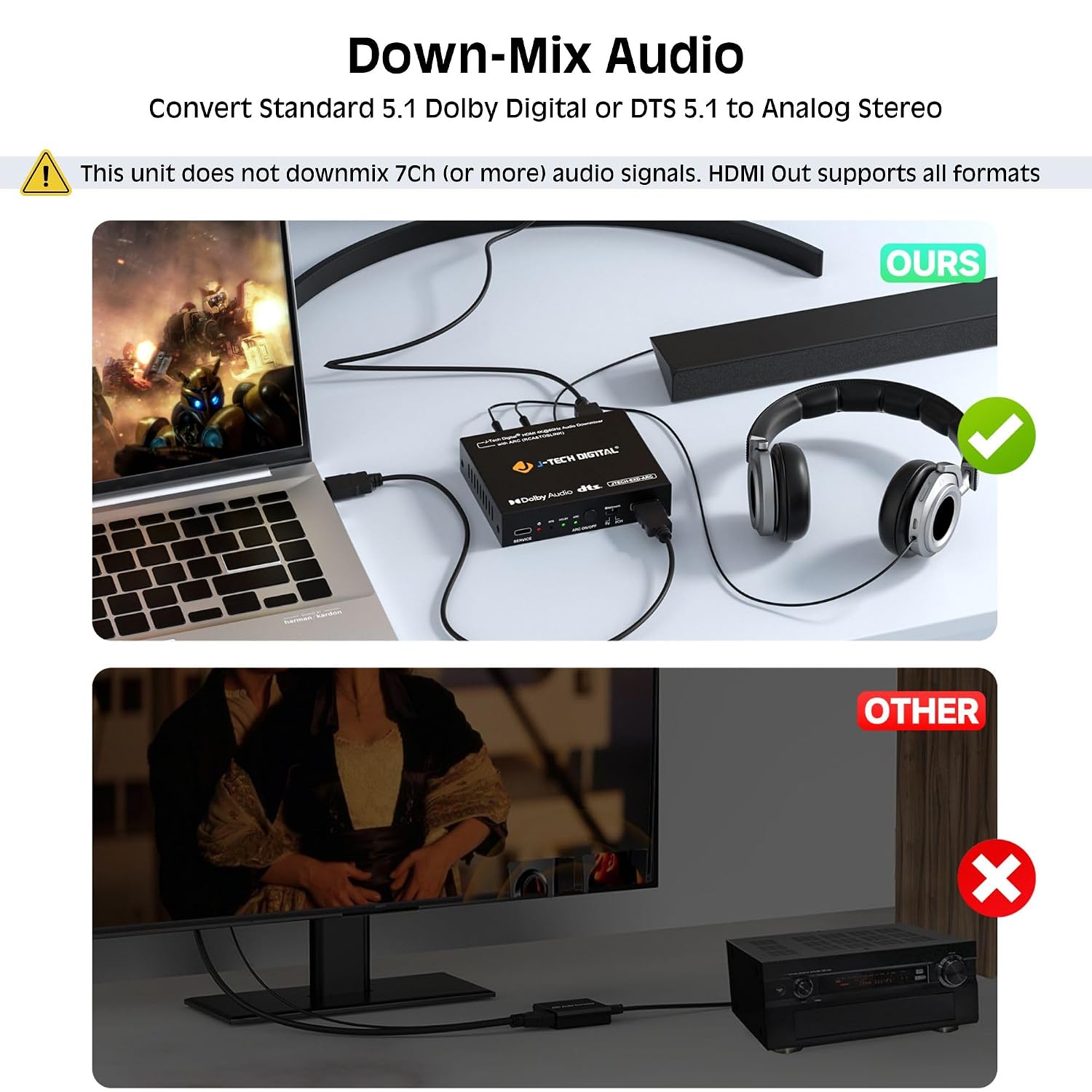
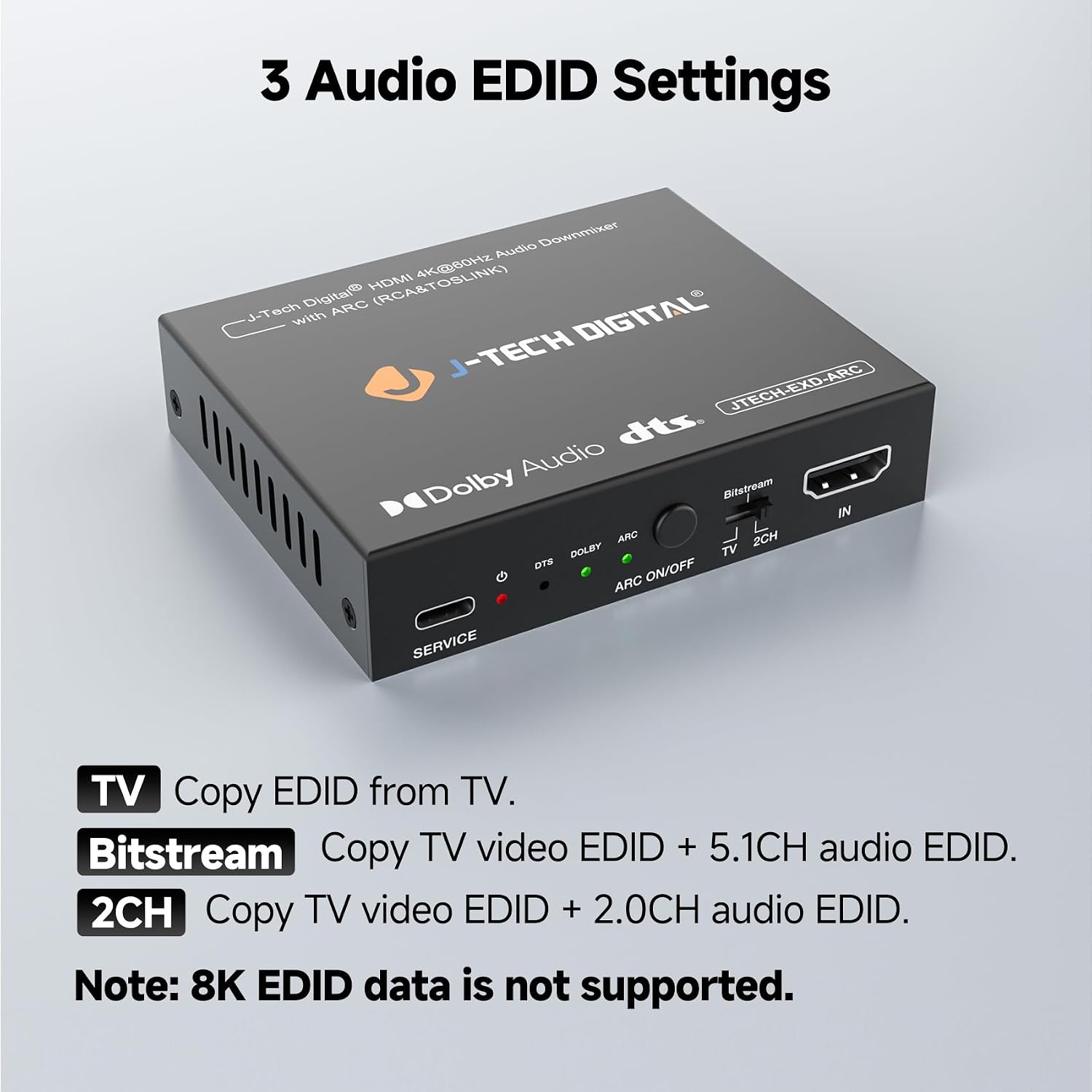
On the strength side, you get a straightforward path to older or non-HDMI audio gear through downmixing 5.1 to stereo, making it usable with legacy speakers or compact soundbars. The EDID management is a practical touch: you can select TV, 2-channel, or 5-channel modes to reduce sync problems between source and display, a common pitfall when devices from different generations meet.
On the flip side, there are pragmatic limits. While it handles 4K@60Hz, some users might notice performance nuances if their source or display relies on the latest eARC features. If your home theater relies heavily on true 5.1 pass-through via HDMI, remember the device downmixes to stereo for those outputs, which could impact more immersive setups.
Who it’s for
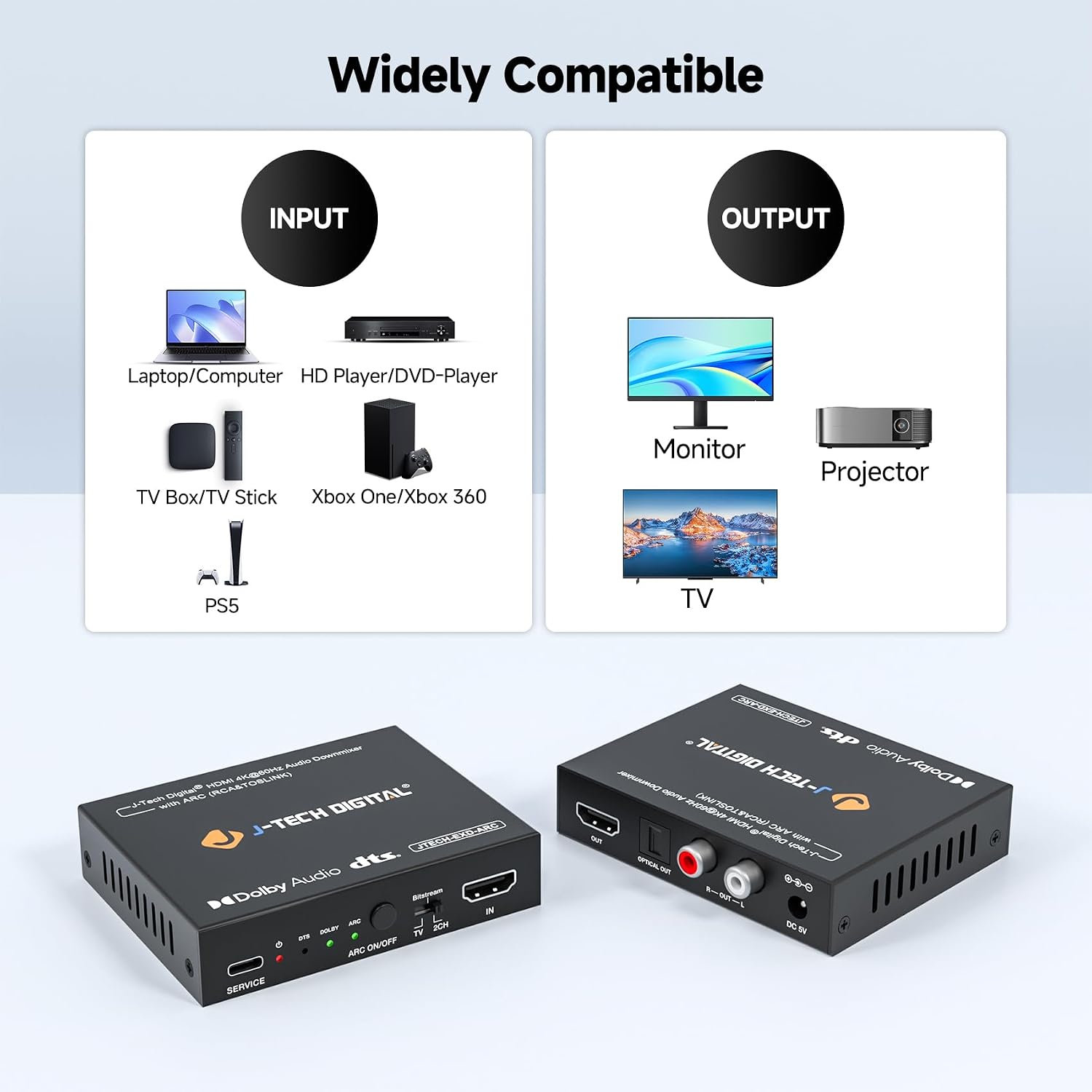
This extractor is a sensible pick if you want to connect an older audio system to a modern HDMI source, or if you’re using a TV-based setup where audio should come from an outside amplifier or speakers rather than the TV speakers. It’s also convenient for households with multiple devices: you can route game consoles, Blu-ray players, and streaming boxes through one box and output to your preferred sound system.
Who it’s not the best option for
If you’re chasing true HDMI audio pass-through with 5.1 or higher via HDMI, or if you’re aiming for the most accurate DTS/Dolby Digital signal without downmixing, this device may feel limiting due to its downmix and EDID options. If your setup relies on eARC features or very niche audio formats, you might want to evaluate other options.
Practical buying considerations
- Check if your TV and sound system need ARC support but not eARC, this unit covers ARC but won’t support eARC nuances.
- Consider whether you’ll benefit from EDID modes—TV mode is convenient, but 2CH or 5CH modes can stabilize compatibility with older hardware.
- Think about cable routing: you’ll need HDMI input and output, plus a physical route for optical or RCA cables to your speakers.
- Warranty and support are solid for this brand, with lifetime technical support and a one-year replacement warranty from a U.S.-based team. That can be a meaningful reassurance if you’re setting up a home theater on a budget.
How to use it in practice (micro-use case)
Imagine you’ve got a streaming box and a compact stereo system without HDMI. You run the streaming box HDMI into the extractor, connect the extractor’s HDMI output to the TV, and feed the optical output into your stereo. If you want to watch a movie with the TV’s volume and still enjoy better sound, you enable ARC and route the TV’s audio back out through the optical. The EDID switch lets you tune the device to the TV’s needs so you don’t fight lip-sync or compatibility issues.
What you should review before buying
- Confirm ARC is sufficient for your needs and you don’t require eARC features.
- Decide whether you need true multi-channel HDMI audio or if downmixed stereo will suffice for your speakers.
- Make sure you can physically connect the outputs (RCA L/R and optical) to your sound system.
Quick comparison mindset
If your goal is to keep video quality intact while liberating audio from your TV, this extractor is a pragmatic balance between compatibility and simplicity. In setups where you don’t need native HDMI audio pass-through or advanced formats, a straightforward HDMI audio extractor with EDID control often performs better than more complex boxes. If you want to minimize extra gear and keep a clean signal path, an option that emphasizes one-pass audio through HDMI plus balanced analog outputs can help you decide between simplicity and feature depth.
Is it worth it?
Is it worth it? Consider this when you value a simple bridge between HDMI sources and older or non-HDMI audio systems, plus the convenience of ARC-driven audio from your TV. It’s most compelling if you prioritize compatibility and ease of use over every last bit of audio fidelity from high-end formats. If your setup demands eARC or explicit 5.1 through HDMI, you may want to explore alternatives that emphasize broader format support. In everyday use, this device can reduce frustration by stabilizing EDID and delivering usable audio to your speakers with minimal fuss.
FAQ (3–5 questions)
- Can this device pass through HDMI audio with Dolby Digital or DTS? It downmixes 5.1 to stereo for the RCA/optical outputs, so native HDMI multi-channel audio is not preserved on those outputs.
- Does it support eARC? No, only ARC is supported.
- What inputs/outputs are available? HDMI input and HDMI output, plus optical and RCA stereo outputs.
- Will it work with HDR content? Yes, it supports 4K@60Hz with HDR.
- What about EDID settings? It offers TV, 2CH, and 5CH modes to help with compatibility between source and display.