


TaIYanG iPad Air Keyboard Case for 11-Inch Models
Product description
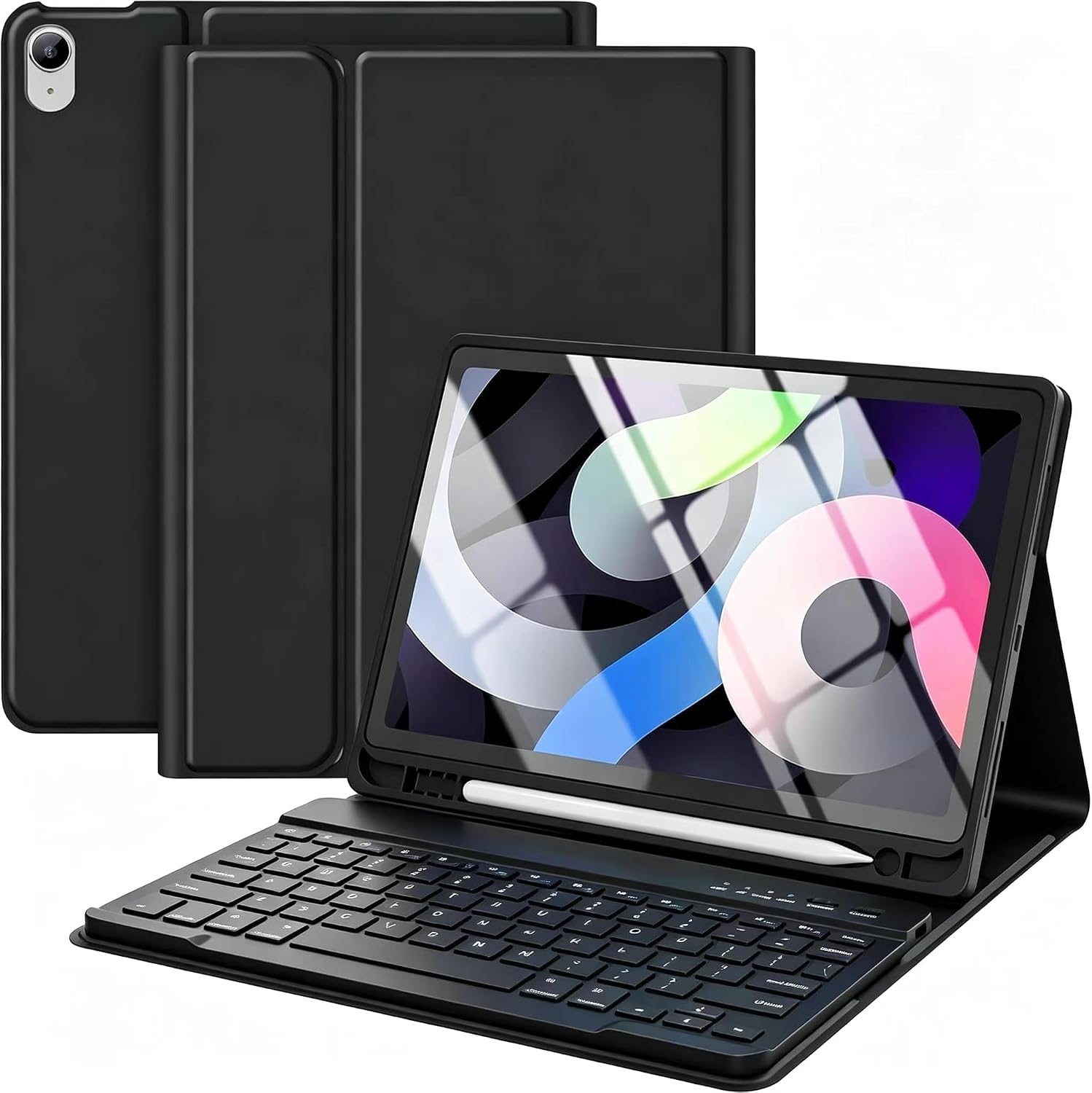
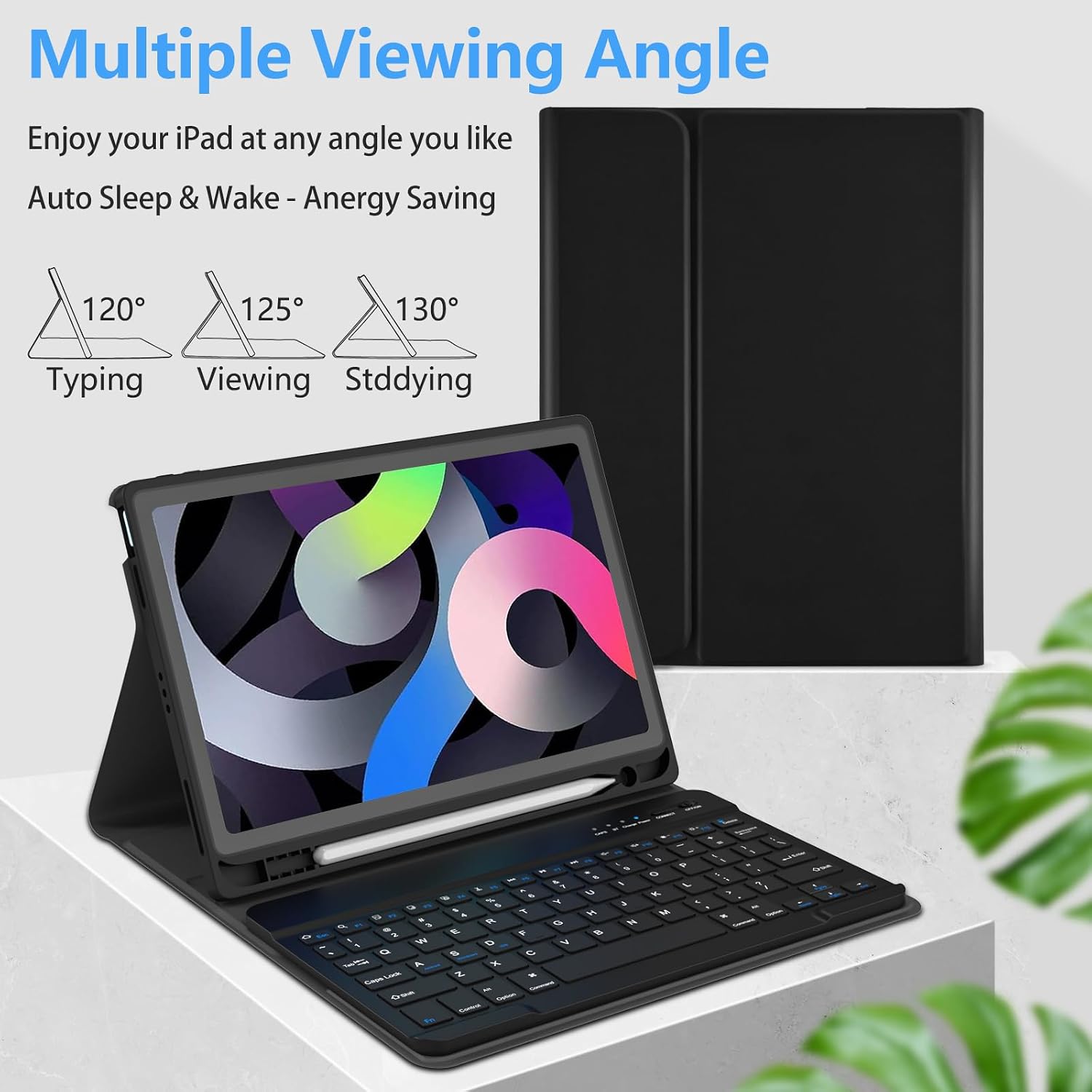
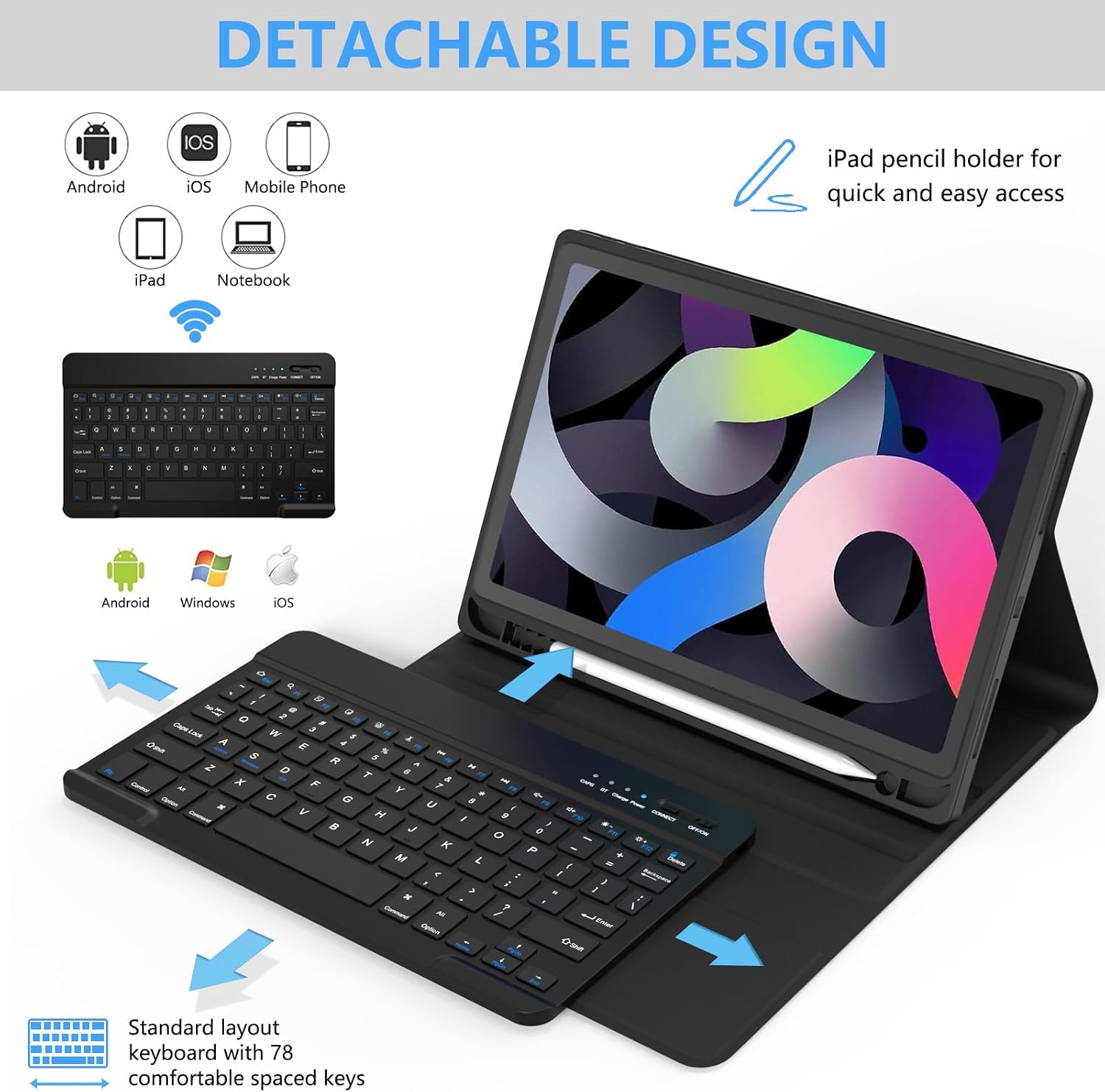
Typing on an iPad can feel awkward when you’re switching between a touchscreen and a separate keyboard. This TaIYanG case combines a detachable Bluetooth keyboard with a folding cover, so you can set up a more laptop-like workspace and remove the keys when you want to use the tablet on its own. Three viewing positions and a built-in Pencil holder add practical flexibility for writing, video calls, or watching a show. The key buying detail is compatibility: the listing covers several iPad Air generations, but the exact model number matters.
Key specifications
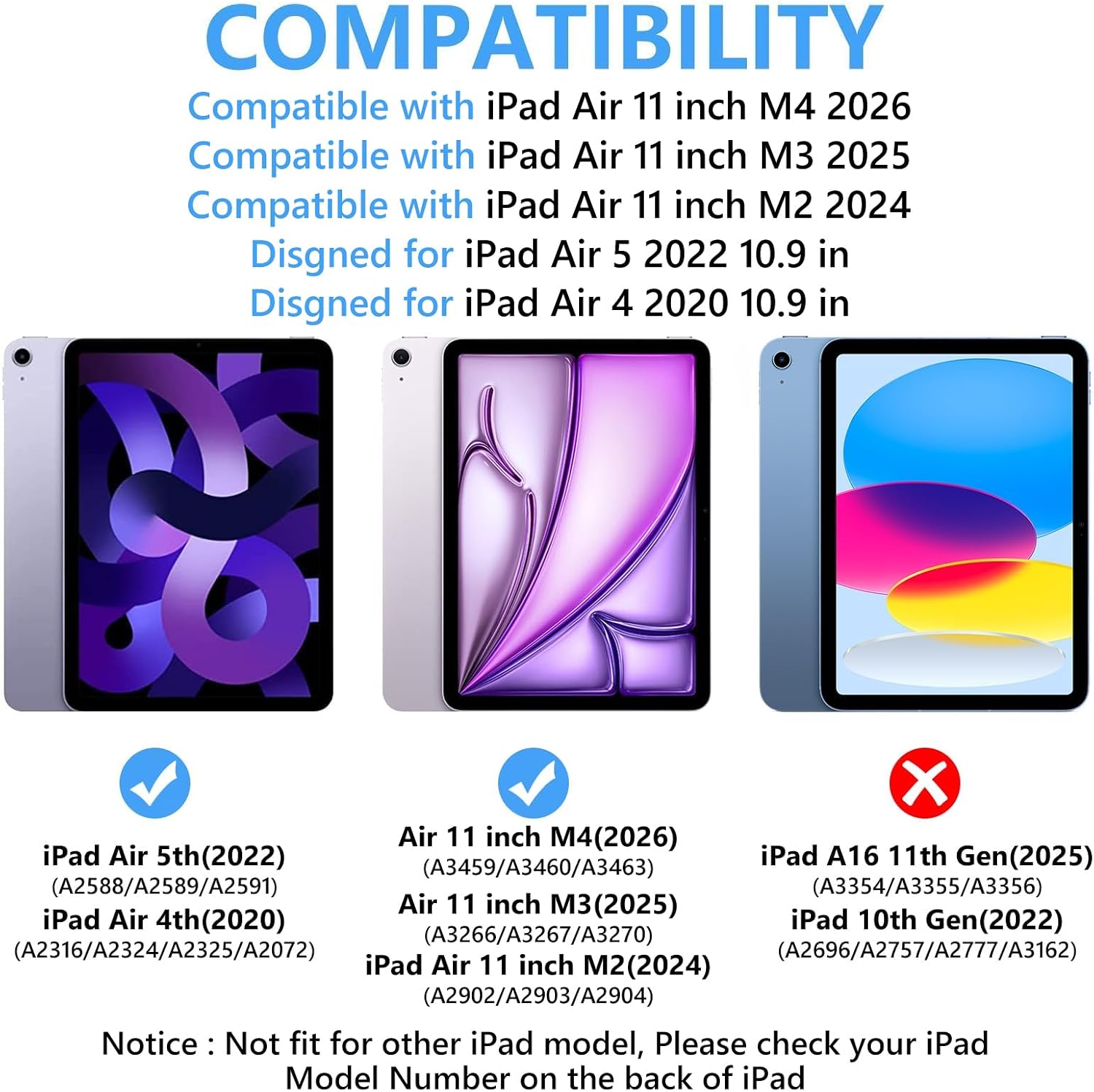
The case is listed for the 11-inch iPad Air M2, M3, and M4, as well as the 10.9-inch iPad Air 4th and 5th generations. Check the model number on the back of your iPad against the seller’s compatibility list before ordering, screen size alone may not distinguish every supported version. The product description also mentions iPad Pro 11-inch in the package details, but does not provide a complete compatibility breakdown for those models.
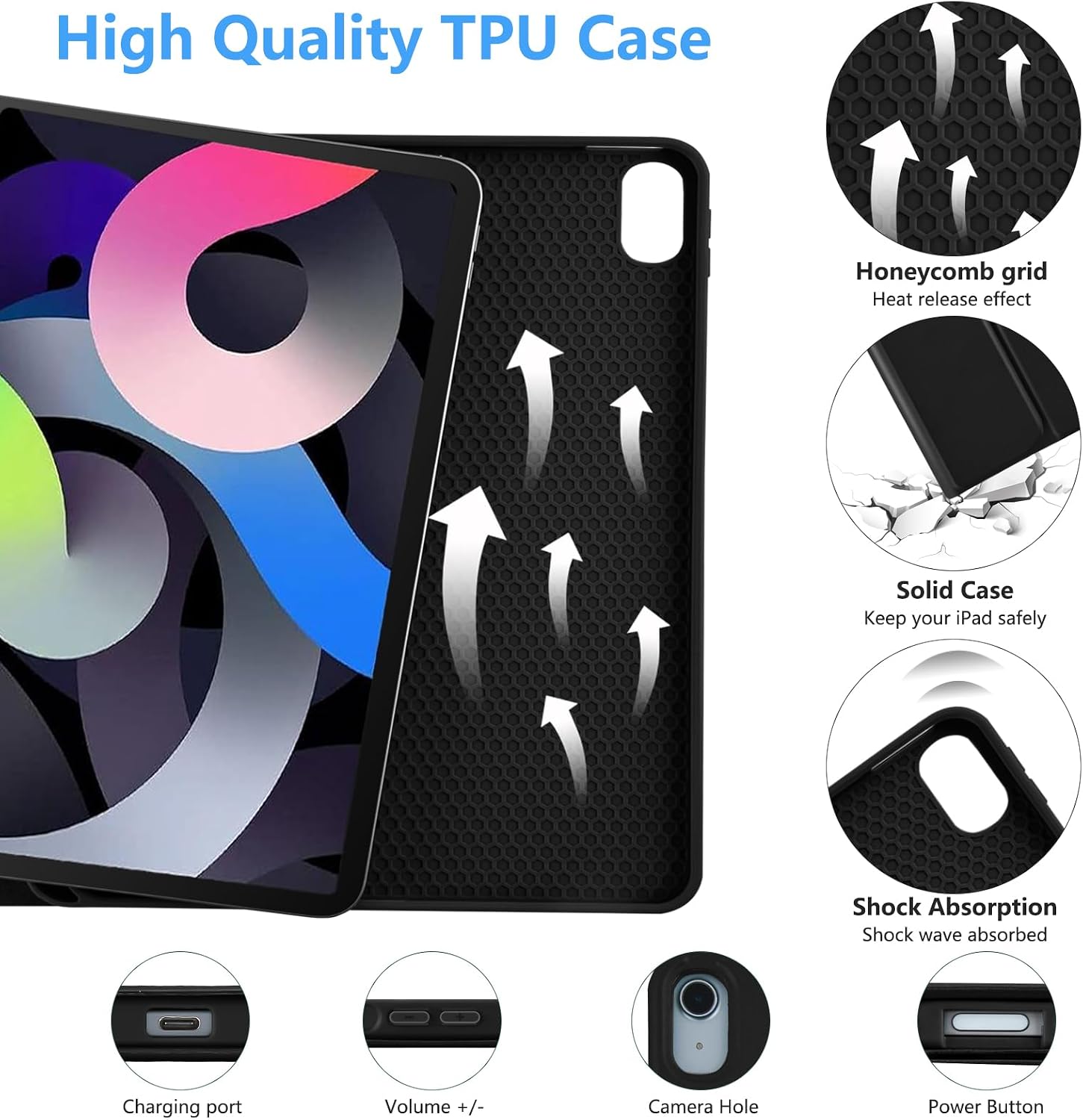
Its Bluetooth keyboard detaches magnetically, and the case has three grooves for adjusting the tablet’s viewing angle. The keyboard has a row of iPadOS shortcuts and a built-in 500mAh rechargeable battery. The listing gives a 2–3-hour charging time, more than 80 hours of working time, and up to 120 days of standby. Those figures are manufacturer-provided, not independent test results. The exterior is synthetic leather, with a plastic interior case and a magnetic closure. A Pencil holder and slots for its cap and adapter are also included in the design.
One limitation to factor in: the listing does not state the case’s weight or dimensions, and it does not mention a trackpad. If you want a keyboard setup with trackpad navigation or need to judge how much bulk it adds to a bag, this page doesn’t answer those questions. Without having tried it, the detachable layout sounds most useful for people who alternate between typing and holding the tablet.
Who it’s for
It makes sense if you use a compatible iPad Air for notes, email, or longer typing sessions and want a cover that can stay on the tablet when the keyboard comes off. Picture setting the iPad at an angle on a desk to draft a document, then lifting it out of typing mode to read or watch a video. The three viewing positions give you more choice than a fixed-angle stand, while the Pencil holder keeps a stylus close at hand.
It might not be a great match if you expect laptop-style navigation with a trackpad, need a confirmed fit for a different iPad family, or want a slim cover without a keyboard. Buyers focused mainly on tablet protection may prefer a simpler case, this one’s extra bulk and keyboard make more sense when typing is part of the plan.
What’s included
The listed package contains the keyboard case, a white keyboard, a USB-C charging cable, a user guide, and a keyboard protective film. No Apple Pencil is listed as included, so treat the holder as storage for a Pencil you already own rather than as a bundled stylus. The keyboard can be removed when you don’t need it, leaving the protective case in place.
Before you decide
How do I check whether it fits my iPad? Find the model number on the back of the tablet and compare it with the listing’s compatibility information. Don’t rely on the iPad Air name alone.
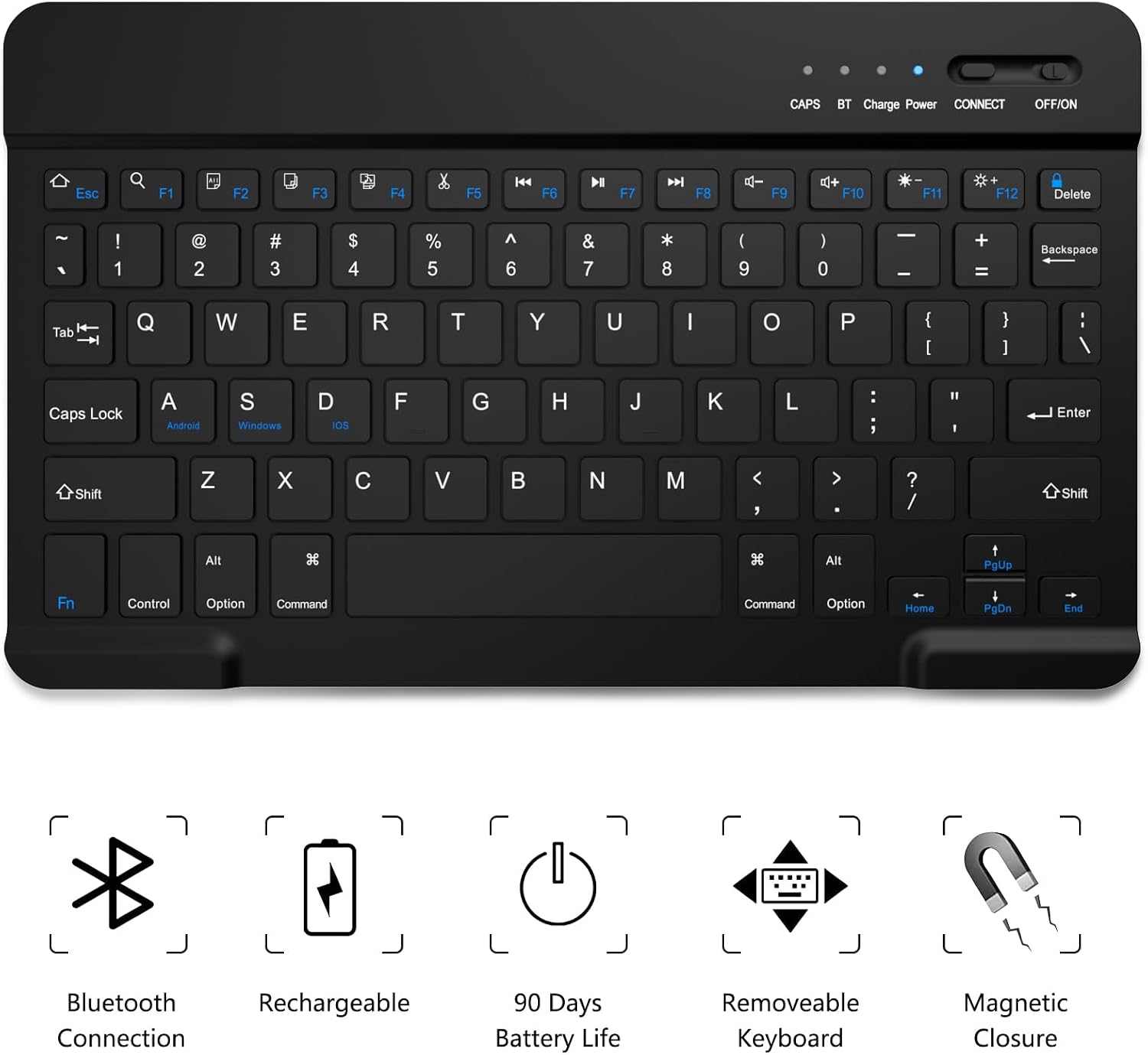
Does the keyboard need replaceable batteries? The listing describes a rechargeable built-in battery and includes a USB-C charging cable, it does not call for replaceable batteries.
Can I use the case without the keyboard attached? Yes. The keyboard is described as detachable, so the tablet can remain in the case when you remove the keyboard.
Should you buy it?
Choose this TaIYanG case if your exact iPad Air model is listed and you want one setup for typing, propping up the screen, and carrying a Pencil. The removable keyboard is the main reason to pick it over a basic folio: it lets you switch between a compact typing station and a tablet-first setup without taking off the case. Skip it if model compatibility is uncertain, a trackpad is essential, or you’d rather avoid carrying a keyboard at all.