

KAMRUI Pinova P2 Mini PC with Ryzen R2544 (4C/8T) – 8GB RAM, 256GB SSD, 4K Triple Display
Product description
What to know
The KAMRUI Pinova P2 is a compact mini PC powered by the AMD Ryzen R2544 processor (4 cores / 8 threads, up to 3.7GHz). It’s designed to handle light office tasks and home entertainment with a focus on space-saving versatility. On paper, it promises smoother multitasking and faster boot times than some entry-level chips, thanks to 8GB of DDR4 RAM and a 256GB M.2 SSD. If you’re seeking a small machine that fits in a bag and still supports modern display setups, this model may be worth considering.
Performance and specs
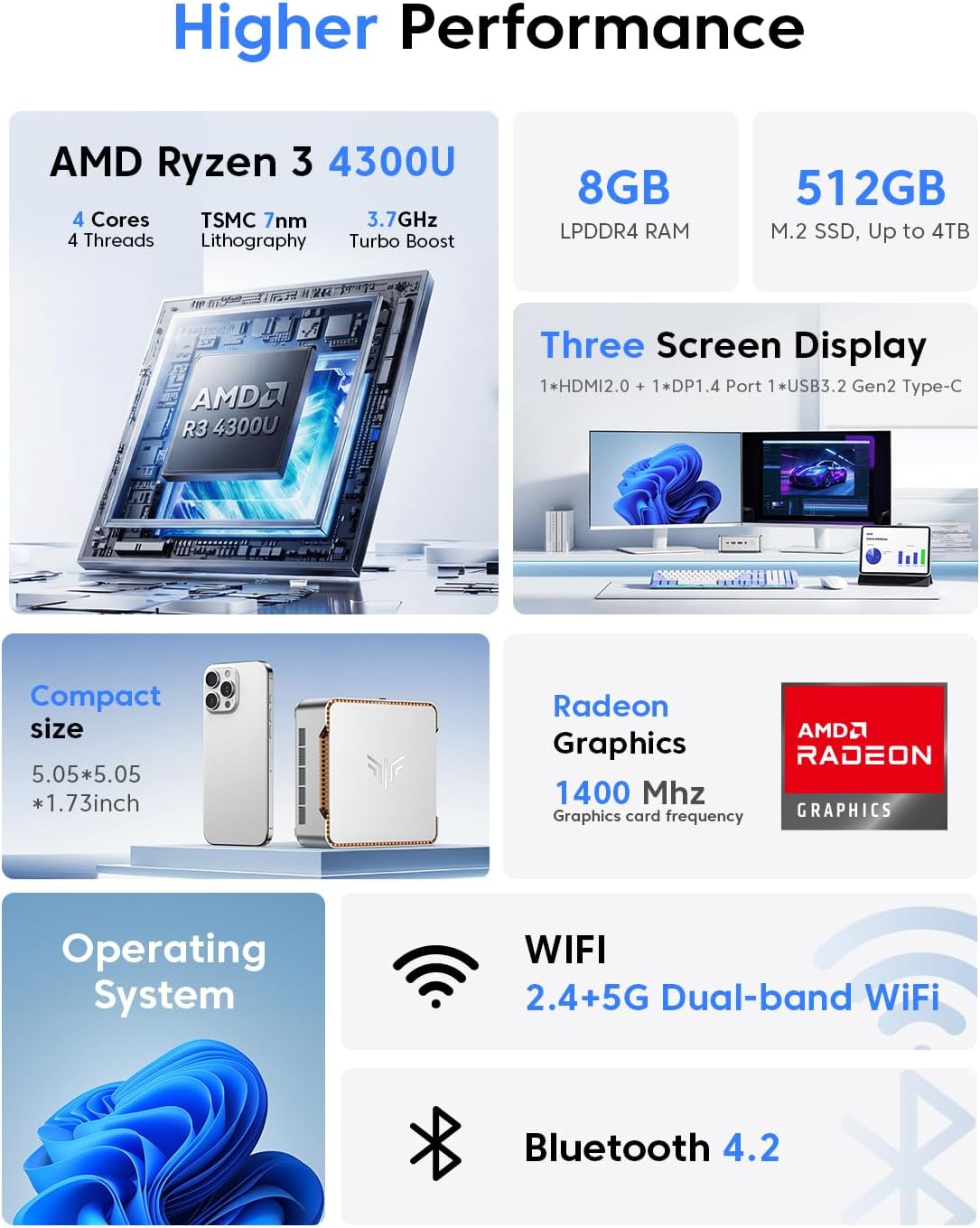
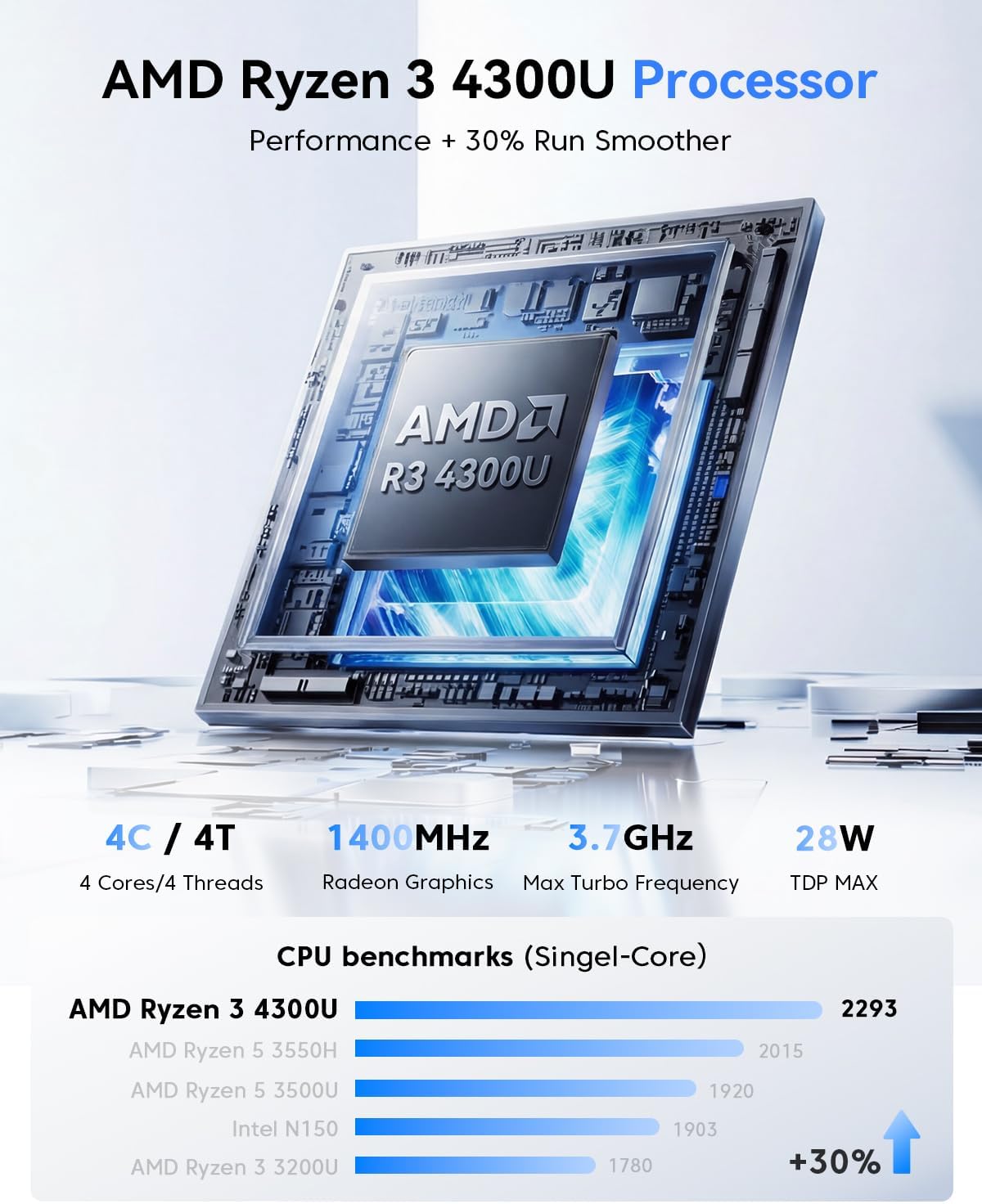
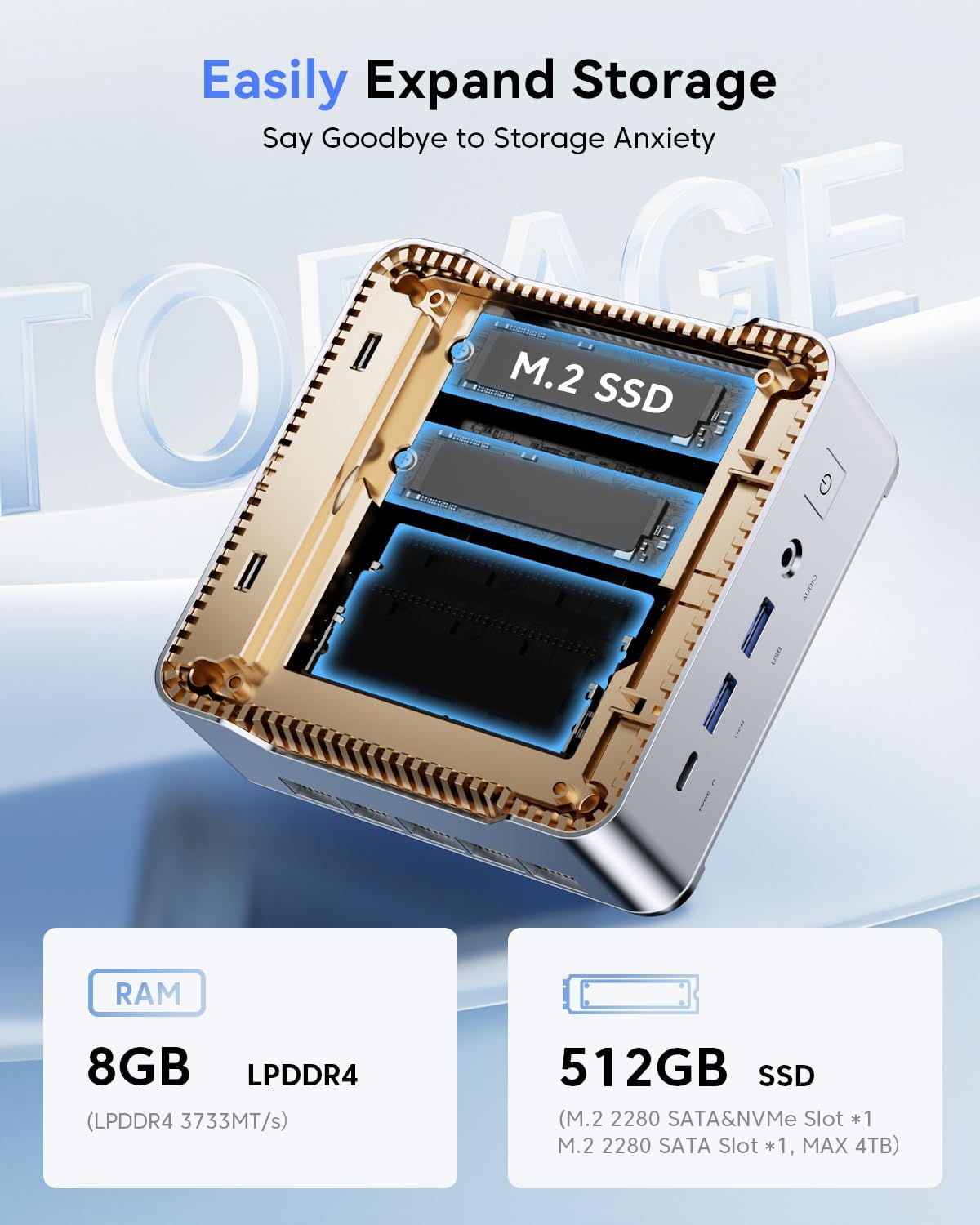
The Ryzen R2544 brings a modest uplift over certain alternatives in its class, with a base frequency around 3.35GHz and a boost up to 3.7GHz. The system includes 8GB DDR4 RAM (expandable via two SO-DIMM slots up to 32GB total) and storage expandable up to 4TB via M.2 slots (one NVMe PCIe slot and one SATA/NVMe slot). On graphics, it relies on integrated Radeon graphics, and the machine is configured for decent everyday tasks rather than heavy workloads.
Display, ports, and connectivity
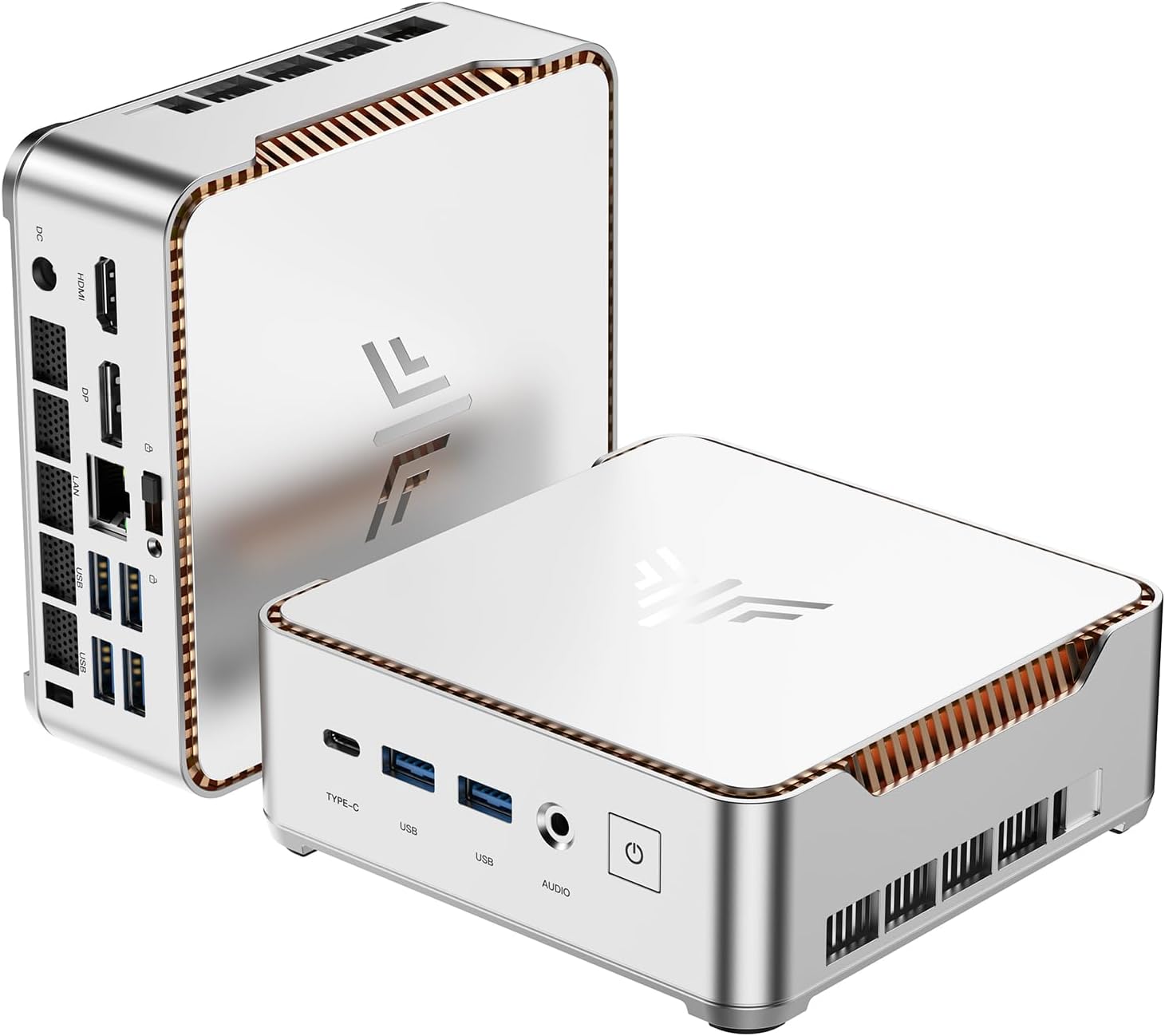
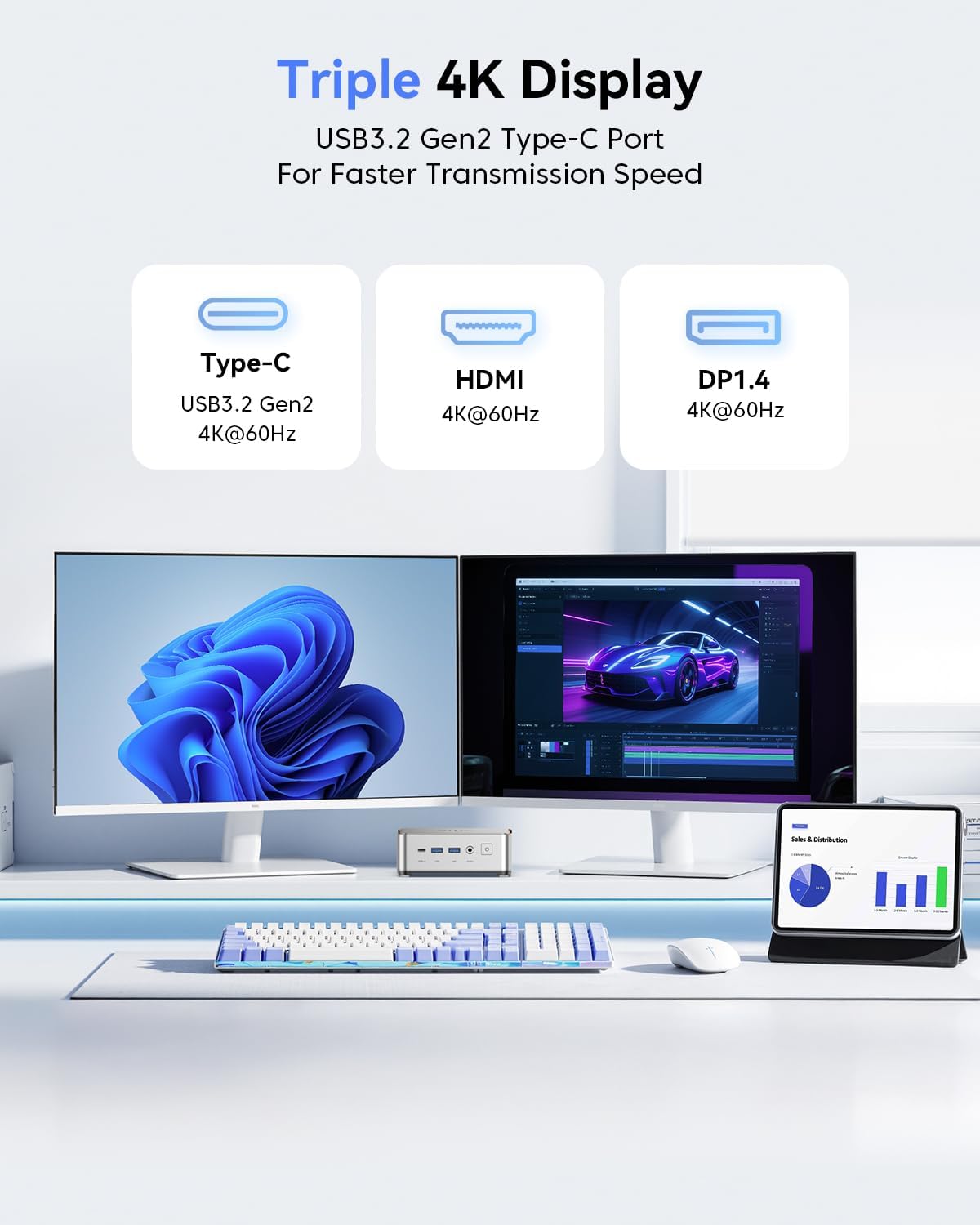
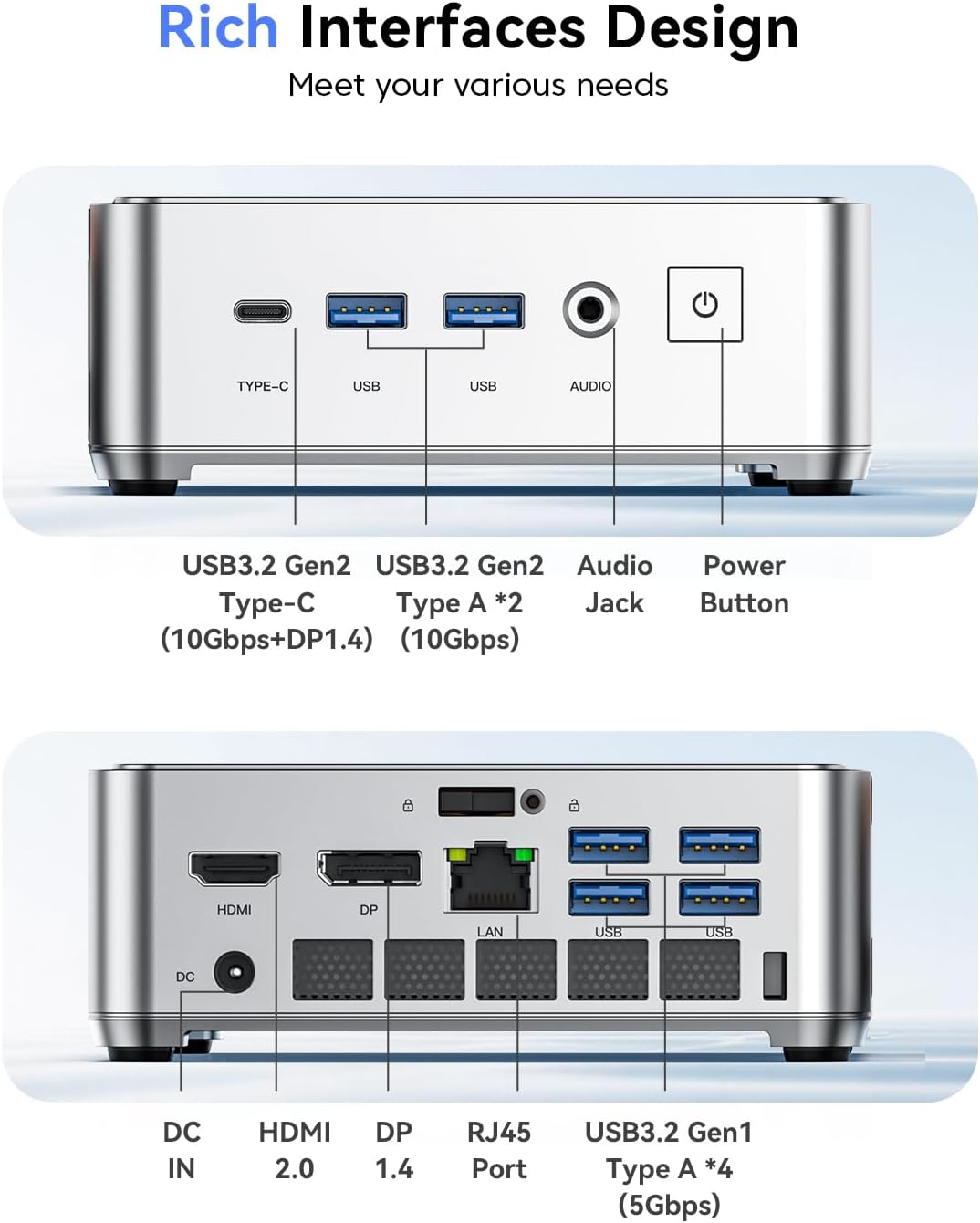
KAMRUI positions the P2 as a triple-display capable machine, with HDMI 2.0, DisplayPort 1.4, and a USB-C 3.2 Gen 2 interface, enabling up to 4K@60Hz across three screens. USB-C and USB-A ports provide modern data transfer speeds up to 10 Gbps on USB 3.2 Gen 2, while gigabit Ethernet (RJ45) helps keep network performance steady. The wireless side includes WiFi and Bluetooth, aiming for a stable setup for web browsing, streaming, or light office work without a cable tether.
Memory, storage, and expansion
Out of the box there are 8GB of DDR4 RAM and a 256GB M.2 SSD. The build supports two DDR4 SO-DIMM slots (up to 32GB total) and two M.2 slots (one for SATA/NVMe and another NVMe), which means you can upgrade storage and memory if your needs grow. Note that the 4TB expansion is not included, so upgrades are user-driven rather than bundled.
Cooling, design, and portability
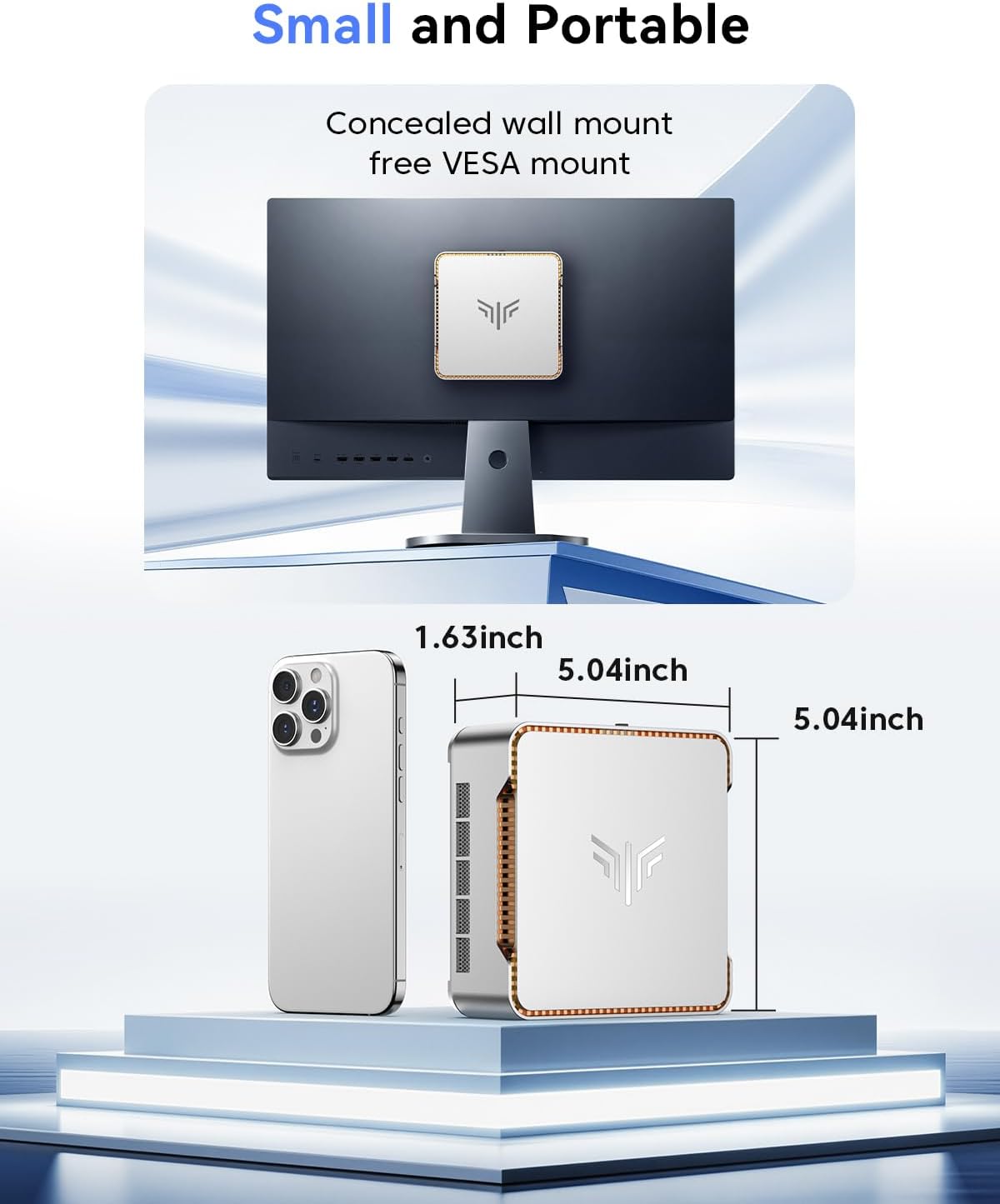
The Pinova P2 uses an active cooling system (fan-assisted) to manage thermals during use, which helps sustain responsiveness under longer sessions. Its compact chassis—roughly 5x5x1.7 inches—makes it a clear candidate for desks with limited space or for travel. It also offers VESA mounting support, letting you tuck the unit behind a monitor or TV for a cleaner setup.
Practical use cases and who it’s for
This mini PC targets users who want a discreet desktop solution for light productivity, video streaming, and everyday multitasking. It’s a practical pick for home offices, small conference rooms, or as a media hub that can drive multiple displays. It’s less suited for heavy content creation, gaming, or demanding software workloads where higher-end CPUs and GPUs would typically be required.
When it makes sense to buy and what to check first
If you prioritize a small footprint, triple-display capability, and a sensible amount of RAM and fast storage for day-to-day tasks, the Pinova P2 offers a compelling package on paper. Before purchasing, consider whether you’ll actually utilize triple 4K output and if you’ll need more RAM or storage down the line—both are upgradeable, but you’ll want a plan for expansion. Also verify your display setup and ensure you have appropriate cables to realize the 4K@60Hz triple-display capability.
Is it worth it?
It’s a solid pick if your needs lean toward space-saving, flexible display configurations, and dependable day-to-day performance. It may not be the best choice if you expect strong gaming performance or heavy multitasking with demanding software. If you value upgradeability and a compact footprint over absolute desktop-class power, this model can be a practical addition to a home or small-office setup.
FAQ
- How upgradeable is the RAM and storage? The system supports up to 32GB RAM across two SO-DIMM slots and up to 4TB total storage via M.2 slots, so you can scale memory and storage as needed.
- Does it support true triple 4K at 60Hz? Yes, via HDMI 2.0, DP 1.4, and USB-C, enabling triple 4K@60Hz displays with the right cables and monitors.
- Is it loud under load? The active cooling helps manage heat, but as with most compact designs, sustained heavy workloads may increase fan activity and noise, plan for a ventilated setup if you’re sensitive to fan noise.