

Dell business desktop QCT1250
Product description
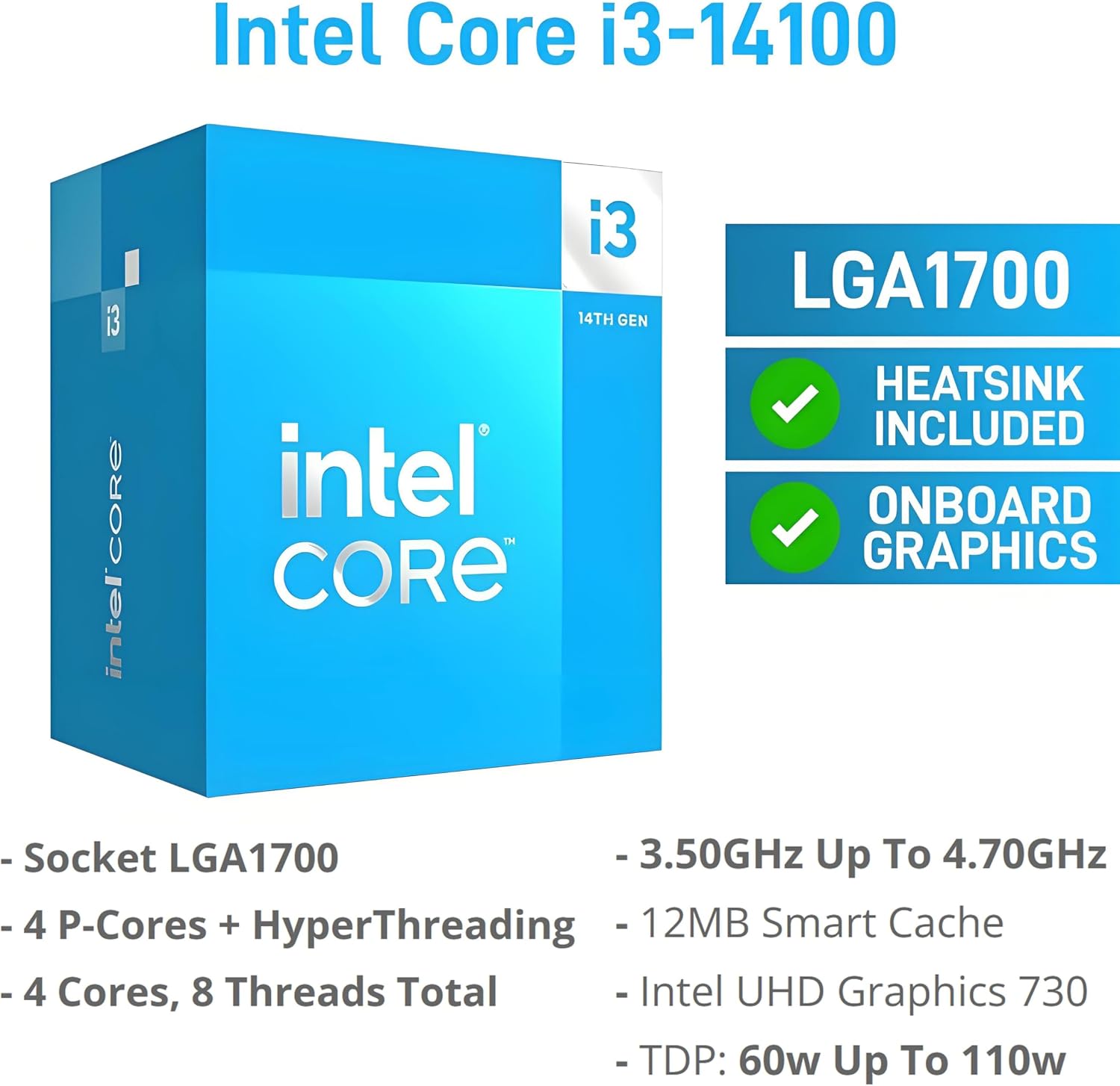
For a home office or small business desk, the Dell Pro Tower QCT1250 is set up for everyday work with Windows 11 Pro, a 512GB SSD, and connections for two 4K displays. Its Intel Core i3-14100 has four cores and eight threads, with speeds up to 4.7GHz, which gives office apps and routine multitasking a clear hardware focus. A practical example: keep a spreadsheet open on one screen while using the other for email or a video call. If you prioritize a compact desktop for familiar business tasks, this configuration makes sense, if you prefer to keep many demanding apps running at once, the 8GB of memory deserves a closer look.
Where it shines
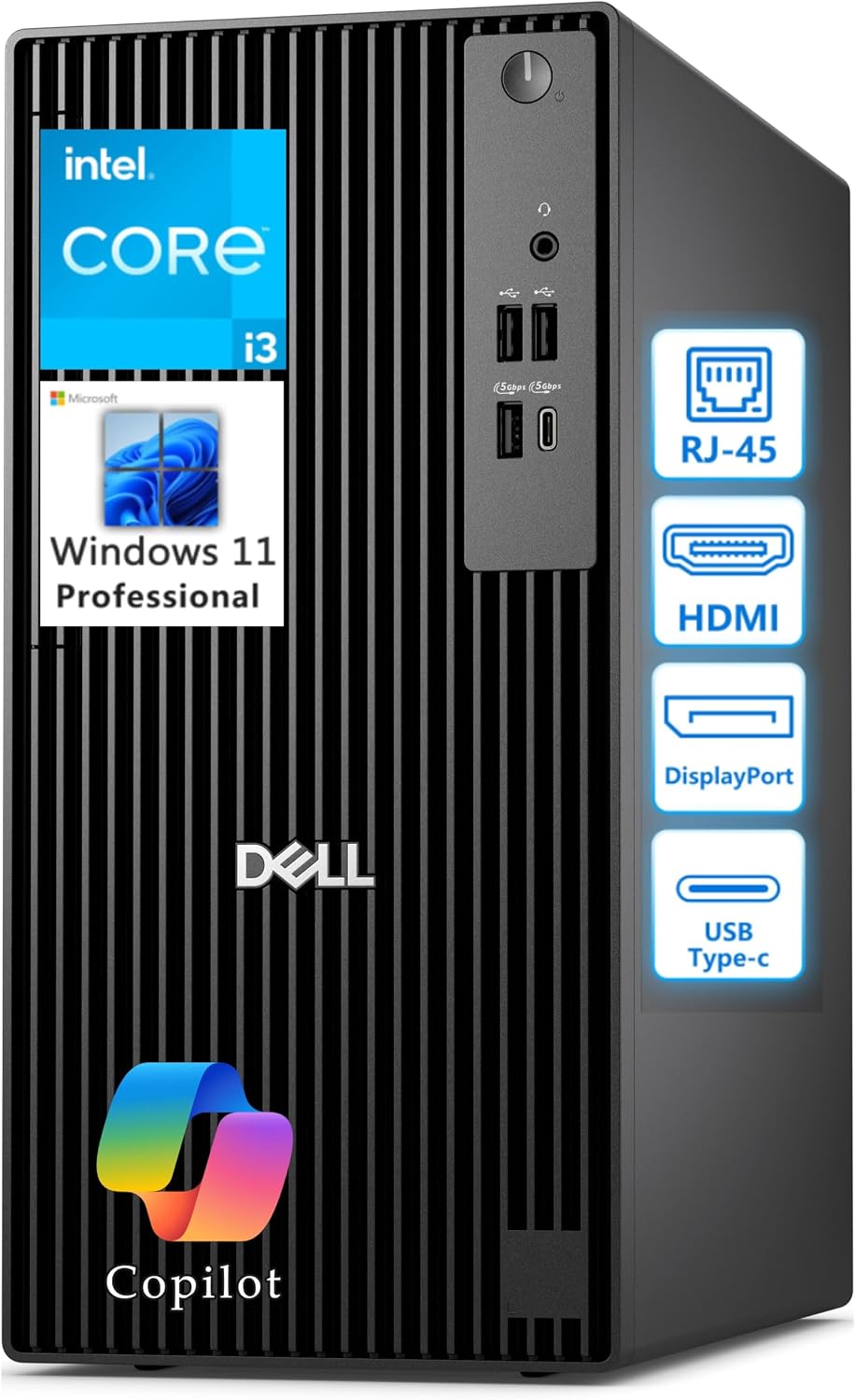
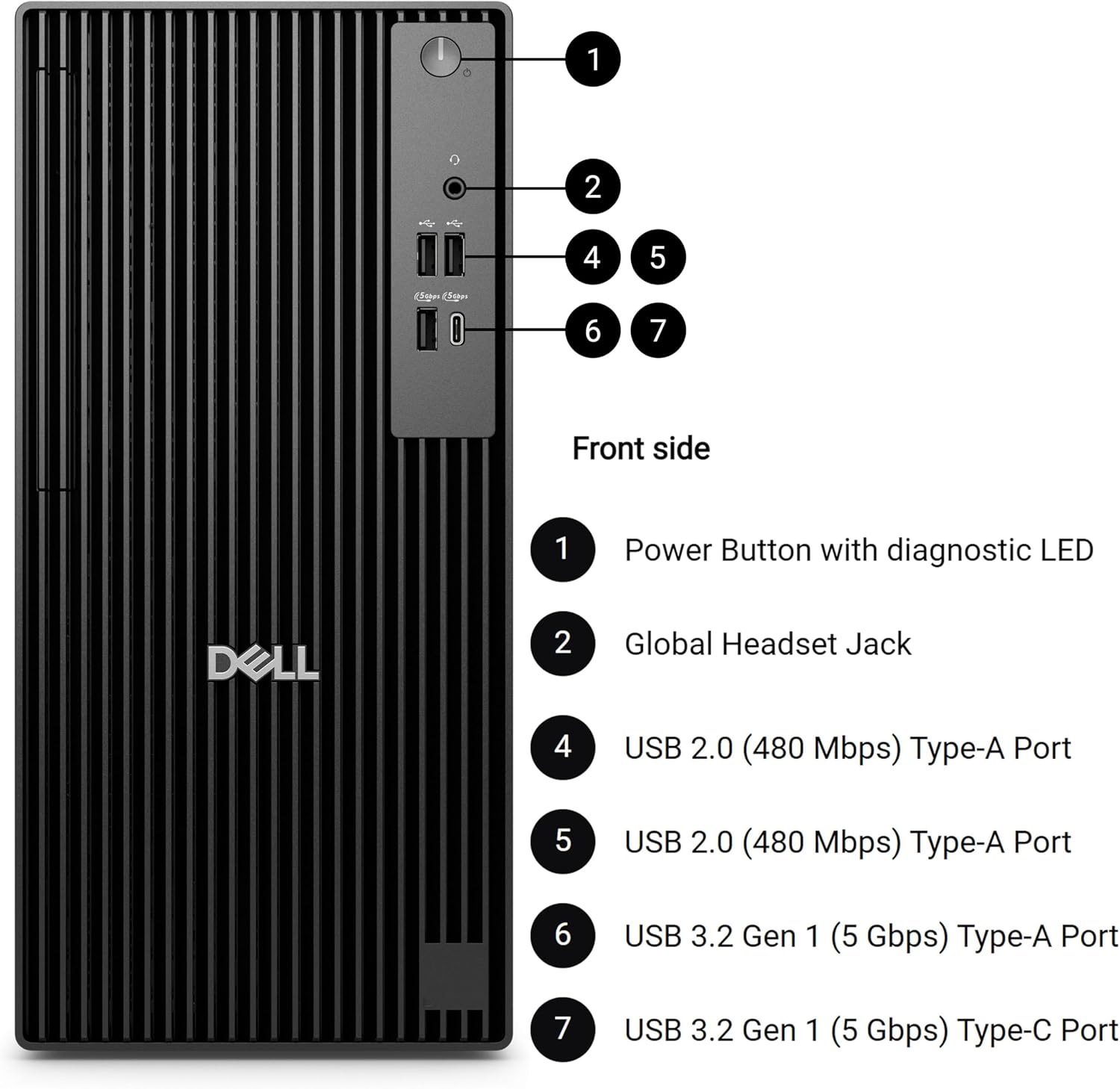
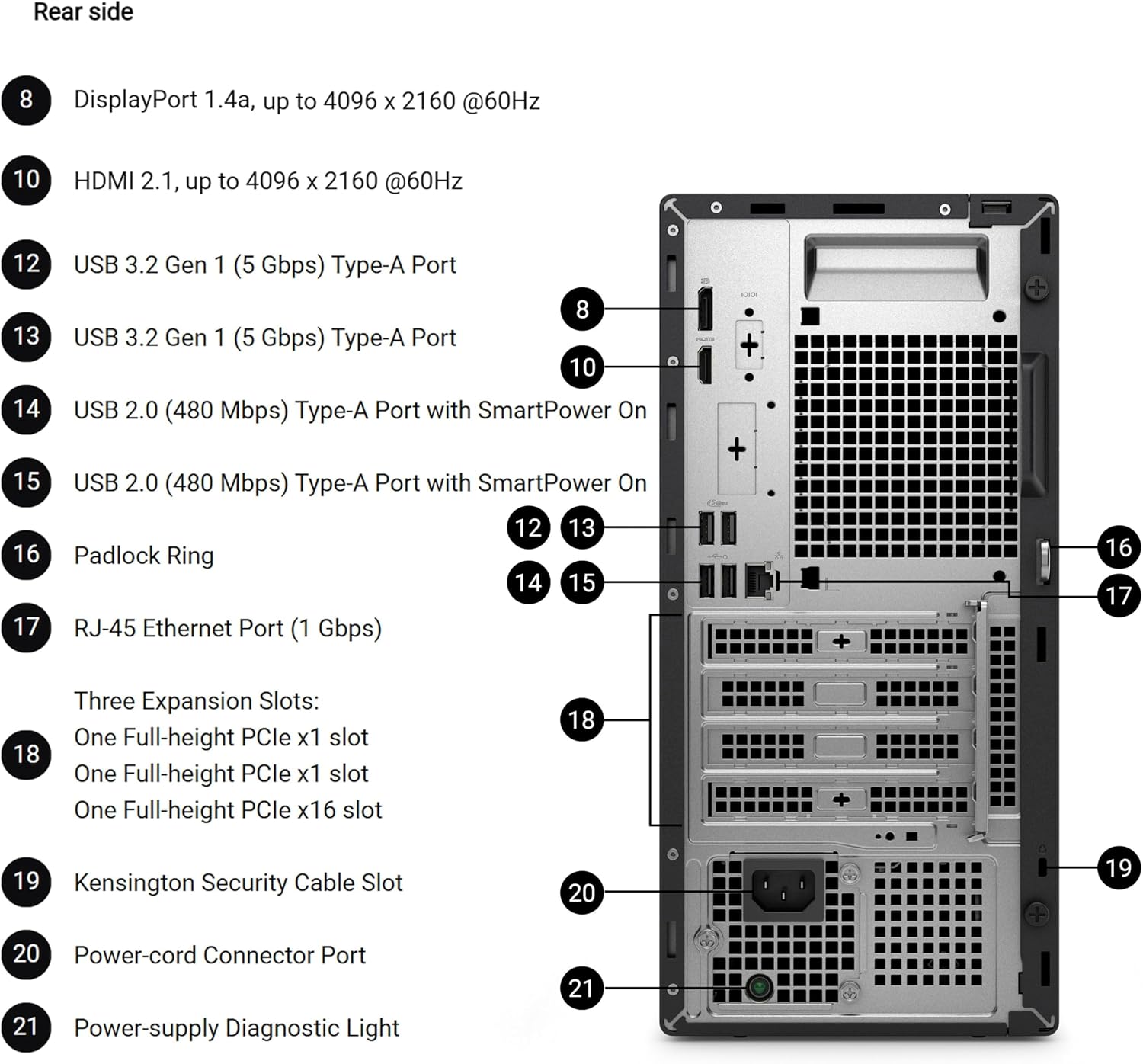
The appeal here is a straightforward office setup rather than a specialized workstation. Windows 11 Pro, a wired Gigabit Ethernet port, USB-C, and a mix of USB-A and USB 2.0 ports make it easier to connect a network cable and everyday peripherals without relying on a wireless connection. The HDMI 2.1 and DisplayPort 1.4a outputs are listed for simultaneous 4K displays, useful when you want documents on one screen and reference material on another. The 512GB PCIe NVMe SSD is intended to make starting the computer and opening files feel more responsive than a traditional hard drive, while providing room for work documents and installed software.
Key points
This configuration pairs the 14th Gen Intel Core i3-14100 with 8GB of DDR5 memory. That should suit routine productivity, but memory capacity is a real constraint to weigh if your typical day involves numerous browser tabs, large spreadsheets, and several business applications at once. The description does not provide memory expansion details, so don’t assume you can increase it later. The 512GB SSD offers a defined amount of local storage, people who keep large media libraries or extensive files on the computer may want to plan around that capacity.
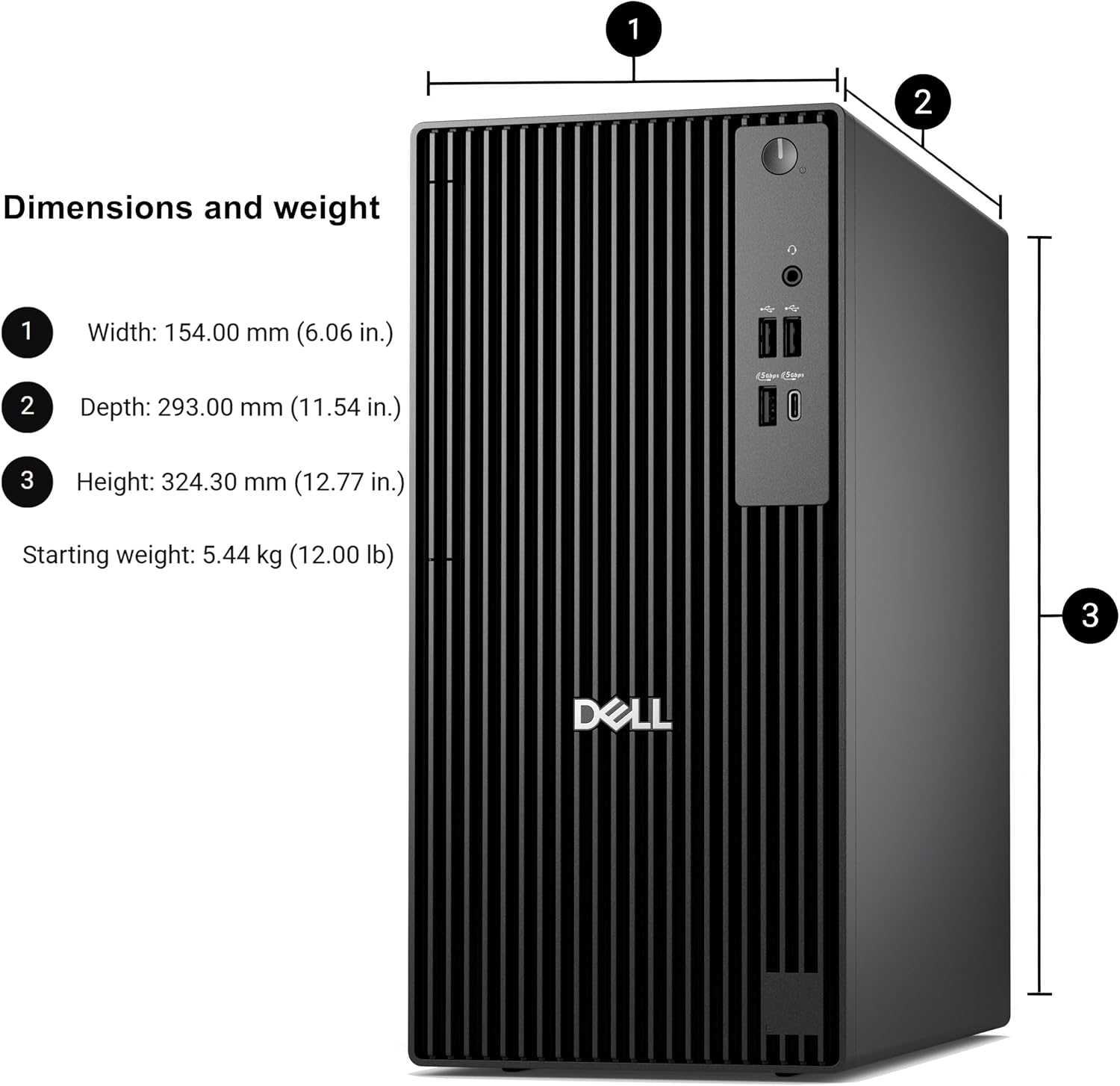
The tower is listed at 12.77 x 6.06 x 11.54 inches and starts at 12 lbs, giving you dimensions to compare with a shelf or desk area. If the space is tight, measure the opening before choosing it, without that measurement, the listed footprint alone cannot confirm how it will fit alongside cables and other equipment.
Best use cases
This desktop is most relevant for office work, spreadsheets, business software, and a dual-monitor desk where wired networking is useful. Its selection of front and rear connections can also help when you regularly attach accessories. Compared with a bare-bones computer aimed only at basic single-screen tasks, the two display outputs and Windows 11 Pro make this setup more oriented toward a small workstation. In contrast, a buyer choosing a computer for consistently heavy multitasking should put memory capacity higher on the checklist. Worth considering if your workload is mostly everyday business work and the listed ports match your desk. Better avoided if 8GB of memory is unlikely to keep up with the number or demands of your usual apps.
Should you buy it?
Choose the QCT1250 if you want a business desktop with a current Core i3 processor, a 512GB SSD, Windows 11 Pro, and support for two 4K displays in one compact tower. The strongest reason to pause is the 8GB RAM: it may be enough for ordinary office routines, but the product details do not establish how well it handles heavier workloads or whether memory can be upgraded. If your work is mostly documents, email, and a second screen, the configuration is easy to understand, if your day routinely pushes several demanding programs at once, consider a desktop with more memory specified.