

Dell Tower Desktop QBT1250
Product description
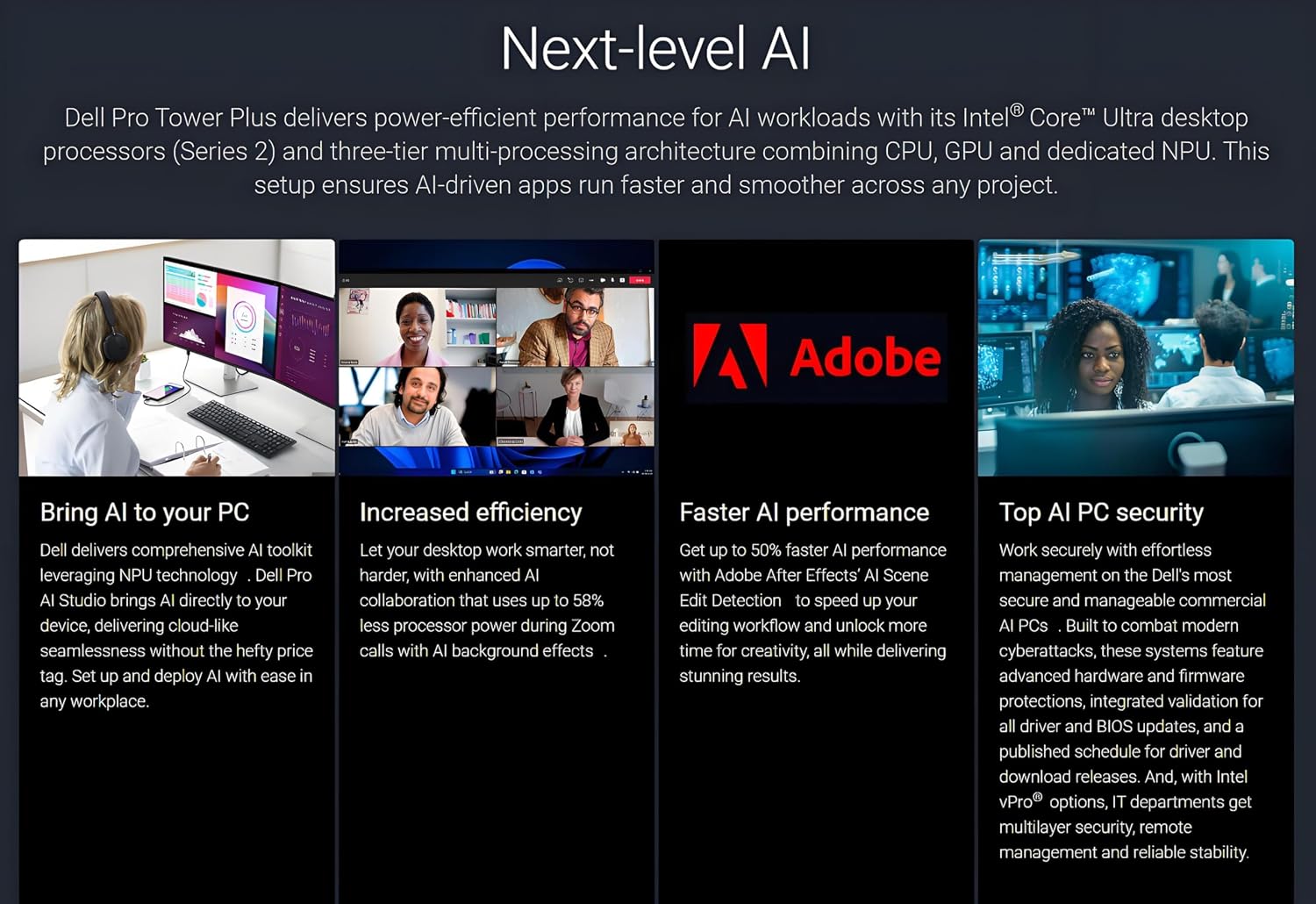
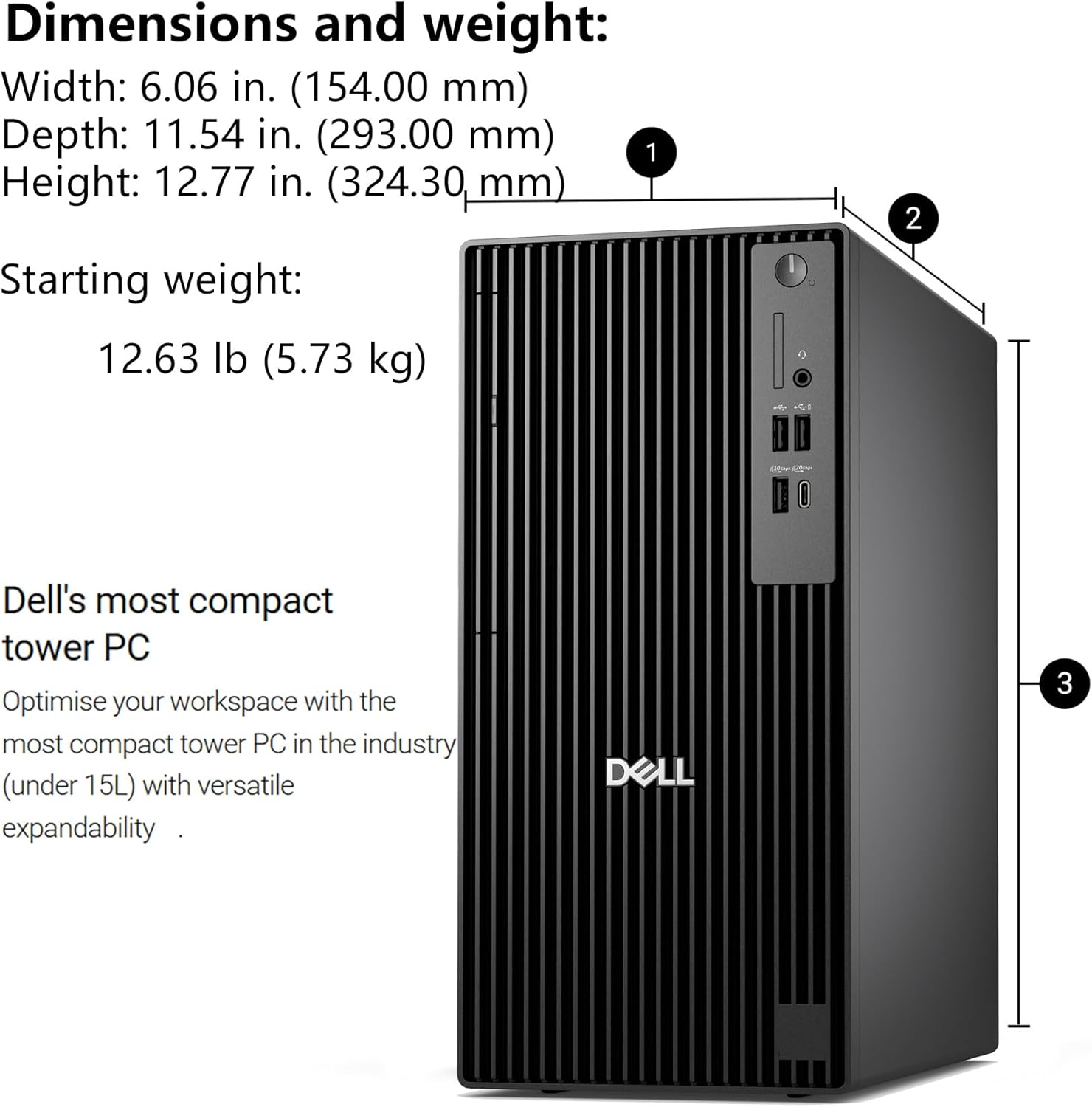
When a basic desktop leaves you juggling windows across too few screens, the Dell Pro Tower Plus QBT1250 offers a more work-focused setup: it supports up to three 4K displays and comes with Windows 11 Pro. Its Intel Core Ultra 5 235 processor, 8GB of DDR5 memory, and 512GB SSD give you the core components for everyday office work, while a listed 13 TOPS NPU is intended to accelerate supported AI tasks. That mix will appeal to professionals who want a desktop built around multitasking, but the memory amount deserves a close look before you treat it as a workstation for demanding workloads.
Key points
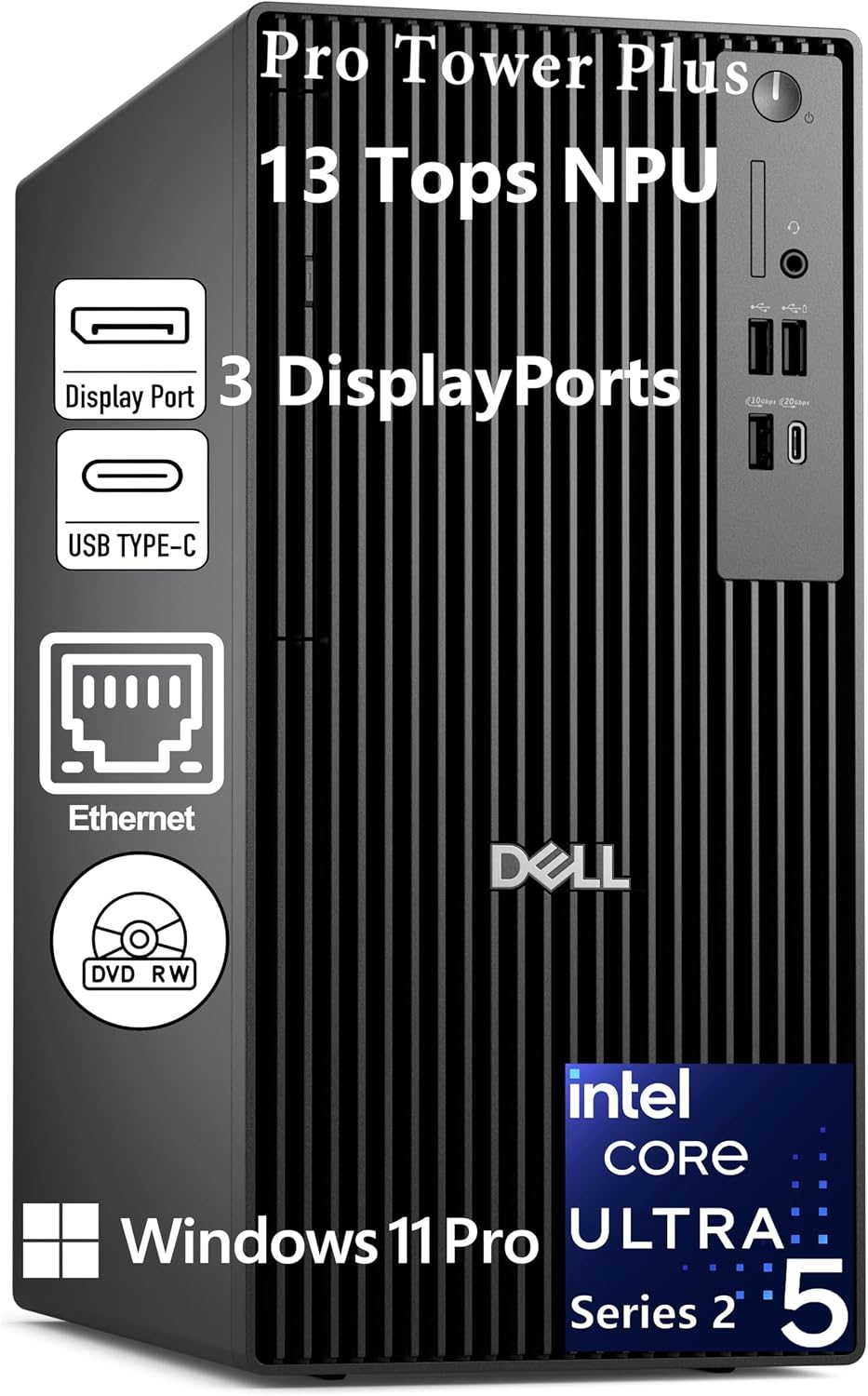
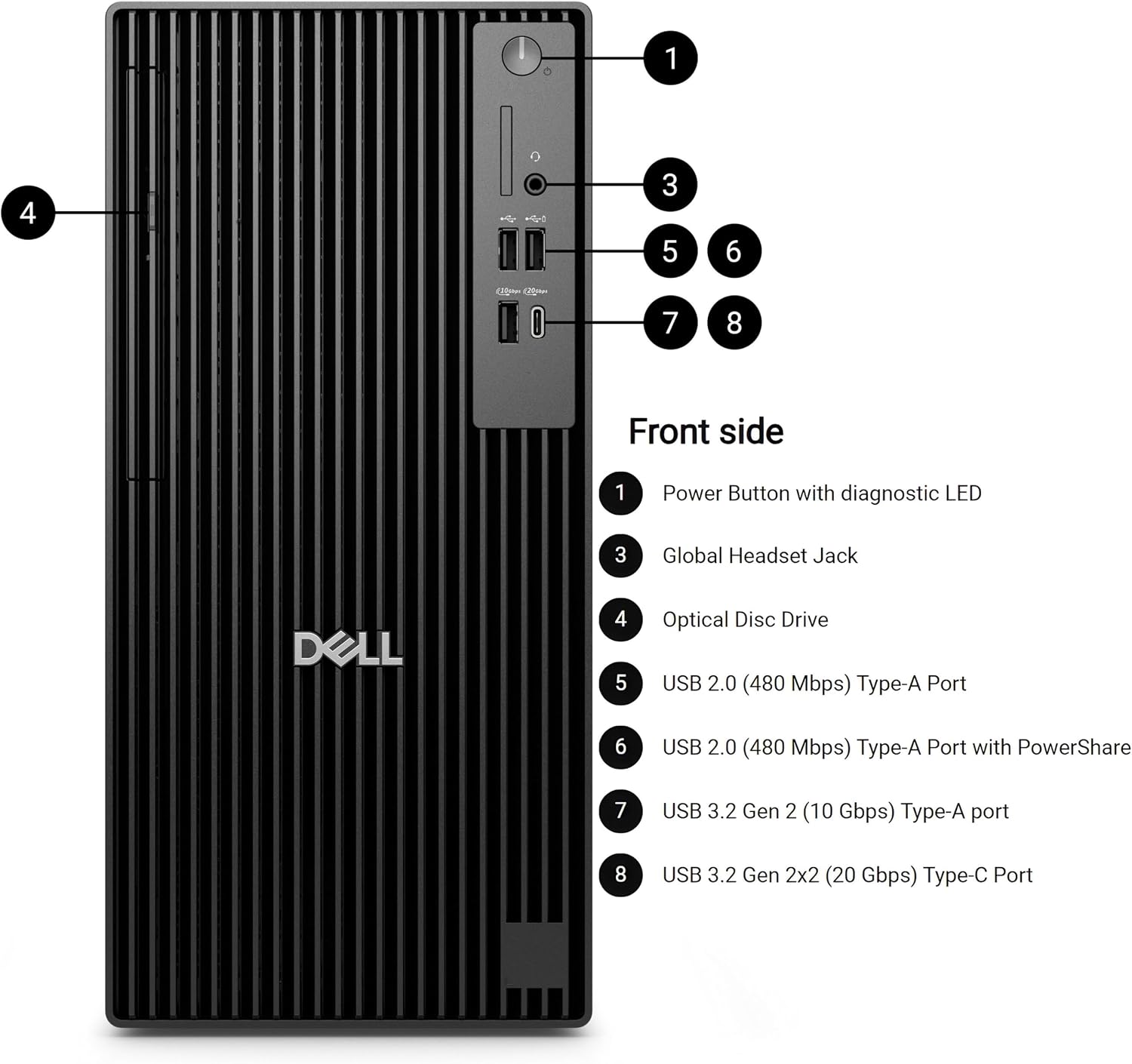
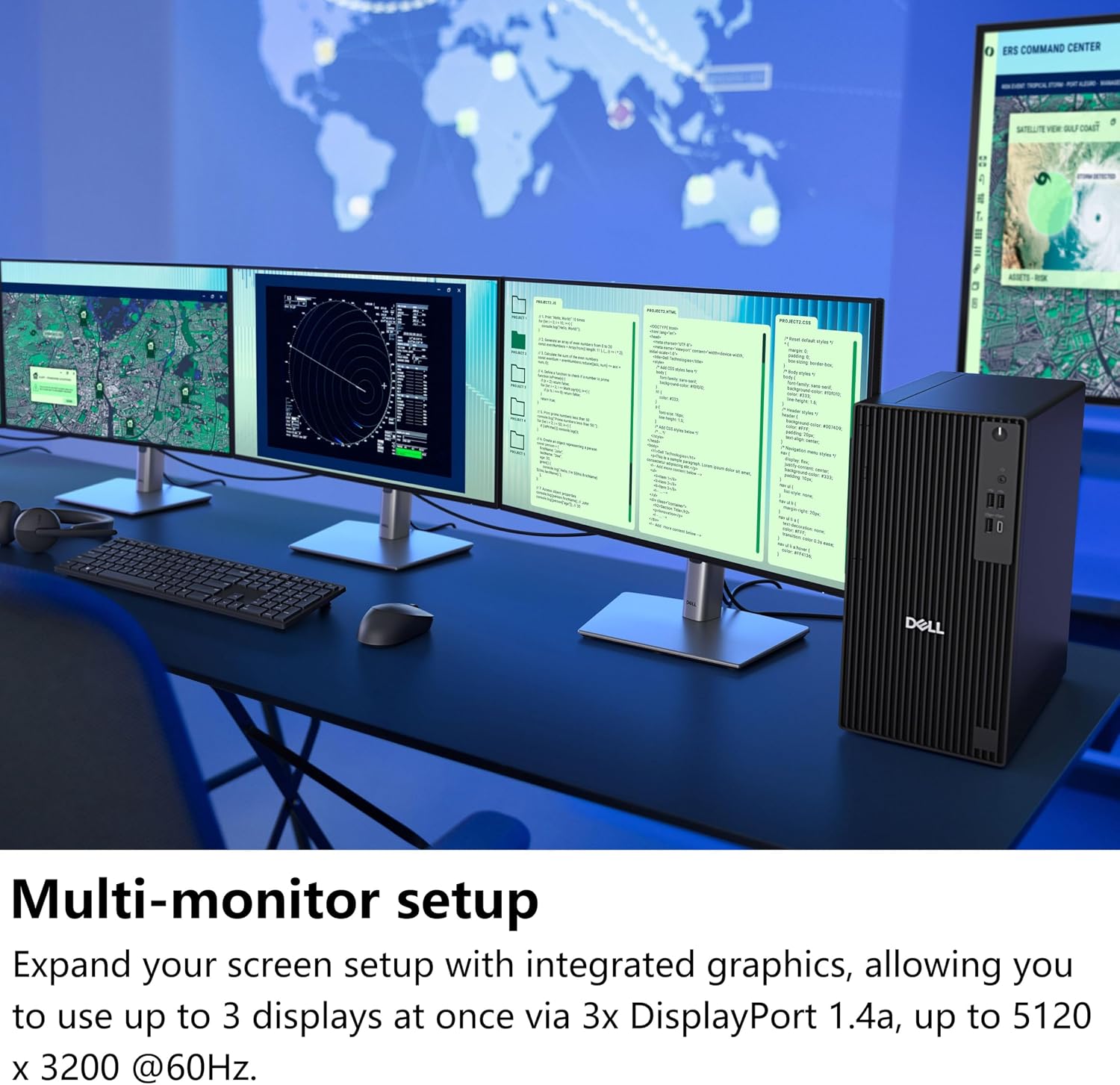
The standout practical feature is the ability to connect three 4K monitors at once. That can make a difference if your day involves keeping a spreadsheet visible beside a video call and a document, rather than constantly switching between tabs on one screen. The listing also includes two Type-C ports, Gigabit Ethernet, and a DVD drive, so the system covers a range of office connections and disc-based tasks without being described as a stripped-down mini PC.
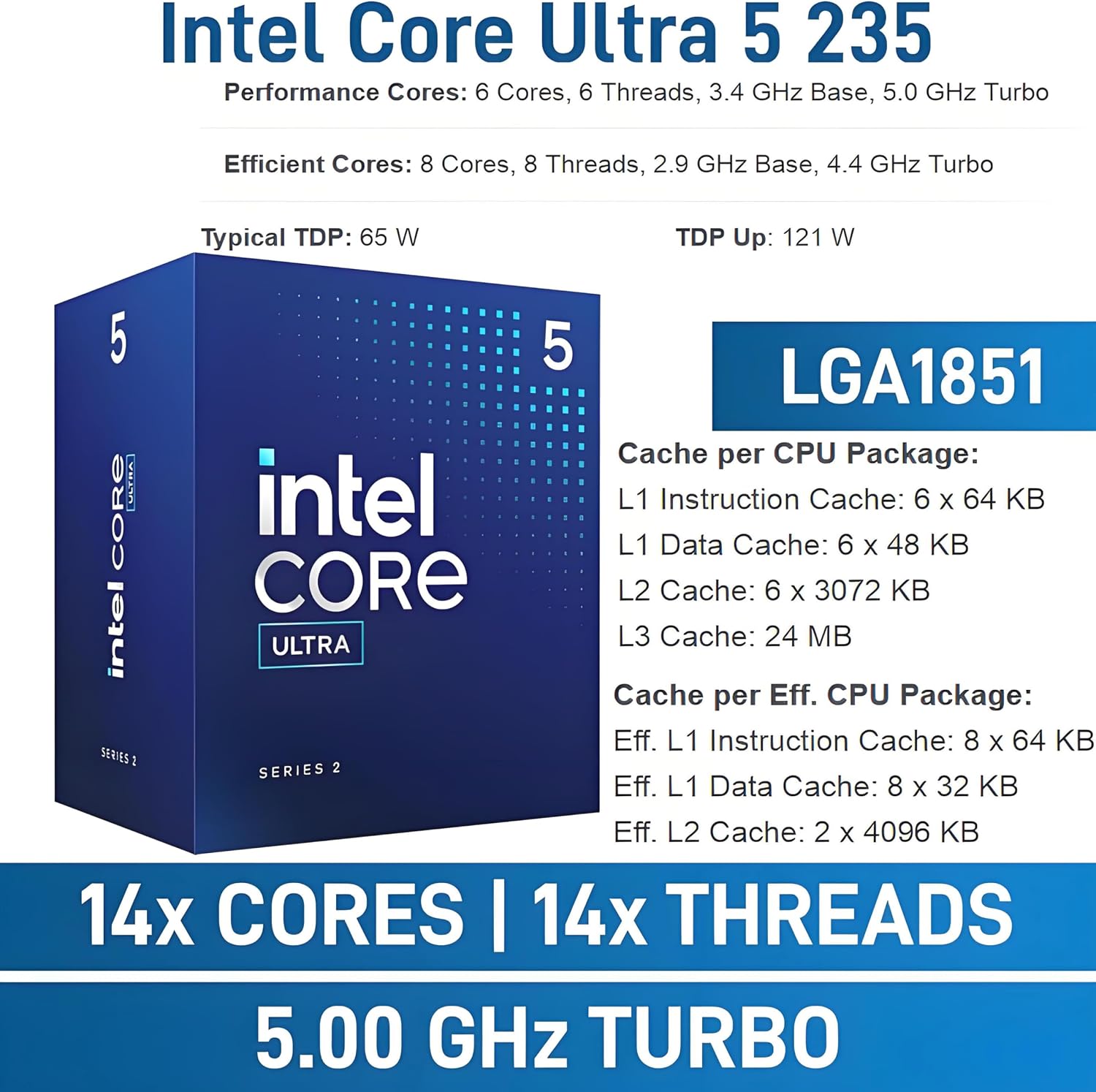
Windows 11 Pro is preinstalled, and the Core Ultra 5 235 pairs with an NPU rated at 13 TOPS for AI-related workloads in applications such as Adobe, Zoom, and Office. These features may help when the software supports them, they do not guarantee a particular speed-up for every task. It makes sense if you want a conventional tower with multi-display support and business-oriented software. Keep in mind that 8GB of DDR5 memory is the clearest constraint here: heavier multitasking or memory-intensive projects may call for more headroom than the listing confirms.
How to use it
A straightforward setup would be to connect your displays, use Gigabit Ethernet for a wired network connection, and keep your everyday work files and applications on the 512GB SSD. For example, you could leave a video meeting on one monitor, a shared project document on another, and email or a spreadsheet on the third. The tower also includes a DVD drive, which is useful if your work still involves optical discs. From the way it is set up, this is aimed more at a desk-based office workflow than at someone prioritizing a compact, portable computer.
Practical tips
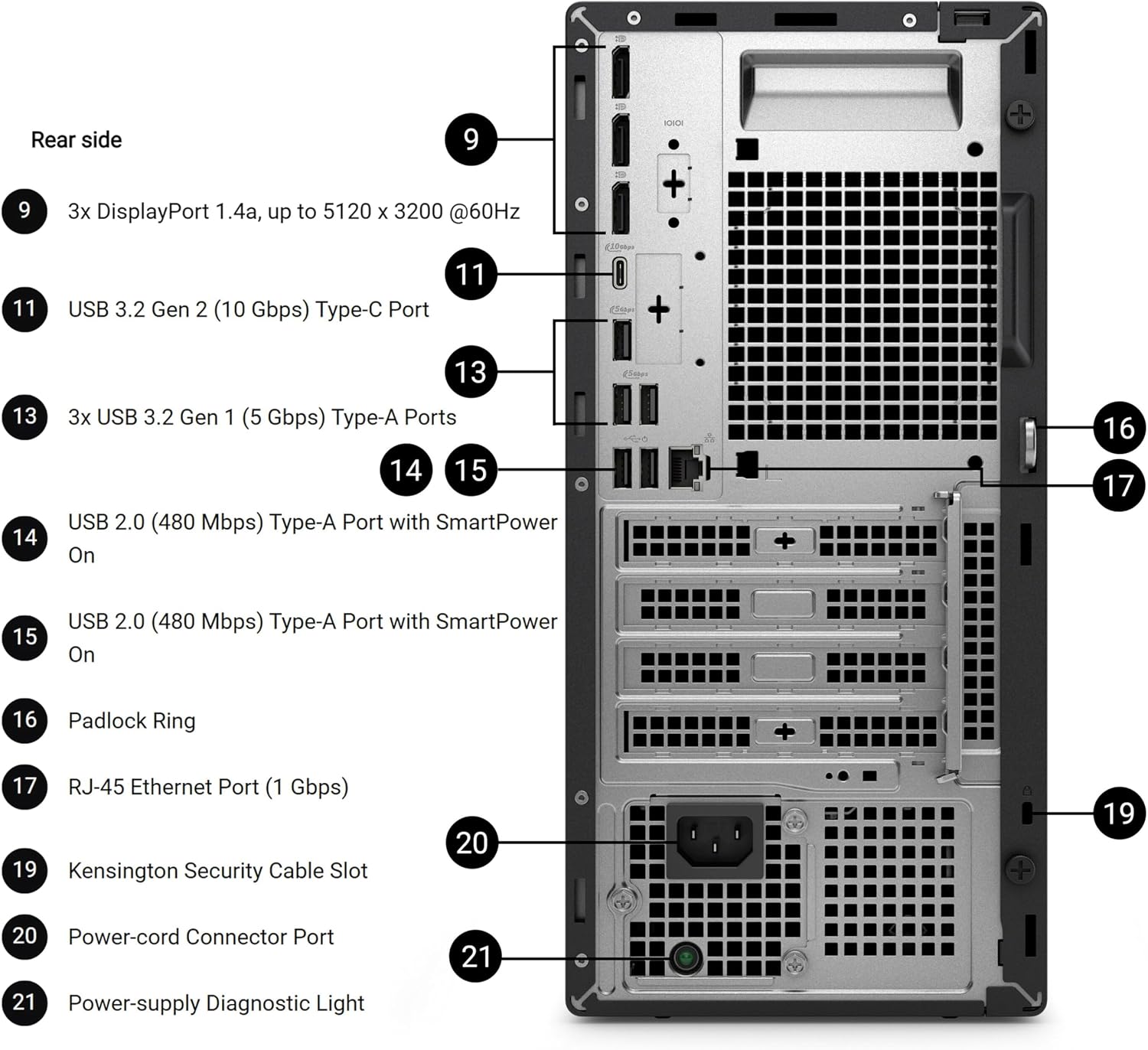
Before choosing it, map the desktop’s stated features to your actual workload. Three-display support is useful only if your monitors and connections suit your setup, the listing does not specify the exact display outputs, so check that detail against your screens. Likewise, consider how many demanding apps you normally keep open. A single office task or a light set of concurrent apps is a different use case from large creative projects or sustained memory-heavy work, and the 8GB configuration may feel limiting in the latter.
The 512GB SSD provides room for applications and working files, but it is not a promise of storage for years of every file you accumulate. If you rely on DVDs, the included drive is a practical extra, if you do not, it may matter less than the memory and display connections. It might not be a great match if your priority is a confirmed high-memory configuration or if you need precise port details before planning a multi-monitor desk.
Before you decide
Can it run three 4K displays? The product listing says it supports three 4K monitors simultaneously. It does not name the display connectors, so verify they match your monitors.
Does it come with Windows 11 Pro? Yes. Windows 11 Pro is listed as preinstalled.
Is it suitable for demanding workloads? It has an Intel Core Ultra 5 235 and a 512GB SSD, but only 8GB of DDR5 memory is specified. For memory-intensive work, that amount is a reason to look closely at your requirements.
Final verdict
The Dell Pro Tower Plus QBT1250 is worth considering for a fixed office setup where Windows 11 Pro, a DVD drive, and support for three 4K displays are useful in the same desktop. Its AI-focused NPU is a potential bonus for supported applications, not a substitute for checking what your software needs. Choose it if the listed memory and connections fit your work, look for a configuration with clearly specified memory and ports if those are central to your decision.