

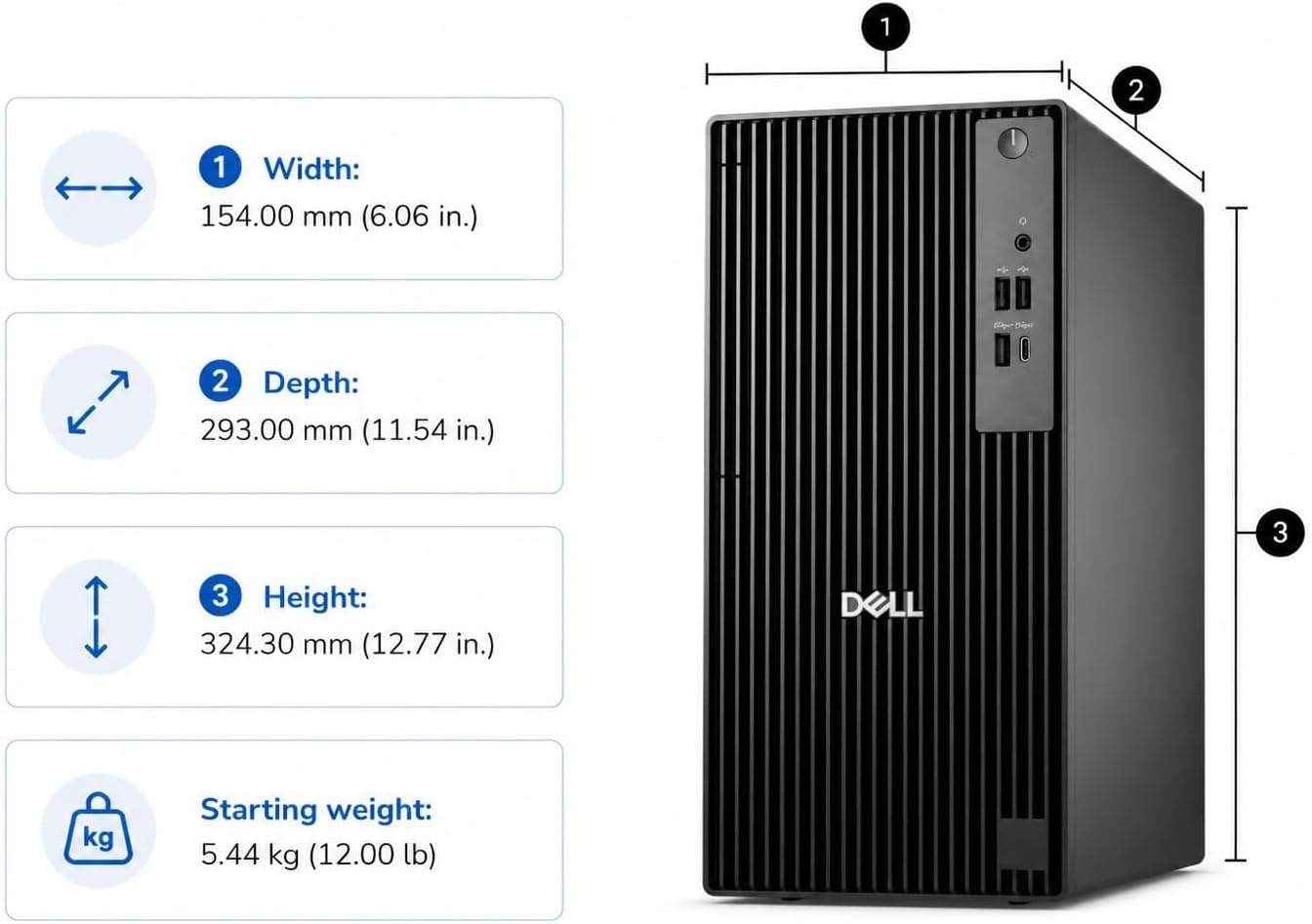
Dell tower desktop QCT1250
Product description
A 14-core Intel Core i5-14500 gives this Dell tower room to handle several work tasks at once, from large spreadsheets to video calls and business software.
It pairs that processor with 16GB of DDR5 memory and a 512GB SSD, a practical setup for everyday office work and a busy browser-heavy day.
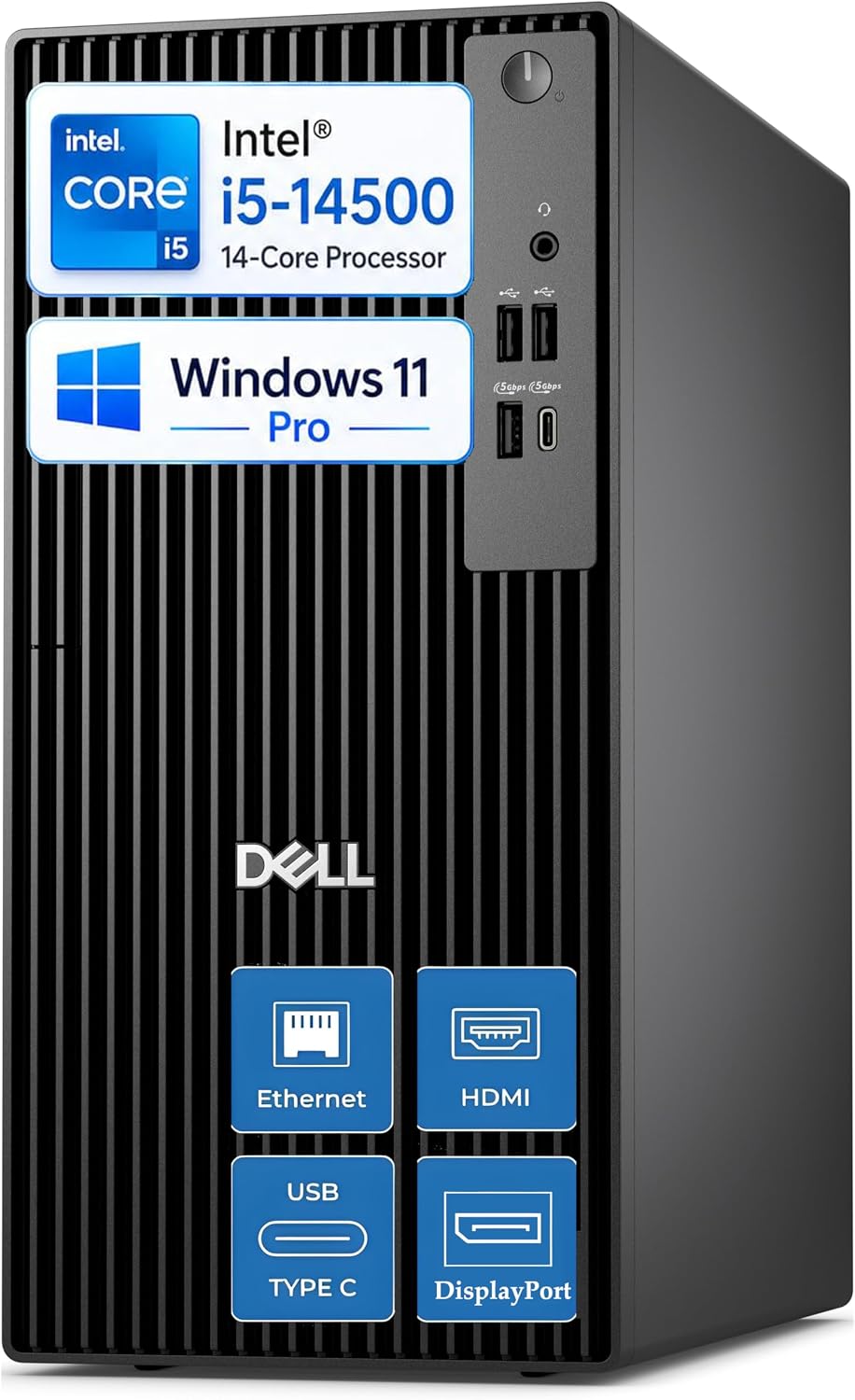
Windows 11 Pro and support for two displays make it especially relevant for a business desk that needs more than a basic home PC.
What matters most
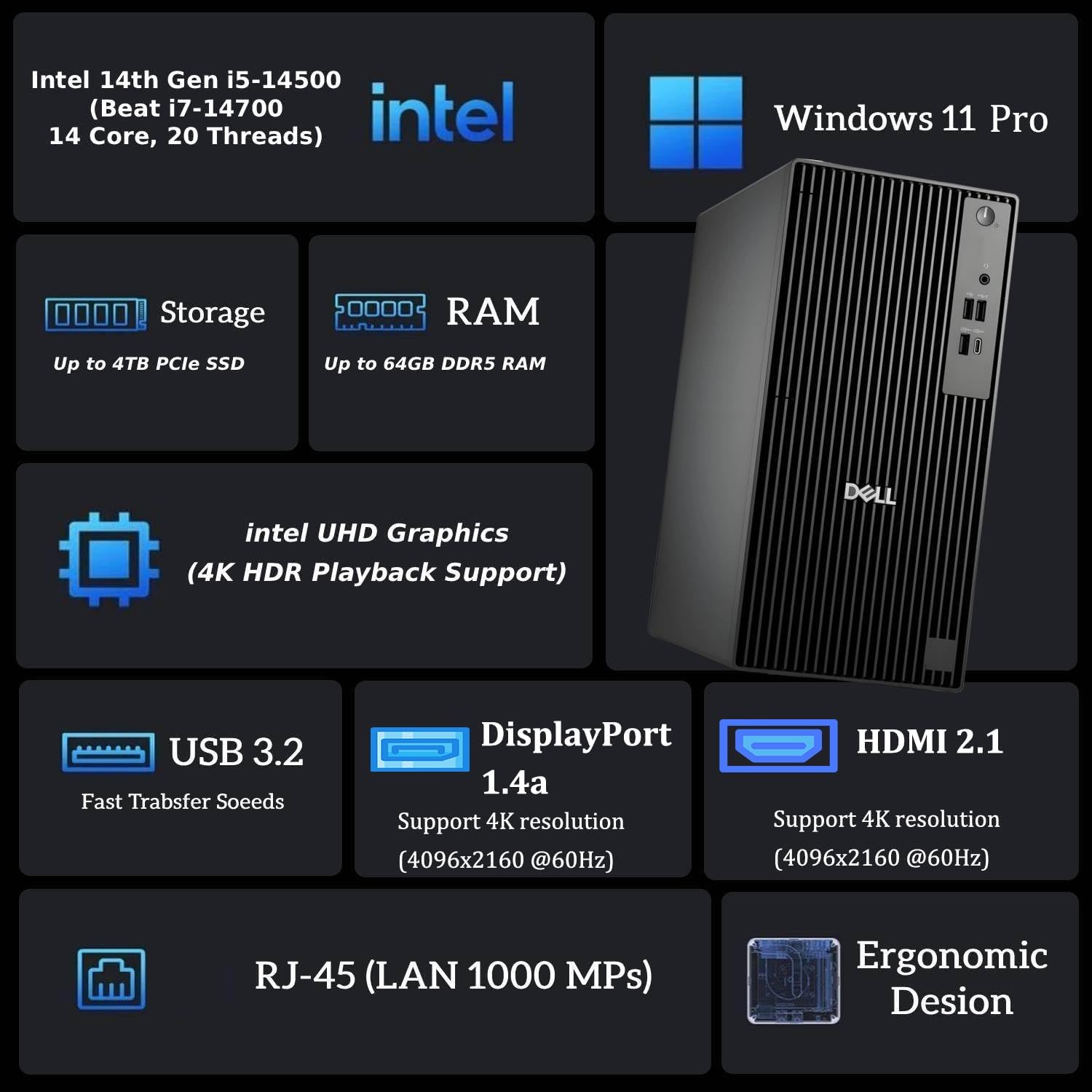
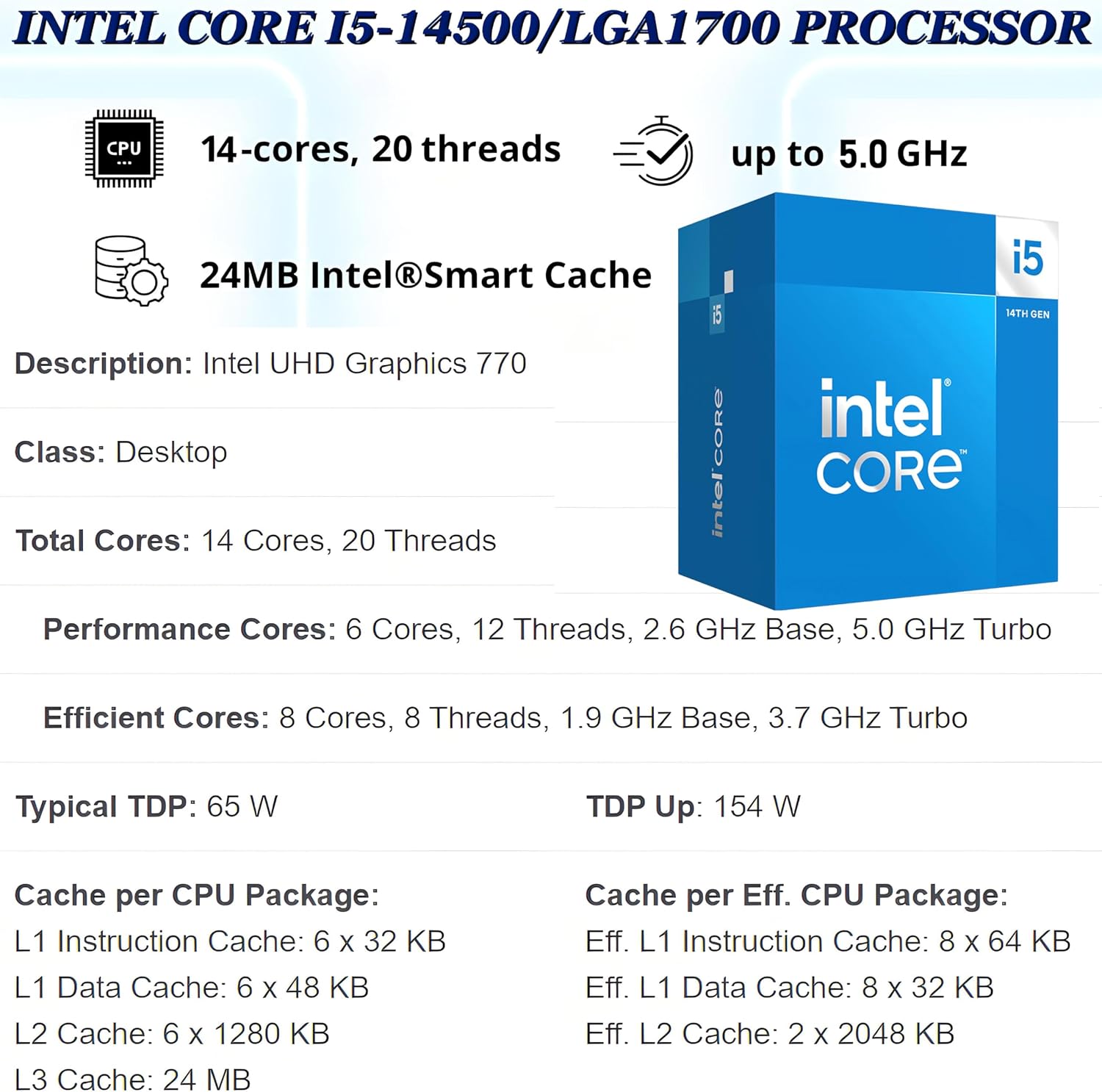
The QCT1250’s strengths are aimed at productivity, not flashy extras. Its Intel Core i5-14500 has 14 cores and 20 threads, with a listed maximum speed of up to 5.0GHz. That gives the system a useful foundation for switching between office applications, handling large spreadsheets, and keeping background tasks running while you work. The 16GB DDR5 memory and 512GB SSD round out a configuration that should suit typical business files and multitasking, storage needs can vary, so consider how much room your existing documents and applications take up.
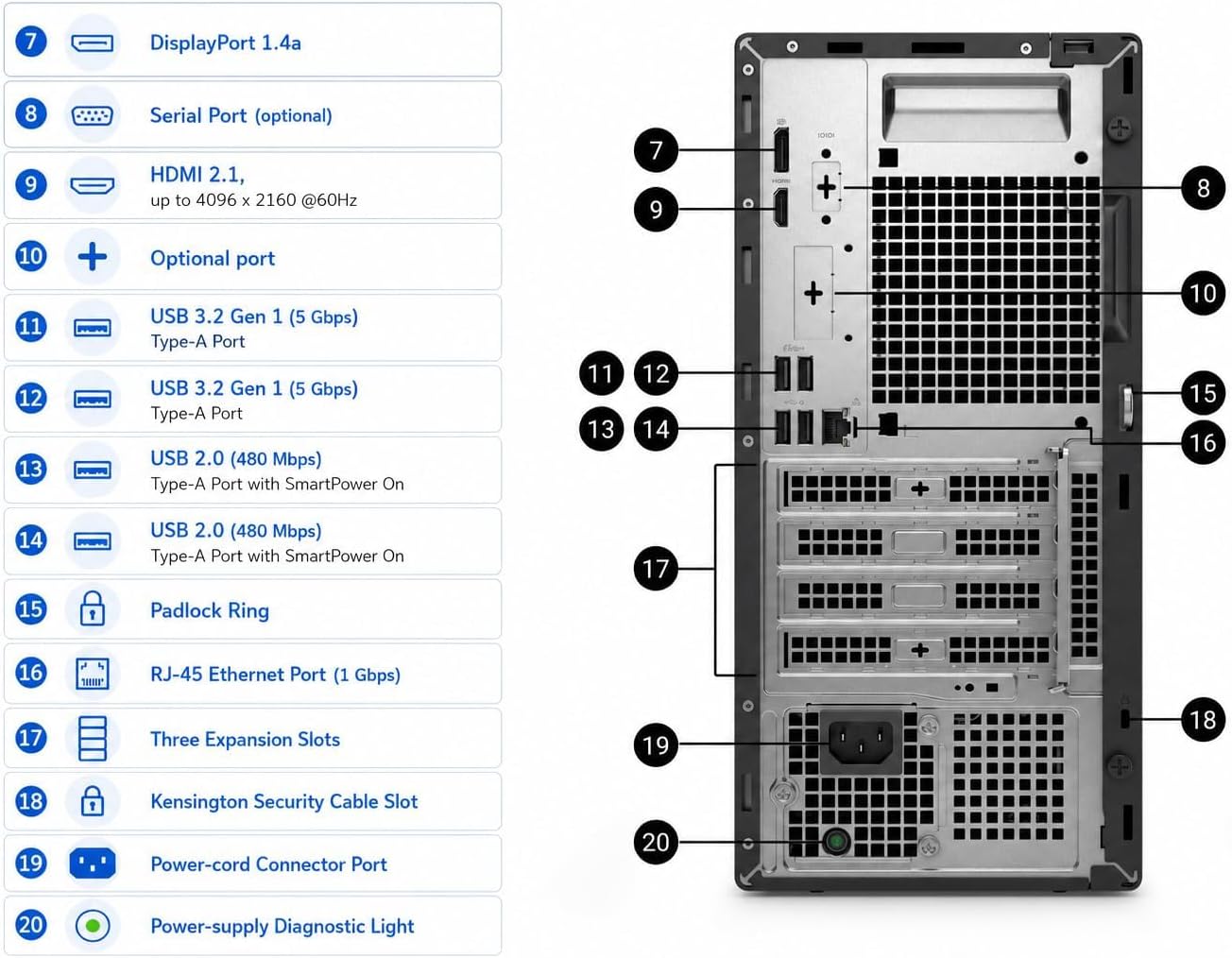
For a more spacious desk setup, the desktop supports two displays through DisplayPort 1.4a and HDMI 2.1, both listed for up to 4096x2160 at 60Hz. That can make it easier to keep a spreadsheet open beside a video meeting or reference document. Gigabit Ethernet is also included, along with front and rear USB ports for common office peripherals. Ten en cuenta que its Intel UHD Graphics 770 is described for business graphics, conferencing, and presentations, the listing does not identify a dedicated graphics card, so demanding 3D work is a different buying brief.
How to use it
Set it up as a central office computer, connect a keyboard, mouse, and one or two monitors, then add the peripherals your routine depends on. The tower format is intended for a desk or the space beneath it, rather than for carrying between rooms. For example, you could keep email and a video call on one screen while editing a report on the other, with a printer or external drive connected over USB.
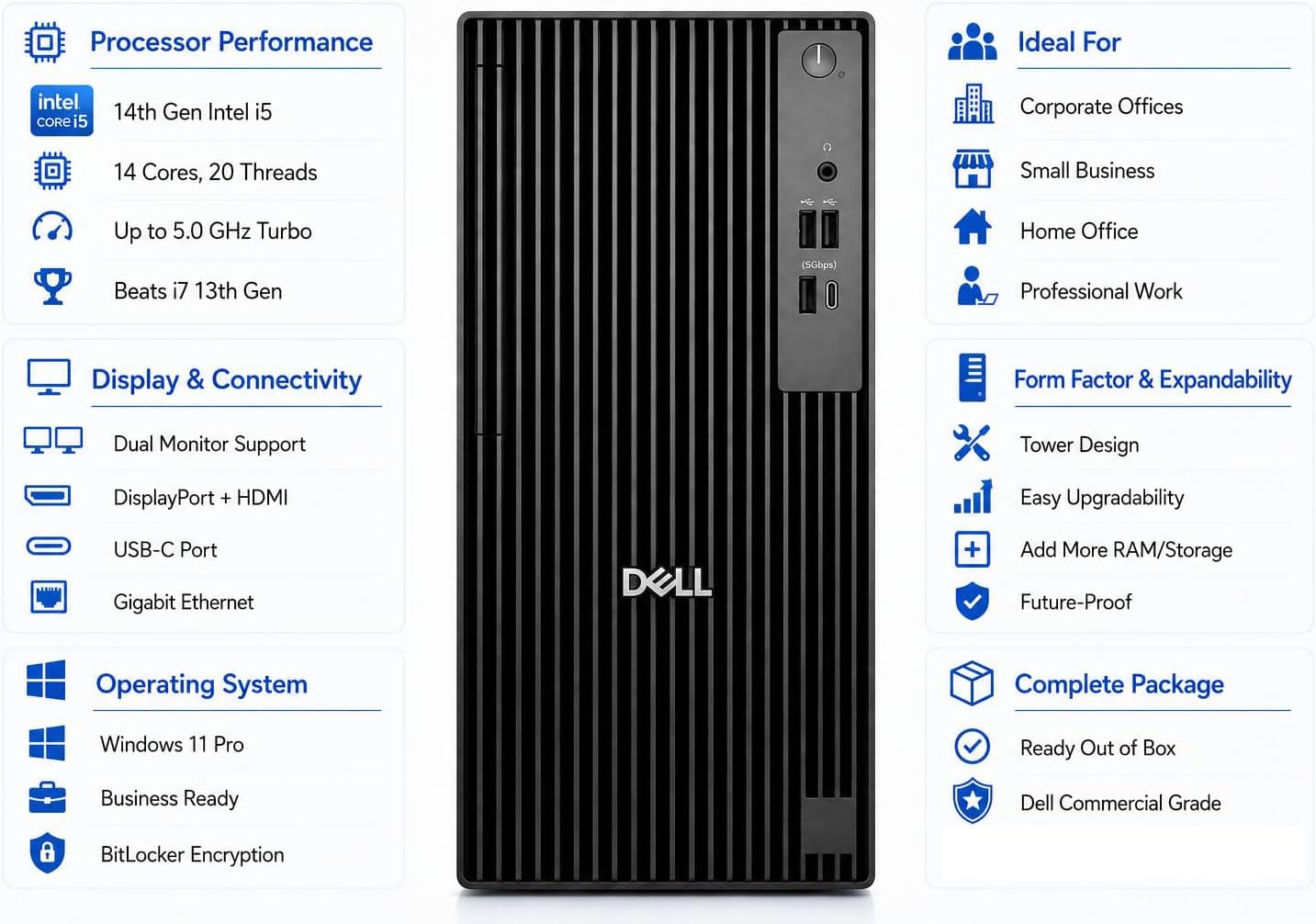
Windows 11 Pro adds business-oriented features including BitLocker, Remote Desktop, Hyper-V, and domain join. Intel vPro is also listed for hardware-based security and remote management, which may matter in an organization where IT staff manage multiple PCs. From the way it is set up, this is more focused on a managed office environment than on a compact, highly portable workstation.
Practical tips
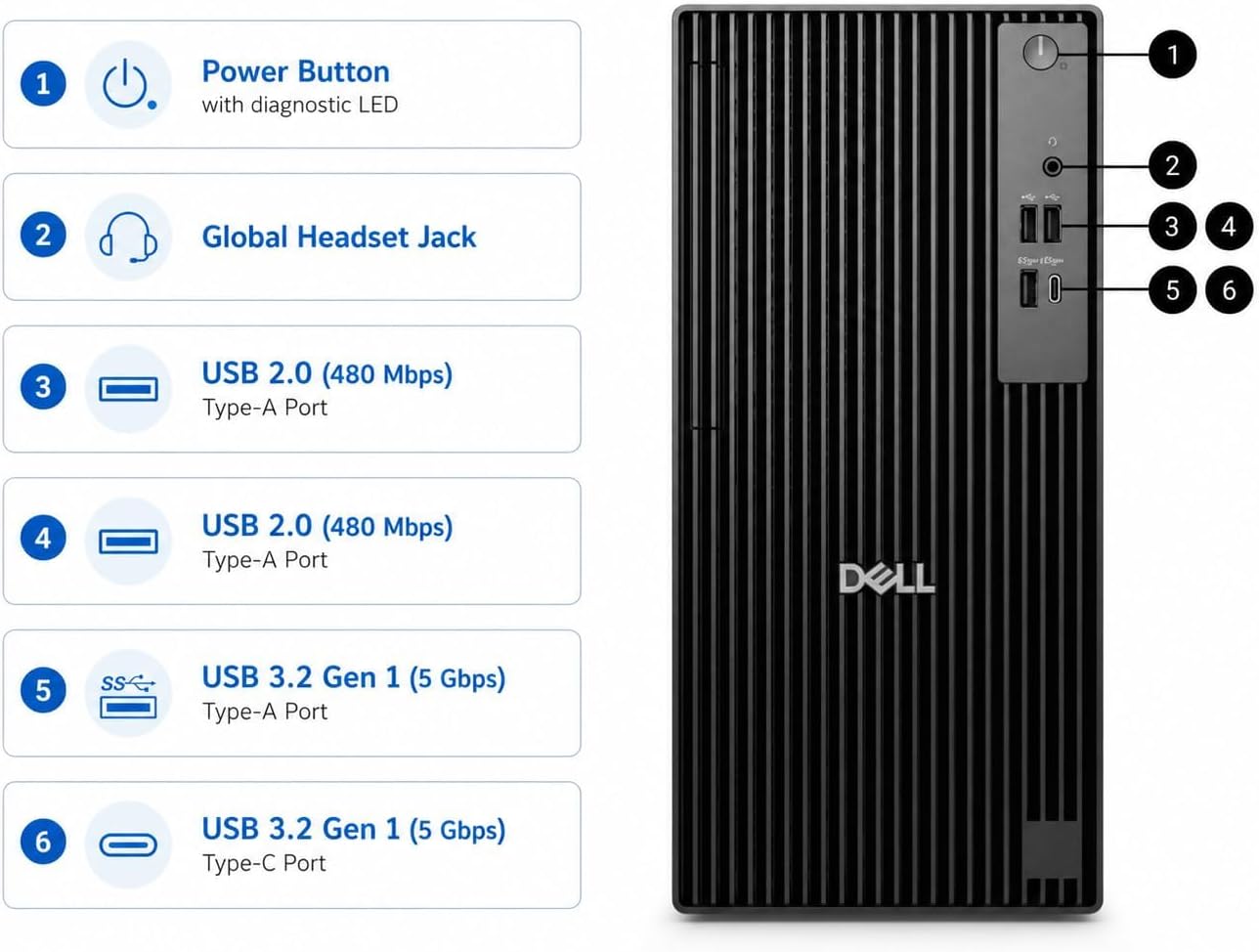
Before choosing it, map the ports to your actual desk: the listing names front USB-C, USB-A, USB 2.0, and an audio jack, plus additional USB connections at the rear. Check that your monitors use DisplayPort or HDMI, and that your network setup can use wired Gigabit Ethernet if that is part of your plan. These details matter more than a broad “business desktop” label when you need to reuse existing equipment.
It makes sense if you want a conventional tower with Windows 11 Pro, an SSD, and room for a dual-monitor work setup. Not the best choice if your main workload depends on dedicated graphics or you specifically need a small computer you can move around easily. If your work is mostly documents, accounting, calls, and browser tabs, this configuration is much closer to that everyday office use case.
Questions before you buy
Can it run two monitors? The product details list DisplayPort 1.4a and HDMI 2.1, with both outputs supporting up to 4096x2160 at 60Hz.
Does it include Windows 11 Pro? Yes. Windows 11 Pro 64-bit is listed as preinstalled.
Is it suitable for graphics-heavy work? The listed Intel UHD Graphics 770 is positioned for business graphics and multimedia. Since no dedicated graphics card is specified, check that this is enough for your particular software before choosing it.
Is it worth it?
This Dell is a sensible fit when the priority is a familiar tower PC for office multitasking, business software, and a dual-screen workspace, especially if Windows 11 Pro features are useful to your organization. Its 16GB memory and 512GB SSD give you concrete starting points for judging everyday workload and file storage. Look elsewhere if your work calls for a dedicated graphics card, or if portability and a smaller footprint matter more than a traditional tower design.