


Dell business tower desktop 16GB DDR5
Product description
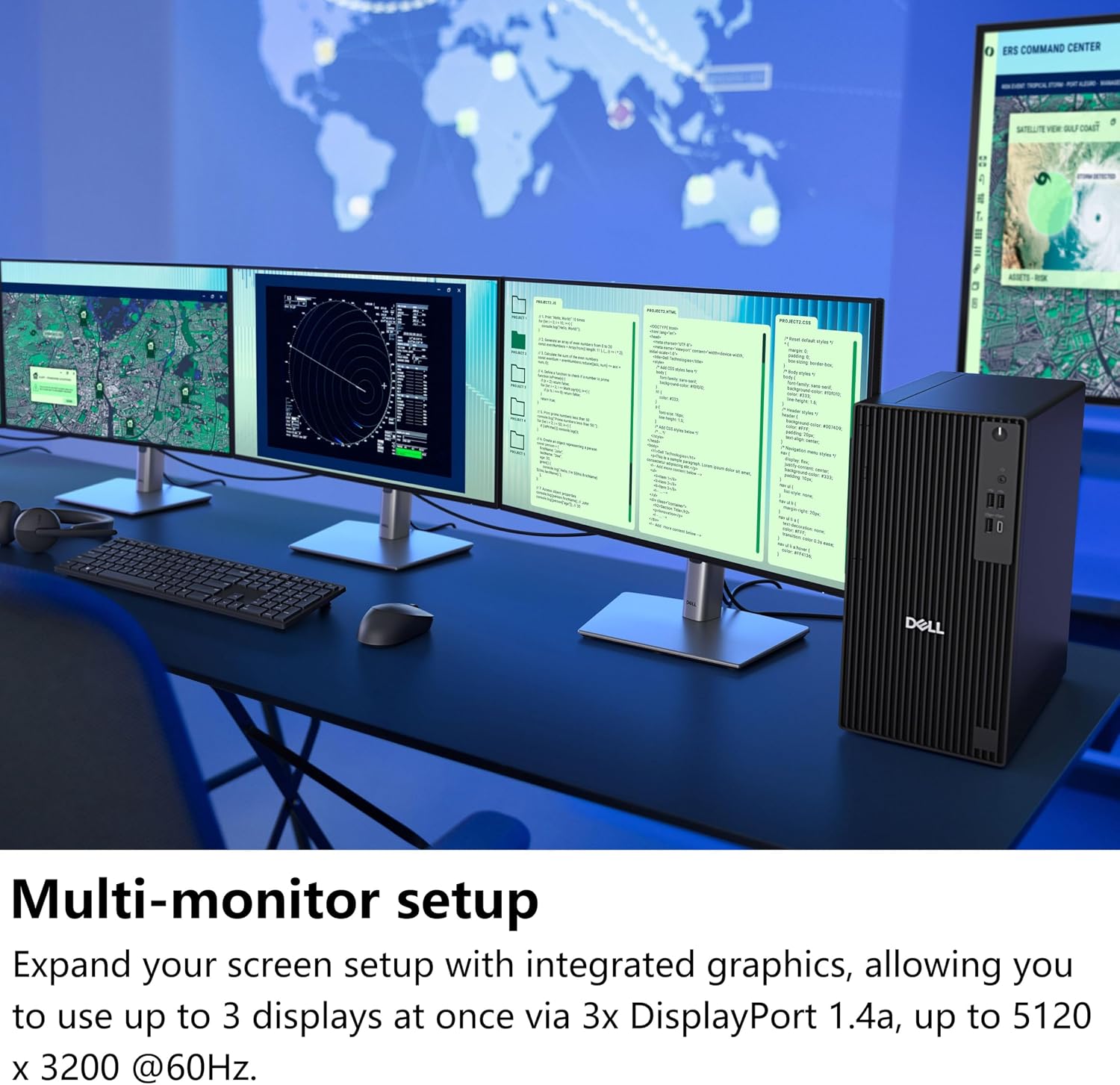
Three DisplayPort connections and a rear USB-C display output let the Dell Pro Tower Plus support up to four 4K displays. That can make a difference when work means keeping documents, dashboards, and research visible at once.
Its Intel Core Ultra 5 235 processor, 16GB of DDR5 memory, and 512GB SSD are aimed at everyday office workloads and multitasking, rather than a bare-bones setup.
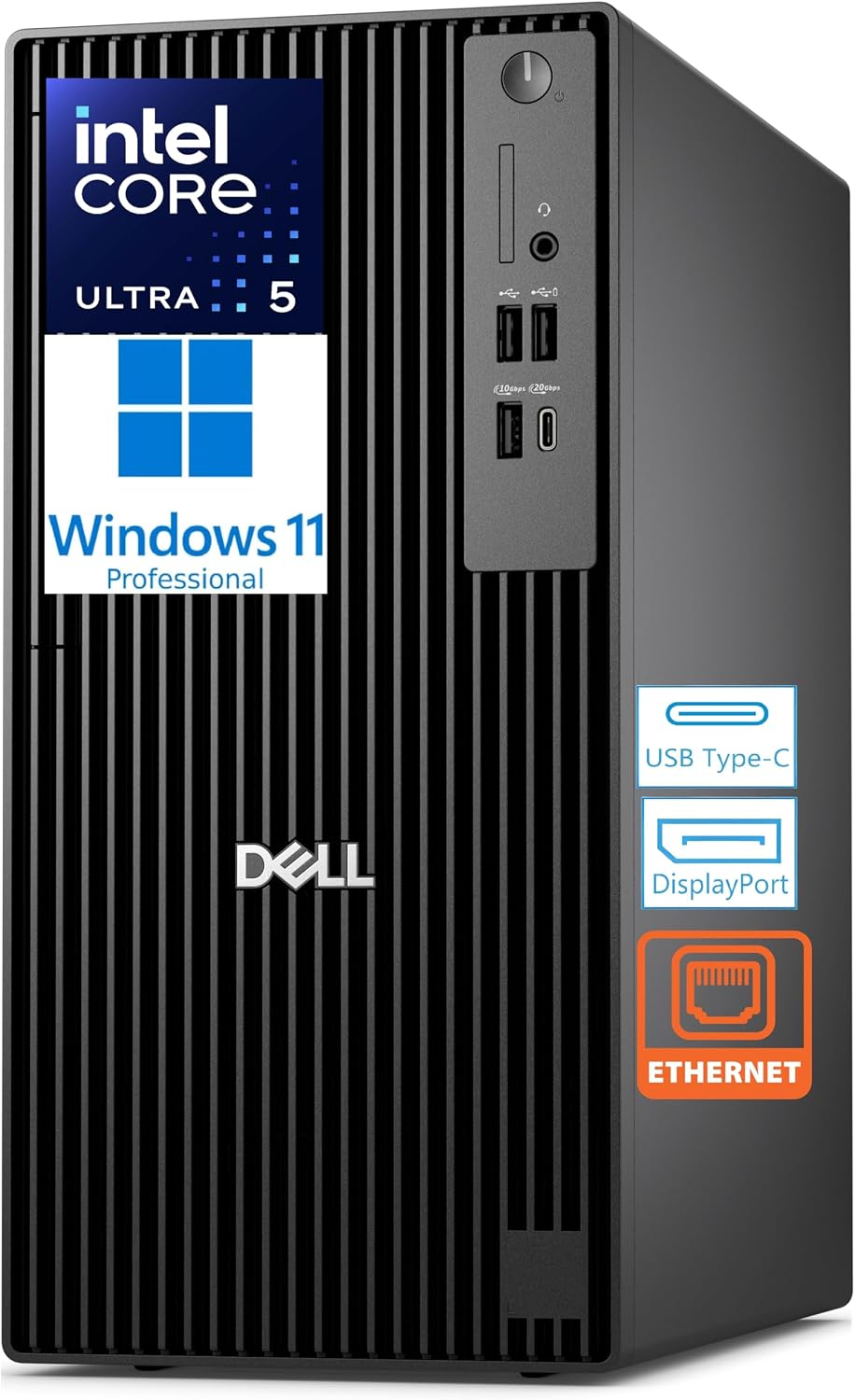
One practical limitation: this desktop has wired Ethernet but no Wi-Fi or Bluetooth. Plan on a wired network connection and separate wireless accessories if you need them.
Technical details

The Core Ultra 5 235 has 14 cores and a 13 TOPS NPU. The processor can reach up to 5.0GHz, while the 16GB of non-ECC DDR5 memory is rated up to 5600 MT/s. For everyday work, that combination is intended to handle office apps, browser tabs, research, and developer tools without relying on a minimal configuration. The NPU is a listed capability, not a promise that any particular application will run faster.
Storage is a 512GB TLC M.2 PCIe SSD, with Windows 11 Pro included. The tower also has an internal DVD+/-RW drive, discrete TPM, Realtek audio, and an internal speaker. ENERGY STAR and EPEAT Silver credentials are listed. These details suit a business workstation, though the product information does not specify upgrade options or the number of free internal expansion slots.
Everyday compatibility
For a desk-based workflow, the display connections are a central advantage: three DisplayPort ports and one rear USB-C display output support up to four 4K displays with integrated graphics. Picture a workday with a spreadsheet on one screen, a dashboard on another, and documents open beside them. That’s a more useful fit for multi-monitor productivity than a simpler desktop intended for a single screen.
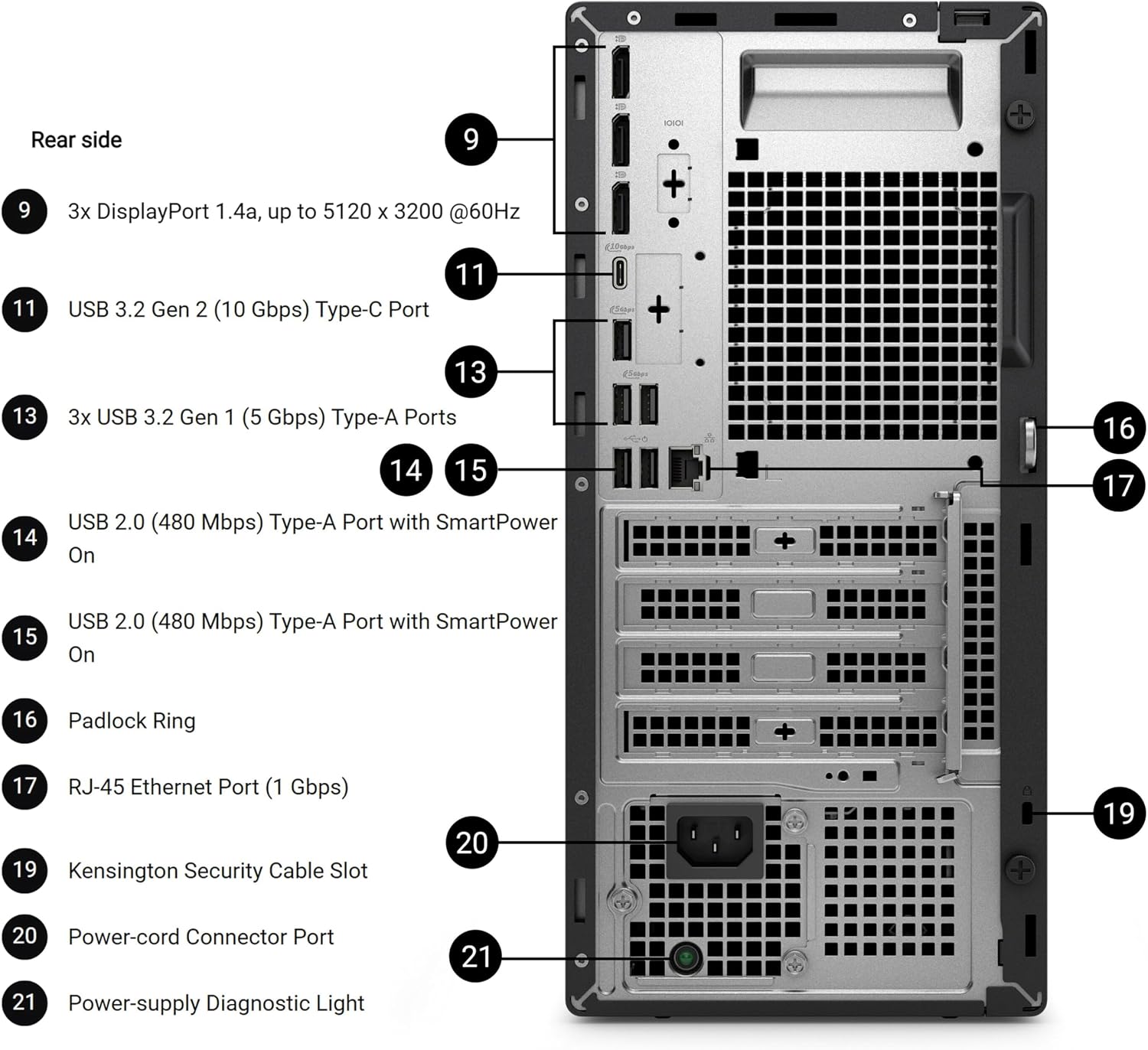
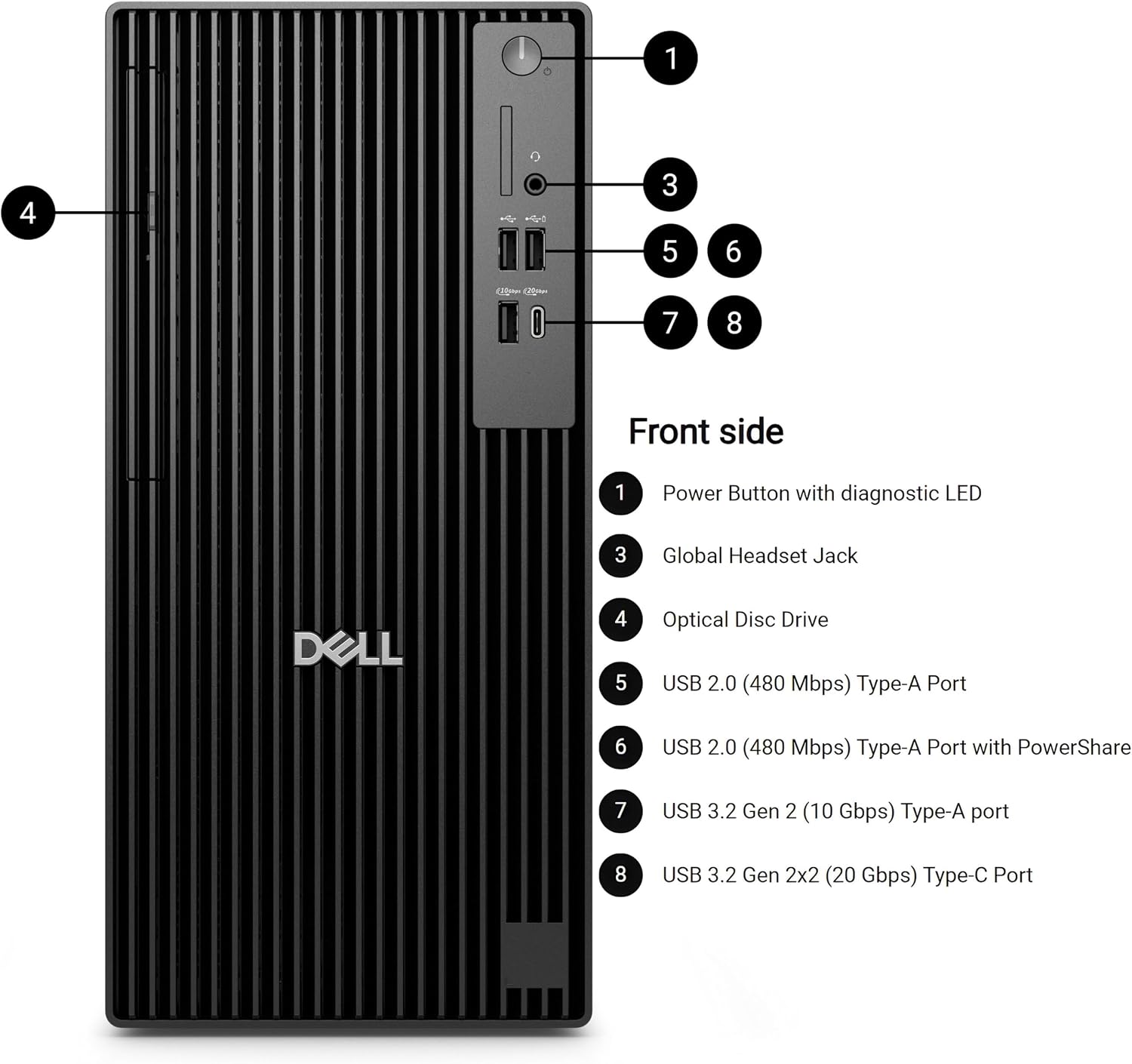
The port selection also includes front USB-A and USB-C, a headset jack, rear USB ports, and Gigabit Ethernet. Ethernet makes sense for a fixed office desk where a wired connection is available. If your setup depends on joining Wi-Fi or pairing Bluetooth devices directly, this configuration needs additional hardware or another approach, neither wireless feature is built in.
Usage tips
Before choosing it for a multi-monitor desk, map your existing screens to the three DisplayPort connections and rear USB-C output. The listed support is up to four displays at 4K, but the description does not spell out cable requirements or the exact display configurations supported. Check those against your monitors rather than assuming every connection type is interchangeable.
For a simple office setup, connect Ethernet, place frequently used files on the SSD, and use the DVD drive when your workflow still involves optical discs. A solid pick if you want a Windows 11 Pro tower for wired office work, multitasking, or a multi-display layout. It might not be a great match if wireless networking is essential or your workload calls for capabilities beyond the stated business and productivity use cases.
Practical doubts
Does it include Wi-Fi or Bluetooth? No. The listed networking connection is Gigabit Ethernet, and the product description explicitly says Wi-Fi and Bluetooth are not included.
Can it drive four 4K displays? The listed graphics support is up to four displays at 4K through three DisplayPort connections and the rear USB-C display output. Exact cabling details aren’t provided.
Is there an optical drive? Yes. The tower includes a DVD+/-RW drive, which is useful if your work still involves reading or writing DVDs.
Buying verdict
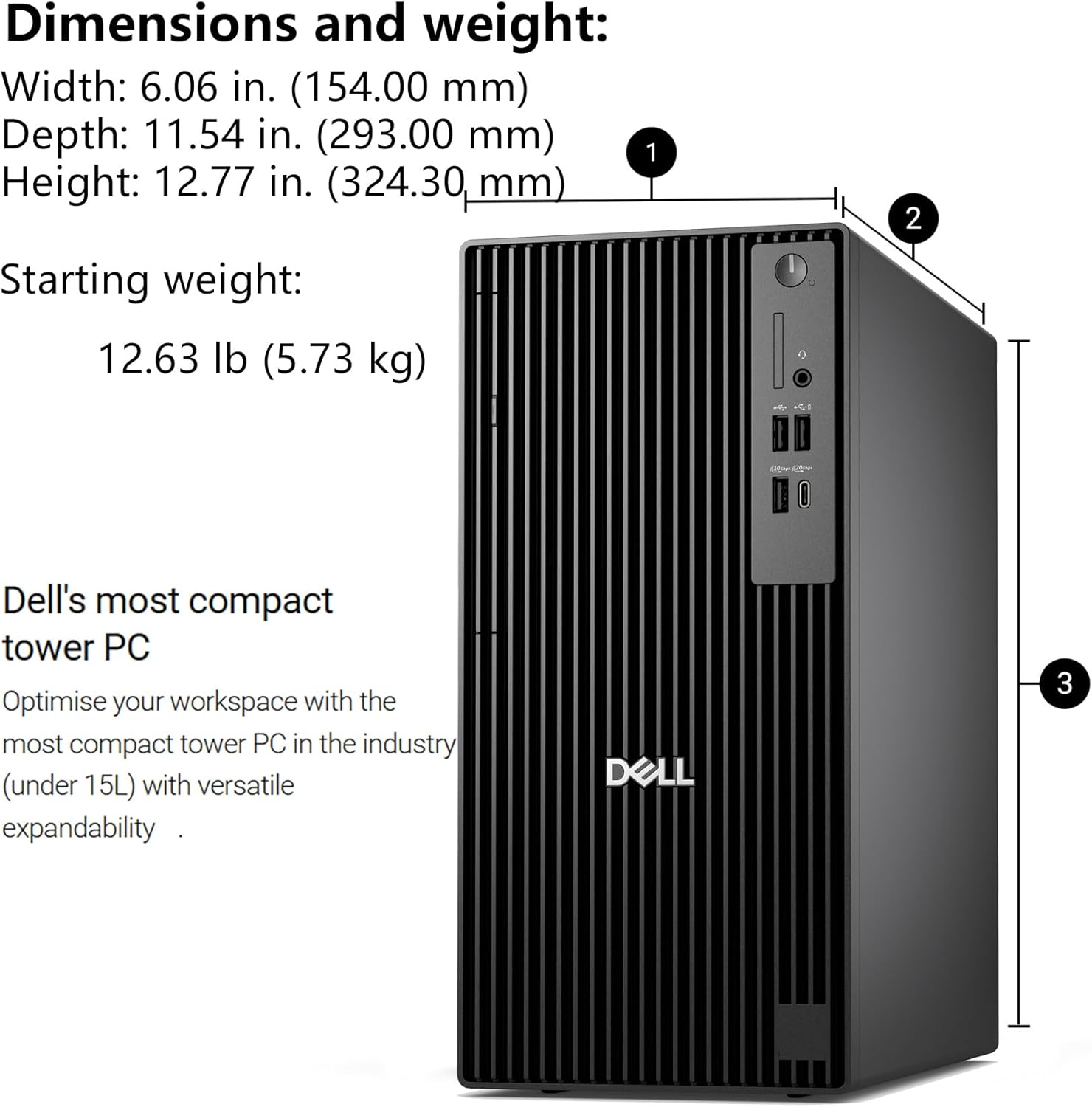
This Dell makes most sense when you want a traditional business tower with Windows 11 Pro, an SSD, and connections for a multi-screen workstation. Compared with a simpler desktop built around basic office tasks and one display, its extra display outputs and DVD drive give it more flexibility for established office setups. The tradeoff is equally clear: it’s a wired-first PC, and the available information doesn’t establish how far it can be expanded. Choose it for the stated productivity setup, look elsewhere if built-in wireless or unlisted expansion capacity is a requirement.