

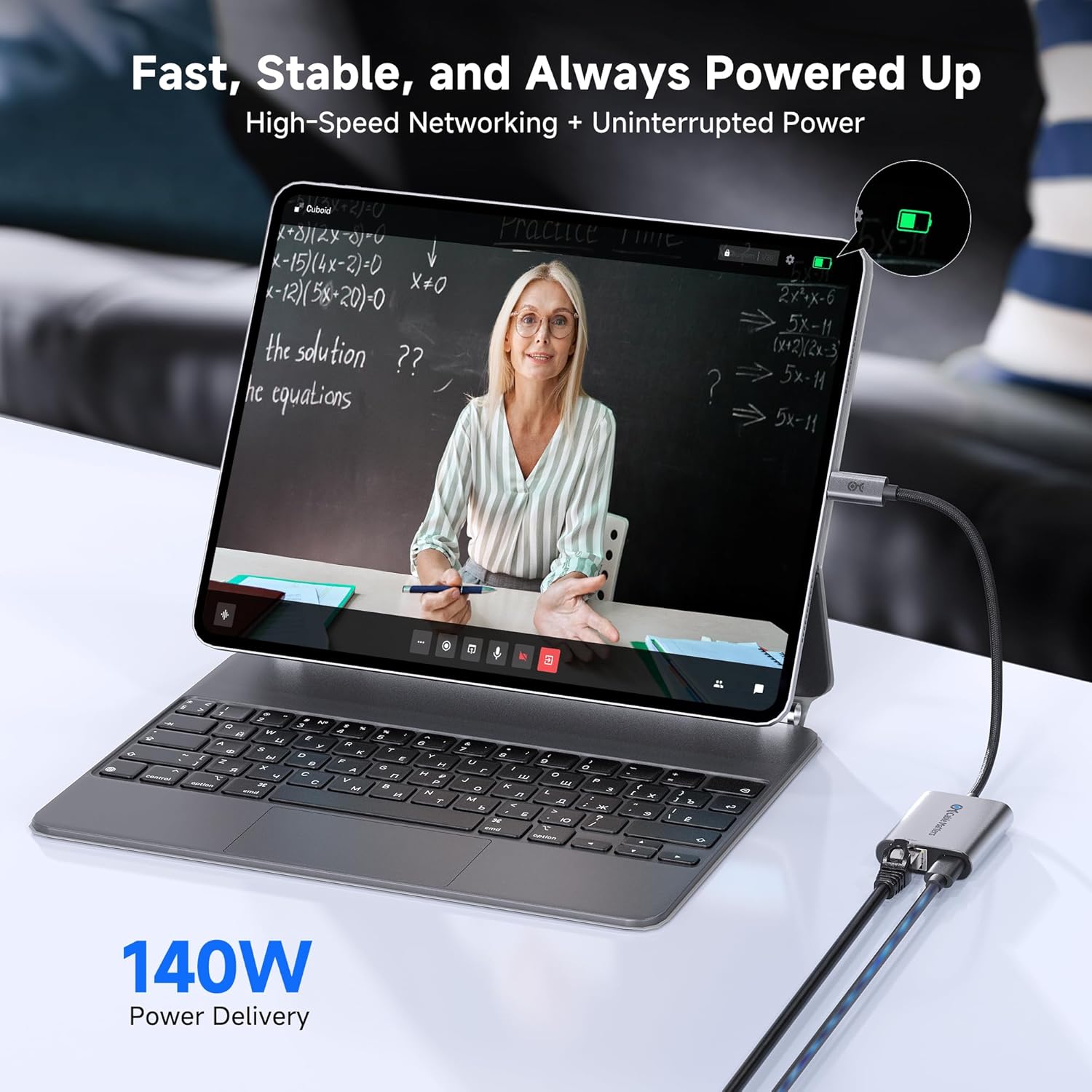
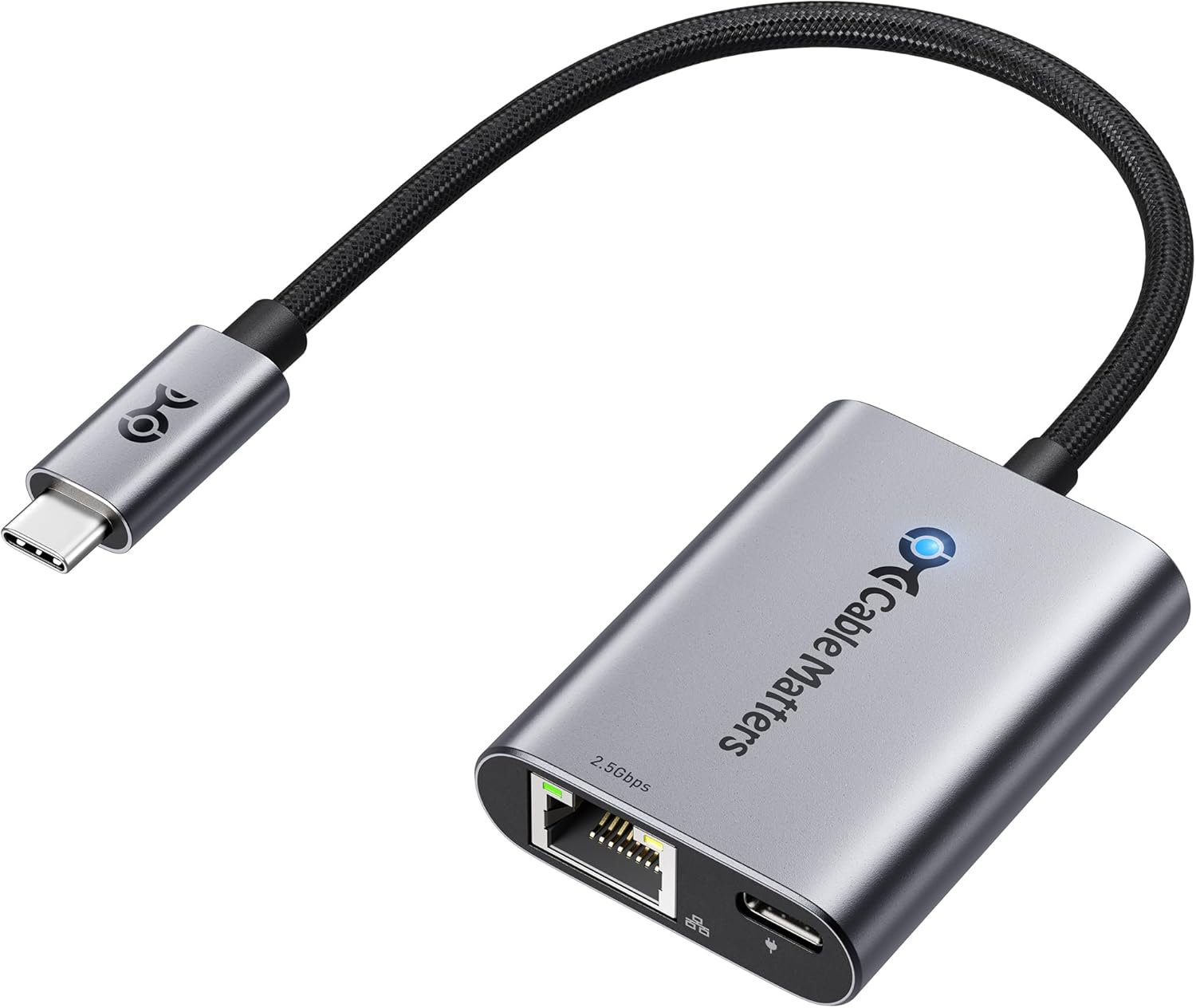
Cable Matters USB C to 2.5Gb Ethernet Adapter with 140W Charging
Product description
Overview
This Cable Matters USB C to 2.5Gb Ethernet Adapter is a compact solution designed to upgrade wired network performance on USB-C equipped laptops and devices. It combines a 2.5 Gigabit Ethernet port with a USB Power Delivery 140W charging input, allowing you to stay plugged in and connected at high speeds without juggling multiple adapters. On paper, it aims to deliver faster local network speeds for streaming, large file transfers, and online activities that benefit from stable, low-latency connections.
What it is and what it solves
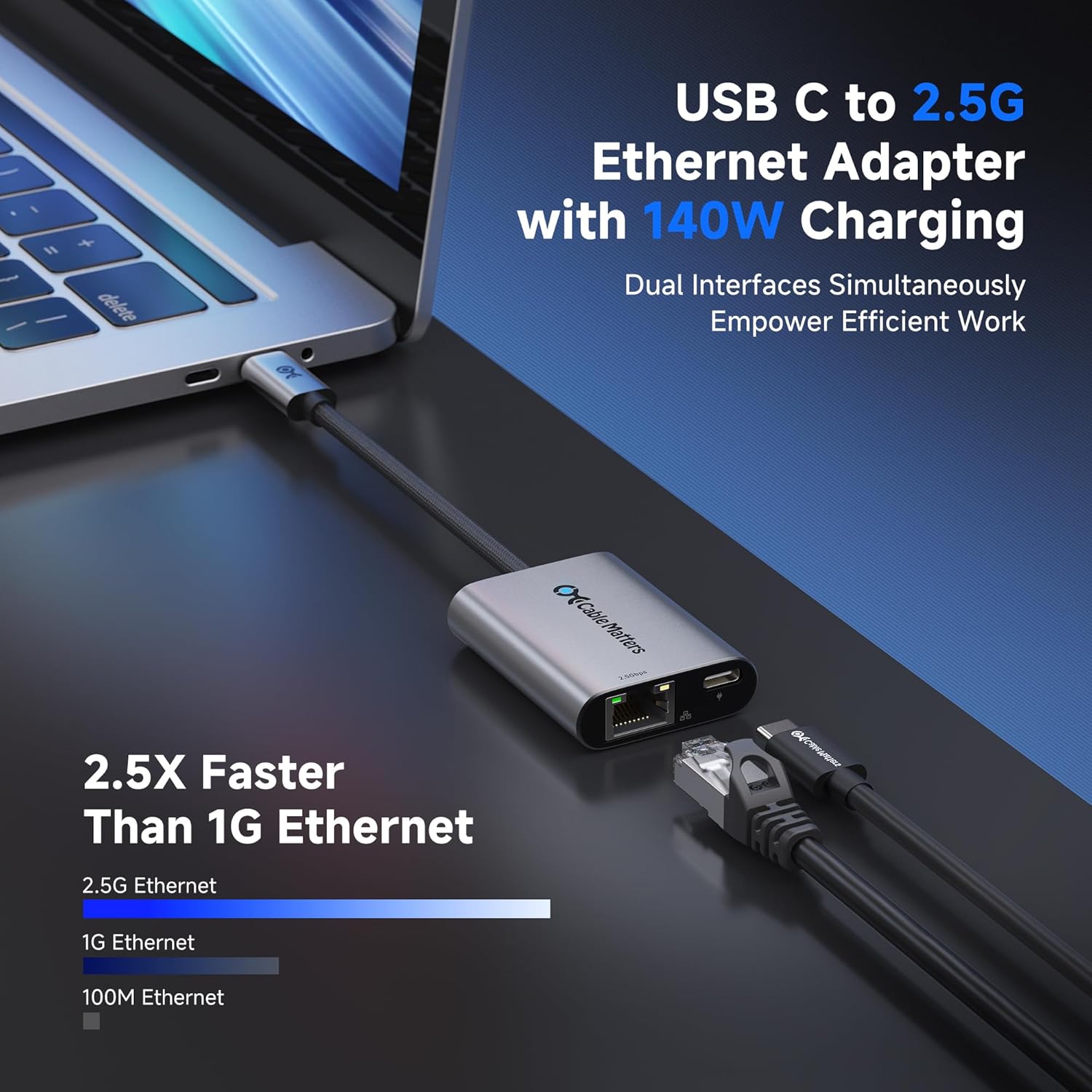
If you frequently work with large data transfers, stream 4K/8K content, or game online, this adapter promises to remove bottlenecks caused by slower Ethernet options. The 2.5Gbps Ethernet port translates to higher theoretical throughput than standard gigabit adapters, which can translate into smoother transfers and better streaming consistency when your network supports it. The included USB-C Power Delivery capability means you can power a compatible laptop while you stay online, reducing cable clutter and power adapters.
Design and durability
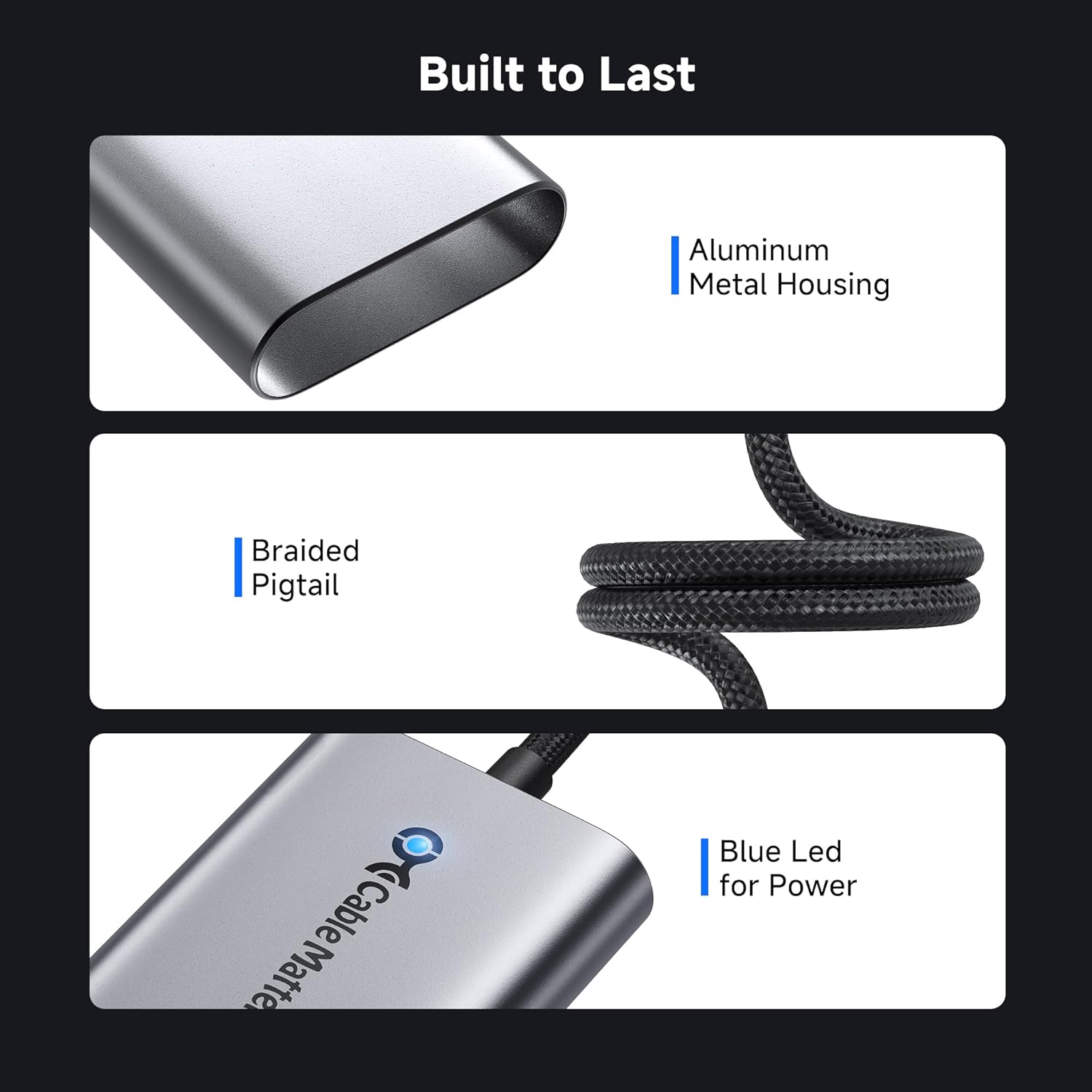
The adapter is built with an aluminum housing, which helps with heat dissipation and durability. A braided pigtail cable adds flexibility and falls in line with rugged, everyday use. For those who travel or work in varying environments, this combination can feel sturdy enough to endure regular handling and occasional tugs or plugs without loosening.
Compatibility and ecosystem fit
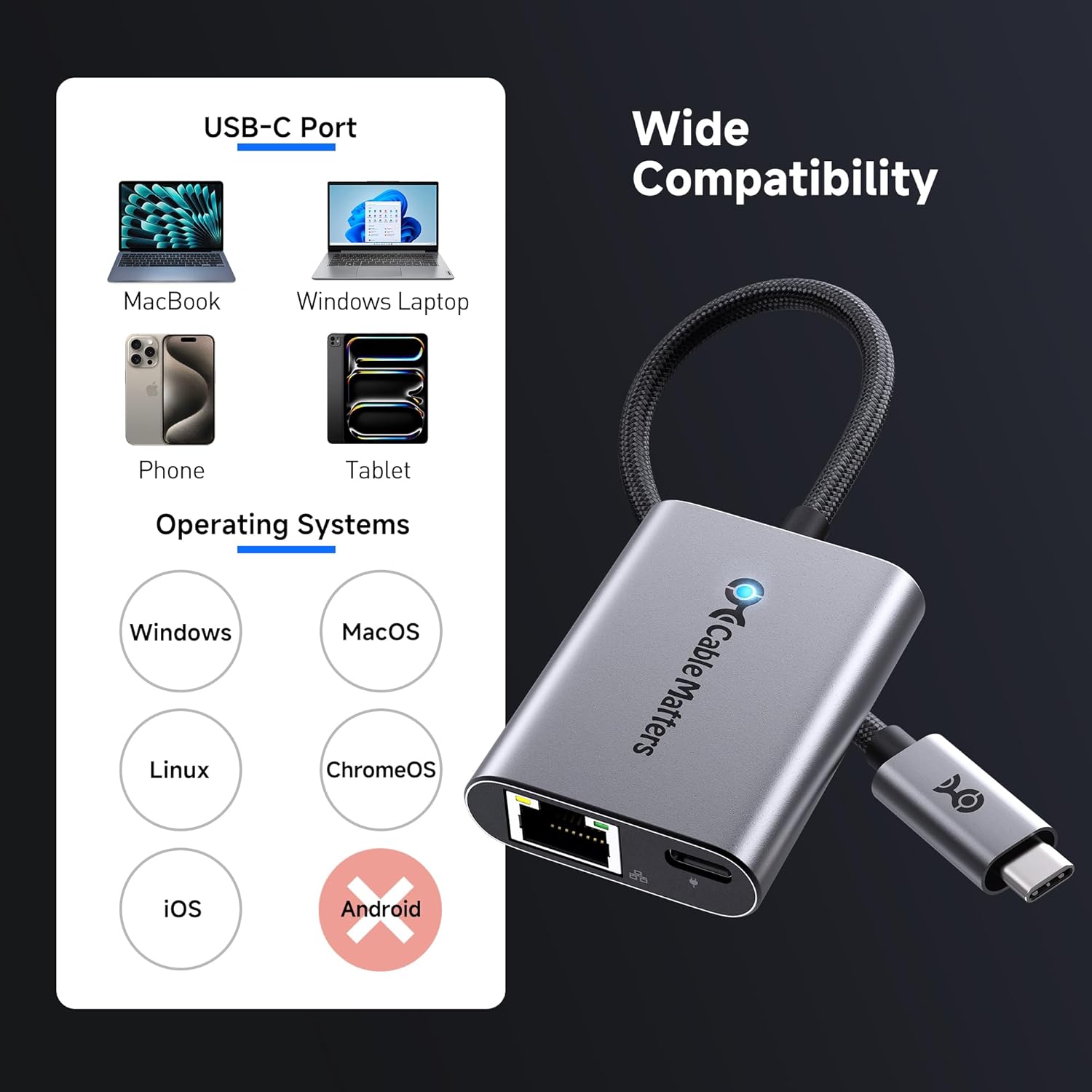
Compatibility spans MacBook, iMac, Dell XPS, iPad Pro, Surface, and other USB-C devices, including those with USB4, Thunderbolt 4/5, and USB-C ports. It is designed to work across Windows, macOS, Linux, and ChromeOS ecosystems. If you rely on a 140W charger for a compatible laptop, you can potentially charge while maintaining a fast network connection through a single, compact dongle.
Setup and software considerations

The adapter is described as plug-and-play, but the best performance may require installing the latest Realtek USB 2.5G Ethernet Controller driver on some operating systems, especially older versions or certain Linux kernels. In practical terms, this means you might want to check driver availability and stability for your system before depending on it for critical work. As with many USB-C network adapters, some users may notice improvements after driver updates or occasional reboots, but you shouldn’t expect miracles if your host system has unusual networking stacks.
What to expect in real use
On the positive side, you’ll likely benefit from higher sustained transfer rates on compatible networks, quicker large-file handling, and the convenience of simultaneous charging on supported devices. The 140W PD capability is attractive for power-hungry laptops, enabling you to keep working even as you use a high-speed Ethernet link. On the downside, real-world throughput depends on your network’s own capabilities, router/switch performance, and whether your device supports 2.5G Wi-Fi or wired alternatives for comparison.

Who it’s for
This adapter seems well-suited for professionals who need reliable, fast wired connectivity for tasks like video editing, data transfers, or cloud collaboration over a USB-C laptop or tablet. It also fits users who want the convenience of charging through the same dongle while using a high-speed Ethernet connection. If your workflow doesn’t require more than standard gigabit speeds, or if your device doesn’t support 140W charging, you may not notice a meaningful difference versus simpler gigabit adapters.
When it makes sense to buy
Consider this adapter if you have a USB-C/Thunderbolt 4/5 device and a network environment that can actually utilize 2.5Gbps speeds (for example, a capable NAS, a modern router, or a switch that supports 2.5G). If you frequently transfer large files, edit high-resolution media, or stream at high quality from a wired connection, the combination of 2.5Gbps networking and 140W charging can reduce friction in your setup.
When it might not be the best fit
If your current network hardware is limited to gigabit speeds or if your device’s charger is already at full capacity with no need for additional power delivery, the incremental benefit may be smaller. Also, if you rely on an OS or hardware stack with spotty driver support for the Realtek controller, you might experience occasional driver-related hiccups rather than a consistent improvement. Finally, if you don’t need to power through a single USB-C port while using Ethernet, a simpler adapter could suffice.
What to check before buying
- Confirm your host device supports USB-C with Power Delivery and 2.5G Ethernet or at least can negotiate USB PD charging up to 140W.
- Ensure your network gear (router, switch, NAS) can handle 2.5Gbps to realize the promised speeds.
- Be prepared to update drivers if you’re on an older OS or a niche Linux kernel to maximize stability.
- Consider the physical setup: the aluminum housing and braided cable are durable, but you’ll want to position the dongle so it doesn’t flex excessively.
Practical usage example
Imagine backing up a large 500GB project folder over a local network. With a 2.5Gbps path and a responsive driver stack, you could notice shorter wait times compared to a standard gigabit setup, especially if the hosting storage supports higher throughput. While this doesn’t guarantee double the speed in every scenario, the improvement is noticeable when the network pipeline is the bottleneck, not the hard drive or CPU.
Final thoughts and decision routine
Is it worth it? If your work benefits from faster wired throughput and you already have a system that can leverage 2.5G Ethernet along with USB-C PD power delivery, this adapter provides a compact, heat-dissipating option that folds charging into networking. It isn’t flawless—driver considerations and actual throughput depend on your ecosystem and network—and it may feel unnecessary if your current setup already performs satisfactorily at Gigabit speeds. The right buyer is someone who actively needs higher local network bandwidth and values the convenience of powering the device through the same port.
FAQ
- Does this adapter work with Thunderbolt 4/5 and USB4? Yes, it’s designed to be compatible with USB-C, Thunderbolt 4/5, and USB4 devices.
- Can I charge my laptop while using the Ethernet connection? Yes, it features a 140W USB PD port intended for charging compatible laptops while connected via 2.5G Ethernet.
- Do I need to install drivers? On some systems, especially older OS versions or specific Linux kernels, updating the Realtek USB 2.5G Ethernet Controller driver may improve performance and stability.
- Will I see 2.5Gbps speeds in all conditions? Real-world speeds depend on your network hardware and routed traffic, 2.5Gbps is the theoretical maximum and requires a compatible network path to approach that rate.