

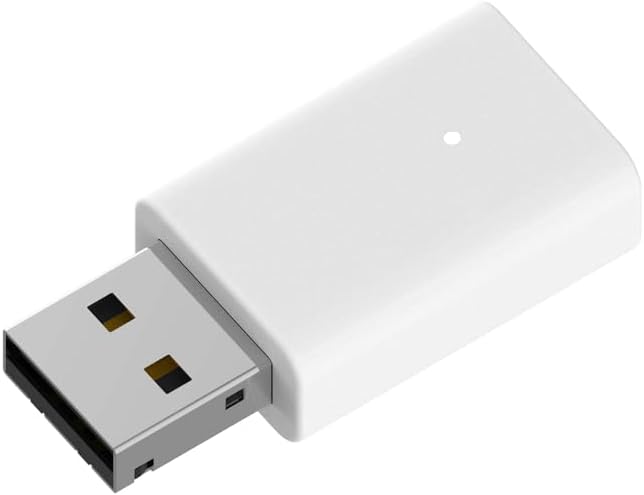
D-Link AX9U AX900 Wi‑Fi 6 USB Adapter (802.11ax) with MU‑MIMO, BT 5.3 and WPA3 for Windows 11/10
Product description
If your laptop or PC feels a bit “stuck” on old Wi‑Fi, a USB adapter can be a straightforward fix. The D‑Link AX9U AX900 is built around Wi‑Fi 6 (802.11ax), plus MU‑MIMO and OFDMA to help keep things steadier when multiple devices are active at the same time.
It also brings Bluetooth 5.3 into the mix, and uses WPA3 for Wi‑Fi security. On paper, it covers the sort of everyday needs you’d expect: browsing, downloading, streaming, and online gaming—without you having to change your whole computer setup.
The essentials
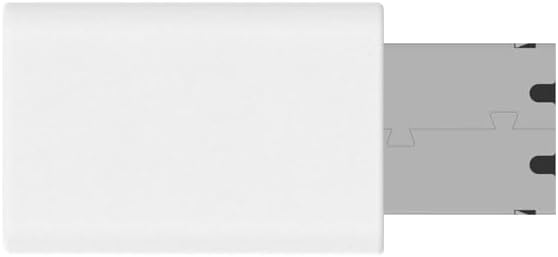
This is a dual-band Wi‑Fi 6 USB adapter that plugs in via USB 2.0 and is designed for Windows 11/10 with one-click installation. Wi‑Fi 6 is the headline here, and it’s paired with OFDMA and MU‑MIMO. Those are network-efficiency features aimed at reducing congestion when several devices are transmitting data.
D‑Link also highlights a couple of practical extras. First, WPA3 authentication and encryption for a more modern security approach. Second, Bluetooth support (BT 5.3), intended to connect things like game controllers, headphones, and keyboards without needing extra adapters.

What stands out day to day
For typical home use, the AX9U’s value comes from its mix of Wi‑Fi 6 features and dual-band support. The manufacturer quotes speeds up to 574 Mbps on 5 GHz or 287 Mbps on 2.4 GHz, so if your router supports 5 GHz and you’re within a reasonable range, you’re more likely to see the benefit of the faster band.
The MU‑MIMO and OFDMA parts matter most when your network is busy—think households where someone is streaming while another device is downloading, and you’re also online gaming or on a video call. It’s not magic, but it’s the right direction for smoother performance in those “everyone’s using Wi‑Fi at once” moments.
There’s also the Bluetooth angle. If you’re the sort of person who ends up juggling USB Bluetooth dongles, it may be convenient to have one adapter doing both Wi‑Fi and BT.

One thing to bear in mind: the stated speeds are “up to” figures. Real-world throughput still depends heavily on signal strength, router quality, and how congested the surrounding airwaves are.
Key features that affect buying decisions
The AX9U is built for people who want Wi‑Fi 6 on a PC that may not have it built in, and who also want Bluetooth without additional hardware.
- Wi‑Fi 6 (802.11ax) with OFDMA and MU‑MIMO for better handling of multiple devices
- Dual band operation (5 GHz and 2.4 GHz)
- WPA3 security via authentication and encryption
- Bluetooth support (BT 5.3) for peripherals such as controllers, headphones and keyboards
- One-click installation for Windows 11/10
Where it shines, and where it may feel limited
It’s a solid fit if your main goal is a simple upgrade for Wi‑Fi coverage and capability on a Windows 10/11 computer, while also adding Bluetooth for peripherals.
It may not be the best match if you need consistently high speeds over long distances or through thick walls—USB adapters can struggle when the wireless signal is weak, regardless of the Wi‑Fi generation. Also, if you’re only using Bluetooth occasionally, you might already have a dedicated Bluetooth adapter or motherboard support, and the extra BT feature may not feel essential.
So, it’s more “practical upgrade” than “replace every network problem” device. For many households, though, that’s exactly what you want.
Quick practical example: gaming and streaming in the same room
Imagine you’re in the living room where your router is on the other side of the space. You plug in the AX9U, join the 5 GHz network, and you’re able to stream a video while a second device downloads in the background. When you jump into an online game and also use a wireless controller, the adapter’s combined Wi‑Fi 6 features and Bluetooth support are aimed at keeping the experience stable—rather than everything fighting for bandwidth.
It’s not guaranteed performance in every home layout, but the design choices line up with that kind of mixed usage.
Mini FAQ
Is the D‑Link AX9U AX900 good for Wi‑Fi 6 gaming and online play?
It’s designed with Wi‑Fi 6 (802.11ax) plus OFDMA and MU‑MIMO, which are intended to improve stability when multiple devices transmit at the same time. That said, real gaming feel will still depend on your router, signal strength, and local interference.
Does it support Bluetooth without extra accessories?
Yes. The product description says it supports Bluetooth (BT 5.3) for connecting devices like game controllers, headphones, and keyboards without additional adapters.

What security does it use?
The adapter uses WPA3 authentication and encryption, which is the more modern security approach mentioned in the specification summary.

Does it work with Windows 11 and Windows 10?
The description states compatibility with Windows 11/10 and mentions one-click installation.
Should you buy it if your PC already has Wi‑Fi 6?
If you already have Wi‑Fi 6 built in, this may be unnecessary unless you specifically want the added Bluetooth functionality in the way it’s packaged here.
Final verdict
Should you buy it?
Worth considering if you want an easy Windows 10/11 Wi‑Fi 6 upgrade via USB, especially in a household where multiple devices use Wi‑Fi at once, and you’d also like built-in Bluetooth (BT 5.3) for peripherals. The WPA3 security and the Wi‑Fi 6 feature set make it feel geared towards everyday reliability.
Skip it if your PC already has strong built-in wireless, or if you mainly need Bluetooth and your current setup already covers it. Also, if your network signal is likely to be weak where the adapter will sit, you may not get the headline “up to” speeds in practice.
The AX9U makes the most sense as a practical, all-in-one Wi‑Fi and Bluetooth add-on—just don’t expect it to overcome poor signal placement on its own.