

PHILIPS 24E1N1100A 23.8" FHD 120Hz IPS Monitor with Speakers
Reviews
Price
Product description
What this is and who it’s for
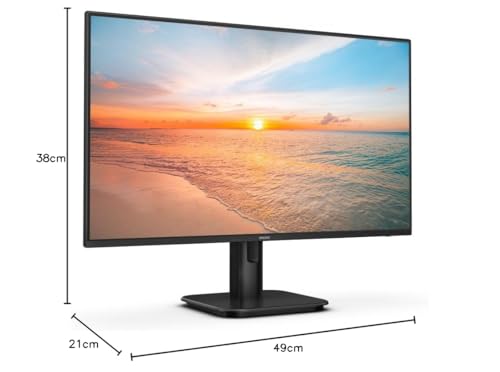
If you’re after a compact, all‑round monitor for daily tasks and casual gaming, the PHILIPS 24E1N1100A is a 23.8-inch Full HD display with an IPS panel and built‑in speakers. It aims to deliver decent colour accuracy and wide viewing angles in a modestly priced package, making it a sensible choice for home offices, study corners, or a second screen setup. The model is designed to slot into a typical desktop without dominating desk space, while offering a refresh rate that’s steady for everyday use and light gaming.
Visual performance and panel tech
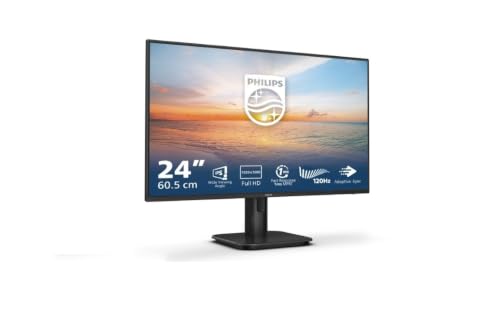
On paper, IPS LED panels are chosen for their broader colour coverage and wider angles compared with budget TN panels. The 24E1N1100A is listed with a 120Hz refresh rate, which can contribute to smoother scrolling and crisper motion in fast‑paced scenes versus standard 60Hz screens. The 1ms MPRT (motion picture response time) claim suggests sharper motion clarity in gaming or fast action, though real‑world latency can depend on input lag and processing. The Full HD (1920x1080) resolution keeps desktop text and UI elements readable at typical viewing distances, while the IPS panel is expected to maintain reasonable colour consistency when you view the screen from off‑centre angles.
Comfort and eye care
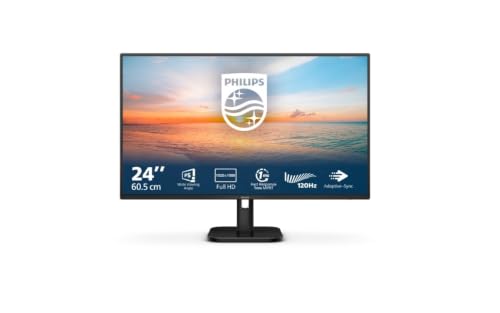
Philips highlights features aimed at reducing eye strain, such as a LowBlue mode and Flicker‑free operation. For users who spend long hours at the desk, these settings can help minimise fatigue, though comfort ultimately depends on your lighting, monitor distance, and usage patterns. The claim of “easy‑on‑the‑eyes viewing” is worth testing in your own environment, especially if you work late sessions or binge‑watch in the evenings.
Audio and connectivity
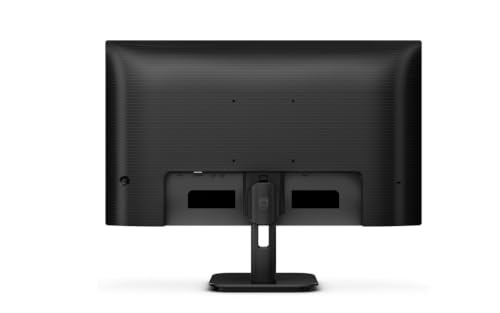
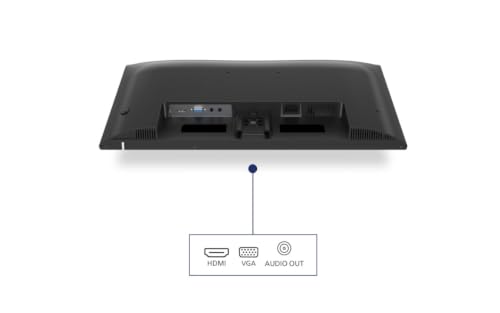
The built‑in speakers remove the need for external audio when you’re working with multimedia or video calls, though they’re usually not a substitute for a dedicated headset or larger speakers in terms of depth and volume. Connectivity includes an HDMI input (HDMI 1.4) and a single video port setup that should cover basic desk needs. Cable management is noted as a feature, which can help keep a tidy workspace if you’re juggling multiple devices.
Practical uses and real‑world scenarios
For everyday tasks—officer work, spreadsheets, writing, web browsing—the monitor should feel responsive and pleasant to use, thanks to the refresh rate and IPS panel. In light gaming or fast‑moving content, you may notice smoother motion than a typical 60Hz display, but it won’t replace high‑end gaming panels for competitive titles. If you’re building a simple, value‑for‑money setup, this model can sit between a basic office display and a more feature‑rich gaming screen, offering a balanced mix of image quality, comfort features, and practicality.
What to watch out for and what it’s not ideal for
If you prioritise peak brightness, HDR capability, or top‑tier gaming performance, you’ll likely find this screen falls short of those higher‑end expectations. The Full HD resolution means you aren’t gaining extra sharpness at larger desk distances, and the 120Hz spec is helpful for motion but depends on the overall system and game support. The built‑in speakers are convenient, yet they won’t replace a dedicated audio setup for serious listening or cinematic experiences. Consider whether you need more ports or higher refresh rates for demanding tasks.
What to check before buying
- Confirm the refresh rate if you have strict expectations (120Hz versus other listings for the model).
- Consider your workspace lighting and viewing distance to gauge panel comfort and text clarity.
- If audio quality matters, plan for an upgrade via external speakers or headphones.
- Review your computer’s GPU output and HDMI capabilities to ensure compatible performance with 1080p at higher refresh rates.
Alternatives and buying approach
If you’re weighing options, this Philips model suits someone who wants a compact, affordable screen with credible colour and motion handling for everyday use and light gaming, without jumping to premium prices. For users who need higher resolution (1440p/4K), faster refresh rates, or stronger built‑in audio, a more capable panel may be worth considering. Think of it as a practical middle ground: enough for daily tasks and casual play, with sensible features to ease day‑to‑day use.
Final decision
Is it worth it?
Worth considering if you want a compact, reliable monitor with IPS viewing angles, modest gaming potential, and built‑in speakers at a sensible price. It’s not the best choice if your priorities are high‑end gaming performance, very bright displays, or extreme desk space constraints.
Quick FAQ
- Does it support 120Hz at 1080p? Yes, the model is listed with 120Hz, suitable for smoother motion in compatible setups.
- Are there built‑in speakers sufficient for general use? They are convenient for routine tasks and media viewing, but may lack depth for serious audio needs.
- Is it a good secondary monitor for productivity? Yes, especially in environments where desk space is limited and a wide viewing angle helps with co‑working and multi‑tasking.