

NEEWER BASICS L10 12W Dual Monitor Light Bar with bi-colour, dimmable control and stands
Product description
What it’s for (and why desk lighting gets overlooked)
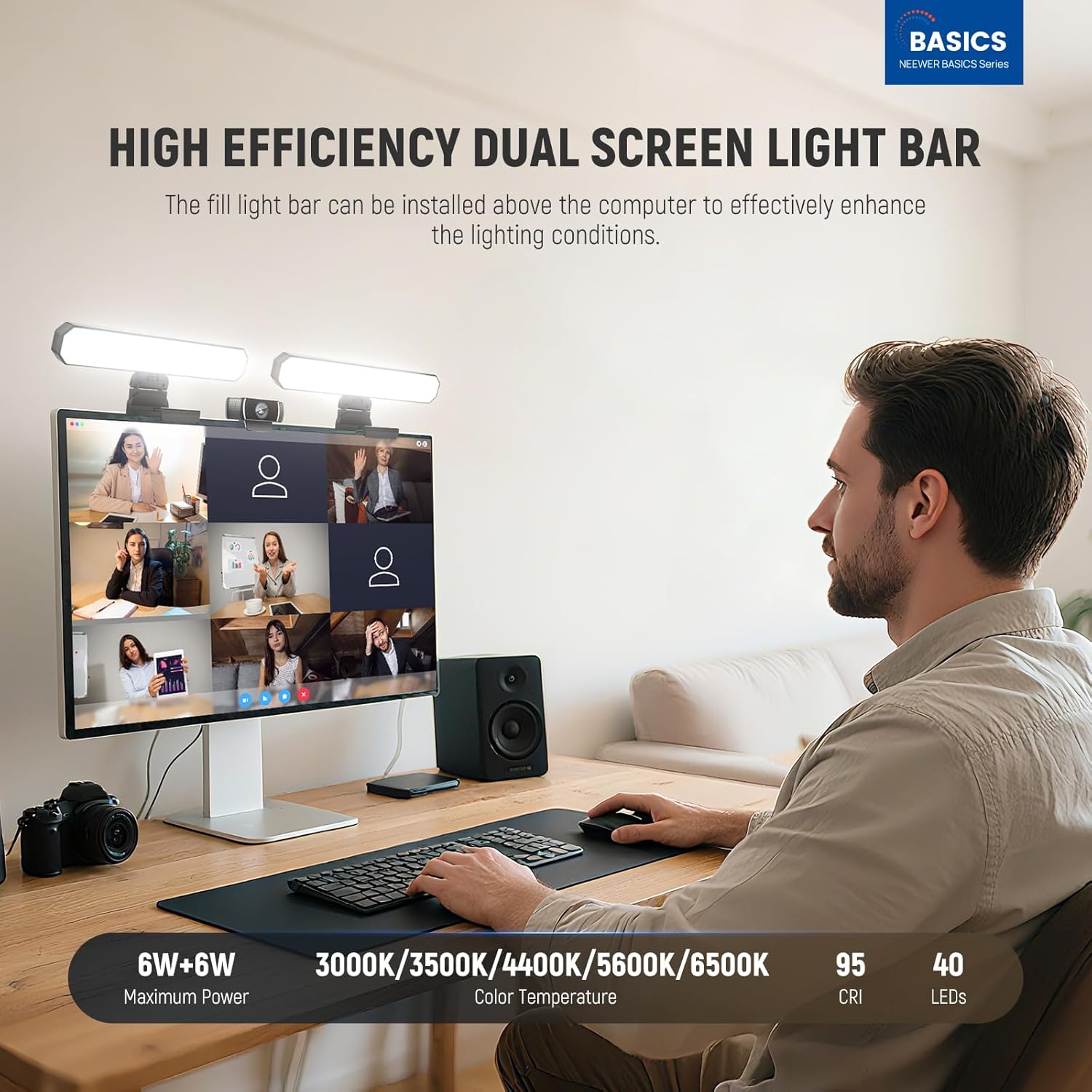
If your face looks a bit washed out on video calls or your “morning lighting” never stays consistent, a monitor light bar can make a noticeable difference. The NEEWER BASICS L10 is a dual LED light bar designed to sit above a computer or on a desk setup, aiming to lift your on-camera look for Zoom-style calls, online teaching, streaming, and casual filming like social posts.
On paper, it’s built around practical studio habits without the complicated setup: pick a colour temperature, set brightness, and position the light so it flatters rather than glares. You also get both touch control and a wireless remote, which matters if you’re sharing the desk with someone else or you don’t want to reach across the camera every time you tweak settings.
The essentials: bi-colour, dimming, and memory
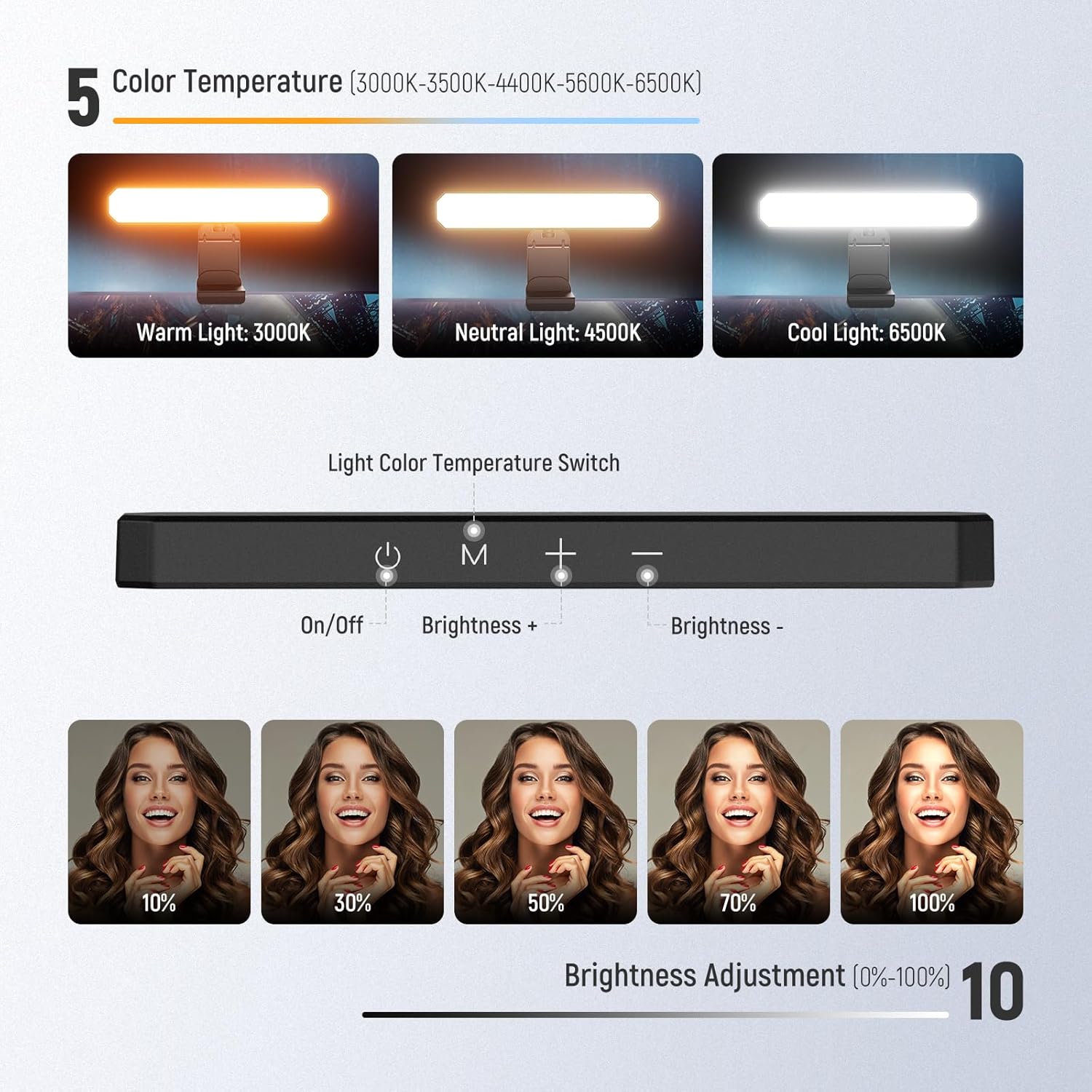
The L10 uses 40 LEDs in total (20 warm and 20 cool). That lets you choose between warm and cool looks via five colour temperature options: 3000K, 3500K, 4400K, 5600K, and 6500K. It also offers 10 brightness levels, so you can match your room lighting rather than forcing one setting for every situation.
A small but genuinely useful detail here is the memory function. It keeps the last used colour temperature and brightness, so you’re not resetting the light every time you fire up the laptop.
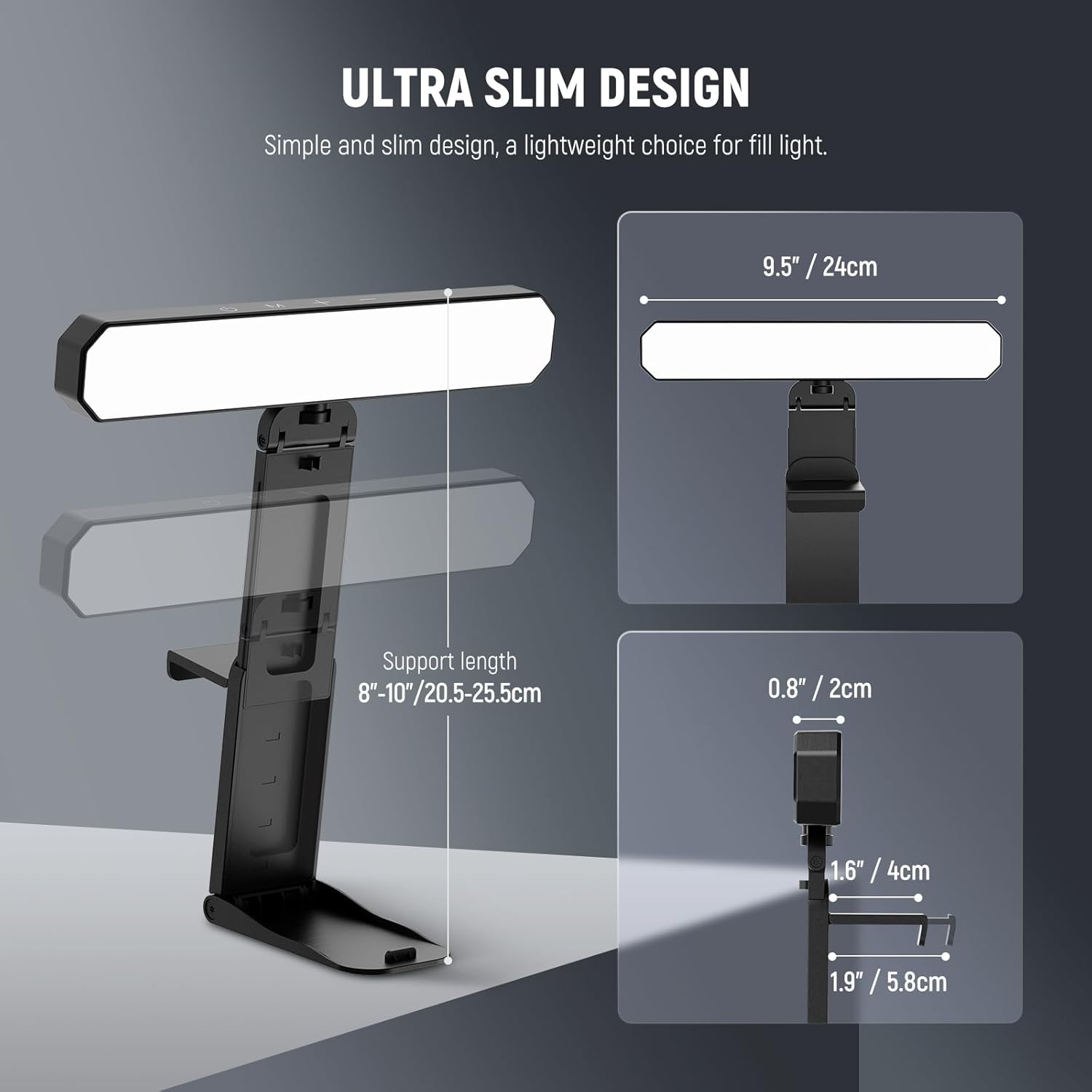
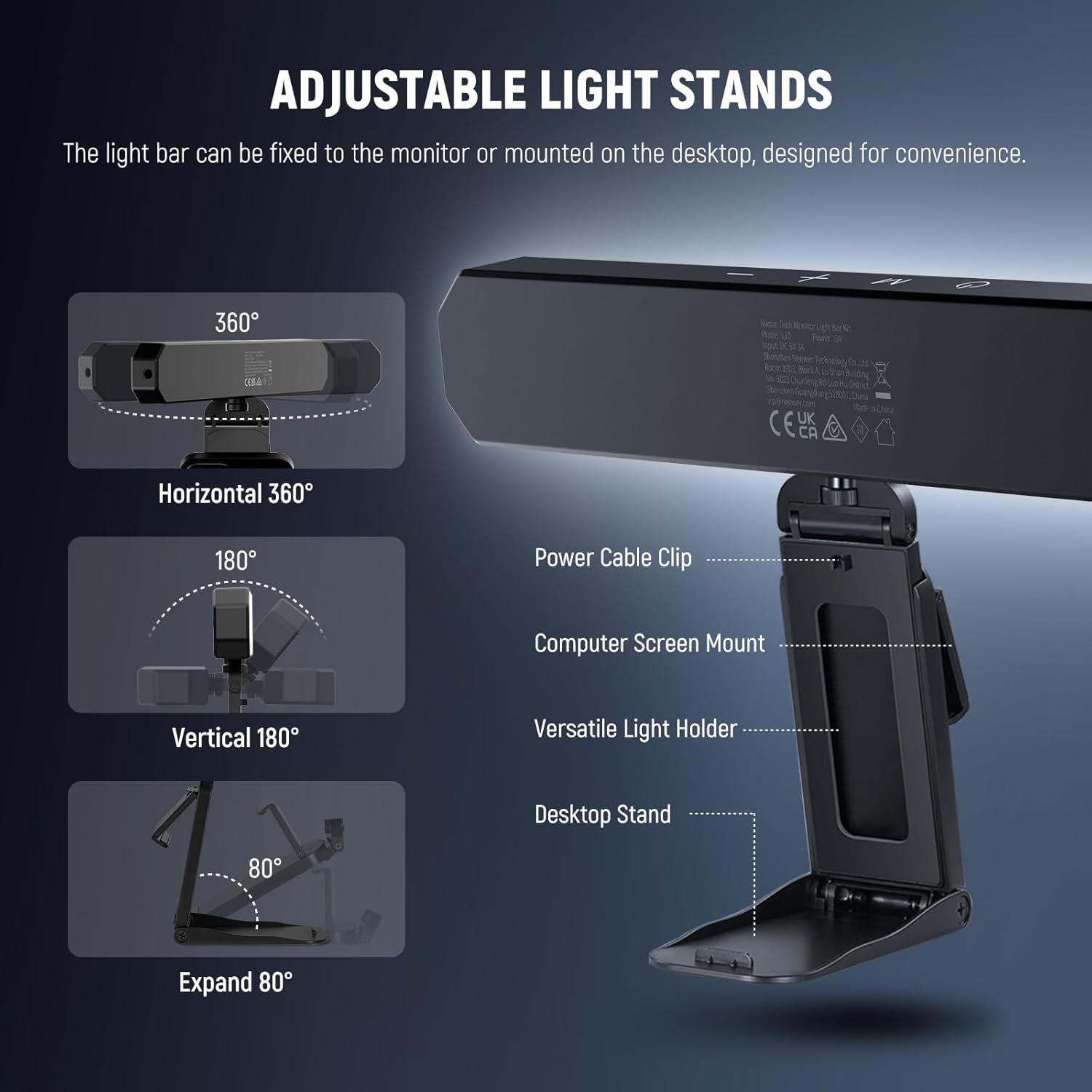
You should also note the positioning approach: the stands let you aim the light angle. That’s important because even a good light bar can look harsh if it’s aimed too directly at the face or too high/low for your camera height.
Where it shines in day-to-day use
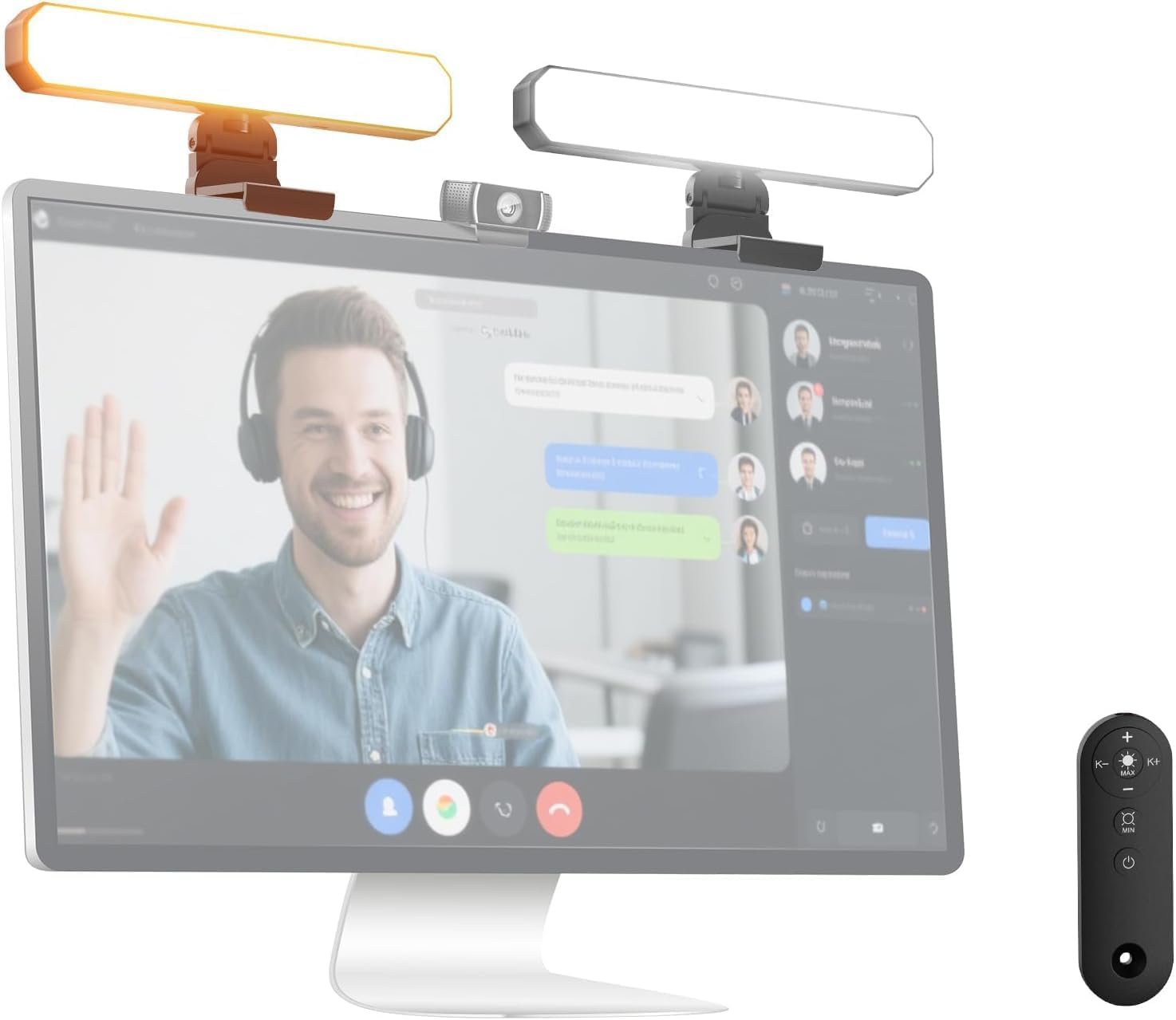
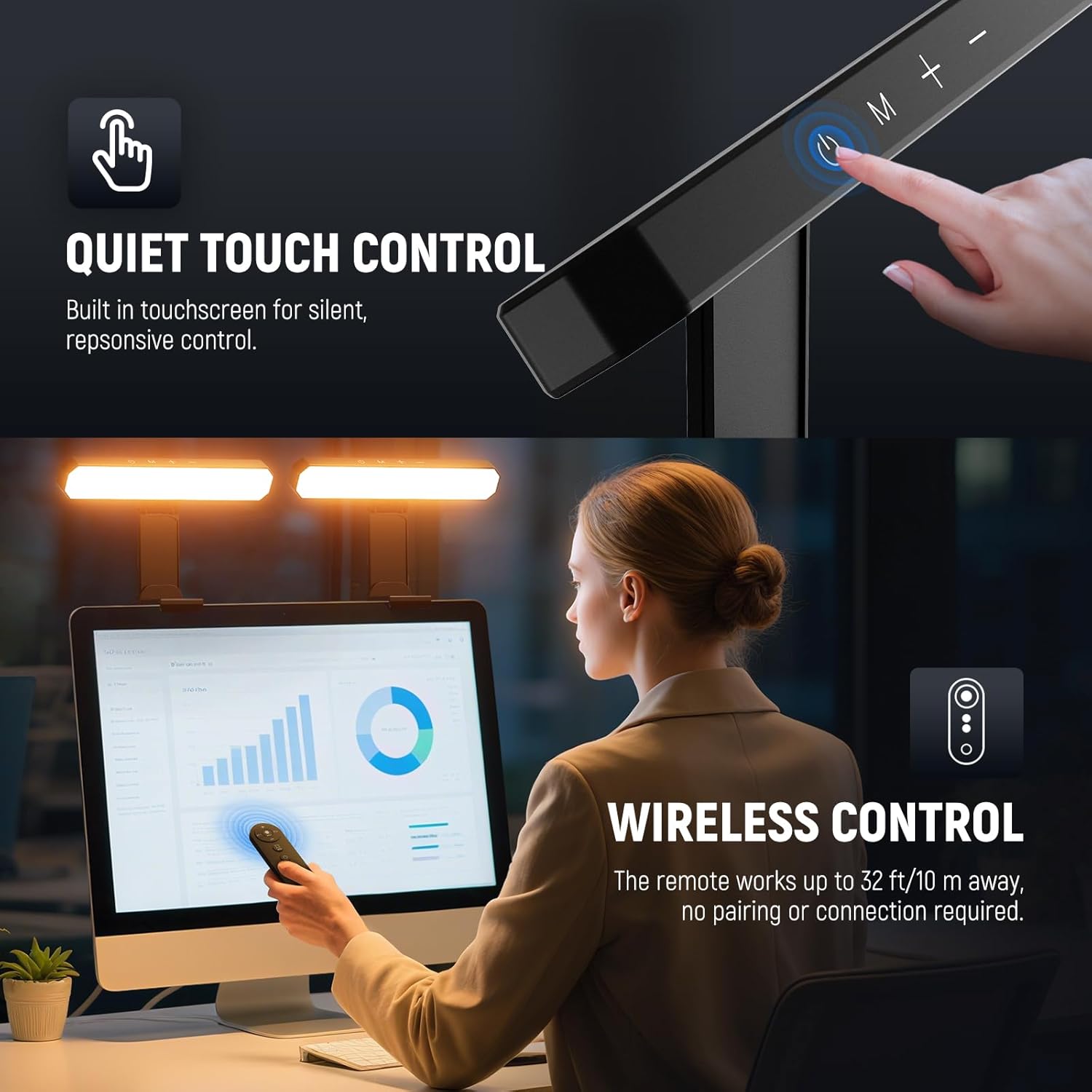
What stands out is the combination of controllability and convenience. You can adjust settings using the touch panel on the bar, or via the remote without pairing or extra connection steps. The remote is rated up to 32ft/10m away, and it supports a one-tap maximum brightness/dimming approach, which is handy when you’re jumping between different filming setups.
The light is described as “no flicker” continuous lighting through a soft light panel. In practical terms, that’s the kind of spec you’re looking for if you film for longer stretches and don’t want lighting to become a distraction on camera.
For a micro example: if you’re teaching a class in the evening and your room suddenly looks darker, you can dim the bar slightly and shift the colour temperature toward a cooler or warmer tone depending on the look you want—then keep that same setting as you move between segments.
What to know about control and positioning
The control design avoids physical buttons and relies on touch plus wireless remote. It’s a sleek idea, and in a work-from-home setting it does help keep things looking tidy.
The adjustable light stands are also a practical part of the package: the two stands attach so you can position the light over a monitor, or set it on a desk for overhead camera shots. The setup offers 4 height adjustments, 360° rotation, and 180° tilting, along with cable clips and a cable tie to keep things from turning into spaghetti behind your monitor.
Still, it may not suit everyone’s desk layout. If you have a very shallow monitor shelf, low-clearance beams, or unusual camera placement, you’ll want to think about whether the stand reach and angle range will let you get the light where you need it.
Tech summary (so you can compare properly)
- Name: NEEWER BASICS 12W Dual Monitor Light Bar with stands (L10)
- Type: Dual screen LED fill light bar for video conferencing and filming
- Light control: Bi-colour (warm + cool) and dimmable
- LEDs: 40 LEDs total (20 warm & 20 cool)
- Colour temperatures: 3000K, 3500K, 4400K, 5600K, 6500K
- Brightness levels: 10
- Control methods: Touch control and wireless remote
- Remote range: up to 32ft/10m
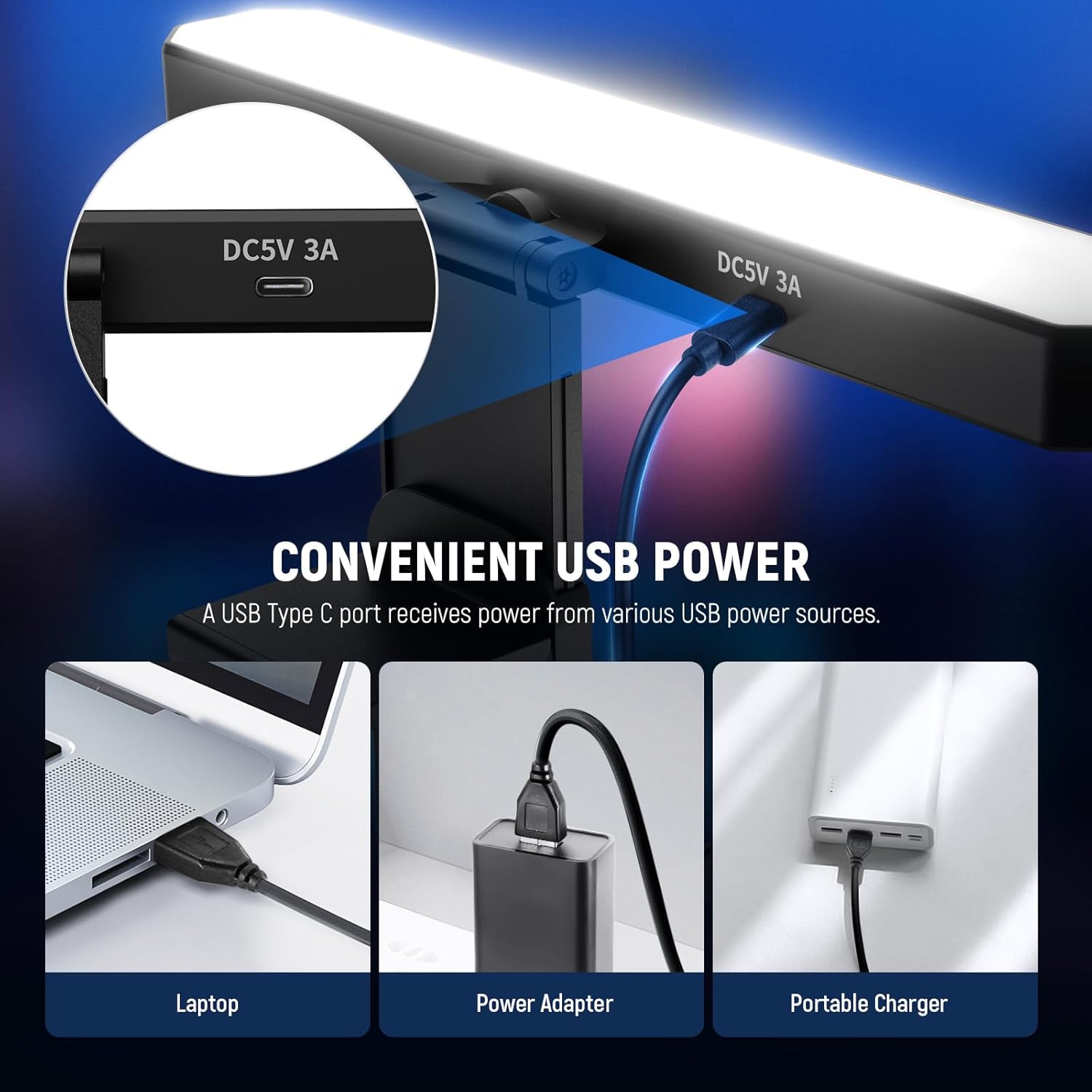
- Power approach: USB port on a computer or socket via a Y-type data cable and power adapter
- Memory function: retains last used colour temperature and brightness
- Light behaviour: described as no flicker and soft/diffused continuous lighting
- Colour accuracy: CIR 95 (as stated)
Who it’s for, and who should skip it
It’s a solid pick if you mainly want a monitor-mounted lighting solution for calls, teaching, streaming, or simple content creation—especially when you want both warm and cool options and the ability to fine-tune brightness.
It might not be the best match if you’re expecting a “full studio” lighting system with more complex effects or if your priority is a super compact setup with minimal desk footprint. Also, if you’re filming only in one fixed environment and never adjust lighting, the extra controls could feel like more than you need.
Worth considering if you care about not blasting harsh light at your face, the diffused continuous approach and the angle-adjustable stands are aimed at that kind of flattering, on-camera look.
Should you buy it?
Buy it if you want an easy, repeatable way to improve webcam lighting with bi-colour control, dimming, and a remote you can actually use without leaning over the desk. The memory function and adjustable stands are there to make day-to-day setups less annoying.
Skip it if your space or camera/monitor arrangement makes stand positioning awkward, or if you only need a basic single-temperature light and would rather keep things simpler. In that case, you may find this kind of feature set is more than you’ll use.
Mini FAQ
How do you control the NEEWER L10 light?
You can use the touch control on the light bar or the wireless remote. The remote works up to 32ft/10m away and doesn’t require pairing.
Can it match different room lighting?
Yes. It offers five colour temperature settings and 10 brightness levels, so you can tune the look to the room rather than relying on one default.
Will it remember the last settings?
Yes. The memory function retains the last used colour temperature and brightness.
Is it suitable for long video sessions?
It’s designed around soft, continuous lighting with a “no flicker” approach, which should help if you’re filming for extended periods.
What power options does it use?
The lights can be powered from a USB port on your computer, or from a socket using the included Y-type data cable and power adapter (as described).