

ErGear Dual Monitor Arm: Full-Adjust, Tool-Free VESA Mount for 13–32" Screens
Product description
What it is and who it suits
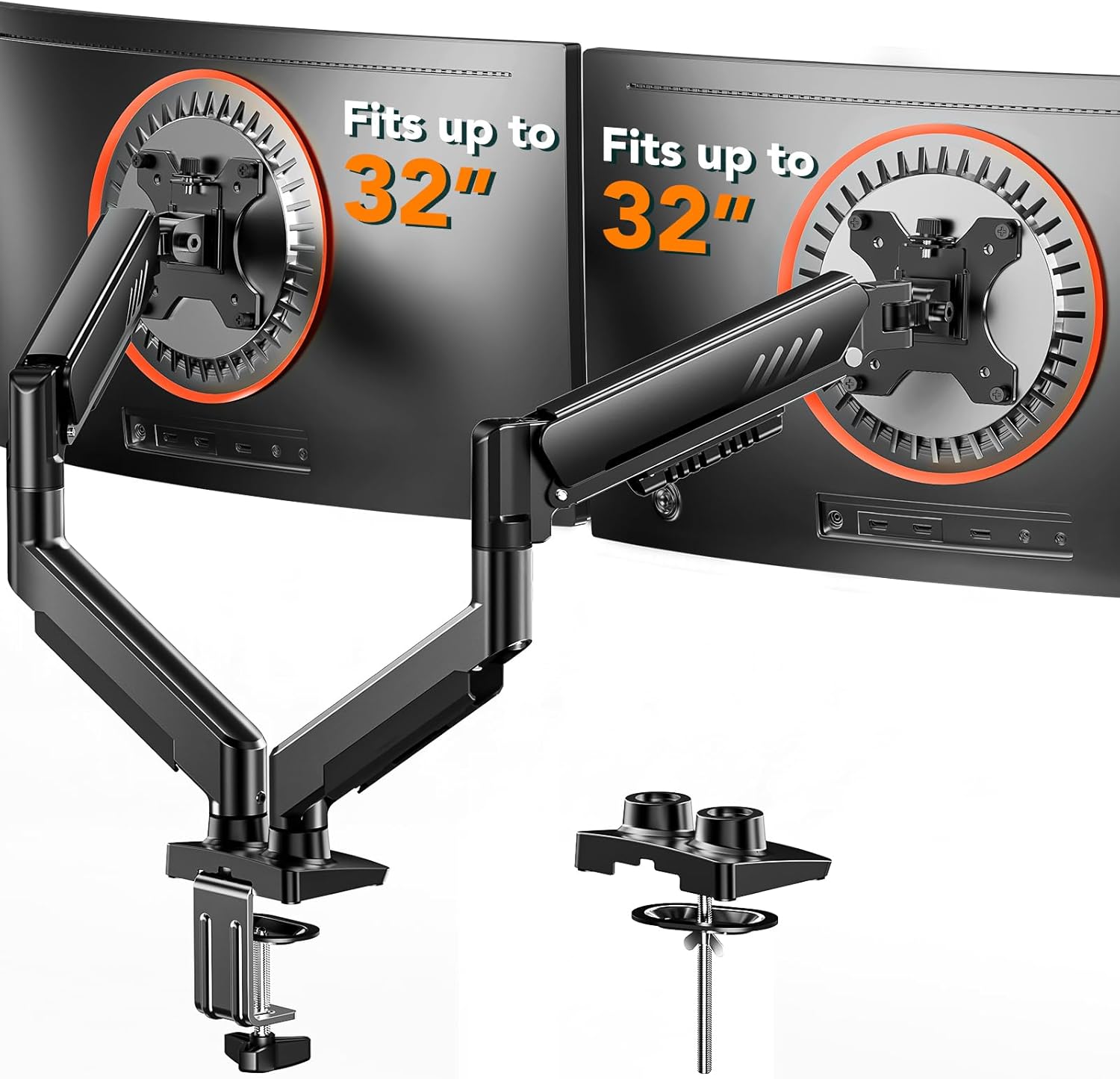
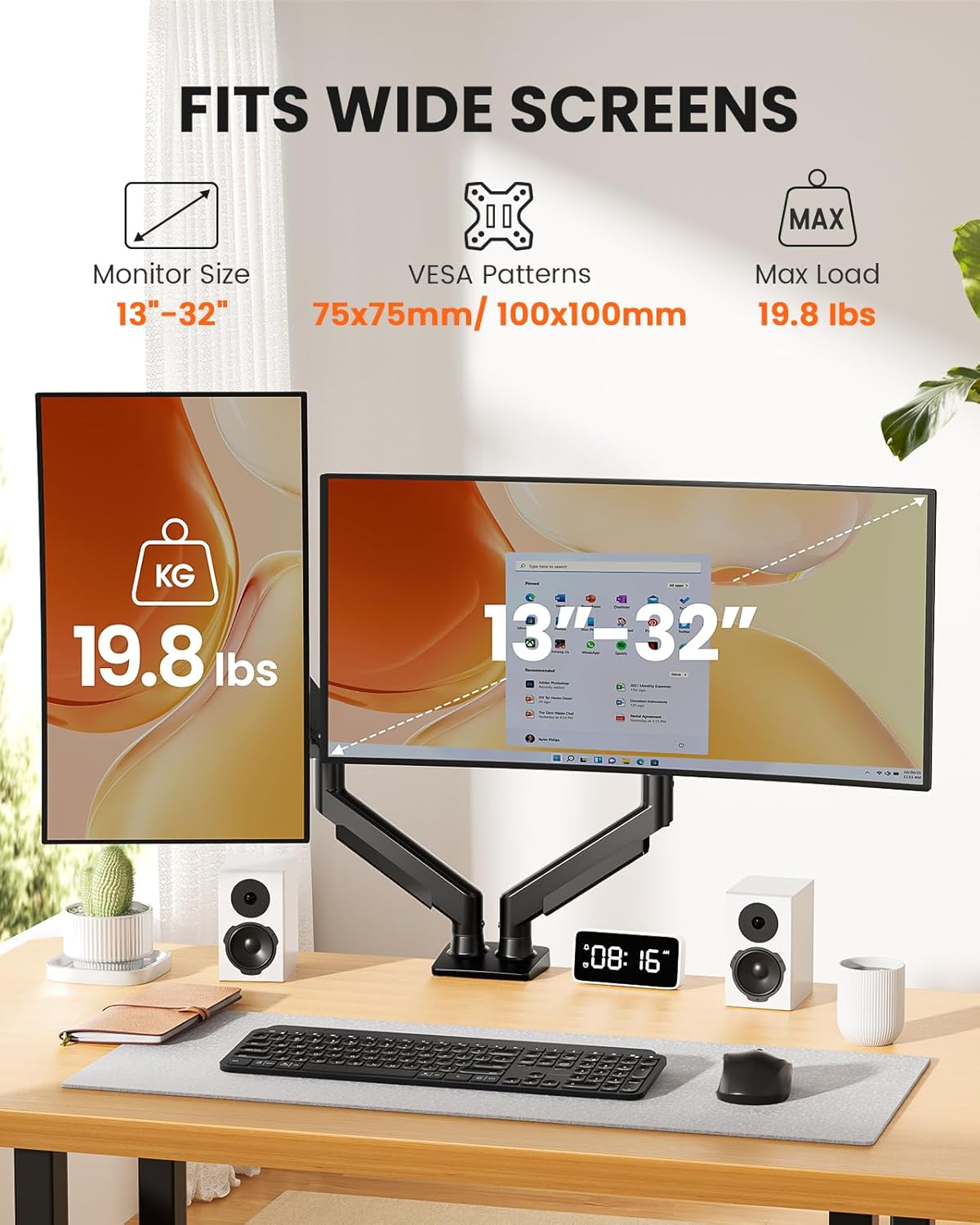
The ErGear Dual Monitor Arm is a heavy‑duty laptop‑free mounting solution designed to hold two monitors sized between 13" and 32" with a maximum load of 9kg per arm. It supports VESA patterns of 75x75mm or 100x100mm, making it compatible with a wide range of flat and curved displays. If you’re looking to free up desk space and create a more ergonomic setup, this arm offers a practical path to that goal.
How it’s installed and mounted
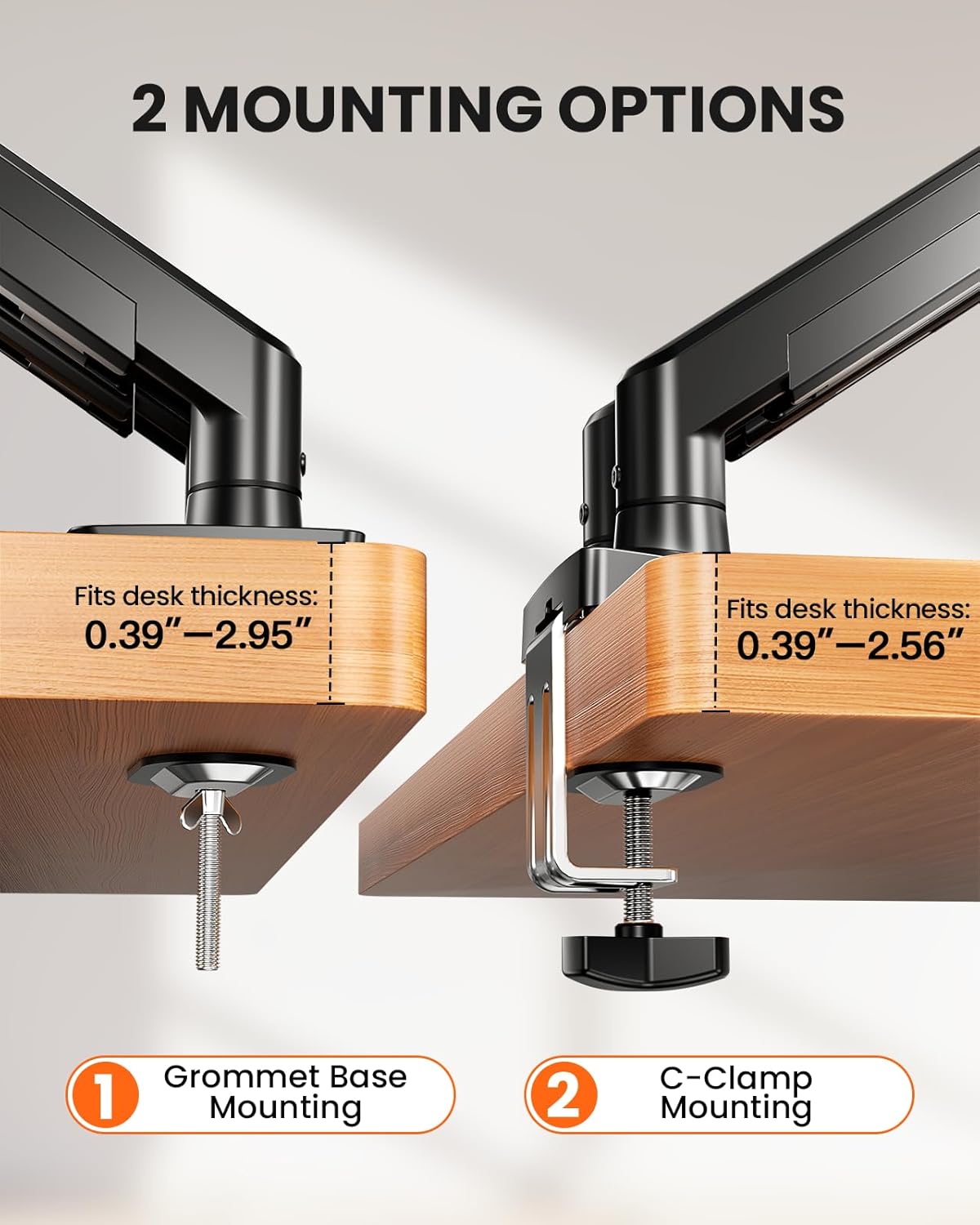
One of the practical advantages is the tool‑free VESA mounting system. It’s a three‑step process to attach your monitors to the arms, and you can fix the whole unit to your desk with a one‑piece C‑clamp for desks from 20mm to 65mm thick, or you can opt for the bolt‑through grommet mount for thicker desktops (20–75mm). The recommendation is to mount on a wooden desk, preferably without undersurface crossbeams obstructing the mount. If you want a quick start, the manual’s section A+ provides diagrams and guidance.
Range of movement and positioning
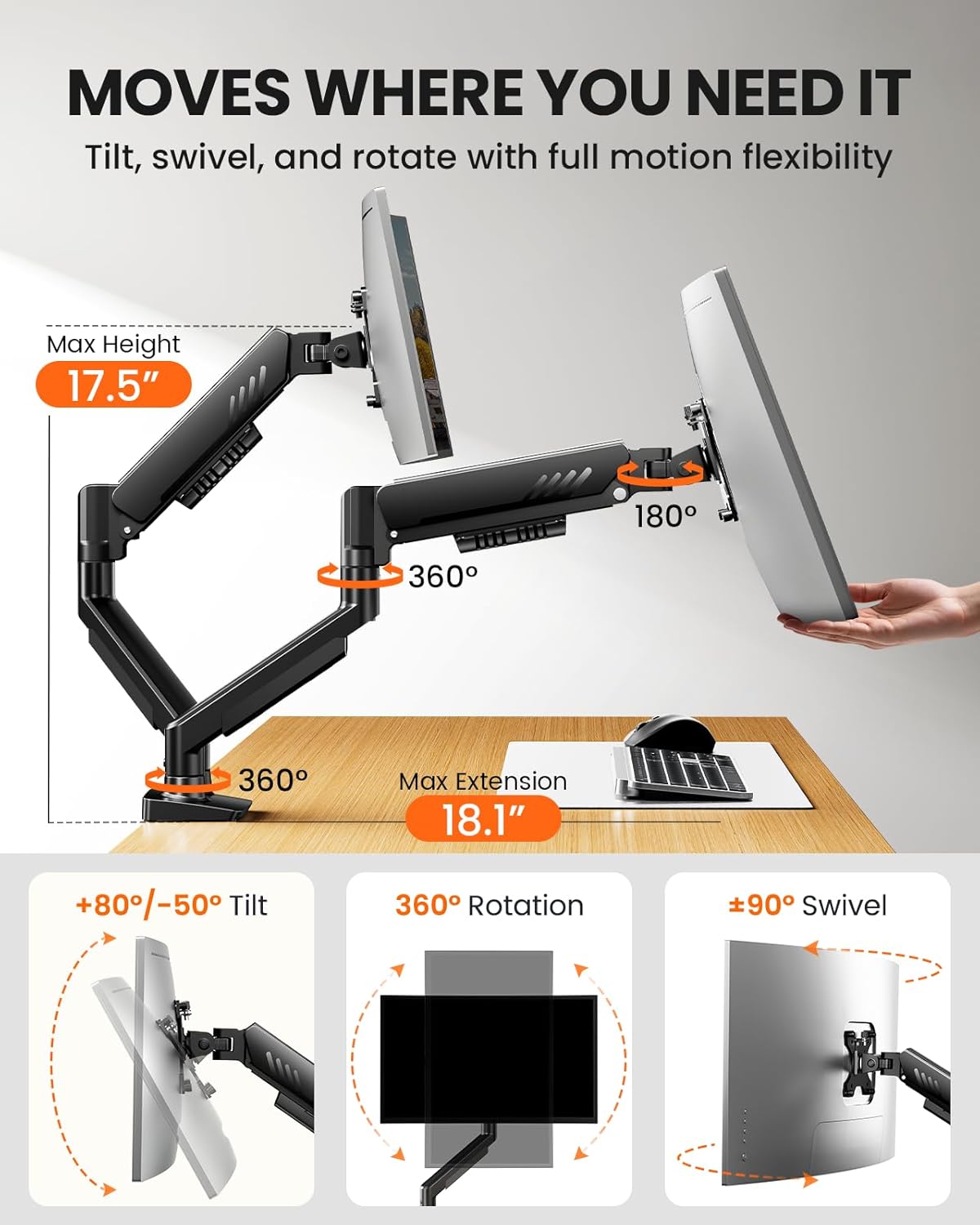
Each arm offers independent, precise adjustments so you can tailor height, tilt, swivel, and rotation to your body and work style. Height can be adjusted up to 445mm and reach up to 460mm. Tilt ranges ±80° to -50°, swivel is ±90°, and rotation is a full 360°. These controls help you achieve a comfortable line of sight and reduce neck or eye strain, especially when switching between tasks or collaborating with others.
Cable management and desk space
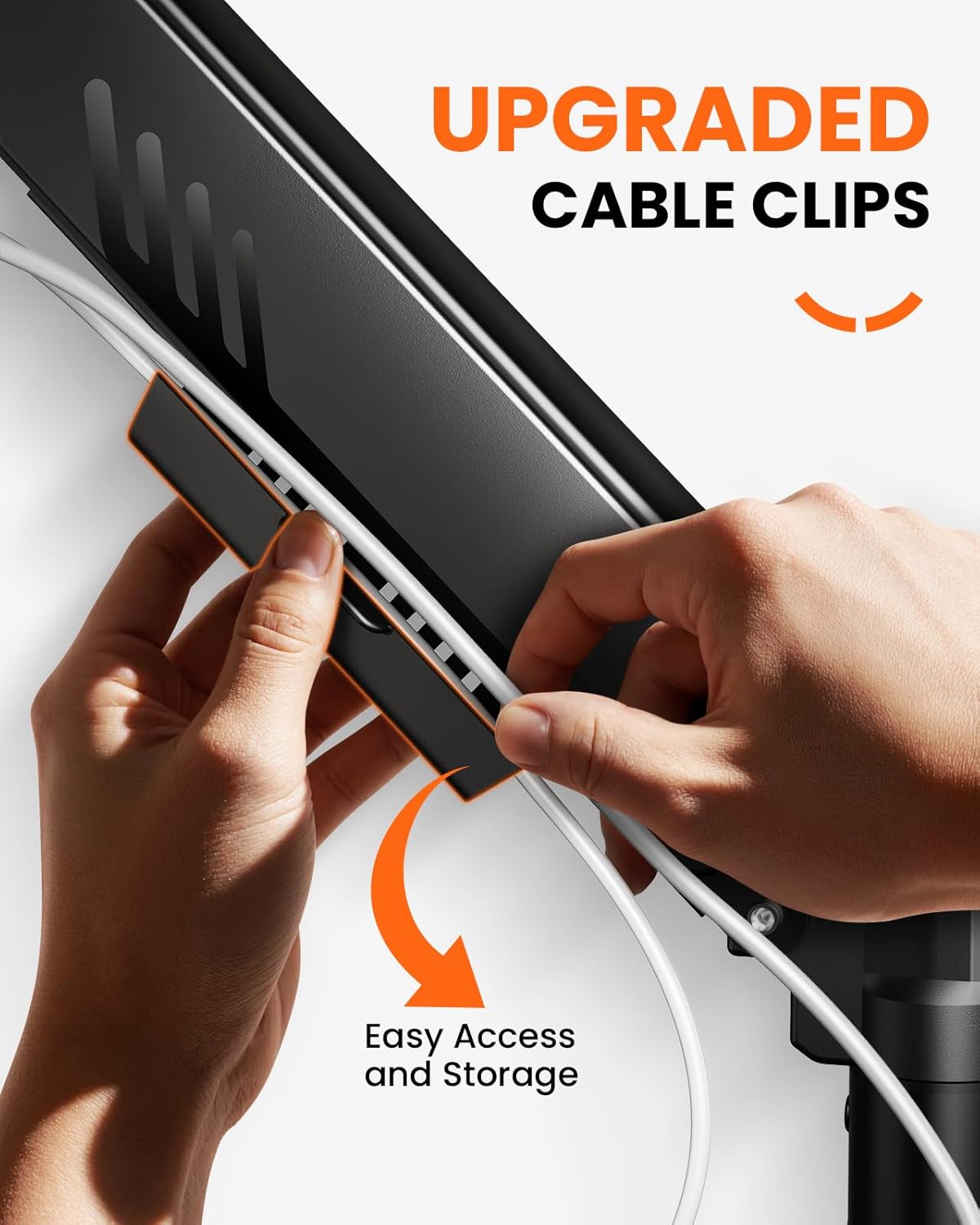
Cable clips are designed to be opened easily without tools, which helps keep cables tidy and out of the way as you reconfigure the setup. Elevating the screens off the desk also frees valuable surface area, giving you a cleaner workspace to work from and fewer distractions.
Build quality and long‑term use
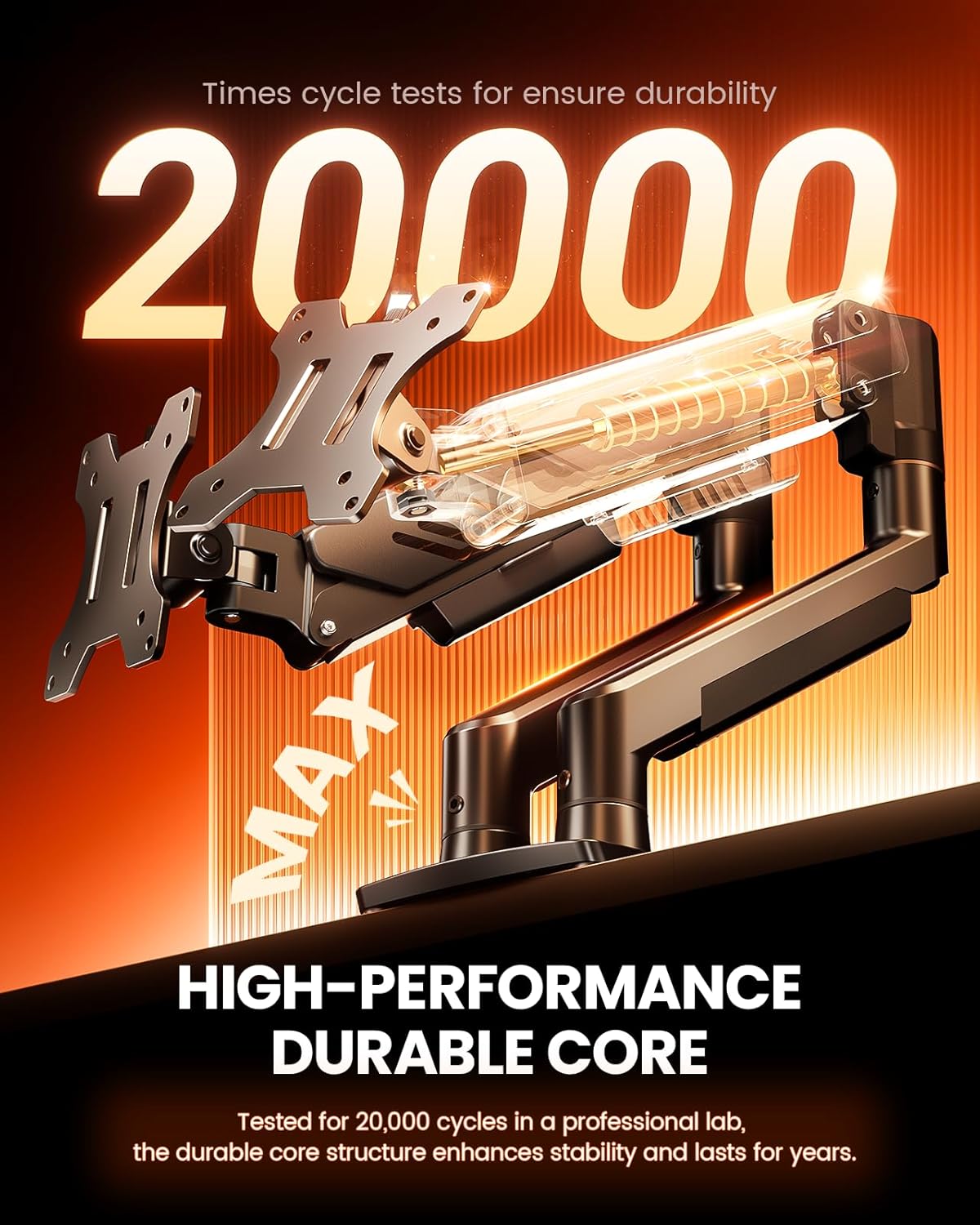
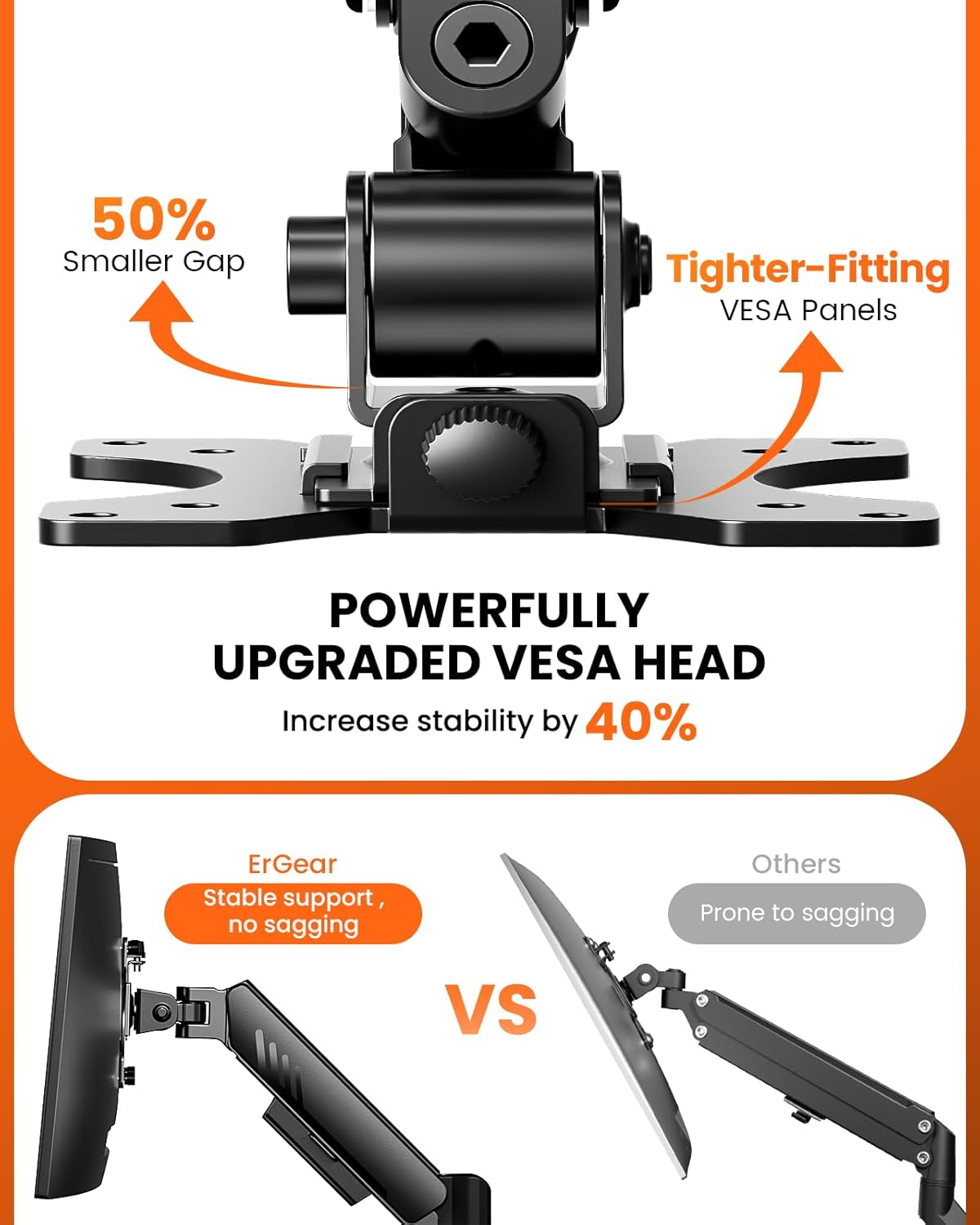
This is positioned as a long‑term solution, with an upgraded VESA head that reduces gaps and tightens the mounting fit. It’s been tested for thousands of movement cycles (over 20,000), which is reassuring for users who frequently adjust their screens. In practice, you may notice the smoother motion and the reassurance of solid support, though the exact feel can depend on desk rigidity and monitor weight distribution.
Pros and potential drawbacks
What stands out is the versatile dual‑monitor arrangement, the broad adjustment range, and the relatively straightforward installation. The tool‑free VESA mounting is a real time‑saver if you’re swapping monitors often. On the flip side, the system relies on a wooden desk for best results, and very heavy or unusually mounted setups may require extra attention to stability. If you prioritise ultra‑compact desks or a single ultrawide panel rather than two screens, you might find a dedicated single‑arm solution or a different mounting approach more economical.
Who it’s for
This product is well suited for home offices, creative workflows, or gaming setups where two displays are common and desk space is at a premium. It’s a sensible option if you want flexibility to adjust screens for browsing, coding, design work, or collaborative sessions without crowding the desk.
Who it isn’t ideal for
If your monitors exceed 9kg each, or you require a compact, ultra‑low profile mount for a minimal desk setup, this dual arm may not be the best match. Also, if your desk has a crossbeam or you’re mounting on materials other than wood, you’ll want to verify compatibility and stability before purchase.
What to check before buying
- Confirm each monitor’s VESA pattern (75x75mm or 100x100mm) and total weight per monitor to ensure compatibility with the 9kg per arm limit.
- Measure desk thickness and check if the one‑piece C‑clamp or bolt‑through option will suit your setup.
- Consider your intended viewing angles and whether the full 445mm height and 460mm reach align with your space and posture goals.
Practical use example
Imagine you’re coding with one monitor and following tutorials on the second. You can raise the height to eye level, tilt for a glare‑free view, and swivel to share your screen with a colleague without leaning forward. When a quick design review is needed, rotate one screen to a portrait orientation while the other stays landscape, keeping both within easy reach.
Final decision: Is it worth it?
If you need a robust, adjustable dual‑monitor setup that saves desk space and offers wide positioning options, this ErGear arm delivers practical value. It may not be the best fit if you require a lighter, single‑monitor solution or if your desk architecture complicates clamp or grommet mounting. Overall, it tends to suit mid‑range office or gaming rigs where reliability and configurability take precedence over flair.
FAQ
- Will it fit my 32" curved monitor? Yes, provided the monitor uses a 75x75mm or 100x100mm VESA pattern and the weight is within the 9kg per arm limit.
- Do I need tools to install? Not for the VESA plates, the mounting to the desk can be secured with the included clamp or bolt‑through options without extra tools.
- Is it easy to adjust after installation? Adjustments are designed to be smooth, with independent movement for each monitor, though very heavy screens or awkward desk shapes may affect ease of movement over time.