

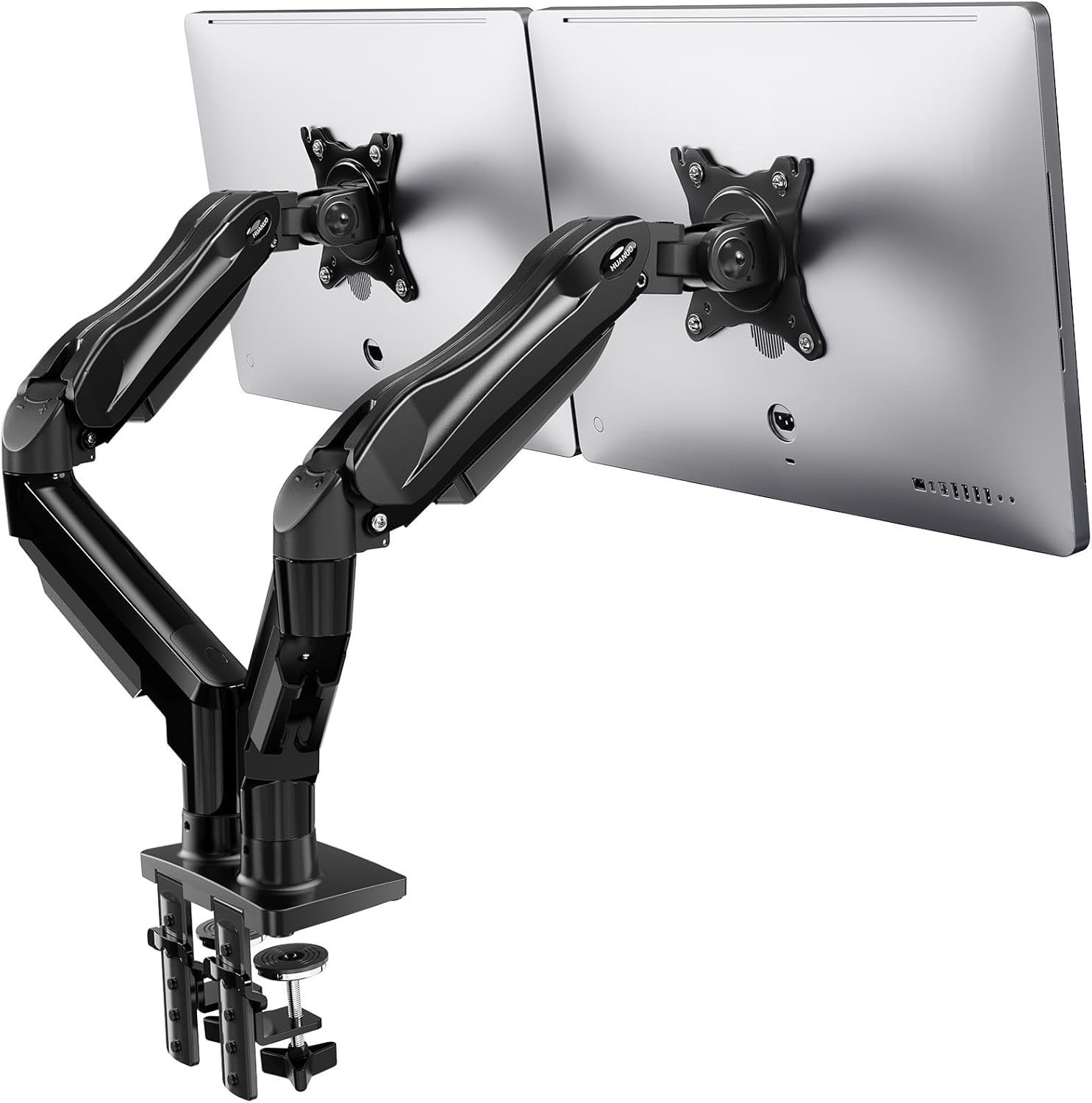
HUANUO Dual Monitor Stand for 13 to 32 Inch Screens
Product description
What it is and what it solves
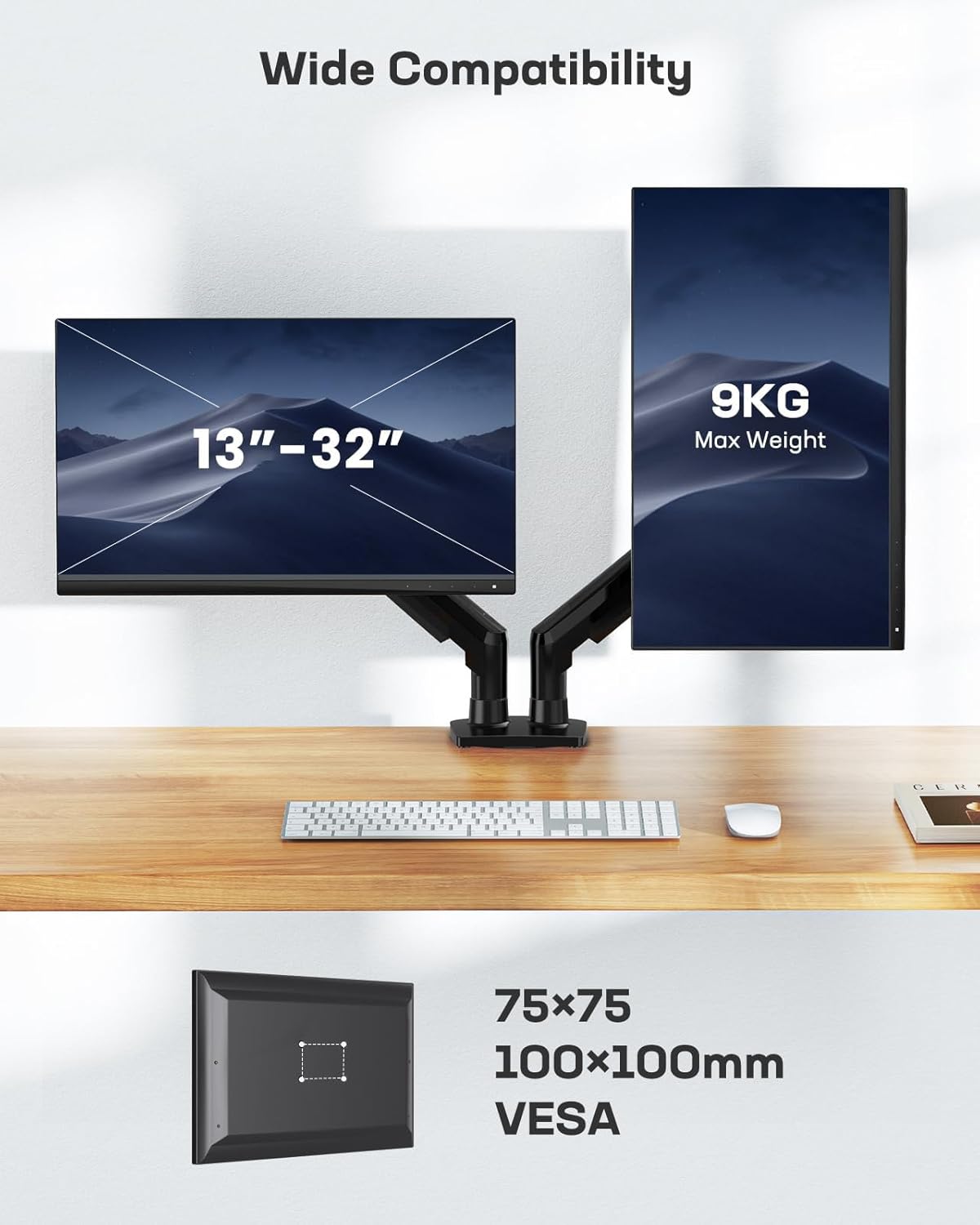
The HUANUO Dual Monitor Stand is a double arm desk mount designed to hold two screens from 13 to 32 inches. Built with a robust aluminium die-cast and alloy frame, it aims to provide a secure, space-saving solution for setups that require more screen real estate—think gaming streams, multi-monitor programming, data analysis, or video editing. It supports two monitors with a combined weight of up to 9 kg, offering a stable platform that’s meant to feel sturdier than many iron-only mounts on the market.
How it moves and positions
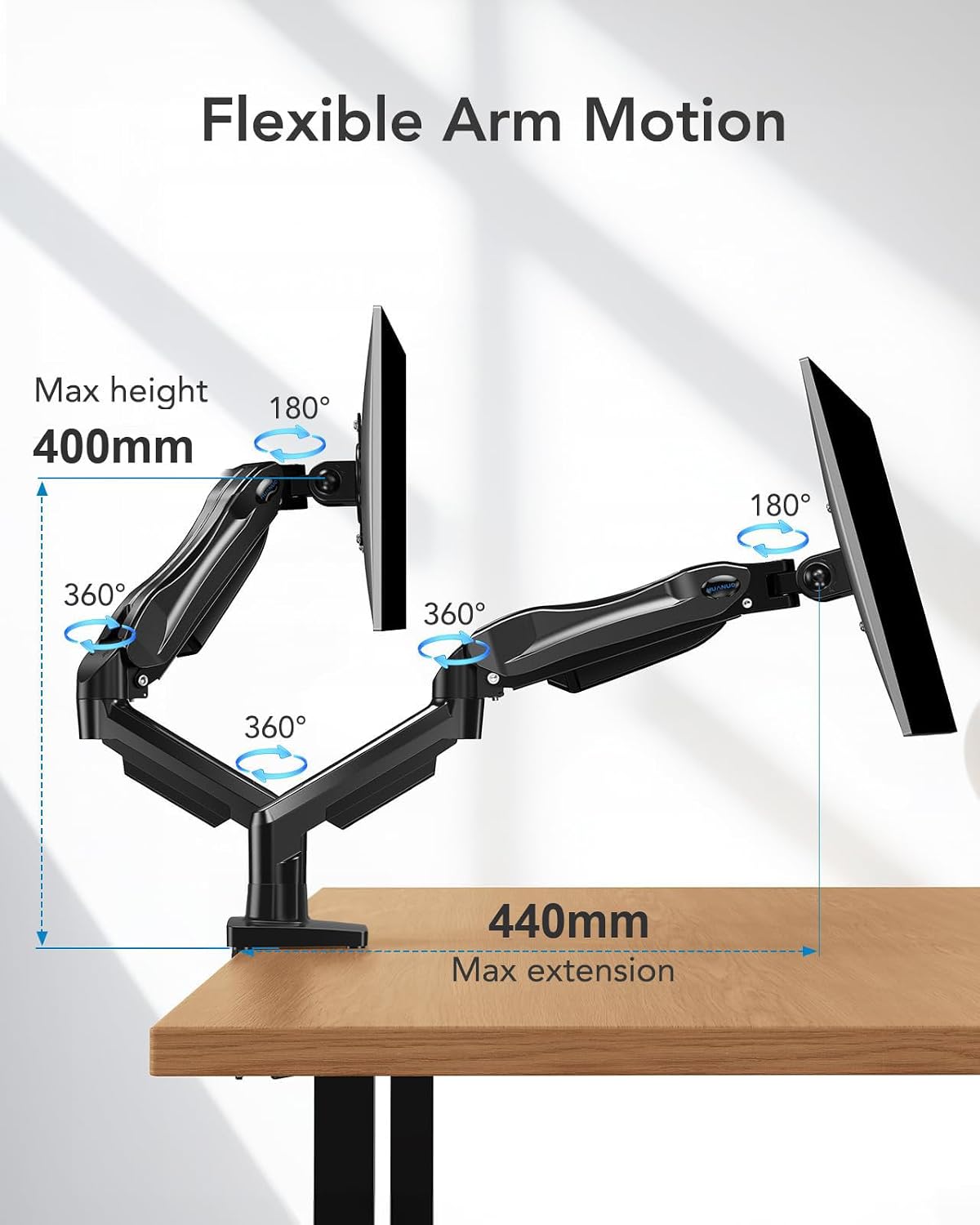
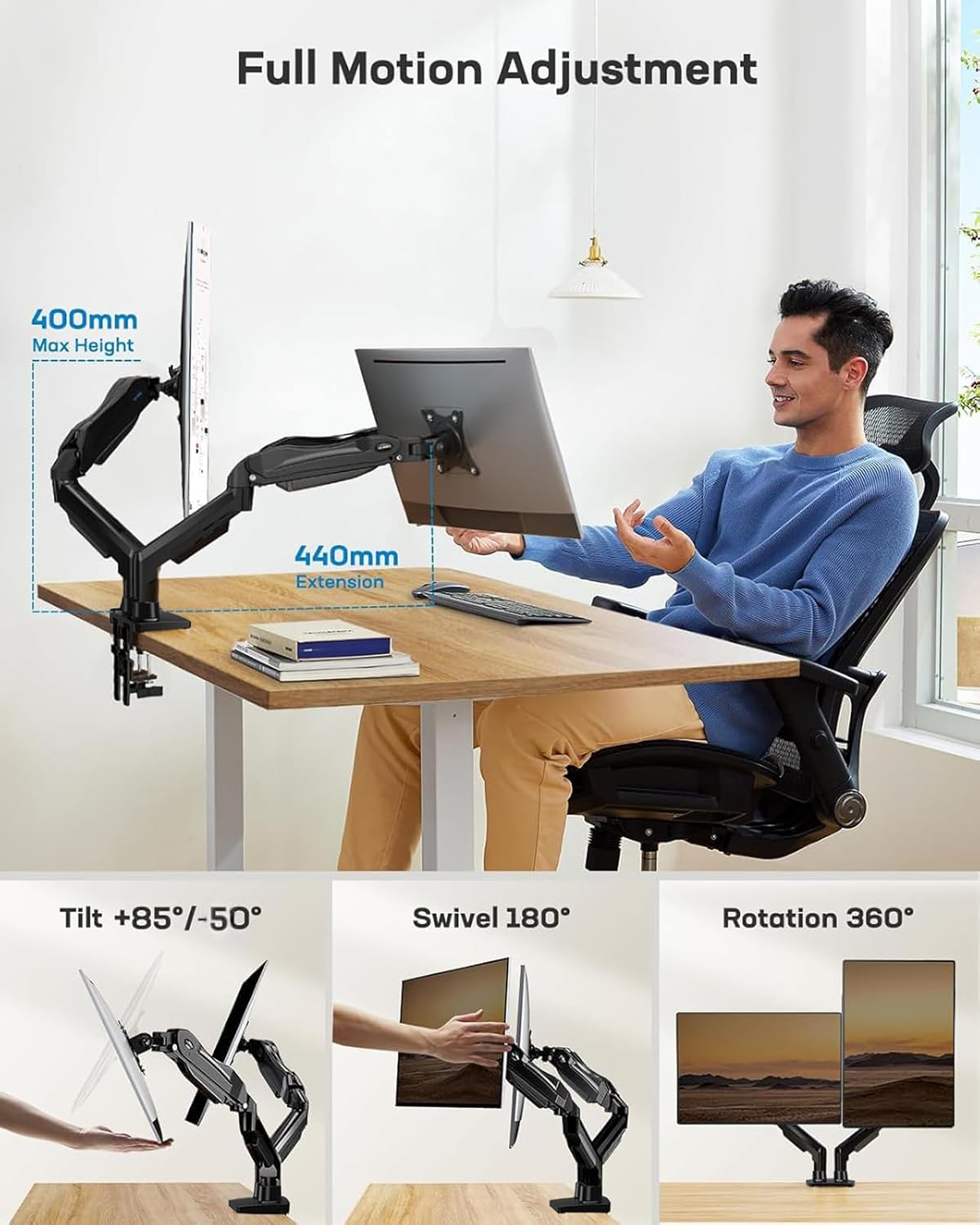
Each monitor has its own independent arm, so you can adjust them without the two arms clashing—handy when you need to line up screens for side-by-side viewing. The range of motion is flexible: tilt from -30° to +85°, 180° swivel, and 360° rotation. You can raise the screens up to 40 cm from the desk surface, which helps reduce neck strain and clears desk clutter. This level of versatility makes it suitable for a variety of tasks, from precise editing angles to immersive gaming views.
What to expect in terms of installation
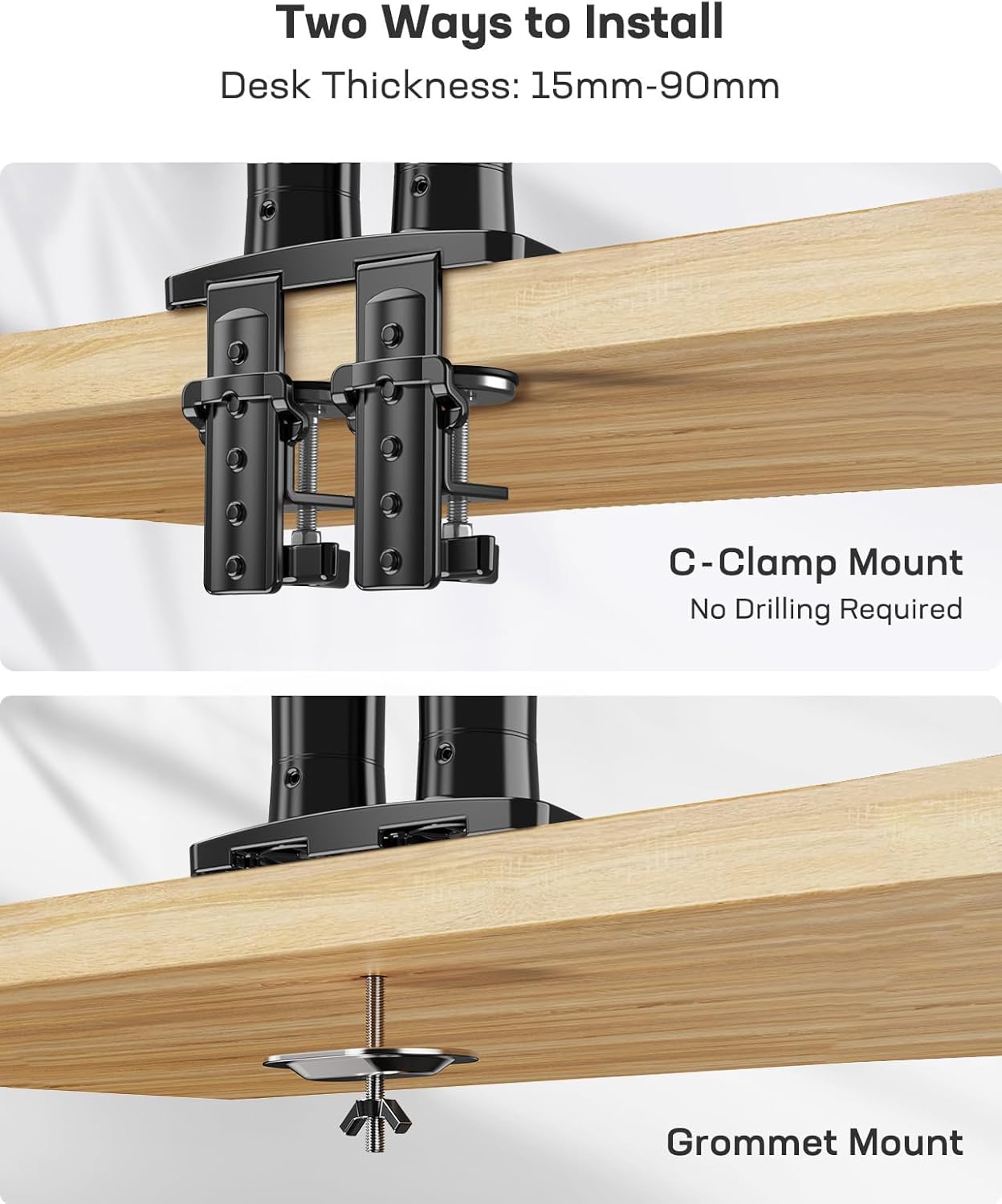
Setting up is described as three straightforward steps: fix the mount to your desk (via clamp or grommet if you have the space for it), attach the monitors to the VESA plates, and adjust the tension to match your monitor weights. The dual mounting approach not only frees up desk space—by reducing the footprint relative to heavy central bases—but also provides a cleaner, more organised workstation.
The best use cases
If you regularly work with two screens or want a dedicated space for gaming streams, this stand can help you arrange both displays precisely where you want them. It’s particularly appealing when you need to peer at different content streams simultaneously or need different viewing angles for reference material while you type or edit.
What could be a limitation
While the stand claims strength and independent arms, the practical feel will still depend on your specific desk setup and monitor weights. It may not be the perfect choice if you have non-standard VESA patterns or unusually heavy displays beyond the stated weight limit. Also, although the tilt range is wide, extreme configurations might require careful tension adjustment to maintain stability over long sessions.
Who it’s for
This dual monitor arm is geared toward users who value space efficiency and flexible viewing angles: gamers, developers, video editors, and data analysts who juggle two monitors at once. If you prioritise compactness and easy adjustability over ultra-heavy-duty mounting, it should align well with your needs.
What to check before buying
- Confirm that your monitors are within the 13–32 inch range and that their combined weight does not exceed 9 kg.
- Decide between a clamp or grommet mounting to suit your desk thickness and available hole space.
- Consider whether your preferred viewing angles will be achievable with the given tilt, swivel, and rotation ranges.
- Ensure you have compatible VESA patterns on the back of both displays (the description notes VESA plates but does not specify sizes beyond compatibility with 75 mm and 100 mm patterns).
How it compares to a more traditional setup
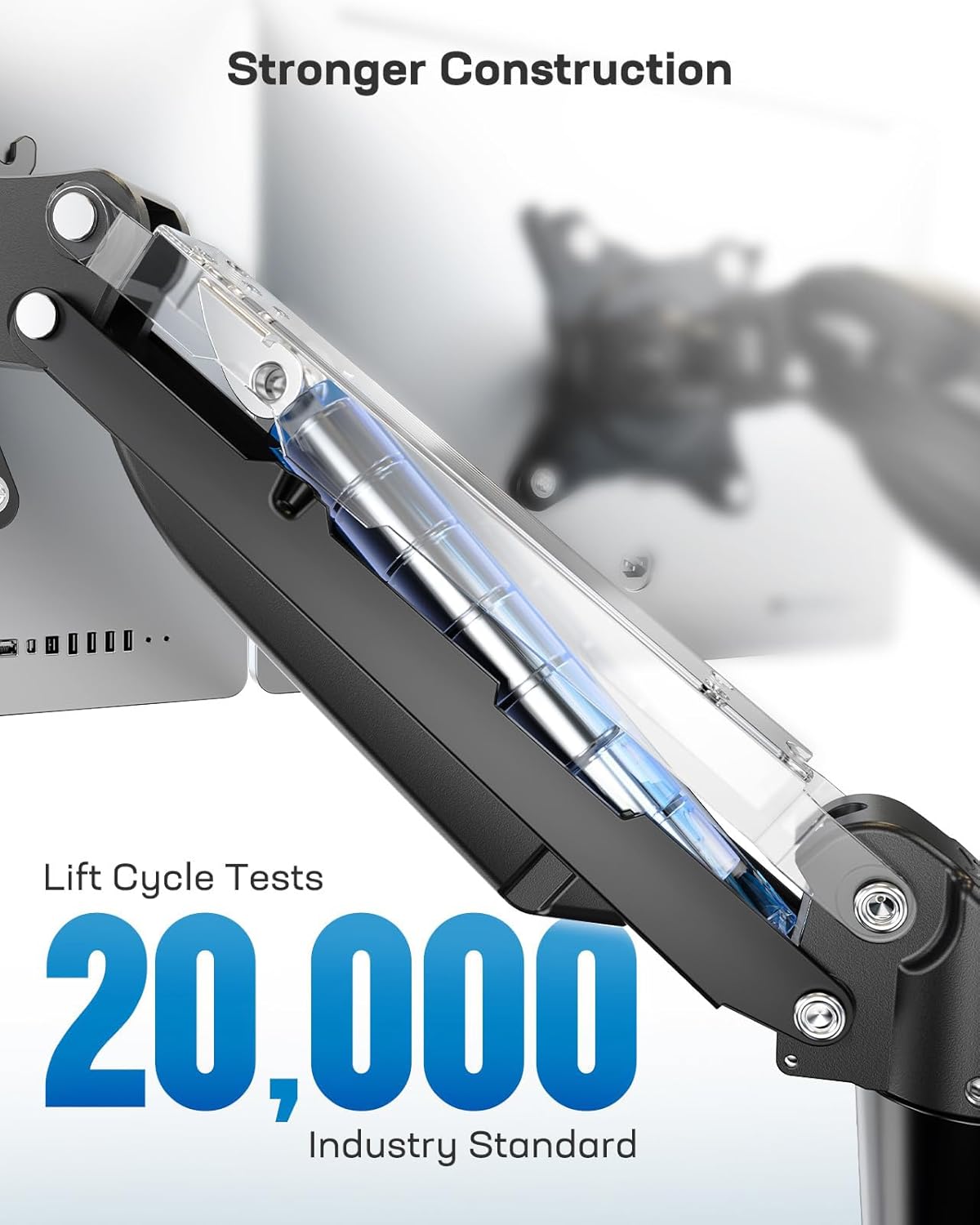
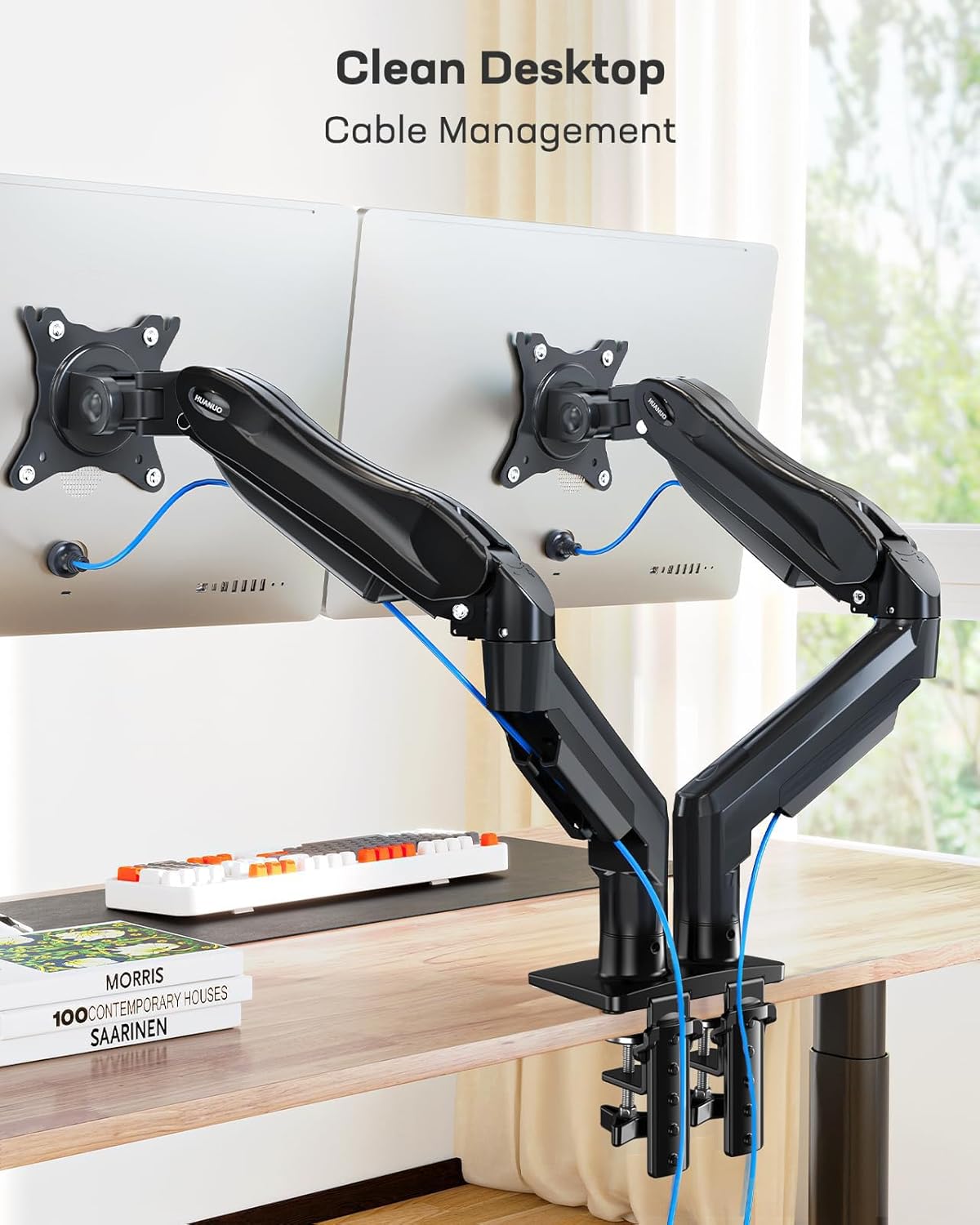
For a desk space-conscious user, this stand offers significant desk-area savings compared with a traditional monitor stand with a heavy central base. If you already rely on a single, large card-like stand, you might find the independent dual-arm arrangement provides better control over each screen’s position without mutual interference. If you want a no-fuss, fixed position, a basic wall or desk mount with fewer movement options could be simpler, but you’d lose the flexibility this model provides.
Should you buy it?
Buying decision
- If you need two screens with adjustable angles and a compact desk footprint, it makes sense to consider this HUANUO dual monitor arm.
- If your monitors are near the upper end of the size or weight range, or you require highly specific, extreme positioning that falls outside the stated tilt and rotation, you may want to review other options or confirm tension settings in advance.
- For users who value independent arm movement and clear desk space, this model offers a practical balance of flexibility and sturdiness.
FAQ
- Do both monitors move independently? Yes, each arm is independent to avoid interference when adjusting.
- What is the maximum height lift? Up to 40 cm from the desk surface.
- What mounting options are available? The arm can be fixed using either a C-clamp or a grommet mount, depending on desk design.