

MAOZHOU Ethernet Splitter Adapter 1 to 2 RJ45 Y Splitter for CAT 5/6 LAN
Product description
What it is and what it does
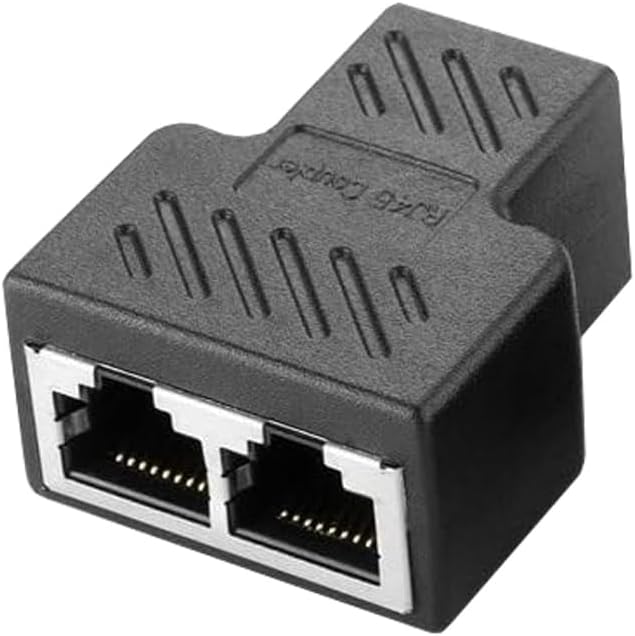
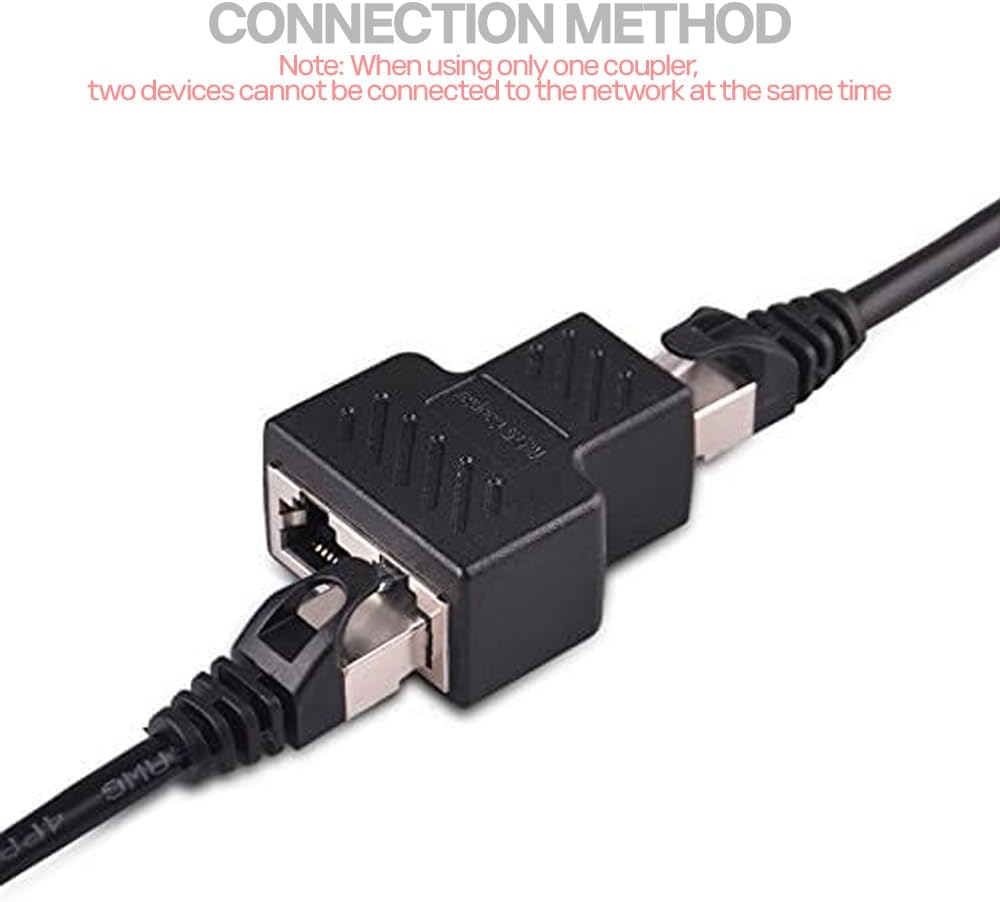
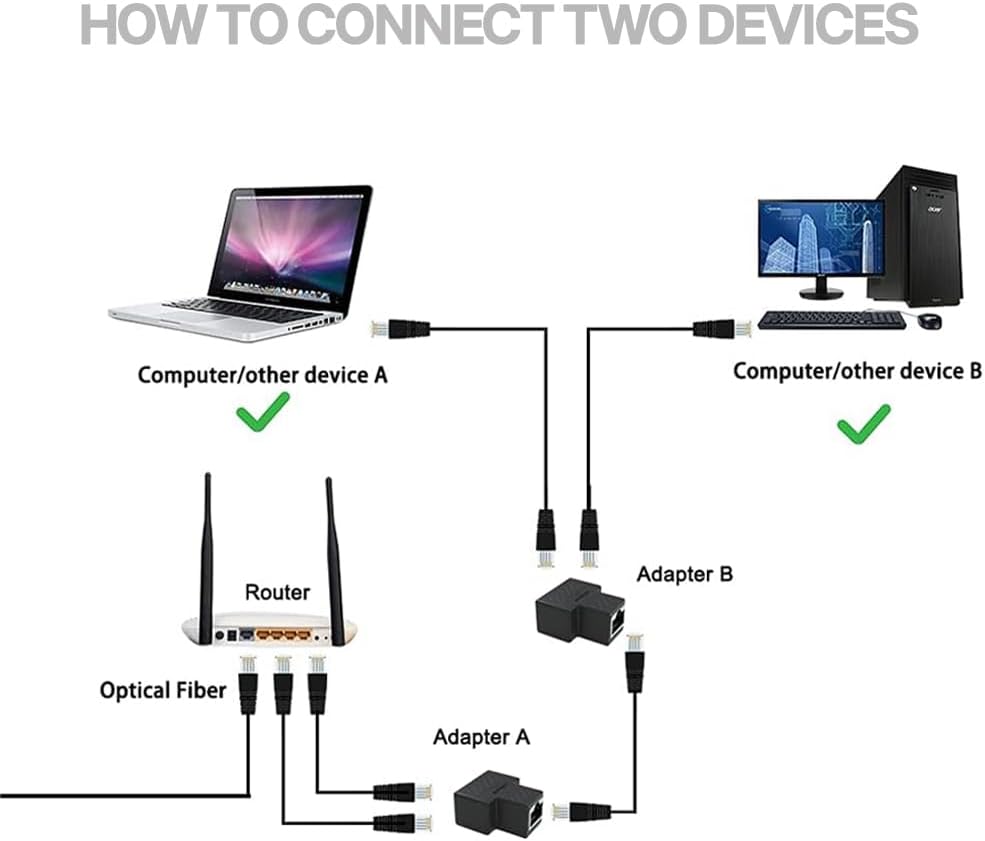
The MAOZHOU Ethernet Splitter Adapter is a passive RJ45 Y splitter designed to convert one Ethernet port into two jacks. It is intended for simple, temporary or testing setups where you need to route cables in cramped spaces without pulling out a full network switch. Keep in mind this is not a network switch or a hub, it does not increase the number of active ports. Only one connected device can use the network at a time unless you follow the included wiring guidance for dual‑device use with a compatible arrangement.
How it helps in real life
If you’re tidying a crowded patch panel, or you need to share a single outlet between devices in a pinch, this splitter can make the arrangement neater and more manageable. It supports standard RJ45 cables compatible with Cat5e and Cat6, which covers most home and small office networks. Its plug‑and‑play design means no drivers or power are required for basic pass‑through use, so you can set it up quickly and test cables or connections without extra hardware.
What stands out
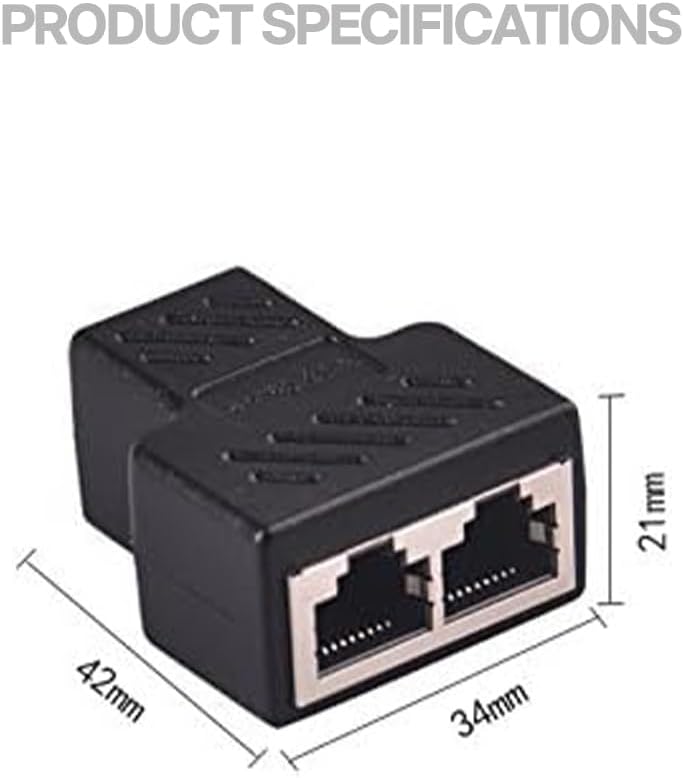
On the plus side, the MAOZHOU splitter is compact and lightweight, making it easy to tuck behind furniture or inside a rack without adding bulk. The inclusion of a clear usage diagram is helpful to avoid miswiring and ensure you get the expected behaviour when two devices are used as the diagram prescribes. The absence of moving parts or power needs can be a real convenience for quick troubleshooting.
Where it might fall short
The most important limitation is real: it is a passive continuation device, not a method to increase bandwidth or concurrent online devices. If you need two devices online simultaneously in a straightforward way, you’ll typically require a network switch or router, rather than this splitter. Some users may find the need to configure a dual‑port arrangement with the diagram a little fiddly in practice, especially if the layout doesn’t permit neat cabling.
Who it’s for
This adapter suits testers, technicians, or home users who want to manage cables more efficiently or perform quick, temporary cross‑connections. It’s useful for scenarios like confirming a cable run, sharing one outlet between devices in a controlled sequence, or organising a workspace when a full switch is overkill.
Who it isn’t ideal for
If your goal is to have two devices online at the same time on a single wall outlet, this is not the best tool unless you’re using the specific dual‑port arrangement shown in the diagram or you pair it with a proper network switch or router. For everyday multidevice networking, a dedicated switch offers clearer performance and reliability.
When it makes sense to buy
Consider this if you prioritise minimal hardware, quick setup, and simple cable management in temporary or testing contexts. It can be a helpful companion in filing cabinets, behind desks, or patch panels where space is tight and you don’t want to deploy more network ports than necessary.
What you should check before buying
- Confirm that your intended use aligns with a passive splitter rather than an active device.
- Have the included diagram to hand so you wire devices according to the guidance.
- Ensure your cables are not excessively bent to avoid signal integrity issues in short runs.
Practical example in use
Imagine you’re wiring a small corner of a home office and need to connect a laptop and a printer to a single wall Ethernet outlet temporarily. You can use the MAOZHOU splitter with the diagram to route the cable appropriately, test connectivity, and switch the devices as needed without plugging in a full switch. It’s a reasonable compromise when you don’t want to invest in additional networking hardware for a short‑term setup.
FAQ (focused on what you can confirm from the data)
- Does it increase network speed or ports? No, it does not increase ports or speed, it’s a passive splitter for routing a single port.
- Can two devices be online at once? Only if you follow the diagram for a compatible dual‑port arrangement or you use a network switch/router.
- Is drivers or power required? No, it’s plug‑and‑play with no power needed for basic pass‑through connections.
Final decision
Is it worth it?
Worth considering if you need a compact, low‑cost way to manage a single Ethernet outlet for temporary use or testing, and you don’t require simultaneous multi‑device online access. It’s more of a niche tool than a general networking solution, so weigh your need for simplicity and space against the limitations of a passive splitter.