

TP-Link RE700X WiFi 6 extender, AX3000
Reviews
Price
Product description
If you want smoother whole home WiFi without relying on one router location, the TP-Link RE700X WiFi 6 range extender is built for that job. It brings next gen Dual Band WiFi 6 performance and helps you tackle dead zones, while also giving you options like EasyMesh and an access point mode when you want to extend a wired network. 😊
The RE700X is designed around speed and capacity, with manufacturer stated dual band figures of 2402 Mbps on the 5 GHz band and 574 Mbps on 2.4 GHz. That focus matters for everyday streaming, gaming, video calls, and general browsing, especially when your home layout makes WiFi coverage uneven. With Easy Setup and app control via the Tether app, it is also straightforward to get running, rather than turning configuration into a project.
Key points
This WiFi extender is aimed at improving coverage and reducing weak signal pockets across your home. It is a Dual Band WiFi 6 device that supports higher speeds and more capacity, which is helpful when multiple devices are active at once. According to the manufacturer, the unit can help deliver a smoother experience for activities such as 4K streaming and gaming, where consistent performance is noticeable. 🙂
A key advantage is whole home flexibility through EasyMesh compatibility. If you already use an EasyMesh compatible router, you can connect the extender to build a Mesh network approach that helps you move around your home with less drop off between rooms. That can be especially useful in houses with multiple floors or areas where the main router signal struggles.

There is also an Access Point mode with a Gigabit Ethernet port, giving you a practical upgrade path if you have a wired connection available. Instead of only extending the signal wirelessly, you can use the unit to create a new WiFi access point. Another helpful feature is Smart Adaptive Path Selection, which automatically chooses a faster route to the router for better overall performance. 😊
Tech specs
- Name: TP-Link RE700X WiFi 6 extender
- Type: WiFi 6 range extender and booster
- Format: Dual Band WiFi 6
- Capacity: 2402 Mbps on 5 GHz and 574 Mbps on 2.4 GHz
- Size: AX3000Mbps WiFi booster range extender
- Display: TP-Link Tether app control via mobile device
- Colour: Not stated in the provided product information
What stands out
TP-Link RE700X blends speed focused Dual Band WiFi 6 performance with features that support flexible home WiFi layouts. On the coverage side, it targets whole home improvements, particularly where dead zones can interrupt smooth streaming or gaming. On the performance side, the manufacturer stated 5 GHz and 2.4 GHz speeds are intended to support modern device demands without pushing you into frequent reconfiguration. 🚀
EasyMesh compatibility is a practical differentiator if your wider setup supports it. Rather than treating the extender as a completely separate network, EasyMesh compatibility is designed to help you build a Mesh network by connecting the extender to an EasyMesh router. That can make it easier to keep a consistent WiFi experience as you move around.
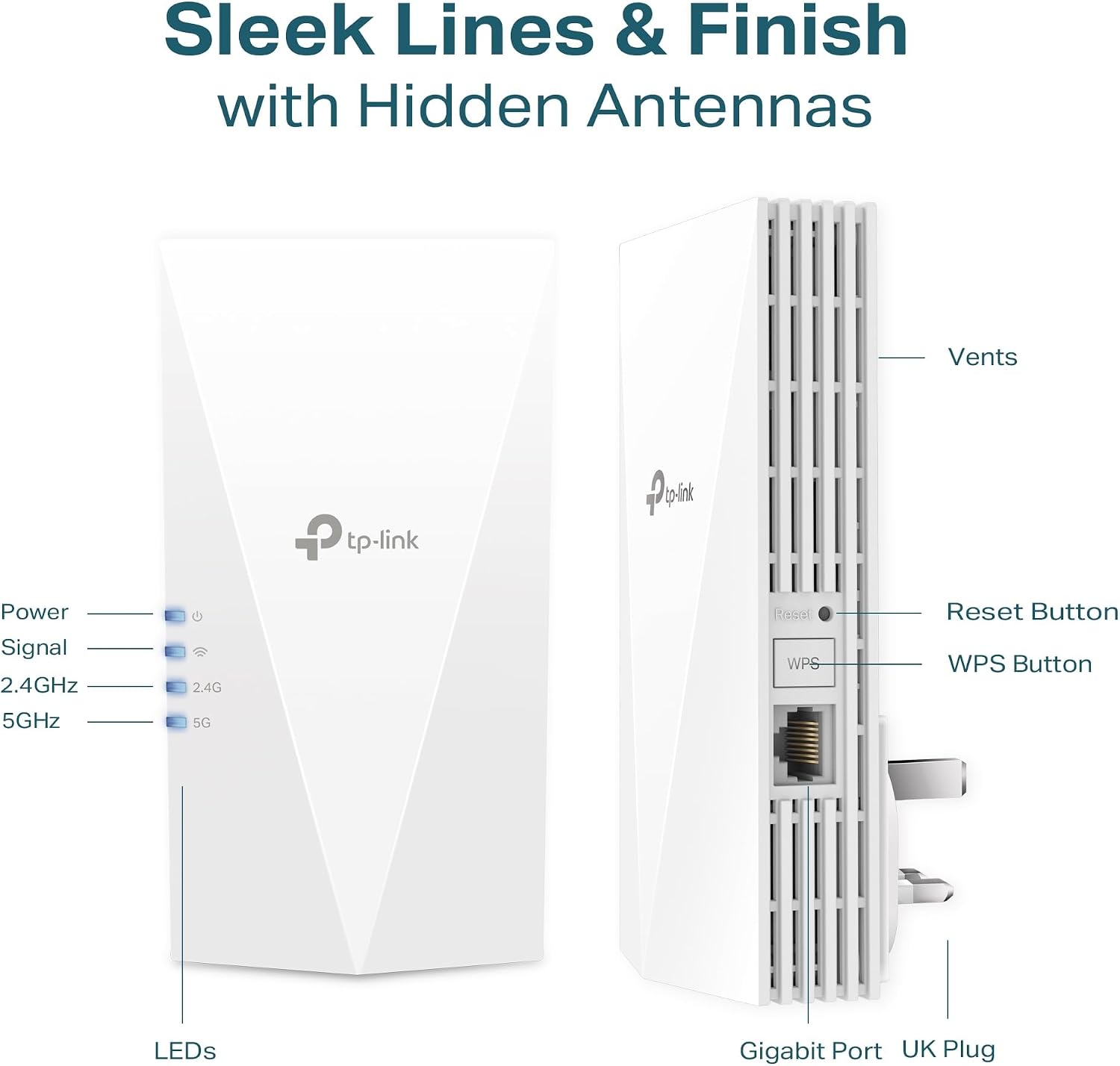
The Gigabit Ethernet port and Access Point mode add extra versatility for homes where cabling is available in the right places. If you can run an Ethernet connection from a router location, you can create a new access point to extend your wired network with ultra fast wireless. Tenants and homeowners both tend to value this kind of option, because it allows you to solve coverage issues using the network layout you actually have.
Finally, Smart Adaptive Path Selection helps with performance by selecting the fastest and most efficient route to the router automatically. That means the extender is intended to adjust based on conditions, rather than forcing you to guess which way it will work best. It is a feature that matters when signal quality changes between rooms, or when your home environment shifts during the day.
Who it’s for
It’s a good fit if you want WiFi 6 performance from a range extender, and you have areas where the main router signal weakens. It makes sense if you have multiple devices that need reliable connectivity, such as TVs for streaming, consoles for gaming, and phones for everyday use. It may also suit you if you want an EasyMesh compatible approach to improve whole home coverage, rather than managing separate networks.
It might not be a great match if you already have strong coverage everywhere and only need minimal improvement. It may also be less suitable if you cannot place the extender in a position that still maintains a workable route back to your router. If you do use the access point option, you will want an Ethernet connection where the extender will be located.