

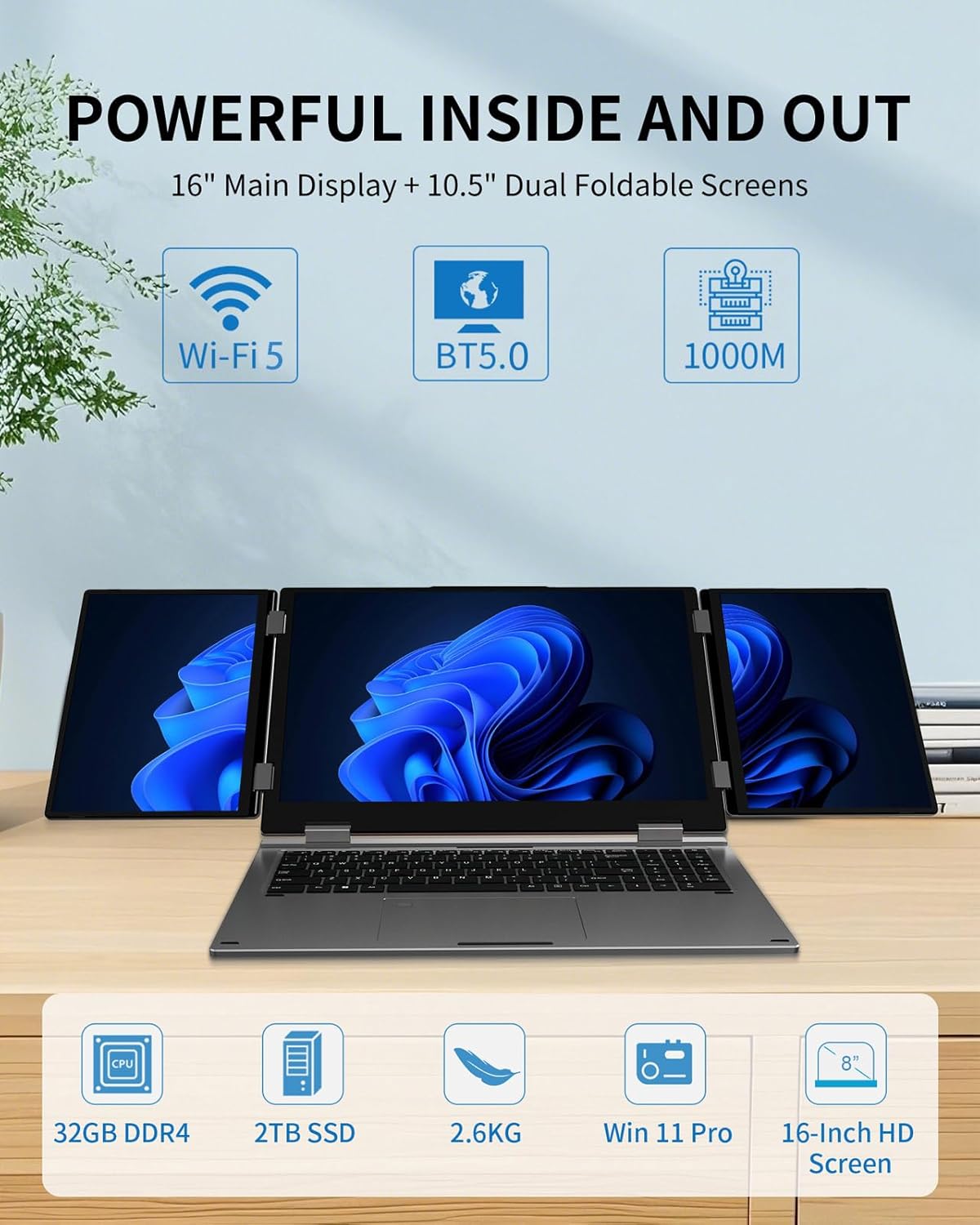
KOOFORWAY Triple Screen Laptop (16” main + dual 10.5” foldable) with Core i7-12700H, 32GB RAM and 2TB SSD
Product description
The essentials
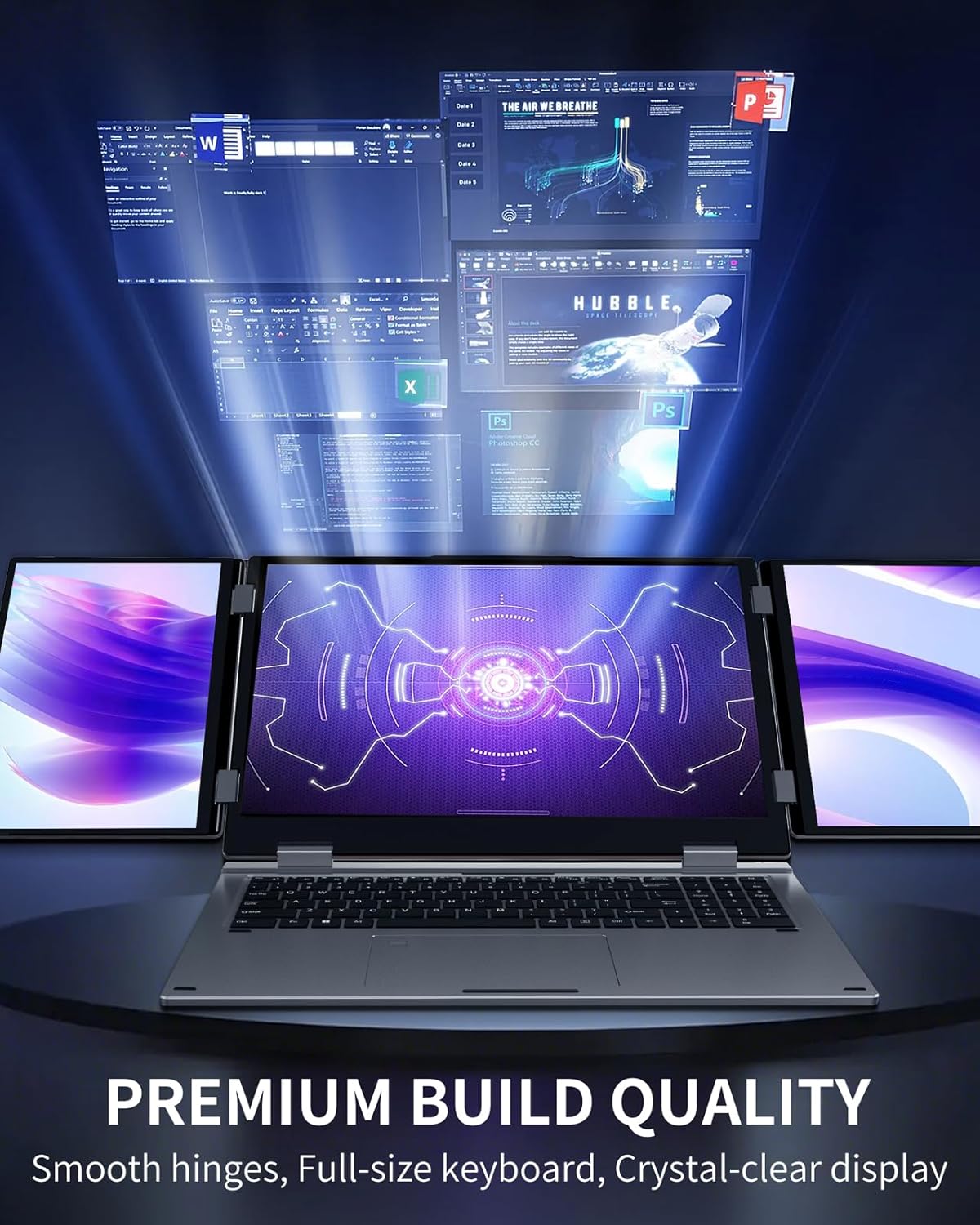
If you regularly bounce between apps, timelines, charts and reference tabs, the idea of a triple-screen laptop is genuinely appealing—especially when you need that setup away from a desk. The KOOFORWAY Triple Screen Laptop pairs a 16-inch main screen with two foldable 10.5-inch displays, aiming to give you more usable workspace for work and play without carrying a full multi-monitor rig.
On paper, it’s positioned at users who want both serious performance and extra screen real estate: developers, video editors, financial traders and gamers are all mentioned as target use cases. That mix matters, because triple displays can be more about productivity and multitasking than about “gaming alone”. Depending on your day-to-day workflow, those two extra screens can either feel like a luxury or become the main reason you’d choose this over a standard laptop.
Where it shines in everyday use
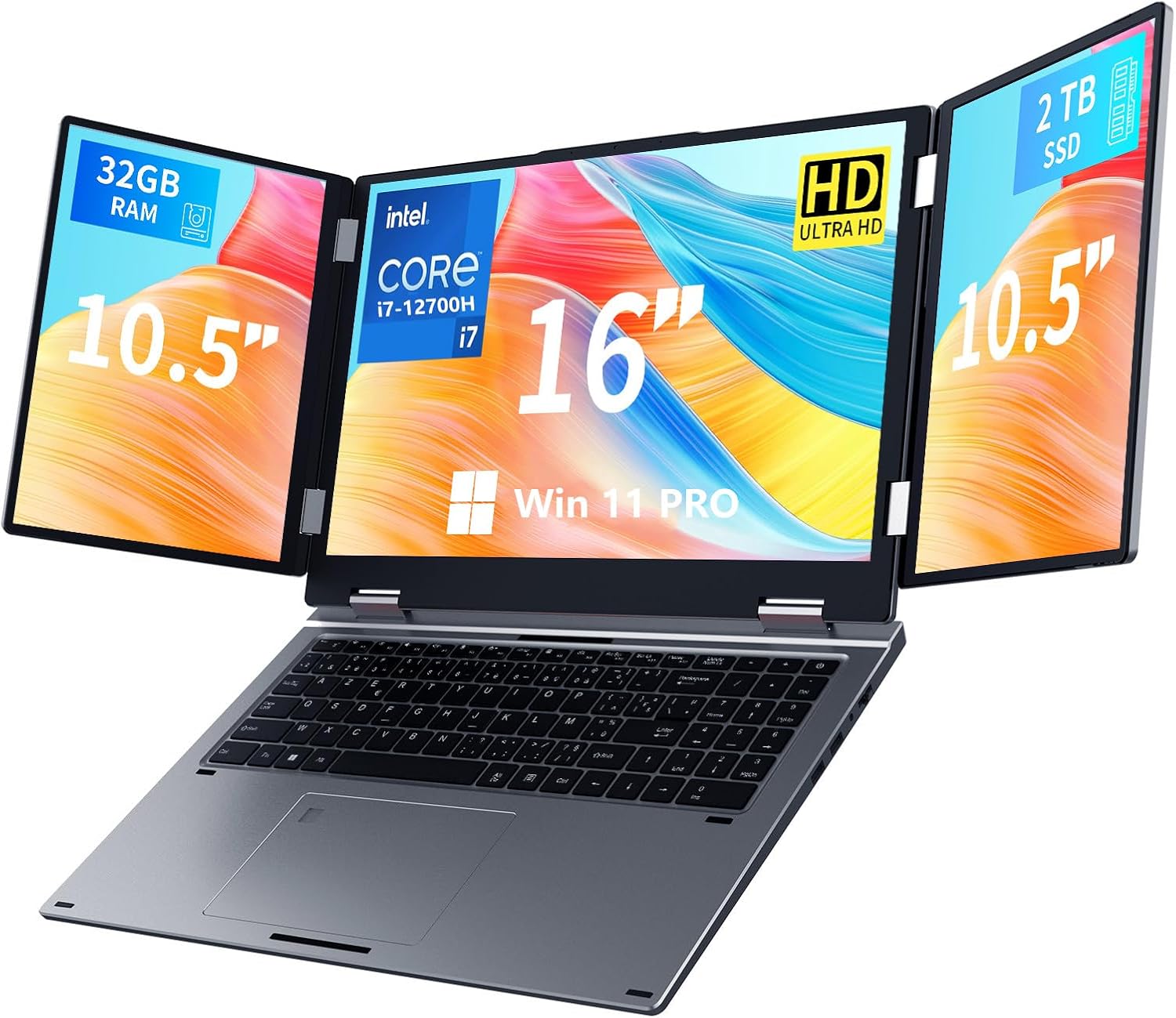
The core “win” here is the triple-screen immersion: a 16” main display plus dual 10.5” foldable monitors. For multitasking, that can translate into a practical setup such as: main screen showing your main editor or spreadsheet, while one foldable panel stays on code/IDE tools and the other holds reference material (a timeline, graphs, or a live watch list). In video editing, you can keep preview and your timeline on the main screen, while the smaller foldable screens can show bins, effects and tool panels.
Portability is another big part of the pitch. The laptop is described as weighing 5.7 lbs, and the dual displays are foldable. That’s aimed at business travellers and remote workers who want “laptop + screens” rather than a desk-based workstation.
Performance you’ll notice (and what you should expect)
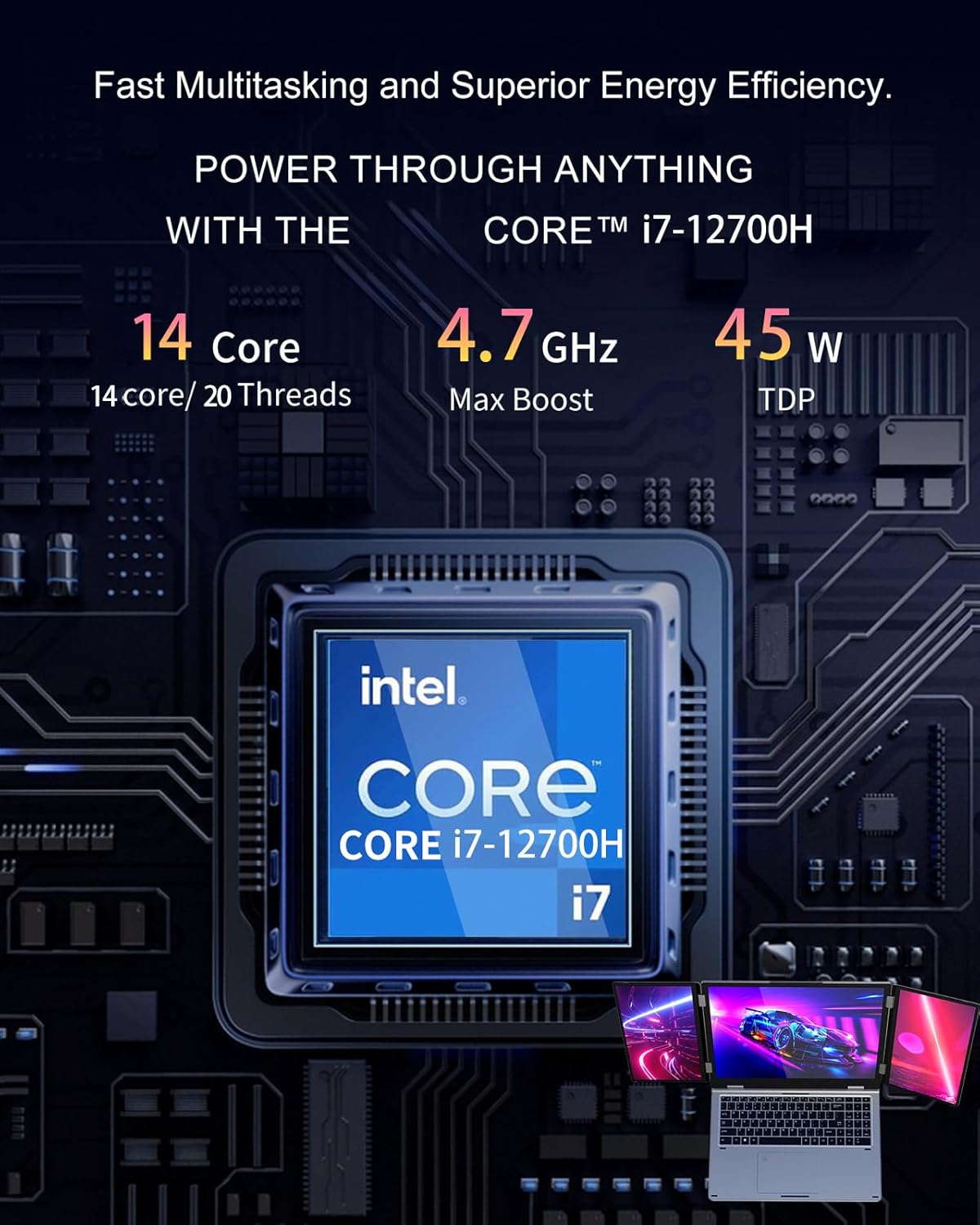
This model is built around an Intel Core i7-12700H, 32GB RAM and a 2TB SSD (listed as NVMe in the description). For buyers, that combination generally supports heavier multitasking and projects—so things like rendering, editing and running demanding games should be more comfortable than on lower-spec machines.
Still, it’s worth keeping expectations realistic. A triple-screen setup can be demanding, and the overall experience will depend quite a lot on how you use those displays and what kind of workloads you run. If you mainly browse the web and do lightweight documents, the performance and screen complexity may be more than you need, and you might be happier with a simpler laptop.
Connectivity and security for business use
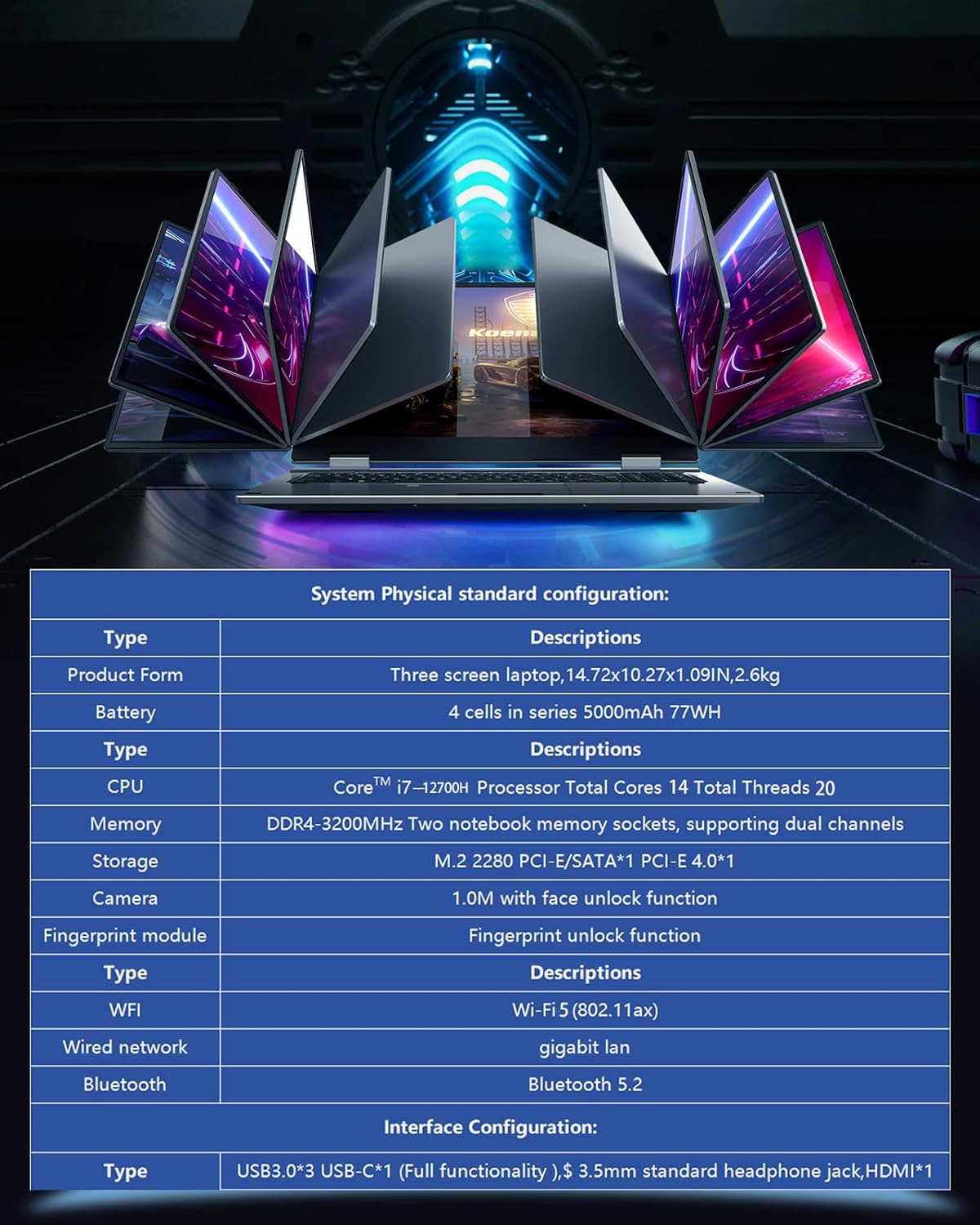
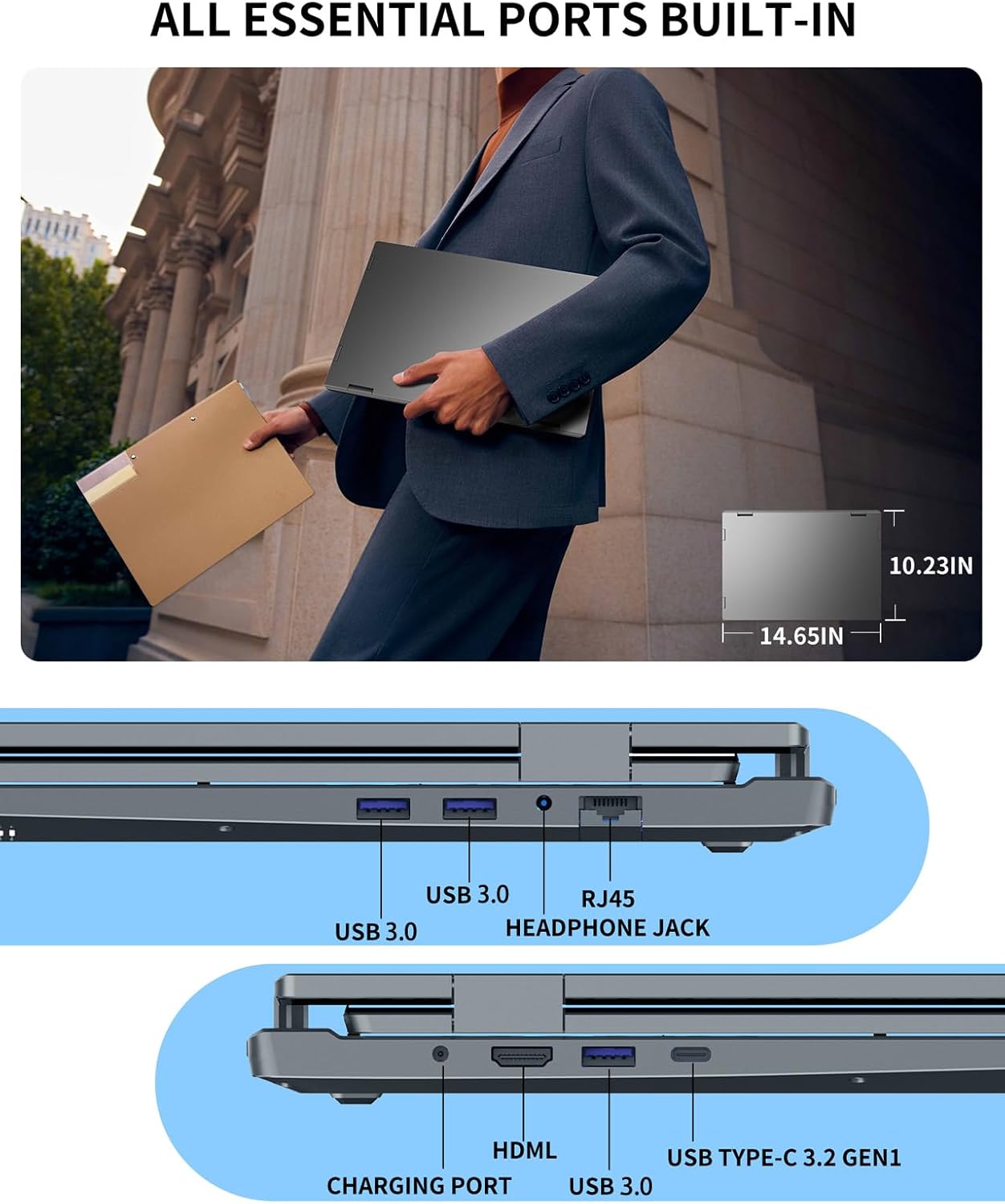
The connectivity list is fairly business-friendly for a laptop of this type: USB-C, HDMI, RJ45 LAN, USB-A 3.0, and full-function USB-C ports are mentioned, alongside Wi-Fi 5 and Bluetooth 5.0. If you’re used to plugging into docks, speakers, LAN networks, or pairing peripherals, this specification set gives you a decent spread.
For security and quick access, it includes Face and Fingerprint unlock. The description refers to Win Hello-style face login and a touchpad fingerprint reader, which is the kind of convenience that can actually matter in meetings or when you’re switching between work and play.
The limitations to weigh up
This isn’t a “buy it for convenience only” machine. Triple-screen laptops can be a bit more setup-sensitive than traditional laptops, and foldable screens usually mean you’re trading simplicity for extra workspace. If you travel often but hate faffing with add-ons, it might feel like more effort than a single large display.
Also, while the description leans heavily towards editing, gaming and trading scenarios, you should consider your own software needs and how you’ll lay out windows across three screens. If your workflow rarely needs more than two panels, the extra screens could end up underused.
Tech specs (as provided)
- Processor: Intel Core i7-12700H
- Memory: 32GB RAM (DDR4)
- Storage: 2TB SSD (NVMe)
- Display: 16-inch main + dual 10.5-inch foldable monitors
- Weight: 5.7 lbs
- Operating system: Win 11 Pro
- Wireless: Wi-Fi 5
- Bluetooth: Bluetooth 5.0
- Unlock methods: Face recognition and fingerprint unlock
- Connectivity mentions: USB-C, HDMI, RJ45 LAN, USB-A 3.0
Who it’s for (and who should skip it)
It’s a good fit if you want a portable multi-screen workstation feel—especially for multitasking-heavy work like development, video editing, or trading-style dashboards—without committing to a separate desktop monitor setup.
It makes sense if you’ll genuinely use three displays regularly and you’re comfortable with the extra physical complexity that foldable screens bring.
You may want to skip it if your typical day is mostly single-app work, lightweight browsing, or if you prefer the simplest possible travel setup.
Mini FAQ
Does it replace a desk multi-monitor setup?
It’s designed to deliver a triple-screen experience on the go, so for many people it can substitute for desk monitors in a portable context. That said, desk setups still win if you want maximum flexibility and no screen handling.

What’s the benefit of the foldable 10.5-inch monitors?
They’re there to expand your workspace beyond the main 16-inch display. If your workflow uses side panels (tools, charts, timelines, reference windows), those screens can save you from constantly switching tabs.
Is it aimed at gaming as well as work?
The description explicitly positions it for business/design/stock trading and also mentions gaming. So it’s pitched as a all-rounder rather than a productivity-only laptop.
What security options does it include?
It includes both face recognition and fingerprint unlock, described as Win Hello face login plus a touchpad fingerprint reader.
Final verdict
A triple-screen laptop is rarely “just another spec bump”, and this one leans into that idea with a 16-inch main display plus dual 10.5-inch foldable screens. If you’re the kind of user who benefits from constant visibility—coding plus references, editing plus tool panels, trading charts plus watch lists—then it could be a genuinely practical way to get more screen space while travelling.
However, if you’re unlikely to use all three screens often, or you want a very simple plug-and-go travel setup, the added complexity may not feel worth it. Check that the triple-screen layout fits your real workflows before you commit.