

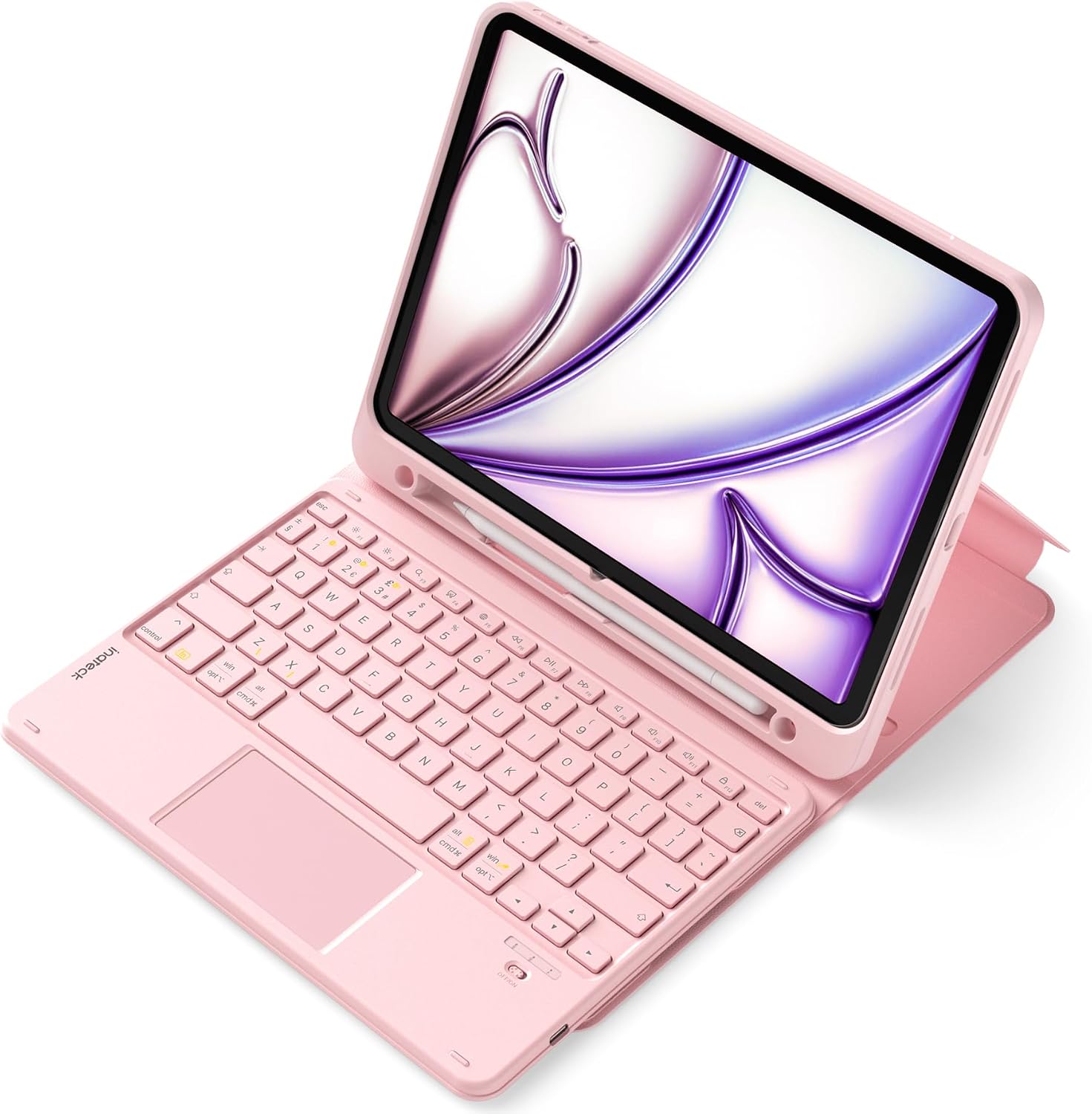
Inateck iPad 10th Generation Keyboard Case with Detachable Magnetic Keyboard & Trackpad (Pink)
Product description
What it is and why people buy it
If you’re using your iPad for typing-heavy tasks, a keyboard case can save you from constant on-screen typing. This Inateck case is built around a detachable magnetic keyboard with a trackpad, so it aims to bring more “laptop-style” control to your iPad while still letting you take the keyboard off when you just want to read or watch something.
It’s also positioned as a protection-first case: you get a soft rubber back with a magnetic lock, plus an integrated stand design with a few viewing angles. On paper, it looks like a practical add-on rather than a flashy accessory—useful if you do work, study, or notes and you want the keyboard available whenever you need it.
Compatibility: do not guess, verify first
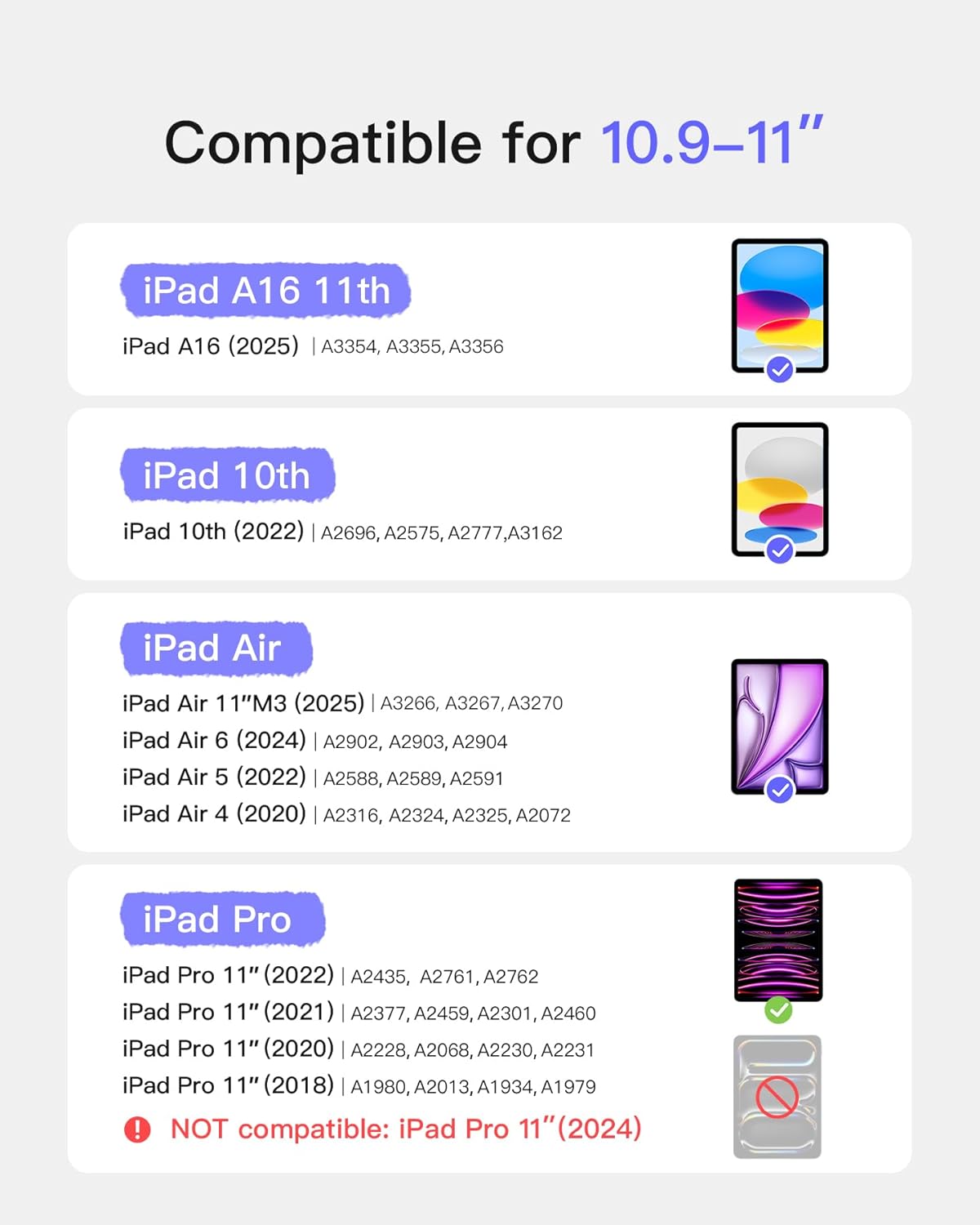
This is the part that matters most. The keyboard case is compatible with several iPad models, including: - iPad Air 11-inch M4 (2026) / M3 / M2 variants listed - iPad Air 5th/4th Gen (10.9-inch) - iPad 10th Gen / A16 11th Gen (2025) - iPad Pro 11-inch (4th/3rd/2nd/1st Gen)
However, the guidance is to check the “AXXXX” model number on the back of your iPad before ordering. That single step can prevent the frustrating outcome where the case doesn’t sit right or the keyboard alignment doesn’t match.
Detachable magnetic keyboard and trackpad control
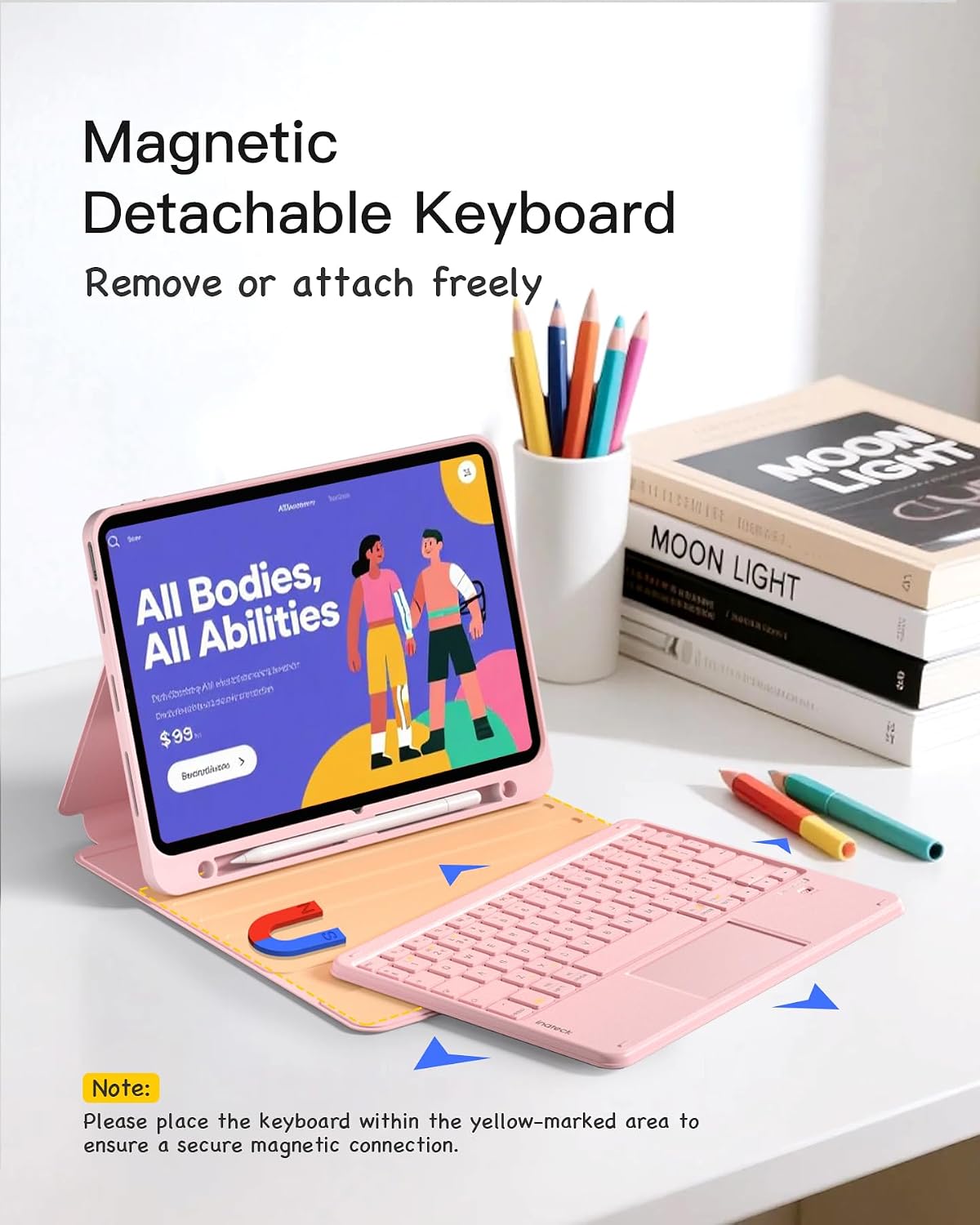
The detachable magnetic keyboard is the headline feature. You can remove and reattach it, which gives you flexibility—keyboard for typing sessions at home, then off for portability or lighter everyday use.
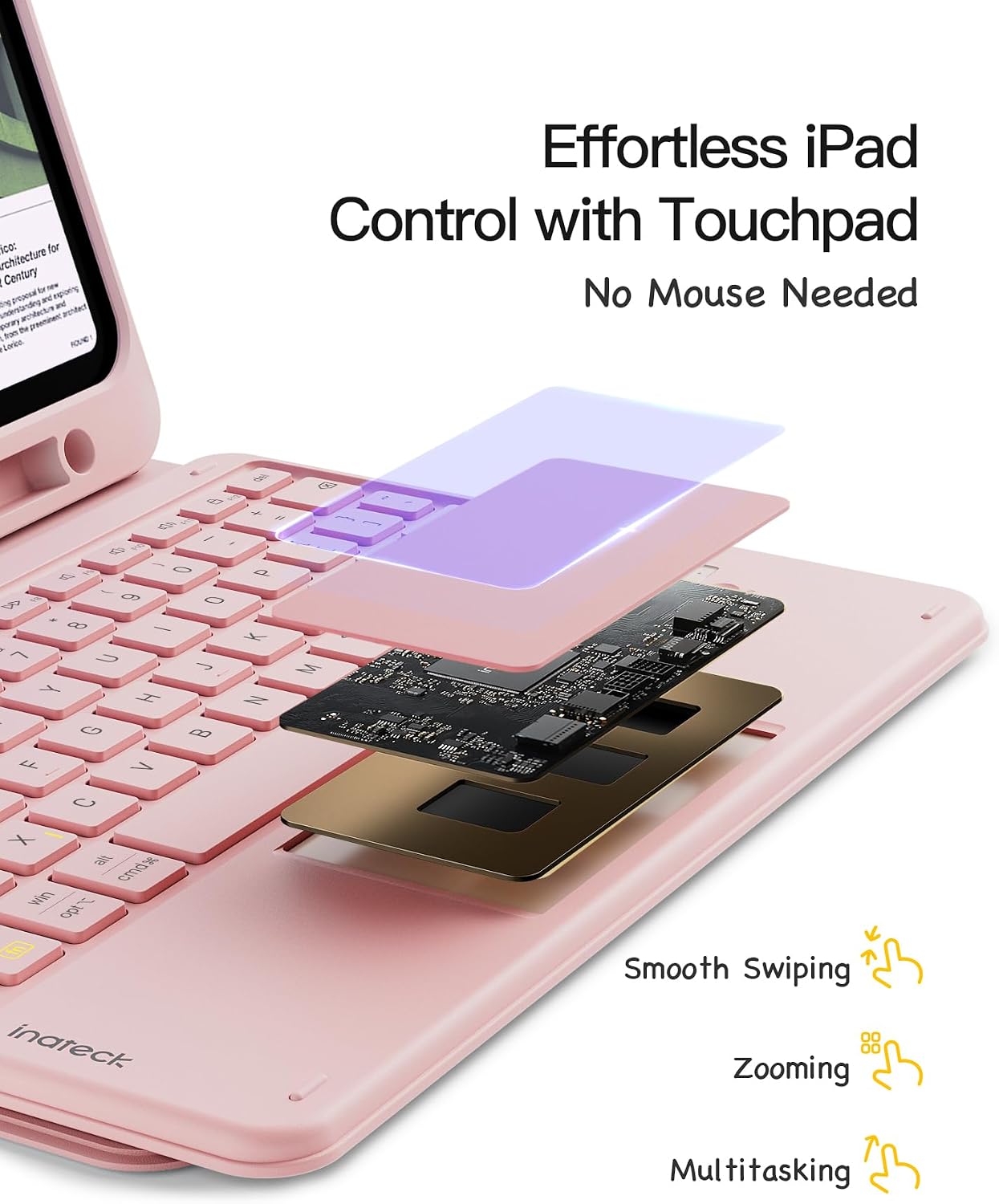
The trackpad is described as full-area multi-touch, with palm-rejection for more precise use “without delay” (wording from the listing). In real-life terms, that means you’re not just relying on taps, you can browse, click, switch applications, and explore gestures using multi-touch interactions.
Viewing angles and day-to-day comfort
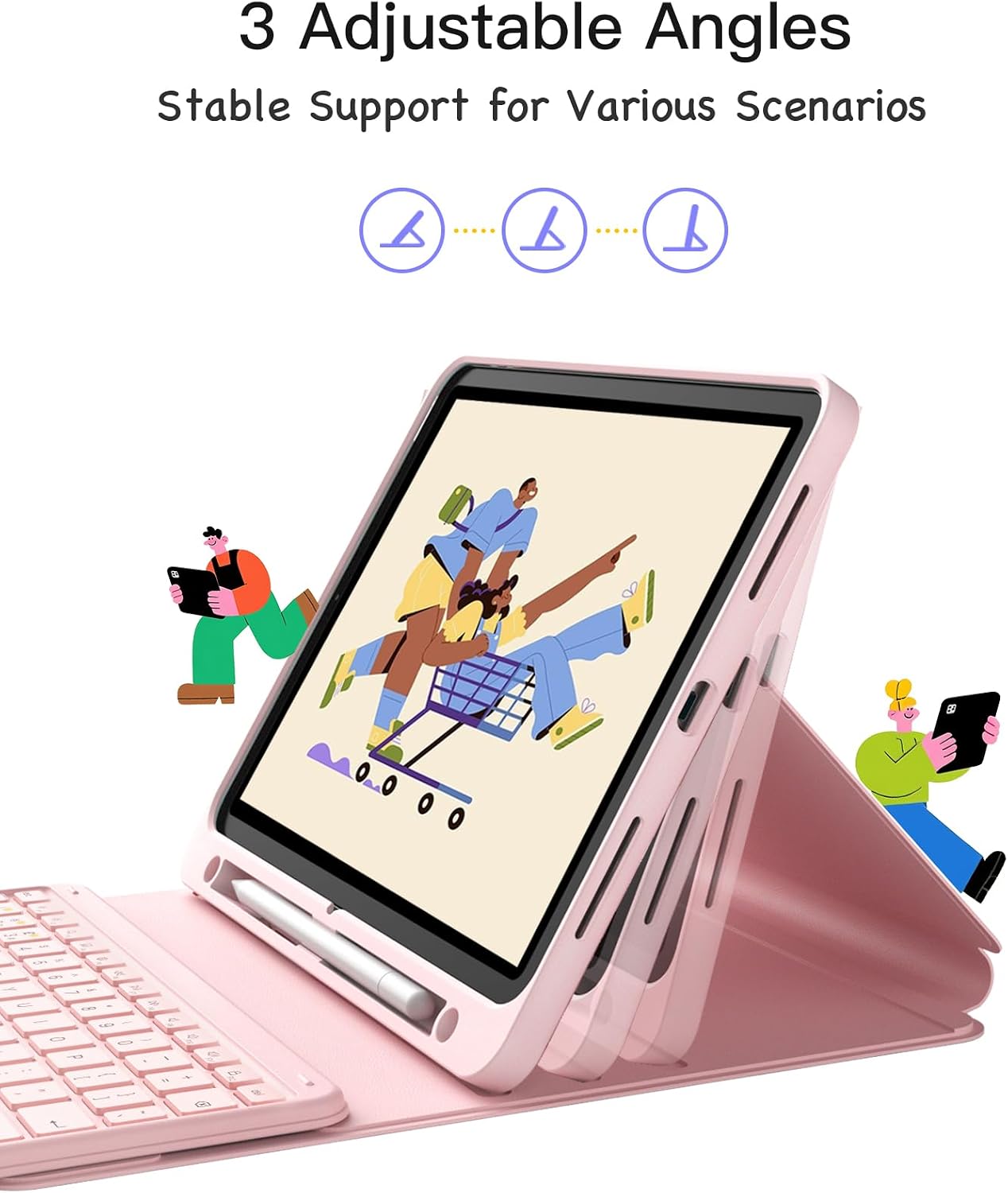
This case includes a 3-level stand. The idea is straightforward: tilt the iPad to match what you’re doing—typing, reading, or watching—rather than forcing everything at one fixed angle.
There’s also mention of a reinforced base with 3 grooves designed to improve stability. Still, do keep expectations realistic: stand cases can vary in how “solid” they feel depending on your surface and how heavy the iPad setup is with the keyboard attached.
Pencil holder (and an important limitation)
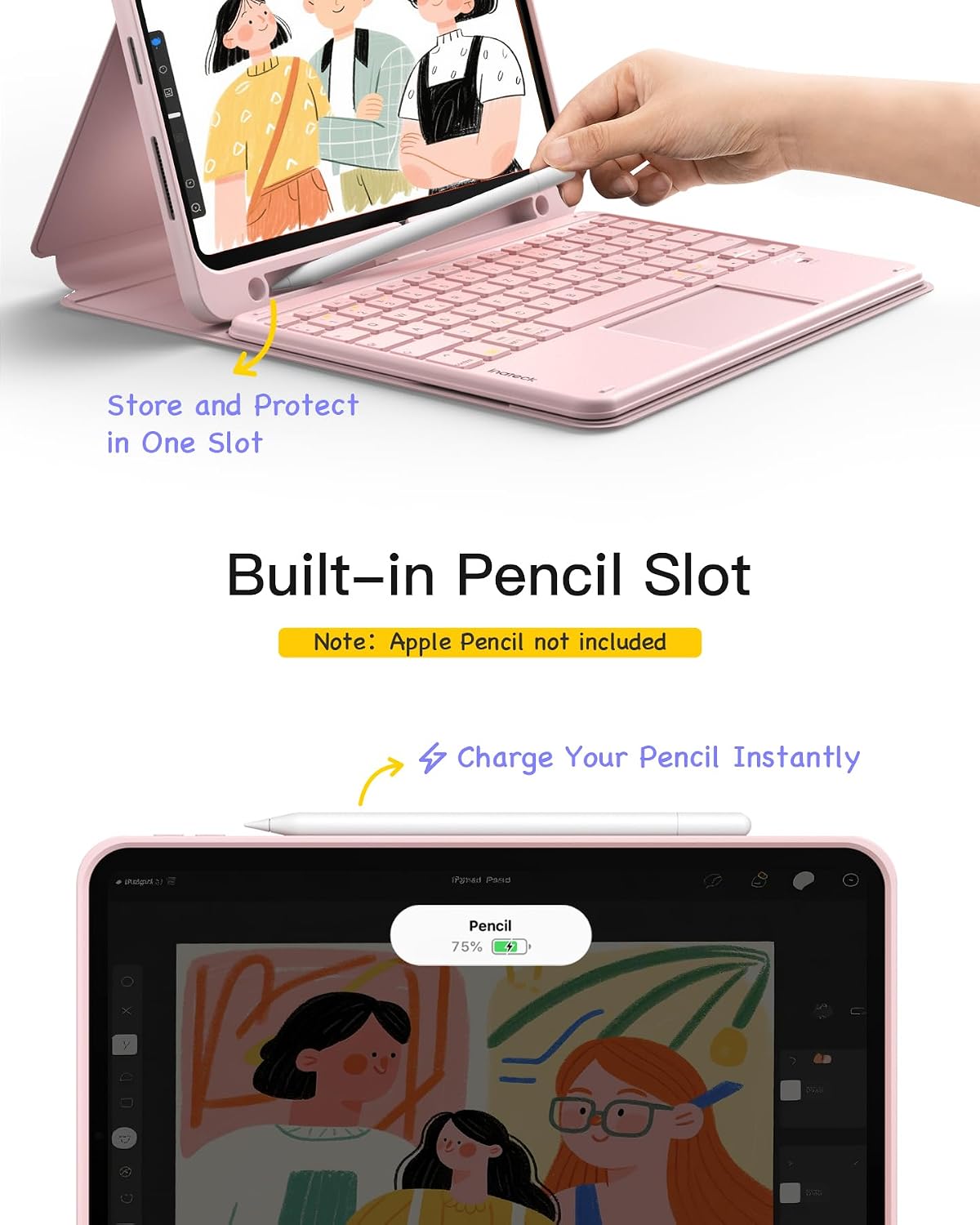
There’s a pencil slot in the case. It supports magnetic charging for the 2nd Generation Apple Pencil and holds the 1st Generation Pencil securely.
One limitation is explicitly stated: the Apple Pencil is not included in the package. If you’re not already using a Pencil, you’ll still need to buy that separately.
Protection for everyday knocks
For daily life, it uses a soft rubber back cover and a secure magnetic lock. The listing positions this as protection against drops, scratches, and bumps. It’s the kind of setup you’d choose if you carry your iPad around (commuting, study bags, home desk) and want some barrier against the small “life happens” moments.
It’s not trying to replace every possible protective case solution—if you’re rough on devices or frequently use it in high-risk environments, you may want to think about whether you need something more heavy-duty. But for typical daily use, this approach feels sensible.
Who it suits best (and who should look elsewhere)
It’s a good match if you: - want a keyboard and trackpad experience without committing to a non-detachable design - do a mix of typing and casual use (so detaching matters) - prefer a stand with a few viewing angles for working, studying, or entertainment - already own a compatible Apple Pencil and want a storage/charging spot
It may not suit you if you: - haven’t checked your iPad model number (compatibility is model-specific) - only need occasional typing and would rather keep the setup lightweight - expect “laptop-like” performance in every situation—keyboard cases help, but they don’t change what the iPad OS itself can do
Tech summary
The essentials
- Detachable magnetic keyboard: removable and reattachable for flexible use
- Trackpad: full-area multi-touch with palm-rejection for more accurate control
- Stand: 3-level viewing angles with a reinforced base and grooves
- Pencil storage: slot supports magnetic charging for 2nd Gen Apple Pencil and stores 1st Gen (Pencil not included)
- Protection: soft rubber back and secure magnetic lock
Small FAQ before you buy
Will this work with my iPad Air or iPad Pro?
It’s designed for several specific 11-inch and 10.9-inch iPad models listed above, but you should verify the iPad’s “AXXXX” model number on the back first.
Does it include the Apple Pencil?
No. The listing states the Apple Pencil is not included, even though the case has a slot and supports charging for compatible Pencil models.
Can I use the iPad without the keyboard attached?
Yes. The keyboard is detachable and magnetic, so you can remove it when you want a lighter setup for reading or entertainment.
What’s the point of the 3-level stand?
It lets you adjust the viewing angle for different tasks—typing, studying, or watching—rather than relying on one fixed angle.
Is it worth it?
If you want a keyboard case for your compatible iPad that adds both typing and trackpad control, the detachable magnetic setup is the strongest reason to consider this. The stand and 360°-style everyday protection also fit well with regular study and work routines.
That said, it’s only a sensible buy if your iPad model is truly in the compatible list—so verify that “AXXXX” model number first. And if you rarely type, you might find the extra bulk less appealing, in that situation, a lighter cover may make more sense.