

FINTIE Hybrid Case for iPad Air 11 inch (M4 2026/M3 2025/M2 2024) & iPad Air 10.9 inch (5th/4th gen) – Shockproof slim clear acrylic with pencil holder, black
Reviews
Price
Product description
What it is and why people buy it
This FINTIE hybrid case is designed to keep an iPad Air protected while still letting you use it as a tablet day to day. The idea is pretty straightforward: a rigid back to take the knocks, a front you can fold into different positions, and a built-in pencil holder so your stylus isn’t always rummaging around in a bag. It’s the kind of case you’d pick when you want practical protection and a clean look (it’s described as a clear acrylic cover) rather than a thick, heavy shell.
If you’re trying to match the right case to the right iPad size, that’s worth taking seriously here. The listing is specific about which iPad models and generations it fits, and it also calls out a number of incompatible iPads.
Compatibility and what to double-check before buying
This case is designed for iPad Air 11 inch models for: - iPad Air 11-inch (M3) 2025 (Model numbers: A3266 / A3267 / A3270) - iPad Air 11-inch (M2) 2024 (Model numbers: A2902 / A2903 / A2904) - iPad Air 5th generation 10.9 inch 2022 (Model numbers: A2588 / A2589 / A2591) - iPad Air 4th generation 10.9 inch 2020 (Model numbers: A2072 / A2316 / A2324 / A2325)
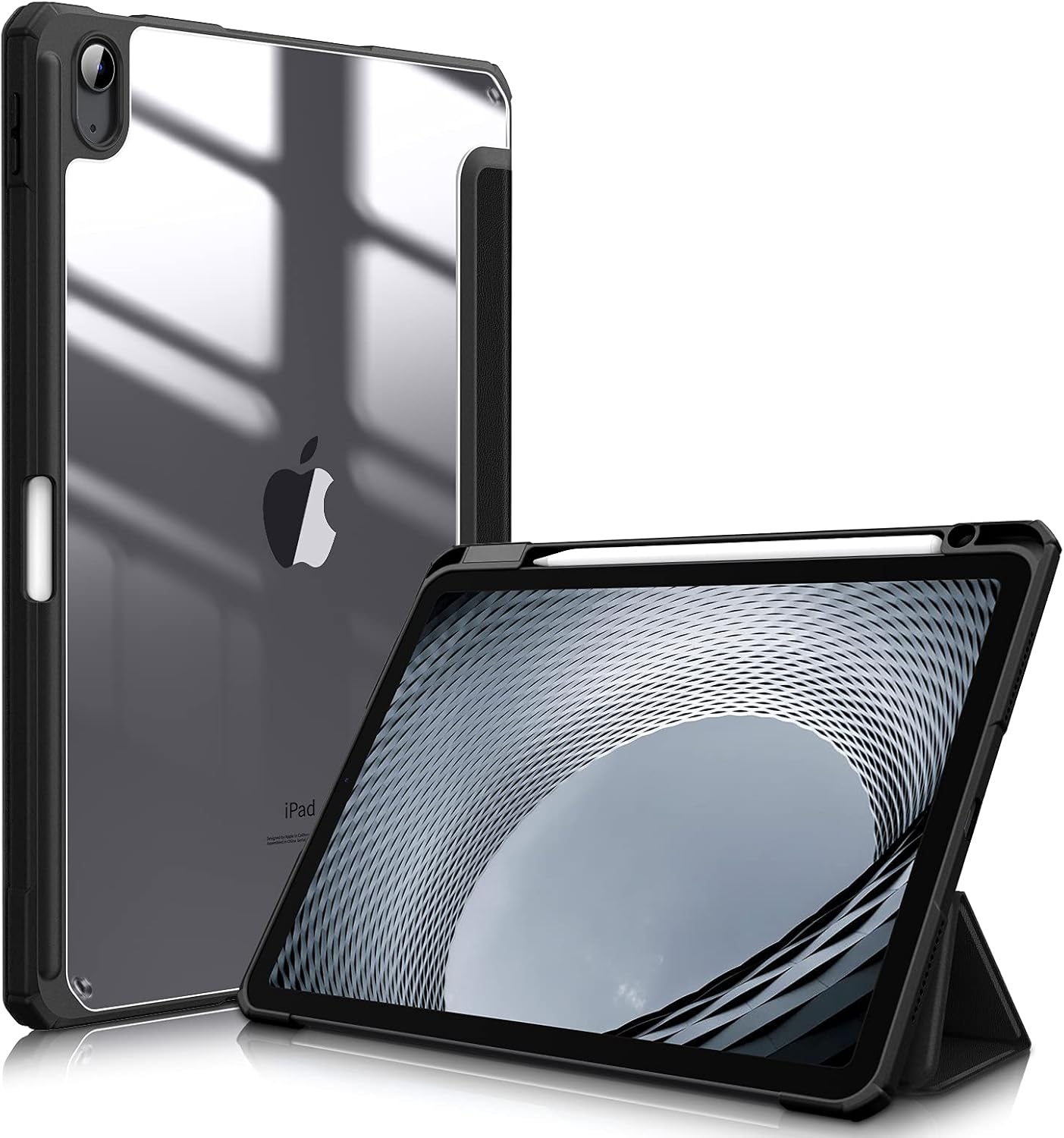
FINTIE also suggests checking your model number via Settings → General → About → Model Number, or by looking at the back of your device (for example, a model like A3266).
It’s not compatible with a range of other iPads, including iPad Air 13" (2024), iPad Air 3rd gen (10.5"), iPad Air 1st/2nd gen (9.7"), several iPad Pro sizes (including 11" iPad Pro models 2018–2025), and also some non-Air iPads.
Worth noting: if you’re unsure whether your iPad Air is the newer 11-inch body or the 10.9-inch generation, the model number check is the safest route. This type of case is the sort of purchase where “close enough” isn’t really a thing.
Design that focuses on protection without going bulky
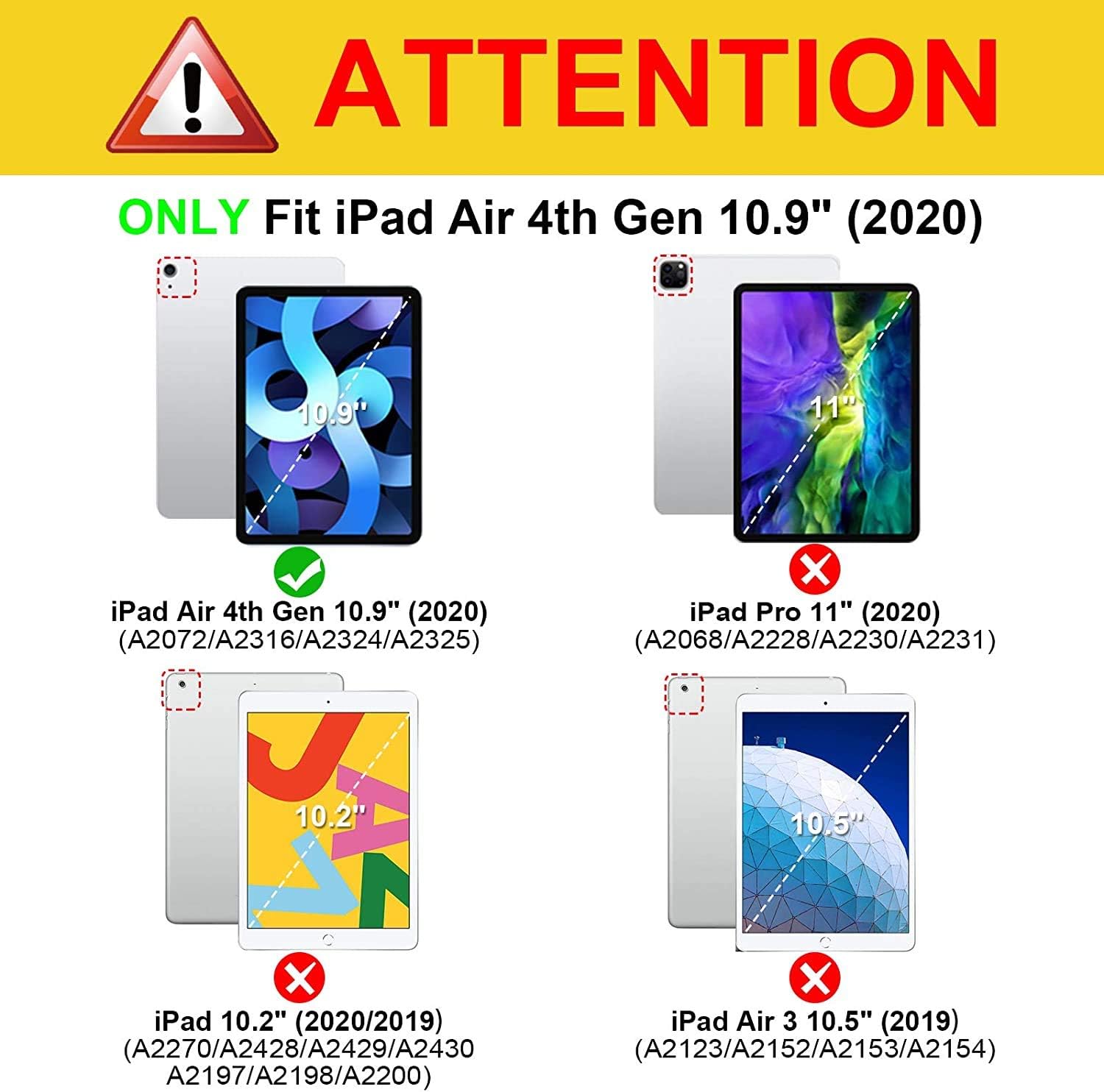
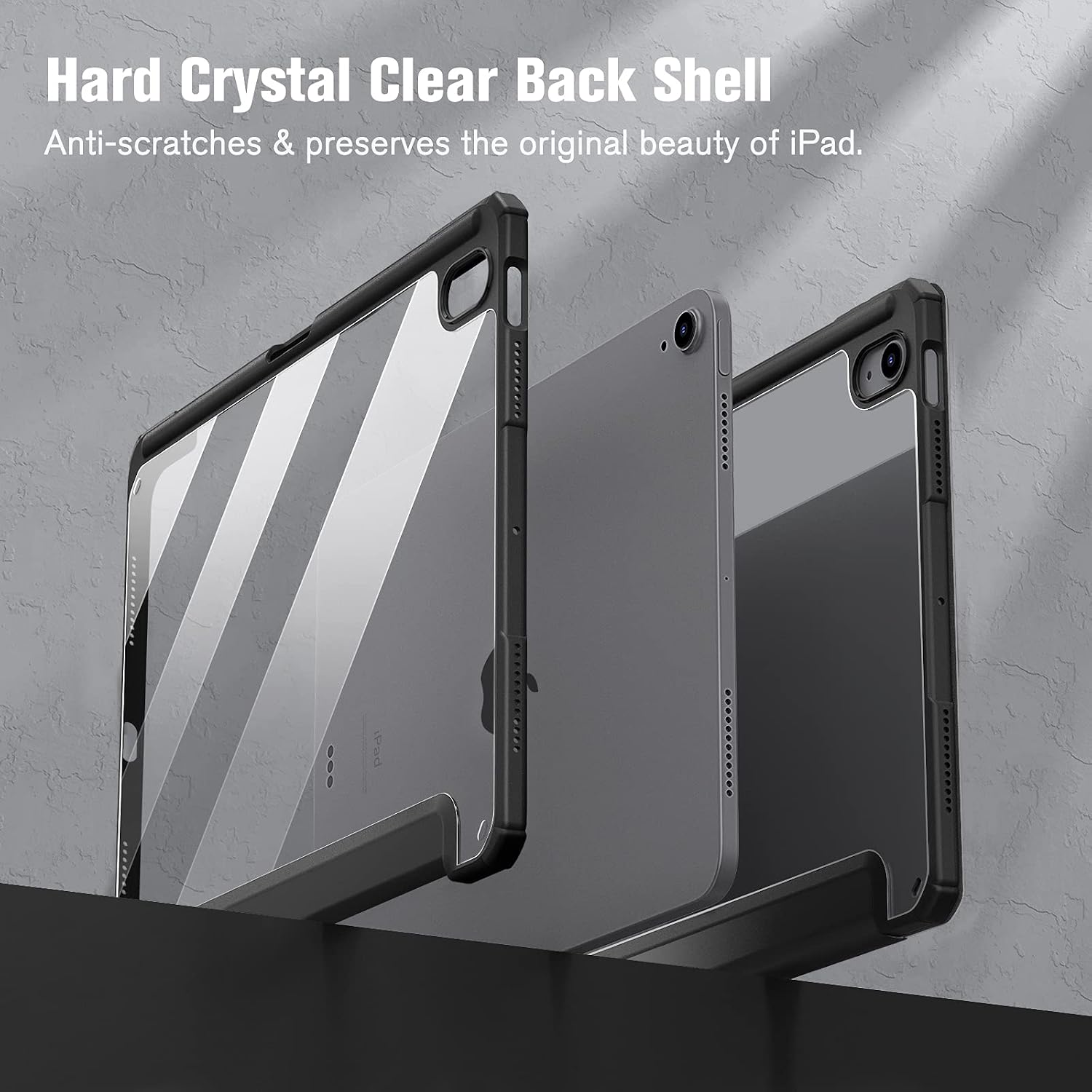
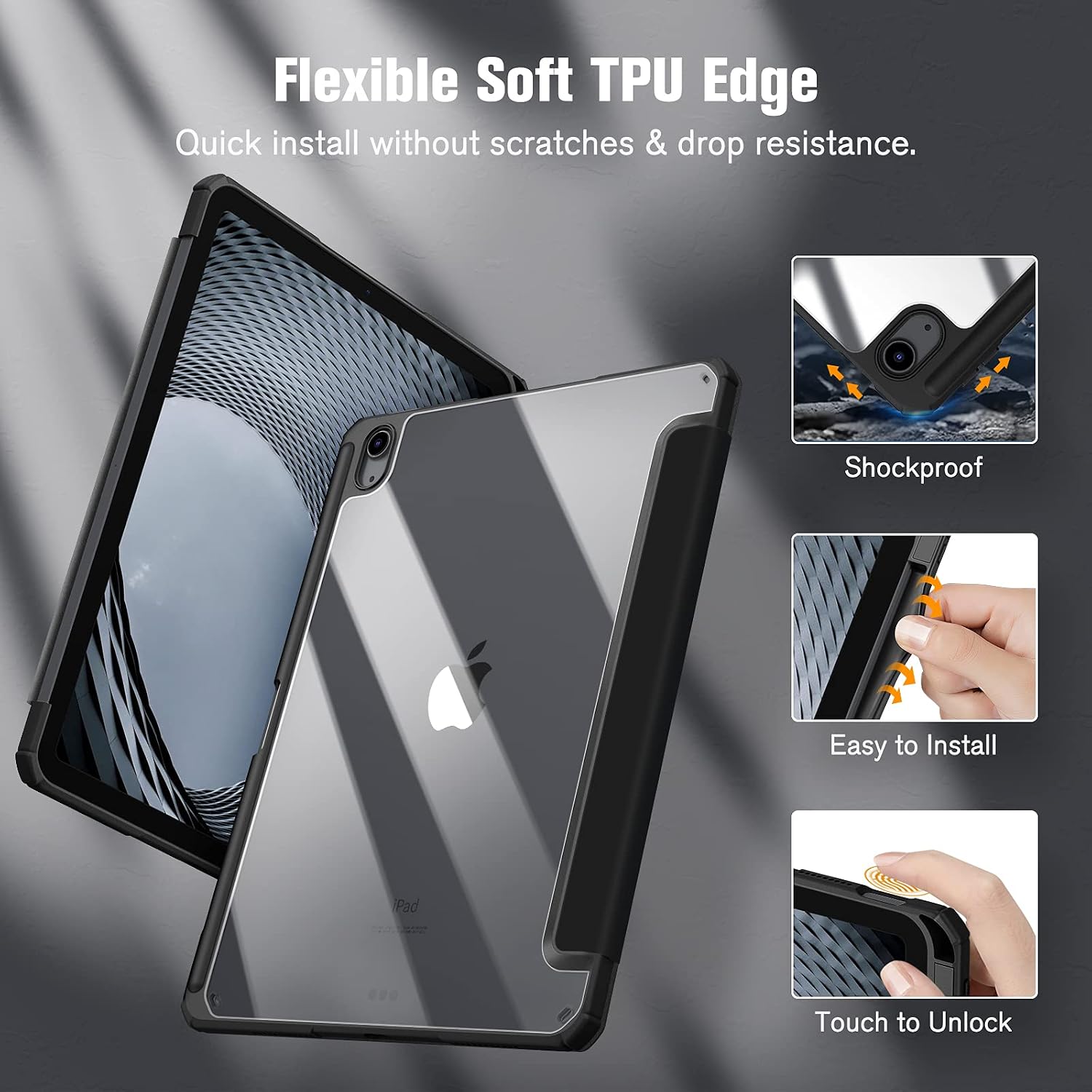
On paper, the protection approach is a hybrid layout: a hard rear with a TPU flexible edge to help guard against knocks, drops and impacts, plus an inner front made with soft microfibre to help reduce the risk of scratches on the screen. The front is a three-fold cover, and it can flip to create both a viewing stand and a keyboard support stance.
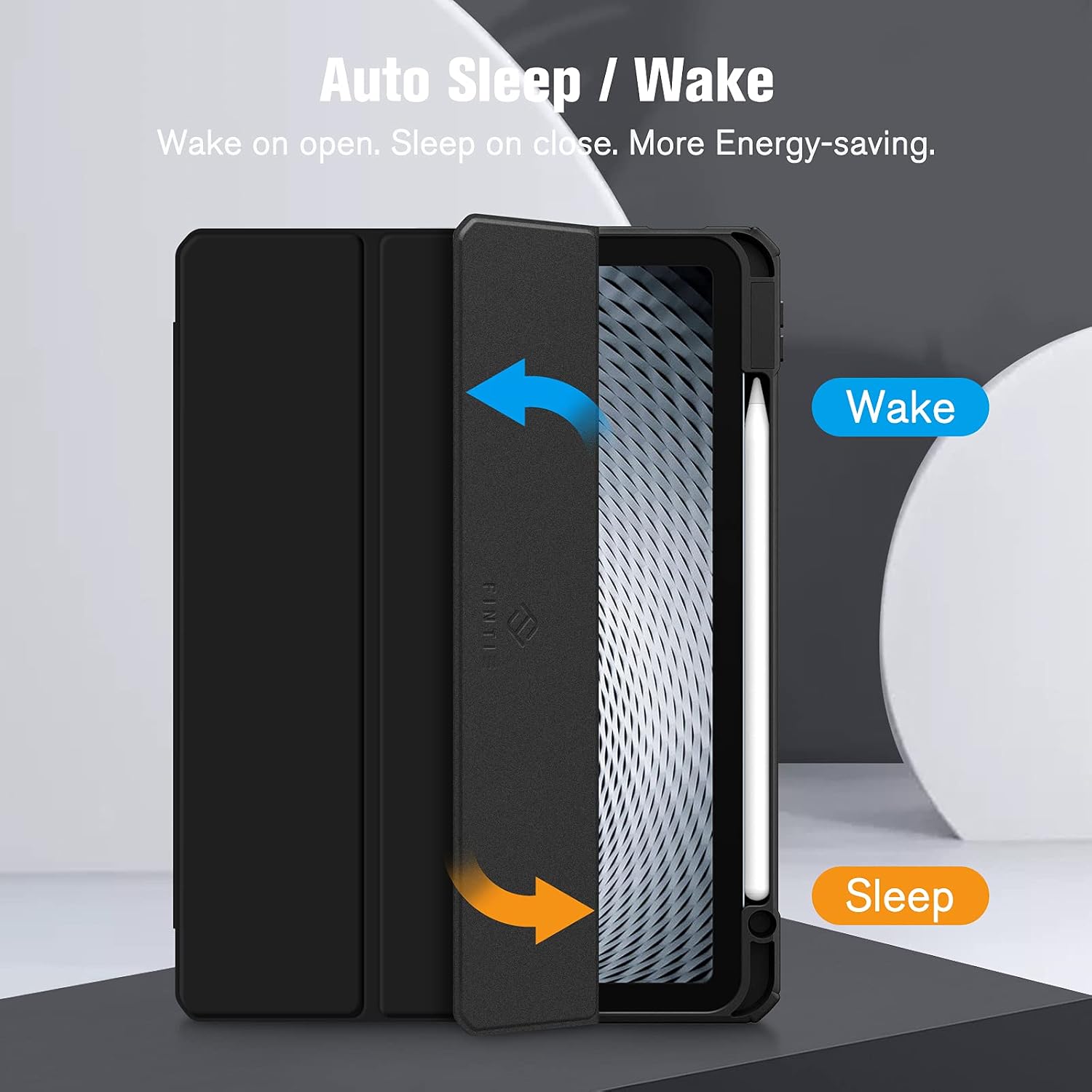
The cover is described as easy to fit using snap-on installation. Also, magnets are built in, so opening and closing the cover should automatically wake/sleep the device.
Pencil holder and everyday use
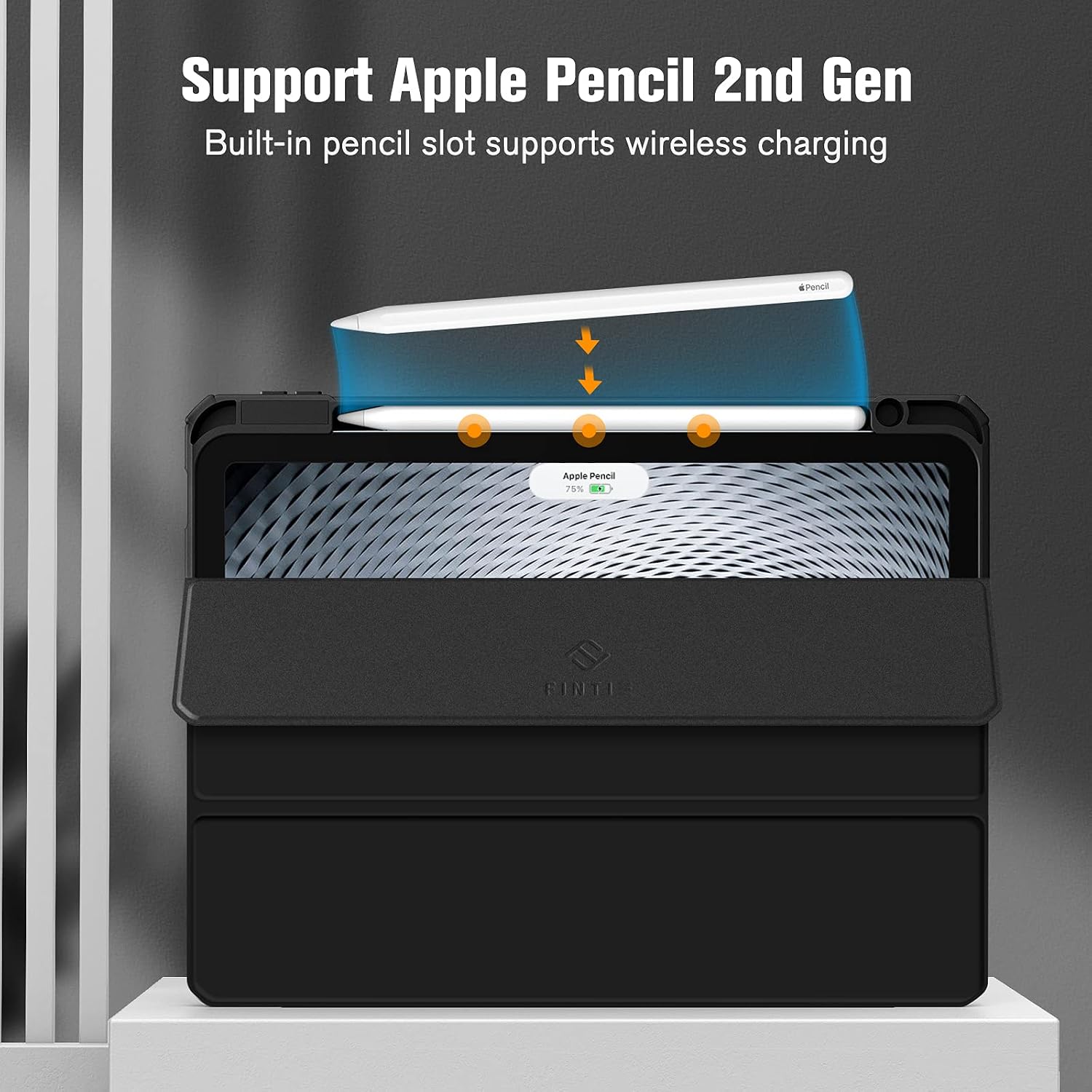
The integrated pencil holder is one of the more practical touches here. The listing says it’s there so you can hold onto your pencil easily when you want to use it, and keep it with the iPad rather than loose in a pocket.
It also claims support for magnetic and wireless charging of Pencil Pro / Pencil (2nd generation) while the case is on. That’s useful if you prefer not to remove the case every time you want to top up. (Still, as with any case, it’s smart to match the pencil you own to the supported stylus types mentioned in the listing.)
A simple scenario
Say you’re commuting with your iPad: you pull it out, fold the front cover into a viewing angle, start reading or annotating, and your stylus is already in place on the side. When you’re done, you close the cover—magnet-triggered sleep/wake is meant to handle the device state.
What stands out (and where it may fall short)
What you’ll likely notice day to day: - A slim, hybrid build approach (rigid back plus flexible TPU edge) - Microfibre on the inside for screen contact - Three-fold cover that can become a stand - Built-in pencil storage, with claims around magnetic/wireless charging when fitted - Magnet-based sleep/wake behaviour
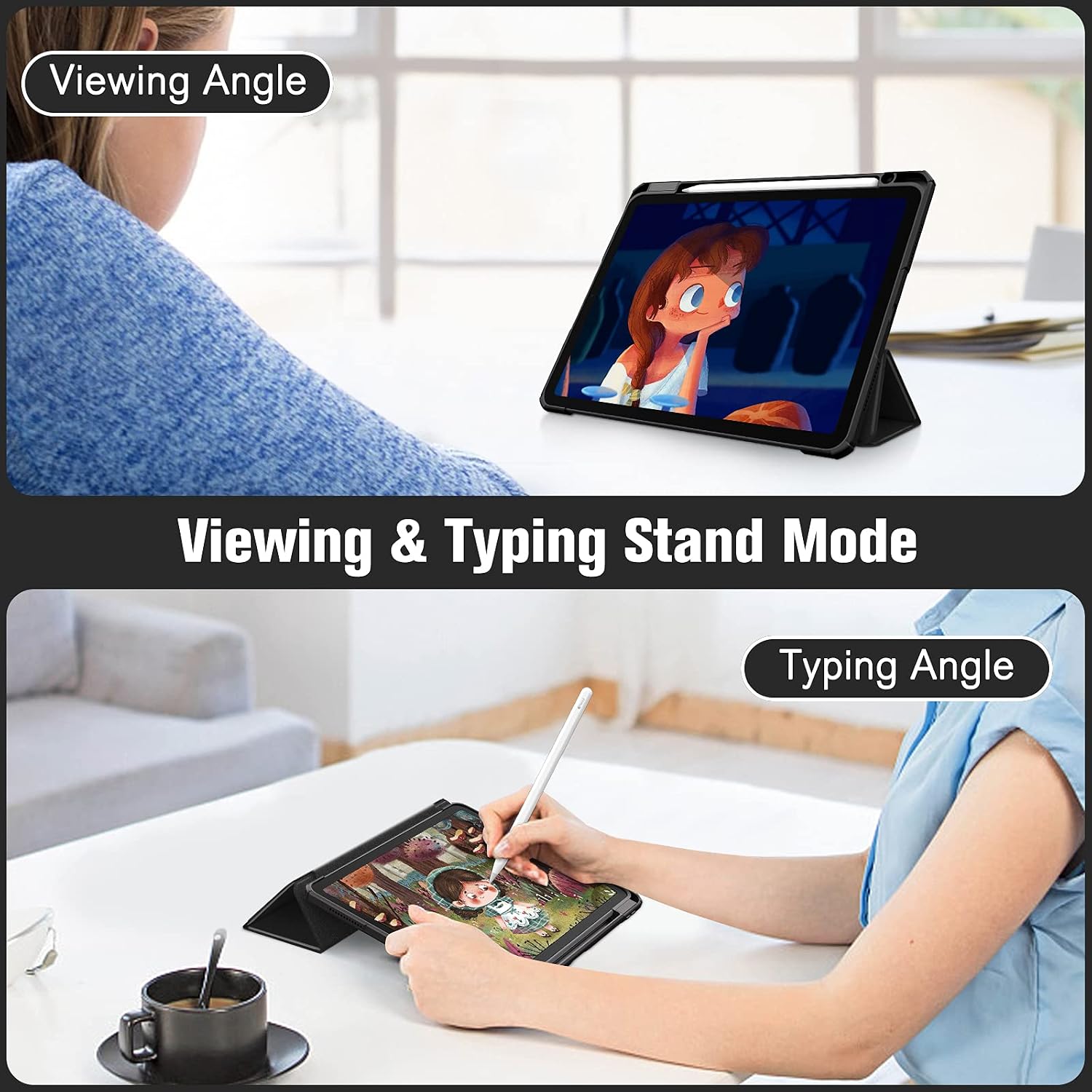
Where you may want to be careful: - It’s aimed at specific iPad Air models only. If your iPad isn’t on the supported list, this is one of those cases you’ll regret trying to force into use. - It doesn’t come with the pencil itself, so if you’re planning to use pencil features, you’ll need to make sure you already have the right stylus. - Because it’s positioned as a slim hybrid, it may not suit people who prioritise maximum drop protection above everything else.
Care, fit and practical handling notes
The case measures 25 x 19 x 1 cm in the listing, and it’s described as clear acrylic on the back with a black front. Installation is snap-on, which usually means you can get it on quickly—just take a moment to align edges properly so the cover sits flush.
If you’re using it for regular study/work, folding the cover into stand and keyboard-support positions should be part of the daily routine. Over time, the quality of the hinge feel is often what separates “fine” from “annoying”, but the listing doesn’t give extra detail on durability—so it’s something to bear in mind if you handle your case very roughly.
Is it worth it?
This is a solid purchase if you own one of the specified iPad Air models (the listing includes multiple generations, but the model number matters), and you want a slim hybrid case with a clear acrylic look, microfibre screen protection, a folding stand, and a built-in pencil holder. It also makes sense if you care about not removing the case for pencil charging, as the listing claims magnetic and wireless charging support for Pencil Pro / Pencil (2nd generation).
You may want to skip it if your iPad model is outside the supported list, or if you need the absolute toughest, most protective option available—this reads more like “everyday protection with smart features” rather than a heavy-duty armour case. And if you don’t already have a compatible pencil, remember the listing says the case is only the case.
Quick overview FAQ
Does this case support auto sleep/wake?
Yes. The magnets built into the case are described as activating or putting the iPad into sleep automatically when the cover is opened and closed.
Which iPad models is it compatible with?
The listing specifies compatibility for iPad Air 11-inch (M3) 2025, iPad Air 11-inch (M2) 2024, and iPad Air 5th and 4th generation 10.9-inch models, using model numbers A3266/A3267/A3270, A2902/A2903/A2904, A2588/A2589/A2591 and A2072/A2316/A2324/A2325.
Is the pencil included?
No. The listing explicitly notes it’s only the case, with the pencil not included.
Can you charge Pencil while the case is fitted?
The listing says it supports magnetic and wireless charging of Pencil Pro / Pencil (2nd generation) when the case is on.
Can the cover act as a stand?
Yes. The three-fold front cover can be flipped to form a viewing stand and also a keyboard support position.