

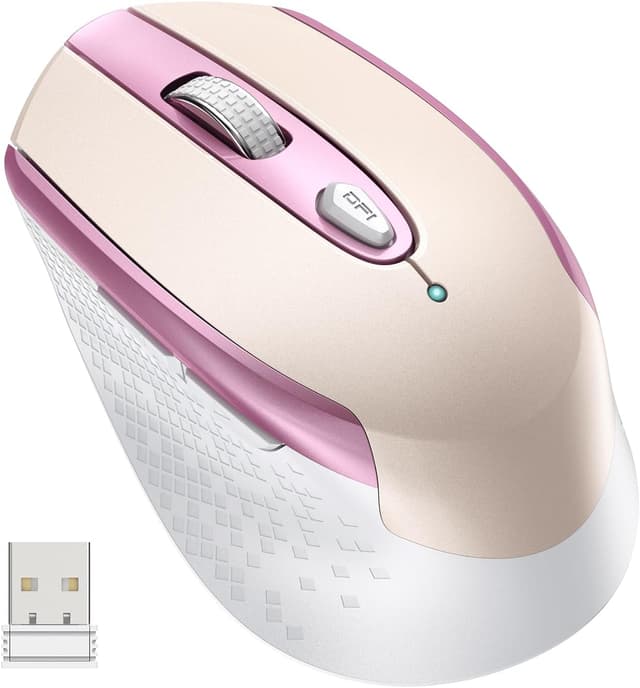
cimetech 2.4G Wireless Mouse – ergonomic, silent optical mouse with 6 buttons
Product description
What this mouse is for
If you’re after a straightforward upgrade from a built-in laptop mouse, this cimetech 2.4G Wireless Mouse is aimed at everyday control: browsing, office work, and general desk use. It’s a wireless optical mouse with an ergonomic design, a symmetrical shape, and a “silent” approach that should help keep things calmer in shared spaces.
The main draw here is the combination of comfort-focused shaping and a practical 2.4G wireless setup. It also comes with 6 buttons, so you’re not limited to the basics if you like a bit of shortcut access during work.
Still, it’s worth being a touch cautious about expectations: the entry-level/standard nature of the specs (as far as we can tell from the information provided) means it may not feel like a “premium” specialist mouse for heavy gamers or anyone who’s extremely picky about sensor performance.
Key takeaways (before you buy)
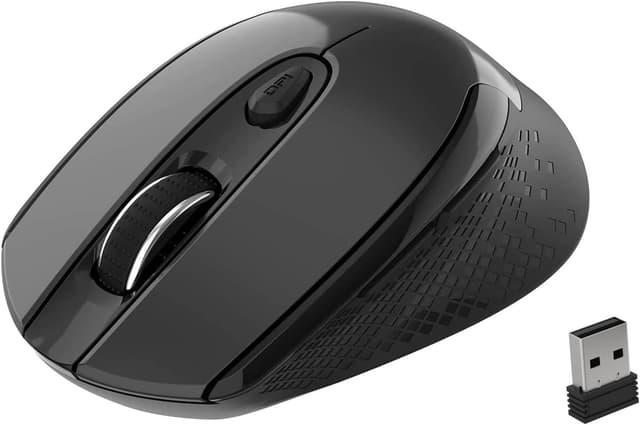
This mouse is designed to feel easier on your hand over longer sessions, thanks to its ergonomic form and symmetrical build. The optical, silent-and-simple positioning suggests it’s meant to be quiet and usable without fuss.
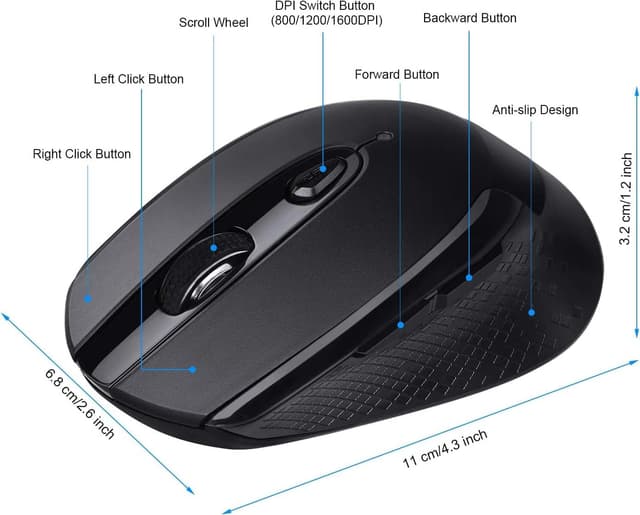
The “3 adjustable levels” are also the sort of detail that matters day to day. If you’re the type who switches between quick navigation and more precise pointing, having a few DPI/level options can make a difference—though you’ll still want to check how the levels feel on your own mousepad/surface.
The 6-button layout gives you some room for productivity shortcuts. Whether that’s actually useful depends on what software you use, but generally it suits people who do a lot of clicking, scrolling, or common actions.
What stands out in everyday use
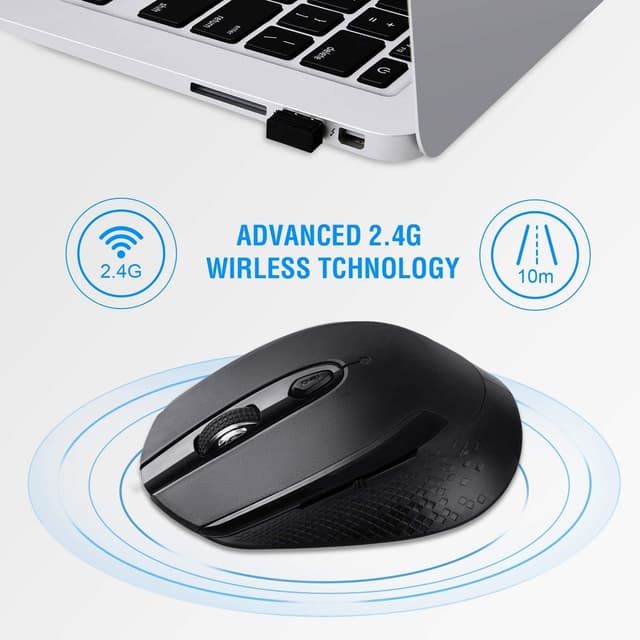
The ergonomic design is the headline you feel first. Rather than being a purely flat, generic shape, it’s built to better support typical hand positions. For many buyers, that translates into less “grip strain” during longer work blocks—especially if you’re switching between typing and mouse control all day.
On top of that, the symmetrical design is a practical choice if you prefer a neutral hand feel (and it can also be friendlier if you’re not sure whether an ambidextrous shape will suit you). The optical tracking and silent nature suggest it’s meant to behave smoothly while keeping clicks quieter than many standard mice.
A small micro-example: imagine settling in for a couple of hours of admin work—email, spreadsheets, and web tabs. With 3 adjustable levels, you can set a faster movement for navigation, then drop to a lower level when you need to line up cursor clicks. That’s the sort of “not dramatic, but genuinely useful” adjustment.
Tech specs (the essentials)
- Name: cimetech 2.4G Wireless Mouse
- Type: Wireless mouse
- Format: Optical
- Size: (not provided)
- Capacity: (not provided)
- Dimensions: (not provided)
- Weight: (not provided)
- Material: (not provided)
- Colour: (not provided)
- Display: N/A
- Resolution: 3 adjustable levels (exact DPI not provided)
- Refresh rate: (not provided)
- Processor: N/A
- Memory: N/A
Strengths and where it may fall short
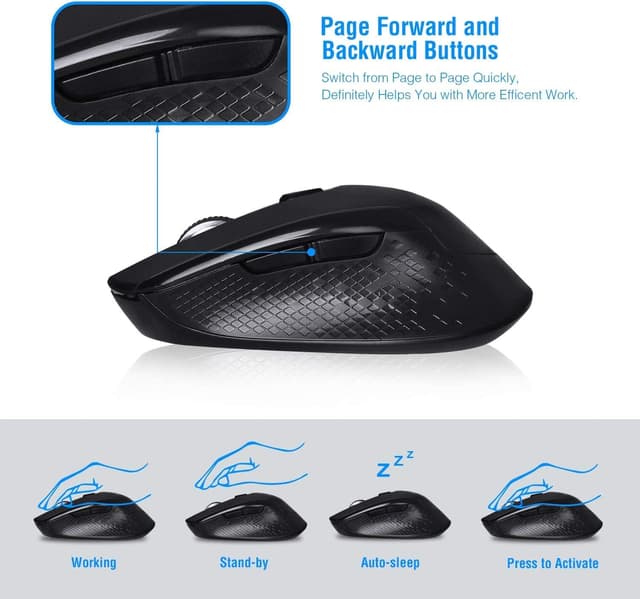
On paper, the main strengths are the ergonomic/symmetrical design, the “silent” angle, and the practical button count. It’s the kind of mouse that makes sense if you want a comfortable daily driver rather than a highly specialised tool.
Where you might hit limitations is in how “silent” and “ergonomic” translate to your specific preferences. No two hands are the same, and some people simply need a different curvature, height, or grip style than a symmetrical ergonomic shape offers.
Also, the exact performance details (like sensitivity range/DPI and how it behaves across different surfaces) aren’t listed here. If you’re very sensitive to tracking accuracy, you may want to check compatibility with your desk setup and mouse mat before committing.
Who it suits (and who should skip it)
It makes sense if you’re mainly doing office-style tasks—web browsing, document editing, spreadsheet work—and you care about comfort plus a calmer click sound in shared environments.
It may not be the best match if you’re a power user who needs very specific customisation, or if you’re buying for heavy gaming where sensor consistency and tuning matter more than “3 levels” and general ergonomics.
A practical rule of thumb: if you want a dependable, comfortable wireless mouse for day-to-day laptop use, this should land in the “reasonable” zone. If you’re trying to extract the absolute best performance from a high-end setup, it could feel a bit too basic.
Getting the most from it
Start by adjusting the 3 levels to match your movement style. Fast level for general navigation, slower level for precision tends to be the easiest habit to build.
Next, take a moment to map what you’ll actually use the 6 buttons for. If you don’t already have shortcuts set up, the extra buttons won’t magically make you faster—they only pay off once you assign actions that match your workflow.
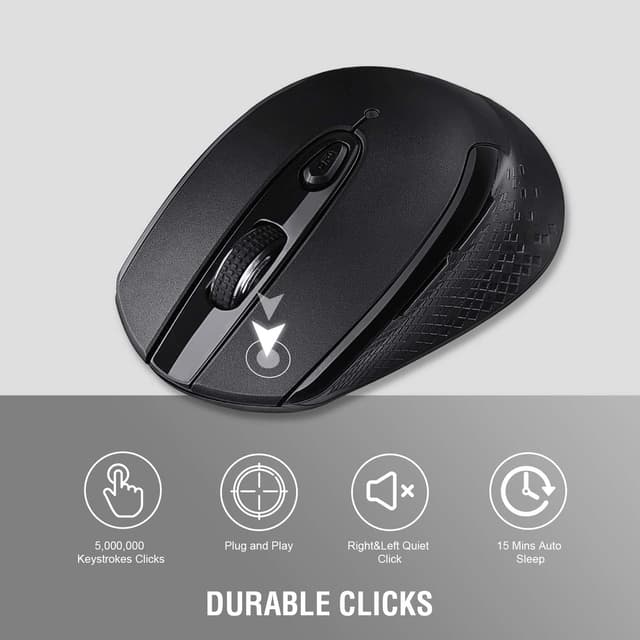
Finally, if quiet clicks matter to you (open-plan offices, quiet rooms, late-night work), the silent design is one of the few clues we have that this will be a noticeable improvement over clicky alternatives.
Is it worth it?
Worth buying if you want an ergonomic, symmetrical 2.4G wireless mouse for everyday laptop tasks, and you’ll benefit from a quieter click experience and a bit of extra control from 6 buttons and 3 adjustable levels.
You may want to skip it if you’re looking for detailed performance specifications (like exact DPI) or you’re buying for demanding gaming where tracking precision and high-level tuning are non-negotiable.
Mini FAQ
Is it good for laptop use?
Yes, it’s positioned as an ergonomic wireless mouse for laptop computer use, aiming at everyday tasks like browsing and office work.
What do the “3 adjustable levels” mean?
It offers three adjustable sensitivity/levels, but the exact range isn’t provided here. It’s best suited if you like switching between faster movement and more precise control.
Is it really silent?
The product is described as “silent”, so it’s designed to reduce click noise compared with typical mice—though how much you notice depends on your environment.
How many buttons does it have?
It includes 6 buttons, which should be useful if you plan to use shortcuts rather than relying only on left/right click and scrolling.