


Keychron Q1 HE Wireless Gaming Keyboard (75% ISO UK) with Hall Effect Switches, Bluetooth 5.1/2.4GHz & Hot-Swap – Shell White
Product description
What it is and why you’d consider it
The Keychron Q1 HE is a 75% wireless gaming keyboard built around Hall Effect magnetic switches. In plain terms, it’s aimed at people who want more control over actuation than you typically get from standard mechanical switches, while also keeping the desk tidy with a compact 75% layout.
On paper, it’s also very UK-friendly: it’s an ISO UK design with the layout described as 82 keys. That matters if you regularly use UK-specific key positions and don’t want to rely on workarounds.
Where it starts to feel properly “buyable” is the combination of wireless modes (2.4GHz and Bluetooth) and the kind of switch tech that’s usually associated with competitive play. If you’re mostly doing office work, you might find it a bit over-specced. If you play FPS/MOBA and you care about timings, it’s a different story.
Key points

This keyboard leans into low-latency wireless gaming with Hall Effect magnetic switches and fast polling via 2.4GHz (described as 1000 Hz). It also supports Bluetooth so you can keep a compact footprint across a laptop and maybe a tablet without constantly unplugging.
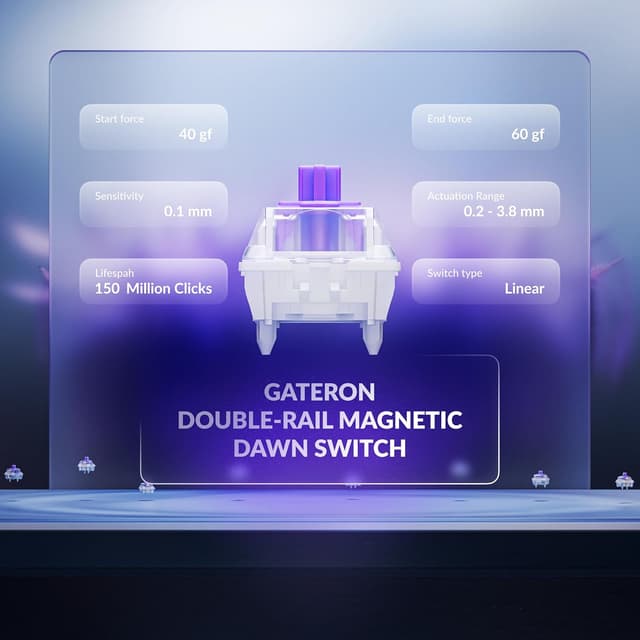
The big differentiator is how the actuation is handled. The included Hall Effect magnetic switches are described as Gateron 2.0 with Hall Effect and a “double rail” design, including a stated sensitivity of 0.1 mm, plus customisable actuation points. You’re also able to assign multiple actions to a single key based on how far you press (with the note that this is tied to the specific double-rail Hall Effect compatibility).
It’s hot-swappable, which helps if you like tinkering. But here’s the practical limitation: the system is specifically discussed as being compatible with double-rail Gateron Hall Effect magnetic switches. If you were hoping for wide cross-compatibility with any random mechanical switch, you may feel constrained.
Where it shines in everyday use
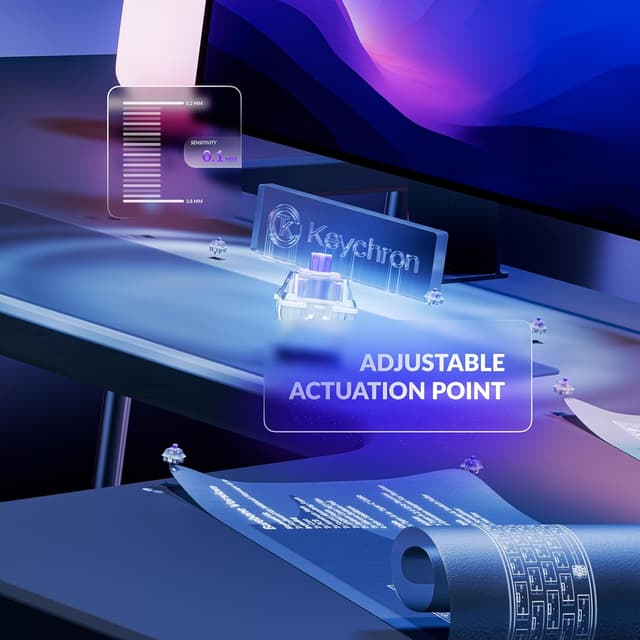
In daily use, the 75% format is the main comfort win: you get arrow keys and navigation in a smaller footprint, which generally frees up desk space for mouse movement. Pair that with ISO UK layout and it should feel familiar rather than “adapted”.
The keyboard also uses PBT keycaps and includes RGB backlighting described as “south-facing”, meaning the light is intended to shine naturally from the angle of the typist. That’s a small detail, but if you’ve ever found side-lit keyboards distracting or harsh, it’s worth paying attention to how the brand frames the illumination.
For a micro example: if you’re in a shooter and you want “walk vs run” on the same movement key, the product description says you can use different press depths to trigger different actions (e.g., lighter press to walk forward, deeper press to run). It’s the sort of setup that’s not just a gimmick when you’re trying to reduce how often you reach for extra binds.
Tech specs (as described)
- Type: Wireless gaming keyboard with Hall Effect magnetic switches
- Layout: 75% ISO UK (82 keys as described)
- Switch tech: Gateron 2.0 double-rail Hall Effect magnetic switches
- Actuation sensitivity: 0.1 mm (as stated)
- Adjustable actuation points: 0.5 to 3.8 mm (as described)
- Wireless connections: 2.4GHz and Bluetooth 5.1 (also described as Bluetooth 5.2 for three-device use)
- Polling rate: 1000 Hz on 2.4GHz (as described)
- Hot-swappable: Yes (switches are designed to be swapped)
- Backlighting: RGB backlit
- Keycaps: PBT double-shot OSA profile (as described)
- Compatibility claim: Mac & Windows
Pros, cons and what to watch for
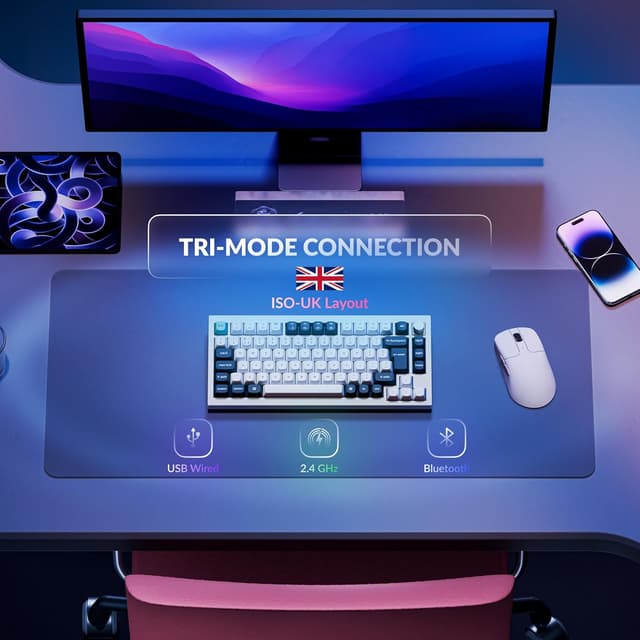
What you’ll likely like - Hall Effect actuation with configurable actuation points (0.5 to 3.8 mm) and a very low sensitivity figure mentioned in the description. - Wireless that’s geared for gaming: 2.4GHz with a stated 1000 Hz polling rate, plus Bluetooth for everyday switching. - Hot-swappable design, so you can keep it flexible if you enjoy maintaining or adjusting your setup. - PBT keycaps and RGB described as south-facing, which tends to suit longer sessions. - ISO UK layout, which is a practical detail many compact boards get wrong.
Potential downsides (worth thinking about first) - Double-rail Hall Effect magnetic switch compatibility is explicitly mentioned. That means the hot-swap benefit is real, but it’s not “anything goes”, it’s more “hot-swap within a specific ecosystem”. - Custom features like multi-stage and multi-action per key sound powerful, but they only help if you’re actually willing to set things up. If you want plug-and-play simplicity, it may feel like extra work. - You’re paying for a gaming-focused feature set. If your main use is casual browsing or general typing, you might decide it’s more keyboard than you need.
If you prioritise competitive play and like the idea of tailoring actuation behaviour, it makes more sense. If you mainly want a dependable wireless keyboard for everyday tasks, you may find a more straightforward mechanical alternative easier to live with.
Setup and configuration (the bit people forget)
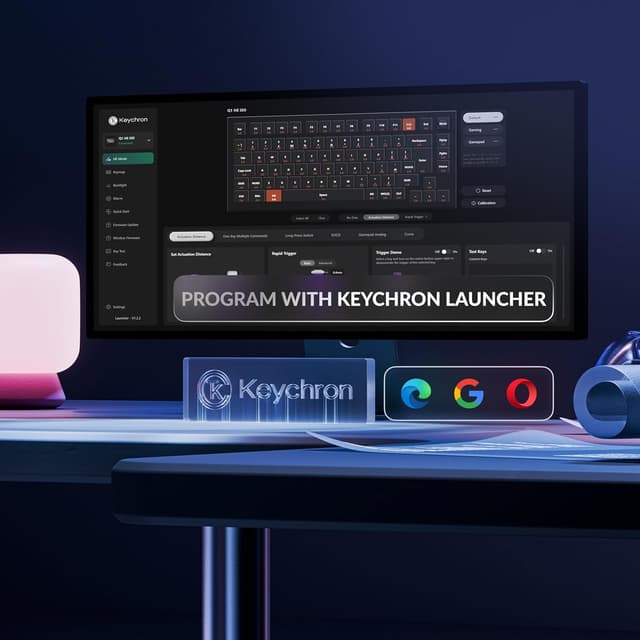
The description mentions remapping and tuning via a web application called Keychron Launcher. You can use it to reassign keys, adjust actuation points and configure the magnetic switch behaviour, plus create macro commands, shortcuts and key combinations.
It’s a good sign that the process is described as straightforward, but it still depends on how comfortable you are with configuration. If you rarely change keyboard settings, you might not unlock the keyboard’s full potential.
Is it worth it?
It’s a solid pick if you want a compact 75% ISO UK gaming keyboard with wireless options, and you specifically like the idea of Hall Effect magnetic switches with adjustable actuation and depth-based actions. The 2.4GHz 1000 Hz polling rate and the focus on competitive FPS/MOBA use cases also point to an audience that cares about responsiveness.
You may want to skip it if you’re expecting hot-swap flexibility across generic mechanical switch types, or if you’re looking for a simple wireless keyboard where you’ll never touch actuation settings or remapping.
Worth considering if you’re on Windows or Mac and you want one keyboard that can cover gaming at home and still jump to other devices via Bluetooth without constant cable swapping.
Mini FAQ
Does the Keychron Q1 HE support both 2.4GHz and Bluetooth?
Yes. The product description says it supports 2.4GHz and Bluetooth (including Bluetooth 5.1 and also describing three-device support via Bluetooth 5.2).
Is the actuation adjustable?
The description states you can customise actuation points from 0.5 to 3.8 mm.
Is hot-swapping supported?
Yes, it’s described as hot-swappable.
Does it work on Mac and Windows?
The description explicitly says it’s compatible with Mac & Windows.
What makes it different from a regular mechanical keyboard?
The key difference here is the Hall Effect magnetic switch approach, including configurable actuation points and depth-based actions on a compatible switch design.