

WALI Vertical Dual Monitor Mount for 17-49 inch Ultrawide Screens
Product description
What this is and the problem it solves
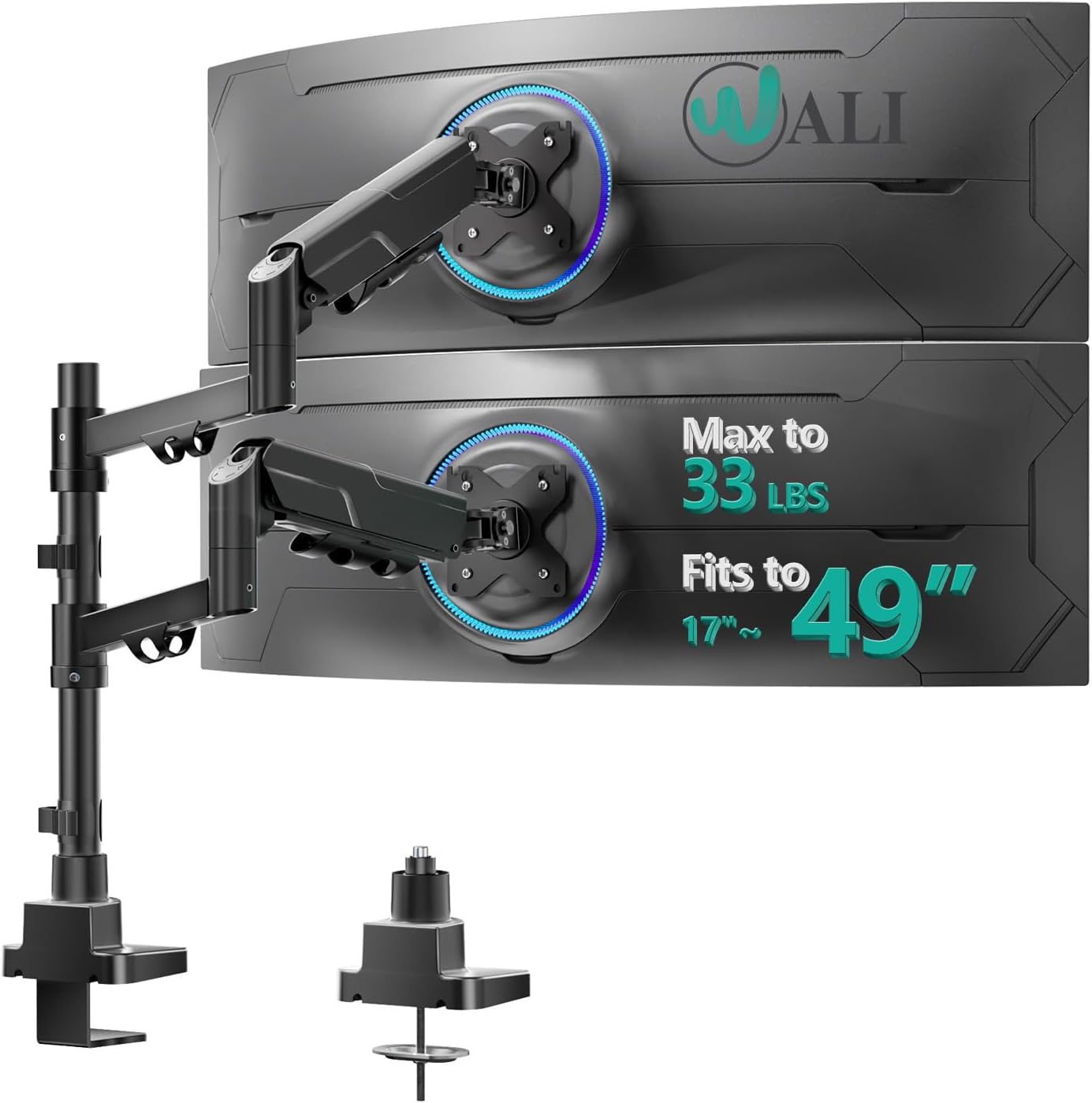
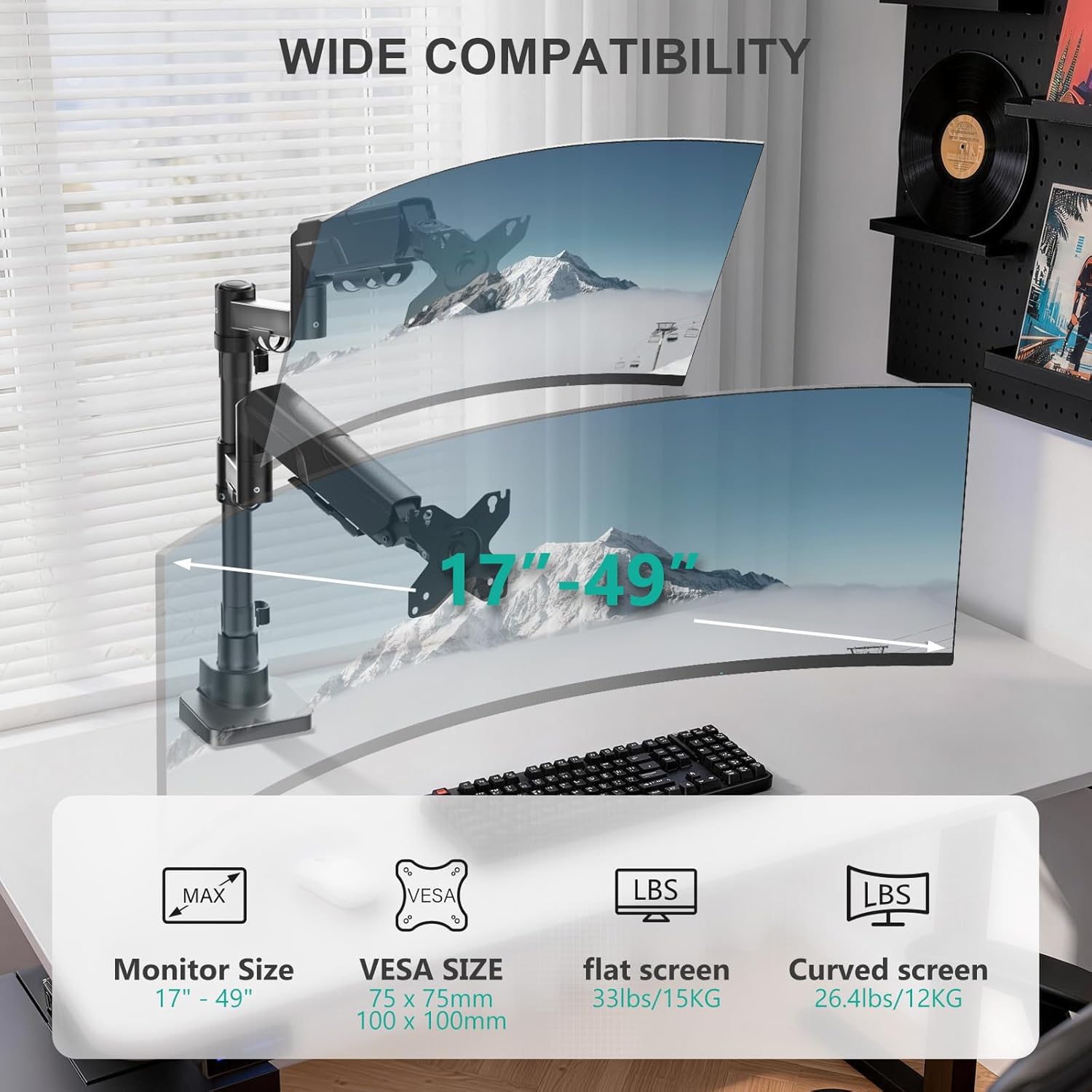
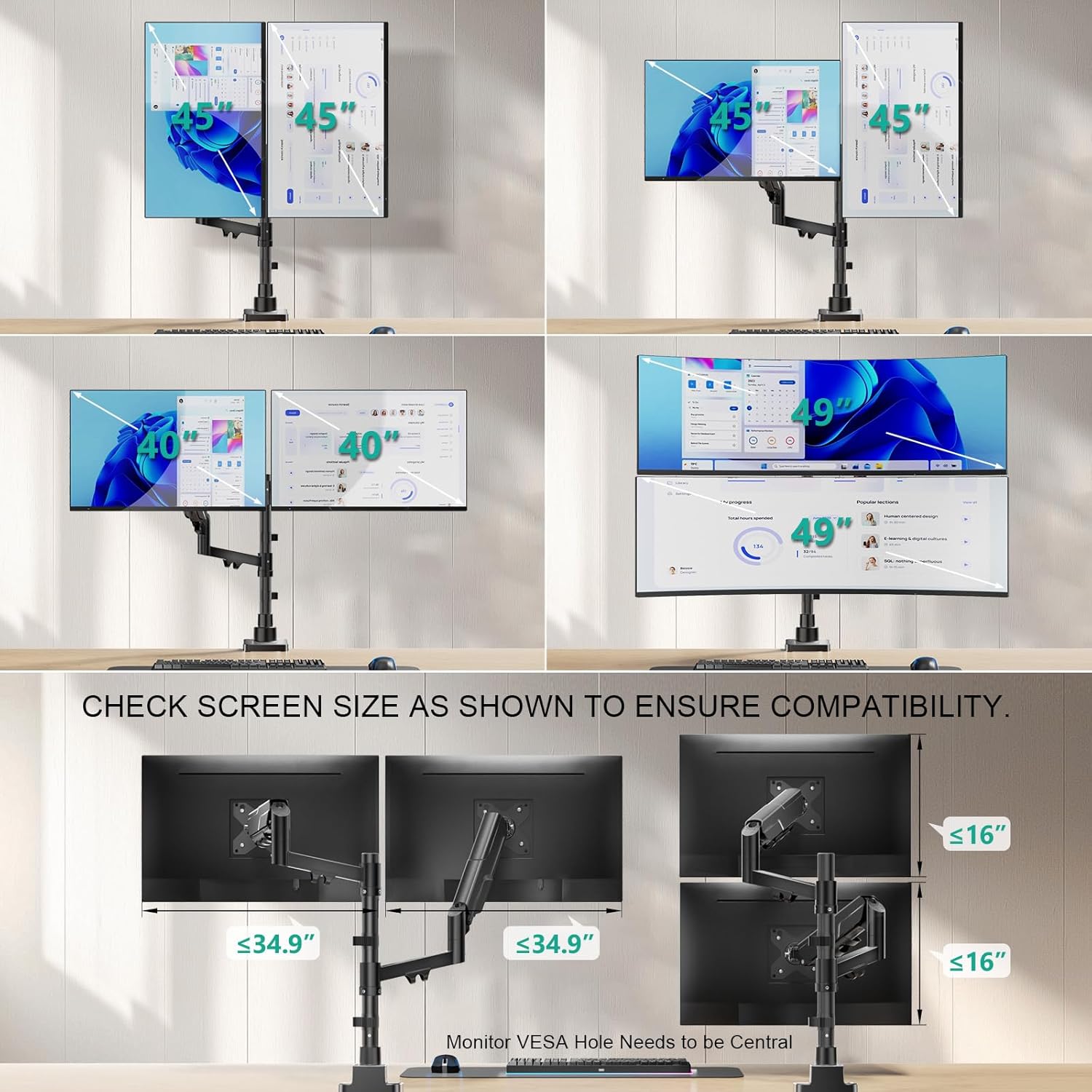
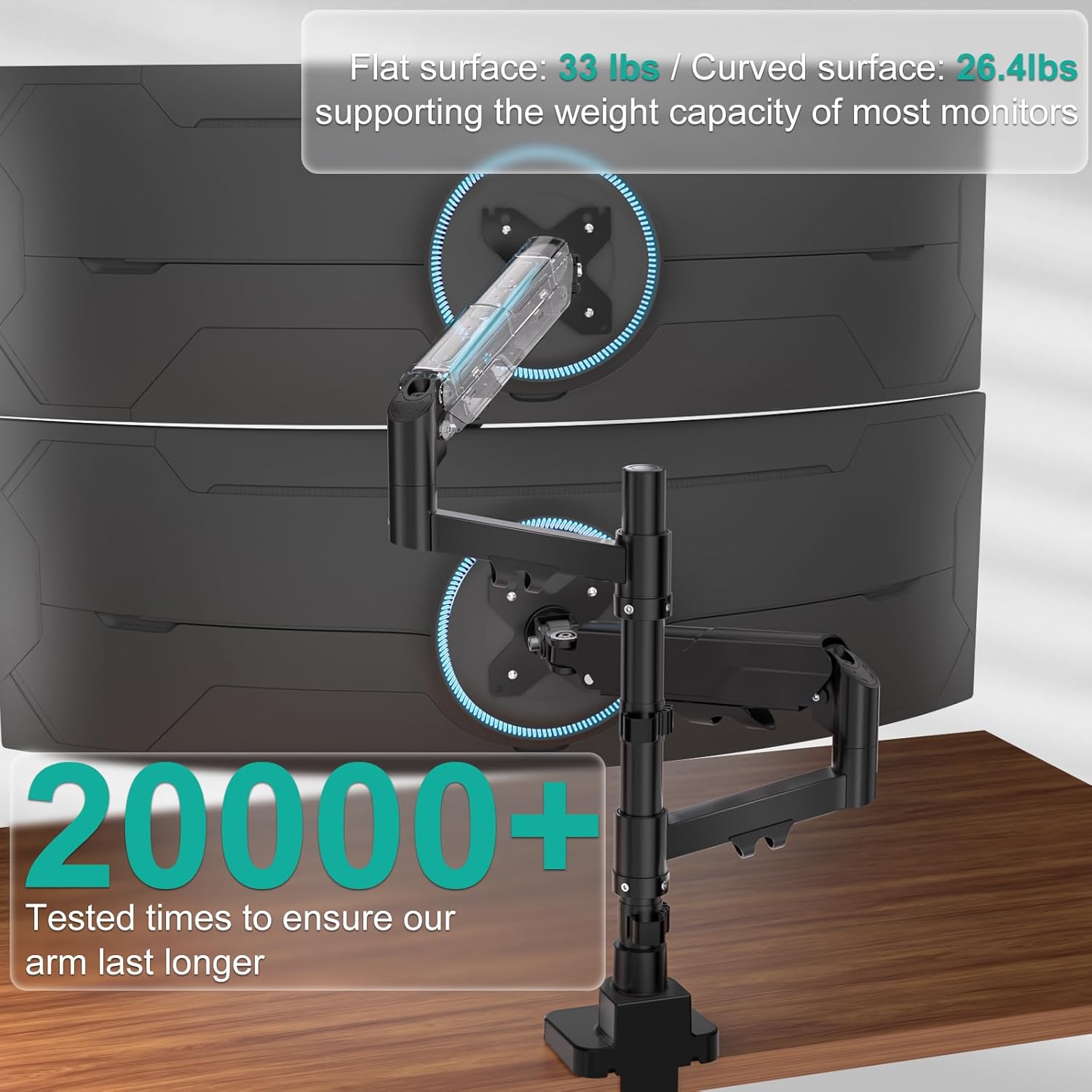
The WALI Vertical Dual Monitor Mount is a heavy-duty arm system designed to hold two ultrawide monitors, ranging from 17" to 49" with VESA patterns 75x75mm to 100x100mm. Built for reliability, it supports up to 33 lbs per monitor and helps clear desk clutter by elevating and stacking two screens off the surface. The result is a cleaner workspace and a more ergonomic viewing setup for tasks that benefit from two side-by-side displays.
How it’s built and what to expect on day one
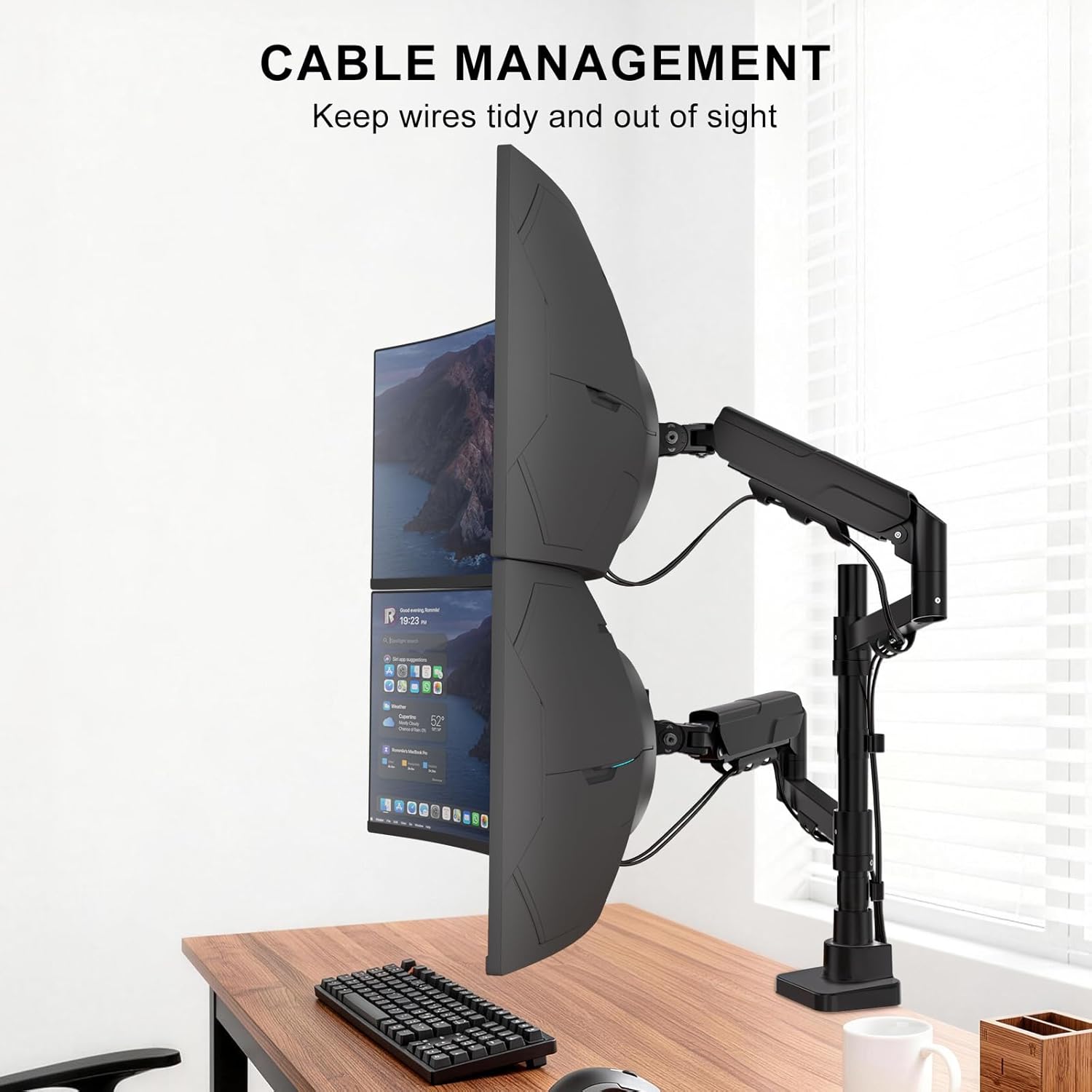
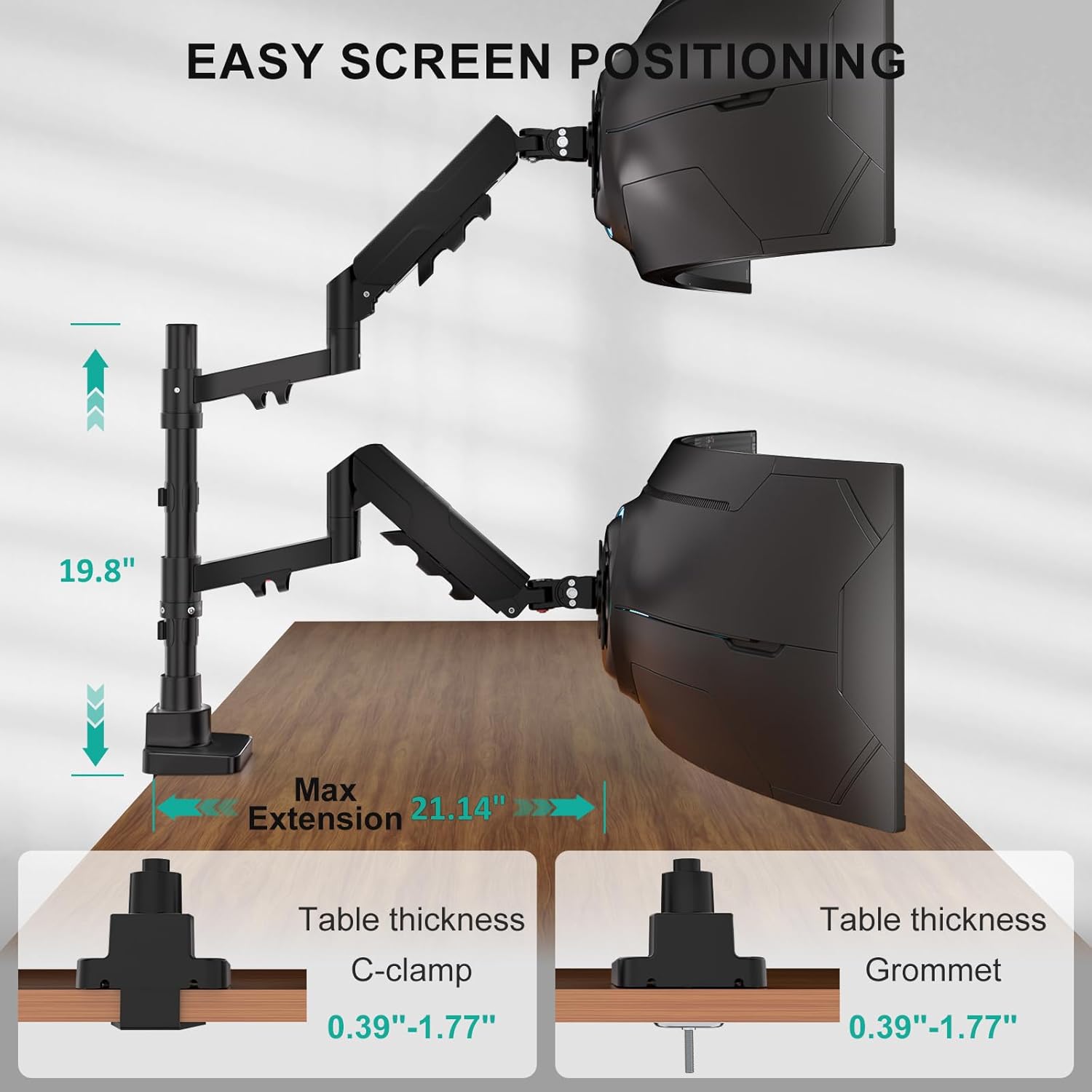
This mount uses a steel and aluminum construction to deliver a stable, wobble-free experience. It’s engineered for durability, with a life test claim of over 20,000 cycles to back up long-term performance. The arm design allows a maximum height of 19.8" and a maximum extension of 21.14", giving you flexibility to place screens at comfortable eye level and distance. A built-in cable management system helps keep cords out of sight for a tidy desk.
What stands out in use
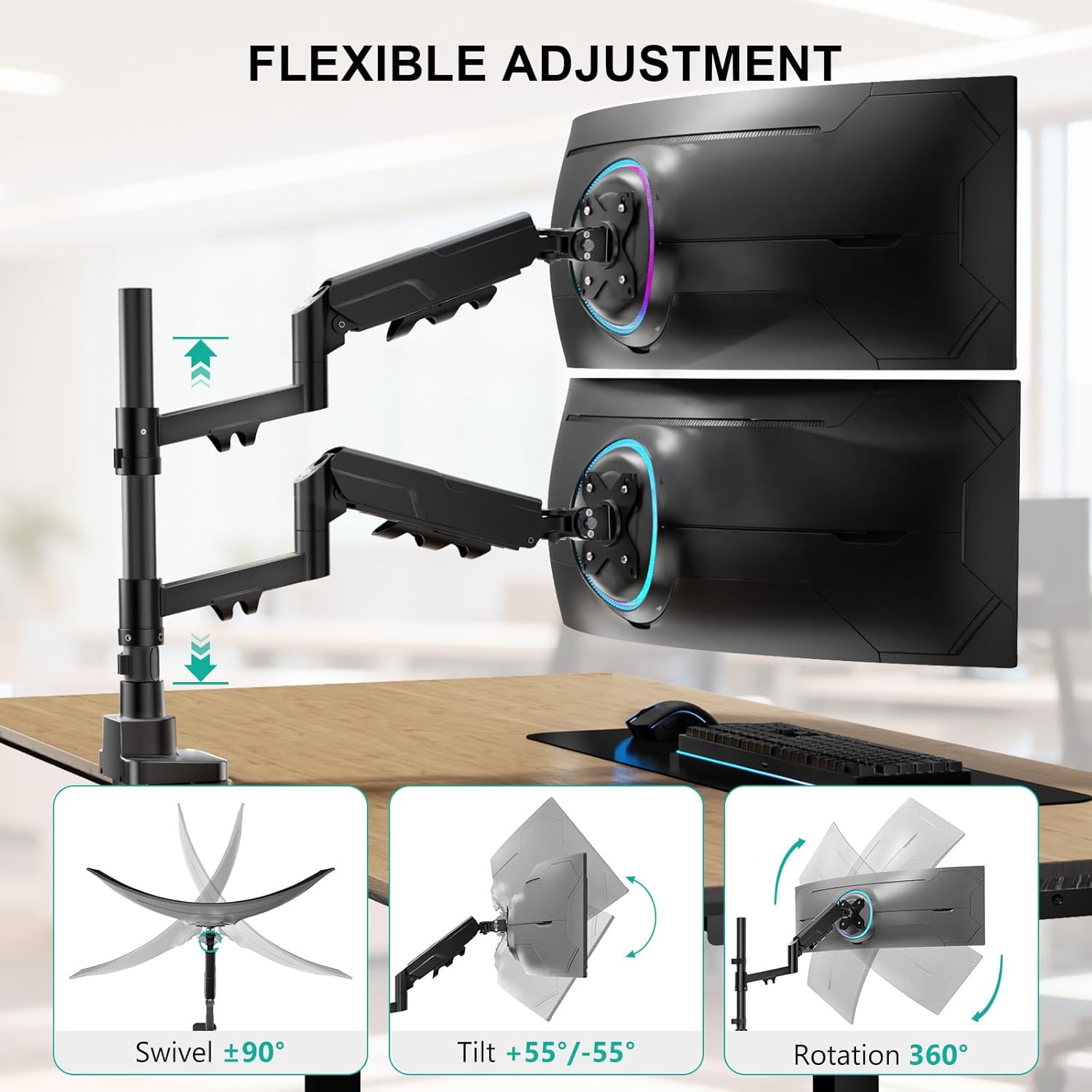
You’ll notice easy adjustability: tilt from -55° to +55°, swivel ±90°, and screen rotation ±90°. In practical terms, this means you can fine-tune each monitor independently to reduce neck strain and find your preferred dual-monitor workstation angle. The vertical stacking configuration can be a major space saver on small desks or when you want a more compact dual-monitor footprint.
Pros and potential drawbacks
Pros: solid weight capacity (up to 33 lbs per monitor), broad compatibility with 17–49" displays, VESA compatibility 75x75 to 100x100, full range of motion, dual-stack vertical configuration, integrated cable management, two installation options (C-clamp or grommet), quick-release VESA plate for easier mounting, and a claim of time savings during setup. Cons: with ultrawide and heavier screens, ensure your desk and mounting surface can handle the load, the vertical stack height and reach may not suit every desk depth or monitor pair, installation guidance is clear but some users may still need help to perfectly balance two large panels.
Who it’s for
This mount makes sense if you use two large monitors and want to maximize desk space without sacrificing adjustability. It’s a practical choice for creative work, data analysis, coding, or trading setups where screen real estate and ergonomic comfort matter and you’re using monitors in the 17–49" range.
Who it’s not for
If your monitors are lighter than 33 lbs each, or you don’t need vertical stacking, a lighter or simpler single-arm setup might feel more cost-effective. If your desk depth is unusually shallow or your mounting surface cannot accommodate C-clamp or grommet installation, it may not fit as cleanly.
What to check before buying
- Confirm your monitors’ VESA pattern is 75x75mm or 100x100mm and within the 17–49" range.
- Verify desk and mounting surface can support two arms weighing up to 66 lbs total when combined with the monitors.
- Measure desk depth to ensure you have room for the 19.8" height and 21.14" extension.
- Decide between C-clamp and grommet installation, depending on your desk construction and preference.
How it compares to a typical dual-monitor setup
Compared with standard side-by-side mounts, the vertical stacking approach saves horizontal desk space and can streamline cable routing. If you value maximum screen reach and independent tilt/swivel/rotation for each display, this design offers more flex. If you only need a simple pair of smaller monitors, a lighter dual-arm or a fixed stand could be simpler and cheaper.
FAQ (based on available specs)
- Is it compatible with ultrawide curved panels? Yes, it supports curved, flat, and ultrawide monitors within the 17–49" range.
- How heavy are the monitors it can hold? Each arm supports up to 33 lbs.
- What are the mounting options? It supports both C-clamp and grommet installations.
- How adjustable are the screens? Tilt -55° to +55°, swivel ±90°, and rotation ±90°.
Is it worth it?
Final verdict: Worth considering if you urgently need to reclaim desk space and want substantial adjustability for two large monitors. It’s a solid pick if you prioritize a stable build, robust weight capacity, and flexible viewing angles. If your setup rarely uses two ultrawide displays or you don’t need vertical stacking, you might find a lighter solution adequate.