


UGREEN Revodok 15598 6-in-1 USB-C Hub with 4K HDMI and Gigabit Ethernet
Reviews
Price
Product description
Some setups need only a simple way to add connections, others call for wired networking, an external display, charging, and several USB accessories from one USB-C port. The UGREEN Revodok brings those connections together in a compact hub.
Use HDMI to connect a compatible display, Gigabit Ethernet for a wired network, and three USB-A ports for peripherals. That layout helps keep everyday laptop accessories accessible through one hub.
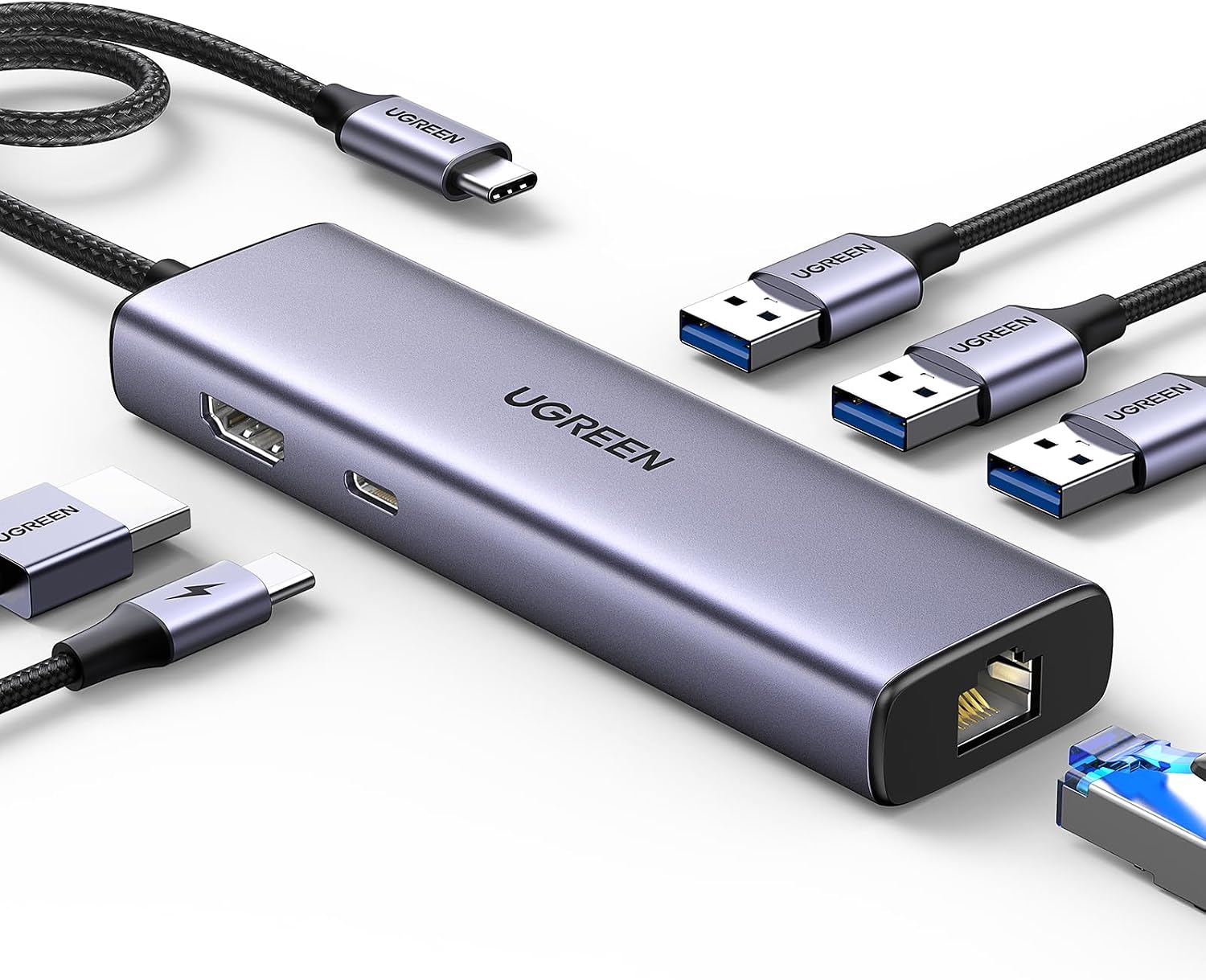
It also supports up to 100W USB-C pass-through charging, with up to 85W available to charge the laptop while the hub reserves 15W for its other interfaces.
Technical overview

The six-in-one design combines a 4K HDMI port rated at 30Hz, a Gigabit RJ45 Ethernet port, a USB-C power input, and three USB-A 3.0 ports. USB-A data transfers are rated up to 5Gbps, while Ethernet supports up to 1,000Mbps. These connections suit a desk setup with a keyboard, mouse, storage device, wired network, and external screen.
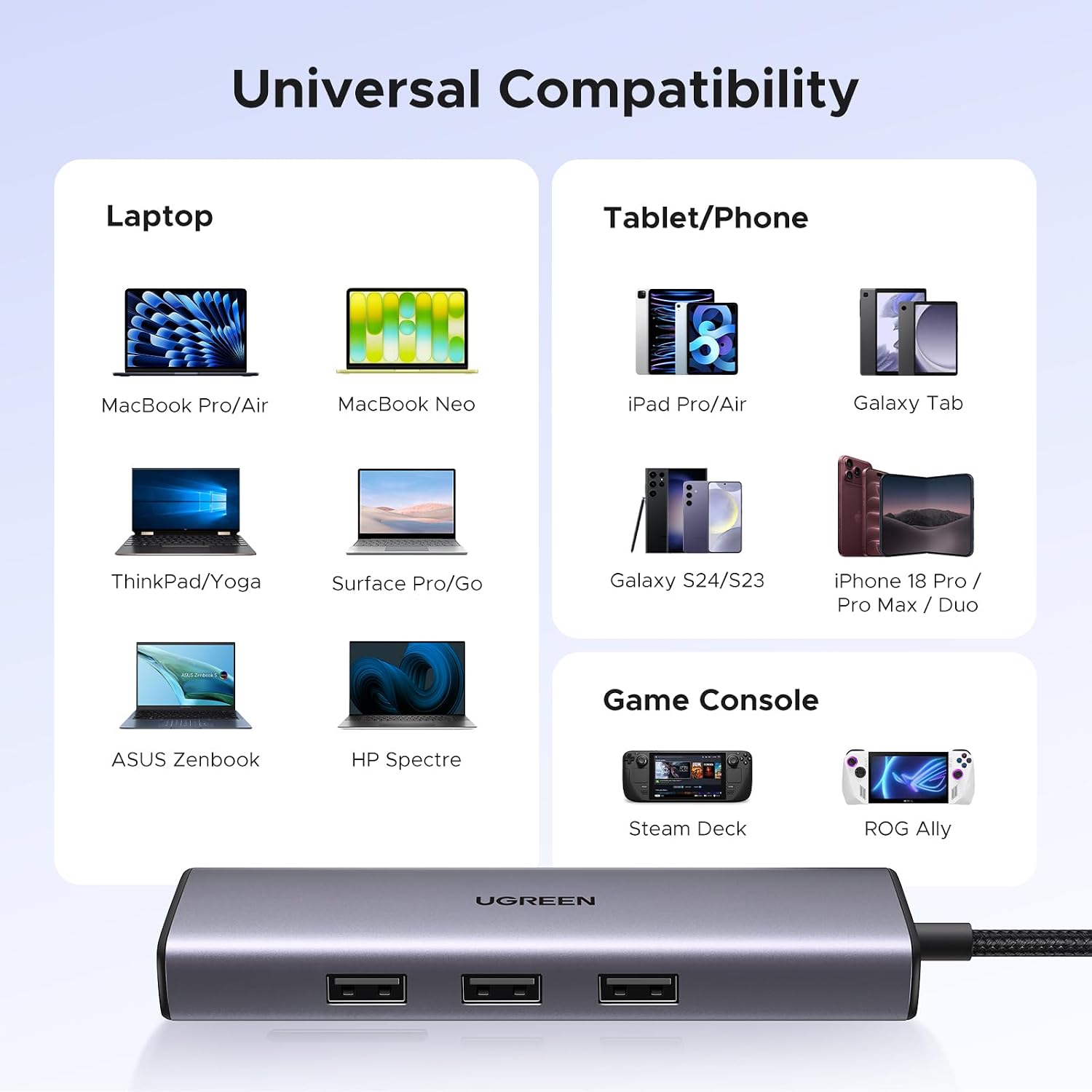
The USB-C port is for power input only, it does not carry data or video. For HDMI output, the connected laptop must support DisplayPort Alternate Mode over USB-C. The host device also needs to support USB-C PD charging to use pass-through power. The listed compatible devices include laptops, MacBook models, smartphones, and tablets, the product listing names MacBook Neo and M1 through M5 models, iPad, iPhone 16 and 17, and Steam Deck.

Buyers praise the hub’s range of ports, versatility, and solid feel. Feedback on connectivity and speed is mixed, and some buyers report the device stopped working after a few months. Those comments are useful context when comparing a multi-port hub with a simpler adapter focused on fewer connections.
How to use it

Connect the hub to a USB-C port on your device, then attach the peripherals you need. For a wired network, connect an Ethernet cable, on Mac, the manufacturer’s instructions say to add the adapter in Network settings, and a driver may be needed. For an external display, connect an HDMI cable and use a host device that supports DisplayPort Alternate Mode. To charge a laptop through the hub, connect a USB-C PD charger to the hub’s power port and make sure the laptop supports USB-C PD charging.
A practical desk setup could use HDMI for a larger screen, Ethernet for a wired connection, and the USB-A ports for a mouse, keyboard, and flash drive, while pass-through power keeps the laptop charging. The HDMI output supports up to 4K at 30Hz, HDR and 3D are not supported.

What you get
The hub gives one USB-C connection six functions: HDMI display output, Gigabit Ethernet, USB-C power input, and three USB-A 3.0 data ports. This combination is useful when you want to connect common accessories and a display without switching between separate adapters. The USB-A ports can serve devices such as a wired or wireless mouse, keyboard, hard drive, or USB flash drive.
Questions before you buy
Can it charge a laptop while connected to other devices? Yes. With a compatible USB-C PD charger and a host device that supports PD charging, the hub accepts up to 100W input and provides up to 85W to the laptop, reserving 15W for hub operation.
Can it output video from any USB-C laptop? Video output requires the laptop’s USB-C port to support DisplayPort Alternate Mode. The HDMI port supports up to 4K at 30Hz.
What speed do the Ethernet and USB-A ports support? Ethernet supports up to 1,000Mbps, and USB-A data transfers are rated up to 5Gbps. Actual connection and transfer performance can depend on the connected devices and setup.
Should you buy it?
Choose the Revodok 15598 if your USB-C setup would benefit from a display connection, wired Ethernet, laptop pass-through charging, and three USB-A ports in one hub. Its mix of video, networking, power, and peripheral connections makes it a practical fit for a compatible laptop desk setup or a portable workstation.