

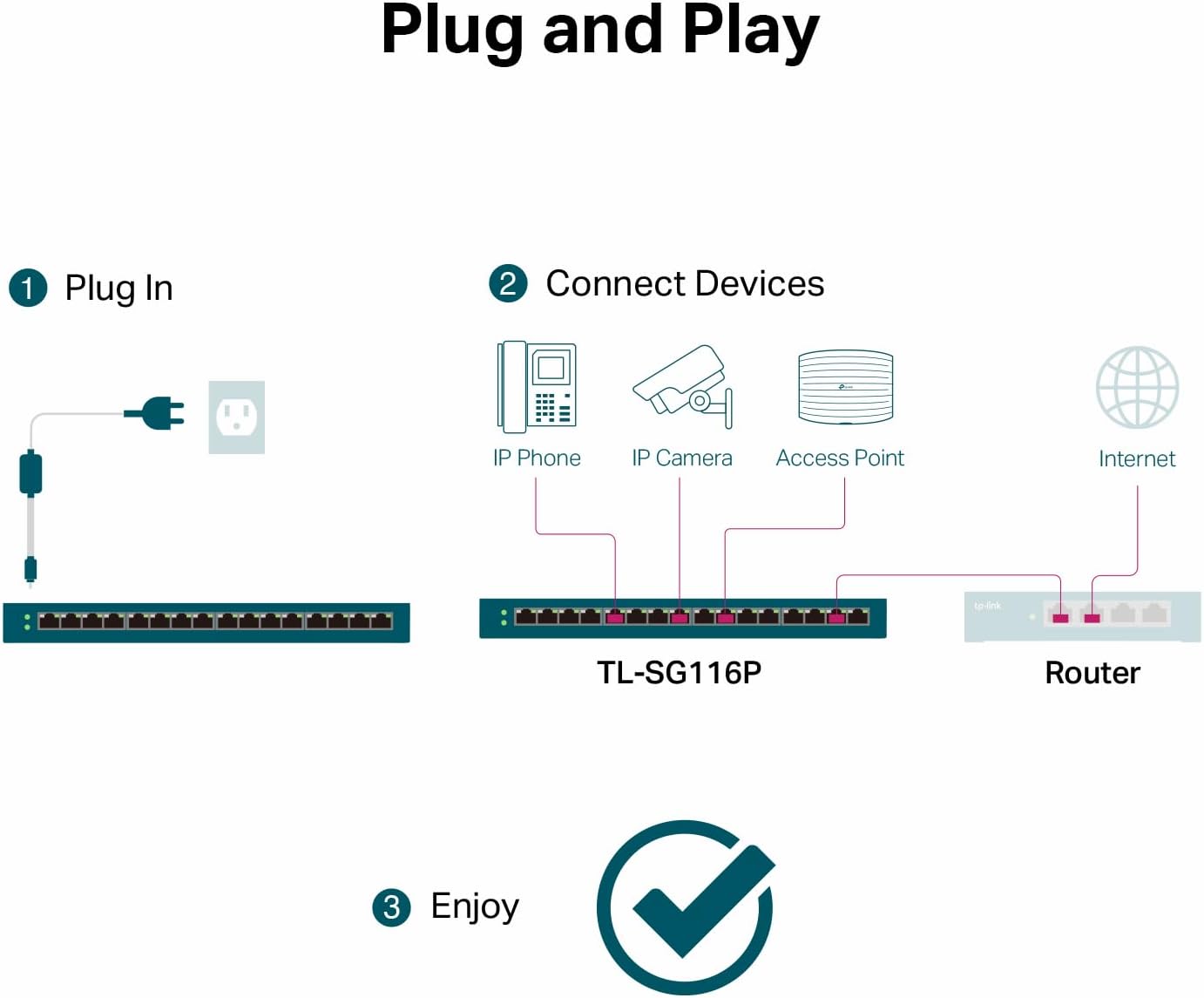
TP-Link TL-SG116P 16-Port Gigabit PoE+ Switch (16 PoE+ Ports, 120W) with Extend, Priority & Isolation
Product description
If you’re building or upgrading a small managed-by-you network for IP cameras, access points, or VoIP, the TP-Link TL-SG116P is one of those switches that aims to remove the hassle. It’s a 16-port Gigabit PoE+ model with a total PoE power budget of 120W, designed to run PoE devices without needing separate power bricks.
The essentials
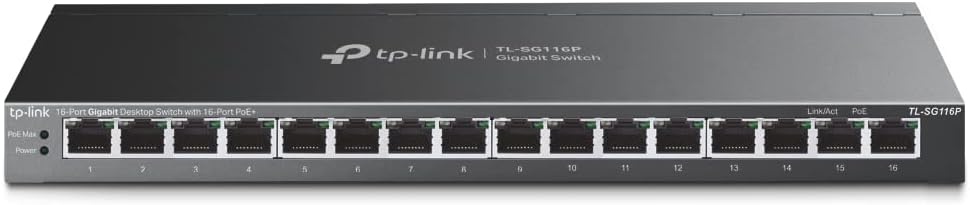
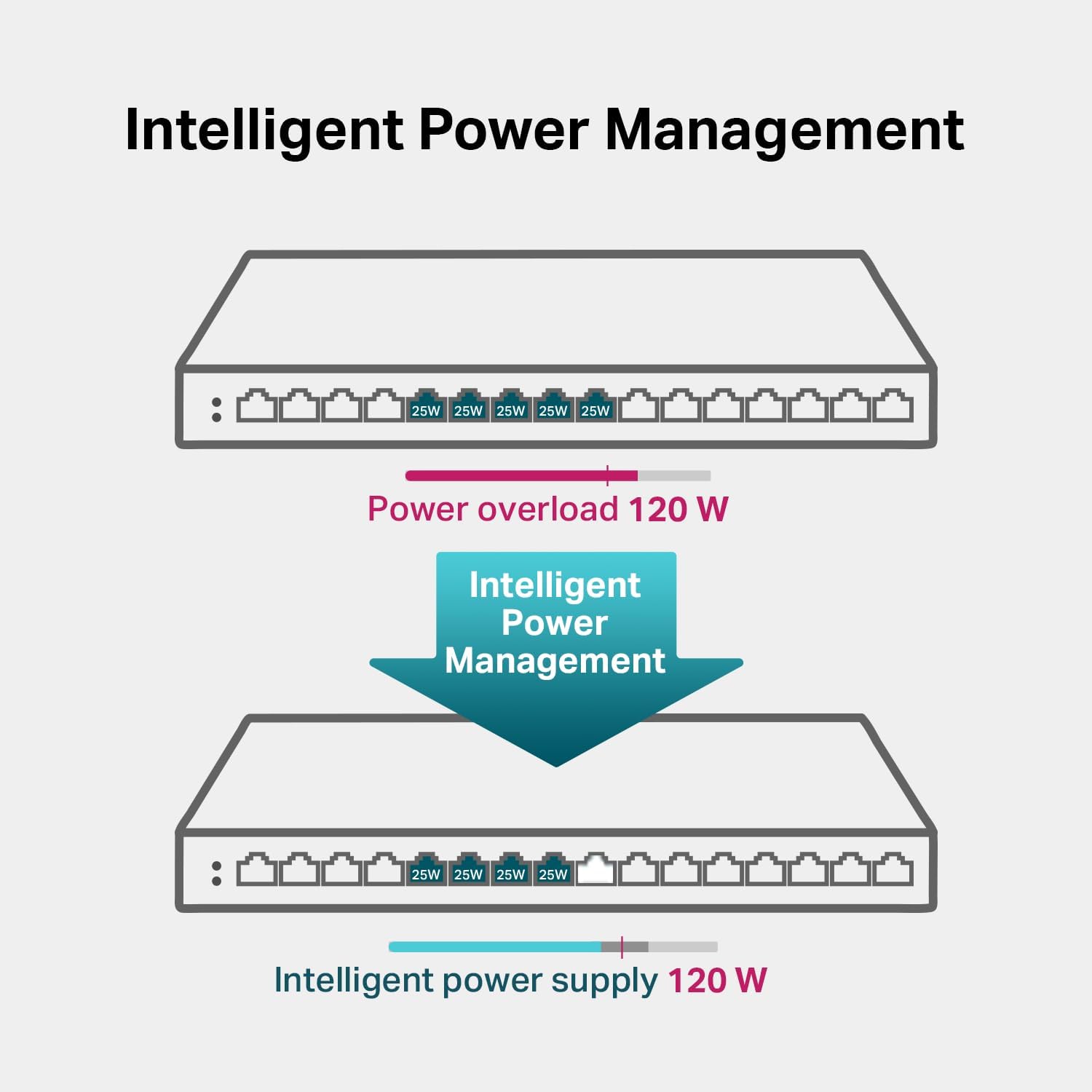
This switch provides PoE+ across 16 RJ45 ports (802.3at/af), targeting setups where you want Ethernet for both data and power. On paper, each port can deliver up to 30W, and the total PoE budget is rated at 120W—so you can power multiple devices while keeping the network speed in the Gigabit lane.
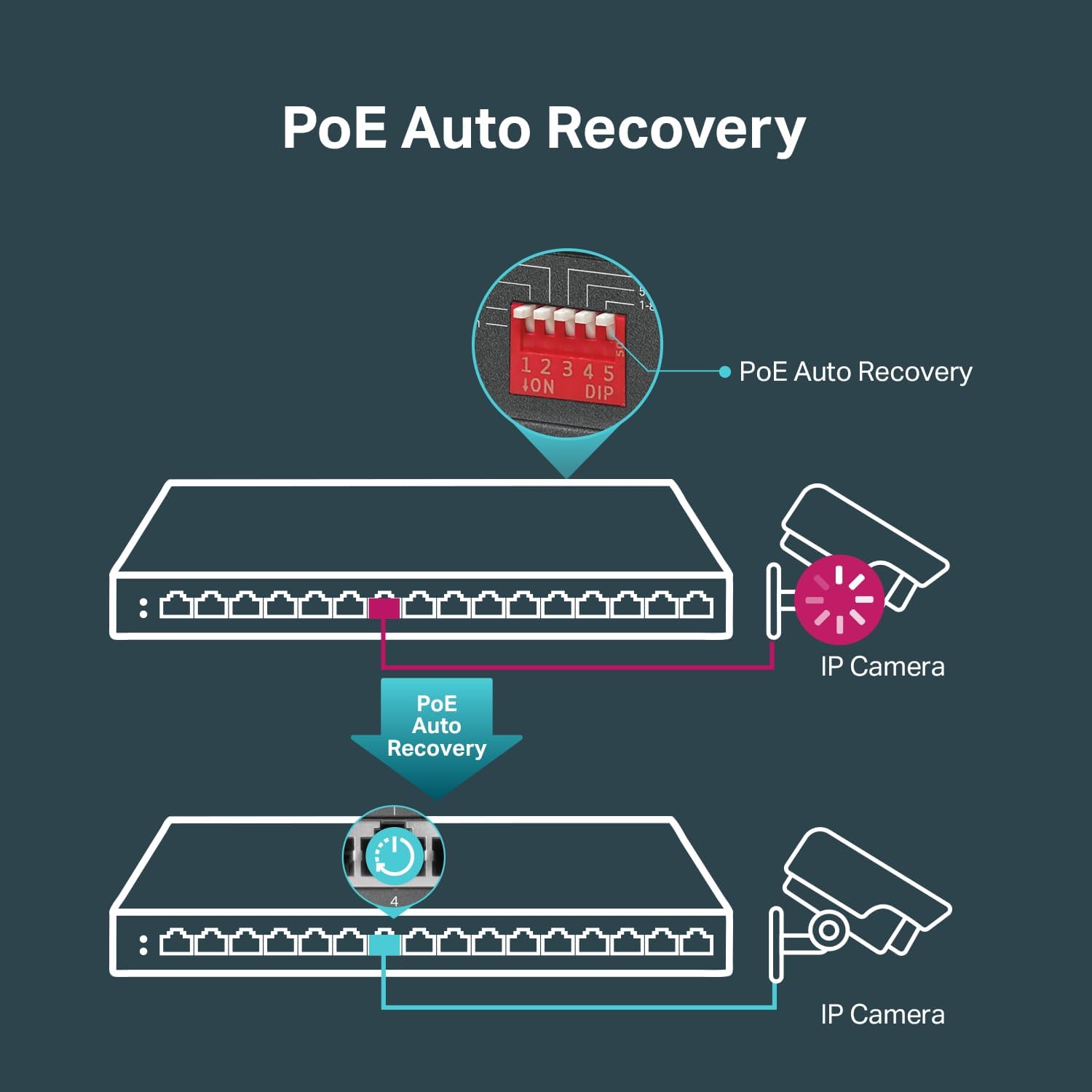
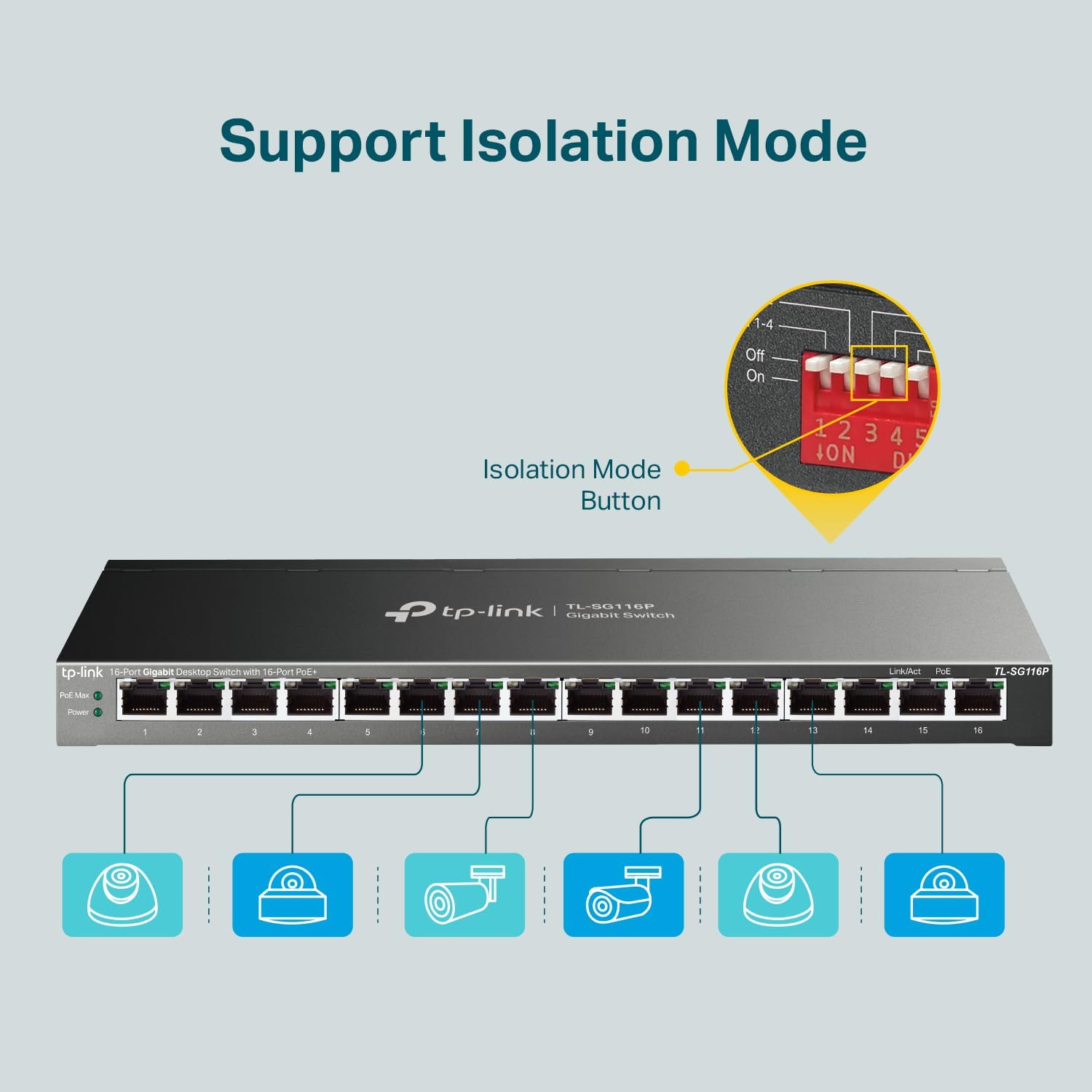
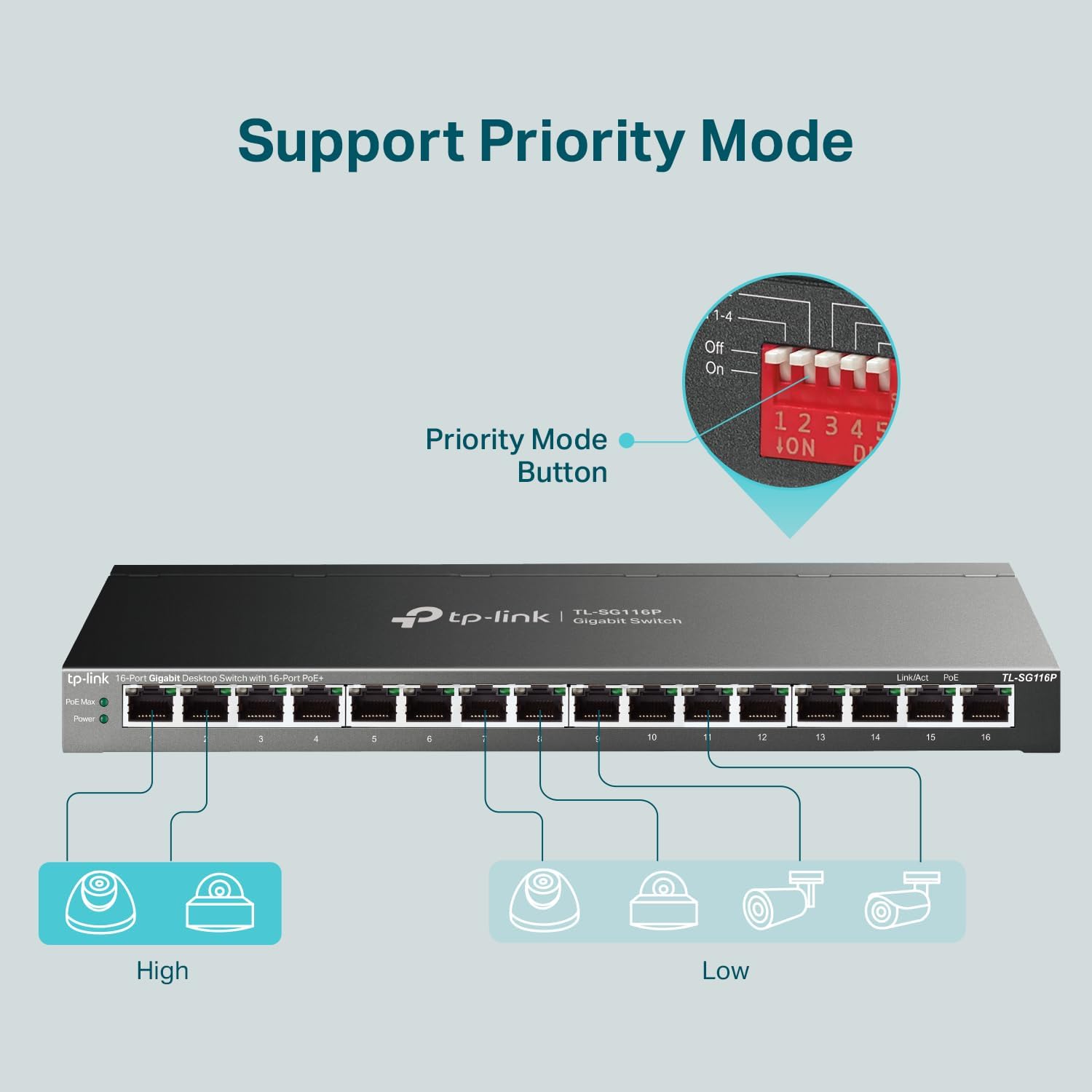
Where it gets more interesting is the feature set that supports real-world deployment: Extend Mode (with a longer reach concept), Priority mode (focused on higher-quality video/voice), and Isolation mode (meant to help with broadcast storm behavior and LAN security). There’s also PoE auto recovery, which detects and reboots PoE-powered devices that drop or stop responding—though it’s worth noting that “configuration required” is mentioned, so don’t assume it’s totally hands-off in every situation.
What stands out in daily use
Fanless operation is a practical win if the switch will live in an office, closet, or near equipment you don’t want to sound like a small server room. Beyond that, the combination of Gigabit throughput and PoE+ makes it a solid fit when you’re trying to keep installation clean: one cable per device is the goal.
Here’s a concrete example: imagine you’re mounting four IP cameras across a home/office layout. With 16 PoE+ ports available and QoS support included, you can place the cameras on ports that match your plan, then lean on Priority mode (ports 1–4) when you care about consistent video/voice behavior. If one camera momentarily becomes unresponsive, PoE auto recovery is intended to reboot it automatically rather than waiting for you to notice and press a button elsewhere.
Extend, Priority, and Isolation—how to think about them
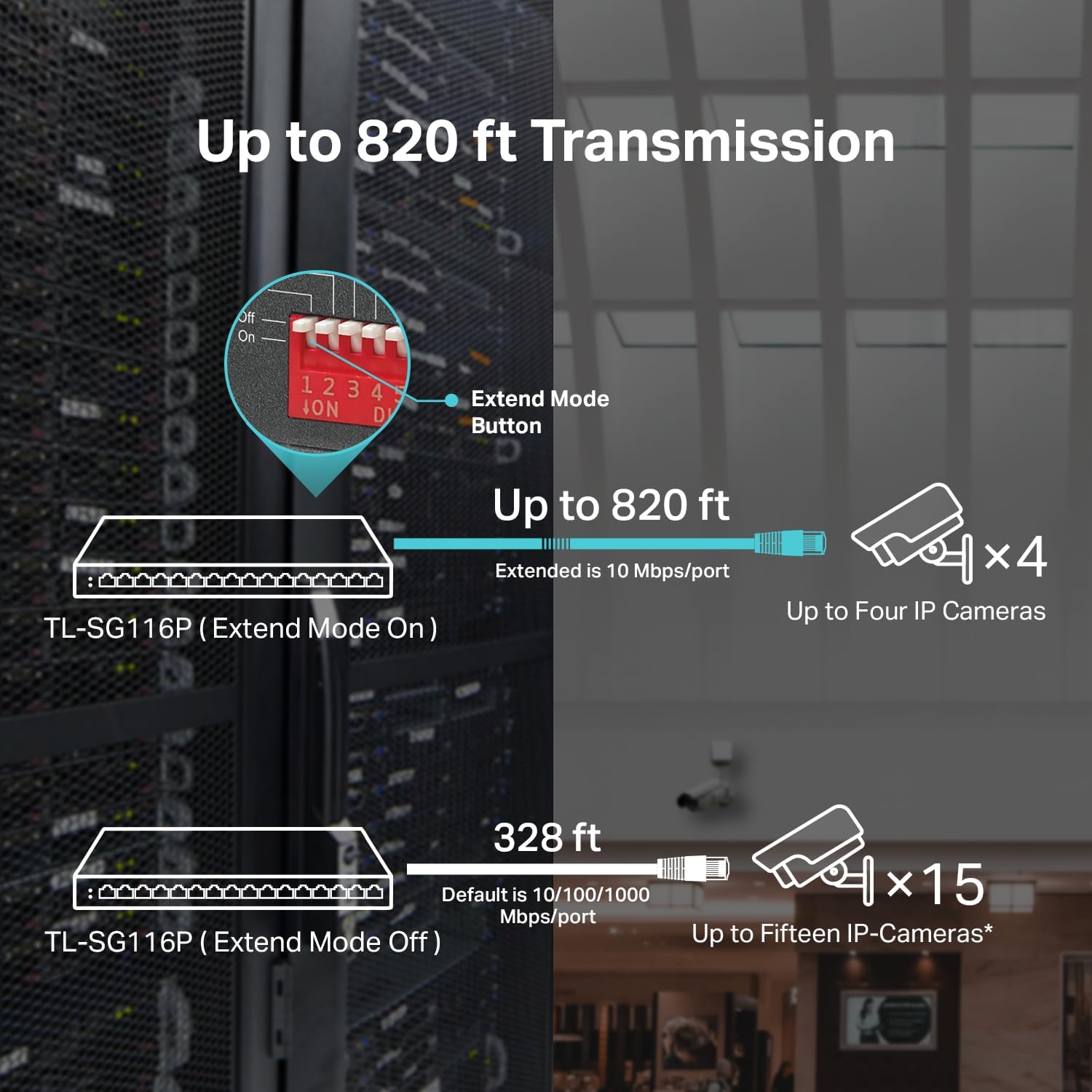
Extend Mode is described as enabling up to 250m data and power transmission, but with an important caveat: the speed will be downgraded to 10 Mbps. That means it’s a tool for tough cabling runs or distance where you’d rather accept lower throughput than redesign the layout.
Priority mode supports prioritizing ports 1–4 to help maintain higher quality for video or voice data transmission. If your use case includes VoIP phones or time-sensitive traffic alongside cameras, you’ll likely appreciate that attention to ordering.
Isolation mode is meant to isolate broadcast storm behavior, improving LAN security and data transmission. The practical takeaway: this is the sort of feature you’d consider when you want PoE devices to behave more predictably on a local network segment.
Tech specs (as provided)
- Type: 16-Port Gigabit PoE Switch
- Number of PoE+ ports: 16 PoE+ (802.3at/af)
- Power per port: up to 30W per port
- Total PoE power budget: 120W
- Data speed: 10/100/1000 Mbps RJ45
- Extend Mode reach: up to 250m (with speed downgraded to 10 Mbps)
- Modes mentioned: Extend, Priority (ports 1–4), Isolation, PoE Auto Recovery
- Cooling: Fanless
- Networking features mentioned: QoS & IGMP Snooping
Who it’s for (and who should be cautious)
It makes sense if you want a single switch to power and connect multiple PoE devices while keeping Gigabit performance for the devices that don’t need extended distance. The fanless design also leans it toward quieter indoor deployments.
It might not suit you as well if you only need one or two PoE ports, because you’re paying for capacity you may not use. And if your goal depends on Extend Mode providing full Gigabit speed at distance, keep expectations realistic: the description explicitly states the speed drops to 10 Mbps in Extend Mode.
Also, PoE auto recovery is described as requiring configuration, so if you want something that instantly “just works” with zero setup in every environment, you may want to double-check how your plan aligns with that requirement.
Buying checklist before you commit
Before buying the TP-Link TL-SG116P, it’s worth checking the practical fit for your environment:
- Power budget math: total PoE power is 120W. Make sure your PoE devices’ needs don’t push beyond what the switch can supply.
- Distance plan: if any runs need longer reach, confirm whether Extend Mode’s 10 Mbps speed downgrade is acceptable.
- Traffic priorities: if you have video/voice alongside other traffic, Priority mode (ports 1–4) may matter.
- Network behavior: Isolation mode and IGMP Snooping are mentioned, so if you deal with multicast/broadcast-heavy setups, these features could help.
Final verdict
Should you buy it? The TL-SG116P is a strong “do-it-right” choice for small deployments that need 16 PoE+ ports, Gigabit connectivity, and deployment-friendly options like Extend, Priority, and Isolation—especially when you care about keeping cabling simple and power centralized.
You may want to skip it if your setup is small enough that buying a 16-port PoE switch is overkill, or if you expect Extend Mode to preserve full Gigabit speeds at long distance (the provided details say it won’t). For a clean, fanless PoE backbone with useful traffic controls, it’s the kind of switch that tends to earn its keep after installation—not just on spec sheets.
Mini FAQ
Does this switch support PoE+ for all 16 ports?
Yes. The provided details describe 16 PoE+ ports supporting 802.3at/af.
What happens when you use Extend Mode?
It’s described as enabling up to 250m transmission for data and power, but with speed downgraded to 10 Mbps.
Is PoE auto recovery truly automatic?
It’s intended to detect and reboot unresponsive PoE devices, but the description notes “configuration required,” so plan to account for that.
Is it a fanless switch?
Yes, it’s listed as fanless, which is helpful for quiet indoor placement.
What’s Priority mode used for?
The description says Priority mode supports ports 1–4 to help guarantee high-quality video or voice transmission.