

SOLAKAKA A75 Wireless Gaming Keyboard: 75% Mechanical, Hot-Swappable, Multimodal Connectivity
Product description
What it is
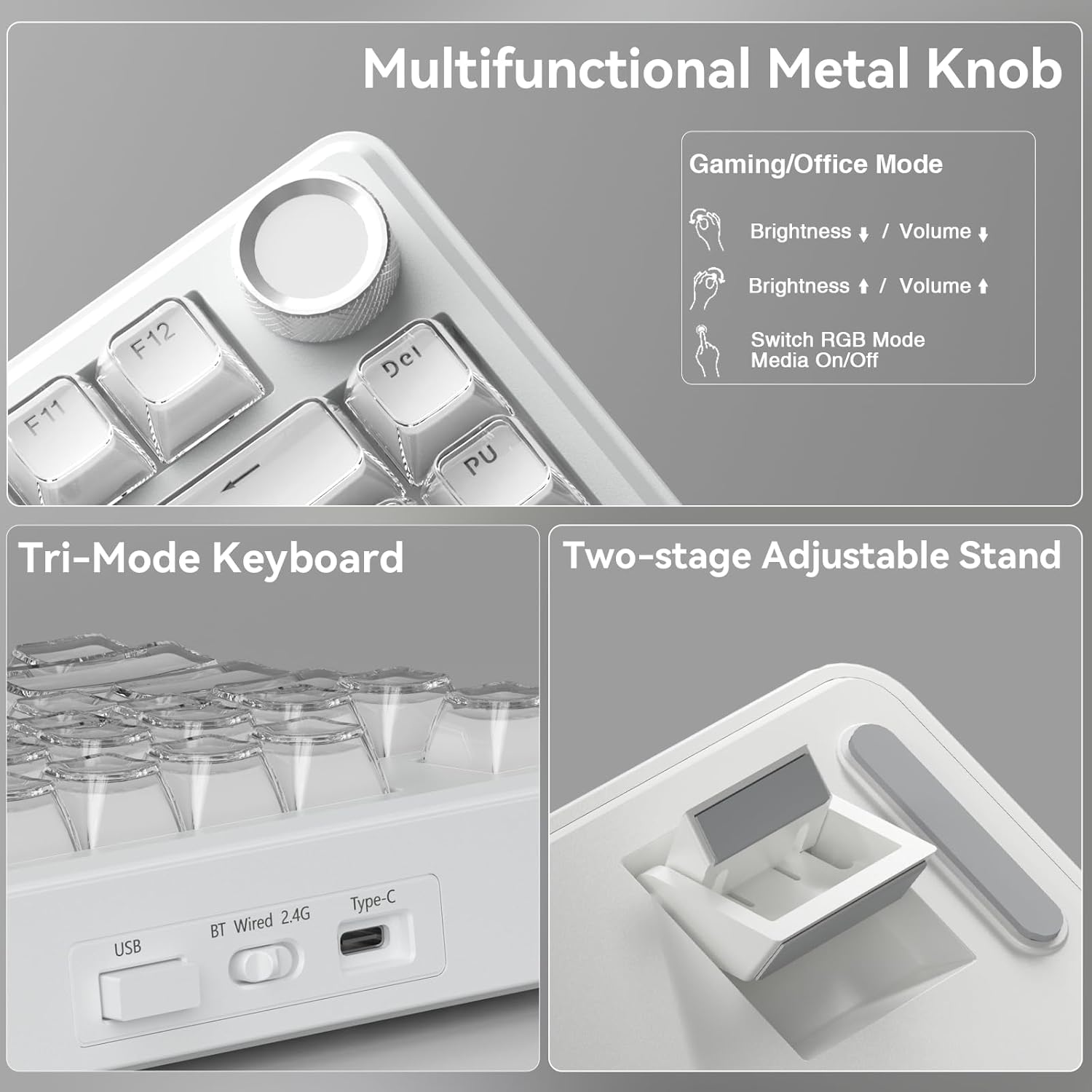
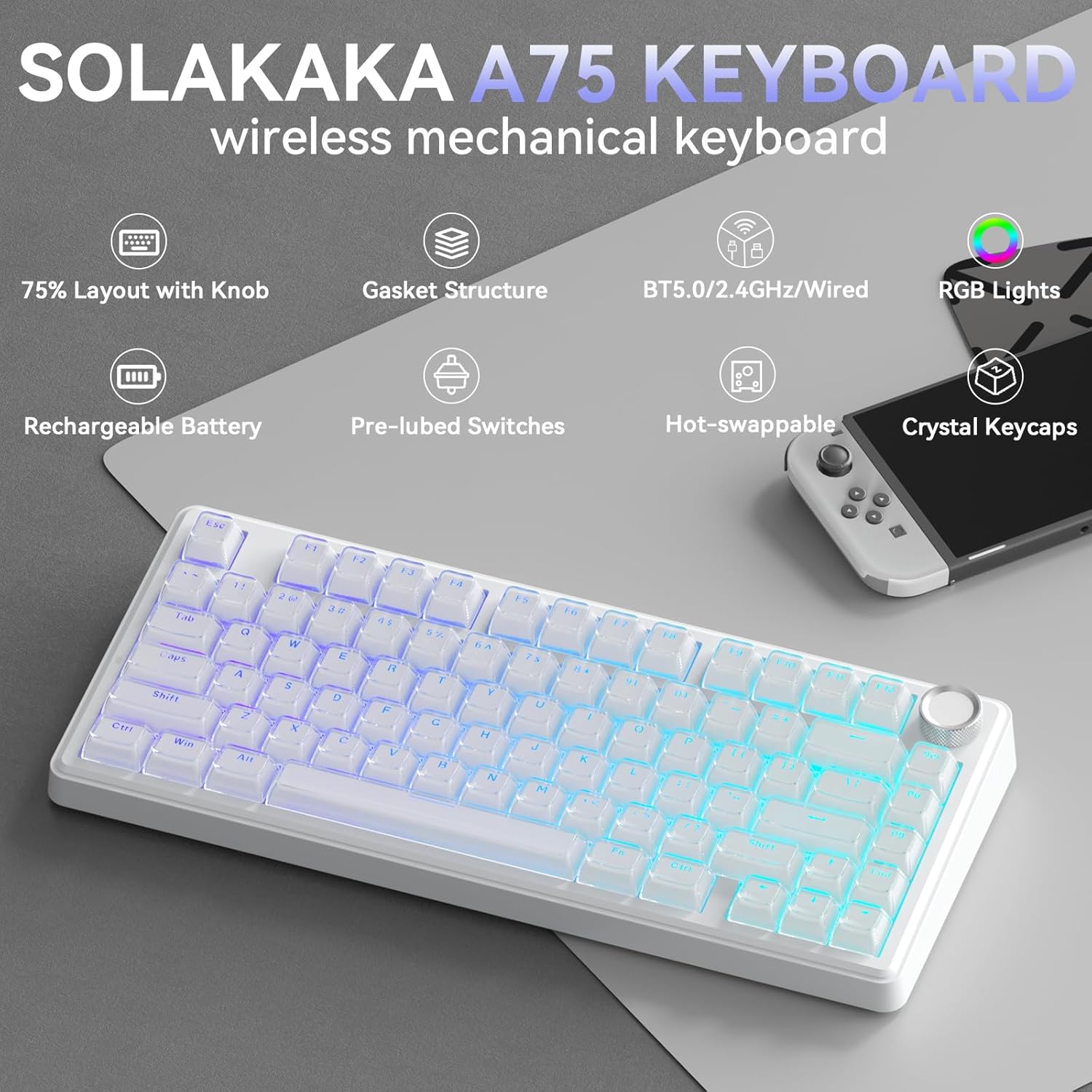
The SOLAKAKA A75 is a compact, 75% mechanical keyboard designed for multi-device use. It connects via 2.4 GHz wireless, BT5.0, or USB-C, and can pair with up to five devices at once. The kit includes a gasket-style, five-layer construction that aims to deliver a creamy, soft keystroke and reduced noise, thanks to IXPE foam, PET dampening, and PO cotton layers. It’s built to please gamers and productivity users who want a smaller footprint without sacrificing tactile feel or customization.
How it feels in use
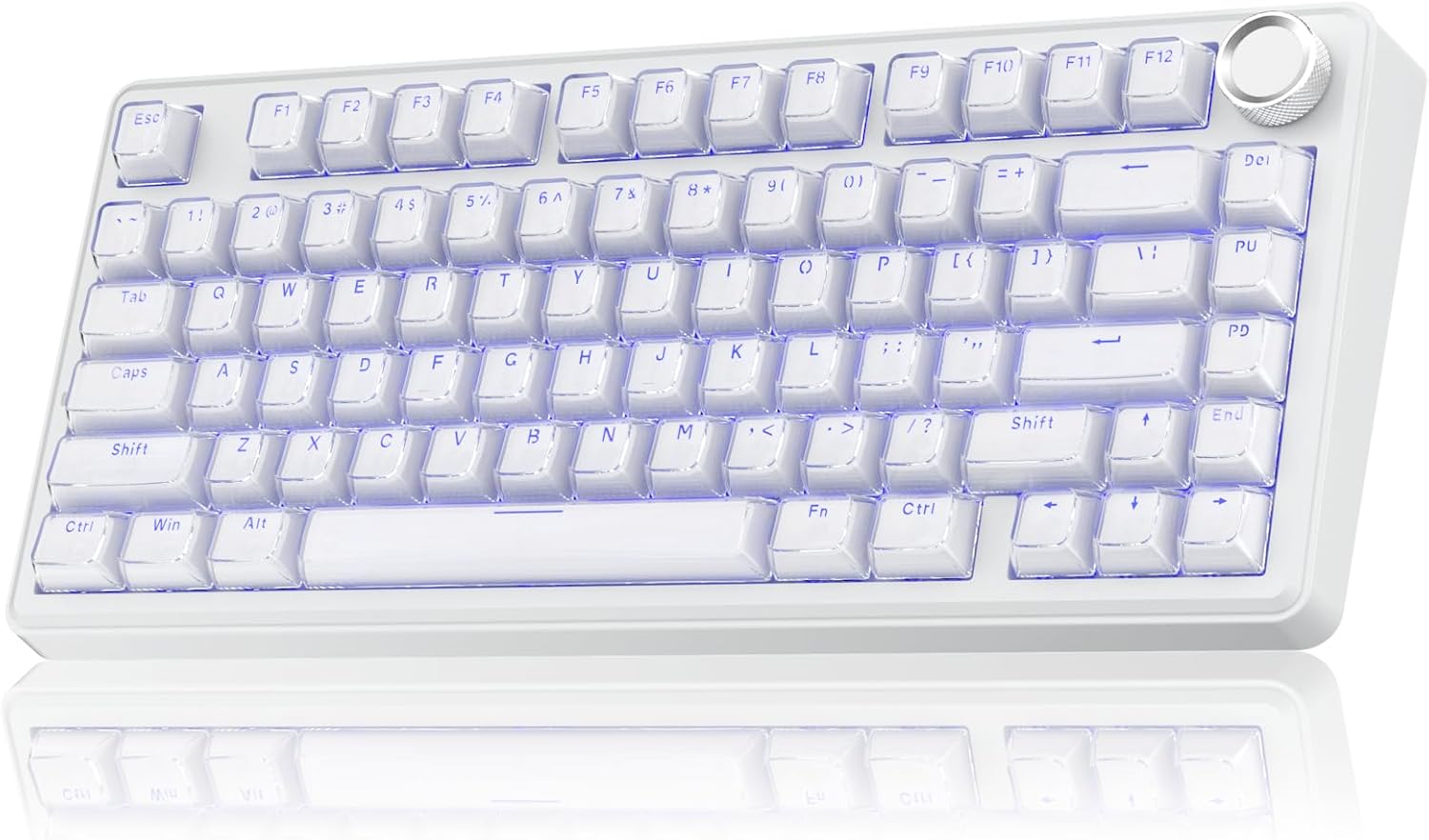
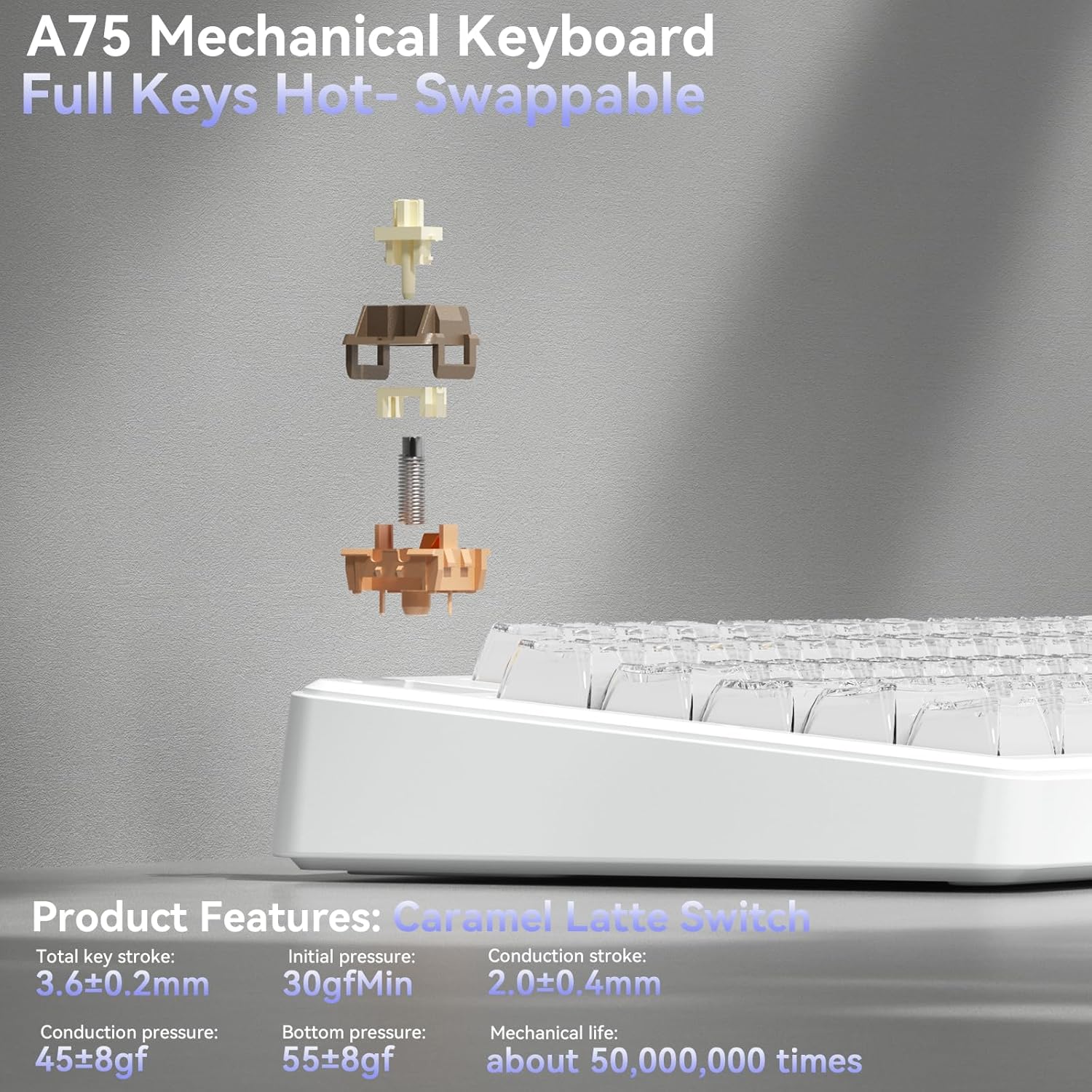
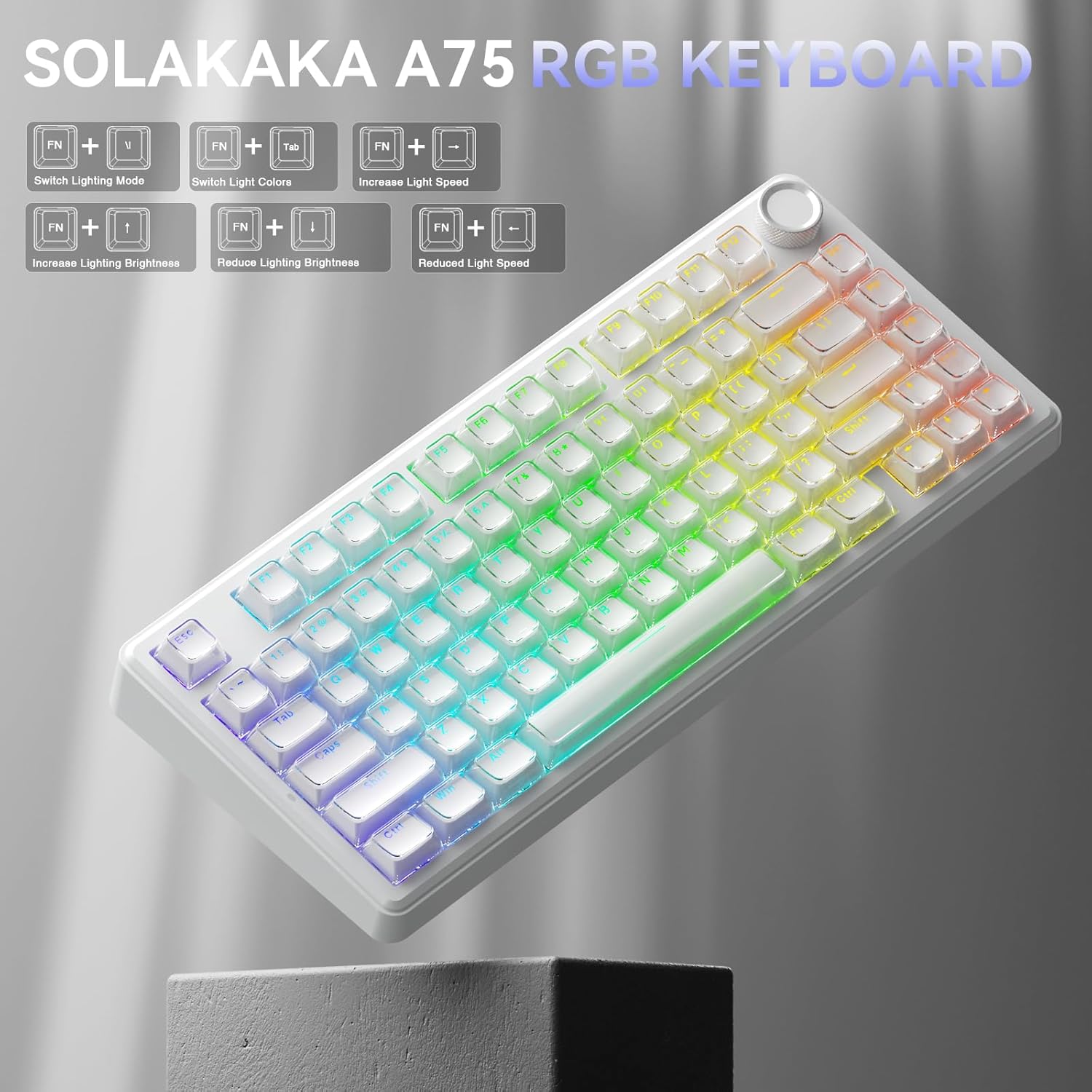
On the desk, the A75 presents with a low-profile chassis and crystal keycaps that shimmer under RGB. The hot-swappable, 3/5-pin capable switches let you swap or upgrade without soldering, which lowers the barrier to DIY customization. Stabilizers are prelubed, and the LEOBOG “milk caramel” switch helps deliver stable, smooth keystrokes with a distinctive creamy sound. The keyboard supports full N-key rollover and disables Windows key lock if needed, which matters during intense gaming sessions where every keystroke counts.
Connectivity and compatibility
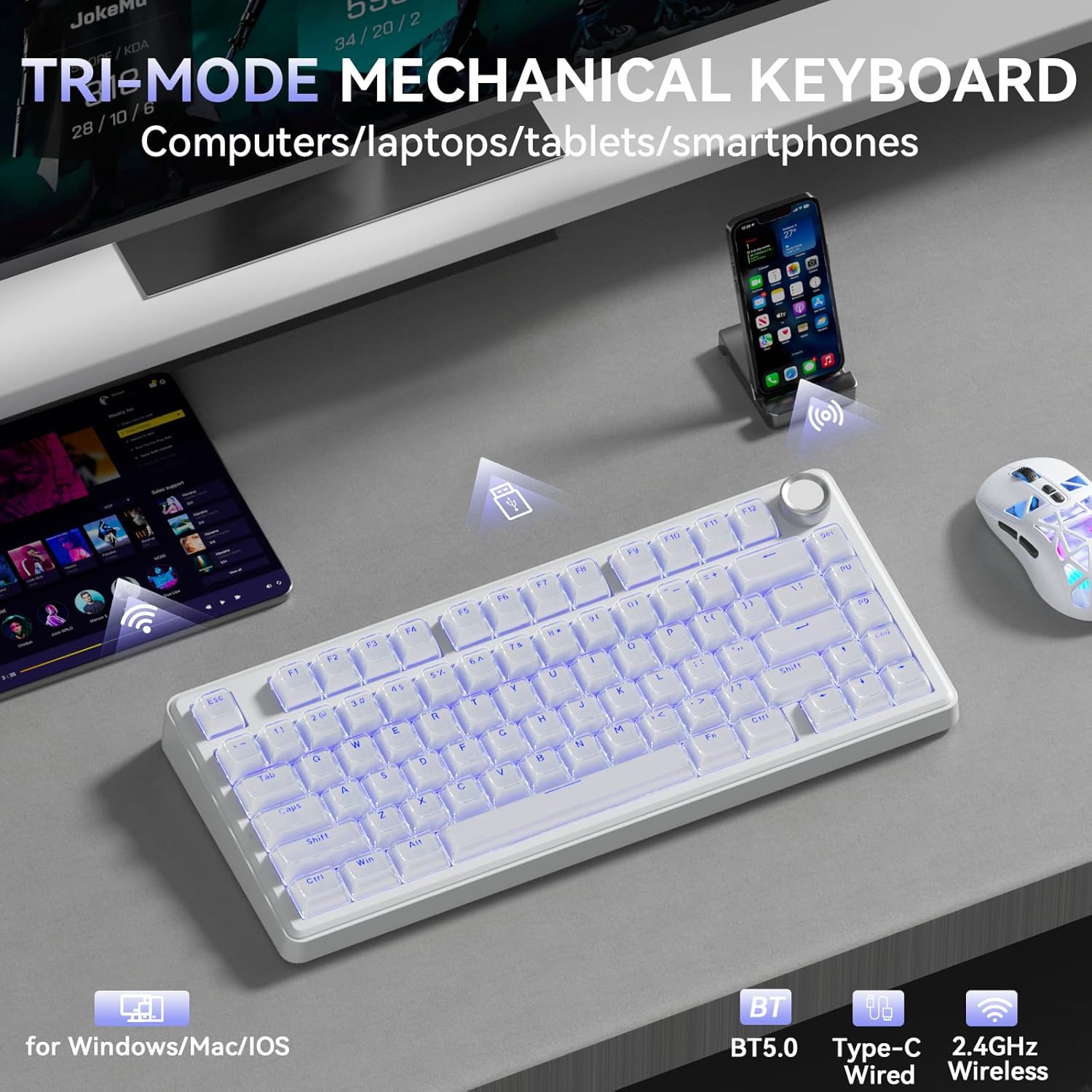
One of the standout ideas here is versatility: the A75 supports Windows, Mac, and iOS, and can switch between Windows, Mac, and Android layouts via Fn combinations. That makes it a reasonable choice if you share a computer setup across devices or use a mixed ecosystem. The three connection modes give you flexibility: low-latency wireless gaming, stable Bluetooth for daily tasks, or a direct USB-C wired connection when latency or power concerns come into play.
What stands out, what might fall short
What to like: the 75% form factor keeps the main function keys accessible without crowding your desk. The hot-swap capability is appealing for users who want to experiment with different switches or adjust feel over time. The five-layer sound-dampening structure and foam aim to curtail hollow noises, so you’re more likely to hear a satisfying, consistent keystroke. The USB-C option ensures compatibility with modern rigs and easier charging.
What could be a limitation: while the multi-device feature is helpful, it may add setup steps or require re-pairing when switching between devices. The RGB effects and the multifunction knob are nice touches, but if you prefer a minimalist setup, they could feel more flashy than essential. Also, the exact switch type (3-/5-pin) will influence key feel and durability, if you’re particular about a specific tactile profile, you’ll want to verify compatibility before swapping.
Ideal user and use cases
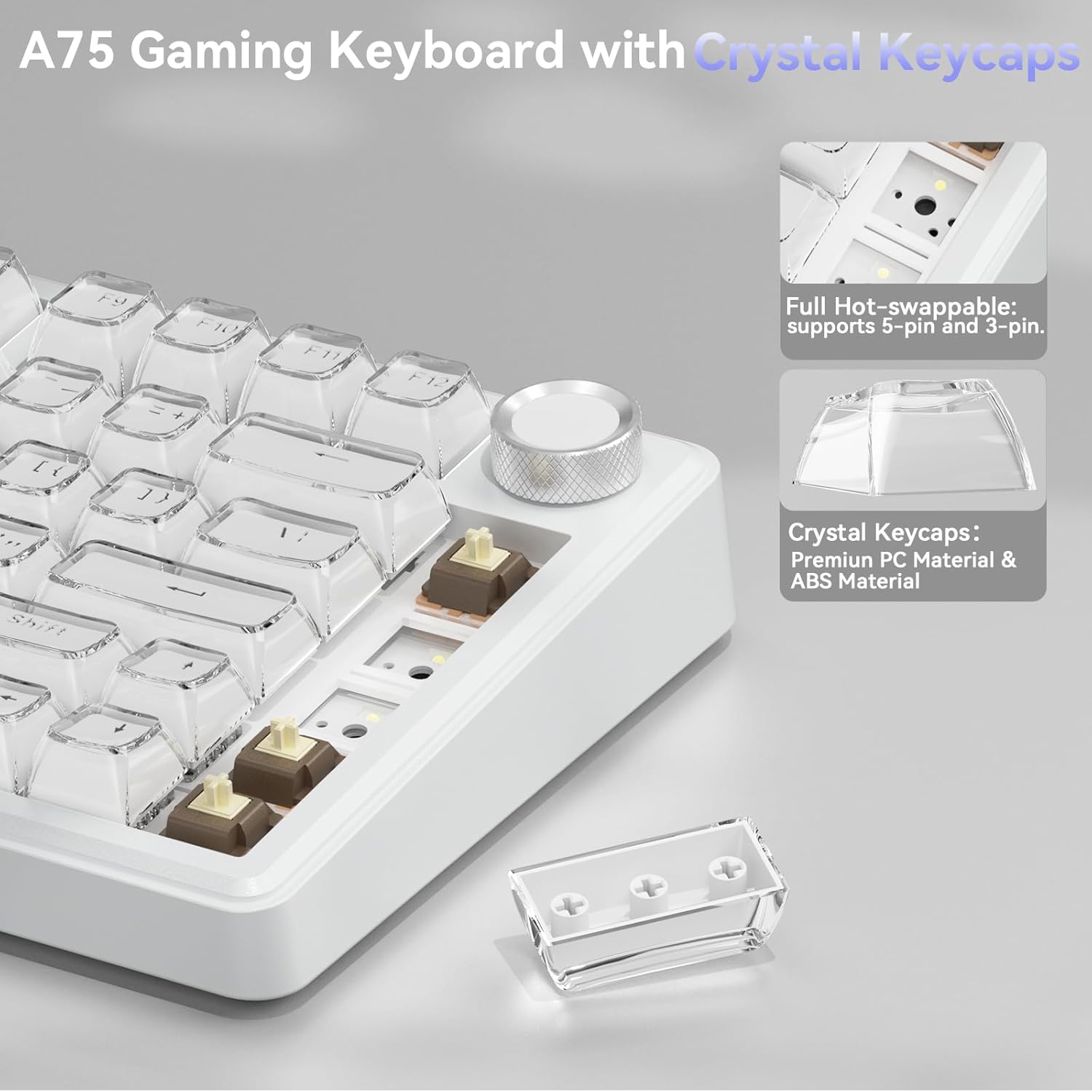
This keyboard is well-suited for multitaskers who want a compact board that won’t crowd a small desk, plus the ability to switch devices quickly. It fits gamers who appreciate hot-swappability and a creamy keystroke, as well as content creators who benefit from the volume and brightness controls on the knob during long sessions. If you mainly type in a single OS environment or don’t care about hot-swapping, you may not max out its potential.
When it makes sense to buy and when to pause
Consider buying if you want a flexible, multi-device keyboard with a tactile, damped feel and a customizable lighting setup that isn’t oversized. It may be overkill if you’re seeking a plug-and-play device with minimal learning curve or if you don’t plan to exploit the hot-swappable feature. If you value ultra-low latency over multi-device versatility, you might weigh wired options more heavily.
Quick checks before purchasing
- Confirm which switches you’ll use or plan to try, since the hot-swappable design depends on compatible 3-/5-pin switches.
- Decide how important the multifunction knob is to your workflow (volume control vs. brightness or mode switching).
- Ensure your primary OS and devices support the three connection modes and the Fn-shortcut mappings you rely on.
Practical use example
Imagine a light-gaming session where you also need to compose docs on a connected laptop. You can switch from a gaming PC to a MacBook or tablet by selecting BT5.0 or 2.4 GHz, then adjust lighting for visibility in a dim room and tweak volume with a quick turn of the knob—without losing focus on the game or the document editing.
FAQ (based on available data)
- Q: Can I use this keyboard with both Windows and Mac without issues? A: Yes, it supports Windows, Mac, and iOS, with layout switch via Fn shortcuts.
- Q: What does hot-swappable mean here? A: You can replace switches without soldering, using 3-/5-pin compatible switches.
- Q: Is the keyboard loud or quiet? A: The design includes dampening layers intended to reduce noise, though the exact sound depends on switch choice and typing style.
Is it worth it?
Worth considering if you value multi-device flexibility, a compact 75% layout, and the option to swap switches over time. If you prioritize a purely plug-and-play, ultra-minimal setup or need the absolute lowest latency, you may want to compare other options with a tighter focus on those aspects.