

McAfee Total Protection 2026 Antivirus Software (10+ Devices) – Auto-Renew
Product description
What it is and what it’s for
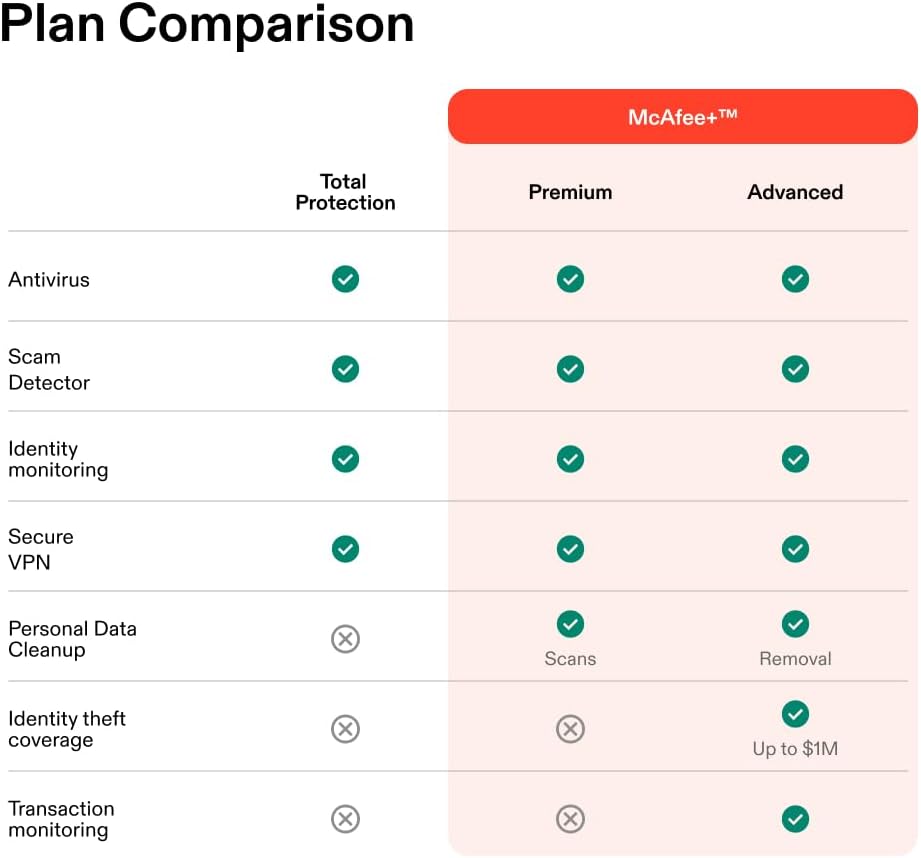
McAfee Total Protection 2026 is an all-in-one antivirus and security suite designed to shield your data across phones, laptops, and tablets. On the surface, it offers real-time threat protection and safe browsing, but the real-world value comes from how the package bundles protections that modern users need: malware defense, phishing and scam detection, a secure VPN for private browsing, identity monitoring, a password manager, and 24/7 support. If you’re juggling multiple devices or want a single vendor for cross-device security, this suite promises a centralized approach rather than piecemeal protection.
How it plays on paper vs. practical use
The core promise is straightforward: block malware and risky sites, keep your personal data safer, and simplify password management. The included scam detector extends protection to text, email, and on-demand checks of social messages and QR codes via a mobile app. The VPN aims to anonymize online activity on public networks with unlimited bandwidth, while identity monitoring scans for exposure on the dark web and across various data types. In everyday use, these features translate to fewer interruptions for security sweeps and a consistent security posture across devices.
What stands out
- Real-time threat protection across devices helps reduce the risk of malware reaching your machines.
- Scam detector and on-demand checks provide an extra layer of vigilance for social and digital scams, which can be a practical guardrail in daily communications.
- Secure VPN with unlimited use and privacy on public Wi-Fi is convenient for users who travel or work on the go.
- Identity monitoring covers a wide range of personal and financial data, offering 24/7 alerts to suspicious activity.
- Password manager and auto-fill features simplify account security without sacrificing convenience.
- 24/7 customer support and an instant digital code delivery add ease to activation and troubleshooting.
What could be less convincing
- It’s a bundled solution, so if you already have some components covered (e.g., a separate VPN with better throughput or a specific identity monitoring service), the value may be diluted.
- Auto-renewal is convenient, but it also means ongoing payments unless you actively cancel, you’ll want to set reminders or manage renewals in your account.
- The breadth of features is strong, but for very small devices or basic usage, some protections may feel heavier than strictly necessary.
- Real-world performance (speed impact, VPN stability, or detection accuracy) can vary by device, network, and usage pattern, so expectations should be calibrated accordingly.
Who it’s for

This suite is well-suited for households or individuals with multiple devices who prefer a single security framework rather than juggling several vendors. It fits users who value a broad safety net—malware, scams, privacy, password management, and identity protection—in one subscription. It also appeals to those who regularly use public Wi-Fi and want a built-in VPN with automatic protection features.
Who it may not be the best fit
- If you only need antivirus on one device and don’t want auto-renewal, a lighter option could be more cost-effective.
- If you require enterprise-grade management features or specialized security controls for business devices, a more tailored solution might be preferable.
- If you already rely on a VPN or identity monitoring service with higher performance metrics, you might not see a dramatic improvement from adding McAfee’s bundled VPN or monitoring.

When it makes sense to buy
- You want a consolidated security toolbox across 10+ devices with one license.
- You value added protections like scam detection in messages and on-demand checks for QR codes and social content.
- You frequently use public Wi-Fi and want a reliable VPN to protect data in transit.
- You appreciate automatic password management and cross-device syncing for credentials.
When to reconsider or skip
- If budget is tight and you don’t need multi-device coverage, consider leaner options.
- If you already have strong protections in other services and don’t anticipate needing the full feature set, evaluate which modules you’ll actually use.
- If you dislike auto-renewal terms, you’ll want to review renewal timing and cancellation steps in your account.
What to review before buying
- Confirm the number of devices supported and ensure it covers all your needs (phones, laptops, tablets).
- Check how the automatic renewal interacts with your budgeting and renewal reminders.
- Consider whether the VPN, scam detector, and identity monitoring meet your security expectations in practice, not just on paper.
- Review activation workflow (instant code delivery) and what happens if you need support during setup.

Practical usage example
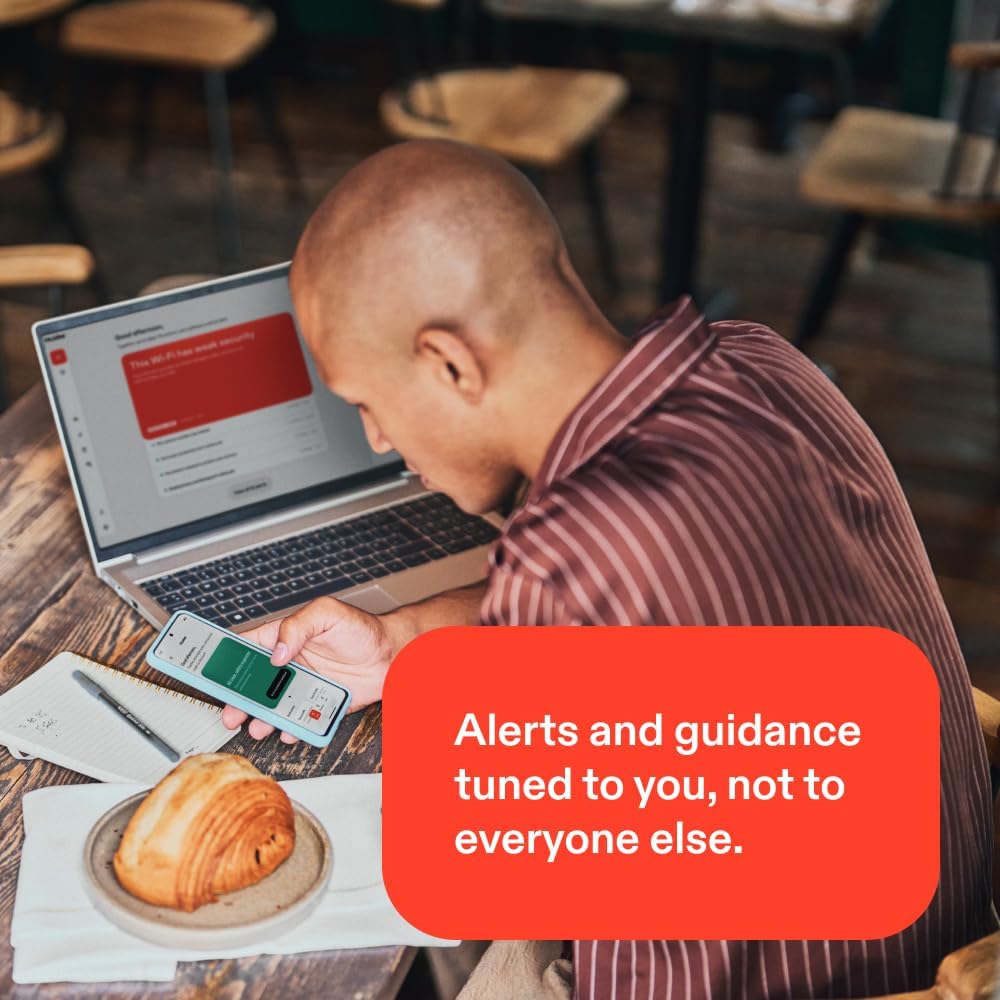
Imagine you’re on a busy day with multiple devices. You get a phishing attempt via email, plus a suspicious text message. McAfee’s scam detector flags the message, while the real-time protection helps prevent any downloaded malware from compromising a device. Later, while working from a café, you connect to public Wi-Fi, the built-in VPN keeps your traffic private, and you can quickly manage passwords for new accounts through the password manager. The identity monitoring keeps an eye on dark web mentions and changes to your personal data, providing alerts if anything looks off.
FAQ (based on available data)
- How does the auto-renewal work? The subscription renews annually, with a reminder 30 days prior to the charge, you can cancel from your My Account page.
- What devices are covered? The product specifies 10+ devices, suggesting coverage across multiple platforms, though exact limits per platform aren’t stated here.
- Is there support available if I run into issues during setup? Yes, 24/7 customer support via phone or chat is listed.
Final verdict
Final verdict: McAfee Total Protection 2026 offers a broad, single-brand security suite that can simplify protection across many devices. If you prioritize an all-in-one approach with real-time protection, scam detection, a VPN, identity monitoring, and password management—and you’re comfortable with auto-renewal—it can be a solid, practical choice for users who want comprehensive coverage without juggling multiple services.