

HYXN ATX PC Case H2
Product description
Key points
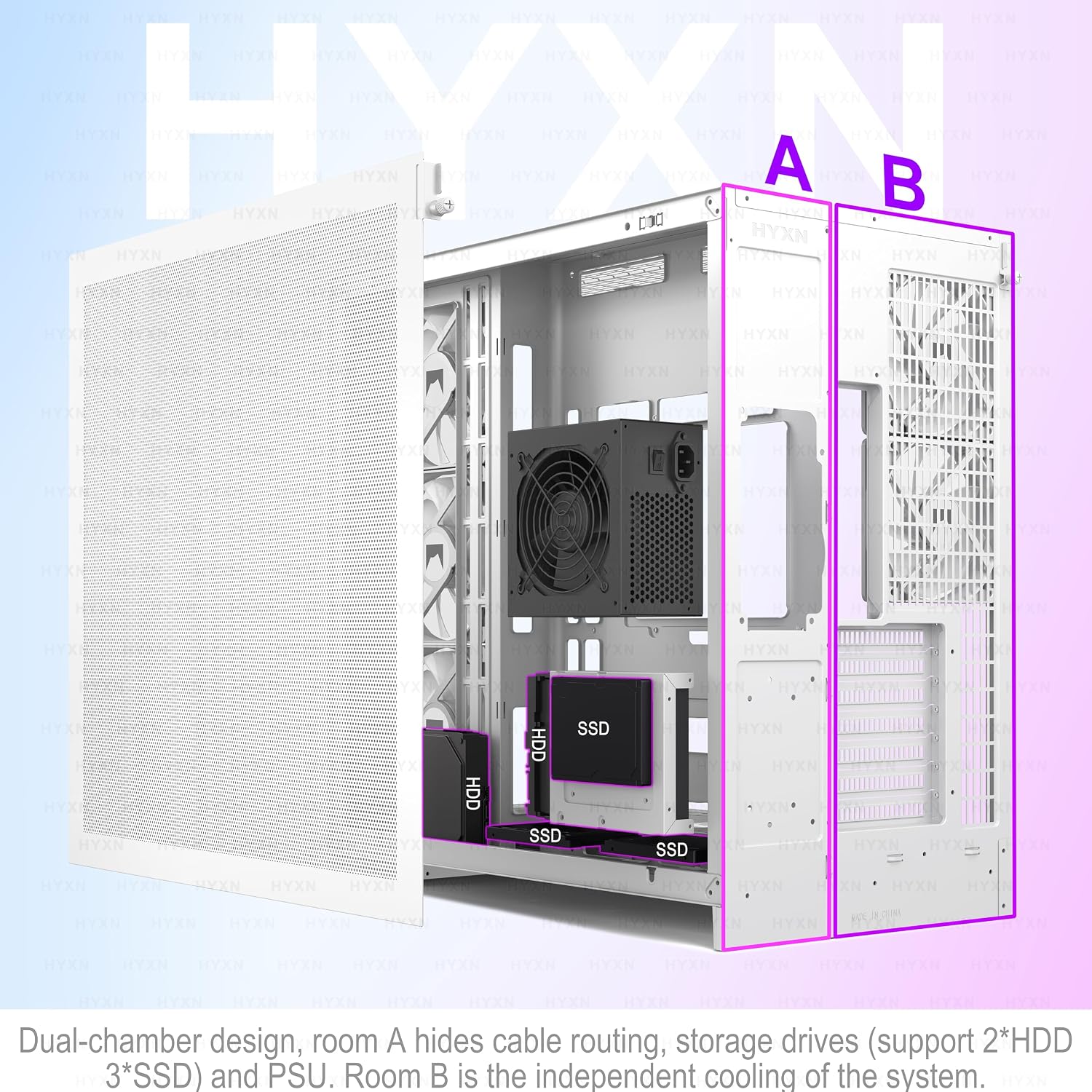
Some builds need room for extensive cooling and visible components, others are better served by a smaller, simpler case. The HYXN H2 is aimed at the first group, pairing a dual-chamber ATX mid-tower layout with eight pre-installed PWM ARGB fans and support for large radiators. Its tempered-glass panels put the build on display, while a separate rear compartment gives cables and the power supply their own space.
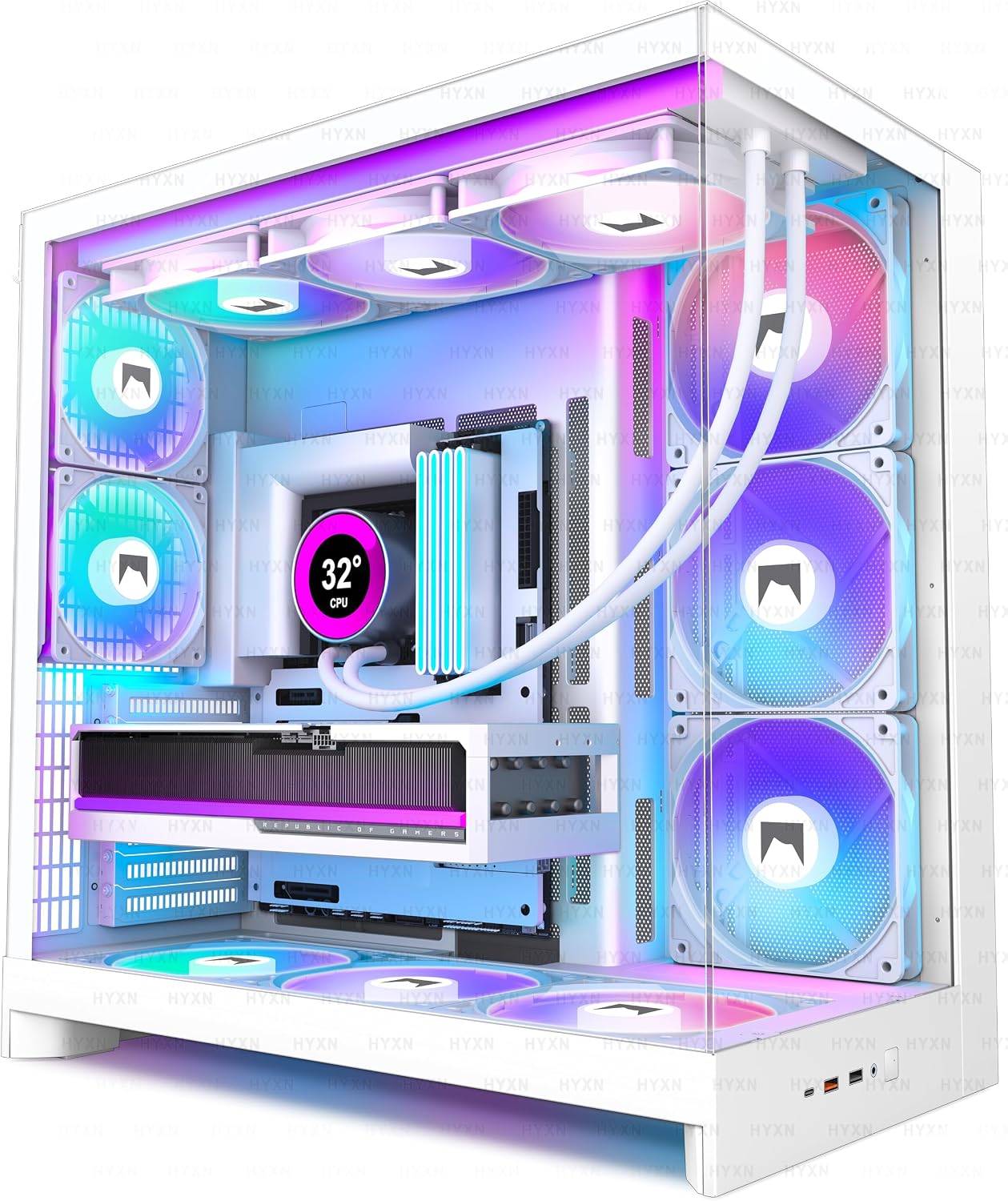
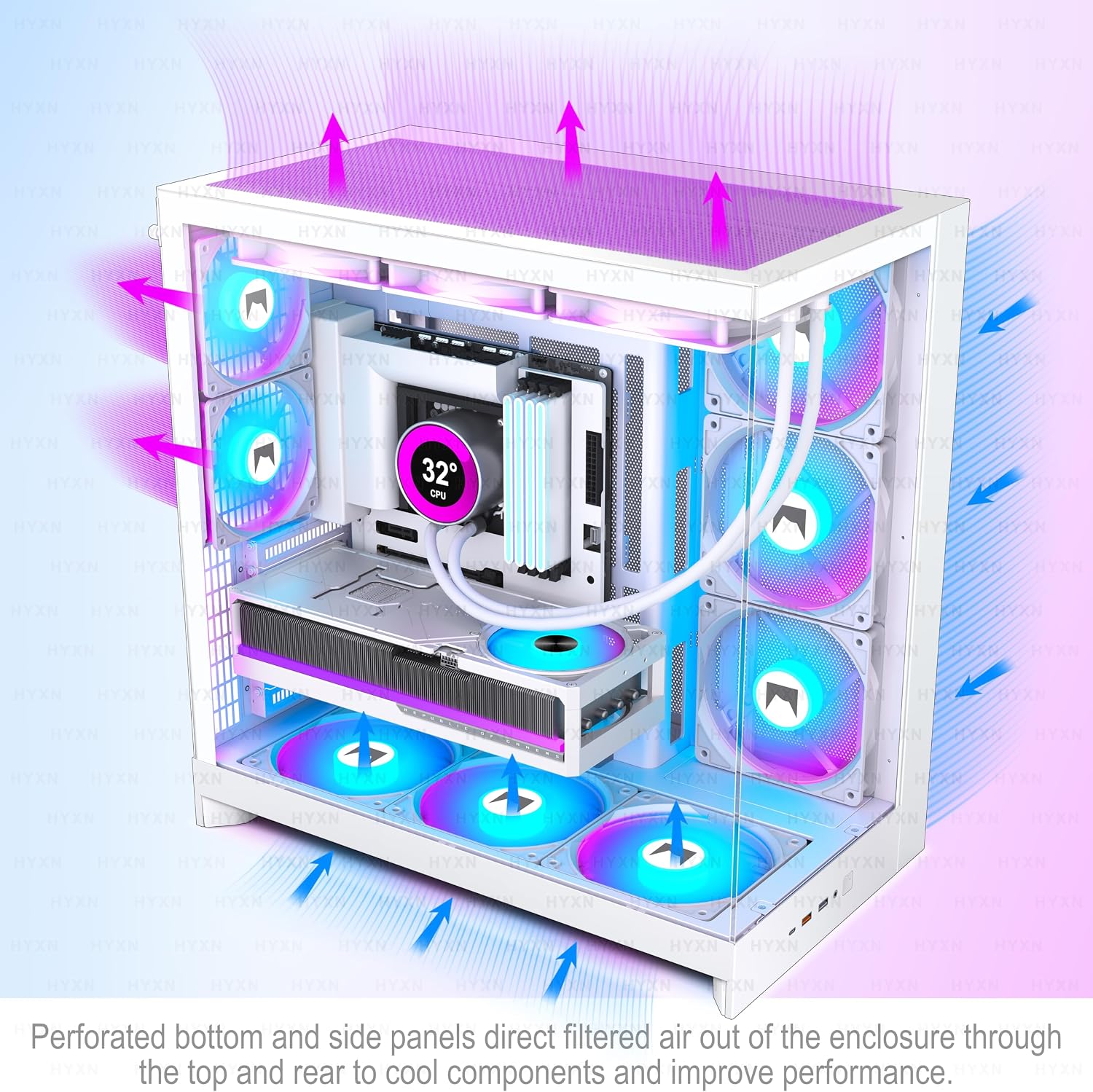
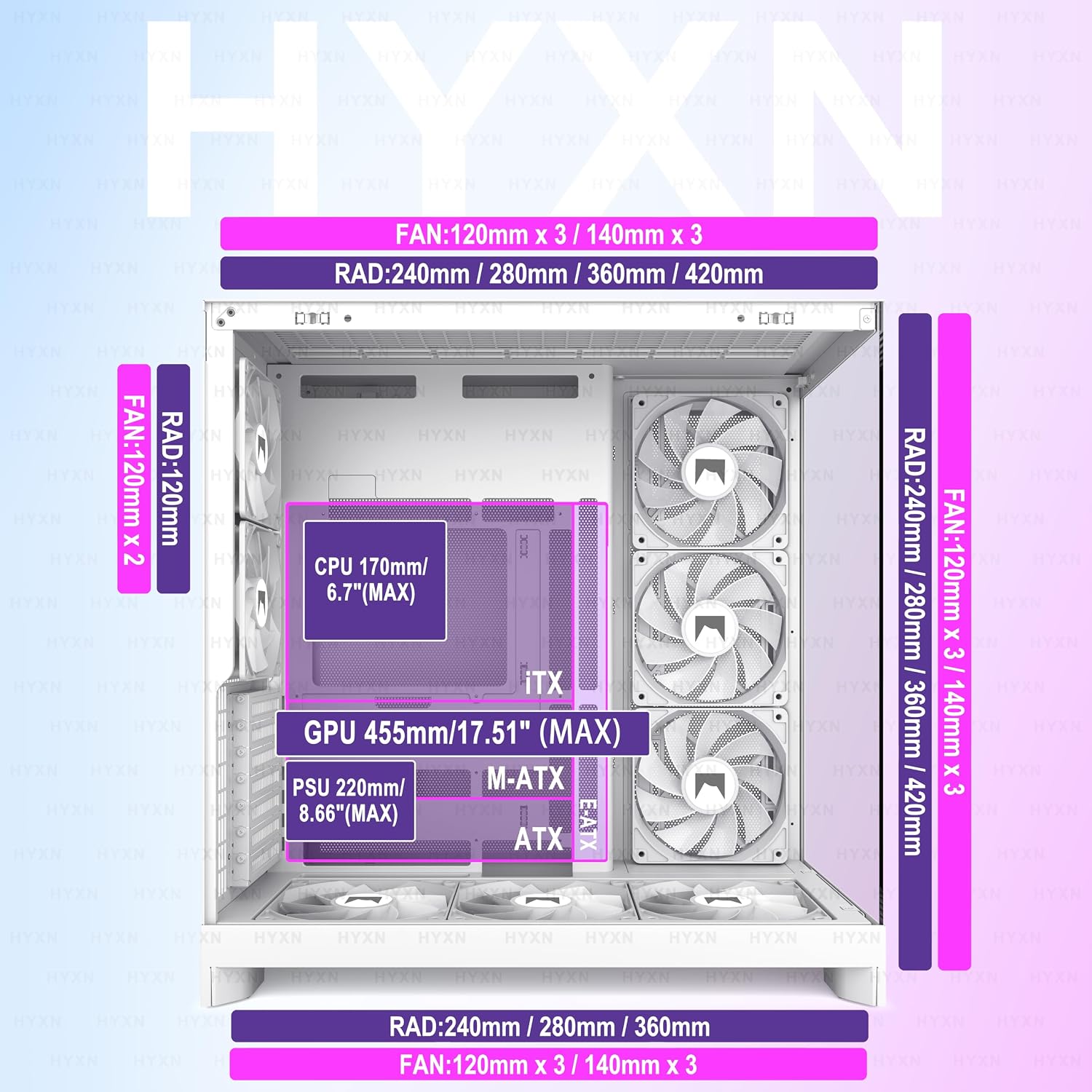
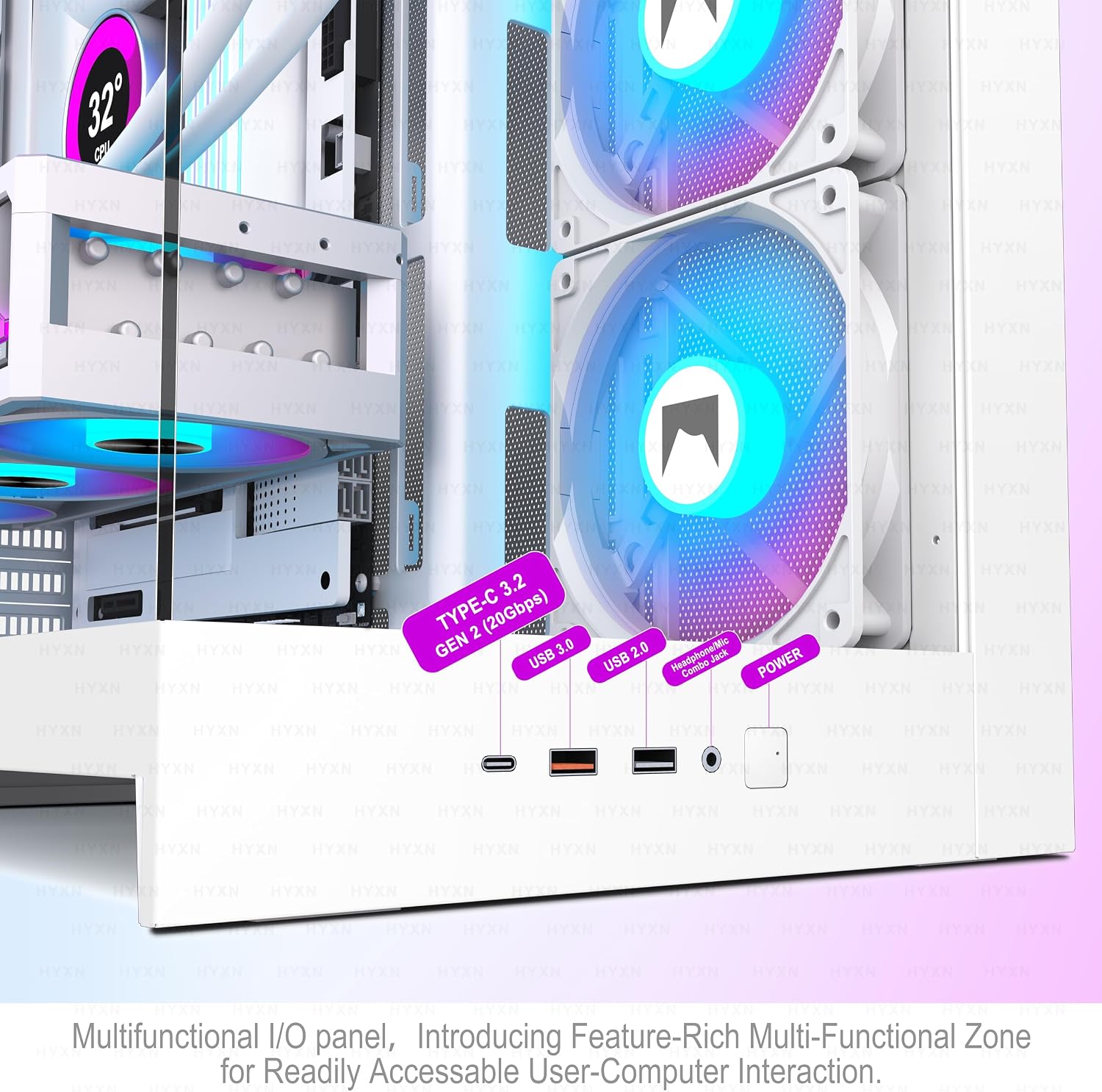
The included fans are six 140mm reverse fans and two 120mm forward fans. Motherboard support covers E-ATX, ATX, Micro-ATX, and Mini-ITX, with room for a GPU up to 455mm and a PSU up to 220mm. Storage mounting supports two HDDs and three SSDs. The front I/O includes USB-C 3.2, USB 3.0, USB 2.0, and microphone and audio ports.
How to use it
Plan the build around the layout before installing components. The separate cable compartment, built-in Velcro straps, and mounting points are intended to keep wiring out of the main display area. That can be useful when assembling a glass-fronted gaming PC: route the power cables behind the motherboard area, then keep the visible side focused on the components and lighting.
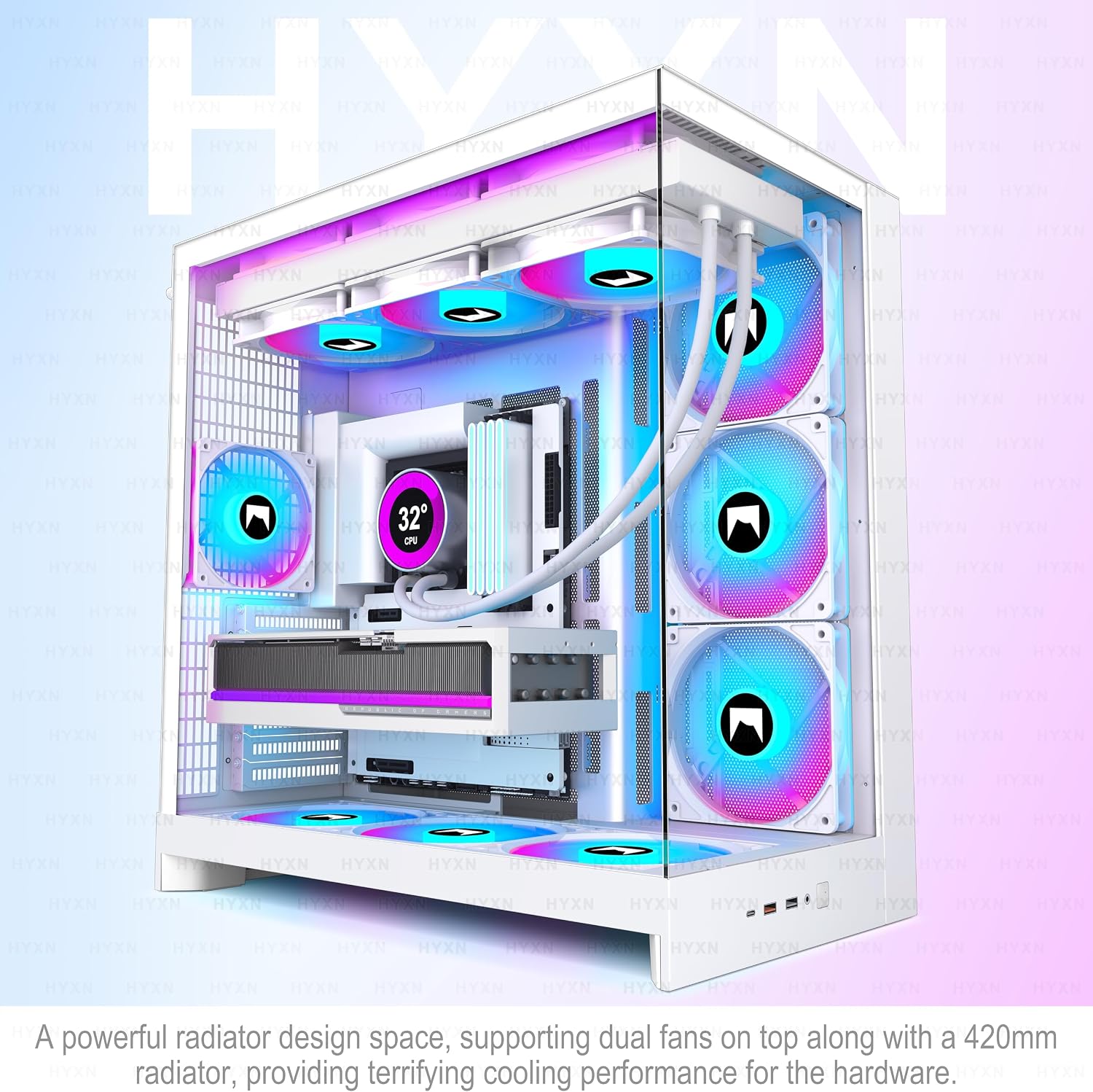
Radiator support is a major part of the case’s appeal. The listing states support for 420mm and 360mm radiators, including configurations of two 420mm or three 360mm radiators simultaneously. Ten en cuenta que radiator placement and fan arrangements still depend on the rest of the build, so check the intended cooling setup against the case layout before buying. The case also supports back-mounted motherboards, but the exact board and component clearances are not specified here.
Practical tips
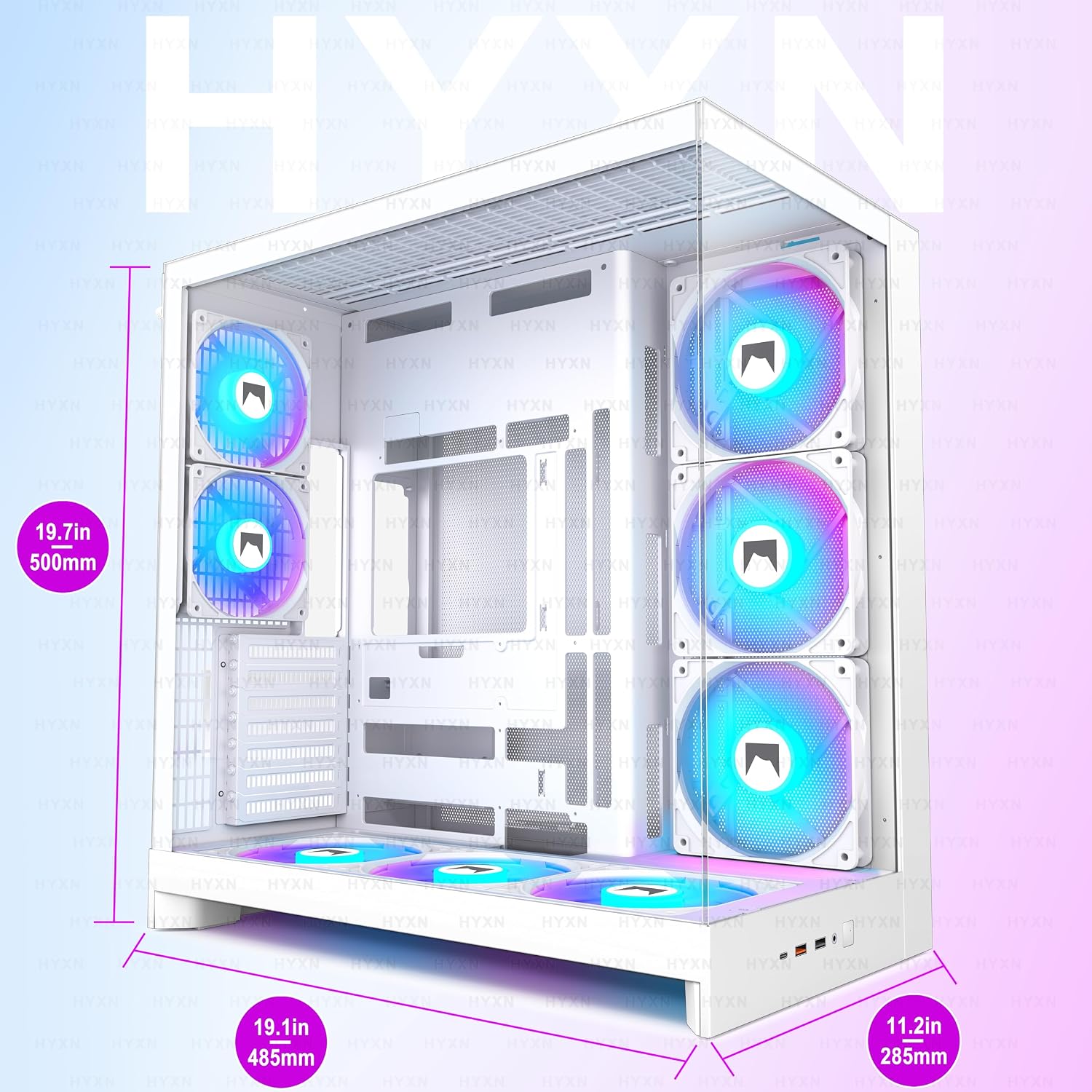
Before choosing this case, compare its listed dimensions—500 × 285 × 485mm—with the space available under or beside your desk. Check your graphics card and power supply against the stated maximum lengths, and decide whether the available two HDD and three SSD mounts match your storage plans. The front USB-C port may also matter if you regularly connect compatible devices at your desk, the listing does not give transfer-rate details beyond identifying it as USB 3.2.
The white finish and ARGB fans make the case suited to a build where lighting and visible hardware are part of the setup. A more basic case with fewer fans may suit a simpler build that does not need extensive radiator support, while this one arrives with cooling fans already installed. The trade-off is a larger chassis and a configuration worth planning carefully rather than choosing on appearance alone.
Questions before you buy
Which motherboard sizes are supported? E-ATX, ATX, Micro-ATX, and Mini-ITX are listed, along with compatibility for back-mounted motherboards.
How many drives can it hold? The stated mounts accommodate two HDDs and three SSDs.
What ports are on the front? It has one USB-C 3.2 port, one USB 3.0 port, one USB 2.0 port, microphone and audio connections, and a power button.
Is it worth it?
It makes sense if you want a roomy dual-chamber case with multiple included fans, substantial radiator options, and a glass-forward presentation. The pre-installed fan setup and cable-routing compartment can reduce some of the work involved in creating a tidy, lit build. Not the best choice if your priority is a compact footprint or a basic setup that does not need extensive cooling capacity. The listed component limits and drive mounts are useful starting points, but confirm they suit your exact parts before committing.