

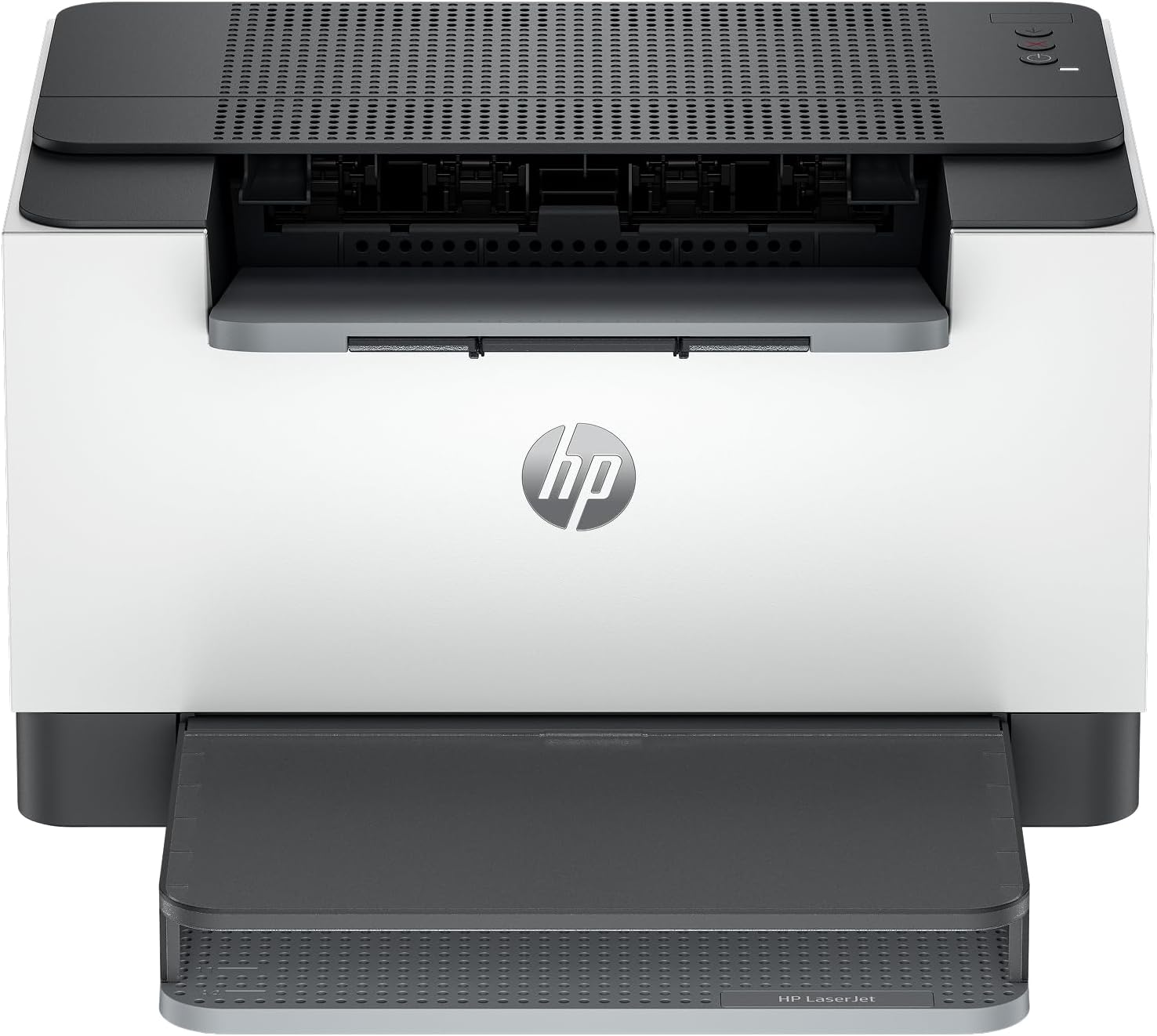
HP monochrome laser printer M209dw
Product description
Highlights
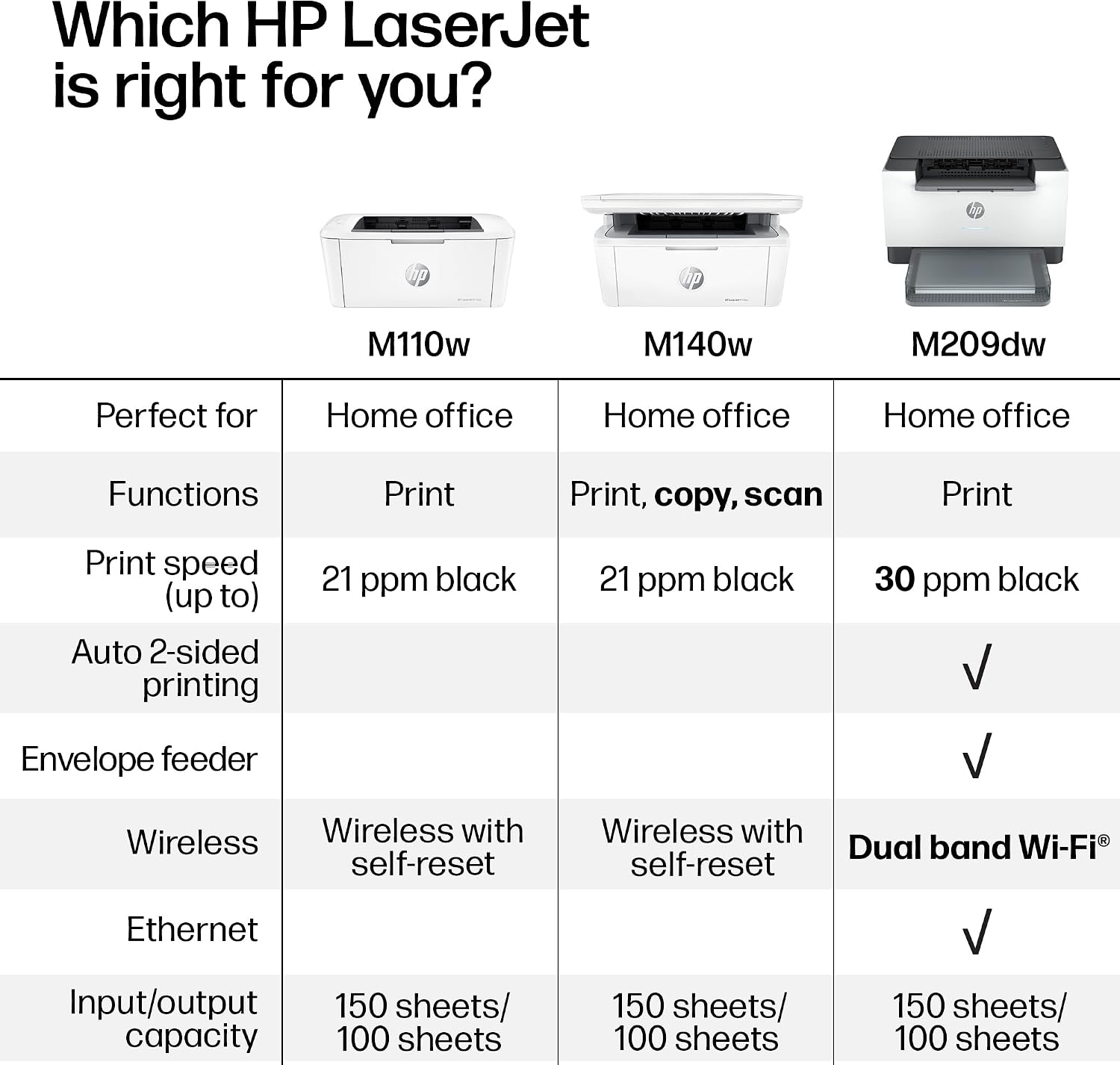
If your everyday printing is mostly forms, reports, and other black-and-white documents, the HP LaserJet M209dw is aimed at getting those pages out without adding color-printing features you may not need. It combines wireless and mobile printing with automatic two-sided printing, a practical mix for a small team sharing a printer.
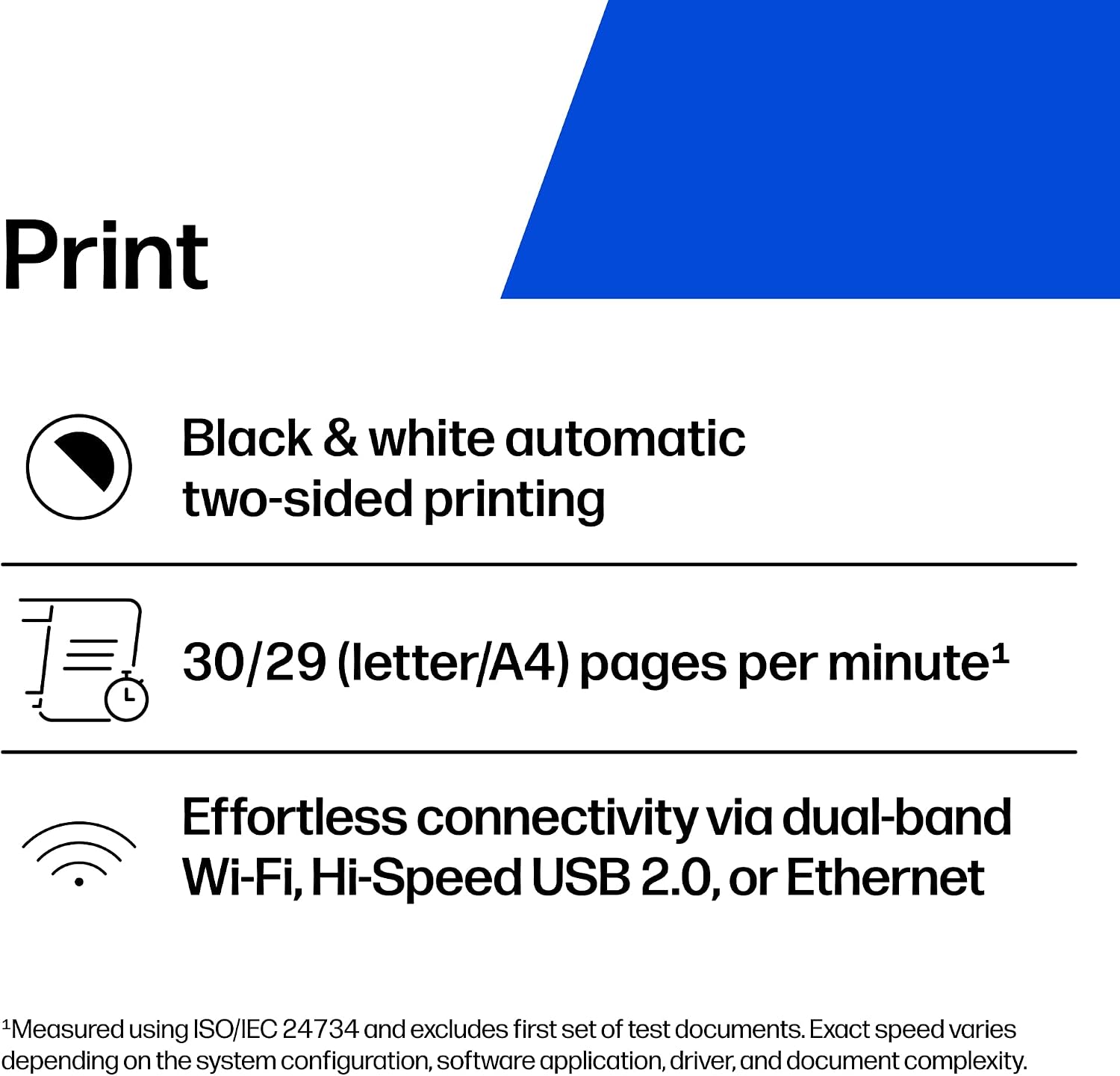
HP lists output of up to 30 black-and-white pages per minute for single-sided printing and up to 19 black-and-white images per minute for two-sided printing. Those are stated maximums, not a promise that every job will finish at that pace. Dual-band Wi-Fi is designed to detect and resolve connection issues, and built-in security features help protect the printer from potential attacks. It’s also eligible for Instant Ink.
Keep in mind that this is a monochrome printer: it won’t handle color documents. If you mainly print text and reports, that may be an easy trade-off, if colored charts or handouts are part of your routine, look for a color model instead.
Best use cases
The listed audience is small teams of one to five people. That could mean printing a stack of reports before a meeting, handling routine office paperwork, or sending a document from a mobile device without first moving it to a computer. Automatic two-sided printing is especially useful when a document runs several pages: you can print both sides without manually flipping each sheet.
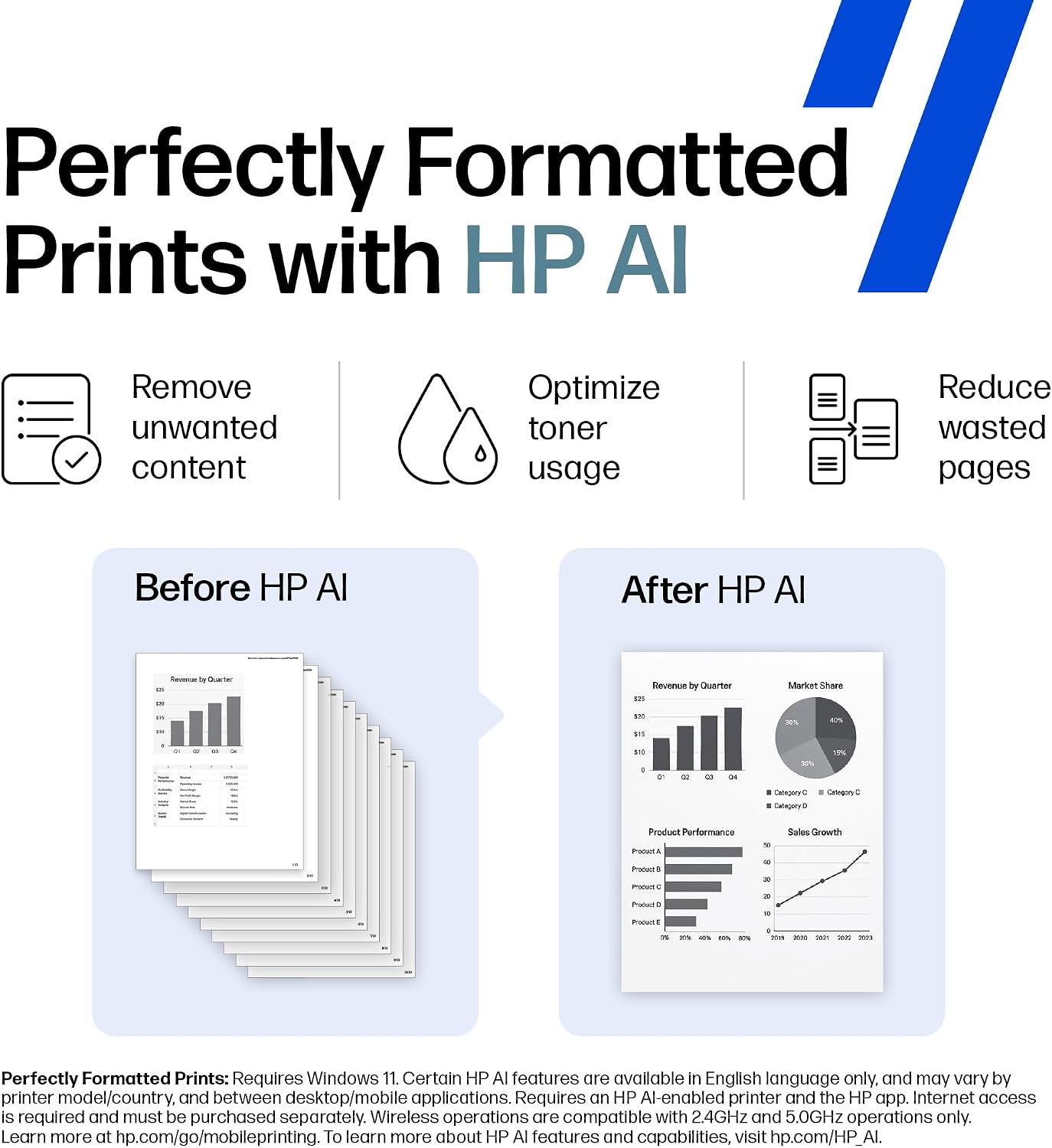
Compared with a basic single-sided setup, the M209dw adds a more hands-off duplex workflow and wireless printing. A solid pick if your shared printer mostly serves straightforward black-and-white jobs and more than one person needs access. It might not be a great match if you need color output or are choosing a printer for a different kind of workload, the supplied details focus on small-team document printing.
Tips for day-to-day use
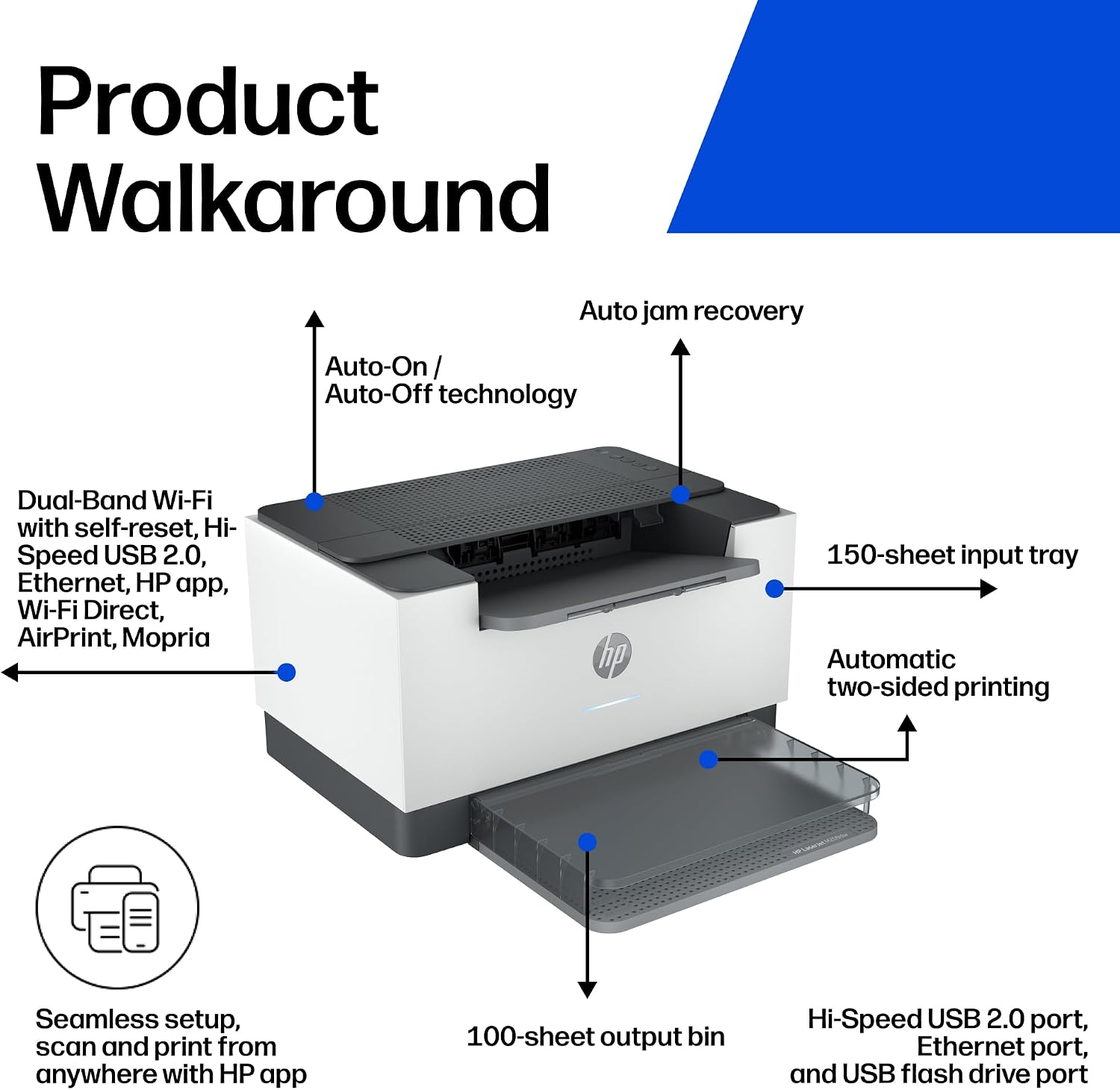
For routine reports, choose two-sided printing when you want to reduce the number of printed sides and avoid turning pages by hand. For a quick single-sided copy of a document, the listed maximum speed is higher than the two-sided figure, though actual results can vary by job. Mobile printing and wireless connectivity can help when a team member needs to send a file from a phone rather than sit at the printer’s computer.
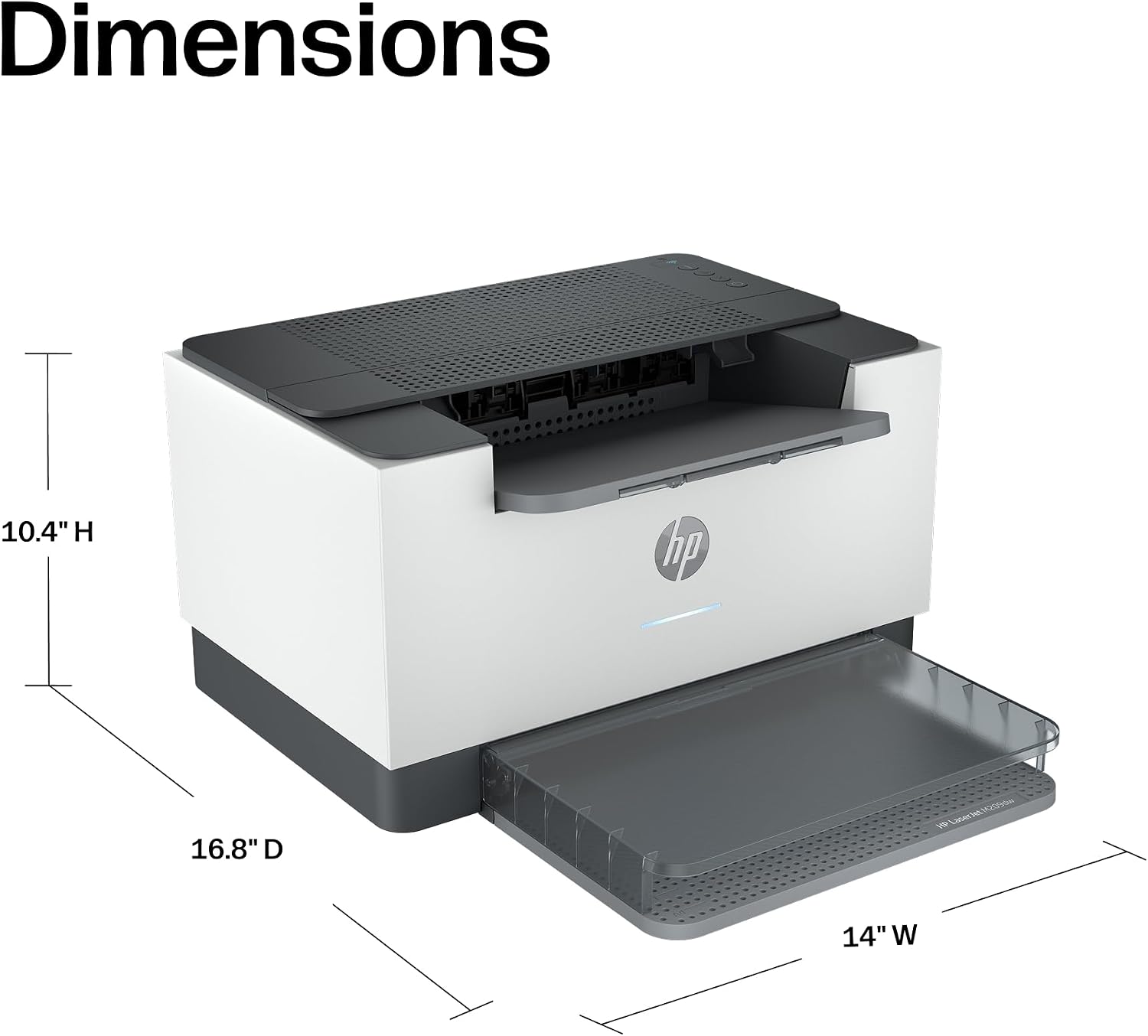
During setup, place the printer where the intended users can reach it over the wireless network. The self-resetting Wi-Fi feature is intended to address connection issues automatically, but the product details don’t specify every network environment it supports. Security features are built in, though no specific protections or settings are listed here, so don’t assume they replace your organization’s own security practices.
Practical doubts
Does it print in color? No. The product is described as a monochrome laser printer for black-and-white documents and reports.

Can it print on both sides automatically? Yes. Automatic two-sided printing is listed, with output stated at up to 19 black-and-white images per minute in that mode.
Can I print wirelessly from a mobile device? Mobile printing and dual-band Wi-Fi are listed. The provided details don’t name particular mobile platforms or explain their setup requirements.
Should you buy it?
The M209dw makes the most sense when the job is clear: shared, mostly text-based printing for a small team, with wireless access and automatic duplexing to simplify everyday tasks. Its stated single-sided speed and mobile-printing support may suit a busy office routine, while the automatic two-sided option helps when reports or documents span multiple pages.
Choose a different type of printer if color is essential or your needs go beyond the small-team document use described here. If black-and-white output covers your work, the HP’s combination of wireless printing, duplexing, and built-in security features is the reason to consider it—not a broader set of capabilities that the product details don’t claim.