

WARRKY HDMI Switch 4K 60Hz / 2K 144Hz Bidirectional (2-in-1, 1 display) in aluminium case
Product description
What it’s for
An HDMI switch is one of those “small upgrade, big convenience” bits of kit. The WARRKY HDMI Switch is built to let you control what a single display sees, either by switching between two HDMI sources (like a TV box and a games console), or by routing one source across different setups. The key limitation is the way it’s designed: when you’re using it to extend a single HDMI source out to two paths, only one display can be active at a time. If your setup needs true simultaneous multi-display output, you’ll want to look elsewhere.
For day-to-day use, it suits home, office, and especially gaming arrangements where you don’t want to keep swapping HDMI leads. You can also treat it as a cleaner “desk and entertainment” solution: one button to change the active input, instead of crawling behind the TV or monitor every time you change devices.
The essentials: switching + bidirectional routing
On paper, this is a 2-in-1 / 1-out HDMI switcher: two HDMI sources, one active display. It’s described as bidirectional, meaning the switch can be used to route HDMI signals depending on how you place devices in your chain.
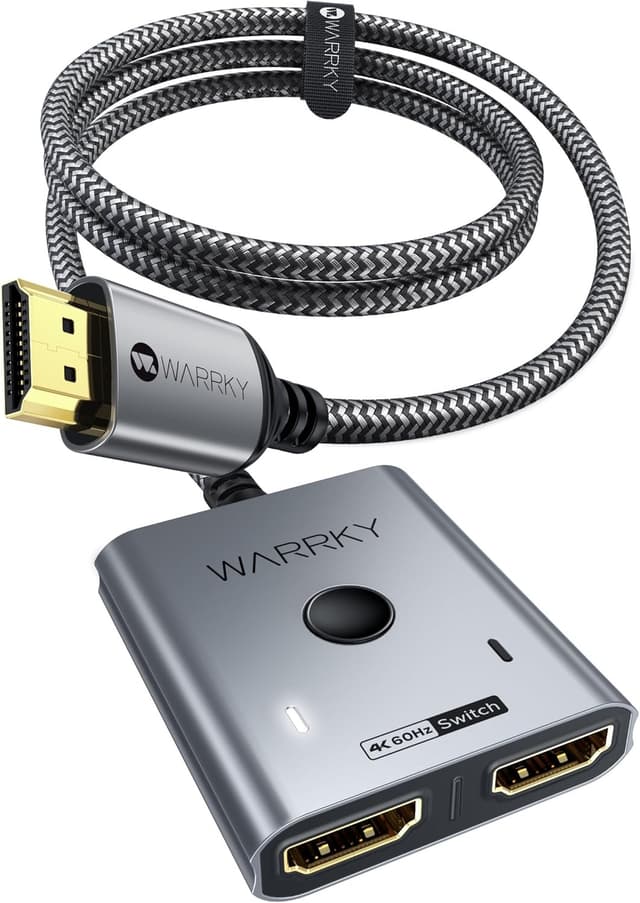
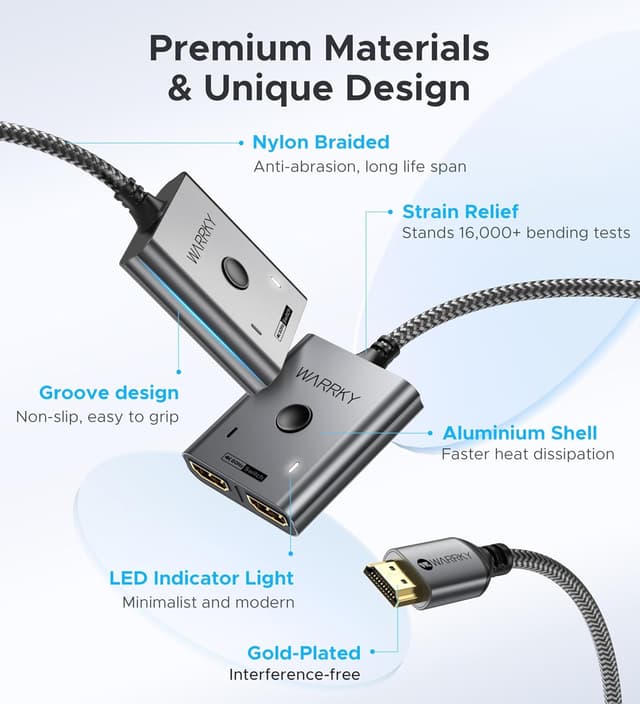
The unit includes an integrated HDMI cable, which is a practical detail that reduces fiddling around with extra leads. It also has an LED indicator for status cues, so you’re not guessing which input is currently live.
If you’re imagining a typical use case—say you’ve got an Xbox and a TV stick connected to your monitor—this is the sort of device that keeps switching fast. You’d connect both sources to the switch, plug the output into the monitor, then press the on-device button when you want to swap. It’s simple, and it removes one of the most annoying parts of mixed gaming/streaming setups.
Video, audio and compatibility (what to expect)
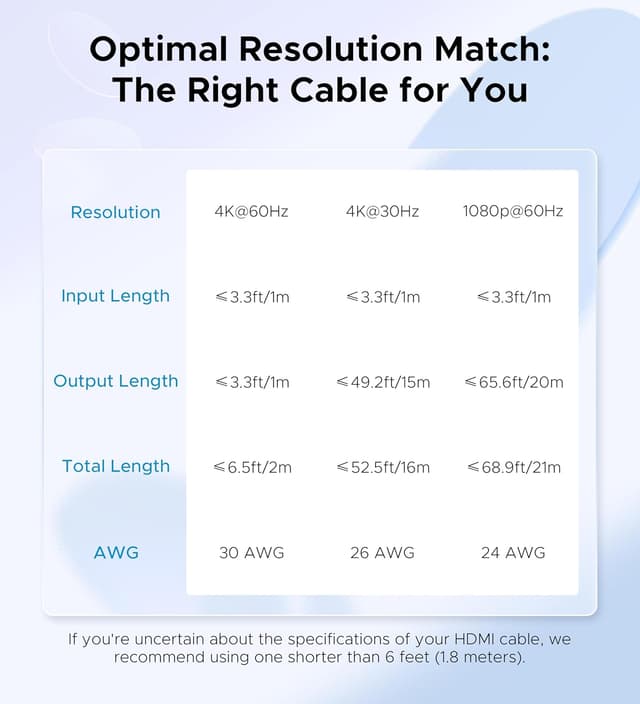
The WARRKY switch is positioned for modern HDMI viewing: it’s specified to support up to 4K@60Hz, with HDR and CEC mentioned for enhanced visuals and smoother control. It also claims 18Gbps bandwidth, and support for immersive audio formats including Dolby Atmos / DTS (across 7.1, 5.1, or 2 channels is listed).
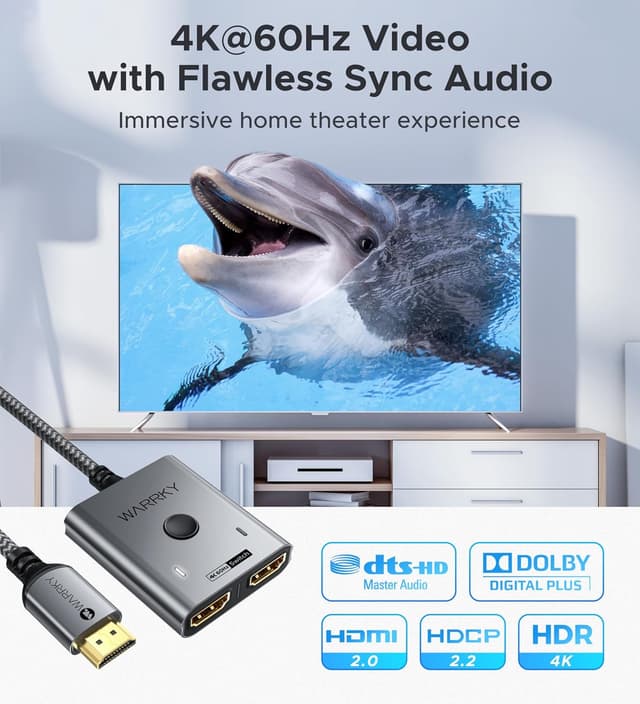
It’s backwards compatible too, with 2K@144Hz and 1080p@240Hz noted. That matters if you’re pairing it with a gaming PC or a console that can output higher refresh rates at lower resolutions.
For protection, it states HDCP 2.2 compliance.
One compatibility detail to keep in mind: it’s not compatible with ARC. So if your plan involves using HDMI ARC on a TV soundbar/receiver setup, this may not be the right tool.
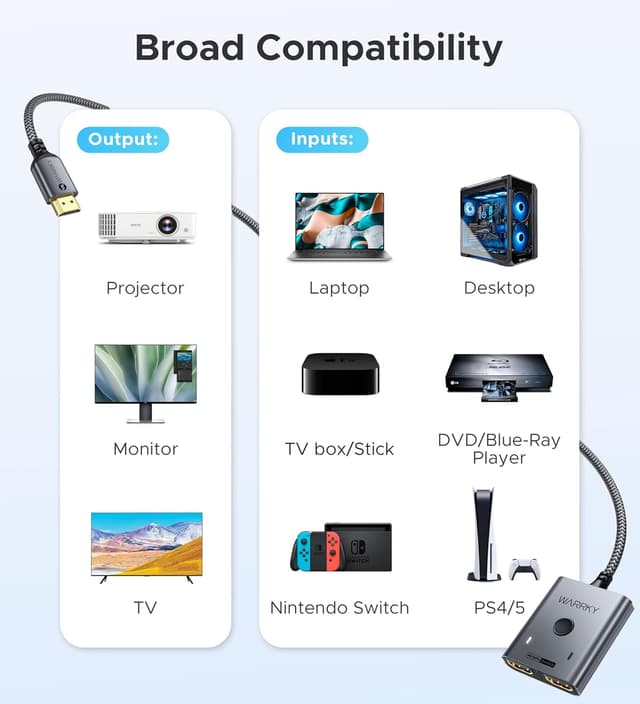
As for devices, it’s described as plug-and-play with a wide range of HDMI-enabled equipment such as PlayStation 3/4/5, Xbox One/Series/360, Nintendo Switch, Roku, Chromecast, TV stick/box, and PC/laptops.
What stands out in daily use
The most “real world” strengths here are the ones you feel immediately:
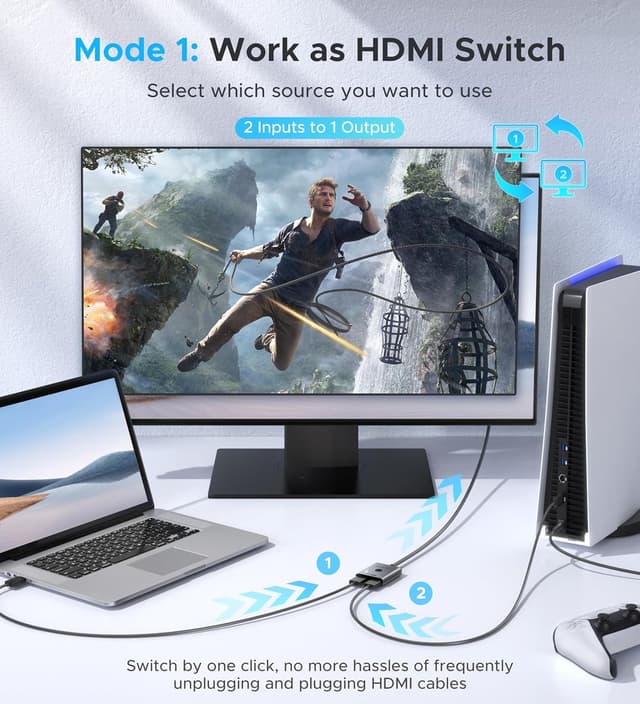
- Switching without cable swapping: a button on the unit makes input changes straightforward.
- Integrated HDMI cable: it reduces the number of extra cables you need to source.
- Build and heat handling: the aluminium case is designed to dissipate heat better than many plastic housings.
- Durability approach: the nylon-braided cable is intended to be resilient and flexible, with less risk of fraying.
It’s also using an industry-leading IC chip for video signal transmission and mentions AWG 26 conductors to reduce transmission loss. Gold-plated connectors are also included in the spec as part of the overall “signal integrity” story.
Pros

- Simple button-based HDMI source switching for one display
- Supports up to 4K@60Hz with HDR, plus CEC support mentioned
- Backwards compatible with higher refresh rate modes like 2K@144Hz and 1080p@240Hz
- HDCP 2.2 compliant as stated
- Aluminium case with heat dissipation and a nylon-braided cable
Cons / limits you should factor in
- Only one display can be active at a time when extending one HDMI source. This is fine for many home setups, but it can be a deal-breaker if you’re trying to run two screens simultaneously.
- Not compatible with ARC, so it’s not the obvious choice for HDMI ARC audio routing.
- The “2-in-1 / 1-out” nature means you’re optimising for switching, not complex multi-device, multi-display scenarios.
It’s also worth noting that many HDMI switches work best when your devices’ resolutions and refresh rates are compatible with the switch’s stated performance—if you’re targeting very specific high-refresh combinations, it’s sensible to double-check your intended output settings before committing.
Quick check: is it a good fit for your setup?
It’s a good fit if you want to connect two HDMI sources to one monitor or TV and switch between them quickly, especially for gaming plus streaming. It makes sense if your priority is convenience and tidy cabling, and you want support for 4K@60Hz (with HDR) as well as backwards compatibility for higher refresh rate modes.
It might not suit you if you rely on ARC for audio or if you need both outputs active at the same time when extending a single source. If your use case is multi-display playback with no switching, this category of switcher may feel restrictive.
Should you buy it?
Consider buying the WARRKY HDMI Switch if your setup is “one display, two sources”, and you want a practical way to move between devices using the switch button—without swapping cables. The aluminium build, integrated cable, and stated support for 4K@60Hz with HDR make it a sensible match for everyday home viewing and console gaming.
Skip it if ARC is essential to your audio setup, or if you’re expecting simultaneous multi-display extension from one source. In those scenarios, a different approach (not a basic switcher) is usually the better route.
Mini FAQ
Is this HDMI switch for one monitor or two?
It’s designed for two inputs into one active display output. The listing also notes that when extending one HDMI source, only one display can be active at a time.
Does it support 4K and higher refresh rates?
Yes, it’s specified to support 4K@60Hz, with backwards compatibility mentioned for 2K@144Hz and 1080p@240Hz.
Will it work with ARC sound systems?
No—this switch is stated as not compatible with ARC.
What devices is it compatible with?
The product description lists broad compatibility with HDMI-enabled devices including PlayStation, Xbox, Nintendo Switch, Roku, Chromecast, TV stick/box, and PC/laptops.
Does it include the HDMI cable?
The description states it has an integrated HDMI cable, so you don’t need to source an additional cable for the connection it covers.