

Logitech Wave Keys & Lift Vertical Mouse ergonomic bundle (Graphite) — wireless keyboard + vertical wireless mouse
Product description
What it is and why people buy it
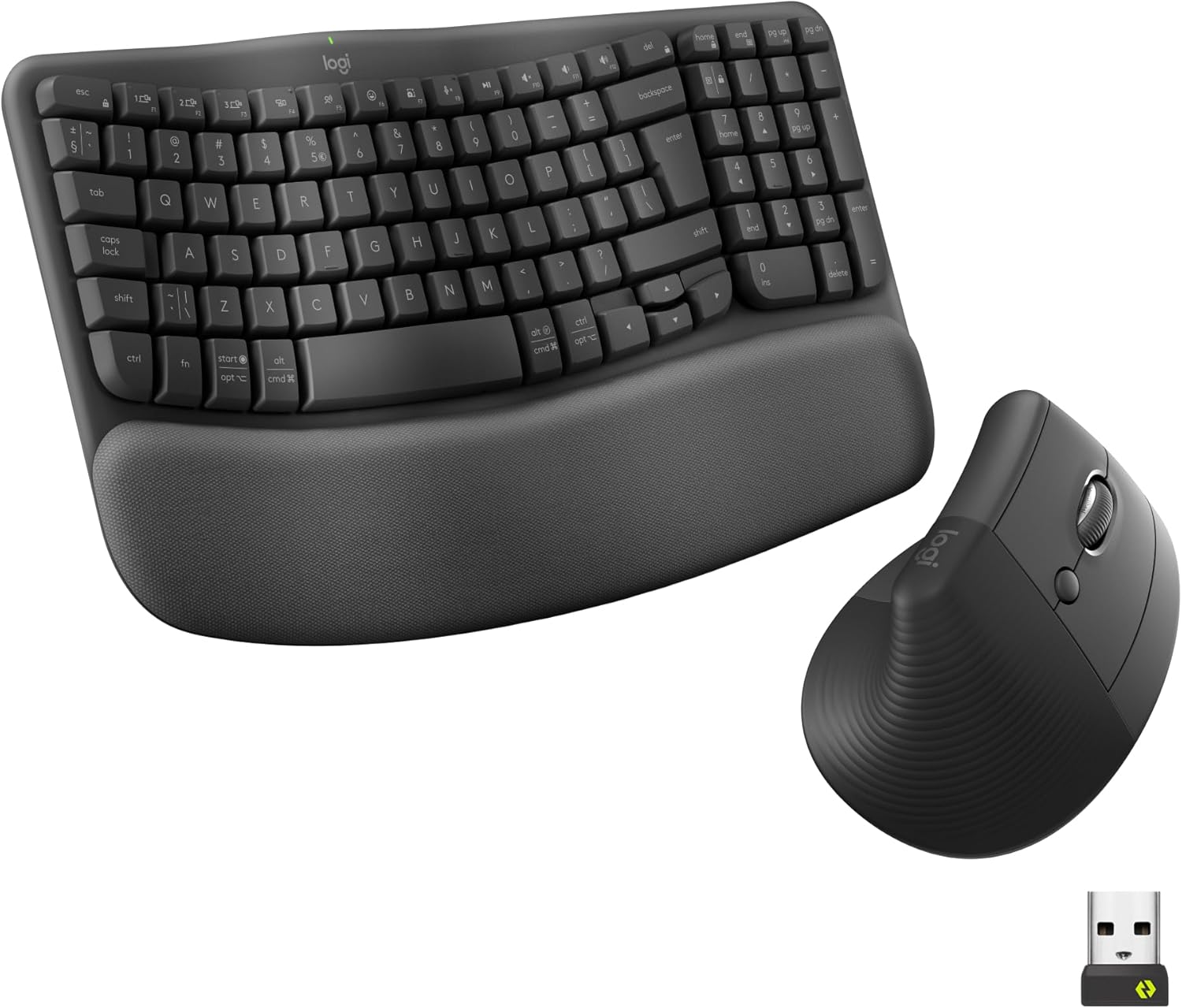
If your desk time has started to feel a bit too “samey” on the wrists and hands, this Logitech Wave Keys & Lift Vertical Mouse bundle is the kind of buy that tries to fix the setup rather than just swap peripherals. On paper, you’re getting a matched pair: a wireless ergonomic keyboard with a cushioned palm rest, plus a vertical ergonomic wireless mouse designed to keep your hand position more natural.
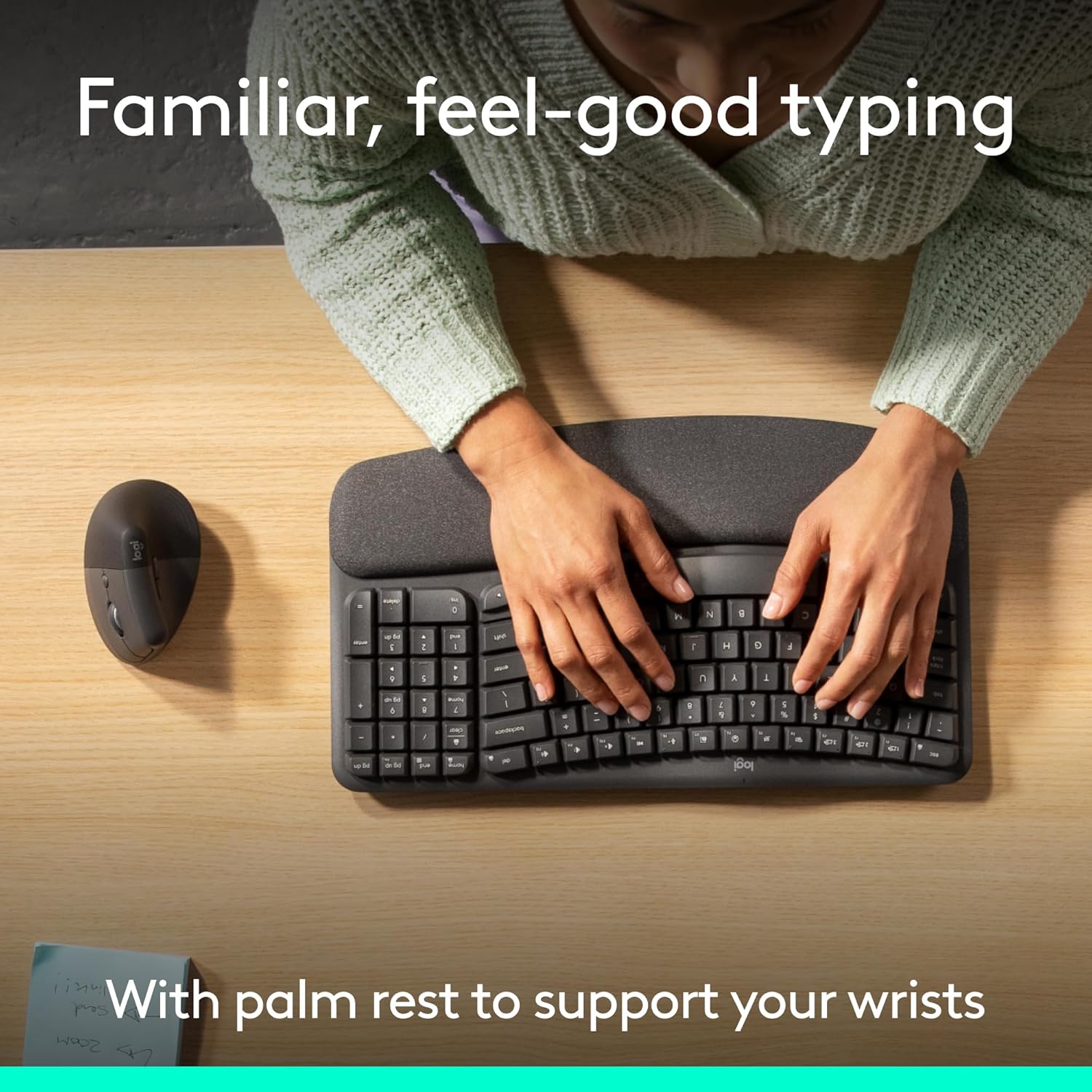
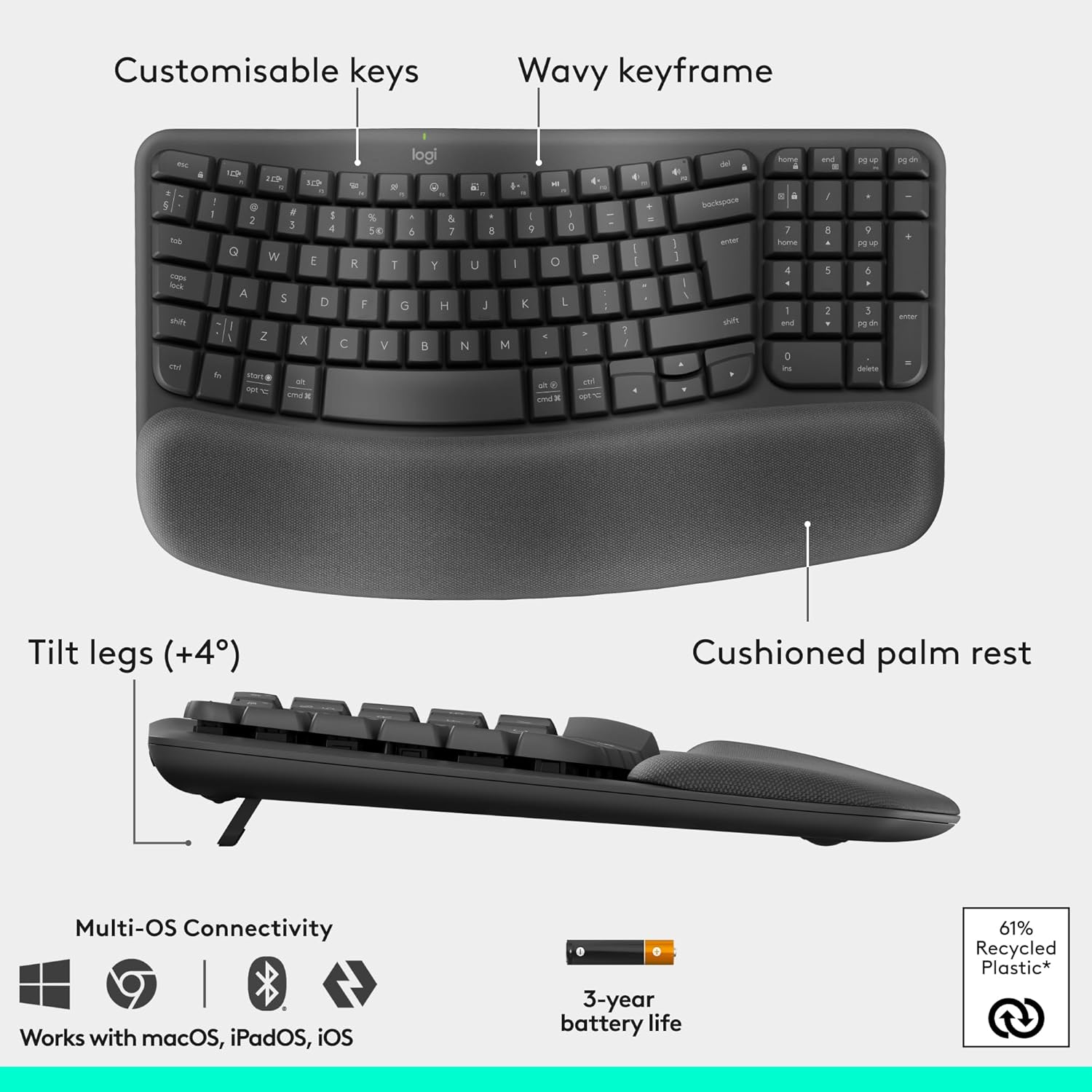
The big idea is comfort over long stretches. The Wave Keys keyboard uses a wavy design to place hands, wrists and forearms in a more natural typing position, while the included memory-foam palm rest is there to reduce pressure and add support. The Lift mouse leans into posture too, with a vertical shape aimed at a more natural forearm alignment.
Key comfort features you’ll actually notice
The Wave Keys keyboard isn’t a full-size redesign, it’s a compact ergonomic layout with a pronounced wavy profile. The point of that shape is to encourage a typing position that doesn’t force you into the same strain all day.
Equally important (and often overlooked until you use it): the palm rest. This one is cushioned and uses memory foam to support you throughout the day, giving you more wrist support than a hard edge would. Depending on how you type and where you rest your hands, this can be the difference between “I like the idea” and “my desk feels better”.
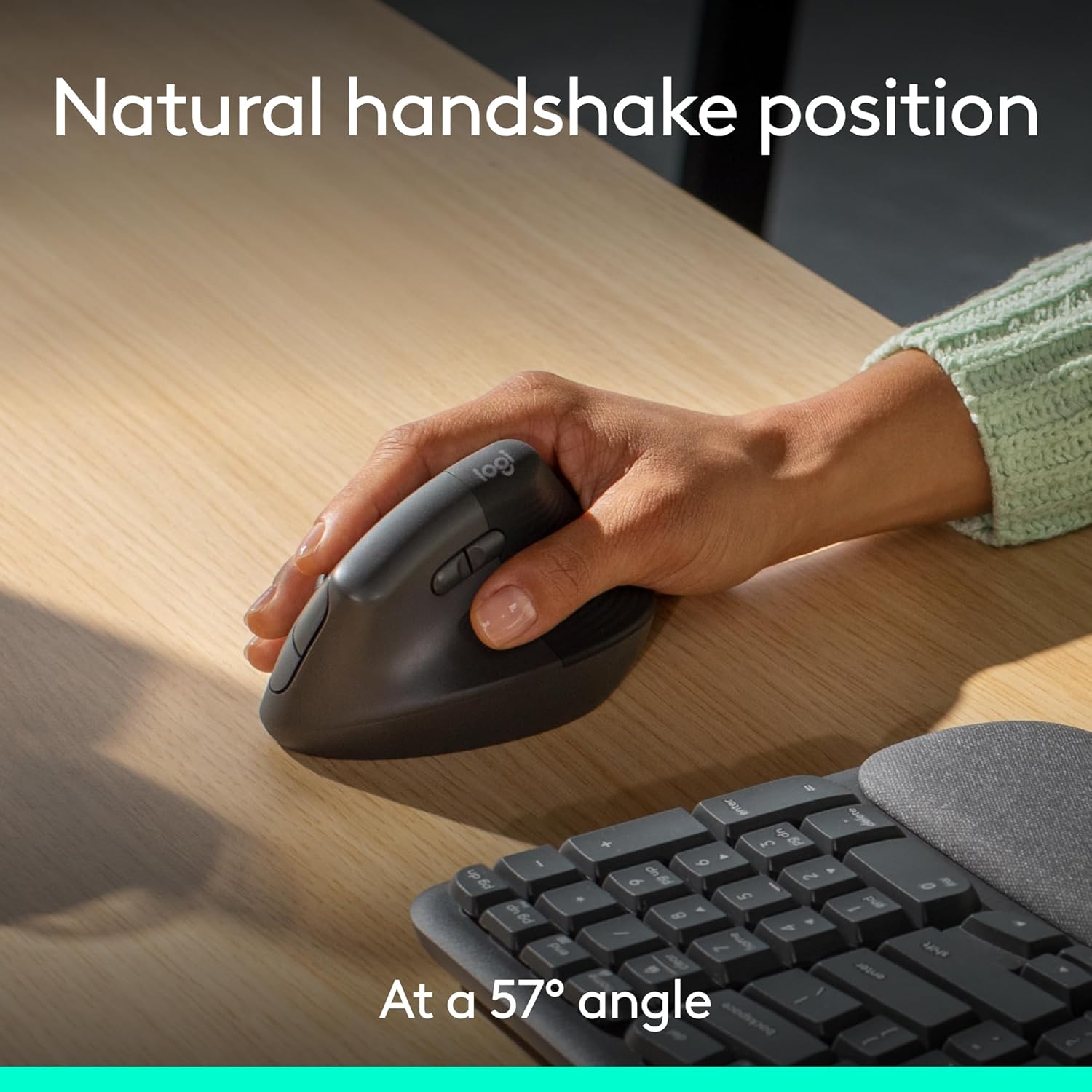
On the mouse side, the Lift is shaped to support a vertical hand angle. Logitech says it’s designed around an optimal 57° vertical angle, and that the vertical form takes pressure off your wrist and promotes a more natural posture for day-long comfort.
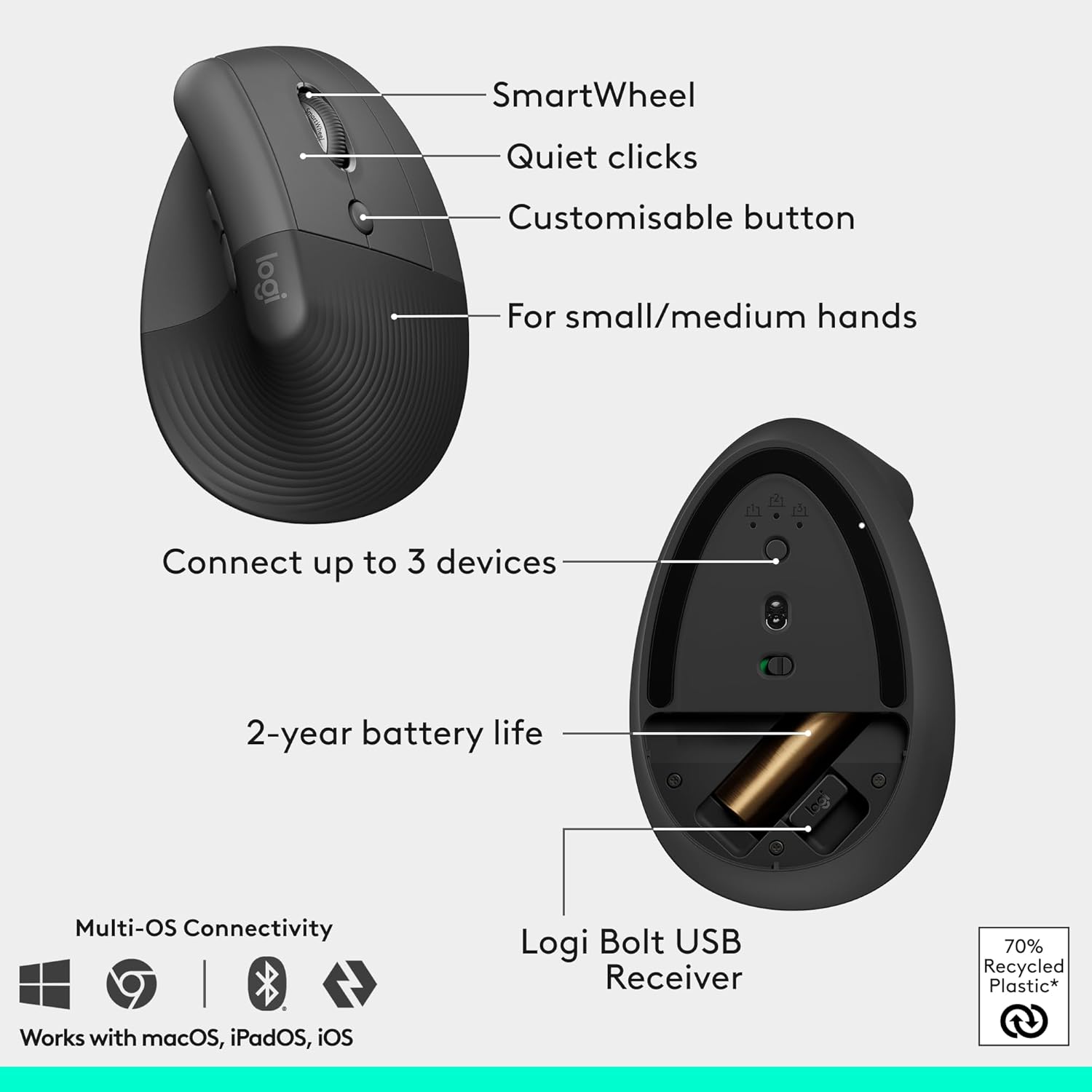
There’s also a softly textured grip and a snug thumb rest. That combo tends to help with control when you’re not constantly “floating” your hand position.
Using it day to day (a quick scenario)
Imagine you’re in the middle of a spreadsheet-heavy afternoon: short bursts of typing, lots of mouse work, then more typing again. With Wave Keys, your hands and wrists are guided into a wavier typing position rather than sitting on a flat plane. The memory-foam palm rest supports your wrist as you move between sections, so your resting points don’t feel harsh.
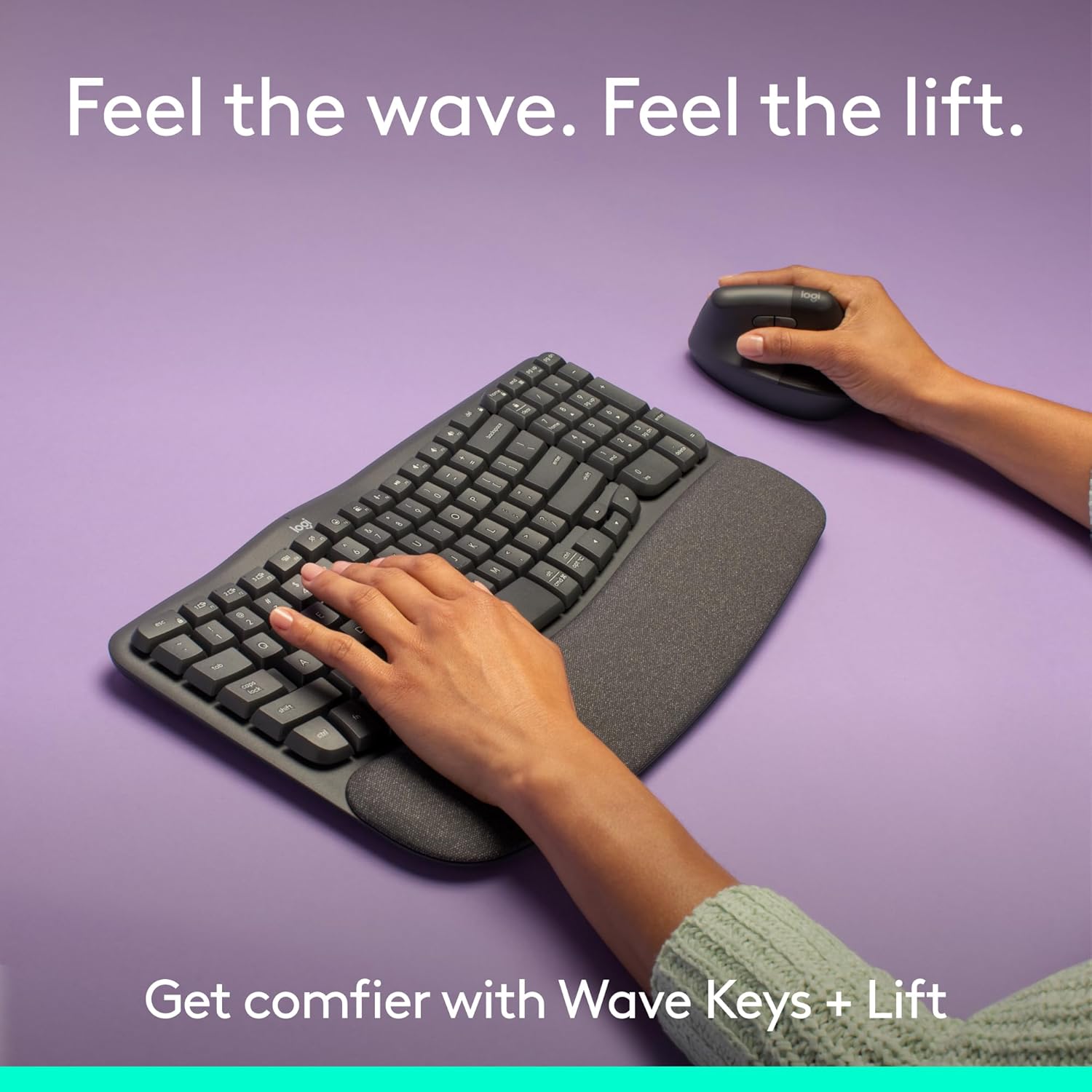
Switching to the Lift mouse, the vertical angle is meant to keep your wrist from collapsing into a more typical sideways posture. The result, if you’re sensitive to wrist comfort, is that you may feel less “tired” by the time you stop for a break.
Personalisation and control
Both devices are backed by workflow personalisation via the Logi Options+ app. The bundle also mentions whisper-quiet clicks, plus a smooth and seamless SmartWheel for navigation.
If you rely on shortcuts or you want to streamline repeated tasks, this is where it can become more than just comfort hardware—app-based settings can reduce how often you reach for the same menus.
What to consider before you buy
A vertical mouse isn’t for everyone. It may not suit you if you prefer a traditional mouse shape and have a long-standing muscle memory for it. Even when the comfort story is strong, it can take time to adjust.
The bundle also targets small to medium hands for the Lift mouse. If you have larger hands, you may find the fit or control less comfortable than you’d hoped.
Finally, it’s an ergonomic set built for day-long use, but “ergonomic” doesn’t automatically mean “solves everything”. If you already have pain, it’s worth being realistic: this can help with posture and pressure, but it won’t replace medical advice or addressing your wider desk ergonomics.

Tech summary (only what’s stated)
Key specifications
- Keyboard: wireless ergonomic keyboard with cushioned palm rest (memory foam)
- Mouse: vertical ergonomic wireless mouse with softly textured grip and thumb rest
- Mouse vertical angle: optimised for 57°
- Personalisation: Logi Options+ app
- Connectivity: wireless keyboard and mouse with Bluetooth support
- Compatibility claim: for multi-OS, including Windows and Mac
- Inputs mentioned for the mouse: whisper-quiet clicks and SmartWheel
In the end, should you buy it?
When it makes sense
It’s a solid pick if you spend many hours at a desk, you prefer wireless peripherals, and you want a comfort-first setup that tackles both typing posture (Wave Keys) and mouse posture (Lift).
It also makes sense if you like the idea of personalising your workflow via Logi Options+—that’s the kind of feature that can justify the bundle beyond just ergonomic looks.
When you may want to skip it
You may want to avoid this bundle if you have larger hands and worry the Lift mouse could feel off. It’s also not the best choice if you’re unwilling to adapt to a vertical mouse shape, even if it’s designed to reduce wrist pressure.
Who it suits best
- People who want a matched ergonomic keyboard + vertical mouse rather than piecing together separate solutions
- Office and home workers who value palm support and wrist-friendly positioning
Who should be cautious
- Anyone who strongly prefers a traditional mouse shape and grip
- Buyers with hand sizes outside the small-to-medium range noted for the Lift
Mini FAQ
Questions people ask
Is this bundle suitable for both Windows and Mac?
The product description states it’s for multi-OS, including Windows and Mac, so it should fit common setups across those platforms.
What’s the main comfort difference vs a standard setup?
The keyboard focuses on wrist/forearm positioning with a wavy design and adds memory-foam palm support. The mouse uses a vertical shape intended to take pressure off your wrist.
Do I need the Logi Options+ app?
Not strictly mentioned as required for basic use, but the description does frame it as the way to personalise your workflow, so it’s most relevant if you want shortcuts or task-specific tweaks.
Is the vertical mouse angle fixed?
The description states it’s designed around an optimal 57° vertical angle, suggesting the shape is the key driver rather than something you adjust constantly.