


Acezeek Gaming Mouse Pad XXL 900×400mm with stitched edges & anti-slip base (Green & Cat)
Product description
What this XXL desk mat is for
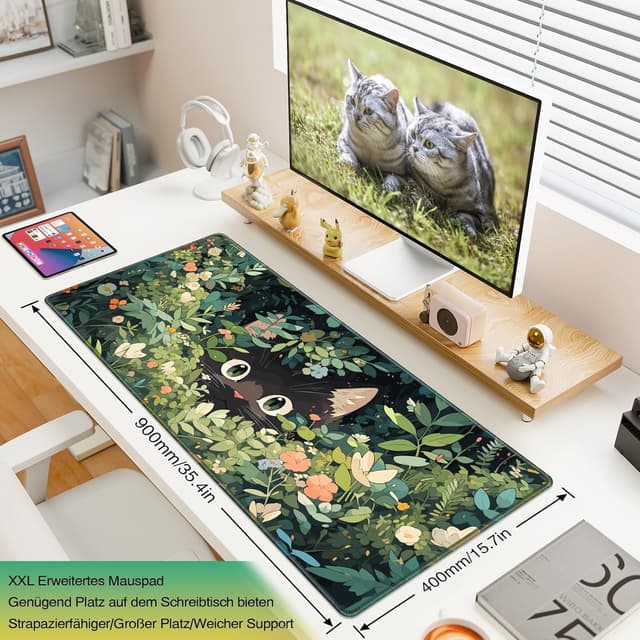
An XXL mouse pad is one of those “small change, big difference” upgrades: you get a bigger work area for your mouse movement, but you also get actual desk protection. The Acezeek Gaming Mouse Pad XXL is a large desk mat measuring 900×400mm, designed to sit under a mouse, and also comfortably support a keyboard setup.
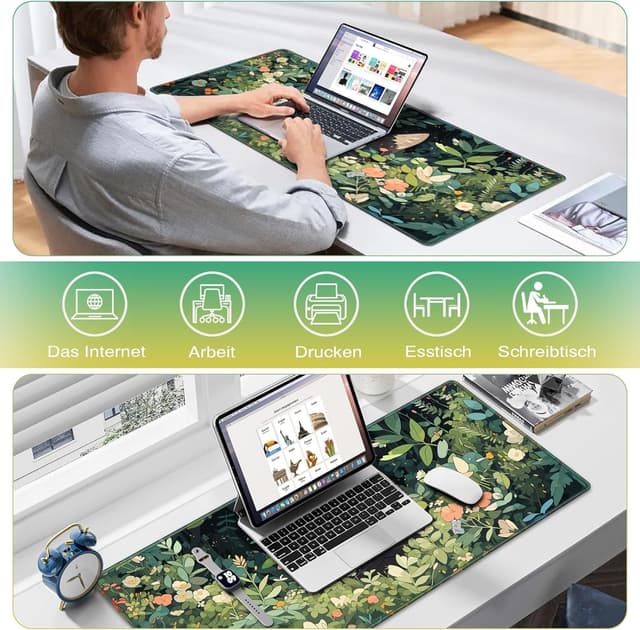
On paper, it’s a flexible surface too. The manufacturer positions it as usable as a mousemat, desk pad, ink blotter and even for tablets/laptops—mainly as a protective base to keep your desk cleaner and less exposed to everyday scuffs, smears and the occasional spill.
Where it stands out in everyday use

The most practical win here is the size. With a 900×400mm footprint, you’re less likely to feel like your mouse is “running out of space” when you’re gaming or doing design work. It also means your keyboard and mouse can share the same clean, controlled surface instead of bouncing between bare desk material and smaller mats.
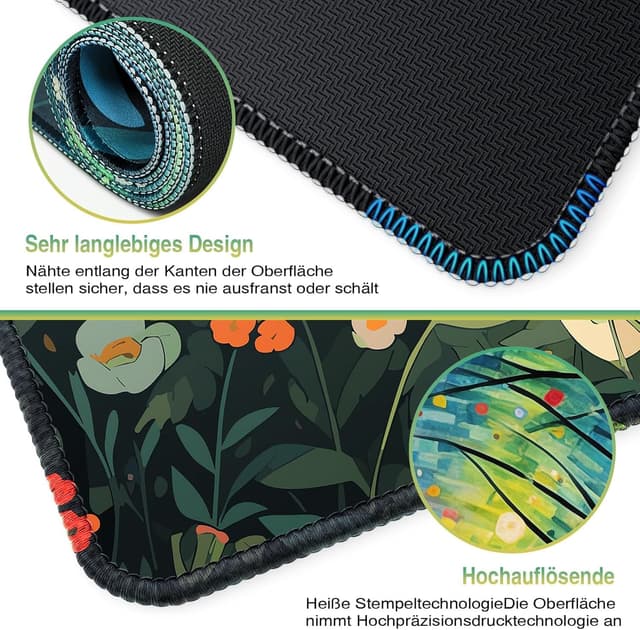
The surface is described as a precision woven lycra fabric, aimed at smoother control and more precise operation. If you care about consistent glide for FPS-style movements or precise cursor work, that’s the kind of spec you’re looking for—though it still depends on your mouse feet and how you play or work.
There’s also the edged stitching angle. The mat’s edges are stitched with durable finishing, which is reassuring if you’re the type of user who tends to fold, move or shove the mat around when switching between home/office tasks.
The practical side: grip and cleaning
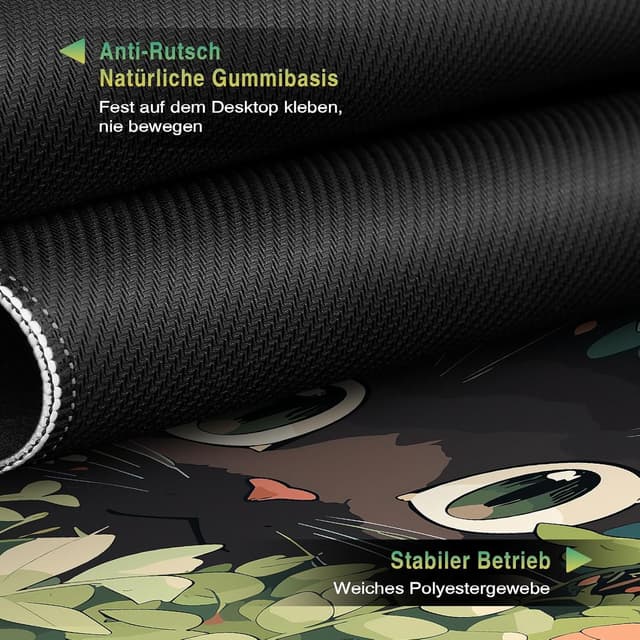
This pad uses a non-slip rubber base (with latex, per the description) to increase friction resistance against your desktop and prevent sliding. That matters more than people expect: a mat that drifts mid-session is annoying, and it can subtly mess with your aim and accuracy.
Cleaning is intended to be straightforward. It has a waterproof coating designed to block overflow from water and beverages, and you should be able to wipe it down with a damp cloth to remove dust, grease and dirt.
One limitation to keep in mind: “waterproof coating” usually means it can handle splashes better than uncoated fabric, but spills can still cause mess at the edges if you don’t wipe up promptly.
Desk protection you can feel
If you’ve ever had a desk surface get marked from repeated mouse use, or you’ve watched coffee rings appear where they shouldn’t, you’ll understand the appeal. This mat is explicitly aimed at protecting against scratches, stains, spills, high temperatures and general wear.
In a real-world scenario, you can imagine laying the mat on a plain desk at home, putting your keyboard and mouse on top, and then using it as a “barrier” when you’re eating or working with a drink nearby. Even if nothing spills, the mat reduces wear to the desk underneath.
Key things to double-check before buying
- Your setup size: While 900×400mm is large, measure your desk first if you want the mat to sit comfortably without overhang.
- Surface preference: Some people prefer softer cloth-like glide for comfort, others prefer faster surfaces. This one is designed around a woven lycra feel, so it should suit many users, but it may not be your perfect match.
- Printing/colour expectations: The design and printing are mentioned, but exact look can vary with lighting and screen settings—worth considering if you’re picky about how it’ll look in your workspace.
Is it worth it?
It’s a solid pick if you want a larger-than-average desk mat for both gaming and general work, and you like the idea of a single surface that can protect your desk while improving mouse control. The anti-slip base and stitched edges are the kind of details that tend to matter long-term, especially if you reposition your setup.
It might not be the best choice if you’re chasing the fastest possible tracking feel, or if you’re very sensitive to surface texture—because cloth-style woven surfaces can feel different to glide-optimised alternatives. Also, if your desk is small, this XXL footprint could end up feeling like overkill.
Mini FAQ

Will it stop my mouse pad from sliding?
The mat is designed with a non-slip rubber base to increase friction with the desktop and prevent sliding.
Can I clean it easily?
Yes—according to the description, it’s easy to clean with a damp cloth to remove dust, grease and dirt.
Is it suitable for more than just a mouse?
It’s positioned as a multi-purpose desk surface (mousemat, desk pad, ink blotter and for tablets/laptops), mainly for keeping the desk protected and tidy.
What kind of users is it best for?
Gamers, designers and people doing craft/handicraft work are specifically called out, plus anyone wanting desk protection at home or in an office.